"26aaab8a5d5ed4fc"{"id":"22673","slug":"imagine-webar-image-tracker","title":"Imagine WebAR - Image Tracker","category":"Camera","engine":"Original Unity version: 2022.3.12","assetVersion":"Original Unity version: 2022.3.12","engineVersion":"Asset Version:1.7.1","tag":"Camera","accent":"cyan","visual":"audio","summary":"Imagine WebAR - Image Tracker enables markerless augmented reality within web browsers using Unity WebGL. It supports natural-feature tracking, texture extraction, and self-hosted deployment.","platform":"Unity","publishedAt":"2026-04-06T13:48:52.000Z","updatedAt":"2026-04-19T15:37:05.000Z","sourceNotes":[],"fileContents":[],"compatibility":["Unity","Original Unity version: 2022.3.12","Asset Version: 1.7.1"],"featuredImage":{"alt":"Imagine WebAR - Image Tracker","src":"https://3dcghub.com/wp-content/uploads/2026/04/54961fe8a9f1_c1602e84-41e6-4dc3-a47e-ba172ed3ff4c_1280x720_stretch.webp"},"hasDownloadLink":true,"downloads":2,"terms":[{"taxonomy":"category","slug":"camera","name":"Camera"},{"taxonomy":"post_tag","slug":"tools","name":"Tools"},{"taxonomy":"post_tag","slug":"unity","name":"Unity"},{"taxonomy":"post_tag","slug":"vfx","name":"VFX"}],"galleryImages":[{"src":"https://3dcghub.com/wp-content/uploads/2026/04/66de1935d868_59de68d5-d5e3-4e65-bf62-e5e792838b22_scaled.webp","alt":"Imagine WebAR - Image Tracker"},{"src":"https://3dcghub.com/wp-content/uploads/2026/04/fb815da06e0d_16cc0f11-3290-40be-8d11-44b5b30a2550_scaled.webp","alt":"Imagine WebAR - Image Tracker"},{"src":"https://3dcghub.com/wp-content/uploads/2026/04/6ac98abc4cfc_c3df7172-e721-4d8d-bbde-71b3fd3f06f8_scaled.webp","alt":"Imagine WebAR - Image Tracker"},{"src":"https://3dcghub.com/wp-content/uploads/2026/04/f68ae472c1d4_b8552099-ec34-4e59-917a-5475e0475df1_scaled.webp","alt":"Imagine WebAR - Image Tracker"},{"src":"https://3dcghub.com/wp-content/uploads/2026/04/98feec98d0b9_4c22f36e-fa9c-49ef-8610-3be6c86d3e05_scaled.webp","alt":"Imagine WebAR - Image Tracker"}],"accessPanel":{"kind":"resource","title":"Access this resource","eyebrow":"Free Download","message":"Log in or create a free account to start your download.","fileName":"Imagine WebAR - Image Tracker v1.7.1.7z","safetyNote":"All resources are 100% manually reviewed to eliminate all risks.","actionLabel":"Download Free","resourceType":"Resource archive"},"contentHtml":"\u003ch2\u003eBrowser-Based Augmented Reality with Unity\u003c/h2\u003e\n\u003cp\u003eImagine WebAR - Image Tracker is a specialized plugin designed for the Unity engine that facilitates the creation of augmented reality experiences specifically for web browsers. By utilizing WebGL, the plugin allows developers to anchor game objects and digital content to physical images without the requirement of a dedicated mobile application. This approach targets the need for small, highly shareable AR experiences where ease of access is a priority. Users can trigger the AR content through standard methods such as clicking a link or scanning a QR code, bypassing the traditional friction of app store downloads.\u003c/p\u003e\n\n\u003cp\u003eThe system is built to support both mobile and desktop environments. It has been tested across major browsers including Chrome, Safari, Edge, and Firefox. Furthermore, the plugin maintains compatibility with the built-in browsers found within popular messaging applications like WeChat, Facebook Messenger, and Viber, ensuring a broad reach for web-based deployments.\u003c/p\u003e\n\n\u003ch2\u003eNatural-Feature Tracking and Scene Setup\u003c/h2\u003e\n\u003cp\u003eUnlike many AR solutions that rely on fiducial markers—such as specific QR-like squares—this plugin uses natural-feature tracking. This technology allows the software to detect and track any image, provided it contains sufficient visual detail. The creator notes that this method is generally faster and more accurate than common open-source alternatives like AR.js or A-Frame, positioning it closer to industry-standard image-tracking solutions.\u003c/p\u003e\n\n\u003cp\u003eFor developers, the workflow involves a relatively quick setup process. To assist in the preparation of assets, an Online Image Target Tester is available. This tool allows creators to evaluate how their specific images will perform in an AR environment before they are fully integrated into a project. This diagnostic step helps ensure that the chosen image targets have the necessary details for stable tracking.\u003c/p\u003e\n\n\u003ch2\u003eAdvanced Features: Texture Extraction and Runtime Compilation\u003c/h2\u003e\n\u003cp\u003eOne of the more distinct technical capabilities of this plugin is support for Texture Extraction. This feature allows the AR experience to read and utilize the visual data from the physical target. A practical application for this is coloring book AR experiences, where the digital overlay can reflect the actual colors or drawings applied to the physical page by a user. This specific functionality is cited as a unique offering within the current WebAR image tracking landscape.\u003c/p\u003e\n\n\u003cp\u003eThe plugin also streamlines the asset pipeline by supporting runtime compilation of image targets. In many AR workflows, image targets must be pre-processed or compiled through an external website or specialized tool before they can be used in a build. With this plugin, image targets can be compiled during the initialization of the webpage. This flexibility allows for more dynamic content management and reduces the reliance on external pre-processing steps.\u003c/p\u003e\n\n\u003ch2\u003eDeployment and Hosting Architecture\u003c/h2\u003e\n\u003cp\u003eA significant aspect of this plugin is its \"white-label\" nature. Because the plugin produces a standard Unity WebGL build, developers have full control over the hosting environment. The tech stack belongs entirely to the developer, allowing them to host AR experiences on their own domains or websites. This removes the need for third-party AR hosting platforms that often require monthly subscriptions or charge based on per-view and per-app-id metrics.\u003c/p\u003e\n\n\u003cp\u003eThe plugin supports the simultaneous tracking of multiple images, allowing for more complex interactions within a single scene. While it provides robust image tracking, it is important to note that this plugin is currently not inter-operable with the WorldTracker plugin from the same developer, though there are plans to support combined AR experiences in the future.\u003c/p\u003e\n\n\u003ch2\u003ePerformance Expectations\u003c/h2\u003e\n\u003cp\u003ePerformance in a WebAR environment is determined by the processing capability of the user's device and the overall complexity of the Unity scene. During testing, the creator achieved 60 FPS on modern mobile devices, while older phones typically saw performance ranging between 24 and 30 FPS. To help developers get started, the package includes demo samples and tutorials that illustrate the basic configuration of an AR scene.\u003c/p\u003e\n\n\u003cp\u003eThe plugin is available in multiple versions, including a free version for those who wish to test the functionality before committing to a full production workflow. This allows for a low-risk evaluation of the tracking stability and browser compatibility within a specific project's requirements.\u003c/p\u003e\n\n\u003ch2\u003eContinue Browsing Similar Packs\u003c/h2\u003e\n\u003cul\u003e\n\u003cli\u003e\u003ca href=\"https://3dcghub.com/dialogue-system-for-unity/\" title=\"Dialogue System for Unity\"\u003eDialogue System for Unity\u003c/a\u003e\u003c/li\u003e\n\u003cli\u003e\u003ca href=\"https://3dcghub.com/ambient-sounds-interactive-soundscapes-for-unity-6/\" title=\"Ambient Sounds – Interactive Soundscapes for Unity 6\"\u003eAmbient Sounds – Interactive Soundscapes for Unity 6\u003c/a\u003e\u003c/li\u003e\n\u003cli\u003e\u003ca href=\"https://3dcghub.com/pegasus-flythroughs-for-unity-6/\" title=\"Pegasus – Flythroughs for Unity 6\"\u003ePegasus – Flythroughs for Unity 6\u003c/a\u003e\u003c/li\u003e\n\u003cli\u003e\u003ca href=\"https://3dcghub.com/motion-matching-for-unity/\" title=\"Motion Matching for Unity\"\u003eMotion Matching for Unity\u003c/a\u003e\u003c/li\u003e\n\u003cli\u003e\u003ca href=\"https://3dcghub.com/spaceship-ai/\" title=\"Spaceship AI\"\u003eSpaceship AI\u003c/a\u003e\u003c/li\u003e\n\u003c/ul\u003e\n\n\u003ch2\u003eAsset Gallery\u003c/h2\u003e","contentTextLength":4767,"navigation":{"current":3242,"total":3400,"previous":{"id":"22686","slug":"transition-blocks","title":"Transition Blocks","category":"Camera","platform":"Unity","updatedAt":"2026-04-19T15:37:05.000Z"},"next":{"id":"22723","slug":"dungeon-crawler-grid-controller","title":"Dungeon Crawler Grid Controller","category":"Game Toolkits","platform":"Unity","updatedAt":"2026-04-19T15:37:04.000Z"}},"relatedResources":[{"id":"23034","slug":"webar-foundation","title":"webar-foundation","category":"Integration","engine":"Original Unity version: 2021.3.15","assetVersion":"Original Unity version: 2021.3.15","engineVersion":"Asset Version:1.0.2","tag":"Integration","accent":"cyan","visual":"audio","summary":"A package designed for the WebGL HTML5 platform that enables developers to create browser-based AR applications with features like multi-target image tracking and face mesh effects.","platform":"Unity","publishedAt":"2026-04-07T14:12:08.000Z","updatedAt":"2026-04-19T15:36:55.000Z","sourceNotes":[],"fileContents":[],"compatibility":["Unity","Original Unity version: 2021.3.15","Asset Version: 1.0.2"],"featuredImage":{"alt":"webar-foundation","src":"https://3dcghub.com/wp-content/uploads/2026/04/647d1e7b22a8_564a17a1-6eda-4f56-b022-e18de4eeed0a_1280x720_stretch.webp"},"hasDownloadLink":true,"downloads":2},{"id":"22694","slug":"transitions-plus","title":"Transitions Plus","category":"Camera","engine":"Original Unity version: 2022.3.24","assetVersion":"Original Unity version: 2022.3.24","engineVersion":"Asset Version:5.0 - 5.0.1","tag":"Camera","accent":"cyan","visual":"animation","summary":"Transitions Plus provides a procedural, shader-based system for managing scene and camera shifts in Unity. With support for all major render pipelines and over 100 presets, it allows for deep visual customization without leaving the Editor.","platform":"Unity","publishedAt":"2026-04-06T13:49:57.000Z","updatedAt":"2026-04-19T15:37:04.000Z","sourceNotes":[],"fileContents":[],"compatibility":["Unity","Original Unity version: 2022.3.24","Asset Version: 5.0 - 5.0.1"],"featuredImage":{"alt":"Transitions Plus","src":"https://3dcghub.com/wp-content/uploads/2026/04/8b9138742e35_2365a91d-ff9a-4ce9-91ba-fd36d2d30916_1280x720_stretch.webp"},"hasDownloadLink":true,"downloads":0},{"id":"23279","slug":"glamor-advanced-image-effects","title":"GLAMOR Advanced Image Effects","category":"Particles \u0026 Effects","engine":"Original Unity version: 2022.3.18","assetVersion":"Original Unity version: 2022.3.18","engineVersion":"Asset Version:1.6a","tag":"Particles","accent":"cyan","visual":"mech","summary":"GLAMOR brings layer-selective screen-space effects into URP and combines them with a large library of advanced image-enhancing effects. It is set up for LTS-focused Unity workflows, with clear boundaries around supported versions and platforms.","platform":"Unity","publishedAt":"2026-04-09T16:28:09.000Z","updatedAt":"2026-04-19T15:36:47.000Z","sourceNotes":[],"fileContents":[],"compatibility":["Unity","Original Unity version: 2022.3.18","Asset Version: 1.6a"],"featuredImage":{"alt":"GLAMOR Advanced Image Effects","src":"https://3dcghub.com/wp-content/uploads/2026/04/6bdac97b4739_f5b81fbd-7583-4862-b0b6-2fa082fb7636_1280x720_stretch.webp"},"hasDownloadLink":true,"downloads":0}]}
Camera
Imagine WebAR - Image Tracker
Imagine WebAR - Image Tracker enables markerless augmented reality within web browsers using Unity WebGL. It supports natural-feature tracking, texture extraction, and self-hosted deployment.
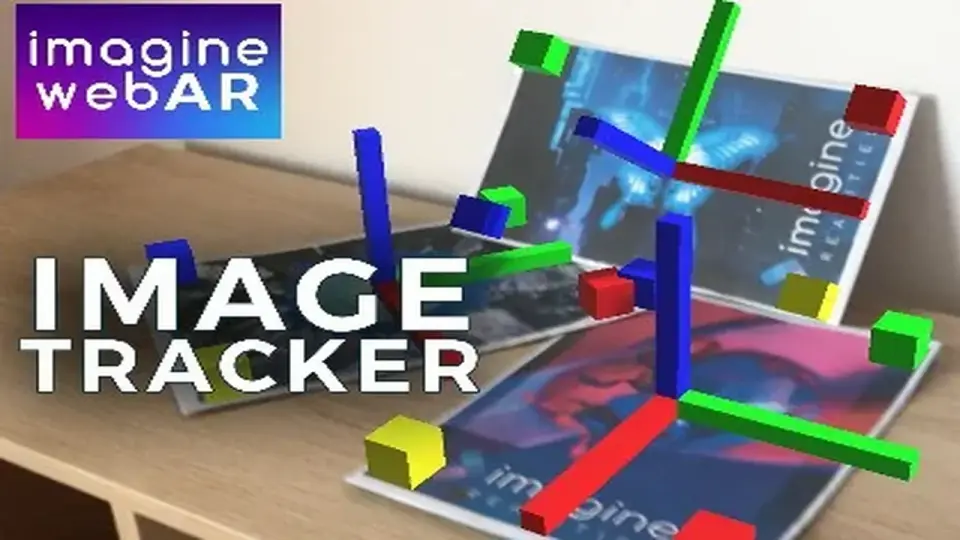
Imagine WebAR - Image Tracker is a specialized plugin designed for the Unity engine that facilitates the creation of augmented reality experiences specifically for web browsers. By utilizing WebGL, the plugin allows developers to anchor game objects and digital content to physical images without the requirement of a dedicated mobile application. This approach targets the need for small, highly shareable AR experiences where ease of access is a priority. Users can trigger the AR content through standard methods such as clicking a link or scanning a QR code, bypassing the traditional friction of app store downloads.
The system is built to support both mobile and desktop environments. It has been tested across major browsers including Chrome, Safari, Edge, and Firefox. Furthermore, the plugin maintains compatibility with the built-in browsers found within popular messaging applications like WeChat, Facebook Messenger, and Viber, ensuring a broad reach for web-based deployments.
Natural-Feature Tracking and Scene Setup
Unlike many AR solutions that rely on fiducial markers—such as specific QR-like squares—this plugin uses natural-feature tracking. This technology allows the software to detect and track any image, provided it contains sufficient visual detail. The creator notes that this method is generally faster and more accurate than common open-source alternatives like AR.js or A-Frame, positioning it closer to industry-standard image-tracking solutions.
For developers, the workflow involves a relatively quick setup process. To assist in the preparation of assets, an Online Image Target Tester is available. This tool allows creators to evaluate how their specific images will perform in an AR environment before they are fully integrated into a project. This diagnostic step helps ensure that the chosen image targets have the necessary details for stable tracking.
Advanced Features: Texture Extraction and Runtime Compilation
One of the more distinct technical capabilities of this plugin is support for Texture Extraction. This feature allows the AR experience to read and utilize the visual data from the physical target. A practical application for this is coloring book AR experiences, where the digital overlay can reflect the actual colors or drawings applied to the physical page by a user. This specific functionality is cited as a unique offering within the current WebAR image tracking landscape.
The plugin also streamlines the asset pipeline by supporting runtime compilation of image targets. In many AR workflows, image targets must be pre-processed or compiled through an external website or specialized tool before they can be used in a build. With this plugin, image targets can be compiled during the initialization of the webpage. This flexibility allows for more dynamic content management and reduces the reliance on external pre-processing steps.
Deployment and Hosting Architecture
A significant aspect of this plugin is its "white-label" nature. Because the plugin produces a standard Unity WebGL build, developers have full control over the hosting environment. The tech stack belongs entirely to the developer, allowing them to host AR experiences on their own domains or websites. This removes the need for third-party AR hosting platforms that often require monthly subscriptions or charge based on per-view and per-app-id metrics.
The plugin supports the simultaneous tracking of multiple images, allowing for more complex interactions within a single scene. While it provides robust image tracking, it is important to note that this plugin is currently not inter-operable with the WorldTracker plugin from the same developer, though there are plans to support combined AR experiences in the future.
Performance Expectations
Performance in a WebAR environment is determined by the processing capability of the user's device and the overall complexity of the Unity scene. During testing, the creator achieved 60 FPS on modern mobile devices, while older phones typically saw performance ranging between 24 and 30 FPS. To help developers get started, the package includes demo samples and tutorials that illustrate the basic configuration of an AR scene.
The plugin is available in multiple versions, including a free version for those who wish to test the functionality before committing to a full production workflow. This allows for a low-risk evaluation of the tracking stability and browser compatibility within a specific project's requirements.
 Camera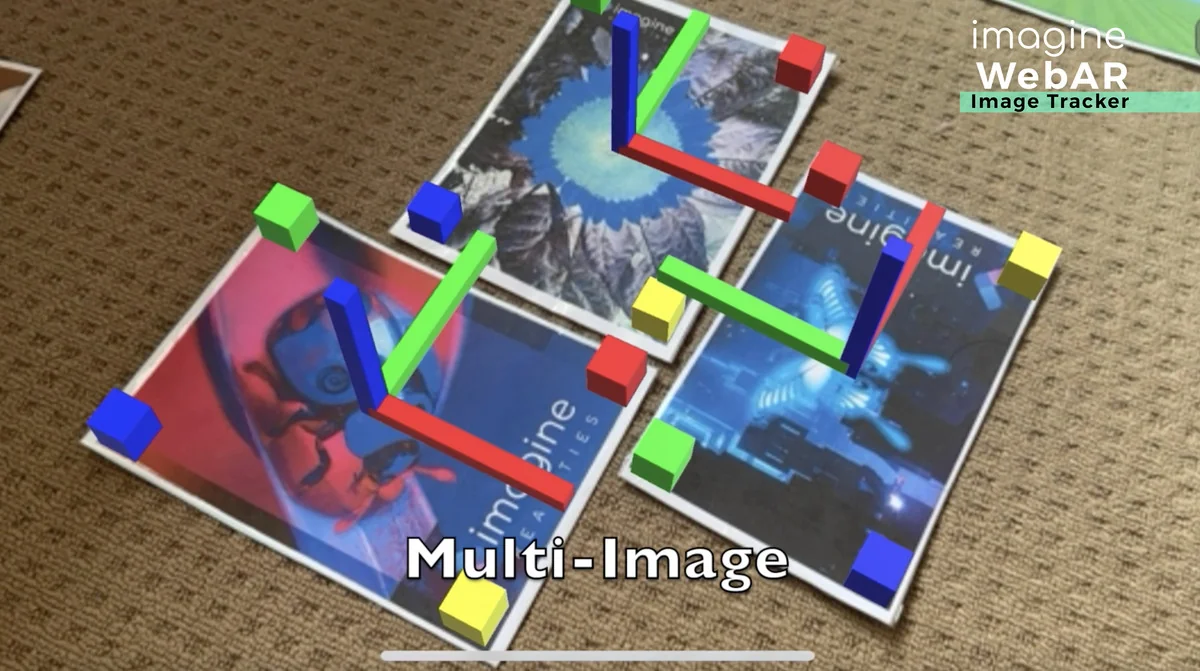
 Integration
 Camera
 Particles