"c68a05d5e51405b3"{"id":"22723","slug":"dungeon-crawler-grid-controller","title":"Dungeon Crawler Grid Controller","category":"Game Toolkits","engine":"Original Unity version: 2020.3.0","assetVersion":"Original Unity version: 2020.3.0","engineVersion":"Asset Version:1.0.14","tag":"Game Toolkits","accent":"cyan","visual":"mech","summary":"This specialized controller brings the movement logic of classic first-person dungeon crawlers to modern Unity projects. It handles the complexities of grid-based navigation, interactions, and local multiplayer without requiring custom scripting.","platform":"Unity","publishedAt":"2026-04-06T13:52:32.000Z","updatedAt":"2026-04-19T15:37:04.000Z","sourceNotes":[],"fileContents":[],"compatibility":["Unity","Original Unity version: 2020.3.0","Asset Version: 1.0.14"],"featuredImage":{"alt":"Dungeon Crawler Grid Controller","src":"https://3dcghub.com/wp-content/uploads/2026/04/e87fea5a2a0a_fc54d159-8a95-4b2f-b53b-4519b13bc538_1280x720_stretch.webp"},"hasDownloadLink":true,"downloads":0,"terms":[{"taxonomy":"category","slug":"game-toolkits","name":"Game Toolkits"},{"taxonomy":"post_tag","slug":"environment","name":"Environment"},{"taxonomy":"post_tag","slug":"game-systems","name":"Game Systems"},{"taxonomy":"post_tag","slug":"unity","name":"Unity"}],"galleryImages":[{"src":"https://3dcghub.com/wp-content/uploads/2026/04/ba626eeb1b1b_d3ab893f-c52f-40b4-a478-cf9b2d804493_scaled.webp","alt":"Dungeon Crawler Grid Controller"},{"src":"https://3dcghub.com/wp-content/uploads/2026/04/90b8668adb50_278c110d-1c1b-4958-9006-ff8c1d1c6f7b_scaled.webp","alt":"Dungeon Crawler Grid Controller"},{"src":"https://3dcghub.com/wp-content/uploads/2026/04/b49a71cab64e_1677a2af-07ba-4762-ac67-a65b353f011e_scaled.webp","alt":"Dungeon Crawler Grid Controller"},{"src":"https://3dcghub.com/wp-content/uploads/2026/04/c633e24d12bb_e3ce8ad1-e403-4581-8563-dc069f793080_scaled.webp","alt":"Dungeon Crawler Grid Controller"},{"src":"https://3dcghub.com/wp-content/uploads/2026/04/60590e027f1f_c9ee4b2c-2130-4345-8b22-05e04e6f39e2_scaled.webp","alt":"Dungeon Crawler Grid Controller"}],"accessPanel":{"kind":"resource","title":"Access this resource","eyebrow":"Free Download","message":"Log in or create a free account to start your download.","fileName":"Dungeon Crawler Grid Controller v1.0.14 (27 Nov 2024).7z","safetyNote":"All resources are 100% manually reviewed to eliminate all risks.","actionLabel":"Download Free","resourceType":"Resource archive"},"contentHtml":"\u003ch2\u003eFirst-Person Navigation for Classic Dungeon Crawlers\u003c/h2\u003e\n\u003cp\u003eThe Dungeon Crawler Grid Controller is a specialized movement and interaction system for Unity designed to replicate the feel of classic first-person exploration games. By focusing on a rigid grid-based structure, the tool provides the foundational logic needed for titles inspired by Dungeon Master or Legend of Grimrock. It is compatible with Unity versions starting from 2020.3 through to the latest Unity 6 releases, supporting the Built-in, HDRP, and URP render pipelines.\u003c/p\u003e\n\u003cp\u003eDevelopers can choose between two distinct movement styles: real-time or turn-based. This flexibility allows for high-action dungeon exploration or more calculated, tactical gameplay. The system supports both instant snapping to grid positions and smooth transitions, ensuring that the visual movement matches the intended pace of the project. Beyond simple horizontal movement, the controller natively handles verticality, including inclines, declines, and crouching mechanics, which are often difficult to implement in strict grid-based systems.\u003c/p\u003e\n\n\u003ch2\u003eEnvironmental Interaction and Surface Systems\u003c/h2\u003e\n\u003cp\u003eTo create an immersive environment, the controller includes a dedicated surface system. This feature manages footstep sounds and barrier bounce audio based on the player's surroundings. The interaction layer is equally detailed, providing pre-built logic for triggers, doors, levers, and stairs that lead to other scenes. This allows for the rapid construction of complex levels where the player must interact with the environment to progress.\u003c/p\u003e\n\u003cp\u003eNavigation is further supported by a suite of UI tools. A built-in minimap and compass provide orientation, while a free-look camera and optional head bob add layers of visual polish. The latest updates to the package have introduced a dedicated compass prefab and utility functions like IsBlockedInRelativeDirection, which helps the controller determine if a movement path is obstructed before the player attempts to move.\u003c/p\u003e\n\n\u003ch2\u003eArchitecture and Input Flexibility\u003c/h2\u003e\n\u003cp\u003eOne of the most significant aspects of the Dungeon Crawler Grid Controller is its independence from specific third-party libraries. The input system is modular, meaning it functions with the legacy built-in input, the modern Input System package, or third-party solutions like Rewired. This architectural choice extends to the audio system as well, which is compatible with Unity's built-in audio or FMOD.\u003c/p\u003e\n\u003cp\u003eFor projects requiring data persistence, the package features optional integration with the Pixel Crushers Save System. This ensures that player positions, orientations, and scene states can be saved and loaded reliably. The package includes the complete, clean C# source code, allowing developers to extend or modify the core logic to fit specific gameplay requirements. Additionally, the asset count of 148 includes all the art shown in the demo scenes, providing a functional starting point for visual development.\u003c/p\u003e\n\n\u003ch2\u003eLocal Multiplayer and Split-Screen Support\u003c/h2\u003e\n\u003cp\u003eRecent iterations of the controller have expanded heavily into local multiplayer functionality. The system now supports split-screen configurations using the Unity Input System. This includes specialized handling for multiple \"ArrowPads\" and gamepads, allowing separate players to navigate the grid simultaneously. The interactor logic has been updated to handle split-screen local multiplayer interactions specifically for gamepad and keyboard inputs, ensuring that one player's interaction does not interfere with another.\u003c/p\u003e\n\u003cp\u003eThe audio system has also been adjusted to support this, with the ability to play GridControllerAudio in 2D to prevent spatial audio confusion during split-screen sessions. These updates facilitate the creation of cooperative or competitive dungeon exploration games on a single machine.\u003c/p\u003e\n\n\u003ch2\u003eImplementation in Production\u003c/h2\u003e\n\u003cp\u003eThe controller is designed to be a \"no-scripting required\" solution, making it accessible for rapid prototyping while remaining robust enough for full production. The inclusion of a GridControllerInputSystemActions asset type simplifies the process of turning a controller into a prefab, as it streamlines the assignment of input actions. With a small footprint of 18.7 MB, the package is lightweight yet comprehensive, covering the essential mechanics of the dungeon crawler genre from movement and UI to save systems and local multiplayer support.\u003c/p\u003e\n\n\u003ch2\u003eMore From The Same Workflow\u003c/h2\u003e\n\u003cul\u003e\n\u003cli\u003e\u003ca href=\"https://3dcghub.com/dialogue-system-for-unity/\" title=\"Dialogue System for Unity\"\u003eDialogue System for Unity\u003c/a\u003e\u003c/li\u003e\n\u003cli\u003e\u003ca href=\"https://3dcghub.com/ambient-sounds-interactive-soundscapes-for-unity-6/\" title=\"Ambient Sounds – Interactive Soundscapes for Unity 6\"\u003eAmbient Sounds – Interactive Soundscapes for Unity 6\u003c/a\u003e\u003c/li\u003e\n\u003cli\u003e\u003ca href=\"https://3dcghub.com/pegasus-flythroughs-for-unity-6/\" title=\"Pegasus – Flythroughs for Unity 6\"\u003ePegasus – Flythroughs for Unity 6\u003c/a\u003e\u003c/li\u003e\n\u003cli\u003e\u003ca href=\"https://3dcghub.com/motion-matching-for-unity/\" title=\"Motion Matching for Unity\"\u003eMotion Matching for Unity\u003c/a\u003e\u003c/li\u003e\n\u003cli\u003e\u003ca href=\"https://3dcghub.com/adventure-creator/\" title=\"Adventure Creator\"\u003eAdventure Creator\u003c/a\u003e\u003c/li\u003e\n\u003c/ul\u003e","contentTextLength":4607,"navigation":{"current":3704,"total":3860,"previous":{"id":"22673","slug":"imagine-webar-image-tracker","title":"Imagine WebAR - Image Tracker","category":"Camera","platform":"Unity","updatedAt":"2026-04-19T15:37:05.000Z"},"next":{"id":"22715","slug":"adventure-creator","title":"Adventure Creator","category":"Game Toolkits","platform":"Unity","updatedAt":"2026-04-19T15:37:04.000Z"}},"relatedResources":[{"id":"22788","slug":"rpg-cameras-controllers","title":"RPG Cameras \u0026 Controllers","category":"Game Toolkits","engine":"Original Unity version: 6000.0.58","assetVersion":"Original Unity version: 6000.0.58","engineVersion":"Asset Version:6.1.2","tag":"Game Toolkits","accent":"cyan","visual":"city","summary":"A feature-rich framework for Unity projects inspired by classic MMO and Action RPG movement, offering extensive parameter control over character locomotion and camera behavior.","platform":"Unity","publishedAt":"2026-04-06T14:03:24.000Z","updatedAt":"2026-04-19T15:37:02.000Z","sourceNotes":[],"fileContents":[],"compatibility":["Unity","Original Unity version: 6000.0.58","Asset Version: 6.1.2"],"featuredImage":{"alt":"RPG Cameras \u0026 Controllers","src":"https://3dcghub.com/wp-content/uploads/2026/04/d0f12e9a1591_65125db3-921b-49b9-8026-8a8c0e28fdef_1280x720_stretch.webp"},"hasDownloadLink":true,"downloads":1},{"id":"22798","slug":"third-person-controller-humanoid-basics","title":"Third Person Controller - Humanoid Basics","category":"Game Toolkits","engine":"Original Unity version: 6000.3.1","assetVersion":"Original Unity version: 6000.3.1","engineVersion":"Asset Version:3.0.1","tag":"Game Toolkits","accent":"cyan","visual":"city","summary":"Humanoid Basics provides a kinematic framework for third-person games, featuring a one-click character setup and a custom AI system that avoids standard NavMesh Agents.","platform":"Unity","publishedAt":"2026-04-06T14:06:36.000Z","updatedAt":"2026-04-19T15:37:01.000Z","sourceNotes":[],"fileContents":[],"compatibility":["Unity","Original Unity version: 6000.3.1","Asset Version: 3.0.1"],"featuredImage":{"alt":"Third Person Controller - Humanoid Basics","src":"https://3dcghub.com/wp-content/uploads/2026/04/f4f5f87e0270_dd15ae0f-79dd-48e0-8b0c-611985ab2852_1280x720_stretch.webp"},"hasDownloadLink":true,"downloads":2},{"id":"22769","slug":"neofps-fps-controller-template-toolkit","title":"NeoFPS: FPS Controller, Template \u0026 Toolkit","category":"Game Toolkits","engine":"Original Unity version: 2021.3.45","assetVersion":"Original Unity version: 2021.3.45","engineVersion":"Asset Version:1.1.31","tag":"Game Toolkits","accent":"cyan","visual":"animation","summary":"NeoFPS provides a deep suite of systems for crafting polished first-person shooters in Unity, moving beyond simple character controllers into full-game architecture.","platform":"Unity","publishedAt":"2026-04-06T14:00:03.000Z","updatedAt":"2026-04-19T15:37:02.000Z","sourceNotes":[],"fileContents":[],"compatibility":["Unity","Original Unity version: 2021.3.45","Asset Version: 1.1.31"],"featuredImage":{"alt":"NeoFPS: FPS Controller, Template \u0026 Toolkit","src":"https://3dcghub.com/wp-content/uploads/2026/04/3c30f06b9cd8_e180bb30-c961-4bbf-b987-4d93fe068f54_1280x720_stretch.webp"},"hasDownloadLink":true,"downloads":1}]}
Game Toolkits
Dungeon Crawler Grid Controller
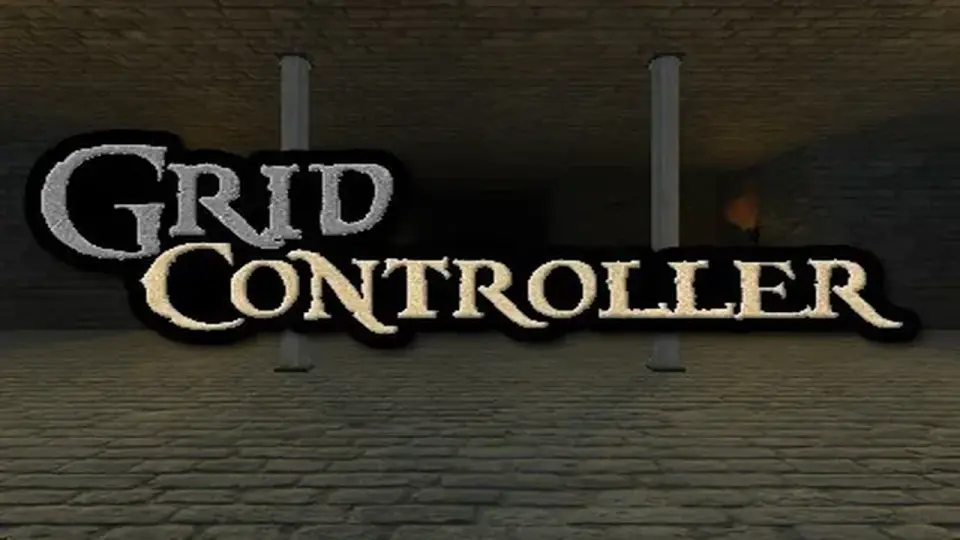
This specialized controller brings the movement logic of classic first-person dungeon crawlers to modern Unity projects. It handles the complexities of grid-based navigation, interactions, and local multiplayer without requiring custom scripting.
First-Person Navigation for Classic Dungeon Crawlers
The Dungeon Crawler Grid Controller is a specialized movement and interaction system for Unity designed to replicate the feel of classic first-person exploration games. By focusing on a rigid grid-based structure, the tool provides the foundational logic needed for titles inspired by Dungeon Master or Legend of Grimrock. It is compatible with Unity versions starting from 2020.3 through to the latest Unity 6 releases, supporting the Built-in, HDRP, and URP render pipelines.
Developers can choose between two distinct movement styles: real-time or turn-based. This flexibility allows for high-action dungeon exploration or more calculated, tactical gameplay. The system supports both instant snapping to grid positions and smooth transitions, ensuring that the visual movement matches the intended pace of the project. Beyond simple horizontal movement, the controller natively handles verticality, including inclines, declines, and crouching mechanics, which are often difficult to implement in strict grid-based systems.
Environmental Interaction and Surface Systems
To create an immersive environment, the controller includes a dedicated surface system. This feature manages footstep sounds and barrier bounce audio based on the player's surroundings. The interaction layer is equally detailed, providing pre-built logic for triggers, doors, levers, and stairs that lead to other scenes. This allows for the rapid construction of complex levels where the player must interact with the environment to progress.
Navigation is further supported by a suite of UI tools. A built-in minimap and compass provide orientation, while a free-look camera and optional head bob add layers of visual polish. The latest updates to the package have introduced a dedicated compass prefab and utility functions like IsBlockedInRelativeDirection, which helps the controller determine if a movement path is obstructed before the player attempts to move.
Architecture and Input Flexibility
One of the most significant aspects of the Dungeon Crawler Grid Controller is its independence from specific third-party libraries. The input system is modular, meaning it functions with the legacy built-in input, the modern Input System package, or third-party solutions like Rewired. This architectural choice extends to the audio system as well, which is compatible with Unity's built-in audio or FMOD.
For projects requiring data persistence, the package features optional integration with the Pixel Crushers Save System. This ensures that player positions, orientations, and scene states can be saved and loaded reliably. The package includes the complete, clean C# source code, allowing developers to extend or modify the core logic to fit specific gameplay requirements. Additionally, the asset count of 148 includes all the art shown in the demo scenes, providing a functional starting point for visual development.
Local Multiplayer and Split-Screen Support
Recent iterations of the controller have expanded heavily into local multiplayer functionality. The system now supports split-screen configurations using the Unity Input System. This includes specialized handling for multiple "ArrowPads" and gamepads, allowing separate players to navigate the grid simultaneously. The interactor logic has been updated to handle split-screen local multiplayer interactions specifically for gamepad and keyboard inputs, ensuring that one player's interaction does not interfere with another.
The audio system has also been adjusted to support this, with the ability to play GridControllerAudio in 2D to prevent spatial audio confusion during split-screen sessions. These updates facilitate the creation of cooperative or competitive dungeon exploration games on a single machine.
Implementation in Production
The controller is designed to be a "no-scripting required" solution, making it accessible for rapid prototyping while remaining robust enough for full production. The inclusion of a GridControllerInputSystemActions asset type simplifies the process of turning a controller into a prefab, as it streamlines the assignment of input actions. With a small footprint of 18.7 MB, the package is lightweight yet comprehensive, covering the essential mechanics of the dungeon crawler genre from movement and UI to save systems and local multiplayer support.
 Game Toolkits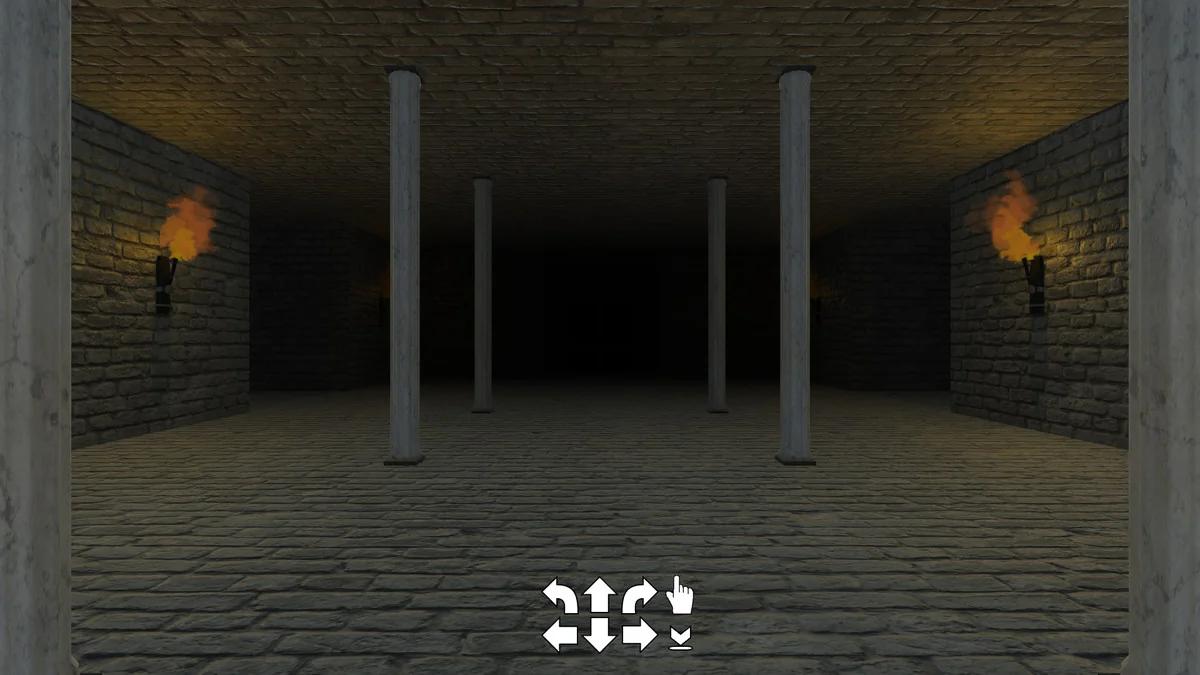
 Game Toolkits
 Game Toolkits
 Game Toolkits