"26aaab8a5d5ed4fc"{"id":"22715","slug":"adventure-creator","title":"Adventure Creator","category":"Game Toolkits","engine":"Original Unity version: 2021.3.45","assetVersion":"Original Unity version: 2021.3.45","engineVersion":"Asset Version:1.83.0","tag":"Game Toolkits","accent":"cyan","visual":"city","summary":"Adventure Creator provides a comprehensive environment for developing narrative-driven games without mandatory coding. It supports multiple perspectives and control schemes, from classic point-and-click to modern first-person adventures.","platform":"Unity","publishedAt":"2026-04-06T13:51:13.000Z","updatedAt":"2026-04-19T15:37:04.000Z","sourceNotes":[],"fileContents":[],"compatibility":["Unity","Original Unity version: 2021.3.45","Asset Version: 1.83.0"],"featuredImage":{"alt":"Adventure Creator","src":"https://3dcghub.com/wp-content/uploads/2026/04/e62958658973_1f308c6a-2615-47e1-9953-d90c87bae26e_1280x720_stretch.webp"},"hasDownloadLink":true,"downloads":0,"terms":[{"taxonomy":"category","slug":"game-toolkits","name":"Game Toolkits"},{"taxonomy":"post_tag","slug":"characters","name":"Characters"},{"taxonomy":"post_tag","slug":"game-systems","name":"Game Systems"},{"taxonomy":"post_tag","slug":"unity","name":"Unity"}],"galleryImages":[{"src":"https://3dcghub.com/wp-content/uploads/2026/04/99d47e9b7e9c_100ddf4b-7714-42a7-a03e-ef63d777f1af_scaled.webp","alt":"Adventure Creator"},{"src":"https://3dcghub.com/wp-content/uploads/2026/04/a19f88347b99_c9beb46a-5e7a-4691-a80c-8d5df726a44c_scaled.webp","alt":"Adventure Creator"},{"src":"https://3dcghub.com/wp-content/uploads/2026/04/76eafedbc39b_9798500f-1032-468e-a6d3-8540ad371ade_scaled.webp","alt":"Adventure Creator"},{"src":"https://3dcghub.com/wp-content/uploads/2026/04/7804d2f20399_c6f35d99-9792-42fd-9087-defcc532d936_scaled.webp","alt":"Adventure Creator"},{"src":"https://3dcghub.com/wp-content/uploads/2026/04/67aa0321814c_abf1ca85-32fc-4131-883b-dda177aeaaea_scaled.webp","alt":"Adventure Creator"},{"src":"https://3dcghub.com/wp-content/uploads/2026/04/33245b58f96a_5d1e209d-e017-429a-adf8-eb473c626fcb_scaled.webp","alt":"Adventure Creator"},{"src":"https://3dcghub.com/wp-content/uploads/2026/04/cfe5c5ce70e4_740a57af-bb3f-4688-a666-fe8d9af8265e_scaled.webp","alt":"Adventure Creator"}],"accessPanel":{"kind":"resource","title":"Access this resource","eyebrow":"Free Download","message":"Log in or create a free account to start your download.","fileName":"Adventure Creator v1.83.0.7z","safetyNote":"All resources are 100% manually reviewed to eliminate all risks.","actionLabel":"Download Free","resourceType":"Resource archive"},"contentHtml":"\u003ch2\u003eA Specialized Toolset for Narrative and Logic\u003c/h2\u003e\n\u003cp\u003eAdventure Creator is a dedicated toolkit for Unity designed to facilitate the production of narrative-focused games and complex puzzles. Developed over a period of 11 years, the framework has been utilized in the creation of various modern adventure titles, including \u003ci\u003eHarold Halibut\u003c/i\u003e, \u003ci\u003eLittle Misfortune\u003c/i\u003e, \u003ci\u003eSally Face\u003c/i\u003e, \u003ci\u003eYes, Your Grace\u003c/i\u003e, and \u003ci\u003eColossal Cave\u003c/i\u003e. The system is built to bridge the gap between artist-focused visual design and technical programming, offering a visual-scripting interface alongside a documented API and event system for more advanced customization.\u003c/p\u003e\n\n\u003cp\u003eThe developer has structured the workflow around accessibility, allowing users to establish the foundation of a project quickly. A New Game wizard handles the initial setup, while pre-made templates provide proven mechanics and configurations to reduce the time spent on basic architecture. This allows creators to focus immediately on importing graphics and animations rather than building core systems from scratch.\u003c/p\u003e\n\n\u003ch2\u003eVisual Scripting with ActionLists\u003c/h2\u003e\n\u003cp\u003eThe core of the system is the ActionList system, which eliminates the necessity of traditional coding for many tasks. This system allows for the visual construction of puzzles, interactions, and cutscenes. Users can choose from over a hundred specific Action types tailored for the adventure genre. These actions cover a wide range of needs, from moving characters to managing inventory items. While the visual system is robust enough for artists to build entire games, the developer also provides hooks for seasoned programmers to write and plug in their own custom actions.\u003c/p\u003e\n\n\u003cp\u003eInteractivity is handled through the placement of Hotspots, which define where players can engage with the environment. Movement is managed via NavMeshes, which define the walkable areas for characters. This straightforward approach to world-building ensures that the primary mechanics of exploration and interaction are functional shortly after assets are brought into the engine.\u003c/p\u003e\n\n\u003ch2\u003ePerspective and Interface Flexibility\u003c/h2\u003e\n\u003cp\u003eAdventure Creator does not lock developers into a single visual style. It supports 2D, 2.5D, and full 3D environments. This flexibility extends to the camera and control schemes, supporting point-and-click, first-person, and third-person perspectives. Creators can implement various interface styles depending on their design goals, such as a traditional one-click interface, a verb-bar, or a verb coin.\u003c/p\u003e\n\n\u003cp\u003eControl schemes are equally adaptable. The framework is designed to function with mouse and keyboard setups, gamepads, or touch-screens. The interface automatically adapts to the chosen control scheme, making it possible to develop for PC, Mac, and WebGL, as well as mobile platforms like iOS and Android.\u003c/p\u003e\n\n\u003ch2\u003eStandard Adventure Mechanics and Features\u003c/h2\u003e\n\u003cp\u003eThe framework prioritizes the trademarks of the adventure genre, making them accessible within a few clicks. The interface puts several critical systems front and center:\u003c/p\u003e\n\u003cul\u003e\n \u003cli\u003e\u003cstrong\u003eCharacters and Conversations:\u003c/strong\u003e Tools for managing character movement and complex dialogue trees.\u003c/li\u003e\n \u003cli\u003e\u003cstrong\u003eInventory and Logic:\u003c/strong\u003e Systems for tracking items and creating the logical conditions required for puzzles.\u003c/li\u003e\n \u003cli\u003e\u003cstrong\u003eSaving and Loading:\u003c/strong\u003e Built-in functionality for managing player progress.\u003c/li\u003e\n \u003cli\u003e\u003cstrong\u003eQuick-Time Events (QTEs):\u003c/strong\u003e Dedicated support for interactive cinematic sequences.\u003c/li\u003e\n \u003cli\u003e\u003cstrong\u003eTimeline Integration:\u003c/strong\u003e Compatibility with Unity’s Timeline through specialized tracks, making it easier to synchronize adventure-specific features with cinematic sequences.\u003c/li\u003e\n\u003c/ul\u003e\n\n\u003ch2\u003eLocalization and International Support\u003c/h2\u003e\n\u003cp\u003eTo assist in reaching a global audience, the toolkit includes comprehensive localization tools. All text and speech data within a project can be exported for external translators. For projects utilizing voice acting, the system can generate script sheets for actors. Furthermore, the framework allows for per-language audio and lipsync files, ensuring that the narrative experience remains consistent across different regions and languages.\u003c/p\u003e\n\n\u003cp\u003eBy focusing on the specific requirements of storytelling and puzzle-solving, Adventure Creator functions as a streamlined environment for both newcomers and professionals looking to produce games in the adventure genre.\u003c/p\u003e\n\n\u003ch2\u003eContinue Browsing Similar Packs\u003c/h2\u003e\n\u003cul\u003e\n\u003cli\u003e\u003ca href=\"https://3dcghub.com/dialogue-system-for-unity/\" title=\"Dialogue System for Unity\"\u003eDialogue System for Unity\u003c/a\u003e\u003c/li\u003e\n\u003cli\u003e\u003ca href=\"https://3dcghub.com/ambient-sounds-interactive-soundscapes-for-unity-6/\" title=\"Ambient Sounds – Interactive Soundscapes for Unity 6\"\u003eAmbient Sounds – Interactive Soundscapes for Unity 6\u003c/a\u003e\u003c/li\u003e\n\u003cli\u003e\u003ca href=\"https://3dcghub.com/pegasus-flythroughs-for-unity-6/\" title=\"Pegasus – Flythroughs for Unity 6\"\u003ePegasus – Flythroughs for Unity 6\u003c/a\u003e\u003c/li\u003e\n\u003cli\u003e\u003ca href=\"https://3dcghub.com/motion-matching-for-unity/\" title=\"Motion Matching for Unity\"\u003eMotion Matching for Unity\u003c/a\u003e\u003c/li\u003e\n\u003cli\u003e\u003ca href=\"https://3dcghub.com/transitions-plus/\" title=\"Transitions Plus\"\u003eTransitions Plus\u003c/a\u003e\u003c/li\u003e\n\u003c/ul\u003e","contentTextLength":4444,"navigation":{"current":3244,"total":3400,"previous":{"id":"22723","slug":"dungeon-crawler-grid-controller","title":"Dungeon Crawler Grid Controller","category":"Game Toolkits","platform":"Unity","updatedAt":"2026-04-19T15:37:04.000Z"},"next":{"id":"22705","slug":"abilities-game-creator-2","title":"Abilities | Game Creator 2","category":"Game Toolkits","platform":"Unity","updatedAt":"2026-04-19T15:37:04.000Z"}},"relatedResources":[{"id":"22209","slug":"game-kit-controller-shooter-melee-adventure-fps-tps-creator-3d-2-5d","title":"Game Kit Controller - Shooter Melee Adventure FPS TPS Creator 3D + 2.5D","category":"Systems","engine":"Original Unity version: 2019.4.41","assetVersion":"Original Unity version: 2019.4.41","engineVersion":"Asset Version:3.77d","tag":"Systems","accent":"cyan","visual":"city","summary":"Game Kit Controller (GKC) serves as a comprehensive engine solution for Unity, supporting first-person, third-person, and 2.5D perspectives. It integrates physics-based movement, vehicle systems, and advanced traversal mechanics to streamline the production...","platform":"Unity","publishedAt":"2026-04-06T07:18:54.000Z","updatedAt":"2026-04-19T15:42:08.000Z","sourceNotes":[],"fileContents":[],"compatibility":["Unity","Original Unity version: 2019.4.41","Asset Version: 3.77d"],"featuredImage":{"alt":"Game Kit Controller - Shooter Melee Adventure FPS TPS Creator 3D + 2.5D","src":"https://3dcghub.com/wp-content/uploads/2026/04/49a50c819664_8e113599-70ad-43a6-a6f7-00660a017816_1280x720_stretch.webp"},"hasDownloadLink":true,"downloads":1},{"id":"22788","slug":"rpg-cameras-controllers","title":"RPG Cameras \u0026 Controllers","category":"Game Toolkits","engine":"Original Unity version: 6000.0.58","assetVersion":"Original Unity version: 6000.0.58","engineVersion":"Asset Version:6.1.2","tag":"Game Toolkits","accent":"cyan","visual":"city","summary":"A feature-rich framework for Unity projects inspired by classic MMO and Action RPG movement, offering extensive parameter control over character locomotion and camera behavior.","platform":"Unity","publishedAt":"2026-04-06T14:03:24.000Z","updatedAt":"2026-04-19T15:37:02.000Z","sourceNotes":[],"fileContents":[],"compatibility":["Unity","Original Unity version: 6000.0.58","Asset Version: 6.1.2"],"featuredImage":{"alt":"RPG Cameras \u0026 Controllers","src":"https://3dcghub.com/wp-content/uploads/2026/04/d0f12e9a1591_65125db3-921b-49b9-8026-8a8c0e28fdef_1280x720_stretch.webp"},"hasDownloadLink":true,"downloads":1},{"id":"22730","slug":"fs-melee-combat-system","title":"FS - Melee Combat System","category":"Game Toolkits","engine":"Original Unity version: 2022.3.2","assetVersion":"Original Unity version: 2022.3.2","engineVersion":"Asset Version:1.5","tag":"Game Toolkits","accent":"cyan","visual":"mech","summary":"The FS Melee Combat System provides a framework for creating cinematic, free-flow combat encounters. It features a dedicated combo editor, motion warping for strike precision, and tactical enemy AI that manages group engagement.","platform":"Unity","publishedAt":"2026-04-06T13:54:28.000Z","updatedAt":"2026-04-19T15:37:03.000Z","sourceNotes":[],"fileContents":[],"compatibility":["Unity","Original Unity version: 2022.3.2","Asset Version: 1.5"],"featuredImage":{"alt":"FS - Melee Combat System","src":"https://3dcghub.com/wp-content/uploads/2026/04/4f611c652bf9_f2ddbaa3-b37e-4510-9c21-74c0bf7bac69_1280x720_stretch.webp"},"hasDownloadLink":true,"downloads":0}]}
Game Toolkits
Adventure Creator
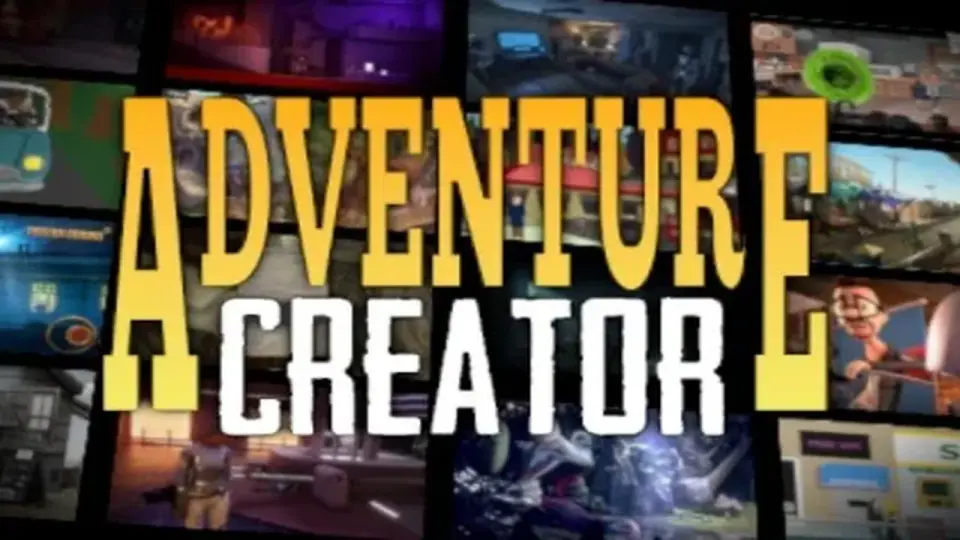
Adventure Creator provides a comprehensive environment for developing narrative-driven games without mandatory coding. It supports multiple perspectives and control schemes, from classic point-and-click to modern first-person adventures.
Adventure Creator is a dedicated toolkit for Unity designed to facilitate the production of narrative-focused games and complex puzzles. Developed over a period of 11 years, the framework has been utilized in the creation of various modern adventure titles, including Harold Halibut, Little Misfortune, Sally Face, Yes, Your Grace, and Colossal Cave. The system is built to bridge the gap between artist-focused visual design and technical programming, offering a visual-scripting interface alongside a documented API and event system for more advanced customization.
The developer has structured the workflow around accessibility, allowing users to establish the foundation of a project quickly. A New Game wizard handles the initial setup, while pre-made templates provide proven mechanics and configurations to reduce the time spent on basic architecture. This allows creators to focus immediately on importing graphics and animations rather than building core systems from scratch.
Visual Scripting with ActionLists
The core of the system is the ActionList system, which eliminates the necessity of traditional coding for many tasks. This system allows for the visual construction of puzzles, interactions, and cutscenes. Users can choose from over a hundred specific Action types tailored for the adventure genre. These actions cover a wide range of needs, from moving characters to managing inventory items. While the visual system is robust enough for artists to build entire games, the developer also provides hooks for seasoned programmers to write and plug in their own custom actions.
Interactivity is handled through the placement of Hotspots, which define where players can engage with the environment. Movement is managed via NavMeshes, which define the walkable areas for characters. This straightforward approach to world-building ensures that the primary mechanics of exploration and interaction are functional shortly after assets are brought into the engine.
Perspective and Interface Flexibility
Adventure Creator does not lock developers into a single visual style. It supports 2D, 2.5D, and full 3D environments. This flexibility extends to the camera and control schemes, supporting point-and-click, first-person, and third-person perspectives. Creators can implement various interface styles depending on their design goals, such as a traditional one-click interface, a verb-bar, or a verb coin.
Control schemes are equally adaptable. The framework is designed to function with mouse and keyboard setups, gamepads, or touch-screens. The interface automatically adapts to the chosen control scheme, making it possible to develop for PC, Mac, and WebGL, as well as mobile platforms like iOS and Android.
Standard Adventure Mechanics and Features
The framework prioritizes the trademarks of the adventure genre, making them accessible within a few clicks. The interface puts several critical systems front and center:
Characters and Conversations: Tools for managing character movement and complex dialogue trees.
Inventory and Logic: Systems for tracking items and creating the logical conditions required for puzzles.
Saving and Loading: Built-in functionality for managing player progress.
Quick-Time Events (QTEs): Dedicated support for interactive cinematic sequences.
Timeline Integration: Compatibility with Unity’s Timeline through specialized tracks, making it easier to synchronize adventure-specific features with cinematic sequences.
Localization and International Support
To assist in reaching a global audience, the toolkit includes comprehensive localization tools. All text and speech data within a project can be exported for external translators. For projects utilizing voice acting, the system can generate script sheets for actors. Furthermore, the framework allows for per-language audio and lipsync files, ensuring that the narrative experience remains consistent across different regions and languages.
By focusing on the specific requirements of storytelling and puzzle-solving, Adventure Creator functions as a streamlined environment for both newcomers and professionals looking to produce games in the adventure genre.
 Game Toolkits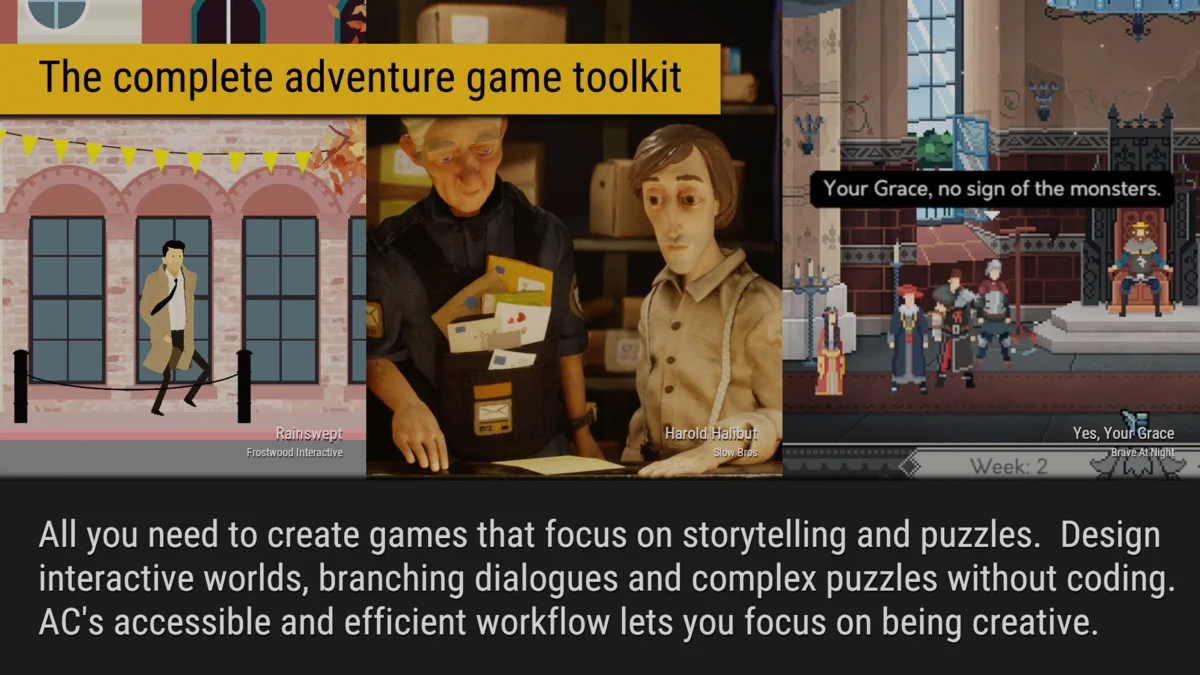
 Systems
 Game Toolkits
 Game Toolkits