"7977b3847c3127c7"{"id":"1001510","slug":"dark-gui-ui-main-menu-pro-kit-complete-solution-psd-sources","title":"Dark GUI / UI / Main Menu Pro KIT - complete solution + psd sources","category":"UI Kits / HUDs","engine":"5.0+","assetVersion":"","engineVersion":"Engine Version: 5.0+","tag":"UI Kits / HUDs","accent":"blue","visual":"luts","summary":"A comprehensive dark UI kit featuring 148 widgets, 1,912 PNG files, adjustable Full HD and 4K layouts, and editable PSD and AI source files.","platform":"Unreal Engine","publishedAt":"2026-10-09T13:10:46.166Z","updatedAt":"2026-10-09T13:10:46.166Z","sourceNotes":[],"fileContents":[],"compatibility":["Unreal Engine","Engine Version: 5.0+"],"featuredImage":{"alt":"Dark GUI / UI / Main Menu Pro KIT - complete solution + psd sources","src":"/wp-content/uploads/published/2026/10/c5ad73455c8b-4d85652b-d0b5-4724-9c6c-1ce24dd1672c-e7c62e20b2.webp"},"hasDownloadLink":true,"downloads":0,"terms":[{"taxonomy":"category","slug":"ui-kits-huds","name":"UI Kits / HUDs"}],"galleryImages":[{"src":"/wp-content/uploads/published/2026/10/d3021b258ae5-eb58ea20-1742-41f0-827d-dd0bf8960631-a11f1e0cbe.webp","alt":"Dark GUI / UI / Main Menu Pro KIT - complete solution + psd sources"},{"src":"/wp-content/uploads/published/2026/10/26e5f2185c70-949c68fe-ac18-4919-aae3-43fc35c583b5-d0ac97751c.webp","alt":"Dark GUI / UI / Main Menu Pro KIT - complete solution + psd sources"},{"src":"/wp-content/uploads/published/2026/10/604e15a40845-74704bda-2e5a-4fbb-887e-a6a300b4588f-41dd48fdc0.webp","alt":"Dark GUI / UI / Main Menu Pro KIT - complete solution + psd sources"},{"src":"/wp-content/uploads/published/2026/10/60be52199621-8c1b7de8-2526-4c3b-ada5-32c5339490d7-92326eea23.webp","alt":"Dark GUI / UI / Main Menu Pro KIT - complete solution + psd sources"},{"src":"/wp-content/uploads/published/2026/10/9aaa53706621-5729fcf1-d29c-42ac-b39d-7cd305b6e7f9-37cf2e007a.webp","alt":"Dark GUI / UI / Main Menu Pro KIT - complete solution + psd sources"},{"src":"/wp-content/uploads/published/2026/10/03385aa93f77-80df119e-7c32-454b-9afc-f0d5140f937c-43e6de2941.webp","alt":"Dark GUI / UI / Main Menu Pro KIT - complete solution + psd sources"},{"src":"/wp-content/uploads/published/2026/10/5fa2881fd0c2-fbaa66c3-58da-4331-b516-b99861f0d1cf-b4b3051755.webp","alt":"Dark GUI / UI / Main Menu Pro KIT - complete solution + psd sources"},{"src":"/wp-content/uploads/published/2026/10/a9b8bb67a167-9e1e8476-5ab7-45f1-9c91-d363e15170b3-b8d8d42d21.webp","alt":"Dark GUI / UI / Main Menu Pro KIT - complete solution + psd sources"},{"src":"/wp-content/uploads/published/2026/10/eae75679eaf0-8a2d7586-527f-46f2-899d-35b2c54605b6-48703bc4ee.webp","alt":"Dark GUI / UI / Main Menu Pro KIT - complete solution + psd sources"},{"src":"/wp-content/uploads/published/2026/10/81955bf1dcc2-039278fb-7669-4b6c-ae08-f2dd5f8753ef-2f7262505a.webp","alt":"Dark GUI / UI / Main Menu Pro KIT - complete solution + psd sources"}],"accessPanel":{"kind":"resource","title":"Download this resource","eyebrow":"Free Download","message":"Log in or create a free account to start your download.","fileName":"Content.7z","safetyNote":"Resources are manually reviewed before listing to improve quality and reduce obvious risks.","actionLabel":"Download Free","resourceType":"Resource archive"},"contentHtml":"\u003ch2\u003eBuilding Game Interfaces with the Dark GUI System\u003c/h2\u003e\n\u003cp\u003eDark user interfaces establish mood, clarity, and visual contrast across a variety of game genres. Whether constructing an atmospheric action RPG, a gritty sci-fi dashboard, or a competitive multiplayer arena, visual hierarchy relies heavily on clean contrast against deeper backgrounds. Dark GUI / UI / Main Menu Pro KIT serves as a comprehensive visual foundation for these game environments, supplying 148 widgets, 273 unique textures, and 1,912 PNG files to assemble multi-layered menus and runtime HUD components.\u003c/p\u003e\n\u003cp\u003eThe visual framework is structured around the clean lines of the Aileron typeface, combining understated typographic forms with dark-toned panels and functional interface ornaments. Because modern productions span a range of target hardware, the art assets support both Full HD and native 4K display profiles. Interface components remain legible at higher resolutions, allowing menu screens to scale smoothly without muddying panel borders, iconography, or fine text blocks.\u003c/p\u003e \u003ch2\u003eFour Layout Configurations Across Full HD and 4K Displays\u003c/h2\u003e\n\u003cp\u003eInterface architecture rarely adheres to a single static structure throughout an entire project. Certain menus demand floating panels over active 3D backgrounds, while account setup or game initialization often works best in fixed fullscreen configurations. To accommodate these operational needs, the kit incorporates four distinct structural layouts:\u003c/p\u003e\n\u003cul\u003e \u003cli\u003e\u003cstrong\u003eWindows in horizontal:\u003c/strong\u003e Floating window layouts tailored for widescreen desktop compositions and side-by-side management panels.\u003c/li\u003e \u003cli\u003e\u003cstrong\u003eWindows in vertical:\u003c/strong\u003e Compact, columnar layouts suitable for stacked data, side feeds, or slim toolbars.\u003c/li\u003e \u003cli\u003e\u003cstrong\u003eFullscreen horizontal:\u003c/strong\u003e Complete edge-to-edge screens arranged for expansive views such as character configuration screens or deep progression trees.\u003c/li\u003e \u003cli\u003e\u003cstrong\u003eFullscreen vertical:\u003c/strong\u003e Tall presentation canvases focused on centered workflows or extended listings.\u003c/li\u003e\n\u003c/ul\u003e\n\u003cp\u003eBeyond these primary layout templates, window parameters remain flexible. Window height and width can be adjusted directly to accommodate variable UI density. Colors are similarly adjustable, allowing teams to tweak backdrop tones and accent framing to fit custom visual palettes.\u003c/p\u003e \u003ch2\u003ePre-Made Widget Blueprints for Game Systems and Popups\u003c/h2\u003e\n\u003cp\u003eA functional game frontend depends on interconnected systems, ranging from network verification to economic progression. The package organizes these systems into a collection of pre-made Widget Blueprints that tackle specific game flow states. Account access is supported by dedicated Login and Register screens, alongside a Create Character interface for starting new campaigns or multiplayer profiles.\u003c/p\u003e\n\u003cp\u003eFor character growth and live-service features, the blueprint selection covers broad systemic needs:\u003c/p\u003e\n\u003cul\u003e \u003cli\u003e\u003cstrong\u003ePlayer Progression:\u003c/strong\u003e Dedicated interfaces for Inventory, Skills, Quests, specific Quest tracking, Levels, Achievements, and dynamic Ranking ladders.\u003c/li\u003e \u003cli\u003e\u003cstrong\u003eCommerce Systems:\u003c/strong\u003e Modular storefront setups including a master Shop, Shop Categories, Energy Shop, and Currency Shop.\u003c/li\u003e \u003cli\u003e\u003cstrong\u003eCommunication Feeds:\u003c/strong\u003e Cohesive layouts for system Messages, direct player-to-player Chat, and branching Conversation windows.\u003c/li\u003e \u003cli\u003e\u003cstrong\u003eSystem Adjustments:\u003c/strong\u003e A comprehensive Settings window designed to handle game configurations.\u003c/li\u003e\n\u003c/ul\u003e\n\u003cp\u003eThese primary windows are supported by contextual popups tailored to moment-to-moment game events. Modal windows handle standard operations such as Exit confirmations and Connect Error notifications, as well as gameplay feedback like Level Completed, Level Failed, Item info tooltips, and Quest Completed messages complete with description blocks.\u003c/p\u003e \u003ch2\u003eMicro-Interactions, Control Elements, and Iconography\u003c/h2\u003e\n\u003cp\u003eBeyond macro-level screen layouts, the interface kit provides the granular controls required to make menus responsive. Control elements include standard interactive buttons, toggles, checkboxes, sliders, radio buttons, counters, dropdown selection menus, and text input fields. Dynamic feedback mechanisms are represented by progressbars, interactive bubbles, and flexible notification messages.\u003c/p\u003e\n\u003cp\u003eAction mechanics rely heavily on visual clarity at a glance. The asset set incorporates an Action bar layout, dedicated item slots, and visual sockets for skills icons. To furnish these operational panels, the kit supplies 231 unique icons that cover interface actions, menu navigation, and general utility tasks. When combined with the broader pool of 1,912 exported PNG files, developers can rapidly mock up deep inventory systems, crafting trees, and combat hotbars without drafting bespoke icons from scratch.\u003c/p\u003e \u003ch2\u003ePSD and AI Editable Source Assets\u003c/h2\u003e\n\u003cp\u003eWhile the export-ready PNG files and textures supply immediate drop-in utility, long-term interface development frequently requires customized raster and vector assets. To facilitate changes to panel proportions, layering, and styling, the kit provides complete editable source files. The master graphics are housed in a complete editable.psd file, preserving panel layering and visual effects for detailed graphic adjustments.\u003c/p\u003e\n\u003cp\u003eVector sources are provided as an editable.ai file containing the complete collection of icons. This vector format enables infinite scaling and sharp asset manipulation for custom rendering pipelines, high-density print assets, or specialized HUD scaling routines. These source files ensure that art teams are not locked into hard-coded graphical boundaries when revising menu styles.\u003c/p\u003e \u003ch2\u003eImplementation Demands and Practical Fit\u003c/h2\u003e\n\u003cp\u003eDark GUI / UI / Main Menu Pro KIT operates primarily as a comprehensive graphical UI pack and an interactive blueprint starting point. It provides complete visual styling, structure, and pre-composed layouts out of the box, accompanied by a basic manual. Implementing live gameplay logic, account backend linking, database connectivity, or unique skill tree behaviors will require programming and scripting work within the engine environment.\u003c/p\u003e\n\u003cp\u003eWorking with the included pre-made Widget Blueprints requires general basic knowledge of visual scripting and engine-level UI management. Teams and solo developers with foundational engine experience will find it well suited for rapidly structuring dark-themed RPGs, multiplayer lobbies, and comprehensive game frontends while retaining access to the native PSD and AI source files.\u003c/p\u003e\n\n\u003ch2\u003eExplore Similar Assets\u003c/h2\u003e\n\u003cul\u003e\n\u003cli\u003e\u003ca href=\"https://3dcghub.com/grunge-military-horror-dark-gui-ui-kit-commonui-psd-ai-source-files/\" title=\"Grunge / Military / Horror Dark GUI / UI KIT (CommonUI) + psd/ai source files\"\u003eGrunge / Military / Horror Dark GUI / UI KIT (CommonUI) + psd/ai source files\u003c/a\u003e\u003c/li\u003e\n\u003cli\u003e\u003ca href=\"https://3dcghub.com/game-main-menu-3d-ui-gamepad-common-ui-ultimate/\" title=\"Game Main Menu - 3D UI - Gamepad - Common UI - Ultimate\"\u003eGame Main Menu - 3D UI - Gamepad - Common UI - Ultimate\u003c/a\u003e\u003c/li\u003e\n\u003cli\u003e\u003ca href=\"https://3dcghub.com/fortuna-ultimate-menu-system/\" title=\"Fortuna Ultimate Menu System\"\u003eFortuna Ultimate Menu System\u003c/a\u003e\u003c/li\u003e\n\u003cli\u003e\u003ca href=\"https://3dcghub.com/modern-shooting-ui-pack-psd/\" title=\"Modern Shooting UI Pack(+PSD)\"\u003eModern Shooting UI Pack(+PSD)\u003c/a\u003e\u003c/li\u003e\n\u003cli\u003e\u003ca href=\"https://3dcghub.com/game-main-menu-3d-ui-3d-immerse-ui/\" title=\"Game Main Menu - 3D UI - 3D Immerse UI\"\u003eGame Main Menu - 3D UI - 3D Immerse UI\u003c/a\u003e\u003c/li\u003e\n\u003c/ul\u003e","contentTextLength":6540,"navigation":{"current":64,"total":3510,"previous":{"id":"1001511","slug":"desert-city-ruins","title":"Desert City Ruins","category":"Desert","platform":"Unreal Engine","updatedAt":"2026-10-09T13:11:33.796Z"},"next":{"id":"1001509","slug":"cyberpunk-street-lights-cyberpunk-street-light-lamp-futuristic-fantasy-3d-art","title":"Cyberpunk Street Lights ( Cyberpunk Street Light Lamp Futuristic Fantasy 3D Art)","category":"Street / Road","platform":"Unreal Engine","updatedAt":"2026-10-09T13:09:57.626Z"}},"relatedResources":[{"id":"1001553","slug":"scifi-modern-flat-themed-gui-ui-kit-6-themes-psd-ai-sources","title":"Scifi / Modern flat themed GUI / UI kit - 6 themes + PSD, AI sources","category":"UI Kits / HUDs","engine":"5.0+","assetVersion":"","engineVersion":"Engine Version: 5.0+","tag":"UI Kits / HUDs","accent":"blue","visual":"mech","summary":"Explore the Scifi / Modern flat themed GUI / UI kit featuring 189 widgets, 6 color themes, 774 PNGs, and editable PSD and AI source files for Full HD and 4K.","platform":"Unreal Engine","publishedAt":"2026-10-10T03:40:56.893Z","updatedAt":"2026-10-10T03:40:56.893Z","sourceNotes":[],"fileContents":[],"compatibility":["Unreal Engine","Engine Version: 5.0+"],"featuredImage":{"alt":"Scifi / Modern flat themed GUI / UI kit - 6 themes + PSD, AI sources","src":"/wp-content/uploads/published/2026/10/267f3e5bd827-17ade339-63f9-4b6f-8cc9-05d849bc5a23-33840fe872.webp"},"hasDownloadLink":true,"downloads":0},{"id":"1001349","slug":"grunge-military-horror-dark-gui-ui-kit-commonui-psd-ai-source-files","title":"Grunge / Military / Horror Dark GUI / UI KIT (CommonUI) + psd/ai source files","category":"UI Kits / HUDs","engine":"5.0+","assetVersion":"","engineVersion":"Engine Version: 5.0+","tag":"UI Kits / HUDs","accent":"blue","visual":"mech","summary":"Comprehensive UI asset kit featuring 87 widgets, 1,593 PNG files, 294 icons, and editable PSD/AI source files built for CommonUI or standalone engine pipelines.","platform":"Unreal Engine","publishedAt":"2026-10-04T10:18:06.452Z","updatedAt":"2026-10-04T10:18:06.452Z","sourceNotes":[],"fileContents":[],"compatibility":["Unreal Engine","Engine Version: 5.0+"],"featuredImage":{"alt":"Grunge / Military / Horror Dark GUI / UI KIT (CommonUI) + psd/ai source files","src":"/wp-content/uploads/published/2026/10/4121cc18406a-77408b9f-b54e-48b1-90c8-ef171d7b2cd7-28cb066156.webp"},"hasDownloadLink":true,"downloads":0},{"id":"1001033","slug":"game-main-menu-3d-ui-gamepad-common-ui-ultimate","title":"Game Main Menu - 3D UI - Gamepad - Common UI - Ultimate","category":"UI Kits / HUDs","engine":"5.3+","assetVersion":"","engineVersion":"Engine Version: 5.3+","tag":"UI Kits / HUDs","accent":"blue","visual":"mech","summary":"A Common UI 3D main menu with automatic gamepad detection, seamless keyboard/mouse switching, and rebinding for control, audio, and graphics in a 3D space.","platform":"Unreal Engine","publishedAt":"2026-08-23T14:19:59.018Z","updatedAt":"2026-08-23T14:19:59.018Z","sourceNotes":[],"fileContents":[],"compatibility":["Unreal Engine","Engine Version: 5.3+"],"featuredImage":{"alt":"Game Main Menu - 3D UI - Gamepad - Common UI - Ultimate","src":"/wp-content/uploads/published/2026/08/c00e2cb2b7c6-2e8d92a6-f31b-4fa9-b200-d9833f2dea7a-00688ddcf9.webp"},"hasDownloadLink":true,"downloads":1}]}
UI Kits / HUDs
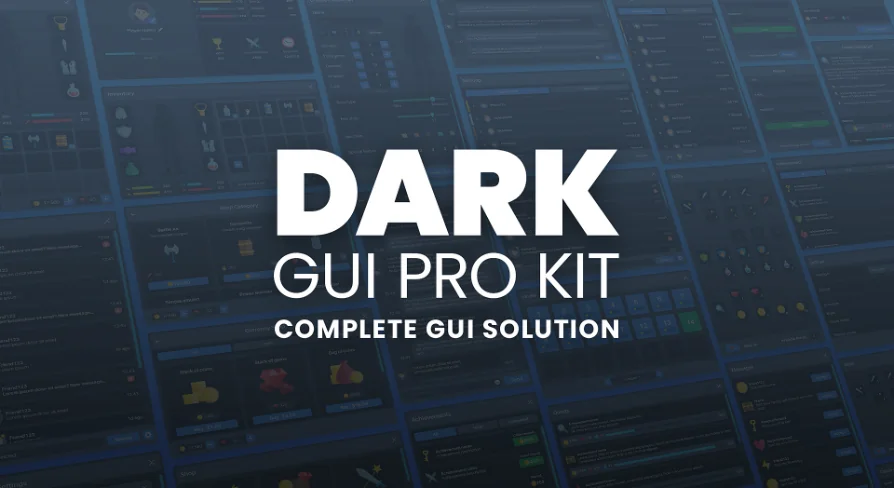
Dark GUI / UI / Main Menu Pro KIT - complete solution + psd sources
A comprehensive dark UI kit featuring 148 widgets, 1,912 PNG files, adjustable Full HD and 4K layouts, and editable PSD and AI source files.
Dark user interfaces establish mood, clarity, and visual contrast across a variety of game genres. Whether constructing an atmospheric action RPG, a gritty sci-fi dashboard, or a competitive multiplayer arena, visual hierarchy relies heavily on clean contrast against deeper backgrounds. Dark GUI / UI / Main Menu Pro KIT serves as a comprehensive visual foundation for these game environments, supplying 148 widgets, 273 unique textures, and 1,912 PNG files to assemble multi-layered menus and runtime HUD components.
The visual framework is structured around the clean lines of the Aileron typeface, combining understated typographic forms with dark-toned panels and functional interface ornaments. Because modern productions span a range of target hardware, the art assets support both Full HD and native 4K display profiles. Interface components remain legible at higher resolutions, allowing menu screens to scale smoothly without muddying panel borders, iconography, or fine text blocks.
Four Layout Configurations Across Full HD and 4K Displays
Interface architecture rarely adheres to a single static structure throughout an entire project. Certain menus demand floating panels over active 3D backgrounds, while account setup or game initialization often works best in fixed fullscreen configurations. To accommodate these operational needs, the kit incorporates four distinct structural layouts:
Windows in horizontal: Floating window layouts tailored for widescreen desktop compositions and side-by-side management panels.
Windows in vertical: Compact, columnar layouts suitable for stacked data, side feeds, or slim toolbars.
Fullscreen horizontal: Complete edge-to-edge screens arranged for expansive views such as character configuration screens or deep progression trees.
Fullscreen vertical: Tall presentation canvases focused on centered workflows or extended listings.
Beyond these primary layout templates, window parameters remain flexible. Window height and width can be adjusted directly to accommodate variable UI density. Colors are similarly adjustable, allowing teams to tweak backdrop tones and accent framing to fit custom visual palettes.
Pre-Made Widget Blueprints for Game Systems and Popups
A functional game frontend depends on interconnected systems, ranging from network verification to economic progression. The package organizes these systems into a collection of pre-made Widget Blueprints that tackle specific game flow states. Account access is supported by dedicated Login and Register screens, alongside a Create Character interface for starting new campaigns or multiplayer profiles.
For character growth and live-service features, the blueprint selection covers broad systemic needs:
Player Progression: Dedicated interfaces for Inventory, Skills, Quests, specific Quest tracking, Levels, Achievements, and dynamic Ranking ladders.
Commerce Systems: Modular storefront setups including a master Shop, Shop Categories, Energy Shop, and Currency Shop.
Communication Feeds: Cohesive layouts for system Messages, direct player-to-player Chat, and branching Conversation windows.
System Adjustments: A comprehensive Settings window designed to handle game configurations.
These primary windows are supported by contextual popups tailored to moment-to-moment game events. Modal windows handle standard operations such as Exit confirmations and Connect Error notifications, as well as gameplay feedback like Level Completed, Level Failed, Item info tooltips, and Quest Completed messages complete with description blocks.
Micro-Interactions, Control Elements, and Iconography
Beyond macro-level screen layouts, the interface kit provides the granular controls required to make menus responsive. Control elements include standard interactive buttons, toggles, checkboxes, sliders, radio buttons, counters, dropdown selection menus, and text input fields. Dynamic feedback mechanisms are represented by progressbars, interactive bubbles, and flexible notification messages.
Action mechanics rely heavily on visual clarity at a glance. The asset set incorporates an Action bar layout, dedicated item slots, and visual sockets for skills icons. To furnish these operational panels, the kit supplies 231 unique icons that cover interface actions, menu navigation, and general utility tasks. When combined with the broader pool of 1,912 exported PNG files, developers can rapidly mock up deep inventory systems, crafting trees, and combat hotbars without drafting bespoke icons from scratch.
PSD and AI Editable Source Assets
While the export-ready PNG files and textures supply immediate drop-in utility, long-term interface development frequently requires customized raster and vector assets. To facilitate changes to panel proportions, layering, and styling, the kit provides complete editable source files. The master graphics are housed in a complete editable.psd file, preserving panel layering and visual effects for detailed graphic adjustments.
Vector sources are provided as an editable.ai file containing the complete collection of icons. This vector format enables infinite scaling and sharp asset manipulation for custom rendering pipelines, high-density print assets, or specialized HUD scaling routines. These source files ensure that art teams are not locked into hard-coded graphical boundaries when revising menu styles.
Implementation Demands and Practical Fit
Dark GUI / UI / Main Menu Pro KIT operates primarily as a comprehensive graphical UI pack and an interactive blueprint starting point. It provides complete visual styling, structure, and pre-composed layouts out of the box, accompanied by a basic manual. Implementing live gameplay logic, account backend linking, database connectivity, or unique skill tree behaviors will require programming and scripting work within the engine environment.
Working with the included pre-made Widget Blueprints requires general basic knowledge of visual scripting and engine-level UI management. Teams and solo developers with foundational engine experience will find it well suited for rapidly structuring dark-themed RPGs, multiplayer lobbies, and comprehensive game frontends while retaining access to the native PSD and AI source files.
 UI Kits / HUDs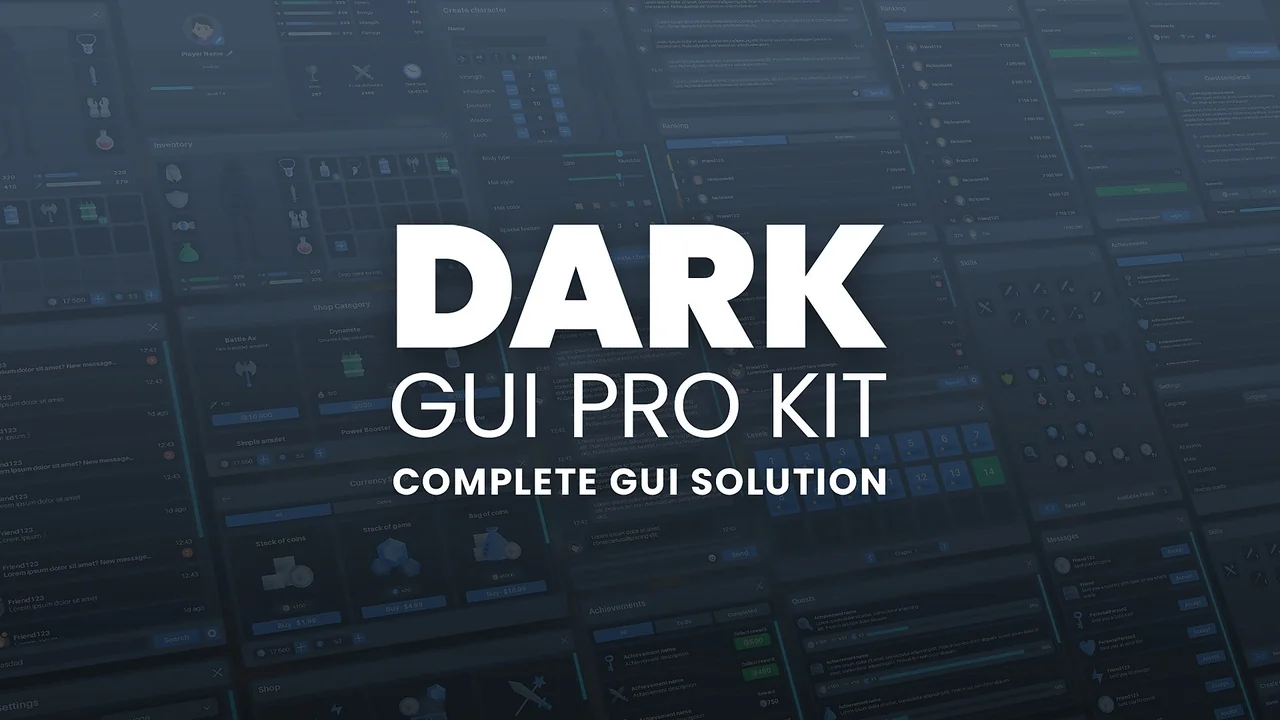
 UI Kits / HUDs
 UI Kits / HUDs
 UI Kits / HUDs