"400d583ceda30eb5"{"id":"1001614","slug":"menu-system-pro-by-moonville","title":"Menu System Pro by Moonville","category":"UI Kits / HUDs","engine":"5.4+","assetVersion":"","engineVersion":"Engine Version: 5.4+","tag":"UI Kits / HUDs","accent":"blue","visual":"mech","summary":"Menu System Pro by Moonville provides Common UI support, Enhanced Input rebinding, modular settings, and multiplayer server menus in Unreal Engine.","platform":"Unreal Engine","publishedAt":"2026-10-11T01:43:28.810Z","updatedAt":"2026-10-11T01:43:28.810Z","sourceNotes":[],"fileContents":[],"compatibility":["Unreal Engine","Engine Version: 5.4+"],"featuredImage":{"alt":"Menu System Pro by Moonville","src":"/wp-content/uploads/published/2026/10/01bc0f1e2ce3-606b5d6f-2eb9-4b02-a3c3-d6c337be04bc-f5eaea47b3.webp"},"hasDownloadLink":true,"downloads":0,"terms":[{"taxonomy":"category","slug":"ui-kits-huds","name":"UI Kits / HUDs"}],"galleryImages":[{"src":"/wp-content/uploads/published/2026/10/5f0873318836-565230f1-3f7b-4e24-be5e-163ab26c36f6-ef391636f9.webp","alt":"Menu System Pro by Moonville"},{"src":"/wp-content/uploads/published/2026/10/f0708d79c5fe-9392faef-5ed1-46a3-8a81-749581a4bce8-4a8a2427e6.webp","alt":"Menu System Pro by Moonville"},{"src":"/wp-content/uploads/published/2026/10/a1d213483564-ec3286ec-290a-4736-804f-a0a67f7f79b7-299d775080.webp","alt":"Menu System Pro by Moonville"},{"src":"/wp-content/uploads/published/2026/10/9478afc0b9aa-05481e3b-1937-4aa5-8e32-06d9e76e7e23-be54b9a01d.webp","alt":"Menu System Pro by Moonville"},{"src":"/wp-content/uploads/published/2026/10/d857f79bf090-2531df33-4d11-4197-a7bd-1a6cc016872f-ea7bbdaba4.webp","alt":"Menu System Pro by Moonville"},{"src":"/wp-content/uploads/published/2026/10/fb64ed3e718e-90d2a488-5d8b-46e5-94db-7562ccb310fb-ff03990b83.webp","alt":"Menu System Pro by Moonville"},{"src":"/wp-content/uploads/published/2026/10/901e9aeb0ee9-8085c832-df94-49bb-881d-0f3817feef3b-c6212bd433.webp","alt":"Menu System Pro by Moonville"},{"src":"/wp-content/uploads/published/2026/10/356fdab3d782-6f1bd21a-5d01-48bc-b25d-c48dda628563-85dfb255a4.webp","alt":"Menu System Pro by Moonville"},{"src":"/wp-content/uploads/published/2026/10/a347aa32ea57-3bca5aae-62ba-4ce1-a58b-19ed20fb625b-168ee6746f.webp","alt":"Menu System Pro by Moonville"}],"accessPanel":{"kind":"resource","title":"Download this resource","eyebrow":"Free Download","message":"Log in or create a free account to start your download.","fileName":"Content.7z","safetyNote":"Resources are manually reviewed before listing to improve quality and reduce obvious risks.","actionLabel":"Download Free","resourceType":"Resource archive"},"contentHtml":"\u003cp\u003eSwitching instantly between a mouse click and an analog stick tilt highlights how responsive an interface needs to be in modern game development. When a player taps a gamepad button, UI prompts across the entire display shift immediately to controller icons, preserving visual focus without stalling gameplay. Menu System Pro establishes this standard right out of the box, structuring everything from the root title scene down to live graphic tuning panels around clean Blueprint logic and configuration data assets.\u003c/p\u003e \u003ch2\u003eCommon UI Architecture and Enhanced Input Handling\u003c/h2\u003e\n\u003cp\u003eWith version 2.2, Menu System Pro incorporates full support for Epic Games' Common UI framework. This integration grounds the entire interface in standardized Common widgets and dedicated focus management, allowing complex multi-layered menus to operate smoothly across PC and console environments. Grid-based navigation layouts, nested button groups, and complex tab cycling operate through predictable focus routing rather than custom, fragile key-tracking scripts.\u003c/p\u003e \u003cp\u003eInput rebinding links directly into Unreal Engine's Enhanced Input system. Players can remap actions for keyboard, mouse, and gamepads inside the settings interface without disrupting ongoing gameplay sessions. Because input glyphs swap instantly upon detecting a new device input, users receive immediate visual confirmation of active control hardware. The framework also supplies a dedicated Input Guide widget alongside example setups for smooth camera transitions between different menu views, ensuring smooth navigational transitions across camera perspectives.\u003c/p\u003e \u003ch2\u003eModular Settings Manager and JSON Data Storage\u003c/h2\u003e\n\u003cp\u003eFine-tuning display and performance parameters involves more than simple dropdown lists. The asset delivers a modular Settings Manager paired with more than 50 pre-built menus and widgets that address standard production needs. Rather than requiring players to guess the visual impact of an option, the graphics settings menu incorporates an integrated preview image that updates dynamically as values shift. A built-in graphics benchmark utility evaluates local hardware performance to automatically establish recommended quality baselines.\u003c/p\u003e \u003cp\u003eThe display panel covers resolution, windowed and fullscreen modes, gamma levels, HDR output, and accessibility options including color deficiency modes. Audio controls expose dedicated volume sliders across Master, Music, SFX, and Voice channels, supplemented by audio output device selection directly within the widget. Every configuration choice feeds into a JSON-based storage layer. Storing settings as structured JSON files allows developers and end-users to inspect or tweak configuration values outside the game executable, even within a packaged shipping build.\u003c/p\u003e \u003ch2\u003eOnline Server Browsers and Local Split Focus\u003c/h2\u003e\n\u003cp\u003eMultiplayer networking requires specific menu logic depending on whether sessions occur over a network or on a shared display. For network play, Menu System Pro includes host, join, and server browser widgets that connect players into active sessions. These menus feed right into the game flow without requiring extensive networking boilerplate code to manage server listings.\u003c/p\u003e \u003cp\u003eLocal multiplayer titles face a different UI hurdle: managing distinct player focus on a single screen. The asset incorporates a local multiplayer framework featuring a press-button-to-join routine and dedicated character selection widgets. When multiple players enter the local session, the UI engine splits focus so individual controllers can browse character variants, adjust loadouts, or select options independently on the same PC or console setup.\u003c/p\u003e \u003ch2\u003eBlueprint Architecture and Project Integration\u003c/h2\u003e\n\u003cp\u003eThe kit is built entirely in Blueprints, avoiding C++ dependencies while maintaining a strict structural boundary between logic code and visual design. Visual presentation rests inside UMG widgets and modular configuration data assets. Developers can overhaul typography, color schemes, and component framing without altering underlying event graphs. For deeper structural updates, individual UMG widgets can be restyled or rearranged without breaking the logic pipelines that drive them.\u003c/p\u003e \u003cp\u003eIntegration spans four core engine classes: the Player Controller, Character, GameMode, and Game Instance. Placing the menu controllers across these standard classes ensures states persist through level transitions and network reconnections. The system also coordinates with a modular Savegame Manager featuring functional Save and Load menus, and it integrates directly with Easy Multi Save by Michael Hegemann as well as Map System Pro by Moonville.\u003c/p\u003e \u003ch2\u003eScene Utilities, Audio Assets, and Localization\u003c/h2\u003e\n\u003cp\u003eBeyond settings and matchmaking, the framework bundles scene-level presentation utilities intended for full title releases. An animated game intro sequence supports custom splash logos, accompanied by an animated credits roll that includes hold-to-skip mechanics. Individual levels can display dedicated, customizable loading screens to conceal streaming hitches and world initialization routines.\u003c/p\u003e \u003cp\u003eMulti-language support comes pre-configured with English and German language files, demonstrating how localized text swaps across UMG text blocks dynamically. Interface sound effects and background menu music tracks are supplied within the project structure and can be swapped out with project-specific audio files. To assist in pipeline setup, a polished example level featuring a sample character demonstrates level selection, character selection, grid navigation, and pause menu overlays that can be extended into secondary UI panels like inventory systems.\u003c/p\u003e\n\n\u003ch2\u003eExplore Similar Assets\u003c/h2\u003e\n\u003cul\u003e\n\u003cli\u003e\u003ca href=\"https://3dcghub.com/hyper-menu-and-gamepad-system-v4-commonui/\" title=\"Hyper Menu and Gamepad System v4 [CommonUI]\"\u003eHyper Menu and Gamepad System v4 [CommonUI]\u003c/a\u003e\u003c/li\u003e\n\u003cli\u003e\u003ca href=\"https://3dcghub.com/dark-gui-ui-main-menu-pro-kit-complete-solution-psd-sources/\" title=\"Dark GUI / UI / Main Menu Pro KIT - complete solution + psd sources\"\u003eDark GUI / UI / Main Menu Pro KIT - complete solution + psd sources\u003c/a\u003e\u003c/li\u003e\n\u003cli\u003e\u003ca href=\"https://3dcghub.com/game-main-menu-3d-ui-gamepad-common-ui-ultimate/\" title=\"Game Main Menu - 3D UI - Gamepad - Common UI - Ultimate\"\u003eGame Main Menu - 3D UI - Gamepad - Common UI - Ultimate\u003c/a\u003e\u003c/li\u003e\n\u003cli\u003e\u003ca href=\"https://3dcghub.com/fortuna-ultimate-menu-system/\" title=\"Fortuna Ultimate Menu System\"\u003eFortuna Ultimate Menu System\u003c/a\u003e\u003c/li\u003e\n\u003cli\u003e\u003ca href=\"https://3dcghub.com/game-main-menu-3d-ui-3d-immerse-ui/\" title=\"Game Main Menu - 3D UI - 3D Immerse UI\"\u003eGame Main Menu - 3D UI - 3D Immerse UI\u003c/a\u003e\u003c/li\u003e\n\u003c/ul\u003e","contentTextLength":5893,"navigation":{"current":4,"total":3555,"previous":{"id":"1001615","slug":"ocean-ology-nextgen-ocean-water-fluid-fft-simulation-rendering","title":"Ocean ology NextGen ( Ocean Water Fluid FFT Simulation Rendering )","category":"Engine Tools","platform":"Unreal Engine","updatedAt":"2026-10-11T01:44:11.199Z"},"next":{"id":"1001613","slug":"true-horror-first-person-view","title":"True Horror First Person View","category":"Simulation","platform":"Unreal Engine","updatedAt":"2026-10-10T16:57:39.147Z"}},"relatedResources":[{"id":"27142","slug":"hyper-menu-and-gamepad-system-v4-commonui","title":"Hyper Menu and Gamepad System v4 [CommonUI]","category":"UI Kits / HUDs","engine":"5.5+","assetVersion":"Engine version: 5.5+","engineVersion":"Asset Version:V3","tag":"UI Kits / HUDs","accent":"blue","visual":"animation","summary":"Hyper Menu and Gamepad System v4 [CommonUI] brings tabbed menus, tooltips, sliders, and input remapping into a modular Unreal Engine setup. It supports keyboard, mouse, and controllers while keeping the interface ready for multiplayer-aware projects.","platform":"Unreal Engine","publishedAt":"2026-04-21T13:27:07.000Z","updatedAt":"2026-04-21T13:27:09.000Z","sourceNotes":[],"fileContents":[],"compatibility":["Unreal Engine","Engine version: 5.5+","Asset Version: V3"],"featuredImage":{"alt":"Hyper Menu and Gamepad System v4 [CommonUI]","src":"https://3dcghub.com/wp-content/uploads/2026/04/7967d49c9361_9612d524-2cf6-46d8-9c70-ae880375b311.webp"},"hasDownloadLink":true,"downloads":2},{"id":"1001510","slug":"dark-gui-ui-main-menu-pro-kit-complete-solution-psd-sources","title":"Dark GUI / UI / Main Menu Pro KIT - complete solution + psd sources","category":"UI Kits / HUDs","engine":"5.0+","assetVersion":"","engineVersion":"Engine Version: 5.0+","tag":"UI Kits / HUDs","accent":"blue","visual":"luts","summary":"A comprehensive dark UI kit featuring 148 widgets, 1,912 PNG files, adjustable Full HD and 4K layouts, and editable PSD and AI source files.","platform":"Unreal Engine","publishedAt":"2026-10-09T13:10:46.166Z","updatedAt":"2026-10-09T13:10:46.166Z","sourceNotes":[],"fileContents":[],"compatibility":["Unreal Engine","Engine Version: 5.0+"],"featuredImage":{"alt":"Dark GUI / UI / Main Menu Pro KIT - complete solution + psd sources","src":"/wp-content/uploads/published/2026/10/c5ad73455c8b-4d85652b-d0b5-4724-9c6c-1ce24dd1672c-e7c62e20b2.webp"},"hasDownloadLink":true,"downloads":0},{"id":"1001033","slug":"game-main-menu-3d-ui-gamepad-common-ui-ultimate","title":"Game Main Menu - 3D UI - Gamepad - Common UI - Ultimate","category":"UI Kits / HUDs","engine":"5.3+","assetVersion":"","engineVersion":"Engine Version: 5.3+","tag":"UI Kits / HUDs","accent":"blue","visual":"mech","summary":"A Common UI 3D main menu with automatic gamepad detection, seamless keyboard/mouse switching, and rebinding for control, audio, and graphics in a 3D space.","platform":"Unreal Engine","publishedAt":"2026-08-23T14:19:59.018Z","updatedAt":"2026-08-23T14:19:59.018Z","sourceNotes":[],"fileContents":[],"compatibility":["Unreal Engine","Engine Version: 5.3+"],"featuredImage":{"alt":"Game Main Menu - 3D UI - Gamepad - Common UI - Ultimate","src":"/wp-content/uploads/published/2026/08/c00e2cb2b7c6-2e8d92a6-f31b-4fa9-b200-d9833f2dea7a-00688ddcf9.webp"},"hasDownloadLink":true,"downloads":1}]}
UI Kits / HUDs
Menu System Pro by Moonville
Menu System Pro by Moonville provides Common UI support, Enhanced Input rebinding, modular settings, and multiplayer server menus in Unreal Engine.
Switching instantly between a mouse click and an analog stick tilt highlights how responsive an interface needs to be in modern game development. When a player taps a gamepad button, UI prompts across the entire display shift immediately to controller icons, preserving visual focus without stalling gameplay. Menu System Pro establishes this standard right out of the box, structuring everything from the root title scene down to live graphic tuning panels around clean Blueprint logic and configuration data assets.
Common UI Architecture and Enhanced Input Handling
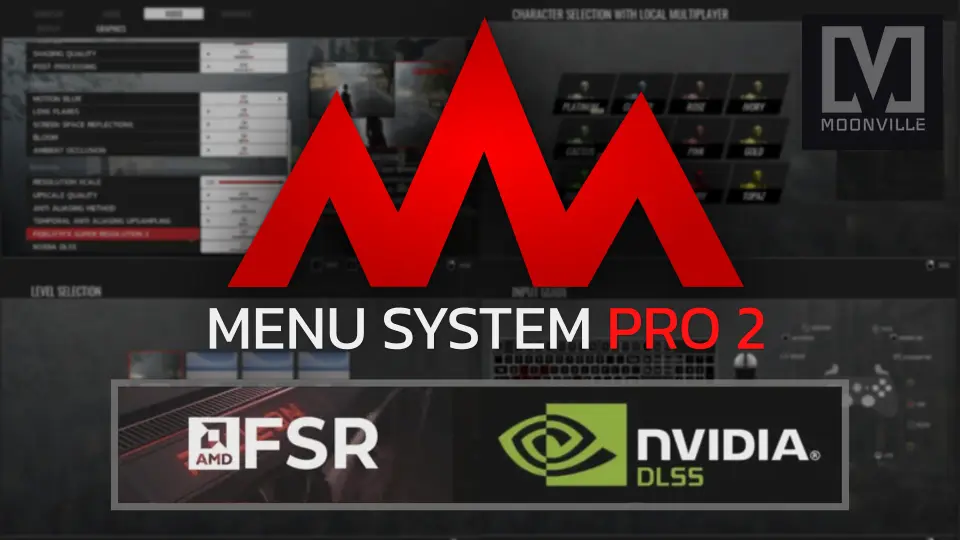
With version 2.2, Menu System Pro incorporates full support for Epic Games' Common UI framework. This integration grounds the entire interface in standardized Common widgets and dedicated focus management, allowing complex multi-layered menus to operate smoothly across PC and console environments. Grid-based navigation layouts, nested button groups, and complex tab cycling operate through predictable focus routing rather than custom, fragile key-tracking scripts.
Input rebinding links directly into Unreal Engine's Enhanced Input system. Players can remap actions for keyboard, mouse, and gamepads inside the settings interface without disrupting ongoing gameplay sessions. Because input glyphs swap instantly upon detecting a new device input, users receive immediate visual confirmation of active control hardware. The framework also supplies a dedicated Input Guide widget alongside example setups for smooth camera transitions between different menu views, ensuring smooth navigational transitions across camera perspectives.
Modular Settings Manager and JSON Data Storage
Fine-tuning display and performance parameters involves more than simple dropdown lists. The asset delivers a modular Settings Manager paired with more than 50 pre-built menus and widgets that address standard production needs. Rather than requiring players to guess the visual impact of an option, the graphics settings menu incorporates an integrated preview image that updates dynamically as values shift. A built-in graphics benchmark utility evaluates local hardware performance to automatically establish recommended quality baselines.
The display panel covers resolution, windowed and fullscreen modes, gamma levels, HDR output, and accessibility options including color deficiency modes. Audio controls expose dedicated volume sliders across Master, Music, SFX, and Voice channels, supplemented by audio output device selection directly within the widget. Every configuration choice feeds into a JSON-based storage layer. Storing settings as structured JSON files allows developers and end-users to inspect or tweak configuration values outside the game executable, even within a packaged shipping build.
Online Server Browsers and Local Split Focus
Multiplayer networking requires specific menu logic depending on whether sessions occur over a network or on a shared display. For network play, Menu System Pro includes host, join, and server browser widgets that connect players into active sessions. These menus feed right into the game flow without requiring extensive networking boilerplate code to manage server listings.
Local multiplayer titles face a different UI hurdle: managing distinct player focus on a single screen. The asset incorporates a local multiplayer framework featuring a press-button-to-join routine and dedicated character selection widgets. When multiple players enter the local session, the UI engine splits focus so individual controllers can browse character variants, adjust loadouts, or select options independently on the same PC or console setup.
Blueprint Architecture and Project Integration
The kit is built entirely in Blueprints, avoiding C++ dependencies while maintaining a strict structural boundary between logic code and visual design. Visual presentation rests inside UMG widgets and modular configuration data assets. Developers can overhaul typography, color schemes, and component framing without altering underlying event graphs. For deeper structural updates, individual UMG widgets can be restyled or rearranged without breaking the logic pipelines that drive them.
Integration spans four core engine classes: the Player Controller, Character, GameMode, and Game Instance. Placing the menu controllers across these standard classes ensures states persist through level transitions and network reconnections. The system also coordinates with a modular Savegame Manager featuring functional Save and Load menus, and it integrates directly with Easy Multi Save by Michael Hegemann as well as Map System Pro by Moonville.
Scene Utilities, Audio Assets, and Localization
Beyond settings and matchmaking, the framework bundles scene-level presentation utilities intended for full title releases. An animated game intro sequence supports custom splash logos, accompanied by an animated credits roll that includes hold-to-skip mechanics. Individual levels can display dedicated, customizable loading screens to conceal streaming hitches and world initialization routines.
Multi-language support comes pre-configured with English and German language files, demonstrating how localized text swaps across UMG text blocks dynamically. Interface sound effects and background menu music tracks are supplied within the project structure and can be swapped out with project-specific audio files. To assist in pipeline setup, a polished example level featuring a sample character demonstrates level selection, character selection, grid navigation, and pause menu overlays that can be extended into secondary UI panels like inventory systems.
 UI Kits / HUDs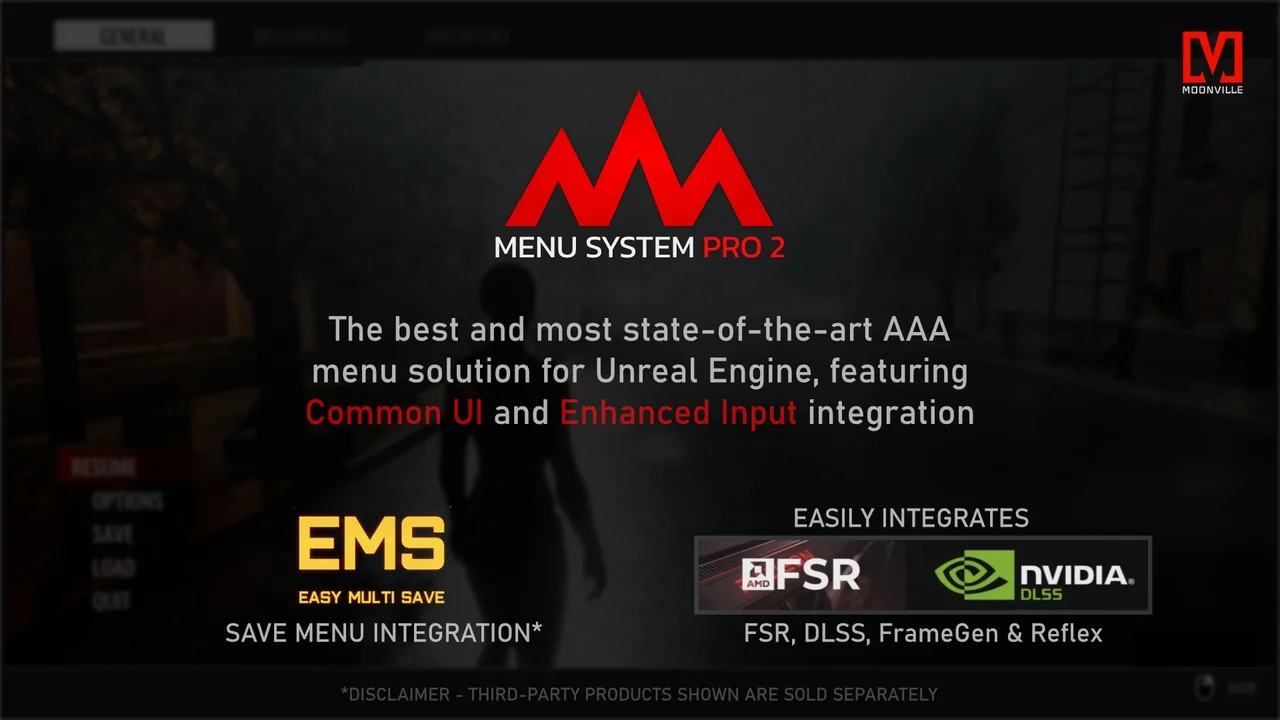
![Hyper Menu and Gamepad System v4 [CommonUI]](/_img/360/wp-content/uploads/2026/04/7967d49c9361_9612d524-2cf6-46d8-9c70-ae880375b311.webp) UI Kits / HUDs
UI Kits / HUDs UI Kits / HUDs
 UI Kits / HUDs