"a338a1d501976271"{"id":"1000990","slug":"fortuna-ultimate-menu-system","title":"Fortuna Ultimate Menu System","category":"UI Kits / HUDs","engine":"5.0+","assetVersion":"","engineVersion":"Engine Version: 5.0+","tag":"UI Kits / HUDs","accent":"blue","visual":"mech","summary":"A complete modular menu system with a ready-to-use main menu, settings suite, save/load audio and keybinds, credits via Data Table, confirmation popups, and reu","platform":"Unreal Engine","publishedAt":"2026-08-18T06:42:18.738Z","updatedAt":"2026-08-18T06:42:18.738Z","sourceNotes":[],"fileContents":[],"compatibility":["Unreal Engine","Engine Version: 5.0+"],"featuredImage":{"alt":"Fortuna Ultimate Menu System","src":"/wp-content/uploads/published/2026/08/02d76a441ee6-e6cec5e1-df66-41c0-af9c-fe7a60a63d8f-ea56872eb0.webp"},"hasDownloadLink":true,"downloads":0,"terms":[{"taxonomy":"category","slug":"ui-kits-huds","name":"UI Kits / HUDs"}],"galleryImages":[{"src":"/wp-content/uploads/published/2026/08/39673f3b7828-5d5eff9b-1296-47cf-8c70-742c77da71e4-088b4e5d2f.webp","alt":"Fortuna Ultimate Menu System"},{"src":"/wp-content/uploads/published/2026/08/6c1d7d79d036-33d33c48-357d-43b0-b7c5-5d399b05af97-50227213b1.webp","alt":"Fortuna Ultimate Menu System"},{"src":"/wp-content/uploads/published/2026/08/c2393b596443-5fc0c5a4-50a1-42b9-8829-534c44c19bd1-edd56d9441.webp","alt":"Fortuna Ultimate Menu System"},{"src":"/wp-content/uploads/published/2026/08/6cda9ae6f2b4-4b287e44-79ba-402d-b17c-0043e3cdc104-95f2039a25.webp","alt":"Fortuna Ultimate Menu System"},{"src":"/wp-content/uploads/published/2026/08/c65f400b4a81-5ab57cf5-19f5-4caf-b4d6-da81be11b700-bc2ec5ea22.webp","alt":"Fortuna Ultimate Menu System"},{"src":"/wp-content/uploads/published/2026/08/75d8dbeb1144-29531980-5950-4a6f-a909-49aab67157f5-36e28c838c.webp","alt":"Fortuna Ultimate Menu System"},{"src":"/wp-content/uploads/published/2026/08/2e2e1bbd99ef-0aa65f27-2f90-4dc9-a54a-97cce4a9dd45-fc7f53c58d.webp","alt":"Fortuna Ultimate Menu System"},{"src":"/wp-content/uploads/published/2026/08/cde2cdc68e9e-7faec6f1-efea-484c-b839-27454ce05b84-9c3a8f9826.webp","alt":"Fortuna Ultimate Menu System"},{"src":"/wp-content/uploads/published/2026/08/f51dc4231fb0-fd7f8407-2ca3-4950-9826-2a6a3b60f795-2a801eed4a.webp","alt":"Fortuna Ultimate Menu System"},{"src":"/wp-content/uploads/published/2026/08/87f44ae7b132-c21b3e78-9b10-4c79-b52c-f4a9ebbbf720-ff17c91d5f.webp","alt":"Fortuna Ultimate Menu System"}],"accessPanel":{"kind":"resource","title":"Download this resource","eyebrow":"Free Download","message":"Log in or create a free account to start your download.","fileName":"Fortuna Ultimate Menu System.7z","safetyNote":"Resources are manually reviewed before listing to improve quality and reduce obvious risks.","actionLabel":"Download Free","resourceType":"Resource archive"},"contentHtml":"\u003cp\u003eEvery project eventually needs a menu system. The Fortuna Ultimate Menu System is suited to developers who want a complete, ready-made UI stack that can be dropped into a project and then modified to match their own game. It covers the usual menu flow — main menu, start game, settings, credits, and quit confirmation — while also providing modular widgets that can be reused in pause screens, inventory screens, and other interfaces that require buttons and submenus.\u003c/p\u003e \u003ch2\u003eA Main Menu That Works from the First Integration\u003c/h2\u003e\n\u003cp\u003eOne of the first things the package provides is a ready-to-use main menu. This isn't just a placeholder; it is built to be customized, with full control over the theme and style of the menu. The start game menu includes demo options, such as difficulty selection, so you can expose play-style choices to the player without writing the menu structure from scratch. The menu flow is presented in a way that lets you add or remove widgets based on your project's needs, so the main menu can be used as the foundation or adapted into something smaller.\u003c/p\u003e\n\u003cp\u003eBecause the system is modular, the main menu isn't a single rigid screen. You can rearrange its pieces, swap in your own art, and reuse the same navigation logic in other parts of the game. The intent is to reduce the gap between the moment you import the package and the moment you have a working front end that still feels like yours.\u003c/p\u003e \u003ch2\u003eSettings That Remember Player Choices\u003c/h2\u003e\n\u003cp\u003eThe settings menu is where the system shows its depth. It is an advanced, modular settings menu with save and load functionality. Audio settings can be saved and loaded, keybind settings are included, and there is a confirmation popup system, which is used in quit game scenarios. The settings menu also has auto-detection for display settings. Players can apply, save, and load their settings. There is an overall graphics setting that automatically updates the other settings, which simplifies scaling from low-end to high-end PCs. Audio levels are ready to use with sound classes, so the sliders are pre-wired to the typical audio bus structure. Keybind settings support auto-saving and use a one-widget functionality, meaning the whole rebind interface is built into a single widget rather than scattered across multiple screens. Themes and styles are customizable, so you can match the menu to the rest of your UI.\u003c/p\u003e\n\u003cp\u003eAll of these settings are wrapped in the same save/load pipeline, so you don't need to create a separate persistence system for each category. The modular settings menu also makes it easy to remove or reorder settings categories, giving you control over which options are exposed to the player.\u003c/p\u003e \u003ch2\u003eCredits, Quit Confirmation, and the Little Details\u003c/h2\u003e\n\u003cp\u003eCredits are handled through a data table. You can add credits entries by editing rows, and the credits slide plays through them automatically. The confirmation popup system is the same component used when the player quits the game — a small dialog that asks for confirmation before taking an action. Since it's modular, the same popup can be reused for other actions that require player approval, such as resetting settings or leaving a session. The system also includes a written guide on how to use the asset, which is useful for navigating the blueprint structure and understanding how the various widgets connect.\u003c/p\u003e \u003ch2\u003eReusable Widgets for Pause Menus, Inventories, and Other Screens\u003c/h2\u003e\n\u003cp\u003eThe package is not limited to the main menu. Its submenus — credits, settings, news, etc. — are configured to be used within any widget. So you can drop the settings submenu into a pause menu or the credits submenu into an in-game information panel. The custom buttons are also designed to be ready to use anywhere, with a lot of customization options. For example, the preset button widgets can be used in an inventory system, saving the work of building new button states and hover effects. This modularity is what separates the package from a single-event sequence.\u003c/p\u003e\n\u003cp\u003eThe ability to easily add and remove widgets is core to the system's design. You're not forced into a single navigation topology; you can embed the same settings window in multiple places or pull the quit confirmation into a separate warning screen. This makes the package useful for games that need a consistent UI language across different modes.\u003c/p\u003e \u003ch2\u003eThe Fortuna Lineup and What's Next\u003c/h2\u003e\n\u003cp\u003eBeyond the Ultimate Menu System, Fortuna lists several other products in its UI and gameplay categories. Already available are a Notification System, a 3D Menu System, an Attributes System, and the Ultimate Menu System itself. The \"coming soon\" list is extensive: Popup System, Charts System, Crosshair System, Interaction System, World Map System, and a UI Tweaks and Accessories Pack on the UI side; Object Outline System, Farming System, Interactive Foliage, and Survival Attributes V2 on the gameplay side; Extended Function Library and Widget Additions Library as libraries; and City Builder, Zombie Survival, and Ultimate Survival Game Templates as full game templates.\u003c/p\u003e\n\u003cp\u003eFor a developer building out a game in Unreal Engine, the menu system becomes part of a larger ecosystem. The shared naming conventions and modular widget approach suggest that these products are meant to be combined, and the roadmap gives you a preview of what may slot in later. But even as a standalone package, the Fortuna Ultimate Menu System covers the essentials: a main menu, a full settings suite, credits, confirmation dialogs, and widgets that can be moved into any screen you already have.\u003c/p\u003e\n\u003cp\u003eIn short, the Fortuna Ultimate Menu System is a practical fit for developers who want a menu stack that is complete out of the box and also open enough to be rearranged. With the main menu, settings, save/load, credits, confirmation popups, and reusable widgets, it can support anything from a polished prototype to a full game's front end. And because it comes from the same developer as the other Fortuna products, it slots into a broader kit if you expand the interface over time.\u003c/p\u003e\n\n\u003ch2\u003eMore From The Same Workflow\u003c/h2\u003e\n\u003cul\u003e\n\u003cli\u003e\u003ca href=\"https://3dcghub.com/game-main-menu-3d-ui-3d-immerse-ui/\" title=\"Game Main Menu - 3D UI - 3D Immerse UI\"\u003eGame Main Menu - 3D UI - 3D Immerse UI\u003c/a\u003e\u003c/li\u003e\n\u003cli\u003e\u003ca href=\"https://3dcghub.com/easy-game-ui-ultimate/\" title=\"Easy Game UI Ultimate\"\u003eEasy Game UI Ultimate\u003c/a\u003e\u003c/li\u003e\n\u003cli\u003e\u003ca href=\"https://3dcghub.com/hyper-menu-and-gamepad-system-v4-commonui/\" title=\"Hyper Menu and Gamepad System v4 [CommonUI]\"\u003eHyper Menu and Gamepad System v4 [CommonUI]\u003c/a\u003e\u003c/li\u003e\n\u003cli\u003e\u003ca href=\"https://3dcghub.com/gui-simple-round-2/\" title=\"GUI - Simple Round\"\u003eGUI - Simple Round\u003c/a\u003e\u003c/li\u003e\n\u003cli\u003e\u003ca href=\"https://3dcghub.com/ultimate-menu-system/\" title=\"Ultimate Menu System\"\u003eUltimate Menu System\u003c/a\u003e\u003c/li\u003e\n\u003c/ul\u003e","contentTextLength":6179,"navigation":{"current":464,"total":3338,"previous":{"id":"1000991","slug":"fox-family","title":"Fox - Family","category":"Animals","platform":"Unreal Engine","updatedAt":"2026-08-18T06:46:26.547Z"},"next":{"id":"1000989","slug":"emergency-vehicles-premium-drivable-and-interactable","title":"Emergency Vehicles - Premium - Drivable and Interactable","category":"Vehicles \u0026 Transportation","platform":"Unreal Engine","updatedAt":"2026-08-18T06:37:54.815Z"}},"relatedResources":[{"id":"1001033","slug":"game-main-menu-3d-ui-gamepad-common-ui-ultimate","title":"Game Main Menu - 3D UI - Gamepad - Common UI - Ultimate","category":"UI Kits / HUDs","engine":"5.3+","assetVersion":"","engineVersion":"Engine Version: 5.3+","tag":"UI Kits / HUDs","accent":"blue","visual":"mech","summary":"A Common UI 3D main menu with automatic gamepad detection, seamless keyboard/mouse switching, and rebinding for control, audio, and graphics in a 3D space.","platform":"Unreal Engine","publishedAt":"2026-08-23T14:19:59.018Z","updatedAt":"2026-08-23T14:19:59.018Z","sourceNotes":[],"fileContents":[],"compatibility":["Unreal Engine","Engine Version: 5.3+"],"featuredImage":{"alt":"Game Main Menu - 3D UI - Gamepad - Common UI - Ultimate","src":"/wp-content/uploads/published/2026/08/c00e2cb2b7c6-2e8d92a6-f31b-4fa9-b200-d9833f2dea7a-00688ddcf9.webp"},"hasDownloadLink":true,"downloads":1},{"id":"1000613","slug":"game-main-menu-3d-ui-3d-immerse-ui","title":"Game Main Menu - 3D UI - 3D Immerse UI","category":"UI Kits / HUDs","engine":"5.3+","assetVersion":"","engineVersion":"Engine Version: 5.3+","tag":"UI Kits / HUDs","accent":"blue","visual":"mech","summary":"A modular 3D main menu Blueprint for Unreal Engine featuring seamless integration, extensive graphics and audio rebinding, and data table customization.","platform":"Unreal Engine","publishedAt":"2026-07-20T20:37:06.164Z","updatedAt":"2026-07-20T20:37:06.164Z","sourceNotes":[],"fileContents":[],"compatibility":["Unreal Engine","Engine Version: 5.3+"],"featuredImage":{"alt":"Game Main Menu - 3D UI - 3D Immerse UI","src":"/wp-content/uploads/published/2026/07/4871fb276d02-c64b3ec4-4e4b-461f-b299-0b2a3faf7537-5d32013994.webp"},"hasDownloadLink":true,"downloads":0},{"id":"15453","slug":"easy-game-ui-ultimate","title":"Easy Game UI Ultimate","category":"UI Kits / HUDs","engine":"5.3+","assetVersion":"Engine version: 5.3+","engineVersion":"5.3","tag":"UI Kits / HUDs","accent":"blue","visual":"mech","summary":"Easy Game UI Ultimate provides a comprehensive toolkit for developers to implement professional user interfaces. It features advanced save systems, a procedural credits tool, and a robust HUD builder.","platform":"Unreal Engine","publishedAt":"2026-03-12T09:03:10.000Z","updatedAt":"2026-04-19T15:44:46.000Z","sourceNotes":[],"fileContents":[],"compatibility":["Unreal Engine","Engine version: 5.3+"],"featuredImage":{"alt":"Easy Game UI Ultimate","src":"https://3dcghub.com/wp-content/uploads/2026/03/f4fb3aaf-1633-47f4-aad4-504acc3e744c.webp"},"hasDownloadLink":true,"downloads":3}]}
UI Kits / HUDs
Fortuna Ultimate Menu System
A complete modular menu system with a ready-to-use main menu, settings suite, save/load audio and keybinds, credits via Data Table, confirmation popups, and reu
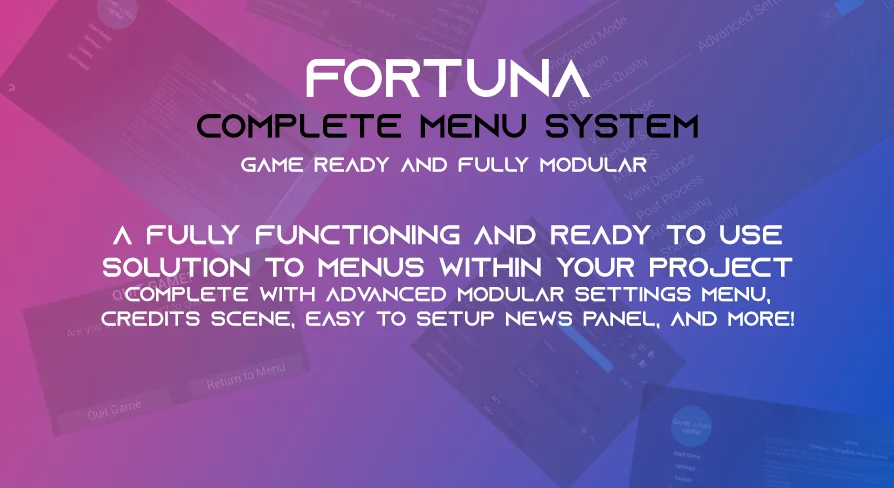
Every project eventually needs a menu system. The Fortuna Ultimate Menu System is suited to developers who want a complete, ready-made UI stack that can be dropped into a project and then modified to match their own game. It covers the usual menu flow — main menu, start game, settings, credits, and quit confirmation — while also providing modular widgets that can be reused in pause screens, inventory screens, and other interfaces that require buttons and submenus.
A Main Menu That Works from the First Integration
One of the first things the package provides is a ready-to-use main menu. This isn't just a placeholder; it is built to be customized, with full control over the theme and style of the menu. The start game menu includes demo options, such as difficulty selection, so you can expose play-style choices to the player without writing the menu structure from scratch. The menu flow is presented in a way that lets you add or remove widgets based on your project's needs, so the main menu can be used as the foundation or adapted into something smaller.
Because the system is modular, the main menu isn't a single rigid screen. You can rearrange its pieces, swap in your own art, and reuse the same navigation logic in other parts of the game. The intent is to reduce the gap between the moment you import the package and the moment you have a working front end that still feels like yours.
Settings That Remember Player Choices
The settings menu is where the system shows its depth. It is an advanced, modular settings menu with save and load functionality. Audio settings can be saved and loaded, keybind settings are included, and there is a confirmation popup system, which is used in quit game scenarios. The settings menu also has auto-detection for display settings. Players can apply, save, and load their settings. There is an overall graphics setting that automatically updates the other settings, which simplifies scaling from low-end to high-end PCs. Audio levels are ready to use with sound classes, so the sliders are pre-wired to the typical audio bus structure. Keybind settings support auto-saving and use a one-widget functionality, meaning the whole rebind interface is built into a single widget rather than scattered across multiple screens. Themes and styles are customizable, so you can match the menu to the rest of your UI.
All of these settings are wrapped in the same save/load pipeline, so you don't need to create a separate persistence system for each category. The modular settings menu also makes it easy to remove or reorder settings categories, giving you control over which options are exposed to the player.
Credits, Quit Confirmation, and the Little Details
Credits are handled through a data table. You can add credits entries by editing rows, and the credits slide plays through them automatically. The confirmation popup system is the same component used when the player quits the game — a small dialog that asks for confirmation before taking an action. Since it's modular, the same popup can be reused for other actions that require player approval, such as resetting settings or leaving a session. The system also includes a written guide on how to use the asset, which is useful for navigating the blueprint structure and understanding how the various widgets connect.
Reusable Widgets for Pause Menus, Inventories, and Other Screens
The package is not limited to the main menu. Its submenus — credits, settings, news, etc. — are configured to be used within any widget. So you can drop the settings submenu into a pause menu or the credits submenu into an in-game information panel. The custom buttons are also designed to be ready to use anywhere, with a lot of customization options. For example, the preset button widgets can be used in an inventory system, saving the work of building new button states and hover effects. This modularity is what separates the package from a single-event sequence.
The ability to easily add and remove widgets is core to the system's design. You're not forced into a single navigation topology; you can embed the same settings window in multiple places or pull the quit confirmation into a separate warning screen. This makes the package useful for games that need a consistent UI language across different modes.
The Fortuna Lineup and What's Next
Beyond the Ultimate Menu System, Fortuna lists several other products in its UI and gameplay categories. Already available are a Notification System, a 3D Menu System, an Attributes System, and the Ultimate Menu System itself. The "coming soon" list is extensive: Popup System, Charts System, Crosshair System, Interaction System, World Map System, and a UI Tweaks and Accessories Pack on the UI side; Object Outline System, Farming System, Interactive Foliage, and Survival Attributes V2 on the gameplay side; Extended Function Library and Widget Additions Library as libraries; and City Builder, Zombie Survival, and Ultimate Survival Game Templates as full game templates.
For a developer building out a game in Unreal Engine, the menu system becomes part of a larger ecosystem. The shared naming conventions and modular widget approach suggest that these products are meant to be combined, and the roadmap gives you a preview of what may slot in later. But even as a standalone package, the Fortuna Ultimate Menu System covers the essentials: a main menu, a full settings suite, credits, confirmation dialogs, and widgets that can be moved into any screen you already have.
In short, the Fortuna Ultimate Menu System is a practical fit for developers who want a menu stack that is complete out of the box and also open enough to be rearranged. With the main menu, settings, save/load, credits, confirmation popups, and reusable widgets, it can support anything from a polished prototype to a full game's front end. And because it comes from the same developer as the other Fortuna products, it slots into a broader kit if you expand the interface over time.
 UI Kits / HUDs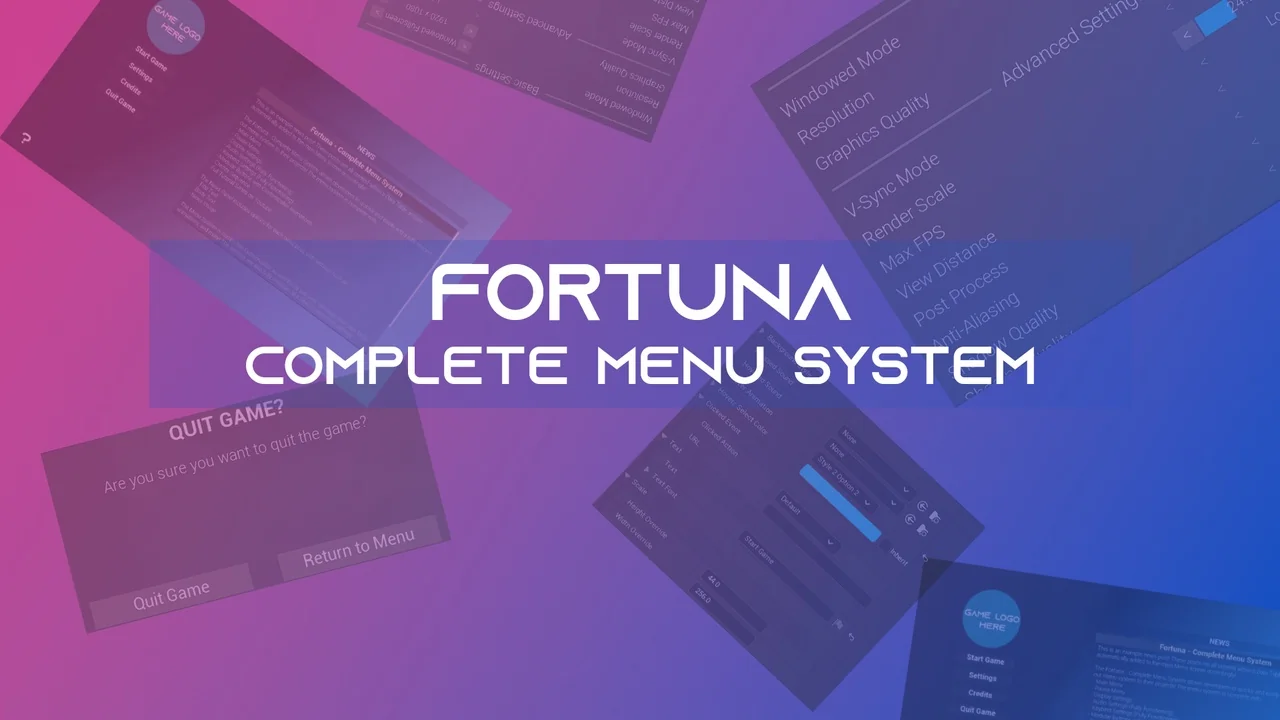
 UI Kits / HUDs
 UI Kits / HUDs
 UI Kits / HUDs