"0341a2901a4ae9aa"{"id":"15521","slug":"ultimate-menu-system","title":"Ultimate Menu System","category":"Widgets \u0026 Controls","engine":"4.27,5.0+","assetVersion":"Engine version: 4.27,5.0+","engineVersion":"4.26","tag":"Widgets \u0026 Controls","accent":"blue","visual":"animation","summary":"Ultimate Menu System provides a modular and dynamic framework for creating professional game interfaces. It supports multiple input methods and includes pre-built systems for settings and multiplayer hosting.","platform":"Unreal Engine","publishedAt":"2026-03-12T09:12:56.000Z","updatedAt":"2026-04-19T15:44:45.000Z","sourceNotes":[],"fileContents":[],"compatibility":["Unreal Engine","Engine version: 4.27,5.0+"],"featuredImage":{"alt":"Ultimate Menu System","src":"https://3dcghub.com/wp-content/uploads/2026/03/f49ca1b4-975f-44a0-a17f-9f3cca8ab40c.webp"},"hasDownloadLink":true,"downloads":1,"terms":[{"taxonomy":"category","slug":"widgets-and-controls","name":"Widgets \u0026 Controls"},{"taxonomy":"post_tag","slug":"audio","name":"Audio"},{"taxonomy":"post_tag","slug":"blueprint","name":"Blueprint"},{"taxonomy":"post_tag","slug":"environment","name":"Environment"},{"taxonomy":"post_tag","slug":"game-systems","name":"Game Systems"},{"taxonomy":"post_tag","slug":"ui","name":"UI"},{"taxonomy":"post_tag","slug":"unreal-engine-5","name":"Unreal Engine 5"}],"galleryImages":[{"src":"https://3dcghub.com/wp-content/uploads/2026/03/891dce8e0103_cd9f0b3d-0b1b-4433-97b4-dbc65e349581.webp","alt":"Ultimate Menu System"},{"src":"https://3dcghub.com/wp-content/uploads/2026/03/f2dc33198b78_03bc1012-75f3-4250-9c9e-78ed947ca7a0.webp","alt":"Ultimate Menu System"},{"src":"https://3dcghub.com/wp-content/uploads/2026/03/9cd1be5fb9d1_598bd448-762a-476e-af66-52454780d4d5.webp","alt":"Ultimate Menu System"},{"src":"https://3dcghub.com/wp-content/uploads/2026/03/14a1a35078ce_00b8fe0a-95dd-4df9-9261-028443148eb7.webp","alt":"Ultimate Menu System"},{"src":"https://3dcghub.com/wp-content/uploads/2026/03/aeb7a2ab1110_3a5a2d5f-a62c-4864-9c24-f2ae6dc32d6b.webp","alt":"Ultimate Menu System"},{"src":"https://3dcghub.com/wp-content/uploads/2026/03/f8314effe4f1_283d1708-dfe1-4649-94b0-e6c33bd8058f.webp","alt":"Ultimate Menu System"},{"src":"https://3dcghub.com/wp-content/uploads/2026/03/4b332e46cac1_890538ab-255b-4b6b-bf34-eb925528d29b.webp","alt":"Ultimate Menu System"},{"src":"https://3dcghub.com/wp-content/uploads/2026/03/16b503bbc83f_f1023776-146a-42ed-bba8-cb05f839943b.webp","alt":"Ultimate Menu System"},{"src":"https://3dcghub.com/wp-content/uploads/2026/03/65984d7307c2_5c50404e-e71a-4fa8-a877-8767e1c140c0.webp","alt":"Ultimate Menu System"},{"src":"https://3dcghub.com/wp-content/uploads/2026/03/faa09ccde302_e7ab7800-058f-4ced-b606-0976398e6be9.webp","alt":"Ultimate Menu System"},{"src":"https://3dcghub.com/wp-content/uploads/2026/03/da2fd0bb4a2c_4b587395-6102-447b-8778-37bdda2f1dc4.webp","alt":"Ultimate Menu System"},{"src":"https://3dcghub.com/wp-content/uploads/2026/03/02d8a019148c_f9ee3ee7-954b-4f33-a9db-c94fe850ee69.webp","alt":"Ultimate Menu System"},{"src":"https://3dcghub.com/wp-content/uploads/2026/03/ab39cb87d2c4_808c1877-e11f-4175-9212-9498f3c4c394.webp","alt":"Ultimate Menu System"},{"src":"https://3dcghub.com/wp-content/uploads/2026/03/9b8fdeac7ba9_ffa31655-c30b-43ac-a92e-1ca87a7758fa.webp","alt":"Ultimate Menu System"},{"src":"https://3dcghub.com/wp-content/uploads/2026/03/bdbe13ef7b53_1fe2030b-77cd-4d53-aadf-63bf8cbd1305.webp","alt":"Ultimate Menu System"},{"src":"https://3dcghub.com/wp-content/uploads/2026/03/9be704d0169d_b02531e5-860f-475b-9af5-04479742cb64.webp","alt":"Ultimate Menu System"},{"src":"https://3dcghub.com/wp-content/uploads/2026/03/2d728aeecaed_853a3c57-a4c7-4880-960e-5ad007e12981.webp","alt":"Ultimate Menu System"},{"src":"https://3dcghub.com/wp-content/uploads/2026/03/01a26f83ea9d_755a2708-92d0-4fdd-84ca-a149d2076159.webp","alt":"Ultimate Menu System"},{"src":"https://3dcghub.com/wp-content/uploads/2026/03/7566ce04753a_38995a4c-12fb-4059-b969-999a2f9942fc.webp","alt":"Ultimate Menu System"},{"src":"https://3dcghub.com/wp-content/uploads/2026/03/a2483daa595f_38795e1c-87bf-4876-88af-0bb3e6b88126.webp","alt":"Ultimate Menu System"},{"src":"https://3dcghub.com/wp-content/uploads/2026/03/362a5a27a565_0b7da906-370a-4d43-9d2b-1afbf0b3bd8f.webp","alt":"Ultimate Menu System"},{"src":"https://3dcghub.com/wp-content/uploads/2026/03/52afcc387907_2b9bd246-4df1-4c4c-9345-ffebbea9bc53.webp","alt":"Ultimate Menu System"}],"accessPanel":{"kind":"resource","title":"Access this resource","eyebrow":"Free Download","message":"Log in or create a free account to start your download.","fileName":"Ultimate Menu System.7z","safetyNote":"All resources are 100% manually reviewed to eliminate all risks.","actionLabel":"Download Free","resourceType":"Resource archive"},"contentHtml":"\u003ch2\u003eIntroduction to the Ultimate Menu System\u003c/h2\u003e\n\u003cp\u003eThe \u003cstrong\u003eUltimate Menu System\u003c/strong\u003e is a dynamic and modular framework designed to streamline the creation of game interfaces. This asset provides a highly customizable solution for developers working on either single-player or multiplayer projects. Because the system is built with flexibility in mind, you can easily modify the design using integrated variables. Consequently, it serves as a robust foundation for any game genre.\u003c/p\u003e\n\n\u003ch2\u003eVersatile Navigation and Customization\u003c/h2\u003e\n\u003cp\u003eNavigation is a critical component of any user interface. The \u003cstrong\u003eUltimate Menu System\u003c/strong\u003e supports all directions of navigation to ensure a smooth user experience. Moreover, it is fully compatible with mouse, keyboard, and gamepad inputs. This versatility allows developers to target multiple platforms without rewriting the input logic. Therefore, the system remains accessible to all players regardless of their preferred controller.\u003c/p\u003e\n\u003cp\u003eCustomization is equally straightforward. Developers can change the visual style through simple variables to match their game's aesthetic. Additionally, you can create and load your own custom widgets within the framework. This modularity ensures that the \u003cstrong\u003eUltimate Menu System\u003c/strong\u003e adapts to your specific project requirements.\u003c/p\u003e\n\n\u003ch2\u003eMultiplayer and Single-Player Functionality\u003c/h2\u003e\n\u003cp\u003eThis system includes dedicated features for different game modes. For multiplayer projects, it offers a simple Host-Find Game functionality right out of the box. While this is ready to use immediately, it is also easy to expand based on your specific networking needs. On the other hand, single-player games benefit from a completely functional Save and Load system.\u003c/p\u003e\n\u003cul\u003e\n \u003cli\u003eDynamic Host-Find Game functionality for multiplayer.\u003c/li\u003e\n \u003cli\u003eIntegrated Save and Load systems for single-player progress.\u003c/li\u003e\n \u003cli\u003eExpandable blueprints with provided examples.\u003c/li\u003e\n \u003cli\u003eControl all panels via pure functions in any blueprint.\u003c/li\u003e\n\u003c/ul\u003e\n\n\u003ch2\u003eAdvanced Settings and Loading Systems\u003c/h2\u003e\n\u003cp\u003eThe developer has included a comprehensive suite of game settings. These include fully working options for keybindings, audio levels, and display configurations. Furthermore, these settings are designed to save and load automatically. Gameplay settings are also provided as examples to help you get started quickly.\u003c/p\u003e\n\u003cp\u003eThe loading process in the \u003cstrong\u003eUltimate Menu System\u003c/strong\u003e uses a unique approach. It first loads an empty map before transitioning to the streaming level. Because of this method, the loading screen does not freeze or disappear prematurely. As a result, the transition between levels feels polished and professional.\u003c/p\u003e\n\n\u003ch2\u003eOptimized Performance and Workflow\u003c/h2\u003e\n\u003cp\u003ePerformance is a priority in this framework. The system utilizes a Widget Pooling method to manage resources efficiently. By creating required widgets at the start, it performs one hard load and then reuses those references. If a widget is missing from the pool, the system creates it and adds it for future use. This optimization keeps the game state fluid and responsive.\u003c/p\u003e\n\n\u003ch2\u003eFinal Take\u003c/h2\u003e\n\u003cp\u003eThe \u003cstrong\u003eUltimate Menu System\u003c/strong\u003e is a complete and optimized tool for game developers. It combines ease of use with deep technical features like widget pooling and custom loading sequences. Whether you are building a simple indie title or a complex multiplayer shooter, this system provides the necessary infrastructure for a professional UI. By using this modular framework, you can focus more on gameplay and less on interface management.\u003c/p\u003e\n\n\u003ch2\u003eMore From The Same Workflow\u003c/h2\u003e\n\u003cul\u003e\n\u003cli\u003e\u003ca href=\"https://3dcghub.com/rodinbridge-unreal-engine-add-on/\" title=\"RodinBridge – Unreal Engine Add-on\"\u003eRodinBridge – Unreal Engine Add-on\u003c/a\u003e\u003c/li\u003e\n\u003cli\u003e\u003ca href=\"https://3dcghub.com/extile-plus-ultimate-non-tiling-material-toolkit-for-unreal-engine-environments/\" title=\"EXTILE PLUS -Ultimate Non-Tiling Material Toolkit for Unreal Engine Environments\"\u003eEXTILE PLUS -Ultimate Non-Tiling Material Toolkit for Unreal Engine Environments\u003c/a\u003e\u003c/li\u003e\n\u003cli\u003e\u003ca href=\"https://3dcghub.com/ultimate-template-unrealengine-2d-dialogue-inventory-system-save/\" title=\"ULTIMATE Template UnrealEngine || 2D + Dialogue + Inventory system + Save | |\"\u003eULTIMATE Template UnrealEngine || 2D + Dialogue + Inventory system + Save | |\u003c/a\u003e\u003c/li\u003e\n\u003cli\u003e\u003ca href=\"https://3dcghub.com/altermesh-geometry-nodes-in-unreal/\" title=\"AlterMesh – Geometry Nodes in Unreal\"\u003eAlterMesh – Geometry Nodes in Unreal\u003c/a\u003e\u003c/li\u003e\n\u003cli\u003e\u003ca href=\"https://3dcghub.com/zxing-for-unreal/\" title=\"ZXing For Unreal\"\u003eZXing For Unreal\u003c/a\u003e\u003c/li\u003e\n\u003c/ul\u003e","contentTextLength":3705,"navigation":{"current":3453,"total":4017,"previous":{"id":"15535","slug":"atmospheric-entry-fx","title":"Atmospheric Entry FX","category":"Fire \u0026 Explosions","platform":"Unreal Engine","updatedAt":"2026-04-19T15:44:45.000Z"},"next":{"id":"15496","slug":"rd-lighting-kit","title":"RD: Lighting Kit","category":"Widgets \u0026 Controls","platform":"Unreal Engine","updatedAt":"2026-04-19T15:44:45.000Z"}},"relatedResources":[{"id":"15467","slug":"extended-progress-bar","title":"Extended Progress Bar","category":"Widgets \u0026 Controls","engine":"4.26+,5.0+","assetVersion":"Engine version: 4.26+,5.0+","engineVersion":"4.24","tag":"Widgets \u0026 Controls","accent":"blue","visual":"character","summary":"Enhance your game's user interface with the Extended Progress Bar. This plugin simplifies the process of creating animated bars for health, mana, and stamina with deep customization options.","platform":"Unreal Engine","publishedAt":"2026-03-12T09:07:55.000Z","updatedAt":"2026-04-19T15:44:46.000Z","sourceNotes":[],"fileContents":[],"compatibility":["Unreal Engine","Engine version: 4.26+,5.0+"],"featuredImage":{"alt":"Extended Progress Bar","src":"https://3dcghub.com/wp-content/uploads/2026/03/2ae124bc-cc48-4d29-ba9a-8d3040b25849.webp"},"hasDownloadLink":true,"downloads":1},{"id":"1001924","slug":"pro-icon-pack","title":"Pro Icon Pack","category":"Widgets \u0026 Controls","engine":"4.26+,5.0+","assetVersion":"","engineVersion":"Engine Version: 4.26+,5.0+","tag":"Widgets \u0026 Controls","accent":"blue","visual":"mech","summary":"Explore the implementation and structural utility of Pro Icon Pack across HUD, inventory, and main menu systems in Unreal Engine interface design.","platform":"Unreal Engine","publishedAt":"2026-10-22T12:00:19.598Z","updatedAt":"2026-10-22T12:00:19.598Z","sourceNotes":[],"fileContents":[],"compatibility":["Unreal Engine","Engine Version: 4.26+,5.0+"],"featuredImage":{"alt":"Pro Icon Pack","src":"/wp-content/uploads/published/2026/10/eaeb4b76f65b-75923046-733b-4bd8-ba53-e45ddc9e2a36-ea737c91b8.webp"},"hasDownloadLink":true,"downloads":0},{"id":"1001127","slug":"ultimate-shooter-kit","title":"Ultimate Shooter Kit","category":"Shooter","engine":"5.3+","assetVersion":"Asset Version: v2","engineVersion":"Engine Version: 5.3+","tag":"Shooter","accent":"blue","visual":"mech","summary":"Ultimate Shooter Kit is a multiplayer-ready shooter template with menu, quest, inventory/weapon systems, and respawn support for Blueprint users.","platform":"Unreal Engine","publishedAt":"2026-09-07T13:39:36.666Z","updatedAt":"2026-09-07T13:39:36.666Z","sourceNotes":[],"fileContents":[],"compatibility":["Unreal Engine","Asset Version: v2","Engine Version: 5.3+"],"featuredImage":{"alt":"Ultimate Shooter Kit","src":"/wp-content/uploads/published/2026/09/f05ddf518181-a408d89b-9e9a-4002-9eec-3901d33e8fc9-157b96f106.webp"},"hasDownloadLink":true,"downloads":3}]}
Widgets & Controls
Ultimate Menu System
Ultimate Menu System provides a modular and dynamic framework for creating professional game interfaces. It supports multiple input methods and includes pre-built systems for settings and multiplayer hosting.
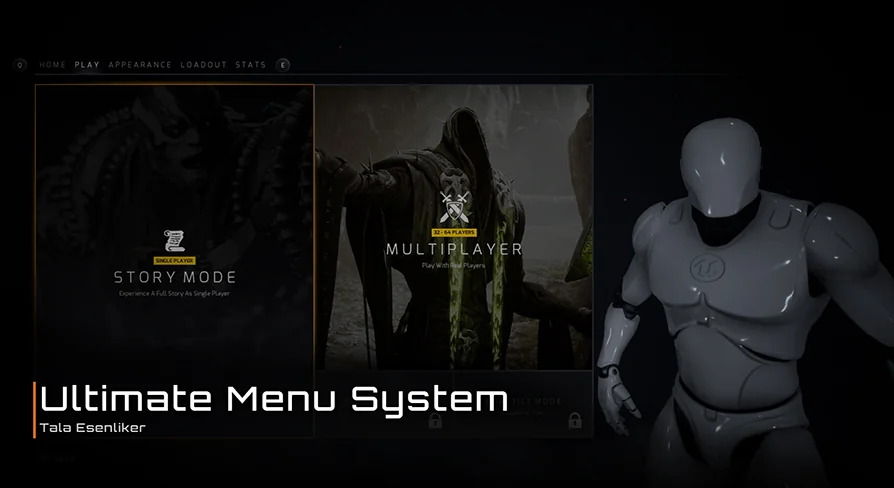
The Ultimate Menu System is a dynamic and modular framework designed to streamline the creation of game interfaces. This asset provides a highly customizable solution for developers working on either single-player or multiplayer projects. Because the system is built with flexibility in mind, you can easily modify the design using integrated variables. Consequently, it serves as a robust foundation for any game genre.
Versatile Navigation and Customization
Navigation is a critical component of any user interface. The Ultimate Menu System supports all directions of navigation to ensure a smooth user experience. Moreover, it is fully compatible with mouse, keyboard, and gamepad inputs. This versatility allows developers to target multiple platforms without rewriting the input logic. Therefore, the system remains accessible to all players regardless of their preferred controller.
Customization is equally straightforward. Developers can change the visual style through simple variables to match their game's aesthetic. Additionally, you can create and load your own custom widgets within the framework. This modularity ensures that the Ultimate Menu System adapts to your specific project requirements.
Multiplayer and Single-Player Functionality
This system includes dedicated features for different game modes. For multiplayer projects, it offers a simple Host-Find Game functionality right out of the box. While this is ready to use immediately, it is also easy to expand based on your specific networking needs. On the other hand, single-player games benefit from a completely functional Save and Load system.
Dynamic Host-Find Game functionality for multiplayer.
Integrated Save and Load systems for single-player progress.
Expandable blueprints with provided examples.
Control all panels via pure functions in any blueprint.
Advanced Settings and Loading Systems
The developer has included a comprehensive suite of game settings. These include fully working options for keybindings, audio levels, and display configurations. Furthermore, these settings are designed to save and load automatically. Gameplay settings are also provided as examples to help you get started quickly.
The loading process in the Ultimate Menu System uses a unique approach. It first loads an empty map before transitioning to the streaming level. Because of this method, the loading screen does not freeze or disappear prematurely. As a result, the transition between levels feels polished and professional.
Optimized Performance and Workflow
Performance is a priority in this framework. The system utilizes a Widget Pooling method to manage resources efficiently. By creating required widgets at the start, it performs one hard load and then reuses those references. If a widget is missing from the pool, the system creates it and adds it for future use. This optimization keeps the game state fluid and responsive.
Final Take
The Ultimate Menu System is a complete and optimized tool for game developers. It combines ease of use with deep technical features like widget pooling and custom loading sequences. Whether you are building a simple indie title or a complex multiplayer shooter, this system provides the necessary infrastructure for a professional UI. By using this modular framework, you can focus more on gameplay and less on interface management.
 Widgets & Controls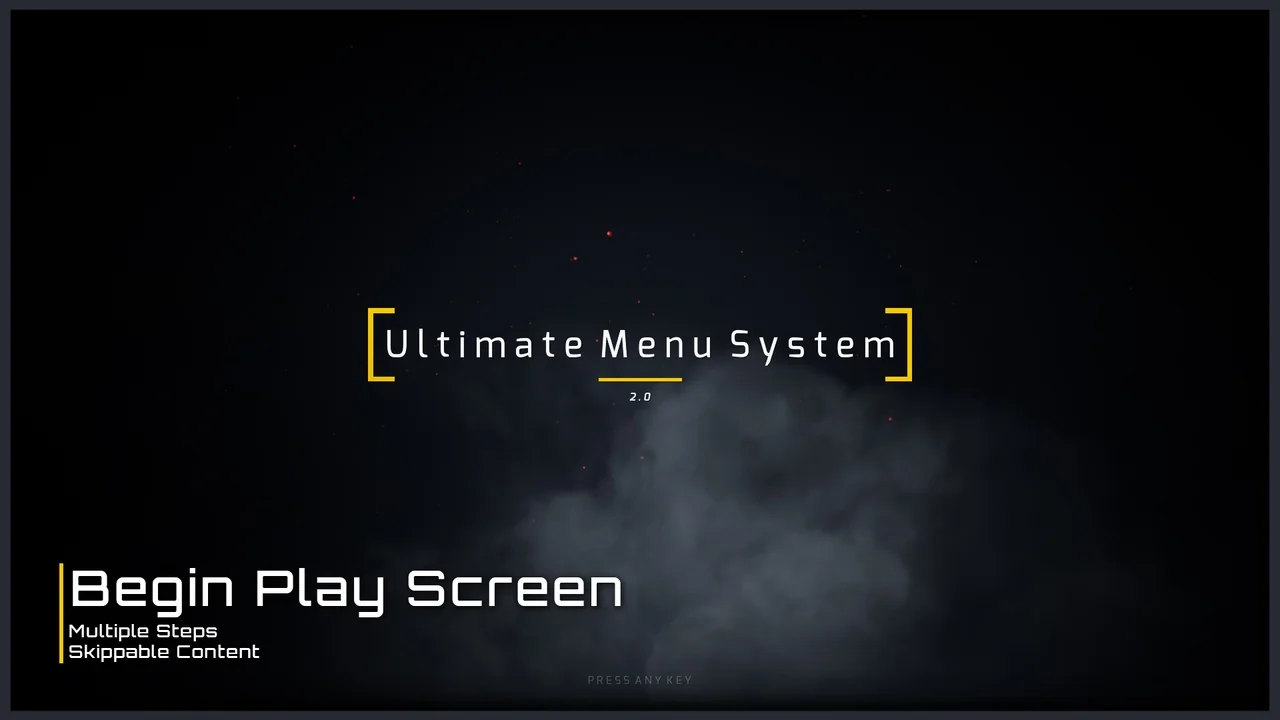
 Widgets & Controls
 Widgets & Controls
 Shooter