"1a0e4ac4dc71d030"{"id":"1000196","slug":"animating-in-unreal-engine","title":"Animating in Unreal Engine","category":"Unreal Engine","engine":"File Content: video + English subtitles","assetVersion":"Video Language: English","engineVersion":"File Content: video + English subtitles","tag":"Unreal Engine","accent":"blue","visual":"mech","summary":"A 6h 11m Unreal Engine 5 course focused on character animation in Sequencer, from basic tools and walk cycles to shooting and inspect actions.","platform":"Unreal Engine","publishedAt":"2026-06-23T11:07:32.906Z","updatedAt":"2026-06-23T11:07:32.906Z","sourceNotes":[],"fileContents":[],"compatibility":["Unreal Engine","Video Language: English","File Content: video + English subtitles"],"featuredImage":{"alt":"Animating in Unreal Engine","src":"/wp-content/uploads/published/2026/06/081a4be791ef-6564961-d9ea-7-8a2f0c5d49.webp"},"hasDownloadLink":true,"downloads":2,"terms":[{"taxonomy":"category","slug":"tutoriallibrary-unrealengine","name":"Unreal Engine"}],"galleryImages":[],"accessPanel":{"kind":"video-resource","title":"Download this video resource","eyebrow":"Free Download","message":"Log in or create a free account to start your download.","fileName":"Animating in Unreal Engine.7z","safetyNote":"Resources are manually reviewed before listing to improve quality and reduce obvious risks.","actionLabel":"Download Free","resourceType":"Video download"},"contentHtml":"\u003cp\u003eCharacters move, react, handle objects, and perform complete actions without leaving the engine in \u003cstrong\u003eAnimating in Unreal Engine\u003c/strong\u003e. The course centers on creating character animation entirely within Unreal Engine 5's Sequencer, with a workflow aimed at people who want to animate directly where their game scenes or cinematic shots already live.\u003c/p\u003e\u003cp\u003eThat focus gives the course a very specific purpose. Rather than treating animation as something that has to be finished elsewhere and only brought into Unreal at the end, it teaches how to work inside Unreal Engine 5 itself. The package then offers a training path that speaks to game production, cinematic work, and animation practice at the point where timing, performance, and scene context meet.\u003c/p\u003e\u003ch2\u003eAnimating in Unreal Engine 5's Sequencer\u003c/h2\u003e\u003cp\u003eThe central promise here is straightforward: learn to animate characters entirely within Unreal Engine 5's Sequencer. From a production standpoint, that means the course is not just about isolated theory or disconnected motion studies. It is about using the tools available in Unreal Engine 5 to build character performance in the same environment where a developer or creator may already be staging gameplay moments, trailers, or in-engine sequences.\u003c/p\u003e\u003cp\u003eThe course covers the basic interface and tools for animating, which makes it approachable for learners who need to understand where to work and how the toolset is laid out before tackling more involved animation tasks. It also teaches the core principles of animation, giving the technical workflow a foundation in the underlying ideas that shape motion. That combination matters because the software interface alone does not create convincing animation; the course pairs tool familiarity with the principles needed to make those tools useful.\u003c/p\u003e\u003cp\u003eBeyond the basics, it includes various tips and tricks for character animation and shows the full process of different animation workflows. This suggests a practical emphasis rather than a narrow feature tour. Learners are not only introduced to controls and concepts, but also shown how animation work actually progresses from start to finish in multiple scenarios.\u003c/p\u003e\u003ch2\u003eFrom walk cycles to shoot animations\u003c/h2\u003e\u003cp\u003eThe curriculum makes the course concrete by anchoring it in recognizable character actions. It begins with \u003cstrong\u003eIntroduction \u0026amp; basic tools\u003c/strong\u003e, then moves into \u003cstrong\u003eJump Animation\u003c/strong\u003e, \u003cstrong\u003eAdvanced Animation Techniques\u003c/strong\u003e, \u003cstrong\u003eAnimating a Walk Cycle\u003c/strong\u003e, \u003cstrong\u003eFirst \u0026amp; Third person Shoot Animation\u003c/strong\u003e, and \u003cstrong\u003eInspect Animation\u003c/strong\u003e.\u003c/p\u003e\u003cp\u003eThat sequence gives a clear picture of the course's practical scope. A jump animation introduces a movement with lift, timing, and landing, which naturally pushes learners to think about body mechanics and spacing. A walk cycle deals with one of the most fundamental repeating character motions in both games and cinematic previs. Shoot animation broadens the context into action-oriented performance and covers both first-person and third-person presentation, which makes it relevant to different camera and gameplay perspectives. Inspect animation adds another kind of character behavior: a more focused, deliberate action that can fit interaction moments, inventory sequences, or stylized character beats.\u003c/p\u003e\u003cp\u003eThese topics are not random examples. Together, they span locomotion, airborne action, weapon handling, and close-up performance. That gives the course a useful spread for anyone trying to understand how character animation behaves across different gameplay or cinematic situations inside Unreal Engine.\u003c/p\u003e\u003ch2\u003eCharacter animation workflows and object interaction\u003c/h2\u003e\u003cp\u003eOne of the strongest practical points in the course is that it shows the full process of different animation workflows. That wording points to more than one path through the work, which is especially useful for learners comparing how to approach various animation tasks within Unreal Engine 5. Some scenes call for broad body motion, others for tighter timing or interaction-driven acting, and a workflow-focused course helps connect the tools to those differing needs.\u003c/p\u003e\u003cp\u003eThe course also includes object interaction for your character. This is a meaningful detail because object interaction changes the demands of animation immediately. A character who simply moves through space presents one set of challenges; a character who has to engage with props, equipment, or scene elements brings contact, timing, and coordination into the shot. By including object interaction, the training reaches beyond motion in the abstract and into performance that responds to something in the scene.\u003c/p\u003e\u003cp\u003eIt also states that learners will create character animations for any style of character. That does not narrow the course to a single genre or visual direction. Instead, it frames the lessons as broadly applicable to different character styles, which is useful for teams and individuals working across varied projects. Whether the immediate need is gameplay animation or cinematic performance, the focus stays on applying character animation methods inside Unreal rather than on one fixed type of character presentation.\u003c/p\u003e\u003ch2\u003eUseful for games, cinematics, and trailer work\u003c/h2\u003e\u003cp\u003eThe course's output goals are clearly stated: export your animations for use in-game, or render for cinematics. This is one of the most practical parts of the offering because it defines where the work can go after the animation is complete. For game developers, that means the lessons connect to character actions intended for in-engine use. For cinematic and trailer creators, the same animation work can feed directly into rendered sequences.\u003c/p\u003e\u003cp\u003eThis dual direction makes the course relevant to several kinds of projects. A developer building gameplay moments may need walk cycles, jumps, or shooting actions that function as part of a playable character setup. A creator producing trailers or cinematic scenes may be more interested in sequencing, shot-based performance, or polished action beats for a rendered result. The course speaks to both ends by keeping the animation process inside Unreal Engine 5 and identifying both in-game use and cinematics as valid outcomes.\u003c/p\u003e\u003cp\u003eThe target audience reinforces that range. It includes game developers looking to create their own character animations directly within the engine, professional animators switching to animating within Unreal Engine, cinematic and trailer creators, and anyone interested in learning the basics of character animation for games. Those groups overlap, but they do not all come to the course with the same needs. Some need an entry point to animation fundamentals. Others already animate and need to shift their workflow into Unreal. Others are focused less on gameplay systems and more on cinematic presentation. The course appears structured to meet those learners around the common toolset of Sequencer-based animation.\u003c/p\u003e\u003ch2\u003eWhat 6h 11m at all levels actually covers\u003c/h2\u003e\u003cp\u003eWith a workload of \u003cstrong\u003e6 hours and 11 minutes\u003c/strong\u003e, the course is substantial enough to move beyond a brief demonstration while still remaining focused on a specific production task. It is marked \u003cstrong\u003eAll Levels\u003c/strong\u003e, which lines up with the way the material is laid out: begin with interface and tools, build through animation principles, then apply those ideas in several concrete action types.\u003c/p\u003e\u003cp\u003eFor beginners, the value is in having the basics of the interface and the tools paired with the fundamentals of animation. For learners with some animation experience, the attraction is the shift into Unreal Engine-based work and the chance to see full processes and workflow variations. For teams evaluating whether an in-engine animation approach fits their needs, the curriculum outlines a practical test case: can the creator animate jumps, walk cycles, shooting actions, inspect actions, and object interactions in Sequencer, then take those results into gameplay or render them for cinematics?\u003c/p\u003e\u003cp\u003eThe strongest takeaway is how specific the course remains. It is about character animation in Unreal Engine 5, taught through Sequencer, and grounded in clear action-based exercises such as jump animation, walk cycles, first- and third-person shooting, and inspect animation. For developers, animators, and cinematic creators who want to keep character performance inside Unreal, that focus is the point.\u003c/p\u003e\n\n\u003ch2\u003eMore From The Same Workflow\u003c/h2\u003e\n\u003cul\u003e\n\u003cli\u003e\u003ca href=\"https://3dcghub.com/unreal-cinematic-mastery-from-beginner-to-cinematic-creator/\" title=\"Unreal Cinematic Mastery –From Beginner to Cinematic Creator\"\u003eUnreal Cinematic Mastery –From Beginner to Cinematic Creator\u003c/a\u003e\u003c/li\u003e\n\u003cli\u003e\u003ca href=\"https://3dcghub.com/unreal-engine-5-blueprints-game-developer-masterclass/\" title=\"Unreal Engine 5 - Blueprints Game Developer Masterclass\"\u003eUnreal Engine 5 - Blueprints Game Developer Masterclass\u003c/a\u003e\u003c/li\u003e\n\u003cli\u003e\u003ca href=\"https://3dcghub.com/make-short-films-in-unreal-engine-5-with-metahumans/\" title=\"Make Short Films in Unreal Engine 5 with Metahumans\"\u003eMake Short Films in Unreal Engine 5 with Metahumans\u003c/a\u003e\u003c/li\u003e\n\u003cli\u003e\u003ca href=\"https://3dcghub.com/make-a-2d-action-platformer-in-unreal-engine-5/\" title=\"Make a 2D Action Platformer in Unreal Engine 5\"\u003eMake a 2D Action Platformer in Unreal Engine 5\u003c/a\u003e\u003c/li\u003e\n\u003cli\u003e\u003ca href=\"https://3dcghub.com/the-ultimate-2d-top-down-unreal-engine-course/\" title=\"The Ultimate 2D Top Down Unreal Engine Course\"\u003eThe Ultimate 2D Top Down Unreal Engine Course\u003c/a\u003e\u003c/li\u003e\n\u003c/ul\u003e","contentTextLength":8509,"navigation":{"current":1106,"total":3200,"previous":{"id":"1000197","slug":"modular-elf-archer-girl","title":"Modular Elf Archer Girl","category":"Humans","platform":"Unreal Engine","updatedAt":"2026-06-23T11:13:13.917Z"},"next":{"id":"1000195","slug":"unreal-engine-blueprints-kickstart-gameplay-made-simple","title":"Unreal Engine Blueprints Kickstart: Gameplay made simple","category":"Unreal Engine","platform":"Unreal Engine","updatedAt":"2026-06-23T10:46:15.963Z"}},"relatedResources":[{"id":"1000744","slug":"how-to-create-a-movie-in-unreal-engine-5-beginners-edition","title":"How to create a movie in Unreal Engine 5 Beginners Edition","category":"Unreal Engine","engine":"File Content: video + English subtitles","assetVersion":"Video Language: English","engineVersion":"File Content: video + English subtitles","tag":"Unreal Engine","accent":"blue","visual":"mech","summary":"A beginner-level UE5 course on creating CG animation, migrating projects, importing motion capture, and working with MetaHumans.","platform":"Unreal Engine","publishedAt":"2026-07-27T12:07:40.122Z","updatedAt":"2026-07-27T12:07:40.122Z","sourceNotes":[],"fileContents":[],"compatibility":["Unreal Engine","Video Language: English","File Content: video + English subtitles"],"featuredImage":{"alt":"How to create a movie in Unreal Engine 5 Beginners Edition","src":"/wp-content/uploads/published/2026/07/a207ba37646d-4192342-4b9b-11-973394dbfe.webp"},"hasDownloadLink":true,"downloads":4},{"id":"1000742","slug":"create-a-first-person-shooter-fps-game-in-unreal-engine-5","title":"Create a First Person Shooter (FPS) Game in Unreal Engine 5","category":"Unreal Engine","engine":"File Content: video + English subtitles","assetVersion":"Video Language: English","engineVersion":"File Content: video + English subtitles","tag":"Unreal Engine","accent":"blue","visual":"mech","summary":"A beginner Unreal Engine 5 course covering FPS character movement, enemy AI, timer systems, abandoned environments, and realistic lighting in 3h 22m.","platform":"Unreal Engine","publishedAt":"2026-07-27T11:57:43.213Z","updatedAt":"2026-07-27T11:57:43.213Z","sourceNotes":[],"fileContents":[],"compatibility":["Unreal Engine","Video Language: English","File Content: video + English subtitles"],"featuredImage":{"alt":"Create a First Person Shooter (FPS) Game in Unreal Engine 5","src":"/wp-content/uploads/published/2026/07/00b4a46b8f07-6649245-5dcd-4-d1bc87e858.webp"},"hasDownloadLink":true,"downloads":2},{"id":"1000597","slug":"unreal-engine-5-blueprints-inventory-quests-and-char-stats","title":"Unreal Engine 5 Blueprints: Inventory, Quests and Char Stats","category":"Unreal Engine","engine":"File Content: video + English subtitles","assetVersion":"Video Language: English","engineVersion":"File Content: video + English subtitles","tag":"Unreal Engine","accent":"blue","visual":"mech","summary":"An intermediate Unreal Engine 5 course covering Blueprint-based inventory, quest systems, and character stats with data management and class communication.","platform":"Unreal Engine","publishedAt":"2026-07-18T10:52:04.415Z","updatedAt":"2026-07-18T10:52:04.415Z","sourceNotes":[],"fileContents":[],"compatibility":["Unreal Engine","Video Language: English","File Content: video + English subtitles"],"featuredImage":{"alt":"Unreal Engine 5 Blueprints: Inventory, Quests and Char Stats","src":"/wp-content/uploads/published/2026/07/3a5451fc1e45-5745172-2cd7-c94675fe0a.webp"},"hasDownloadLink":true,"downloads":1}]}
Unreal Engine
Animating in Unreal Engine
A 6h 11m Unreal Engine 5 course focused on character animation in Sequencer, from basic tools and walk cycles to shooting and inspect actions.
Category:Unreal EnginePlatform: Unreal EngineVideo Language: EnglishFile Content: video + English subtitlesPublished: Jun 23, 2026
Unreal Engine
Resource overview
Characters move, react, handle objects, and perform complete actions without leaving the engine in Animating in Unreal Engine. The course centers on creating character animation entirely within Unreal Engine 5's Sequencer, with a workflow aimed at people who want to animate directly where their game scenes or cinematic shots already live.
That focus gives the course a very specific purpose. Rather than treating animation as something that has to be finished elsewhere and only brought into Unreal at the end, it teaches how to work inside Unreal Engine 5 itself. The package then offers a training path that speaks to game production, cinematic work, and animation practice at the point where timing, performance, and scene context meet.
Animating in Unreal Engine 5's Sequencer
The central promise here is straightforward: learn to animate characters entirely within Unreal Engine 5's Sequencer. From a production standpoint, that means the course is not just about isolated theory or disconnected motion studies. It is about using the tools available in Unreal Engine 5 to build character performance in the same environment where a developer or creator may already be staging gameplay moments, trailers, or in-engine sequences.
The course covers the basic interface and tools for animating, which makes it approachable for learners who need to understand where to work and how the toolset is laid out before tackling more involved animation tasks. It also teaches the core principles of animation, giving the technical workflow a foundation in the underlying ideas that shape motion. That combination matters because the software interface alone does not create convincing animation; the course pairs tool familiarity with the principles needed to make those tools useful.
Beyond the basics, it includes various tips and tricks for character animation and shows the full process of different animation workflows. This suggests a practical emphasis rather than a narrow feature tour. Learners are not only introduced to controls and concepts, but also shown how animation work actually progresses from start to finish in multiple scenarios.
From walk cycles to shoot animations
The curriculum makes the course concrete by anchoring it in recognizable character actions. It begins with Introduction & basic tools, then moves into Jump Animation, Advanced Animation Techniques, Animating a Walk Cycle, First & Third person Shoot Animation, and Inspect Animation.
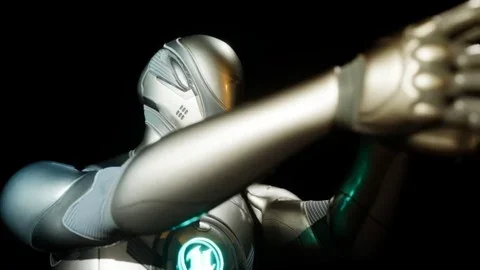
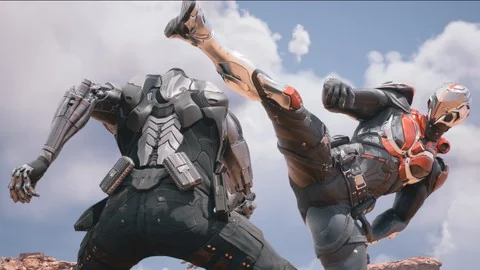
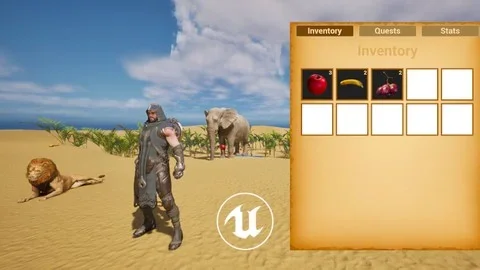
That sequence gives a clear picture of the course's practical scope. A jump animation introduces a movement with lift, timing, and landing, which naturally pushes learners to think about body mechanics and spacing. A walk cycle deals with one of the most fundamental repeating character motions in both games and cinematic previs. Shoot animation broadens the context into action-oriented performance and covers both first-person and third-person presentation, which makes it relevant to different camera and gameplay perspectives. Inspect animation adds another kind of character behavior: a more focused, deliberate action that can fit interaction moments, inventory sequences, or stylized character beats.
These topics are not random examples. Together, they span locomotion, airborne action, weapon handling, and close-up performance. That gives the course a useful spread for anyone trying to understand how character animation behaves across different gameplay or cinematic situations inside Unreal Engine.
Character animation workflows and object interaction
One of the strongest practical points in the course is that it shows the full process of different animation workflows. That wording points to more than one path through the work, which is especially useful for learners comparing how to approach various animation tasks within Unreal Engine 5. Some scenes call for broad body motion, others for tighter timing or interaction-driven acting, and a workflow-focused course helps connect the tools to those differing needs.
The course also includes object interaction for your character. This is a meaningful detail because object interaction changes the demands of animation immediately. A character who simply moves through space presents one set of challenges; a character who has to engage with props, equipment, or scene elements brings contact, timing, and coordination into the shot. By including object interaction, the training reaches beyond motion in the abstract and into performance that responds to something in the scene.
It also states that learners will create character animations for any style of character. That does not narrow the course to a single genre or visual direction. Instead, it frames the lessons as broadly applicable to different character styles, which is useful for teams and individuals working across varied projects. Whether the immediate need is gameplay animation or cinematic performance, the focus stays on applying character animation methods inside Unreal rather than on one fixed type of character presentation.
Useful for games, cinematics, and trailer work
The course's output goals are clearly stated: export your animations for use in-game, or render for cinematics. This is one of the most practical parts of the offering because it defines where the work can go after the animation is complete. For game developers, that means the lessons connect to character actions intended for in-engine use. For cinematic and trailer creators, the same animation work can feed directly into rendered sequences.
This dual direction makes the course relevant to several kinds of projects. A developer building gameplay moments may need walk cycles, jumps, or shooting actions that function as part of a playable character setup. A creator producing trailers or cinematic scenes may be more interested in sequencing, shot-based performance, or polished action beats for a rendered result. The course speaks to both ends by keeping the animation process inside Unreal Engine 5 and identifying both in-game use and cinematics as valid outcomes.
The target audience reinforces that range. It includes game developers looking to create their own character animations directly within the engine, professional animators switching to animating within Unreal Engine, cinematic and trailer creators, and anyone interested in learning the basics of character animation for games. Those groups overlap, but they do not all come to the course with the same needs. Some need an entry point to animation fundamentals. Others already animate and need to shift their workflow into Unreal. Others are focused less on gameplay systems and more on cinematic presentation. The course appears structured to meet those learners around the common toolset of Sequencer-based animation.
What 6h 11m at all levels actually covers
With a workload of 6 hours and 11 minutes, the course is substantial enough to move beyond a brief demonstration while still remaining focused on a specific production task. It is marked All Levels, which lines up with the way the material is laid out: begin with interface and tools, build through animation principles, then apply those ideas in several concrete action types.
For beginners, the value is in having the basics of the interface and the tools paired with the fundamentals of animation. For learners with some animation experience, the attraction is the shift into Unreal Engine-based work and the chance to see full processes and workflow variations. For teams evaluating whether an in-engine animation approach fits their needs, the curriculum outlines a practical test case: can the creator animate jumps, walk cycles, shooting actions, inspect actions, and object interactions in Sequencer, then take those results into gameplay or render them for cinematics?
The strongest takeaway is how specific the course remains. It is about character animation in Unreal Engine 5, taught through Sequencer, and grounded in clear action-based exercises such as jump animation, walk cycles, first- and third-person shooting, and inspect animation. For developers, animators, and cinematic creators who want to keep character performance inside Unreal, that focus is the point.
 Unreal Engine
 Unreal Engine
 Unreal Engine
 Unreal Engine