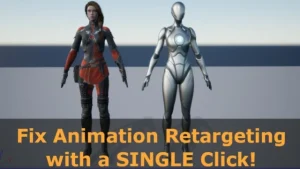

Easy Pose
With EasyPose, retarget animations effortlessly with a single button click, saving time and ensuring flawless animations. The plugin has been designed to work with any bone structures (Epic, DAZ, CC, Mixamo, etc.), any skeletal models (human, monster, animal, etc.) Click here to view the full details of the resource.:URL Click
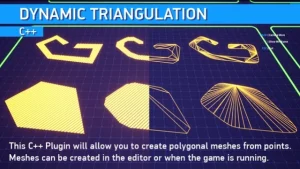
Dynamic Triangulation
This C++ Plugin will allow you to create polygonal meshes from points. Meshes can be created in the editor or when the game is running. You can use a set of consecutive points (spline points, for example) that form an area to turn it into a single mesh. Example Project
Dynamic AI System
Dynamic AI System is a flexible and scalable tool for creating complex paths and various actions/behaviors for your NPC. Make them follow paths, do various actions and react to world changes in a simple and easy way. Features: Supported Engine Versions Click here to view the full details of the
Darker Nodes
Modern theme for the Unreal Editor. Darker Nodes is a modern theme for the Unreal Editor that aims to improve the feeling of the editor, reduce the mental load of the complex interfaces, and change the brightness of the whole editor. Changes: Click here to view the full details of

Clouds Lighting System
Volumetric clouds dynamic illumination system The plugin adds realistic light sources for 2D clouds or volumetric clouds. It is also usable for particle systems, where large and cheap light sources are needed (smoke/fog/etc.) Click here to view the full details of the resource.:URL Click the button below to download. Download:

BlueprintJSON
BlueprintJSON brings the power of JSON to Blueprints. Load, parse, edit and save JSON asynchronously. BlueprintJSON allows you to read JSON files or parse directly JSON from a string. BlueprintJSON allows you to edit JSON at runtime and save it directly to a file. BlueprintJSON offers several asynchronous blueprint nodes

Assets Cleaner – Project Cleaning Tool
Assets Cleaner is a simple tool that quickly lists unused assets in a project and allows direct management from the tool, helping keep your project clean and lean by easily finding and removing unused assets. When a project has been in development for a while, or after a period of
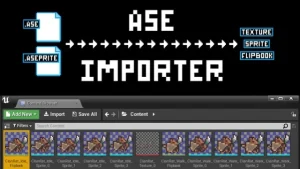
Ase Importer
Ase importer plugin allows you to import and automatically generate your animations (textures, sprites and flipbooks) from an Aseprite save file (.aseprite). Just drag and dropan .aseprite file in the content browser. The plugin will generate texture atlases for all the frames in the aseprite file automatically for you. After
3D Gaussians Plugin
Import and render training results of 3D Gaussian Splatting 3D Gaussian Splatting is a technique for reconstructing scenes from multiple photos, whose accuracy is equivalent or better than NeRF, and whose rendering load is lower than NeRF. This plugin is a importer and a renderer of the training results of

Twitch Integrator
Twitch Integrator is a twitch integration plugin with ease of use as a priority. With Twitch Integrator, every feature is one node away. That way, you can think more about what you want to do with Twitch and less about how you want to do it. Click here to view

Skinned Decal Component
Skinned Decal Component allows you to project decals on skeletal meshes that follow Bone Deformations & Morph Targets in a fast and easy way! As you know while Unreal Engine deferred decals floating over Skeletal Meshes, Render Target Texture solutions introduce more problems than they solve. Skinned Decal Component is
Multi window
Multi-window plug-in supports multiple windows with different views to be displayed simultaneously. It supports blueprint nodes and is very easy to use. Multi-window plug-in supports multiple windows with different views to be displayed simultaneously. Open the Content Browser window, in the upper right corner of the Content Browser, click the