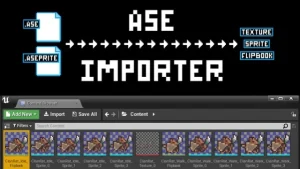

Ase Importer
Ase importer plugin allows you to import and automatically generate your animations (textures, sprites and flipbooks) from an Aseprite save file (.aseprite). Just drag and dropan .aseprite file in the content browser. The plugin will generate texture atlases for all the frames in the aseprite file automatically for you. After
3D Gaussians Plugin
Import and render training results of 3D Gaussian Splatting 3D Gaussian Splatting is a technique for reconstructing scenes from multiple photos, whose accuracy is equivalent or better than NeRF, and whose rendering load is lower than NeRF. This plugin is a importer and a renderer of the training results of
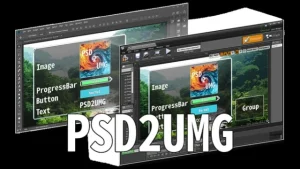
PSD2UMG
PSD2UMG is a plug-in that imports a PSD file into Unreal Engine 4 and converts the PSD file into Widget Blueprints. PSD2UMG converts a layer in a PSD into an object in an Widget Blueprint. PSD2UMG supports re-import. An appearance of Widget Blueprints can be changed with re-import. Click here
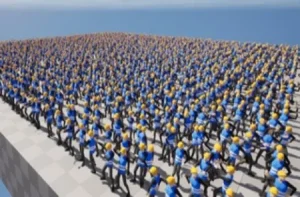
Vertex Animator
This plugin was developed as an alternative to Skeletal Meshes, and more optimized than the traditional VertexAnimation that bakes all vertex positions, allowing it to use LODs or even Nanite with the trade off of a slightly lower visual quality. It basically requires a regular rig, a few adjustments on
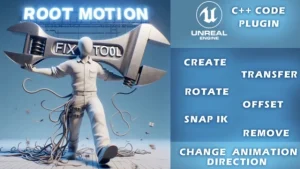
Root Motion Fix Tool | Mocap animations root motion cleaner and fixer
Description: RM Fix Tool let’s you fix, create/remove Root motion, Snap IK, Change animation direction in seconds. Click here to view the full details of the resource.:URL Click the button below to download. Download:

Twitch Integrator
Twitch Integrator is a twitch integration plugin with ease of use as a priority. With Twitch Integrator, every feature is one node away. That way, you can think more about what you want to do with Twitch and less about how you want to do it. Click here to view
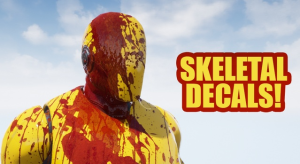
Skinned Decal Component
Skinned Decal Component allows you to project decals on skeletal meshes that follow Bone Deformations & Morph Targets in a fast and easy way! As you know while Unreal Engine deferred decals floating over Skeletal Meshes, Render Target Texture solutions introduce more problems than they solve. Skinned Decal Component is
Multi window
Multi-window plug-in supports multiple windows with different views to be displayed simultaneously. It supports blueprint nodes and is very easy to use. Multi-window plug-in supports multiple windows with different views to be displayed simultaneously. Open the Content Browser window, in the upper right corner of the Content Browser, click the
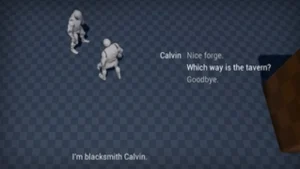
Dialogue Plugin
Dialogue Plugin allows you to easily create dialogues within UE5 using a custom node-based editor. Optionally use ChatGPT to assist you with the dialogue writing (provided you have an API key). Click here to view the full details of the resource.:URL Click the button below to download. Download:
Cinematographer PRO
Cinematographer PRO – A Cinematic Photorealistic Camera System Cinematographer improves working with Unreal cameras in every aspect! Realistic camera gear, a streamlined user experience and instant photorealistic and cinematic results, no matter if you are an absolute beginner or virtual production professional. Click here to view the full details of

Asset Downgrader
Do you need to migrate assets to a different project that uses an older Unreal Engine version ? Have you migrated assets to an earlier version of the Unreal Engine and they don’t seem to “appear” in the content browser ? Do you want to make your assets available to

Terracrust: Procedural Landscape
Terracrust is a powerful toolset, enabling you to procedurally generate landscape brushes with ease. The workflow is intuitive and efficient. Create your generation logic within a custom graph editor using nodes to generate heightmaps and weightmaps as outputs. These outputs can then be seamlessly applied to your landscape via landscape