"6ac84fdb0bd06614"{"id":"1000187","slug":"unreal-engine-5-cinematics-for-beginners-your-first-scene","title":"Unreal Engine 5: Cinematics for Beginners – Your First Scene","category":"Unreal Engine","engine":"File Content: video + English subtitles","assetVersion":"Video Language: English","engineVersion":"File Content: video + English subtitles","tag":"Unreal Engine","accent":"blue","visual":"mech","summary":"A 6h 14m Unreal Engine 5 course focused on Sequencer, Niagara VFX, cinematography, asset setup, and finishing a first cinematic scene.","platform":"Unreal Engine","publishedAt":"2026-06-22T05:42:46.521Z","updatedAt":"2026-06-22T05:42:46.521Z","sourceNotes":[],"fileContents":[],"compatibility":["Unreal Engine","Video Language: English","File Content: video + English subtitles"],"featuredImage":{"alt":"Unreal Engine 5: Cinematics for Beginners – Your First Scene","src":"/wp-content/uploads/published/2026/06/c963a6e14936-5575526-dc17-16-55cfce9062.webp"},"hasDownloadLink":true,"downloads":1,"terms":[{"taxonomy":"category","slug":"tutoriallibrary-unrealengine","name":"Unreal Engine"}],"galleryImages":[],"accessPanel":{"kind":"video-resource","title":"Download this video resource","eyebrow":"Free Download","message":"Log in or create a free account to start your download.","fileName":"Unreal Engine 5 Cinematics for Beginners – Your First Scene.7z","safetyNote":"Resources are manually reviewed before listing to improve quality and reduce obvious risks.","actionLabel":"Download Free","resourceType":"Video download"},"contentHtml":"\u003cp\u003eFor anyone trying to put together a first cinematic scene in Unreal Engine 5, this course stays focused on the pieces that actually shape the result on screen: project setup, asset organization, camera language, animation, and visual effects. Its scope is not limited to making a scene look good in isolation. It also connects those steps to cinematic storytelling, game development, and the broader use of Unreal Engine 5 for virtual production.\u003c/p\u003e \u003cp\u003e\u003cstrong\u003eUnreal Engine 5: Cinematics for Beginners – Your First Scene\u003c/strong\u003e Is a 6 hour and 14 minute course taught by Nick Stanchev. It is marked for all levels, but its structure clearly supports people who are just getting started while still giving learners with some prior knowledge a way to deepen their understanding of cinematic work inside Unreal Engine 5.\u003c/p\u003e \u003ch2\u003eYour First Scene starts with cinematic thinking, not just tools\u003c/h2\u003e\n\u003cp\u003eThe course opens from a useful position: cinematics are treated as part of modern storytelling and game development rather than as a separate technical exercise. That matters for a beginner because it frames each task inside a larger production goal. Camera placement, movement, effects, and animation are not presented as isolated features. They contribute to how a scene communicates.\u003c/p\u003e \u003cp\u003eThat emphasis helps place the course in a real workflow. Before a sequence is polished, rendered, or finalized, a creator needs to understand why the cinematic exists and how it guides attention. This is where the course establishes its direction. It introduces the importance of cinematics, explores what Unreal Engine 5 can do for cinematic production, and lays out the learning objectives so the later hands-on sections have context.\u003c/p\u003e \u003cp\u003eFor beginners, that makes the course feel less like a collection of software demonstrations and more like a guided path toward constructing a complete scene. For learners who already know some Unreal basics, it offers a clearer sense of how cinematic work fits into a production pipeline that may also involve game development or virtual production.\u003c/p\u003e \u003ch2\u003eUnreal Engine 5 and Sequencer in the working timeline\u003c/h2\u003e\n\u003cp\u003eSequencer sits at the center of the course. One part of the curriculum is dedicated specifically to how to work with Sequencer, which makes sense because it is the system that ties cameras, animation, timing, and scene progression together. In use, this is where separate creative decisions start becoming a cinematic sequence instead of a static environment.\u003c/p\u003e \u003cp\u003eThe course does more than name Sequencer as a feature. It places it alongside the broader capabilities of Unreal Engine 5 for cinematic production, giving learners a reason to see the engine as a production tool rather than only a real-time environment editor. That distinction is important for anyone moving toward previsualization, in-engine filmmaking, or virtual production workflows.\u003c/p\u003e \u003cp\u003eInside a real project, Sequencer is where many departments meet. Camera ideas need timing. Character and prop movement need coordination. Effects need to appear at the right moment. The course addresses that by teaching how to animate characters, props, and cameras to enhance cinematic sequences. Rather than reducing cinematics to a single discipline, it shows how sequencing turns multiple scene elements into a coherent shot or series of shots.\u003c/p\u003e \u003cp\u003eThis is also where Unreal Engine 5 begins to function as a scene-finishing environment. Once learners understand how Sequencer works, they are in a better position to think about pacing, shot order, and how a cinematic develops over time instead of judging the scene only from a still frame.\u003c/p\u003e \u003ch2\u003eProject settings, asset organization, and creating the scene\u003c/h2\u003e\n\u003cp\u003eOne of the most practical parts of the course is its attention to setup before polish. It includes configuring project settings for optimal cinematic rendering and importing and organizing assets efficiently. Those tasks can sound routine, but in production they directly affect how manageable a scene becomes as it grows.\u003c/p\u003e \u003cp\u003eThat makes this course useful beyond absolute beginners who only want to place a camera and hit play. It points toward habits that support scene-building under real working conditions. A cinematic scene is easier to revise, animate, and finalize when the project is configured correctly and its assets are brought in with some order. The course includes both concerns early enough that they are treated as part of the creative process, not as cleanup after the fact.\u003c/p\u003e \u003cp\u003eThe curriculum reflects that sequence of work. After the introduction and the Sequencer section, it moves into \u003cem\u003eCreating the Scene - Part1\u003c/em\u003e. That placement suggests a workflow where learners first understand the purpose of the cinematic and the timeline system, then begin assembling the scene itself. It is a sensible progression for anyone trying to move from theory into an actual shot.\u003c/p\u003e \u003cp\u003eIn a production context, this section is where the groundwork is laid for everything that follows. Good rendering results depend on project settings. Smooth iteration depends on clean asset handling. Camera and animation work become easier when the underlying scene is organized. By including these steps explicitly, the course treats scene creation as more than visual dressing. It presents it as the technical and structural base for cinematic output.\u003c/p\u003e \u003ch2\u003eCinematography and Niagara VFX inside Unreal Engine 5\u003c/h2\u003e\n\u003cp\u003eOnce the scene exists, the course shifts toward the elements that make it feel cinematic rather than simply assembled. It covers cinematography techniques for camera placement and movement, giving learners a way to think about how viewers experience the scene through framing and motion. This is where Unreal Engine 5 becomes a storytelling space instead of just a container for models and effects.\u003c/p\u003e \u003cp\u003eCamera placement and movement are especially important in a beginner course because they influence every part of the audience's reading of a shot. A scene can contain strong assets and animation, but without deliberate camera work it may still feel flat. By including cinematography directly in the course outline, the training keeps visual storytelling close to the technical workflow.\u003c/p\u003e \u003cp\u003eThe other major creative layer here is Niagara. The curriculum includes an \u003cem\u003eIntro to Niagara VFX\u003c/em\u003e, and the learning goals specifically mention creating stunning visual effects using Niagara. That positions effects as a working part of the scene rather than an afterthought. In practice, VFX can shape mood, motion, emphasis, and visual energy, and placing Niagara in the course structure gives learners a direct route into that side of Unreal Engine 5.\u003c/p\u003e \u003cp\u003eFor a first scene, this combination of camera language and effects work is particularly useful. Cameras define what the audience sees and how they see it. Niagara adds visible event detail and atmosphere that can push a sequence closer to a finished cinematic presentation. Together they help bridge the gap between a technical exercise and a scene that reads as intentional screen work.\u003c/p\u003e \u003ch2\u003eAnimating, finalizing, and where this course fits in virtual production\u003c/h2\u003e\n\u003cp\u003eThe later part of the curriculum is titled \u003cem\u003eCreating, Animating and Finalizing the Scene - Part2\u003c/em\u003e, which gives the course a clear production arc. After setup, sequencing, scene creation, and a Niagara introduction, learners move into the stage where all major components are pushed toward a final cinematic result.\u003c/p\u003e \u003cp\u003eAnimation plays a central role here. The course teaches how to animate characters, props, and cameras, which is a strong indicator of the kind of scene work it supports. This is not only about moving a camera through an environment. It is about coordinating multiple animated elements so the sequence feels active and directed. Characters can perform, props can react or support the action, and camera motion can reinforce the intended storytelling beat.\u003c/p\u003e \u003cp\u003eThe virtual production angle also becomes easier to place at this stage. The course teaches how to use Unreal Engine 5 and Sequencer for virtual production, which means the training is relevant not just for self-contained engine cinematics but for workflows where real-time scene control and shot construction matter. Even at a beginner level, that gives the course a broader practical frame. It introduces learners to Unreal Engine 5 as a cinematic production environment with applications beyond simple experimentation.\u003c/p\u003e \u003cp\u003eBecause the course is aimed at people eager to learn and passionate about cinematics and Unreal Engine, it leaves room for different starting points. Absolute beginners can use it as a guided path toward making a first scene. Learners with some prior knowledge can use it to connect isolated Unreal skills into a more complete cinematic workflow that includes rendering setup, sequencing, scene construction, VFX, and animation.\u003c/p\u003e \u003ch2\u003eWho will get the most from this 6h 14m course\u003c/h2\u003e\n\u003cp\u003eThis course fits best when the goal is to understand how a cinematic scene comes together from the inside of Unreal Engine 5. It is not narrowly framed around one feature. It moves from cinematic purpose to engine capability, then into setup, Sequencer, scene creation, Niagara VFX, animation, and finalization.\u003c/p\u003e \u003cp\u003eThat makes it a practical fit for someone who wants a first pass through the full shape of Unreal-based cinematics. It also suits learners who already know some of the software and want those skills arranged into a more production-minded order. If the immediate need is to build and finish a first scene while learning how Sequencer, camera work, VFX, and animation connect, this course is aligned with that task.\u003c/p\u003e\n\n\u003ch2\u003eMore From The Same Workflow\u003c/h2\u003e\n\u003cul\u003e\n\u003cli\u003e\u003ca href=\"https://3dcghub.com/3d-pool-in-ue5-c-aaa-quality-beginner-to-advance/\" title=\"3D pool in UE5 C++ AAA Quality (Beginner to Advance)\"\u003e3D pool in UE5 C++ AAA Quality (Beginner to Advance)\u003c/a\u003e\u003c/li\u003e\n\u003cli\u003e\u003ca href=\"https://3dcghub.com/the-ultimate-guide-to-unreal-engine-5-for-complete-beginners/\" title=\"The Ultimate Guide to Unreal Engine 5 For Complete Beginners\"\u003eThe Ultimate Guide to Unreal Engine 5 For Complete Beginners\u003c/a\u003e\u003c/li\u003e\n\u003cli\u003e\u003ca href=\"https://3dcghub.com/unreal-cinematic-mastery-from-beginner-to-cinematic-creator/\" title=\"Unreal Cinematic Mastery –From Beginner to Cinematic Creator\"\u003eUnreal Cinematic Mastery –From Beginner to Cinematic Creator\u003c/a\u003e\u003c/li\u003e\n\u003cli\u003e\u003ca href=\"https://3dcghub.com/aaa-game-environment-creation-in-unreal-engine-5/\" title=\"AAA Game Environment Creation in Unreal Engine 5\"\u003eAAA Game Environment Creation in Unreal Engine 5\u003c/a\u003e\u003c/li\u003e\n\u003cli\u003e\u003ca href=\"https://3dcghub.com/unreal-engine-5-for-beginners-create-your-first-game/\" title=\"Unreal Engine 5 for Beginners - Create your first game\"\u003eUnreal Engine 5 for Beginners - Create your first game\u003c/a\u003e\u003c/li\u003e\n\u003c/ul\u003e","contentTextLength":9824,"navigation":{"current":1096,"total":3181,"previous":{"id":"1000188","slug":"g2-cyborg-characters-02","title":"G2: Cyborg Characters 02","category":"Mechanical \u0026 Robots","platform":"Unreal Engine","updatedAt":"2026-06-22T15:22:32.404Z"},"next":{"id":"1000186","slug":"unreal-engine-5-physics","title":"Unreal Engine 5: Physics","category":"Unreal Engine","platform":"Unreal Engine","updatedAt":"2026-06-22T04:41:32.913Z"}},"relatedResources":[{"id":"1000741","slug":"real-time-automotive-rendering-1001","title":"Real-Time Automotive Rendering 1001","category":"Unreal Engine","engine":"File Content: video + English subtitles","assetVersion":"Video Language: English","engineVersion":"File Content: video + English subtitles","tag":"Unreal Engine","accent":"blue","visual":"mech","summary":"A beginner-friendly Unreal Engine course covering automotive cinematic creation: asset prep in Maya, shader setup, exterior and studio lighting, and camera rend","platform":"Unreal Engine","publishedAt":"2026-07-27T11:52:00.768Z","updatedAt":"2026-07-27T11:52:00.768Z","sourceNotes":[],"fileContents":[],"compatibility":["Unreal Engine","Video Language: English","File Content: video + English subtitles"],"featuredImage":{"alt":"Real-Time Automotive Rendering 1001","src":"/wp-content/uploads/published/2026/07/e10d685964d4-rtat1001-0002-porsche-shot-chateu-1-0005-2048x811-da382017e6.webp"},"hasDownloadLink":true,"downloads":1},{"id":"1000183","slug":"unreal-engine-5-blueprints-and-blender-learn-game-development","title":"Unreal Engine 5 Blueprints \u0026 Blender: Learn Game Development","category":"Unreal Engine","engine":"File Content: video + English subtitles","assetVersion":"Video Language: English","engineVersion":"File Content: video + English subtitles","tag":"Unreal Engine","accent":"blue","visual":"mech","summary":"A beginner-focused course that walks through making a first game from scratch with Unreal Engine 5, Blueprints, Blender, HUDs, materials, and more.","platform":"Unreal Engine","publishedAt":"2026-06-21T07:06:07.043Z","updatedAt":"2026-06-21T07:06:07.043Z","sourceNotes":[],"fileContents":[],"compatibility":["Blender","Video Language: English","File Content: video + English subtitles"],"featuredImage":{"alt":"Unreal Engine 5 Blueprints \u0026 Blender: Learn Game Development","src":"/wp-content/uploads/published/2026/06/a12be9accb3a-5347078-7d72-8-0bf942ddb7.webp"},"hasDownloadLink":true,"downloads":0},{"id":"24599","slug":"3d-pool-in-ue5-c-aaa-quality-beginner-to-advance","title":"3D pool in UE5 C++ AAA Quality (Beginner to Advance)","category":"Unreal Engine","engine":"Video language: English","assetVersion":"Video language: English","engineVersion":"File content: video + supporting files + English subtitles","tag":"Unreal Engine","accent":"blue","visual":"luts","summary":"This UE5 C++ course follows the making of a 3D pool game from the first code steps to final implementation. It covers Unreal Editor use, class structure, coding standards, vector math, and a physics model built from the ground up.","platform":"Unreal Engine","publishedAt":"2026-04-15T14:33:22.000Z","updatedAt":"2026-04-20T06:12:41.000Z","sourceNotes":[],"fileContents":[],"compatibility":["Unreal Engine","Video language: English","File content: video + supporting files + English subtitles"],"featuredImage":{"alt":"3D pool in UE5 C++ AAA Quality (Beginner to Advance)","src":"https://3dcghub.com/wp-content/uploads/2026/04/5537e1c029eb_course_15060_image.webp"},"hasDownloadLink":true,"downloads":0}]}
Unreal Engine
Unreal Engine 5: Cinematics for Beginners – Your First Scene
A 6h 14m Unreal Engine 5 course focused on Sequencer, Niagara VFX, cinematography, asset setup, and finishing a first cinematic scene.
Category:Unreal Engine, Unreal EnginePlatform: Unreal EngineVideo Language: EnglishFile Content: video + English subtitlesPublished: Jun 22, 2026
Unreal Engine
Resource overview
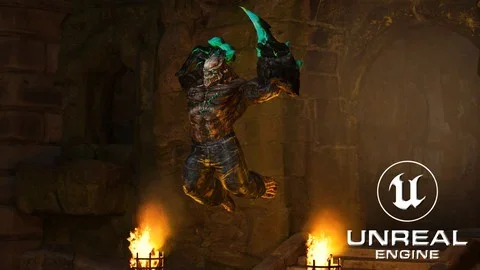
For anyone trying to put together a first cinematic scene in Unreal Engine 5, this course stays focused on the pieces that actually shape the result on screen: project setup, asset organization, camera language, animation, and visual effects. Its scope is not limited to making a scene look good in isolation. It also connects those steps to cinematic storytelling, game development, and the broader use of Unreal Engine 5 for virtual production.
Unreal Engine 5: Cinematics for Beginners – Your First Scene Is a 6 hour and 14 minute course taught by Nick Stanchev. It is marked for all levels, but its structure clearly supports people who are just getting started while still giving learners with some prior knowledge a way to deepen their understanding of cinematic work inside Unreal Engine 5.
Your First Scene starts with cinematic thinking, not just tools
The course opens from a useful position: cinematics are treated as part of modern storytelling and game development rather than as a separate technical exercise. That matters for a beginner because it frames each task inside a larger production goal. Camera placement, movement, effects, and animation are not presented as isolated features. They contribute to how a scene communicates.
That emphasis helps place the course in a real workflow. Before a sequence is polished, rendered, or finalized, a creator needs to understand why the cinematic exists and how it guides attention. This is where the course establishes its direction. It introduces the importance of cinematics, explores what Unreal Engine 5 can do for cinematic production, and lays out the learning objectives so the later hands-on sections have context.
For beginners, that makes the course feel less like a collection of software demonstrations and more like a guided path toward constructing a complete scene. For learners who already know some Unreal basics, it offers a clearer sense of how cinematic work fits into a production pipeline that may also involve game development or virtual production.
Unreal Engine 5 and Sequencer in the working timeline
Sequencer sits at the center of the course. One part of the curriculum is dedicated specifically to how to work with Sequencer, which makes sense because it is the system that ties cameras, animation, timing, and scene progression together. In use, this is where separate creative decisions start becoming a cinematic sequence instead of a static environment.
The course does more than name Sequencer as a feature. It places it alongside the broader capabilities of Unreal Engine 5 for cinematic production, giving learners a reason to see the engine as a production tool rather than only a real-time environment editor. That distinction is important for anyone moving toward previsualization, in-engine filmmaking, or virtual production workflows.
Inside a real project, Sequencer is where many departments meet. Camera ideas need timing. Character and prop movement need coordination. Effects need to appear at the right moment. The course addresses that by teaching how to animate characters, props, and cameras to enhance cinematic sequences. Rather than reducing cinematics to a single discipline, it shows how sequencing turns multiple scene elements into a coherent shot or series of shots.
This is also where Unreal Engine 5 begins to function as a scene-finishing environment. Once learners understand how Sequencer works, they are in a better position to think about pacing, shot order, and how a cinematic develops over time instead of judging the scene only from a still frame.
Project settings, asset organization, and creating the scene
One of the most practical parts of the course is its attention to setup before polish. It includes configuring project settings for optimal cinematic rendering and importing and organizing assets efficiently. Those tasks can sound routine, but in production they directly affect how manageable a scene becomes as it grows.
That makes this course useful beyond absolute beginners who only want to place a camera and hit play. It points toward habits that support scene-building under real working conditions. A cinematic scene is easier to revise, animate, and finalize when the project is configured correctly and its assets are brought in with some order. The course includes both concerns early enough that they are treated as part of the creative process, not as cleanup after the fact.
The curriculum reflects that sequence of work. After the introduction and the Sequencer section, it moves into Creating the Scene - Part1. That placement suggests a workflow where learners first understand the purpose of the cinematic and the timeline system, then begin assembling the scene itself. It is a sensible progression for anyone trying to move from theory into an actual shot.
In a production context, this section is where the groundwork is laid for everything that follows. Good rendering results depend on project settings. Smooth iteration depends on clean asset handling. Camera and animation work become easier when the underlying scene is organized. By including these steps explicitly, the course treats scene creation as more than visual dressing. It presents it as the technical and structural base for cinematic output.
Cinematography and Niagara VFX inside Unreal Engine 5
Once the scene exists, the course shifts toward the elements that make it feel cinematic rather than simply assembled. It covers cinematography techniques for camera placement and movement, giving learners a way to think about how viewers experience the scene through framing and motion. This is where Unreal Engine 5 becomes a storytelling space instead of just a container for models and effects.
Camera placement and movement are especially important in a beginner course because they influence every part of the audience's reading of a shot. A scene can contain strong assets and animation, but without deliberate camera work it may still feel flat. By including cinematography directly in the course outline, the training keeps visual storytelling close to the technical workflow.
The other major creative layer here is Niagara. The curriculum includes an Intro to Niagara VFX, and the learning goals specifically mention creating stunning visual effects using Niagara. That positions effects as a working part of the scene rather than an afterthought. In practice, VFX can shape mood, motion, emphasis, and visual energy, and placing Niagara in the course structure gives learners a direct route into that side of Unreal Engine 5.
For a first scene, this combination of camera language and effects work is particularly useful. Cameras define what the audience sees and how they see it. Niagara adds visible event detail and atmosphere that can push a sequence closer to a finished cinematic presentation. Together they help bridge the gap between a technical exercise and a scene that reads as intentional screen work.
Animating, finalizing, and where this course fits in virtual production
The later part of the curriculum is titled Creating, Animating and Finalizing the Scene - Part2, which gives the course a clear production arc. After setup, sequencing, scene creation, and a Niagara introduction, learners move into the stage where all major components are pushed toward a final cinematic result.
Animation plays a central role here. The course teaches how to animate characters, props, and cameras, which is a strong indicator of the kind of scene work it supports. This is not only about moving a camera through an environment. It is about coordinating multiple animated elements so the sequence feels active and directed. Characters can perform, props can react or support the action, and camera motion can reinforce the intended storytelling beat.
The virtual production angle also becomes easier to place at this stage. The course teaches how to use Unreal Engine 5 and Sequencer for virtual production, which means the training is relevant not just for self-contained engine cinematics but for workflows where real-time scene control and shot construction matter. Even at a beginner level, that gives the course a broader practical frame. It introduces learners to Unreal Engine 5 as a cinematic production environment with applications beyond simple experimentation.
Because the course is aimed at people eager to learn and passionate about cinematics and Unreal Engine, it leaves room for different starting points. Absolute beginners can use it as a guided path toward making a first scene. Learners with some prior knowledge can use it to connect isolated Unreal skills into a more complete cinematic workflow that includes rendering setup, sequencing, scene construction, VFX, and animation.
Who will get the most from this 6h 14m course
This course fits best when the goal is to understand how a cinematic scene comes together from the inside of Unreal Engine 5. It is not narrowly framed around one feature. It moves from cinematic purpose to engine capability, then into setup, Sequencer, scene creation, Niagara VFX, animation, and finalization.
That makes it a practical fit for someone who wants a first pass through the full shape of Unreal-based cinematics. It also suits learners who already know some of the software and want those skills arranged into a more production-minded order. If the immediate need is to build and finish a first scene while learning how Sequencer, camera work, VFX, and animation connect, this course is aligned with that task.
 Unreal Engine
 Unreal Engine
 Unreal Engine
 Unreal Engine