"4481da9c895ef786"{"id":"1001299","slug":"cine-cam","title":"Cine Cam","category":"Gameplay Features","engine":"5.0+","assetVersion":"","engineVersion":"Engine Version: 5.0+","tag":"Gameplay Features","accent":"blue","visual":"mech","summary":"Explore Cine Cam for Unreal Engine 5, a runtime virtual camera rig featuring four focus modes, aperture control, customizable keybindings, and smooth movement.","platform":"Unreal Engine","publishedAt":"2026-10-02T06:01:01.399Z","updatedAt":"2026-10-02T06:01:01.399Z","sourceNotes":[],"fileContents":[],"compatibility":["Unreal Engine","Engine Version: 5.0+"],"featuredImage":{"alt":"Cine Cam","src":"/wp-content/uploads/published/2026/10/a8f5ad26ef61-c8a95d6e-4c3e-4721-b9bf-9c2e603902c7-ed5f883bed.webp"},"hasDownloadLink":true,"downloads":0,"terms":[{"taxonomy":"category","slug":"gameplay-features","name":"Gameplay Features"}],"galleryImages":[{"src":"/wp-content/uploads/published/2026/10/679f97c64451-4965124e-02e5-4c5b-8e93-6e8a96394d5b-f24635cbcb.webp","alt":"Cine Cam"},{"src":"/wp-content/uploads/published/2026/10/524a942cd6ab-fb3f9d1b-e70b-4ad7-bec5-913f583fa387-6d89cfc780.webp","alt":"Cine Cam"},{"src":"/wp-content/uploads/published/2026/10/220423664071-b822e342-264e-450c-91d5-016b1b74239a-8d313940db.webp","alt":"Cine Cam"},{"src":"/wp-content/uploads/published/2026/10/18bac5e7abbd-975ccb9b-9480-4d88-a5a2-f02456c0dd3e-6d33b693d0.webp","alt":"Cine Cam"},{"src":"/wp-content/uploads/published/2026/10/8b3de1ea74cc-d7c89b48-83e2-49c1-b7ed-54aa291dad2f-021dbc655d.webp","alt":"Cine Cam"},{"src":"/wp-content/uploads/published/2026/10/e4399b98ad1e-219d12df-9f64-46cd-8310-cac86966b198-fcbee86c9d.webp","alt":"Cine Cam"},{"src":"/wp-content/uploads/published/2026/10/a55b5b5c3b9f-37f91a98-49a4-45dd-ad8a-ea9a59d555f6-10f252c410.webp","alt":"Cine Cam"},{"src":"/wp-content/uploads/published/2026/10/a1395d9001c2-fcf5ce0a-b9c6-499a-b8d0-9aeb50a486f6-b8c7aab6e6.webp","alt":"Cine Cam"}],"accessPanel":{"kind":"resource","title":"Download this resource","eyebrow":"Free Download","message":"Log in or create a free account to start your download.","fileName":"Content.7z","safetyNote":"Resources are manually reviewed before listing to improve quality and reduce obvious risks.","actionLabel":"Download Free","resourceType":"Resource archive"},"contentHtml":"\u003ch2\u003eBypassing Native UE5 Camera Setup with Cine Cam\u003c/h2\u003e\n\u003cp\u003eAchieving clean cinematic camera motion inside Unreal Engine 5 often involves repetitive viewport positioning and complex property adjustments across native camera actors. Cine Cam addresses this challenge by deploying as a virtual camera rig built on Blueprints, tailored to run directly inside scenes at runtime. Instead of relying on static placement or digging through deep parameter panels while the editor is paused, operators can initiate playback and begin capturing shots immediately.\u003c/p\u003e\n\u003cp\u003eThe system connects core camera adjustments to direct input commands. Real-time keybindings remove the friction of manually setting keyframes for simple preview passes or trailer recording sessions. By bringing camera handling directly into runtime execution, users can evaluate framing, lighting, and environmental layout with instant responsiveness.\u003c/p\u003e \u003ch2\u003eRuntime Navigation and Movement Speed Control\u003c/h2\u003e\n\u003cp\u003eTraversing environments cleanly requires different locomotion options depending on the scope of the scene. Cine Cam provides dedicated Walk and Fly modes to accommodate both grounded and airborne framing needs. Fly mode enables unrestricted translation through 3D space, making it straightforward to sweep across high vantage points, overhead architecture, and vast terrain vistas.\u003c/p\u003e\n\u003cp\u003eTranslation rates can be fine-tuned through movement speed control, giving the operator immediate command over how quickly the rig glides through a level. When manual panning or continuous manual forward motion is unnecessary, the automatic walk and fly functionality steps in to maintain steady, uniform traversal across the environment.\u003c/p\u003e\n\u003cp\u003eGround-level framing receives dedicated support through camera height control. By isolating vertical positioning relative to the ground plane, users can configure low-angle perspectives and closeups without the rig clipping awkwardly into ground geometry or terrain surfaces.\u003c/p\u003e \u003ch2\u003eFraming Subject Matter with Orbit, Free Look, and Lock on Target\u003c/h2\u003e\n\u003cp\u003eComposing professional shots requires flexible orientation behavior around scene assets. Cine Cam provides three distinct framing mechanisms to handle different cinematic perspectives:\u003c/p\u003e\n\u003cul\u003e \u003cli\u003e\u003cstrong\u003eFree Look Mode:\u003c/strong\u003e Delivers unrestricted manual control over the camera orientation, ideal for inspecting arbitrary areas or reacting dynamically during live scene recording.\u003c/li\u003e \u003cli\u003e\u003cstrong\u003eOrbit Mode:\u003c/strong\u003e Centers the camera on an intended point or asset, allowing circular rotations around the subject while maintaining a steady framing distance and angle.\u003c/li\u003e \u003cli\u003e\u003cstrong\u003eLock on Target Mode:\u003c/strong\u003e Directs the lens axis strictly toward a chosen target object or coordinate, keeping key elements framed automatically as the camera navigates around them.\u003c/li\u003e\n\u003c/ul\u003e\n\u003cp\u003eThese tracking modes operate in tandem with the primary movement controls, allowing operators to pair steady lateral tracking with locked target alignment or orbiting maneuvers.\u003c/p\u003e \u003ch2\u003eAperture and Focal Length Control at Runtime\u003c/h2\u003e\n\u003cp\u003eVisual depth and framing scale are governed by optical attributes that Cine Cam exposes to live shortcut keys. Rather than altering parameters inside static post-process volumes, users can adjust aperture settings during runtime to instantly manage depth of field, separating foreground subjects from background elements with distinct optical blur.\u003c/p\u003e\n\u003cp\u003eFocal length control handles zooming directly from user inputs. Operators can adjust the field of view incrementally to capture wide establishing shots or tight character portraits. Zoom speed control dictates how fast the lens shifts between focal lengths, preventing jarring visual jumps. In addition, automated zoom in and zoom out behaviors can be triggered to execute steady, mechanical zoom movements suited for dramatic trailer reveals.\u003c/p\u003e \u003ch2\u003eFocus Distance Control Across Four Distinct Focus Modes\u003c/h2\u003e\n\u003cp\u003eManaging lens sharpness across varying scene depths is handled through four dedicated focus methods built into the Cine Cam rig:\u003c/p\u003e\n\u003cul\u003e \u003cli\u003e\u003cstrong\u003ePoint Focus:\u003c/strong\u003e The user selects a specific point in 3D space, and the camera locks its focal plane directly onto that coordinate.\u003c/li\u003e \u003cli\u003e\u003cstrong\u003eFollow Focus:\u003c/strong\u003e Establishes a focal point in space that remains relative to the camera position, ensuring that objects staying at a fixed distance from the rig remain sharp as the camera travels.\u003c/li\u003e \u003cli\u003e\u003cstrong\u003eAutomatic Focus:\u003c/strong\u003e Constantly monitors the center of the viewport and automatically pulls focus to whatever object occupies the center of the frame.\u003c/li\u003e \u003cli\u003e\u003cstrong\u003eManual Focus:\u003c/strong\u003e Grants complete manual control over focus distance adjustments, allowing precise rack focusing or delicate focal plane placement via user shortcuts.\u003c/li\u003e\n\u003c/ul\u003e\n\u003cp\u003eThese four options cover both automated runtime convenience and pinpoint manual precision, giving creators the necessary flexibility whether following fast-moving scene assets or executing controlled focal transitions between static props.\u003c/p\u003e \u003ch2\u003eCustomizable Keybindings and Setup Support\u003c/h2\u003e\n\u003cp\u003eTo fit diverse production workflows, all keybindings within Cine Cam are completely customizable. Operators can remap movement toggles, focus adjustments, zoom rates, and aperture shortcuts to align with existing controller setups or preferred keyboard configurations. This configurable input system makes Cine Cam a versatile tool for trailer capture, cinematic gameplay sequences, and real-time visualization passes. Creators seeking technical guidance or workflow assistance can access community discussions and support directly through Discord.\u003c/p\u003e\n\n\u003ch2\u003eContinue Browsing Similar Packs\u003c/h2\u003e\n\u003cul\u003e\n\u003cli\u003e\u003ca href=\"https://3dcghub.com/cine-designer/\" title=\"Cine Designer\"\u003eCine Designer\u003c/a\u003e\u003c/li\u003e\n\u003cli\u003e\u003ca href=\"https://3dcghub.com/advanced-photo-mode/\" title=\"Advanced Photo Mode\"\u003eAdvanced Photo Mode\u003c/a\u003e\u003c/li\u003e\n\u003cli\u003e\u003ca href=\"https://3dcghub.com/ultimate-character-customization/\" title=\"Ultimate Character Customization\"\u003eUltimate Character Customization\u003c/a\u003e\u003c/li\u003e\n\u003cli\u003e\u003ca href=\"https://3dcghub.com/action-adventure-movement-system/\" title=\"Action-Adventure Movement System\"\u003eAction-Adventure Movement System\u003c/a\u003e\u003c/li\u003e\n\u003cli\u003e\u003ca href=\"https://3dcghub.com/advanced-grid-inventory-system/\" title=\"Advanced Grid Inventory System\"\u003eAdvanced Grid Inventory System\u003c/a\u003e\u003c/li\u003e\n\u003c/ul\u003e","contentTextLength":5526,"navigation":{"current":37,"total":3269,"previous":{"id":"1001300","slug":"hyper-attribute-manager-v4","title":"Hyper Attribute Manager v4","category":"Gameplay Features","platform":"Unreal Engine","updatedAt":"2026-10-02T06:02:21.105Z"},"next":{"id":"1001298","slug":"advanced-phone-system-v3-replicated","title":"Advanced Phone System V3 Replicated","category":"Game Mechanics","platform":"Unreal Engine","updatedAt":"2026-10-02T06:00:01.725Z"}},"relatedResources":[{"id":"1000152","slug":"cine-designer","title":"Cine Designer","category":"Gameplay Features","engine":"5.1+","assetVersion":"","engineVersion":"Engine Version: 5.1+","tag":"Gameplay Features","accent":"blue","visual":"mech","summary":"Cine Designer brings film equipment Blueprints to Unreal Engine 5.0+ with Lumen-focused setup, editor use, and early-stage Sequencer limits.","platform":"Unreal Engine","publishedAt":"2026-06-18T21:34:47.079Z","updatedAt":"2026-06-18T21:34:47.079Z","sourceNotes":[],"fileContents":[],"compatibility":["Unreal Engine","Engine Version: 5.1+"],"featuredImage":{"alt":"Cine Designer","src":"/wp-content/uploads/published/2026/06/fc7cbf2364c6-1ee29469-9b31-45c2-82b7-7f7d83e12ace-3102e95060.webp"},"hasDownloadLink":true,"downloads":0},{"id":"1001258","slug":"advanced-photo-mode","title":"Advanced Photo Mode","category":"Gameplay Features","engine":"5.0+","assetVersion":"","engineVersion":"Engine Version: 5.0+","tag":"Gameplay Features","accent":"blue","visual":"mech","summary":"Explore the Advanced Photo Mode Blueprint system for Unreal Engine, featuring free camera control, custom post-process effects, and ALSV4 compatibility.","platform":"Unreal Engine","publishedAt":"2026-09-27T05:25:07.061Z","updatedAt":"2026-09-27T05:25:07.061Z","sourceNotes":[],"fileContents":[],"compatibility":["Unreal Engine","Engine Version: 5.0+"],"featuredImage":{"alt":"Advanced Photo Mode","src":"/wp-content/uploads/published/2026/09/4a106ba8b56d-77522207-2a21-492e-92db-dde05285eec9-cae14ecbcc.webp"},"hasDownloadLink":true,"downloads":0},{"id":"1001023","slug":"ultimate-character-customization","title":"Ultimate Character Customization","category":"Gameplay Features","engine":"5.1+","assetVersion":"","engineVersion":"Engine Version: 5.1+","tag":"Gameplay Features","accent":"blue","visual":"character","summary":"A blueprint-driven character customization system that works with modular and single meshes, uses data tables for widgets, GUID-based saving, and a control rig","platform":"Unreal Engine","publishedAt":"2026-08-23T05:28:06.853Z","updatedAt":"2026-08-23T05:28:06.853Z","sourceNotes":[],"fileContents":[],"compatibility":["Unreal Engine","Engine Version: 5.1+"],"featuredImage":{"alt":"Ultimate Character Customization","src":"/wp-content/uploads/published/2026/08/8b4963c7b4d3-6efa6ff7-2fc9-4699-a6b7-6068455ff61b-cf538c296f.webp"},"hasDownloadLink":true,"downloads":1}]}
Gameplay Features
Cine Cam
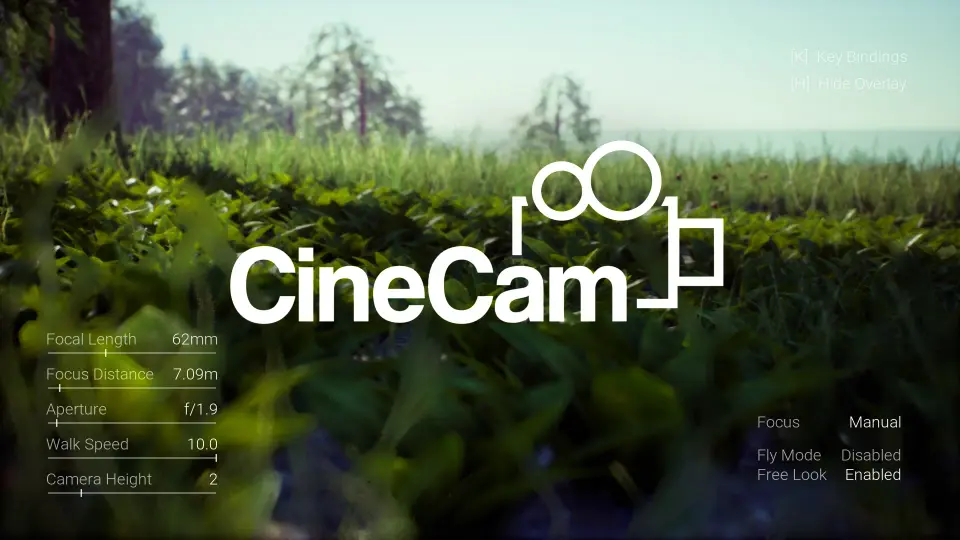
Explore Cine Cam for Unreal Engine 5, a runtime virtual camera rig featuring four focus modes, aperture control, customizable keybindings, and smooth movement.
Achieving clean cinematic camera motion inside Unreal Engine 5 often involves repetitive viewport positioning and complex property adjustments across native camera actors. Cine Cam addresses this challenge by deploying as a virtual camera rig built on Blueprints, tailored to run directly inside scenes at runtime. Instead of relying on static placement or digging through deep parameter panels while the editor is paused, operators can initiate playback and begin capturing shots immediately.
The system connects core camera adjustments to direct input commands. Real-time keybindings remove the friction of manually setting keyframes for simple preview passes or trailer recording sessions. By bringing camera handling directly into runtime execution, users can evaluate framing, lighting, and environmental layout with instant responsiveness.
Runtime Navigation and Movement Speed Control
Traversing environments cleanly requires different locomotion options depending on the scope of the scene. Cine Cam provides dedicated Walk and Fly modes to accommodate both grounded and airborne framing needs. Fly mode enables unrestricted translation through 3D space, making it straightforward to sweep across high vantage points, overhead architecture, and vast terrain vistas.
Translation rates can be fine-tuned through movement speed control, giving the operator immediate command over how quickly the rig glides through a level. When manual panning or continuous manual forward motion is unnecessary, the automatic walk and fly functionality steps in to maintain steady, uniform traversal across the environment.
Ground-level framing receives dedicated support through camera height control. By isolating vertical positioning relative to the ground plane, users can configure low-angle perspectives and closeups without the rig clipping awkwardly into ground geometry or terrain surfaces.
Framing Subject Matter with Orbit, Free Look, and Lock on Target
Composing professional shots requires flexible orientation behavior around scene assets. Cine Cam provides three distinct framing mechanisms to handle different cinematic perspectives:
Free Look Mode: Delivers unrestricted manual control over the camera orientation, ideal for inspecting arbitrary areas or reacting dynamically during live scene recording.
Orbit Mode: Centers the camera on an intended point or asset, allowing circular rotations around the subject while maintaining a steady framing distance and angle.
Lock on Target Mode: Directs the lens axis strictly toward a chosen target object or coordinate, keeping key elements framed automatically as the camera navigates around them.
These tracking modes operate in tandem with the primary movement controls, allowing operators to pair steady lateral tracking with locked target alignment or orbiting maneuvers.
Aperture and Focal Length Control at Runtime
Visual depth and framing scale are governed by optical attributes that Cine Cam exposes to live shortcut keys. Rather than altering parameters inside static post-process volumes, users can adjust aperture settings during runtime to instantly manage depth of field, separating foreground subjects from background elements with distinct optical blur.
Focal length control handles zooming directly from user inputs. Operators can adjust the field of view incrementally to capture wide establishing shots or tight character portraits. Zoom speed control dictates how fast the lens shifts between focal lengths, preventing jarring visual jumps. In addition, automated zoom in and zoom out behaviors can be triggered to execute steady, mechanical zoom movements suited for dramatic trailer reveals.
Focus Distance Control Across Four Distinct Focus Modes
Managing lens sharpness across varying scene depths is handled through four dedicated focus methods built into the Cine Cam rig:
Point Focus: The user selects a specific point in 3D space, and the camera locks its focal plane directly onto that coordinate.
Follow Focus: Establishes a focal point in space that remains relative to the camera position, ensuring that objects staying at a fixed distance from the rig remain sharp as the camera travels.
Automatic Focus: Constantly monitors the center of the viewport and automatically pulls focus to whatever object occupies the center of the frame.
Manual Focus: Grants complete manual control over focus distance adjustments, allowing precise rack focusing or delicate focal plane placement via user shortcuts.
These four options cover both automated runtime convenience and pinpoint manual precision, giving creators the necessary flexibility whether following fast-moving scene assets or executing controlled focal transitions between static props.
Customizable Keybindings and Setup Support
To fit diverse production workflows, all keybindings within Cine Cam are completely customizable. Operators can remap movement toggles, focus adjustments, zoom rates, and aperture shortcuts to align with existing controller setups or preferred keyboard configurations. This configurable input system makes Cine Cam a versatile tool for trailer capture, cinematic gameplay sequences, and real-time visualization passes. Creators seeking technical guidance or workflow assistance can access community discussions and support directly through Discord.
 Gameplay Features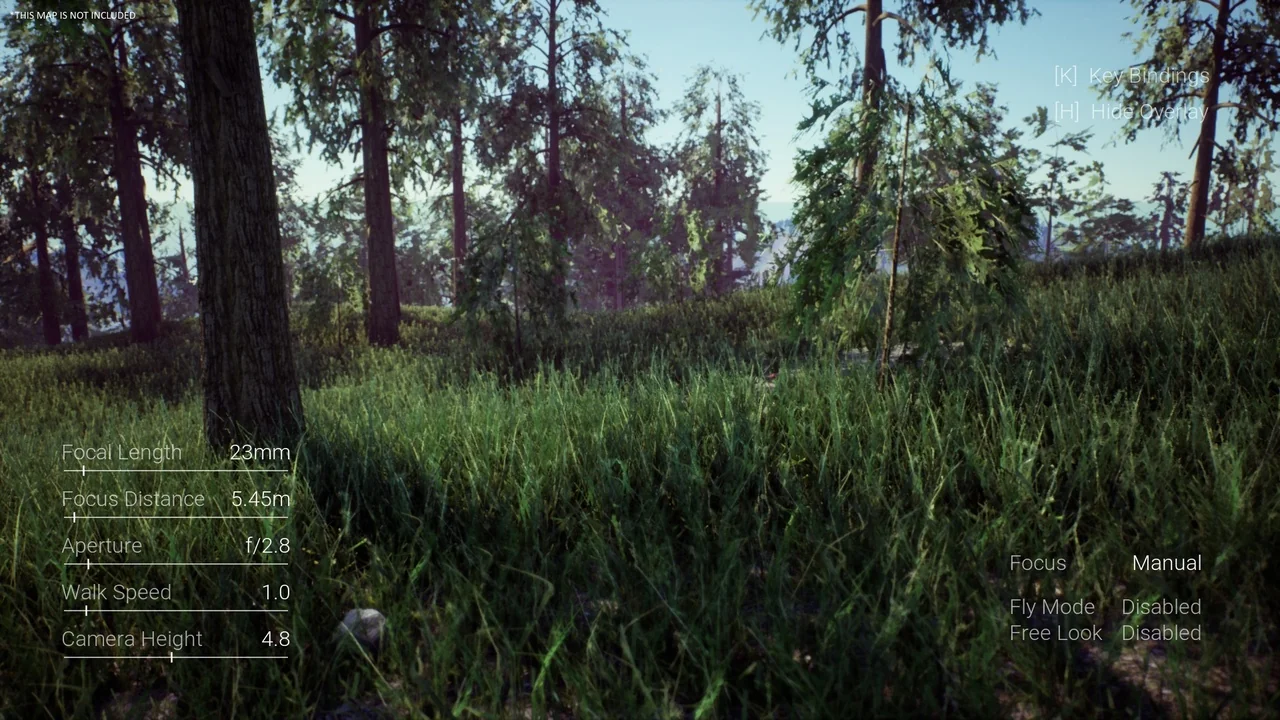
 Gameplay Features
 Gameplay Features
 Gameplay Features