"6f9bd6df1f44a86f"{"id":"1000796","slug":"blueprint-mesh-extractor","title":"Blueprint Mesh Extractor","category":"Engine Tools","engine":"5.7","assetVersion":"Asset Version: 1.0","engineVersion":"Engine Version: 5.7","tag":"Engine Tools","accent":"blue","visual":"mech","summary":"Blueprint Mesh Extractor breaks Blueprint Actors into separate Static Mesh Actors, preserving transforms, materials, and child actors, with bulk extraction from","platform":"Unreal Engine","indexPolicy":"index","publishedAt":"2026-07-30T14:29:11.117Z","updatedAt":"2026-07-30T14:29:11.117Z","sourceNotes":[],"fileContents":[],"compatibility":["Unreal Engine","Asset Version: 1.0","Engine Version: 5.7"],"featuredImage":{"alt":"Blueprint Mesh Extractor","src":"/wp-content/uploads/published/2026/07/4565c5f72c93-3a93b647-ac5f-43a0-8e2d-6754dccb9d34-aa8b0957a6.webp"},"hasDownloadLink":true,"downloads":2,"terms":[{"taxonomy":"category","slug":"engine-tools-tools-and-plugins","name":"Engine Tools"}],"galleryImages":[{"src":"/wp-content/uploads/published/2026/07/9fe0103aa3a1-553d2315-14e0-420b-889b-f4961c6d38dd-cb2c4882ae.webp","alt":"Blueprint Mesh Extractor"},{"src":"/wp-content/uploads/published/2026/07/219dc551a83f-d73af0e1-1137-431f-8882-698fabbae92d-d8113c62e5.webp","alt":"Blueprint Mesh Extractor"},{"src":"/wp-content/uploads/published/2026/07/7f2bb92baeaa-0298d4b2-a567-44c5-ad85-5f85876ef900-89d3ce4836.webp","alt":"Blueprint Mesh Extractor"},{"src":"/wp-content/uploads/published/2026/07/71001341937b-d50c6571-8f1c-41ad-aa85-f53510a8aceb-67fe453a9b.webp","alt":"Blueprint Mesh Extractor"},{"src":"/wp-content/uploads/published/2026/07/49263589e2ac-e5413755-cdf7-4047-982a-2e647a94cf60-71381b8738.webp","alt":"Blueprint Mesh Extractor"}],"accessPanel":{"kind":"resource","title":"Download this resource","eyebrow":"Free Download","message":"Log in or create a free account to start your download.","fileName":"5.7.7z","safetyNote":"Resources are manually reviewed before listing to improve quality and reduce obvious risks.","actionLabel":"Download Free","resourceType":"Resource archive"},"contentHtml":"\u003cp\u003e\u003cem\u003eBlueprint Mesh Extractor\u003c/em\u003e focuses on a single recurring task in Unreal Engine level design: breaking Blueprint Actors that have already been placed in a level into separate Static Mesh Actors. The tool is built as a script-driven utility that integrates into the editor workflow through the context menu, giving users a right-click entry point labeled \u003cstrong\u003eBlueprint Extraction\u003c/strong\u003e. From that point, the tool takes over the mechanical work of separating component meshes and reconstructing them as standalone Actors within the same scene.\u003c/p\u003e\n\n\u003ch2\u003eSplitting Blueprint Actors into Static Mesh Actors\u003c/h2\u003e\n\u003cp\u003eThe central function of \u003cem\u003eBlueprint Mesh Extractor\u003c/em\u003e is the conversion of Blueprint Actors into individual Static Mesh Actors. Unreal Engine workflows often rely on Blueprints to composite multiple mesh components into a single placed object. While composite Blueprints are useful during layout and iteration, there are production stages where keeping the data as separate Static Mesh Actors in the level becomes more practical. The script targets exactly that transition. Once an Actor has been placed in the level, the extraction operation reads the Blueprint's structure and generates separate Static Mesh Actors corresponding to the mesh components contained inside it.\u003c/p\u003e\n\n\u003cp\u003eThe right-click workflow is deliberately minimal. Selecting one or more Blueprint instances in the Viewport or Outliner and choosing the \u003cstrong\u003eBlueprint Extraction\u003c/strong\u003e option triggers the conversion process, meaning the tool does not require a separate panel, manual importing, or an external interface to perform its primary task. The expectation is that the extraction happens in place, directly on the level, without relocating assets or requiring manual reassembly afterward.\u003c/p\u003e\n\n\u003ch2\u003ePreserving Transforms and Material Settings After Extraction\u003c/h2\u003e\n\u003cp\u003eOne of the most critical concerns when breaking a composite Actor into separate parts is data loss around Transforms and Material assignments. When Blueprint components are authored, each mesh component carries its own local Transform relative to the parent Actor, along with any Material Overrides or Material slot assignments applied at the component level. \u003cem\u003eBlueprint Mesh Extractor\u003c/em\u003e retains that information during the extraction process and applies it to each newly created Static Mesh Actor. This ensures that the visual placement, rotation, scale, and Material configuration of each extracted mesh matches how it appeared when it was still part of the original Blueprint instance.\u003c/p\u003e\n\n\u003cp\u003eBy saving component Transforms and Material settings as part of the extraction, the tool prevents the common problem of meshes collapsing to origin or losing Material Overrides once they become standalone Actors. For level designers and environment artists, this means the visual integrity of a scene is not altered by the conversion process. Instead of manually repositioning extracted meshes one at a time, the operator can expect the exact spatial relationship of each component to be maintained after the split has been completed.\u003c/p\u003e\n\n\u003ch2\u003eHandling Child Actors During Blueprint Extraction\u003c/h2\u003e\n\u003cp\u003eBlueprints can vary in complexity, and many production-ready Actors contain nested Child Actor Components rather than only direct mesh components. Child Actors introduce their own internal structure, Transforms, and component hierarchy, which can make extraction more difficult if the process only processes the top level of the Blueprint. \u003cem\u003eBlueprint Mesh Extractor\u003c/em\u003e is built to extract Child Actors as part of its operation, meaning that nested Actor structures inside the primary Blueprint are also broken out.\u003c/p\u003e\n\n\u003cp\u003eThis capability matters when working with complex props or architectural assemblies authored through Child Actor Components, since it allows the tool to traverse and reconstruct the entire nested hierarchy as separate Static Mesh Actors. Instead of stopping at the surface level of the Blueprint, the extraction accounts for each layer of embedded Actor data, resulting in a more complete conversion from the original composite structure into individual in-level mesh Actors.\u003c/p\u003e\n\n\u003ch2\u003eExtracting from Multiple Blueprints at Once\u003c/h2\u003e\n\u003cp\u003eThe tool also includes a bulk extraction mode, which processes multiple Blueprints in a single operation. Rather than converting Actors one instance at a time, the operator can select several placed Blueprint Actors and run the extraction across all selected targets at once. The bulk workflow is intended to reduce repetitive manual conversion when a level contains numerous composite Actors that need to be broken down simultaneously.\u003c/p\u003e\n\n\u003cp\u003eThis batch-oriented behavior is useful in larger scenes where the same splitting operation would otherwise be repeated dozens or hundreds of times. By handling the conversion of multiple Blueprints in a single pass, the tool addresses one of the practical limitations of manual conversion workflows, where scaling the process across many Actors becomes time-consuming and prone to user error.\u003c/p\u003e\n\n\u003ch2\u003eScenes Where Blueprint Extraction Becomes Useful\u003c/h2\u003e\n\u003cp\u003eThe extraction tool fits a specific moment in the Unreal Engine production pipeline, particularly when composite Blueprint Actors have already been placed throughout a level. Levels that were blocked out or assembled using reusable Blueprint assets can reach a stage where those composites need to become Static Meshes for optimization, baking, or further scene-specific customization. In those situations, \u003cem\u003eBlueprint Mesh Extractor\u003c/em\u003e offers a way to flatten the Blueprint structure into in-place Static Mesh Actors without rebuilding the scene from scratch.\u003c/p\u003e\n\n\u003cp\u003eEnvironments containing complex prop assemblies, nested Child Actor Blueprints, or layered architectural units are practical candidates for this type of extraction. The tool's ability to preserve Transforms, Materials, and Child Actor structures at the moment of conversion is intended to keep the scene visually consistent even after the structural change from Blueprint-based Actors to Static Mesh Actors. The right-click integration on the selected Blueprints keeps the operation accessible directly from the level editing environment.\u003c/p\u003e\n\n\u003ch2\u003eA Practical Tool for Level Artists and Technical Designers\u003c/h2\u003e\n\u003cp\u003e\u003cem\u003eBlueprint Mesh Extractor\u003c/em\u003e is aimed at users who need to transition from Blueprint-based level assembly to Static Mesh Actor structures without losing scene-level configuration. For level designers who have iterated extensively on Blueprint-based placement and need to flatten those actors for final scene delivery or further static processing, the tool provides a structured conversion path. By operating directly on placed Actors, supporting Child Actor extraction, maintaining component Transforms and Material Overrides, and handling batch conversion, it covers the main technical requirements of breaking Blueprints into meshes inside a live Unreal Engine level.\u003c/p\u003e\n\n\u003cp\u003eThe tool's behavior remains focused on this specific conversion workflow rather than modifying, analyzing, or restructuring Actor behavior in other ways. Its right-click launch, preservation of component-level data, nested Child Actor extraction, and batch processing form the complete set of capabilities intended to make Blueprint-to-mesh conversion a practical and repeatable operation.\u003c/p\u003e\n\n\u003ch2\u003eExplore Similar Assets\u003c/h2\u003e\n\u003cul\u003e\n\u003cli\u003e\u003ca href=\"https://3dcghub.com/procedural-mesh-blueprint/\" rel=\"noopener noreferrer\"\u003eProcedural Mesh Blueprint\u003c/a\u003e\u003c/li\u003e\n\u003cli\u003e\u003ca href=\"https://3dcghub.com/meshblend-next-generation-mesh-blending-without-rvt/\" rel=\"noopener noreferrer\"\u003eMeshBlend - Next generation mesh blending without RVT\u003c/a\u003e\u003c/li\u003e\n\u003cli\u003e\u003ca href=\"https://3dcghub.com/blueprint-generator-ai-kibibyte-labs-engine-assistant/\" rel=\"noopener noreferrer\"\u003eAI Engine Assistant - Kibibyte Labs (Blueprint Generator \u0026amp; More!)\u003c/a\u003e\u003c/li\u003e\n\u003cli\u003e\u003ca href=\"https://3dcghub.com/line-of-sight-dynamic-mesh/\" rel=\"noopener noreferrer\"\u003eLine Of Sight. Dynamic mesh.\u003c/a\u003e\u003c/li\u003e\n\u003cli\u003e\u003ca href=\"https://3dcghub.com/screen-space-fog-scattering/\" rel=\"noopener noreferrer\"\u003eScreen Space Fog Scattering\u003c/a\u003e\u003c/li\u003e\n\u003c/ul\u003e","contentTextLength":7402,"navigation":{"current":1568,"total":4218,"previous":{"id":"1000797","slug":"body-cam-effects","title":"Body Cam Effects","category":"Art \u0026 Traditional","platform":"Unreal Engine","updatedAt":"2026-07-30T15:23:07.705Z"},"next":{"id":"1000795","slug":"aurafx01","title":"AuraFX01","category":"Spells \u0026 Combat","platform":"Unreal Engine","updatedAt":"2026-07-30T14:23:20.917Z"}},"relatedResources":[{"id":"1001493","slug":"mesh-ops-mesh-operations-plugin","title":"Mesh Ops - Mesh Operations Plugin","category":"Engine Tools","engine":"5.4","assetVersion":"Asset Version: 1.06","engineVersion":"Engine Version: 5.4","tag":"Engine Tools","accent":"blue","visual":"mech","summary":"Explore Mesh Ops for Unreal Engine, featuring over 300 Blueprint nodes, runtime procedural mesh generation, mesh booleans, and decoupled mesh data structures.","platform":"Unreal Engine","indexPolicy":"index","publishedAt":"2026-10-08T12:57:50.878Z","updatedAt":"2026-10-08T12:57:50.878Z","sourceNotes":[],"fileContents":[],"compatibility":["Unreal Engine","Asset Version: 1.06","Engine Version: 5.4"],"featuredImage":{"alt":"Mesh Ops - Mesh Operations Plugin","src":"/wp-content/uploads/published/2026/10/5651ec88feb3-03acd46c-7f60-4653-b597-c698c58d1dc1-c9693dc857.webp"},"hasDownloadLink":true,"downloads":0},{"id":"14185","slug":"meshblend-next-generation-mesh-blending-without-rvt","title":"MeshBlend - Next generation mesh blending without RVT","category":"Engine Tools","engine":"5.5 - 5.7","assetVersion":"Engine version: 5.5 - 5.7","engineVersion":"Asset Version:2.1","tag":"Engine Tools","accent":"blue","visual":"mech","summary":"MeshBlend provides a powerful alternative to RVT for blending meshes and landscapes in Unreal Engine. This battle-tested tool supports Nanite, skeletal meshes, and high-performance workflows for indie and AAA projects alike.","platform":"Unreal Engine","indexPolicy":"index","publishedAt":"2026-03-11T16:07:49.000Z","updatedAt":"2026-04-19T15:45:51.000Z","sourceNotes":[],"fileContents":[],"compatibility":["Unreal Engine","Engine version: 5.5 - 5.7","Asset Version: 2.1"],"featuredImage":{"alt":"MeshBlend - Next generation mesh blending without RVT","src":"https://3dcghub.com/wp-content/uploads/2026/03/27abd930-9ae5-4b08-b6d7-1482b1ebf68a.webp"},"hasDownloadLink":true,"downloads":1},{"id":"1000883","slug":"skmodular-plugin-blueprint","title":"SKModular Plugin [Blueprint]","category":"Engine Tools","engine":"5.7","assetVersion":"Asset Version:1.1.0","engineVersion":"Engine Version: 5.7","tag":"Engine Tools","accent":"blue","visual":"mech","summary":"Blueprint plugin that merges modular skeletal meshes into a single mesh, reducing drawcalls and boosting GPU performance in Unreal Engine projects.","platform":"Unreal Engine","indexPolicy":"index","publishedAt":"2026-08-05T16:17:14.210Z","updatedAt":"2026-08-05T16:17:14.210Z","sourceNotes":[],"fileContents":[],"compatibility":["Unreal Engine","Asset Version:1.1.0","Engine Version: 5.7"],"featuredImage":{"alt":"SKModular Plugin [Blueprint]","src":"/wp-content/uploads/published/2026/08/cc5057bed94d-9d0b791d-8f34-4202-bd64-b7e021485f20-2f33dab909.webp"},"hasDownloadLink":true,"downloads":3}]}
Engine Tools
Blueprint Mesh Extractor
Blueprint Mesh Extractor breaks Blueprint Actors into separate Static Mesh Actors, preserving transforms, materials, and child actors, with bulk extraction from
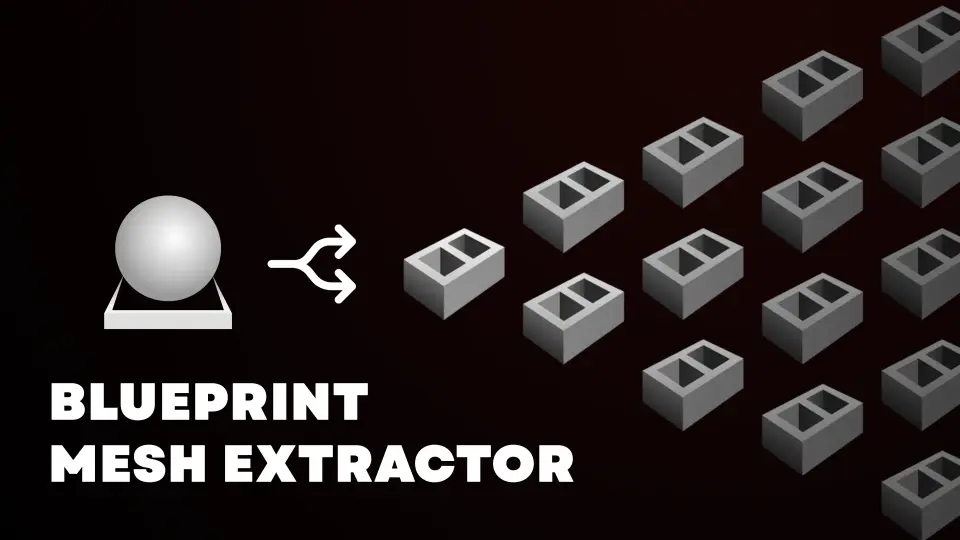
Blueprint Mesh Extractor focuses on a single recurring task in Unreal Engine level design: breaking Blueprint Actors that have already been placed in a level into separate Static Mesh Actors. The tool is built as a script-driven utility that integrates into the editor workflow through the context menu, giving users a right-click entry point labeled Blueprint Extraction. From that point, the tool takes over the mechanical work of separating component meshes and reconstructing them as standalone Actors within the same scene.
Splitting Blueprint Actors into Static Mesh Actors
The central function of Blueprint Mesh Extractor is the conversion of Blueprint Actors into individual Static Mesh Actors. Unreal Engine workflows often rely on Blueprints to composite multiple mesh components into a single placed object. While composite Blueprints are useful during layout and iteration, there are production stages where keeping the data as separate Static Mesh Actors in the level becomes more practical. The script targets exactly that transition. Once an Actor has been placed in the level, the extraction operation reads the Blueprint's structure and generates separate Static Mesh Actors corresponding to the mesh components contained inside it.
The right-click workflow is deliberately minimal. Selecting one or more Blueprint instances in the Viewport or Outliner and choosing the Blueprint Extraction option triggers the conversion process, meaning the tool does not require a separate panel, manual importing, or an external interface to perform its primary task. The expectation is that the extraction happens in place, directly on the level, without relocating assets or requiring manual reassembly afterward.
Preserving Transforms and Material Settings After Extraction
One of the most critical concerns when breaking a composite Actor into separate parts is data loss around Transforms and Material assignments. When Blueprint components are authored, each mesh component carries its own local Transform relative to the parent Actor, along with any Material Overrides or Material slot assignments applied at the component level. Blueprint Mesh Extractor retains that information during the extraction process and applies it to each newly created Static Mesh Actor. This ensures that the visual placement, rotation, scale, and Material configuration of each extracted mesh matches how it appeared when it was still part of the original Blueprint instance.
By saving component Transforms and Material settings as part of the extraction, the tool prevents the common problem of meshes collapsing to origin or losing Material Overrides once they become standalone Actors. For level designers and environment artists, this means the visual integrity of a scene is not altered by the conversion process. Instead of manually repositioning extracted meshes one at a time, the operator can expect the exact spatial relationship of each component to be maintained after the split has been completed.
Handling Child Actors During Blueprint Extraction
Blueprints can vary in complexity, and many production-ready Actors contain nested Child Actor Components rather than only direct mesh components. Child Actors introduce their own internal structure, Transforms, and component hierarchy, which can make extraction more difficult if the process only processes the top level of the Blueprint. Blueprint Mesh Extractor is built to extract Child Actors as part of its operation, meaning that nested Actor structures inside the primary Blueprint are also broken out.
This capability matters when working with complex props or architectural assemblies authored through Child Actor Components, since it allows the tool to traverse and reconstruct the entire nested hierarchy as separate Static Mesh Actors. Instead of stopping at the surface level of the Blueprint, the extraction accounts for each layer of embedded Actor data, resulting in a more complete conversion from the original composite structure into individual in-level mesh Actors.
Extracting from Multiple Blueprints at Once
The tool also includes a bulk extraction mode, which processes multiple Blueprints in a single operation. Rather than converting Actors one instance at a time, the operator can select several placed Blueprint Actors and run the extraction across all selected targets at once. The bulk workflow is intended to reduce repetitive manual conversion when a level contains numerous composite Actors that need to be broken down simultaneously.
This batch-oriented behavior is useful in larger scenes where the same splitting operation would otherwise be repeated dozens or hundreds of times. By handling the conversion of multiple Blueprints in a single pass, the tool addresses one of the practical limitations of manual conversion workflows, where scaling the process across many Actors becomes time-consuming and prone to user error.
Scenes Where Blueprint Extraction Becomes Useful
The extraction tool fits a specific moment in the Unreal Engine production pipeline, particularly when composite Blueprint Actors have already been placed throughout a level. Levels that were blocked out or assembled using reusable Blueprint assets can reach a stage where those composites need to become Static Meshes for optimization, baking, or further scene-specific customization. In those situations, Blueprint Mesh Extractor offers a way to flatten the Blueprint structure into in-place Static Mesh Actors without rebuilding the scene from scratch.
Environments containing complex prop assemblies, nested Child Actor Blueprints, or layered architectural units are practical candidates for this type of extraction. The tool's ability to preserve Transforms, Materials, and Child Actor structures at the moment of conversion is intended to keep the scene visually consistent even after the structural change from Blueprint-based Actors to Static Mesh Actors. The right-click integration on the selected Blueprints keeps the operation accessible directly from the level editing environment.
A Practical Tool for Level Artists and Technical Designers
Blueprint Mesh Extractor is aimed at users who need to transition from Blueprint-based level assembly to Static Mesh Actor structures without losing scene-level configuration. For level designers who have iterated extensively on Blueprint-based placement and need to flatten those actors for final scene delivery or further static processing, the tool provides a structured conversion path. By operating directly on placed Actors, supporting Child Actor extraction, maintaining component Transforms and Material Overrides, and handling batch conversion, it covers the main technical requirements of breaking Blueprints into meshes inside a live Unreal Engine level.
The tool's behavior remains focused on this specific conversion workflow rather than modifying, analyzing, or restructuring Actor behavior in other ways. Its right-click launch, preservation of component-level data, nested Child Actor extraction, and batch processing form the complete set of capabilities intended to make Blueprint-to-mesh conversion a practical and repeatable operation.
 Engine Tools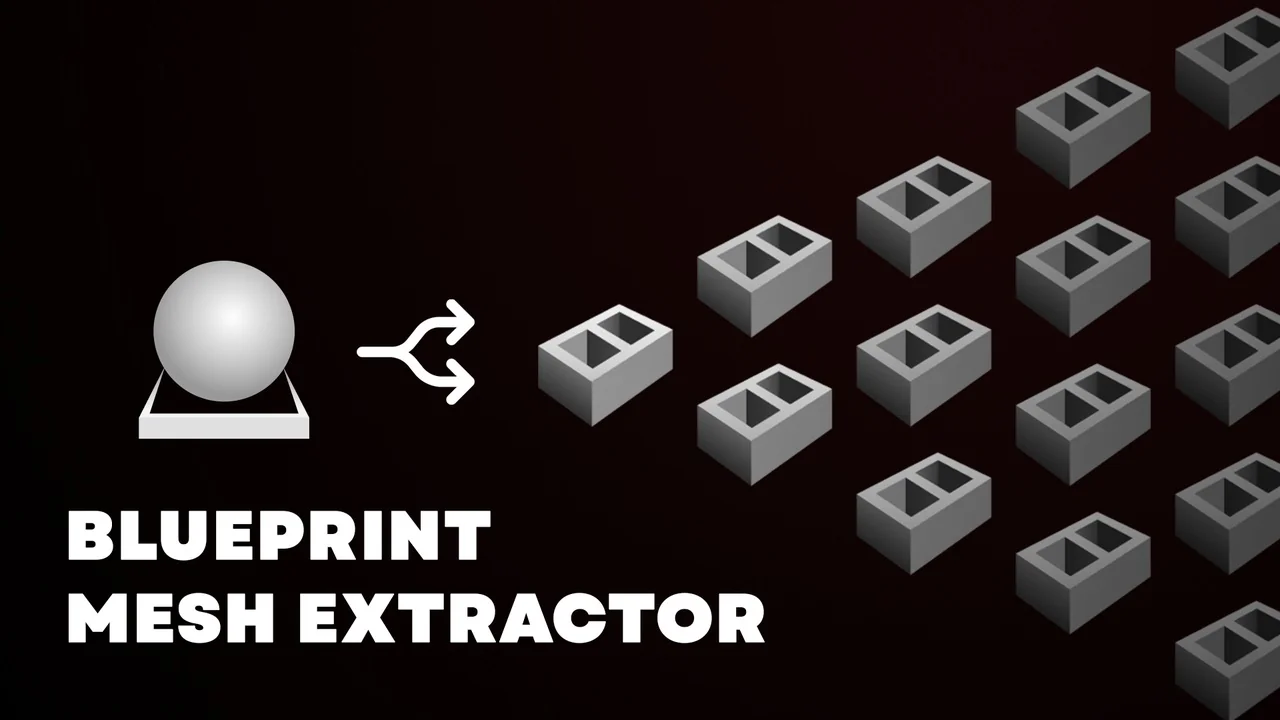
 Engine Tools
 Engine Tools
![SKModular Plugin [Blueprint]](/_img/360/wp-content/uploads/published/2026/08/cc5057bed94d-9d0b791d-8f34-4202-bd64-b7e021485f20-2f33dab909.webp) Engine Tools
Engine Tools