"7066dd76da796369"{"id":"14185","slug":"meshblend-next-generation-mesh-blending-without-rvt","title":"MeshBlend - Next generation mesh blending without RVT","category":"Engine Tools","engine":"5.5 - 5.7","assetVersion":"Engine version: 5.5 - 5.7","engineVersion":"Asset Version:2.1","tag":"Engine Tools","accent":"blue","visual":"mech","summary":"MeshBlend provides a powerful alternative to RVT for blending meshes and landscapes in Unreal Engine. This battle-tested tool supports Nanite, skeletal meshes, and high-performance workflows for indie and AAA projects alike.","platform":"Unreal Engine","publishedAt":"2026-03-11T16:07:49.000Z","updatedAt":"2026-04-19T15:45:51.000Z","sourceNotes":[],"fileContents":[],"compatibility":["Unreal Engine","Engine version: 5.5 - 5.7","Asset Version: 2.1"],"featuredImage":{"alt":"MeshBlend - Next generation mesh blending without RVT","src":"https://3dcghub.com/wp-content/uploads/2026/03/27abd930-9ae5-4b08-b6d7-1482b1ebf68a.webp"},"hasDownloadLink":true,"downloads":1,"terms":[{"taxonomy":"category","slug":"engine-tools-tools-and-plugins","name":"Engine Tools"},{"taxonomy":"post_tag","slug":"environment","name":"Environment"},{"taxonomy":"post_tag","slug":"materials","name":"Materials"},{"taxonomy":"post_tag","slug":"textures","name":"Textures"},{"taxonomy":"post_tag","slug":"tools","name":"Tools"},{"taxonomy":"post_tag","slug":"unreal-engine-5","name":"Unreal Engine 5"},{"taxonomy":"post_tag","slug":"vfx","name":"VFX"}],"galleryImages":[{"src":"https://3dcghub.com/wp-content/uploads/2026/03/237fcb64f7ce_6898c021-8a7f-44ae-9246-f0e70c386fef.webp","alt":"MeshBlend - Next generation mesh blending without RVT"},{"src":"https://3dcghub.com/wp-content/uploads/2026/03/bc01811fcb74_19b8f93c-1c75-4ffd-b401-bc8dd9949f42.webp","alt":"MeshBlend - Next generation mesh blending without RVT"},{"src":"https://3dcghub.com/wp-content/uploads/2026/03/60843458c3d6_2685402d-37b4-4ed5-a5f0-67faae3c56dc.webp","alt":"MeshBlend - Next generation mesh blending without RVT"},{"src":"https://3dcghub.com/wp-content/uploads/2026/03/e07e85b28a0e_f8694729-2054-4a0c-ac4c-96a39dc00d60.webp","alt":"MeshBlend - Next generation mesh blending without RVT"},{"src":"https://3dcghub.com/wp-content/uploads/2026/03/4c2f8e5d98ea_81cdd3c3-c5c3-4f77-b488-dda703cc03c4.webp","alt":"MeshBlend - Next generation mesh blending without RVT"},{"src":"https://3dcghub.com/wp-content/uploads/2026/03/d14993f154d5_707ebc58-86d6-45ef-98d5-4e3f809bffc6.webp","alt":"MeshBlend - Next generation mesh blending without RVT"},{"src":"https://3dcghub.com/wp-content/uploads/2026/03/7e7ef072b9b9_8fed1b77-46df-4efb-aa80-2add14a5627b.webp","alt":"MeshBlend - Next generation mesh blending without RVT"},{"src":"https://3dcghub.com/wp-content/uploads/2026/03/b7f41fd7ae55_26a3205e-ed33-42b6-95a5-7826f4fc2959.webp","alt":"MeshBlend - Next generation mesh blending without RVT"},{"src":"https://3dcghub.com/wp-content/uploads/2026/03/8527c317db4e_66e96f0f-826d-4610-bc9d-586c4de7d641.webp","alt":"MeshBlend - Next generation mesh blending without RVT"},{"src":"https://3dcghub.com/wp-content/uploads/2026/03/1072decffc47_97bd2d24-1fbc-4ec7-b06f-5e458f7056a5.webp","alt":"MeshBlend - Next generation mesh blending without RVT"},{"src":"https://3dcghub.com/wp-content/uploads/2026/03/f48d1949fdee_e8b717b7-4f9f-4273-a529-5c55244fc8b4.webp","alt":"MeshBlend - Next generation mesh blending without RVT"}],"accessPanel":{"kind":"resource","title":"Access this resource","eyebrow":"Free Download","message":"Log in or create a free account to start your download.","fileName":"MeshBlend 5.5 -5.7,v2.1.7z","safetyNote":"All resources are 100% manually reviewed to eliminate all risks.","actionLabel":"Download Free","resourceType":"Resource archive"},"contentHtml":"\u003ch2\u003eAdvanced Mesh Blending in Unreal Engine\u003c/h2\u003e\n\u003cp\u003eMeshBlend - Next generation mesh blending without RVT provides a sophisticated way to handle intersections in Unreal Engine. This tool allows developers to blend any mesh with another seamlessly. Whether you are working with landscapes, static meshes, or skeletal meshes, this solution delivers high-quality results. It serves as a versatile resource for games, virtual production, and offline rendering cinematics.\u003c/p\u003e\n\n\u003cp\u003eThe developer designed MeshBlend to offer controllable blending without relying on Runtime Virtual Texturing (RVT). This approach makes it highly adaptable for various art styles and project requirements. Consequently, it has been battle-tested in real-world environments ranging from indie titles to AAA projects. At its core, the tool balances visual quality with an efficient artist workflow.\u003c/p\u003e\n\n\u003ch2\u003eVersatile Blending Scenarios\u003c/h2\u003e\n\u003cp\u003eMeshBlend - Next generation mesh blending without RVT enables unique blending possibilities. Unlike standard methods, it allows for blending meshes with both other meshes and landscape terrain. Furthermore, it can handle multiple overlapping landscapes simultaneously. This flexibility ensures that complex environments look cohesive and realistic.\u003c/p\u003e\n\n\u003cp\u003eWhen compared to other techniques, this solution offers several advantages. For instance, it requires significantly less setup than RVT blending. It also maintains better performance at scale. Additionally, it creates a more realistic result than Pixel Depth Offset (PDO) when performing terrain blending. If it is a mesh, the system can blend it.\u003c/p\u003e\n\n\u003ch2\u003eTechnical Features and Compatibility\u003c/h2\u003e\n\u003cp\u003eThe system operates as a global Post Process shader within the engine. It runs immediately after scene rendering but before effects like Depth of Field or upscaling. Therefore, it integrates smoothly with modern rendering pipelines. The tool supports various materials and technologies, including:\u003c/p\u003e\n\u003cul\u003e\n \u003cli\u003eOpaque materials (Surface, SubSurfaceScattering, and Two-Sided)\u003c/li\u003e\n \u003cli\u003eNanite and Nanite displacement\u003c/li\u003e\n \u003cli\u003eParallax Occlusion Mapping (POM)\u003c/li\u003e\n \u003cli\u003eDecals and Mesh Decals\u003c/li\u003e\n \u003cli\u003eStatic Meshes, Landscapes, and Skeletal Meshes\u003c/li\u003e\n\u003c/ul\u003e\n\n\u003cp\u003eOn top of that, the tool works effectively with temporal anti-aliasing solutions. This includes support for TAA, TSR, DLSS, and FSR. It also remains compatible with frame generation and upsampling technologies. For cinematic users, the tool functions within Sequencer, though the creator recommends using overscan for the best results.\u003c/p\u003e\n\n\u003ch2\u003eOptimized Workflow and Performance\u003c/h2\u003e\n\u003cp\u003eMeshBlend - Next generation mesh blending without RVT features an easy editor workflow. Users can choose from four preset blend sizes to get started quickly. However, each preset can be adjusted individually to meet specific artistic needs. You can decide to blend just a few meshes or every single mesh in the project.\u003c/p\u003e\n\n\u003cp\u003ePerformance remains a priority for this tool. It includes different quality settings labeled as Low, Medium, and High. These presets allow the system to run on a wide range of hardware configurations. Previously known as AutoBlend during its development phase, the tool was officially renamed to MeshBlend in May 2024. It continues to provide a high-performance solution for creators seeking realistic environment transitions.\u003c/p\u003e\n\n\u003ch2\u003eContinue Browsing Similar Packs\u003c/h2\u003e\n\u003cul\u003e\n\u003cli\u003e\u003ca href=\"https://3dcghub.com/extile-plus-ultimate-non-tiling-material-toolkit-for-unreal-engine-environments/\" title=\"EXTILE PLUS -Ultimate Non-Tiling Material Toolkit for Unreal Engine Environments\"\u003eEXTILE PLUS -Ultimate Non-Tiling Material Toolkit for Unreal Engine Environments\u003c/a\u003e\u003c/li\u003e\n\u003cli\u003e\u003ca href=\"https://3dcghub.com/ultimate-template-unrealengine-2d-dialogue-inventory-system-save/\" title=\"ULTIMATE Template UnrealEngine || 2D + Dialogue + Inventory system + Save | |\"\u003eULTIMATE Template UnrealEngine || 2D + Dialogue + Inventory system + Save | |\u003c/a\u003e\u003c/li\u003e\n\u003cli\u003e\u003ca href=\"https://3dcghub.com/daz-to-unreal/\" title=\"Daz To Unreal\"\u003eDaz To Unreal\u003c/a\u003e\u003c/li\u003e\n\u003cli\u003e\u003ca href=\"https://3dcghub.com/blueprint-generator-ai-kibibyte-labs-engine-assistant/\" title=\"Blueprint Generator Ai – Kibibyte Labs (Engine Assistant)\"\u003eBlueprint Generator Ai – Kibibyte Labs (Engine Assistant)\u003c/a\u003e\u003c/li\u003e\n\u003cli\u003e\u003ca href=\"https://3dcghub.com/sci-fi-environment-engine-room/\" title=\"Sci-fi Environment Engine Room\"\u003eSci-fi Environment Engine Room\u003c/a\u003e\u003c/li\u003e\n\u003c/ul\u003e","contentTextLength":3556,"navigation":{"current":3380,"total":4016,"previous":{"id":"14194","slug":"mission-objectives","title":"Mission \u0026 Objectives","category":"Engine Tools","platform":"Unreal Engine","updatedAt":"2026-04-19T15:45:51.000Z"},"next":{"id":"14259","slug":"narrative-navigator-maps-compasses-waypoints","title":"Narrative Navigator - Maps, Compasses, Waypoints","category":"Engine Tools","platform":"Unreal Engine","updatedAt":"2026-04-19T15:45:50.000Z"}},"relatedResources":[{"id":"14592","slug":"shadersource-waterfall-tool-2","title":"SHADERSOURCE - Waterfall Tool 2","category":"Engine Tools","engine":"5.2 - 5.7","assetVersion":"Asset Version: 1.0a - 1.0d","engineVersion":"Engine Version: 5.2 - 5.7","tag":"Engine Tools","accent":"blue","visual":"animation","summary":"The SHADERSOURCE - Waterfall Tool 2 introduces a specialized Editor Mode for generating realistic waterfalls through dynamic meshes and spline paths. This tool offers both Simple and Advanced modes to provide full control over fluid paths and VFX generation.","platform":"Unreal Engine","publishedAt":"2026-03-11T18:36:22.000Z","updatedAt":"2026-10-04T08:27:42.401Z","sourceNotes":[],"fileContents":[],"compatibility":["Unreal Engine","Asset Version: 1.0a - 1.0d","Engine Version: 5.2 - 5.7"],"featuredImage":{"alt":"SHADERSOURCE - Waterfall Tool 2","src":"https://3dcghub.com/wp-content/uploads/2026/03/79d82bd8-c7cf-4877-9519-16f36c4a03c4.webp"},"hasDownloadLink":true,"downloads":1},{"id":"14029","slug":"gas-companion","title":"GAS Companion","category":"Engine Tools","engine":"5.7","assetVersion":"Engine version: 5.7","engineVersion":"Asset Version:6.2.1","tag":"Engine Tools","accent":"blue","visual":"audio","summary":"GAS Companion serves as a versatile foundation for projects using Epic's Gameplay Ability System, offering essential C++ setup and Blueprint-friendly tools. It simplifies complex tasks like attribute generation and ability queuing without forcing specific g...","platform":"Unreal Engine","publishedAt":"2026-03-11T13:15:21.000Z","updatedAt":"2026-04-19T15:45:55.000Z","sourceNotes":[],"fileContents":[],"compatibility":["Unreal Engine","Engine version: 5.7","Asset Version: 6.2.1"],"featuredImage":{"alt":"GAS Companion","src":"https://3dcghub.com/wp-content/uploads/2026/03/f7aded12-e01e-4dc6-ab3f-99cb784d3a77.webp"},"hasDownloadLink":true,"downloads":0},{"id":"14738","slug":"ultimate-level-art-tool-ulat-tools-plugin-plugins","title":"Ultimate Level Art Tool - ULAT ( Tools / Plugin / Plugins )","category":"Engine Tools","engine":"5.0 - 5.7","assetVersion":"Engine version: 5.0 - 5.7","engineVersion":"Asset Version:1.3 - 1.3.1","tag":"Engine Tools","accent":"blue","visual":"character","summary":"Optimize your environment design workflow with the Ultimate Level Art Tool. This Unreal Engine plugin offers modular building features, one-click automation, and advanced mesh management.","platform":"Unreal Engine","publishedAt":"2026-03-11T19:16:44.000Z","updatedAt":"2026-05-31T13:00:16.112Z","sourceNotes":[],"fileContents":[],"compatibility":["Unreal Engine","Engine version: 5.0 - 5.7","Asset Version: 1.3 - 1.3.1"],"featuredImage":{"alt":"Ultimate Level Art Tool - ULAT ( Tools / Plugin / Plugins )","src":"https://3dcghub.com/wp-content/uploads/2026/03/06dfb4ec-9574-4b27-8363-21090a467eb4.webp"},"hasDownloadLink":true,"downloads":1}]}
Engine Tools
MeshBlend - Next generation mesh blending without RVT
MeshBlend provides a powerful alternative to RVT for blending meshes and landscapes in Unreal Engine. This battle-tested tool supports Nanite, skeletal meshes, and high-performance workflows for indie and AAA projects alike.
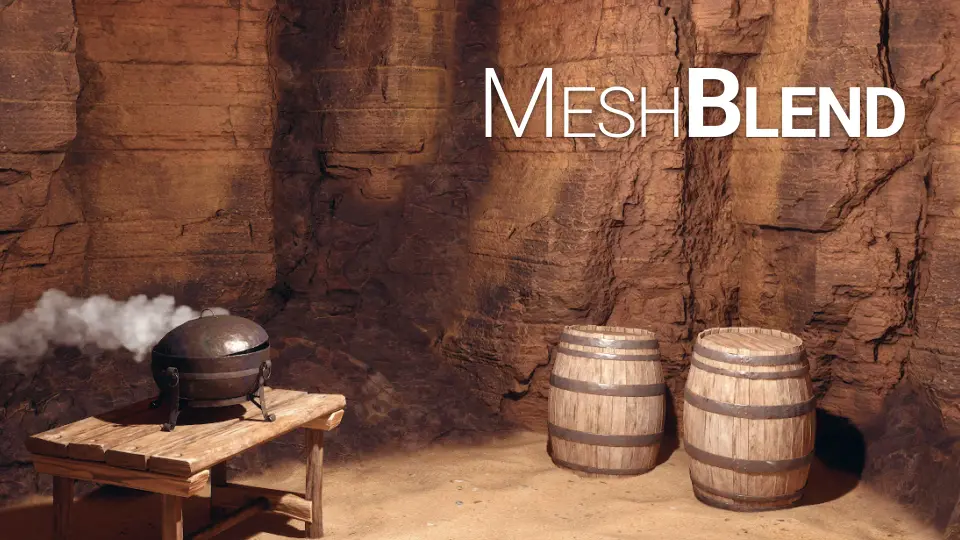
MeshBlend - Next generation mesh blending without RVT provides a sophisticated way to handle intersections in Unreal Engine. This tool allows developers to blend any mesh with another seamlessly. Whether you are working with landscapes, static meshes, or skeletal meshes, this solution delivers high-quality results. It serves as a versatile resource for games, virtual production, and offline rendering cinematics.
The developer designed MeshBlend to offer controllable blending without relying on Runtime Virtual Texturing (RVT). This approach makes it highly adaptable for various art styles and project requirements. Consequently, it has been battle-tested in real-world environments ranging from indie titles to AAA projects. At its core, the tool balances visual quality with an efficient artist workflow.
Versatile Blending Scenarios
MeshBlend - Next generation mesh blending without RVT enables unique blending possibilities. Unlike standard methods, it allows for blending meshes with both other meshes and landscape terrain. Furthermore, it can handle multiple overlapping landscapes simultaneously. This flexibility ensures that complex environments look cohesive and realistic.
When compared to other techniques, this solution offers several advantages. For instance, it requires significantly less setup than RVT blending. It also maintains better performance at scale. Additionally, it creates a more realistic result than Pixel Depth Offset (PDO) when performing terrain blending. If it is a mesh, the system can blend it.
Technical Features and Compatibility
The system operates as a global Post Process shader within the engine. It runs immediately after scene rendering but before effects like Depth of Field or upscaling. Therefore, it integrates smoothly with modern rendering pipelines. The tool supports various materials and technologies, including:
Opaque materials (Surface, SubSurfaceScattering, and Two-Sided)
Nanite and Nanite displacement
Parallax Occlusion Mapping (POM)
Decals and Mesh Decals
Static Meshes, Landscapes, and Skeletal Meshes
On top of that, the tool works effectively with temporal anti-aliasing solutions. This includes support for TAA, TSR, DLSS, and FSR. It also remains compatible with frame generation and upsampling technologies. For cinematic users, the tool functions within Sequencer, though the creator recommends using overscan for the best results.
Optimized Workflow and Performance
MeshBlend - Next generation mesh blending without RVT features an easy editor workflow. Users can choose from four preset blend sizes to get started quickly. However, each preset can be adjusted individually to meet specific artistic needs. You can decide to blend just a few meshes or every single mesh in the project.
Performance remains a priority for this tool. It includes different quality settings labeled as Low, Medium, and High. These presets allow the system to run on a wide range of hardware configurations. Previously known as AutoBlend during its development phase, the tool was officially renamed to MeshBlend in May 2024. It continues to provide a high-performance solution for creators seeking realistic environment transitions.
 Engine Tools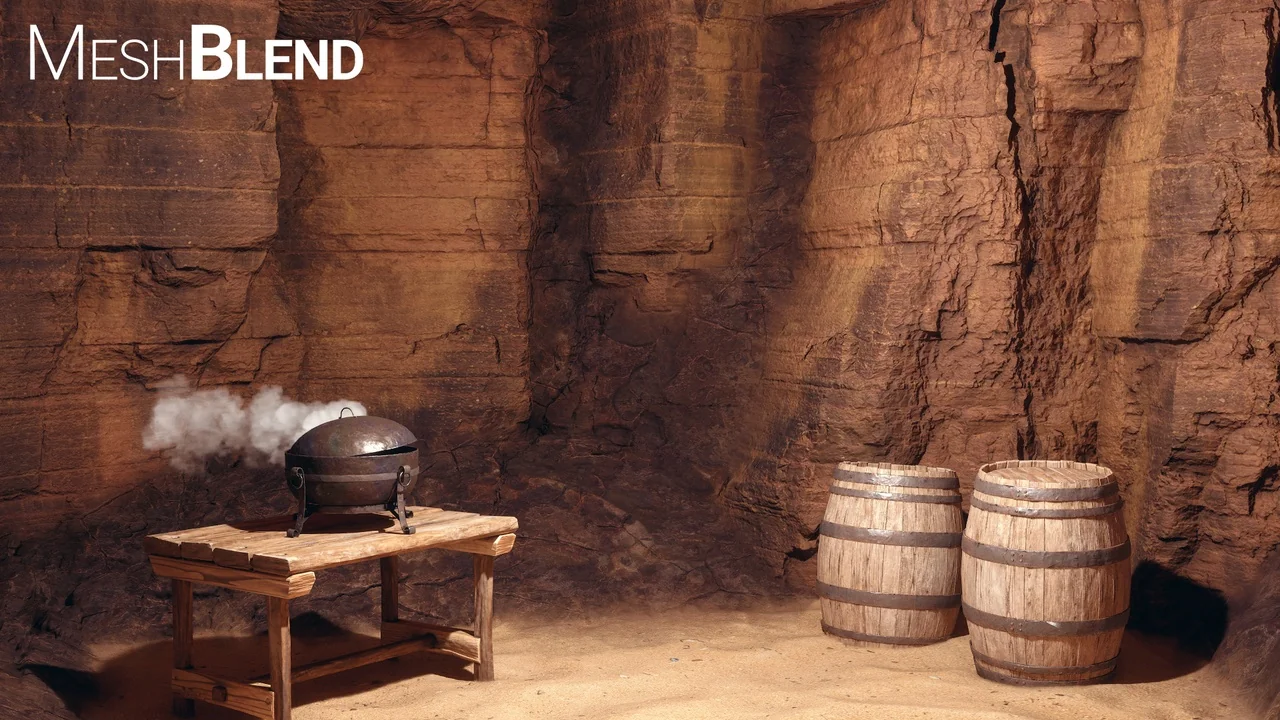
 Engine Tools
 Engine Tools
 Engine Tools