"6f9bd6df1f44a86f"{"id":"1000797","slug":"body-cam-effects","title":"Body Cam Effects","category":"Art \u0026 Traditional","engine":"5.2+","assetVersion":"","engineVersion":"Engine Version: 5.2+","tag":"Art \u0026 Traditional","accent":"blue","visual":"mech","summary":"Body Cam Effects is a Blueprint component and post-processing material system for Unreal Engine, covering body cam, found footage, and security camera visuals w","platform":"Unreal Engine","indexPolicy":"index","publishedAt":"2026-07-30T15:23:07.705Z","updatedAt":"2026-07-30T15:23:07.705Z","sourceNotes":[],"fileContents":[],"compatibility":["Unreal Engine","Engine Version: 5.2+"],"featuredImage":{"alt":"Body Cam Effects","src":"/wp-content/uploads/published/2026/07/6d7676c45aac-9a759132-2bf7-4e65-905a-58eb4e2fa7b9-cee6185af9.webp"},"hasDownloadLink":true,"downloads":0,"terms":[{"taxonomy":"category","slug":"art-and-traditional","name":"Art \u0026 Traditional"}],"galleryImages":[{"src":"/wp-content/uploads/published/2026/07/0fb3561db3c8-c9e93fdc-5b89-4f62-84aa-4a9d44b88bd2-c1492a0fcd.webp","alt":"Body Cam Effects"},{"src":"/wp-content/uploads/published/2026/07/a9ffa173e4f4-90285ea1-2983-49dc-a328-8abddf4dce02-f297f9ef25.webp","alt":"Body Cam Effects"},{"src":"/wp-content/uploads/published/2026/07/673a1869f9fe-2b0c56ca-253a-4b83-aa30-3089fc5b87d5-4721a60948.webp","alt":"Body Cam Effects"},{"src":"/wp-content/uploads/published/2026/07/cc979cc1aef5-2308cf3a-c1ee-4134-8034-421f0cf4be77-8e0f10364a.webp","alt":"Body Cam Effects"},{"src":"/wp-content/uploads/published/2026/07/f6d9fa90a9d9-01f9bfd7-c5d4-4bfc-9b6b-bb21bf525eb3-20f427b200.webp","alt":"Body Cam Effects"},{"src":"/wp-content/uploads/published/2026/07/b791fd252835-3356078b-4638-4e3b-8114-ab73022c3b10-a0d07d80a9.webp","alt":"Body Cam Effects"},{"src":"/wp-content/uploads/published/2026/07/d05d3dd6c7fe-647a3901-e249-46b3-bff4-523ea51c3b68-a295cf576a.webp","alt":"Body Cam Effects"},{"src":"/wp-content/uploads/published/2026/07/88c950b5abbe-06c75c68-d1ed-4936-b057-7c2da24deac3-c1db326364.webp","alt":"Body Cam Effects"},{"src":"/wp-content/uploads/published/2026/07/3b6fa952ac96-2eab2eab-2287-4539-95dd-6577b983cb3f-e1e5783747.webp","alt":"Body Cam Effects"},{"src":"/wp-content/uploads/published/2026/07/76a11aac0a20-c500b866-47ce-42e1-899b-0a460ab3be95-e206a28790.webp","alt":"Body Cam Effects"}],"accessPanel":{"kind":"resource","title":"Download this resource","eyebrow":"Free Download","message":"Log in or create a free account to start your download.","fileName":"Content.7z","safetyNote":"Resources are manually reviewed before listing to improve quality and reduce obvious risks.","actionLabel":"Download Free","resourceType":"Resource archive"},"contentHtml":"\u003cp\u003e\u003cem\u003eBody Cam Effects\u003c/em\u003e ships as a Blueprint Component paired with a curated list of Post-Process Materials. The package includes 17 preset Post-Process Blueprints, 1 Character Component Blueprint, 18 Post-Process Materials, 1 Digital Camera Widget, and 28 preset Post-Process effects accessible through the Character Component. Rounding out the technical footprint are 25 unique Materials and Material Instances in total, along with 9 Textures at resolutions of 615×613 and 1024×1024. The combination of these parts is built to cover a range of simulated camera visuals without requiring developers to build the underlying Post-Process logic from scratch.\u003c/p\u003e\n\n\u003ch2\u003eAdding the Body Cam Component to a Character or Camera\u003c/h2\u003e\n\u003cp\u003eThe workflow centers on a Character Component that can be attached to any character or camera in a game. Implementation follows a direct sequence: add the Body Cam Component to the relevant Actor, call the \u003ccode\u003eInit Body Cam\u003c/code\u003e function, and plug in the cameras that should carry the effect. That initialization step is the only setup gate mentioned before the Post-Process pipeline takes over. The system is structured so that the component handles the heavy lifting once it is registered and linked to the camera references passed in during initialization.\u003c/p\u003e\n\n\u003cp\u003eBecause the component is designed to sit on a character or camera rather than a specific game type, it can be dropped into different genres. A police body-cam First-Person Shooter (FPS), a found footage horror project, or a security camera system can all use the same component as their Post-Process backbone. The component exposes 28 preset Post-Process effects, giving developers a set of ready-made looks that can be selected and swapped depending on the scene or camera context.\u003c/p\u003e\n\n\u003ch3\u003ePost-Process Materials and Preset Blueprints\u003c/h3\u003e\n\u003cp\u003eThe 17 preset Post-Process Blueprints and 18 Post-Process Materials form the visual layer of the system. These are what generate the on-screen look associated with the body cam, security camera, and found footage styles. The 28 presets routed through the Character Component draw from this Material library, and the total of 25 unique Materials and Material Instances means there is a spread of base looks and instance variations available for different cameras or scenarios.\u003c/p\u003e\n\n\u003cp\u003eThe 1 Digital Camera Widget is included as part of the package, providing an interface element that can accompany the Post-Process visuals. Combined with the Material list and component-driven presets, the Widget rounds out the on-screen presentation layer for projects that need visible camera UI alongside the Post-Process image treatment.\u003c/p\u003e\n\n\u003ch2\u003eBlood and Dirt Splatter Effects\u003c/h2\u003e\n\u003cp\u003eA newer addition to the package is splatter effect support. Developers can trigger blood or dirt splatters on screen, simulating the kind of residue or impact marks that would accumulate on a physical camera lens or visor during gameplay. The splatter system is exposed through customizable parameters, including \u003ccode\u003eDrop-off Speed\u003c/code\u003e, \u003ccode\u003eColor\u003c/code\u003e, \u003ccode\u003eDensity\u003c/code\u003e, and additional controls not fully enumerated in the package summary.\u003c/p\u003e\n\n\u003cp\u003e\u003ccode\u003eDrop-off Speed\u003c/code\u003e governs how quickly a splatter fades or clears from the screen after it appears. \u003ccode\u003eColor\u003c/code\u003e lets developers match the splatter to different substances or visual contexts—blood for combat scenarios, dirt for outdoor or gritty environments. \u003ccode\u003eDensity\u003c/code\u003e controls how thick or opaque the splatter reads on camera. Because these parameters are exposed for tuning, the same splatter system can be adjusted across scenes without requiring new Materials for each variation.\u003c/p\u003e\n\n\u003ch3\u003eCombining Presets and Splatter Effects\u003c/h3\u003e\n\u003cp\u003eThe package advertises hundreds of custom combination possibilities, which stems from the interaction between the 28 component-driven presets, the separate preset Blueprints, the splatter system, and the adjustable parameters. A developer could, for example, layer a body cam preset with a VHS-style Post-Process, then trigger a blood splatter on top of that during a combat event, tuning the drop-off and density to suit the pacing of the scene. The number of permutation possibilities is what the package points to when stating the potential for hundreds of combinations.\u003c/p\u003e\n\n\u003cp\u003eThis layered approach means the splatter effects are not isolated from the rest of the Post-Process stack. They operate within the same component-driven framework, so a camera already running a preset look can receive splatter overlays without a separate setup path.\u003c/p\u003e\n\n\u003ch2\u003eProject Fit: Body Cam, Found Footage, and Security Systems\u003c/h2\u003e\n\u003cp\u003eThe three scenarios explicitly called out—police body-cam FPS, found footage horror, and security camera systems—represent distinct use cases that share a common need for simulated camera imperfection and Post-Process character. A police body-cam FPS might rely on the Digital Camera Widget, a stabilizing or auto-exposure preset, and triggered dirt splatters during foot chases or physical encounters. Found footage horror leans into the retro tags associated with the package, using the Post-Process Materials to degrade the image and the component presets to shift between different camera states. A security camera system can use lower-fidelity presets combined with the Widget to sell a surveillance feed aesthetic.\u003c/p\u003e\n\n\u003cp\u003eThe tag list attached to the package—\u003cem\u003eRetro\u003c/em\u003e, \u003cem\u003eProcess\u003c/em\u003e, \u003cem\u003ePost\u003c/em\u003e, \u003cem\u003eToon\u003c/em\u003e, \u003cem\u003eVision\u003c/em\u003e, \u003cem\u003eBody\u003c/em\u003e, \u003cem\u003eCelshading\u003c/em\u003e, \u003cem\u003eCamera\u003c/em\u003e, \u003cem\u003eNight\u003c/em\u003e, \u003cem\u003eVHS\u003c/em\u003e, and \u003cem\u003eOutline\u003c/em\u003e—points to the range of visual styles the Post-Process Materials can push toward. \u003cem\u003eVHS\u003c/em\u003e and \u003cem\u003eRetro\u003c/em\u003e align with the found footage and body cam looks, while \u003cem\u003eNight\u003c/em\u003e and \u003cem\u003eVision\u003c/em\u003e suggest presets tuned for low-light or night-vision camera contexts. \u003cem\u003eOutline\u003c/em\u003e and \u003cem\u003eCelshading\u003c/em\u003e indicate that some Materials in the set edge toward stylized rendering rather than strictly realistic camera simulation. \u003cem\u003eProcess\u003c/em\u003e and \u003cem\u003ePost\u003c/em\u003e are functional tags pointing to the Post-Process pipeline itself.\u003c/p\u003e\n\n\u003ch3\u003ePlatform Support and Documentation\u003c/h3\u003e\n\u003cp\u003eWindows is the only supported development platform listed for the package. Documentation and a trailer are available for the asset, and a Discord support channel exists for troubleshooting and questions. The package does not list other platforms as supported, so projects targeting additional platforms would need to verify behavior outside the Windows development environment.\u003c/p\u003e\n\n\u003ch2\u003eWhat the Package Is Set Up to Handle\u003c/h2\u003e\n\u003cp\u003e\u003cem\u003eBody Cam Effects\u003c/em\u003e covers the full chain from component attachment and camera initialization through preset selection, on-screen splatter triggers, and Digital Camera Widget display. The component-based architecture means the same setup sequence—add component, call init, plug in cameras—applies whether a project needs a single first-person body cam, a multi-camera security system, or a found footage sequence with layered degradation. The customizable splatter parameters and the library of Post-Process Materials give developers control over both the baseline camera look and the dynamic effects that play on top of it during gameplay events.\u003c/p\u003e\n\n\u003ch2\u003eRelated Resources Worth Checking\u003c/h2\u003e\n\u003cul\u003e\n\u003cli\u003e\u003ca href=\"https://3dcghub.com/cartoon-cel-shader/\" rel=\"noopener noreferrer\"\u003eCartoon Cel Shader\u003c/a\u003e\u003c/li\u003e\n\u003cli\u003e\u003ca href=\"https://3dcghub.com/postfx-globalscan/\" rel=\"noopener noreferrer\"\u003ePostFX GlobalScan\u003c/a\u003e\u003c/li\u003e\n\u003cli\u003e\u003ca href=\"https://3dcghub.com/vehicle-dynamic-effect/\" rel=\"noopener noreferrer\"\u003eVehicle Dynamic Effect\u003c/a\u003e\u003c/li\u003e\n\u003cli\u003e\u003ca href=\"https://3dcghub.com/speed-lines/\" rel=\"noopener noreferrer\"\u003eSpeed Lines\u003c/a\u003e\u003c/li\u003e\n\u003cli\u003e\u003ca href=\"https://3dcghub.com/parallax-card-material/\" rel=\"noopener noreferrer\"\u003eParallax Card Material\u003c/a\u003e\u003c/li\u003e\n\u003c/ul\u003e","contentTextLength":7003,"navigation":{"current":1567,"total":4218,"previous":{"id":"1000798","slug":"car-interact-animations-vol-1","title":"Car Interact Animations VOL. 1","category":"Variety","platform":"Unreal Engine","updatedAt":"2026-07-30T15:30:22.531Z"},"next":{"id":"1000796","slug":"blueprint-mesh-extractor","title":"Blueprint Mesh Extractor","category":"Engine Tools","platform":"Unreal Engine","updatedAt":"2026-07-30T14:29:11.117Z"}},"relatedResources":[{"id":"1002151","slug":"post-process-toolkit","title":"Post Process Toolkit","category":"Art \u0026 Traditional","engine":"4.20+,5.0+","assetVersion":"","engineVersion":"Engine Version: 4.20+,5.0+","tag":"Art \u0026 Traditional","accent":"blue","visual":"mech","summary":"Post Process Toolkit delivers material functions to debug, adjust, and present post process screen effects, water shaders, and celshading in real-time.","platform":"Unreal Engine","indexPolicy":"index","publishedAt":"2026-10-29T09:55:20.482Z","updatedAt":"2026-10-29T09:55:20.482Z","sourceNotes":[],"fileContents":[],"compatibility":["Unreal Engine","Engine Version: 4.20+,5.0+"],"featuredImage":{"alt":"Post Process Toolkit","src":"/wp-content/uploads/published/2026/10/5967e5b73685-b3006a2b-78fa-4de3-98af-b168dfa1c1cb-e05e0ebd34.webp"},"hasDownloadLink":true,"downloads":0},{"id":"1001976","slug":"character-body-fx-vol-3","title":"Character Body FX Vol. 3","category":"Variety","engine":"4.27+,5.0+","assetVersion":"","engineVersion":"Engine Version: 4.27+,5.0+","tag":"Variety","accent":"blue","visual":"character","summary":"Explore Niagara character visual effects for skeletal meshes, covering GPU distance field setup, regional mesh sampling, and elemental presets.","platform":"Unreal Engine","indexPolicy":"index","publishedAt":"2026-10-24T14:07:03.848Z","updatedAt":"2026-10-24T14:07:03.848Z","sourceNotes":[],"fileContents":[],"compatibility":["Unreal Engine","Engine Version: 4.27+,5.0+"],"featuredImage":{"alt":"Character Body FX Vol. 3","src":"/wp-content/uploads/published/2026/10/1a33fb059d6b-bd702f6d-b042-44b5-a5bf-f4ba963dfc1b-e8e00fc35f.webp"},"hasDownloadLink":true,"downloads":0},{"id":"1001935","slug":"advanced-bodycam-vhs-body-camera-component-with-video-effects","title":"Advanced BodyCam / VHS - Body Camera Component with Video Effects","category":"Gameplay Features","engine":"5.0+","assetVersion":"","engineVersion":"Engine Version: 5.0+","tag":"Gameplay Features","accent":"blue","visual":"mech","summary":"Add realistic body camera and VHS visual effects to character rigs using the drag-and-drop BPC_BodyCamComponent with exposed optical and motion settings.","platform":"Unreal Engine","indexPolicy":"index","publishedAt":"2026-10-24T11:12:27.777Z","updatedAt":"2026-10-24T11:12:27.777Z","sourceNotes":[],"fileContents":[],"compatibility":["Unreal Engine","Engine Version: 5.0+"],"featuredImage":{"alt":"Advanced BodyCam / VHS - Body Camera Component with Video Effects","src":"/wp-content/uploads/published/2026/10/6e34fe42e6f6-4f31419b-4b67-4d04-91d2-22b0beff1d20-a41ea00718.webp"},"hasDownloadLink":true,"downloads":1}]}
Art & Traditional
Body Cam Effects
Body Cam Effects is a Blueprint component and post-processing material system for Unreal Engine, covering body cam, found footage, and security camera visuals w
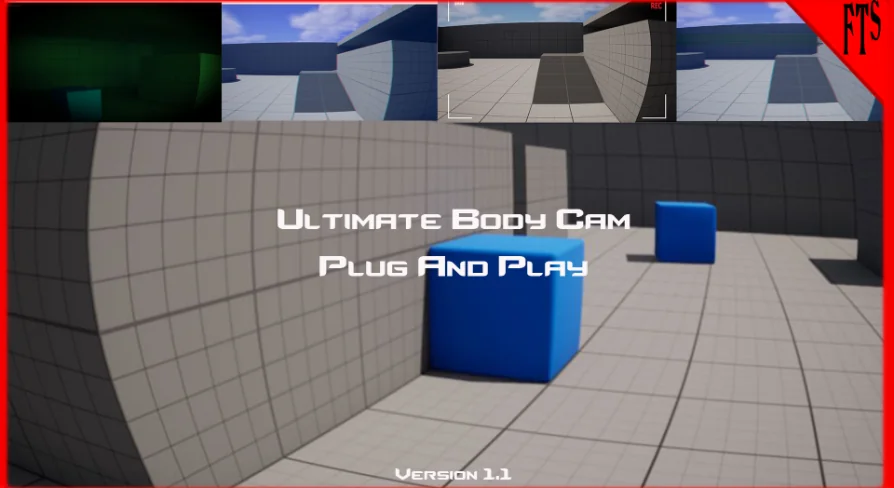
Body Cam Effects ships as a Blueprint Component paired with a curated list of Post-Process Materials. The package includes 17 preset Post-Process Blueprints, 1 Character Component Blueprint, 18 Post-Process Materials, 1 Digital Camera Widget, and 28 preset Post-Process effects accessible through the Character Component. Rounding out the technical footprint are 25 unique Materials and Material Instances in total, along with 9 Textures at resolutions of 615×613 and 1024×1024. The combination of these parts is built to cover a range of simulated camera visuals without requiring developers to build the underlying Post-Process logic from scratch.
Adding the Body Cam Component to a Character or Camera
The workflow centers on a Character Component that can be attached to any character or camera in a game. Implementation follows a direct sequence: add the Body Cam Component to the relevant Actor, call the Init Body Cam function, and plug in the cameras that should carry the effect. That initialization step is the only setup gate mentioned before the Post-Process pipeline takes over. The system is structured so that the component handles the heavy lifting once it is registered and linked to the camera references passed in during initialization.
Because the component is designed to sit on a character or camera rather than a specific game type, it can be dropped into different genres. A police body-cam First-Person Shooter (FPS), a found footage horror project, or a security camera system can all use the same component as their Post-Process backbone. The component exposes 28 preset Post-Process effects, giving developers a set of ready-made looks that can be selected and swapped depending on the scene or camera context.
Post-Process Materials and Preset Blueprints
The 17 preset Post-Process Blueprints and 18 Post-Process Materials form the visual layer of the system. These are what generate the on-screen look associated with the body cam, security camera, and found footage styles. The 28 presets routed through the Character Component draw from this Material library, and the total of 25 unique Materials and Material Instances means there is a spread of base looks and instance variations available for different cameras or scenarios.
The 1 Digital Camera Widget is included as part of the package, providing an interface element that can accompany the Post-Process visuals. Combined with the Material list and component-driven presets, the Widget rounds out the on-screen presentation layer for projects that need visible camera UI alongside the Post-Process image treatment.
Blood and Dirt Splatter Effects
A newer addition to the package is splatter effect support. Developers can trigger blood or dirt splatters on screen, simulating the kind of residue or impact marks that would accumulate on a physical camera lens or visor during gameplay. The splatter system is exposed through customizable parameters, including Drop-off Speed, Color, Density, and additional controls not fully enumerated in the package summary.
Drop-off Speed governs how quickly a splatter fades or clears from the screen after it appears. Color lets developers match the splatter to different substances or visual contexts—blood for combat scenarios, dirt for outdoor or gritty environments. Density controls how thick or opaque the splatter reads on camera. Because these parameters are exposed for tuning, the same splatter system can be adjusted across scenes without requiring new Materials for each variation.
Combining Presets and Splatter Effects
The package advertises hundreds of custom combination possibilities, which stems from the interaction between the 28 component-driven presets, the separate preset Blueprints, the splatter system, and the adjustable parameters. A developer could, for example, layer a body cam preset with a VHS-style Post-Process, then trigger a blood splatter on top of that during a combat event, tuning the drop-off and density to suit the pacing of the scene. The number of permutation possibilities is what the package points to when stating the potential for hundreds of combinations.
This layered approach means the splatter effects are not isolated from the rest of the Post-Process stack. They operate within the same component-driven framework, so a camera already running a preset look can receive splatter overlays without a separate setup path.
Project Fit: Body Cam, Found Footage, and Security Systems
The three scenarios explicitly called out—police body-cam FPS, found footage horror, and security camera systems—represent distinct use cases that share a common need for simulated camera imperfection and Post-Process character. A police body-cam FPS might rely on the Digital Camera Widget, a stabilizing or auto-exposure preset, and triggered dirt splatters during foot chases or physical encounters. Found footage horror leans into the retro tags associated with the package, using the Post-Process Materials to degrade the image and the component presets to shift between different camera states. A security camera system can use lower-fidelity presets combined with the Widget to sell a surveillance feed aesthetic.
The tag list attached to the package—Retro, Process, Post, Toon, Vision, Body, Celshading, Camera, Night, VHS, and Outline—points to the range of visual styles the Post-Process Materials can push toward. VHS and Retro align with the found footage and body cam looks, while Night and Vision suggest presets tuned for low-light or night-vision camera contexts. Outline and Celshading indicate that some Materials in the set edge toward stylized rendering rather than strictly realistic camera simulation. Process and Post are functional tags pointing to the Post-Process pipeline itself.
Platform Support and Documentation
Windows is the only supported development platform listed for the package. Documentation and a trailer are available for the asset, and a Discord support channel exists for troubleshooting and questions. The package does not list other platforms as supported, so projects targeting additional platforms would need to verify behavior outside the Windows development environment.
What the Package Is Set Up to Handle
Body Cam Effects covers the full chain from component attachment and camera initialization through preset selection, on-screen splatter triggers, and Digital Camera Widget display. The component-based architecture means the same setup sequence—add component, call init, plug in cameras—applies whether a project needs a single first-person body cam, a multi-camera security system, or a found footage sequence with layered degradation. The customizable splatter parameters and the library of Post-Process Materials give developers control over both the baseline camera look and the dynamic effects that play on top of it during gameplay events.
 Art & Traditional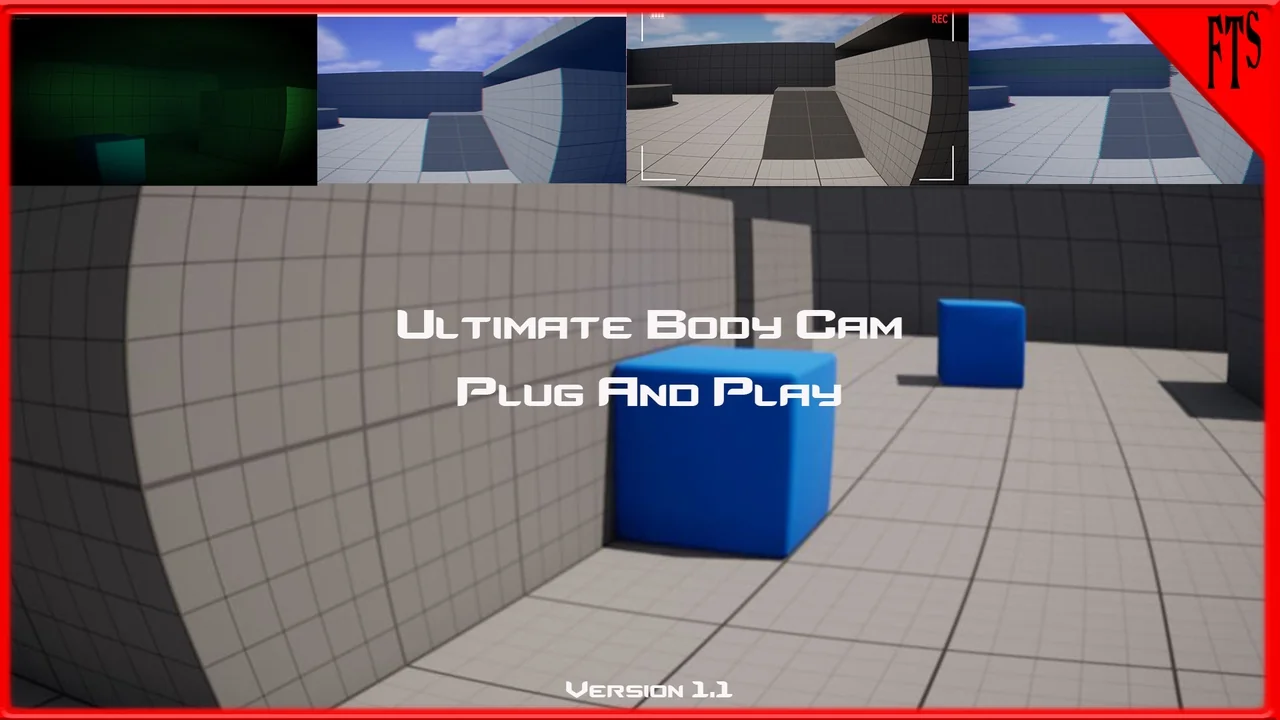
 Art & Traditional
 Variety
 Gameplay Features