"177e4e4394b9ce1f"{"id":"1001590","slug":"art-of-shader-advanced-distortion","title":"Art of Shader - Advanced Distortion","category":"Shaders","engine":"5.1+","assetVersion":"","engineVersion":"Engine Version: 5.1+","tag":"Shaders","accent":"blue","visual":"mech","summary":"Configure, blend, and localize custom post process distortion shaders in Unreal Engine with fine-tuned noise, color, and strength controls.","platform":"Unreal Engine","publishedAt":"2026-10-10T16:10:36.328Z","updatedAt":"2026-10-10T16:10:36.328Z","sourceNotes":[],"fileContents":[],"compatibility":["Unreal Engine","Engine Version: 5.1+"],"featuredImage":{"alt":"Art of Shader - Advanced Distortion","src":"/wp-content/uploads/published/2026/10/f700cb0f25b0-7516c7c7-267a-4e8d-a0f1-b65c294c9161-4a2581dc6e.webp"},"hasDownloadLink":true,"downloads":0,"terms":[{"taxonomy":"category","slug":"shaders","name":"Shaders"}],"galleryImages":[{"src":"/wp-content/uploads/published/2026/10/a3987be9c2d2-4b1f7a8b-b05c-40b0-8efa-d3416503bf22-0f21b3710c.webp","alt":"Art of Shader - Advanced Distortion"},{"src":"/wp-content/uploads/published/2026/10/32f7fe1f04cc-038b5172-cd24-41f6-9c31-5360a2025a27-da1045c9c8.webp","alt":"Art of Shader - Advanced Distortion"},{"src":"/wp-content/uploads/published/2026/10/68a315b2ede9-a9f48828-5847-4e48-b377-e8dc6dd52880-0bf847d48c.webp","alt":"Art of Shader - Advanced Distortion"},{"src":"/wp-content/uploads/published/2026/10/d03b4847595e-72f2db35-c721-473e-a45f-4dfff7e05de5-a5d19112fb.webp","alt":"Art of Shader - Advanced Distortion"},{"src":"/wp-content/uploads/published/2026/10/83daa45d4e55-7ce12f78-c7ac-4bbd-9469-c998f087e1d6-d09ce405b1.webp","alt":"Art of Shader - Advanced Distortion"}],"accessPanel":{"kind":"resource","title":"Download this resource","eyebrow":"Free Download","message":"Log in or create a free account to start your download.","fileName":"Content.7z","safetyNote":"Resources are manually reviewed before listing to improve quality and reduce obvious risks.","actionLabel":"Download Free","resourceType":"Resource archive"},"contentHtml":"\u003ch2\u003eDeploying Post Process Materials Across Actors and Scenes\u003c/h2\u003e\u003cp\u003eIntegrating screen-space distortions into Unreal Engine projects begins at the post process stage, where shaders can either cover entire camera viewports or isolate individual scene elements. Art of Shader - Advanced Distortion provides a framework of post process materials engineered to be applied globally or localized directly around specific actors. Instead of confining rendering alterations to a single fullscreen pass, the system supports stacking, grouping, and blending different distortion behaviors together. This structural flexibility allows artists to set baseline atmospheric warping throughout a level while simultaneously assigning distinct, conflicting distortion profiles to individual dynamic targets.\u003c/p\u003e\u003cp\u003eLocalizing a post process material requires isolating how visual adjustments map across space. Because these distortion shaders can be grouped and blended, developers can define clear boundaries for where an effect takes hold. A character moving through a designated volume can display intense visual instability, while the surrounding environment remains crisp. By managing materials in distinct layers, scene creators can maintain granular control over scene composition, ensuring that screen-space distortions do not interfere unintentionally with navigation, interface components, or core visual readability.\u003c/p\u003e\u003ch2\u003eTuning Advanced Distortion Parameters for Strength, Noise, and Color\u003c/h2\u003e\u003cp\u003eThe core interface within the material instances provides rapid parameter adjustments designed to eliminate friction during visual development. At the heart of each shader setup are controls for distortion strength, procedural noise values, and color modulation. Adjusting the strength value shifts the screen refraction from an almost imperceptible shimmer into an aggressive, screen-tearing displacement. The noise settings drive the underlying motion and spatial variance of the distortion, allowing operators to dial in high-frequency jitter, rhythmic waves, or disjointed graphical artifacts.\u003c/p\u003e\u003cp\u003eColor controls expand these distortions beyond simple refraction by remapping tones, altering chromatic profiles, or tinting displaced pixels. Artists can inject subtle chromatic variation along the fringes of the warped screen coordinates or flood entire noise fields with vivid color shifts. Because these properties are accessible via an intuitive parameter layout, testing variations does not require diving into complex mathematical nodes. Built-in presets supply immediate reference points for standard look development, giving artists baseline profiles that can be converted into specialized variations with a few quick edits.\u003c/p\u003e\u003ch2\u003eTargeting Aesthetic Profiles: Sci-Fi Systems, Horror Atmospheres, and Stylized Renderings\u003c/h2\u003e\u003cp\u003eDistortion is a fundamental tool for establishing tone and mechanical feedback across different production genres. In futuristic sci-fi projects, these materials can communicate technological malfunctions, cloaking fields, scanning sweeps, or holographic interference. High-speed noise variables combined with precise pixel-level offsets simulate digital artifacting, monitor noise, and energy shields that feel anchored in modern technology. The ability to fine-tune color and strength enables UI-focused distortions over UMG widgets or viewport overlays, providing diegetic feedback when a terminal glitches or an energy barrier activates.\u003c/p\u003e\u003cp\u003eFor horror productions, the materials readily produce visual disorientation, dread, and reality-bending anomalies. Lower-frequency noise settings paired with wide refraction strength bend corridors, stretch silhouettes, and destabilize player perspective during intense encounters. By combining subtle optical warping with selective color tinting, artists can evoke psychological distress or environmental contamination without relying entirely on physical geometry modifications. Outside of realistic or gritty pipelines, the shaders integrate smoothly into stylized, anime, voxel, and cartoon workflows where deliberate, non-photorealistic visual effects are necessary to emphasize magical bursts, transparent shields, or expressive character actions.\u003c/p\u003e\u003ch2\u003ePipeline Performance, Dynamic Mesh Occlusion, and Megapack Integration\u003c/h2\u003e\u003cp\u003ePost process effects must strike a careful balance between visual complexity and frame-budget efficiency. The shaders in this collection are built as highly optimized screen-space treatments, keeping rendering passes lightweight even when running multiple layered effects. Whether applied to broad environment levels or bound to interactive Blueprints, the calculations run efficiently without creating severe GPU bottlenecks during real-time gameplay.\u003c/p\u003e\u003cp\u003eTechnical implementations can also take advantage of Dynamic Mesh Occluder integration, ensuring that localized screen effects interact cleanly with scene visibility pipelines. Because this module is also included as part of The Art of Shader Megapack, it adheres to a modular standard shared across adjacent post process collections. Assets can interchange parameters, blend alongside emissive or UV-driven materials, and cooperate cleanly with procedural scene scripts. Whether using raw textures or procedural noise generators, the modular structure safeguards memory allocations and keeps the rendering chain predictable.\u003c/p\u003e\u003ch2\u003eGuided Onboarding Through Standalone Demos and Tutorial Frameworks\u003c/h2\u003e\u003cp\u003eAdopting new post process assets into an existing technical pipeline is streamlined through extensive instructional materials and testing scenes. A standalone playable demo offers a practical testbed where developers can evaluate how individual distortion shaders behave under interactive camera conditions. Real-time testing allows technical artists to verify how motion vectors, lighting, and camera speeds interact with noise configurations before migrating assets into live production branches.\u003c/p\u003e\u003cp\u003eComprehensive documentation and video tutorials break down implementation steps, covering everything from instance adjustments to complex scene placement. For deeper architectural understanding, the Tutorial Series: Mastering Post Process Shaders details foundational shader concepts, demonstrating how post process materials can be blended, localized, and sequenced effectively. A dedicated community Discord server provides an open channel for ongoing technical support, workflow troubleshooting, and implementation advice, ensuring that both solo creators and production teams can deploy advanced distortion effects with minimal iteration time.\u003c/p\u003e\n\n\u003ch2\u003eContinue Browsing Similar Packs\u003c/h2\u003e\n\u003cul\u003e\n\u003cli\u003e\u003ca href=\"https://3dcghub.com/lens-and-film-post-process/\" title=\"Lens and Film Post Process\"\u003eLens and Film Post Process\u003c/a\u003e\u003c/li\u003e\n\u003cli\u003e\u003ca href=\"https://3dcghub.com/post-process-shader-world-effect/\" title=\"Post Process Shader - World Effect\"\u003ePost Process Shader - World Effect\u003c/a\u003e\u003c/li\u003e\n\u003cli\u003e\u003ca href=\"https://3dcghub.com/art-of-shader-distortion-and-glitches/\" title=\"Art Of Shader - Distortion And Glitches\"\u003eArt Of Shader - Distortion And Glitches\u003c/a\u003e\u003c/li\u003e\n\u003cli\u003e\u003ca href=\"https://3dcghub.com/post-process-shader-scan-effect/\" title=\"Post Process Shader - Scan Effect\"\u003ePost Process Shader - Scan Effect\u003c/a\u003e\u003c/li\u003e\n\u003cli\u003e\u003ca href=\"https://3dcghub.com/stylized-volumetric-clouds-shader/\" title=\"Stylized Volumetric Clouds Shader\"\u003eStylized Volumetric Clouds Shader\u003c/a\u003e\u003c/li\u003e\n\u003c/ul\u003e","contentTextLength":6746,"navigation":{"current":24,"total":3551,"previous":{"id":"1001591","slug":"combat-fury","title":"COMBAT FURY","category":"Game Mechanics","platform":"Unreal Engine","updatedAt":"2026-10-10T16:12:58.451Z"},"next":{"id":"1001589","slug":"anime-hair","title":"Anime Hair","category":"Clothing \u0026 Accessories","platform":"Unreal Engine","updatedAt":"2026-10-10T16:06:27.339Z"}},"relatedResources":[{"id":"1001000","slug":"lens-and-film-post-process","title":"Lens and Film Post Process","category":"Shaders","engine":"5.1+","assetVersion":"","engineVersion":"Engine Version: 5.1+","tag":"Shaders","accent":"blue","visual":"mech","summary":"Customizable post-processing effect for blur, lens distortion, chromatic aberration, film grain, light leaks, and more. Includes disk blur types and cinematic r","platform":"Unreal Engine","publishedAt":"2026-08-20T09:55:15.932Z","updatedAt":"2026-08-20T09:55:15.932Z","sourceNotes":[],"fileContents":[],"compatibility":["Unreal Engine","Engine Version: 5.1+"],"featuredImage":{"alt":"Lens and Film Post Process","src":"/wp-content/uploads/published/2026/08/9f516287e615-b76a2f41-7419-402c-9096-7d1b7d173679-78137b7b8c.webp"},"hasDownloadLink":true,"downloads":0},{"id":"1000868","slug":"post-process-shader-world-effect","title":"Post Process Shader - World Effect","category":"Shaders","engine":"5.0+","assetVersion":"","engineVersion":"Engine Version: 5.0+","tag":"Shaders","accent":"blue","visual":"mech","summary":"A post-processing shader for Unreal Engine 5 that creates atmospheric and eerie visuals—fog, glow, distortion, color filters—with fully adjustable parameters an","platform":"Unreal Engine","publishedAt":"2026-08-05T06:52:48.407Z","updatedAt":"2026-08-05T06:52:48.407Z","sourceNotes":[],"fileContents":[],"compatibility":["Unreal Engine","Engine Version: 5.0+"],"featuredImage":{"alt":"Post Process Shader - World Effect","src":"/wp-content/uploads/published/2026/08/74d3c34c609f-04e864c3-4d40-4a94-a958-896d7bdc2d3a-f95815c78c.webp"},"hasDownloadLink":true,"downloads":0},{"id":"1000169","slug":"art-of-shader-distortion-and-glitches","title":"Art Of Shader - Distortion And Glitches","category":"Shaders","engine":"4.27,5.0+","assetVersion":"","engineVersion":"Engine Version: 4.27,5.0+","tag":"Shaders","accent":"blue","visual":"mech","summary":"A comprehensive pack of 40 customizable shaders utilizing Blueprint Actors, Post Process materials, and Niagara FX to create real-time glitch and distortion eff","platform":"Unreal Engine","publishedAt":"2026-06-19T16:49:55.317Z","updatedAt":"2026-06-19T16:49:55.317Z","sourceNotes":[],"fileContents":[],"compatibility":["Unreal Engine","Engine Version: 4.27,5.0+"],"featuredImage":{"alt":"Art Of Shader - Distortion And Glitches","src":"/wp-content/uploads/published/2026/06/19a1408c909c-ebd56bbf-af41-427e-aac4-e2808acf9bad-d1ec457364.webp"},"hasDownloadLink":true,"downloads":0}]}
Shaders
Art of Shader - Advanced Distortion
Configure, blend, and localize custom post process distortion shaders in Unreal Engine with fine-tuned noise, color, and strength controls.
Category:Unreal Engine,ShadersPlatform: Unreal EngineEngine Version: 5.1+Published: Oct 10, 2026
Shaders
Resource overview
Deploying Post Process Materials Across Actors and Scenes
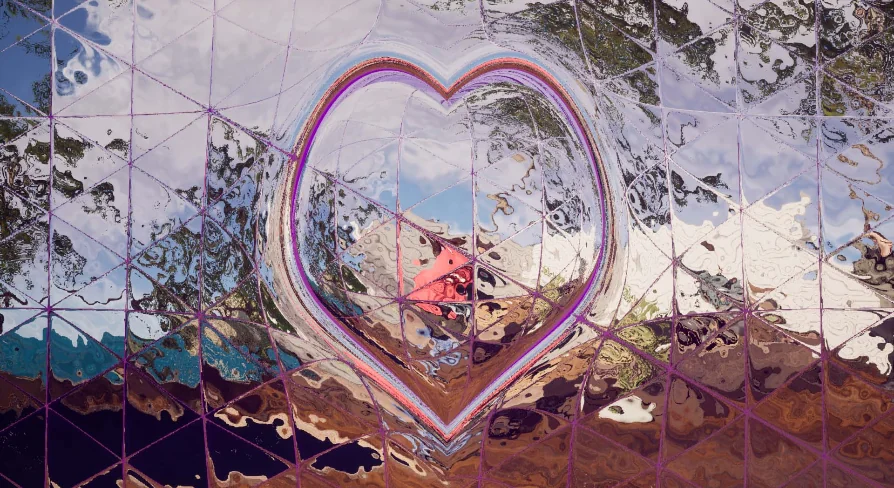
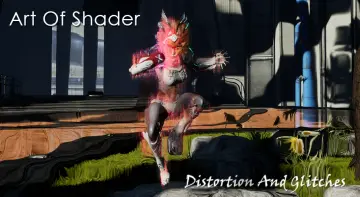
Integrating screen-space distortions into Unreal Engine projects begins at the post process stage, where shaders can either cover entire camera viewports or isolate individual scene elements. Art of Shader - Advanced Distortion provides a framework of post process materials engineered to be applied globally or localized directly around specific actors. Instead of confining rendering alterations to a single fullscreen pass, the system supports stacking, grouping, and blending different distortion behaviors together. This structural flexibility allows artists to set baseline atmospheric warping throughout a level while simultaneously assigning distinct, conflicting distortion profiles to individual dynamic targets.
Localizing a post process material requires isolating how visual adjustments map across space. Because these distortion shaders can be grouped and blended, developers can define clear boundaries for where an effect takes hold. A character moving through a designated volume can display intense visual instability, while the surrounding environment remains crisp. By managing materials in distinct layers, scene creators can maintain granular control over scene composition, ensuring that screen-space distortions do not interfere unintentionally with navigation, interface components, or core visual readability.
Tuning Advanced Distortion Parameters for Strength, Noise, and Color
The core interface within the material instances provides rapid parameter adjustments designed to eliminate friction during visual development. At the heart of each shader setup are controls for distortion strength, procedural noise values, and color modulation. Adjusting the strength value shifts the screen refraction from an almost imperceptible shimmer into an aggressive, screen-tearing displacement. The noise settings drive the underlying motion and spatial variance of the distortion, allowing operators to dial in high-frequency jitter, rhythmic waves, or disjointed graphical artifacts.
Color controls expand these distortions beyond simple refraction by remapping tones, altering chromatic profiles, or tinting displaced pixels. Artists can inject subtle chromatic variation along the fringes of the warped screen coordinates or flood entire noise fields with vivid color shifts. Because these properties are accessible via an intuitive parameter layout, testing variations does not require diving into complex mathematical nodes. Built-in presets supply immediate reference points for standard look development, giving artists baseline profiles that can be converted into specialized variations with a few quick edits.
Targeting Aesthetic Profiles: Sci-Fi Systems, Horror Atmospheres, and Stylized Renderings
Distortion is a fundamental tool for establishing tone and mechanical feedback across different production genres. In futuristic sci-fi projects, these materials can communicate technological malfunctions, cloaking fields, scanning sweeps, or holographic interference. High-speed noise variables combined with precise pixel-level offsets simulate digital artifacting, monitor noise, and energy shields that feel anchored in modern technology. The ability to fine-tune color and strength enables UI-focused distortions over UMG widgets or viewport overlays, providing diegetic feedback when a terminal glitches or an energy barrier activates.
For horror productions, the materials readily produce visual disorientation, dread, and reality-bending anomalies. Lower-frequency noise settings paired with wide refraction strength bend corridors, stretch silhouettes, and destabilize player perspective during intense encounters. By combining subtle optical warping with selective color tinting, artists can evoke psychological distress or environmental contamination without relying entirely on physical geometry modifications. Outside of realistic or gritty pipelines, the shaders integrate smoothly into stylized, anime, voxel, and cartoon workflows where deliberate, non-photorealistic visual effects are necessary to emphasize magical bursts, transparent shields, or expressive character actions.
Pipeline Performance, Dynamic Mesh Occlusion, and Megapack Integration
Post process effects must strike a careful balance between visual complexity and frame-budget efficiency. The shaders in this collection are built as highly optimized screen-space treatments, keeping rendering passes lightweight even when running multiple layered effects. Whether applied to broad environment levels or bound to interactive Blueprints, the calculations run efficiently without creating severe GPU bottlenecks during real-time gameplay.
Technical implementations can also take advantage of Dynamic Mesh Occluder integration, ensuring that localized screen effects interact cleanly with scene visibility pipelines. Because this module is also included as part of The Art of Shader Megapack, it adheres to a modular standard shared across adjacent post process collections. Assets can interchange parameters, blend alongside emissive or UV-driven materials, and cooperate cleanly with procedural scene scripts. Whether using raw textures or procedural noise generators, the modular structure safeguards memory allocations and keeps the rendering chain predictable.
Guided Onboarding Through Standalone Demos and Tutorial Frameworks
Adopting new post process assets into an existing technical pipeline is streamlined through extensive instructional materials and testing scenes. A standalone playable demo offers a practical testbed where developers can evaluate how individual distortion shaders behave under interactive camera conditions. Real-time testing allows technical artists to verify how motion vectors, lighting, and camera speeds interact with noise configurations before migrating assets into live production branches.
Comprehensive documentation and video tutorials break down implementation steps, covering everything from instance adjustments to complex scene placement. For deeper architectural understanding, the Tutorial Series: Mastering Post Process Shaders details foundational shader concepts, demonstrating how post process materials can be blended, localized, and sequenced effectively. A dedicated community Discord server provides an open channel for ongoing technical support, workflow troubleshooting, and implementation advice, ensuring that both solo creators and production teams can deploy advanced distortion effects with minimal iteration time.
 Shaders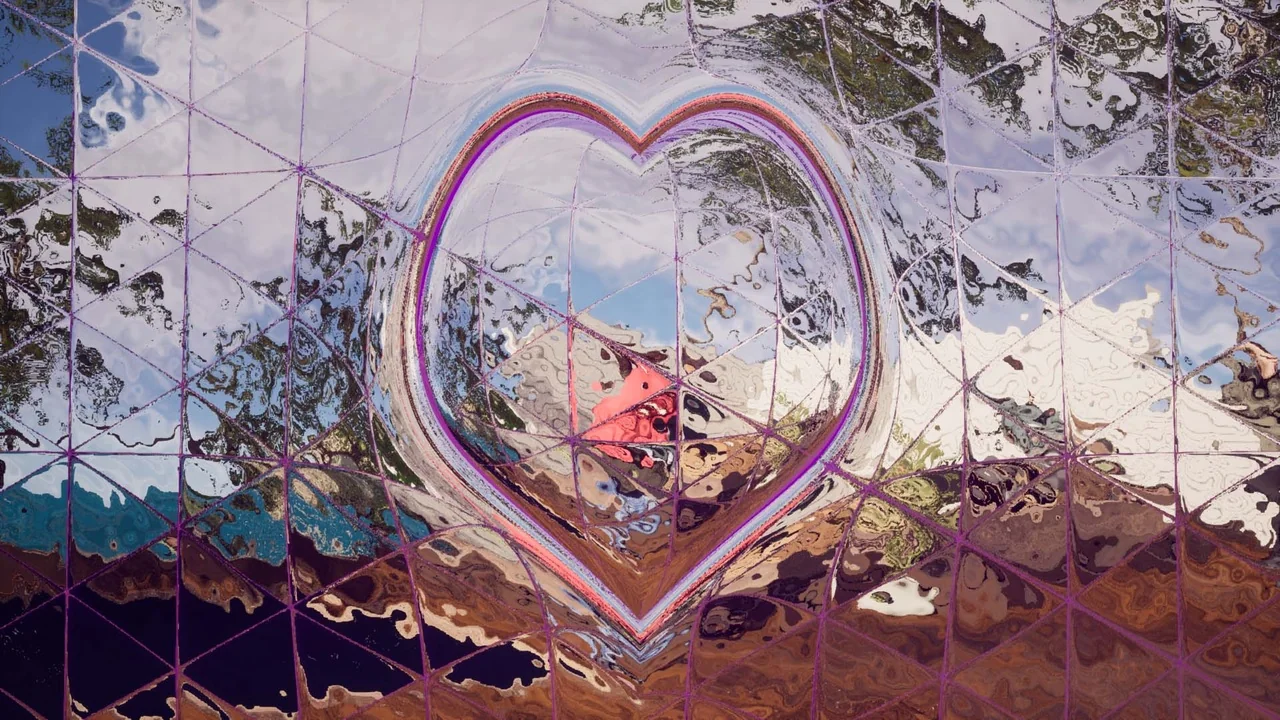
 Shaders
 Shaders
 Shaders