"1f00f67f9253451b"{"id":"1000932","slug":"water-physics","title":"Water Physics","category":"Physics","engine":"5.2 - 5.3","assetVersion":"Asset Version: 1.4.0","engineVersion":"Engine Version: 5.2 - 5.3","tag":"Physics","accent":"blue","visual":"mech","summary":"Add water physics to any UE4 physics body with minimal setup. Boat and watercraft buoyancy, per-component controls, C++ parallel performance.","platform":"Unreal Engine","publishedAt":"2026-08-09T16:56:30.145Z","updatedAt":"2026-08-09T16:56:30.145Z","sourceNotes":[],"fileContents":[],"compatibility":["Unreal Engine","Asset Version: 1.4.0","Engine Version: 5.2 - 5.3"],"featuredImage":{"alt":"Water Physics","src":"/wp-content/uploads/published/2026/08/4419bb2083d8-69daf250-13fc-4723-be96-b75648bd817b-f1d6d1d31a.webp"},"hasDownloadLink":true,"downloads":0,"terms":[{"taxonomy":"category","slug":"physics-tools-and-plugins","name":"Physics"}],"galleryImages":[{"src":"/wp-content/uploads/published/2026/08/5f81fc26bcb0-4e7020b9-e967-4e8f-98c5-7d72a028025a-92079c7f73.webp","alt":"Water Physics"},{"src":"/wp-content/uploads/published/2026/08/314b1c04d356-f7ba4561-5020-49e8-9621-42396e01a88a-bc31544a0e.webp","alt":"Water Physics"},{"src":"/wp-content/uploads/published/2026/08/6307f7227fb0-dfe0f7e1-7699-418d-aeb1-b1a9e71f0572-848696f925.webp","alt":"Water Physics"},{"src":"/wp-content/uploads/published/2026/08/c248650b3818-e3908025-35ed-4e3c-b007-a2048c106420-cacd04522f.webp","alt":"Water Physics"}],"accessPanel":{"kind":"resource","title":"Download this resource","eyebrow":"Free Download","message":"Log in or create a free account to start your download.","fileName":"Water Physics.7z","safetyNote":"Resources are manually reviewed before listing to improve quality and reduce obvious risks.","actionLabel":"Download Free","resourceType":"Resource archive"},"contentHtml":"\u003ch2\u003eWater Physics for Any Physics Body in Unreal Engine 4 (UE4)\u003c/h2\u003e\n\n\u003cp\u003eSetting up Buoyancy in Unreal Engine often means hand-placing float points or writing custom simulation logic for each Actor. This plugin bypasses that grind by letting you add water physics simulations to any Physics Body with minimal setup. It pulls Collision directly from your Actor, so you don't need to generate separate Collision shapes to get a believable float.\u003c/p\u003e\n\n\u003cp\u003eThe core workflow is simple: attach the water physics functionality to an Actor that already has Collision, and it starts interacting with water. The plugin reads the Actor's Collision data automatically, which is what makes the initial configuration so short. For someone dropping a Vehicle or Prop into a water scene, this removes the usual back-and-forth between Physics Assets and Buoyancy settings.\u003c/p\u003e\n\n\u003ch2\u003eBoats, Watercraft, and General Buoyancy\u003c/h2\u003e\n\n\u003cp\u003eWhile the plugin is specialized for boats and other watercraft, it's not locked to them. The same setup works for general-purpose Buoyancy simulations. You can apply it to floating crates, debris, or any other object that needs to sit in or move through water. The watercraft focus means it handles the specific forces that affect hulls, like resistance and stability, but it stays usable for simpler floating objects.\u003c/p\u003e\n\n\u003cp\u003eFor a boat, the Collision already defines the hull shape, and the plugin uses that shape to calculate where water pushes. That makes the behavior feel tied to the actual geometry of the vessel rather than a generic set of floaters. The package then offers a simulation that responds to the mass and shape you've already built into the Physics Body.\u003c/p\u003e\n\n\u003ch2\u003ePer-Component Controls and Dynamic Buoyancy Settings\u003c/h2\u003e\n\n\u003cp\u003e1 of the more useful parts for iterative tuning is the custom User Interface (UI) for per-component water simulation settings. Instead of relying on global defaults, you can adjust how each component behaves in water. Buoyancy settings can be modified dynamically at runtime, which opens up gameplay possibilities like changing ballast, flooding, or variable floatation mid-simulation.\u003c/p\u003e\n\n\u003cp\u003eThe per-component approach means 1 single Actor with multiple parts can have each part respond differently. A ship with separate hull sections can specify different Buoyancy for each section, or a Vehicle that transforms into a boat can switch its settings on the fly. Because the UI is laid out per component, you're not digging through 1 giant config file to find the setting you need.\u003c/p\u003e\n\n\u003ch2\u003eC++ and Parallelism: Performance Under Load\u003c/h2\u003e\n\n\u003cp\u003eThe plugin is written in C++ for optimal performance, and it's fully parallelized. That means the water physics calculations are spread across multiple threads, which matters when you have several floating Actors in the same scene. The parallelized path works whether you're using \u003ccode\u003eUE4 Water\u003c/code\u003e, \u003cem\u003eOceanology\u003c/em\u003e, or \u003cem\u003eRiverology\u003c/em\u003e, so it doesn't fall back to 1 single-threaded routine when you switch water systems.\u003c/p\u003e\n\n\u003cp\u003eMassive performance improvements came in Update \u003ccode\u003eV1.20\u003c/code\u003e, along with \u003ccode\u003eChaos Physics\u003c/code\u003e support. If you're on a project that builds from C++ using \u003ccode\u003e4.26 Chaos\u003c/code\u003e, the plugin can work with that physics system. The same update also extended platform support, making it a more flexible option for projects that aren't locked to 1 single build target.\u003c/p\u003e\n\n\u003ch2\u003eIntegration with \u003ccode\u003eUE4 Water\u003c/code\u003e, \u003cem\u003eOceanology\u003c/em\u003e, and \u003cem\u003eRiverology\u003c/em\u003e\u003c/h2\u003e\n\n\u003cp\u003eWater physics doesn't operate in a vacuum; it has to read the water surface that your scene uses. The plugin is fully integrated with \u003ccode\u003eUE4 Water\u003c/code\u003e, and later updates added support for the popular ocean plugins \u003cem\u003eOceanology\u003c/em\u003e and \u003cem\u003eRiverology\u003c/em\u003e. So if your project uses 1 of these water systems, the plugin works with it directly rather than requiring a custom adapter.\u003c/p\u003e\n\n\u003cp\u003eUpdate \u003ccode\u003eV1.3.12\u003c/code\u003e brought \u003cem\u003eRiverology\u003c/em\u003e support, and Update \u003ccode\u003eV1.3.0\u003c/code\u003e added \u003cem\u003eOceanology\u003c/em\u003e. Each integration expands the range of scenes you can use without reworking the core setup. Whether the water is an ocean, a river, or the built-in \u003ccode\u003eUE4 Water\u003c/code\u003e, the Buoyancy simulation stays consistent.\u003c/p\u003e\n\n\u003ch2\u003e\u003ccode\u003eChaos Physics\u003c/code\u003e Support and the New \u003ccode\u003eWater Physics Collision Component\u003c/code\u003e\u003c/h2\u003e\n\n\u003cp\u003eUpdate \u003ccode\u003eV1.2.0\u003c/code\u003e introduced \u003ccode\u003eChaos Physics\u003c/code\u003e support, though it requires the project to be built from C++ using \u003ccode\u003e4.26 Chaos\u003c/code\u003e. That's a specific constraint worth checking if you're on a newer engine version with Chaos enabled. The same update focused on performance improvements and broader platform support.\u003c/p\u003e\n\n\u003cp\u003eUpdate \u003ccode\u003eV1.1.0\u003c/code\u003e added a new \u003ccode\u003eWater Physics Collision Component\u003c/code\u003e, which gives you a dedicated component to handle Collision interactions specifically for the water simulation. Before that, the plugin relied on the Actor's existing Collision source. The new component offers a more direct way to control how Collision feeds into the Buoyancy calculation, and it was released alongside general bug fixes and a plugin trial version.\u003c/p\u003e\n\n\u003ch2\u003eWho Gets the Most from This Water Physics Plugin\u003c/h2\u003e\n\n\u003cp\u003eBecause the plugin is now free, it's an easy addition to any UE4 project that needs Buoyancy. The obvious audience is anyone building a boat or watercraft game, where the simulation's specialization will pay off. But it also fits projects that just need a few floating objects, whether those are gameplay pickups, environmental Props, or Vehicles that land in water.\u003c/p\u003e\n\n\u003cp\u003eSince the setup flow is shaped by sourcing Collision from the Actor, it suits teams working in \u003ccode\u003eBlueprints\u003c/code\u003e who want to avoid a heavy C++ custom solution. The plugin itself is C++ under the hood, but the per-component UI makes the settings accessible to less technical users. For a production that needs water physics without building a custom Buoyancy pipeline, this plugin covers the core simulation and keeps the tuning workflow compact.\u003c/p\u003e\n\n\u003ch2\u003eMore From The Same Workflow\u003c/h2\u003e\n\u003cul\u003e\n\u003cli\u003e\u003ca href=\"https://3dcghub.com/nwh-dynamic-water-physics-2/\" title=\"NWH Dynamic Water Physics 2\"\u003eNWH Dynamic Water Physics 2\u003c/a\u003e\u003c/li\u003e\n\u003cli\u003e\u003ca href=\"https://3dcghub.com/dynamic-real-water/\" title=\"Dynamic Real Water\"\u003eDynamic Real Water\u003c/a\u003e\u003c/li\u003e\n\u003cli\u003e\u003ca href=\"https://3dcghub.com/rescatter/\" title=\"ReScatter\"\u003eReScatter\u003c/a\u003e\u003c/li\u003e\n\u003cli\u003e\u003ca href=\"https://3dcghub.com/dynamic-water-physics-2/\" title=\"Dynamic Water Physics 2\"\u003eDynamic Water Physics 2\u003c/a\u003e\u003c/li\u003e\n\u003cli\u003e\u003ca href=\"https://3dcghub.com/collision-disabler/\" title=\"Collision Disabler\"\u003eCollision Disabler\u003c/a\u003e\u003c/li\u003e\n\u003c/ul\u003e","contentTextLength":5733,"navigation":{"current":397,"total":3222,"previous":{"id":"1000933","slug":"winter-dragon-wyvern","title":"Winter Dragon (Wyvern)","category":"Characters \u0026 Creatures","platform":"Unreal Engine","updatedAt":"2026-08-09T17:00:32.602Z"},"next":{"id":"1000931","slug":"tyrannosaurus-rex","title":"Tyrannosaurus Rex","category":"Creatures \u0026 Monsters","platform":"Unreal Engine","updatedAt":"2026-08-09T16:51:23.112Z"}},"relatedResources":[{"id":"1000126","slug":"nwh-dynamic-water-physics-2","title":"NWH Dynamic Water Physics 2","category":"Physics","engine":"4.27","assetVersion":"Asset Version:1.0","engineVersion":"Engine Version: 4.27","tag":"Physics","accent":"blue","visual":"mech","summary":"A mesh-driven water-object interaction simulator for Unreal Engine featuring accurate buoyancy, hydrodynamics, and multi-threaded performance.","platform":"Unreal Engine","publishedAt":"2026-06-11T10:05:36.789Z","updatedAt":"2026-06-11T10:05:36.789Z","sourceNotes":[],"fileContents":[],"compatibility":["Unreal Engine","Asset Version:1.0","Engine Version: 4.27"],"featuredImage":{"alt":"NWH Dynamic Water Physics 2","src":"/wp-content/uploads/published/2026/06/0c4bc739a663-3a9c0c1e-64c3-40f4-b2dd-9e546051f444-a77f918910.webp"},"hasDownloadLink":true,"downloads":0},{"id":"13883","slug":"dynamic-real-water","title":"Dynamic Real Water","category":"Engine Tools","engine":"5.7","assetVersion":"Engine version: 5.7","engineVersion":"Asset Version:1.1","tag":"Engine Tools","accent":"blue","visual":"mech","summary":"Enhance your Unreal Engine 5 environments with Dynamic Real Water, a high-performance FFT simulation plugin. It offers realistic wave dynamics, advanced buoyancy physics, and seamless replication for multiplayer projects.","platform":"Unreal Engine","publishedAt":"2026-03-11T10:30:53.000Z","updatedAt":"2026-04-19T15:46:20.000Z","sourceNotes":[],"fileContents":[],"compatibility":["Unreal Engine","Engine version: 5.7","Asset Version: 1.1"],"featuredImage":{"alt":"Dynamic Real Water","src":"https://3dcghub.com/wp-content/uploads/2026/03/8532c421-bf8f-4903-bbfc-9e94a063892e.webp"},"hasDownloadLink":true,"downloads":2},{"id":"1001063","slug":"physics-collision-sound","title":"Physics Collision Sound","category":"Gameplay Features","engine":"5.3+","assetVersion":"","engineVersion":"Engine Version: 5.3+","tag":"Gameplay Features","accent":"blue","visual":"mech","summary":"Physics Collision Sound adds material-aware hit, slide, roll, and water audio to any Unreal mesh with a simple drag-and-drop Blueprint workflow.","platform":"Unreal Engine","publishedAt":"2026-09-03T13:17:54.533Z","updatedAt":"2026-09-03T13:17:54.533Z","sourceNotes":[],"fileContents":[],"compatibility":["Audio","Engine Version: 5.3+"],"featuredImage":{"alt":"Physics Collision Sound","src":"/wp-content/uploads/published/2026/09/05c916db7e98-eff97865-a529-4495-b2bb-27b0ce374707-e1e1376bbe.webp"},"hasDownloadLink":true,"downloads":1}]}
Physics
Water Physics
Add water physics to any UE4 physics body with minimal setup. Boat and watercraft buoyancy, per-component controls, C++ parallel performance.
Water Physics for Any Physics Body in Unreal Engine 4 (UE4)
Setting up Buoyancy in Unreal Engine often means hand-placing float points or writing custom simulation logic for each Actor. This plugin bypasses that grind by letting you add water physics simulations to any Physics Body with minimal setup. It pulls Collision directly from your Actor, so you don't need to generate separate Collision shapes to get a believable float.
The core workflow is simple: attach the water physics functionality to an Actor that already has Collision, and it starts interacting with water. The plugin reads the Actor's Collision data automatically, which is what makes the initial configuration so short. For someone dropping a Vehicle or Prop into a water scene, this removes the usual back-and-forth between Physics Assets and Buoyancy settings.
Boats, Watercraft, and General Buoyancy
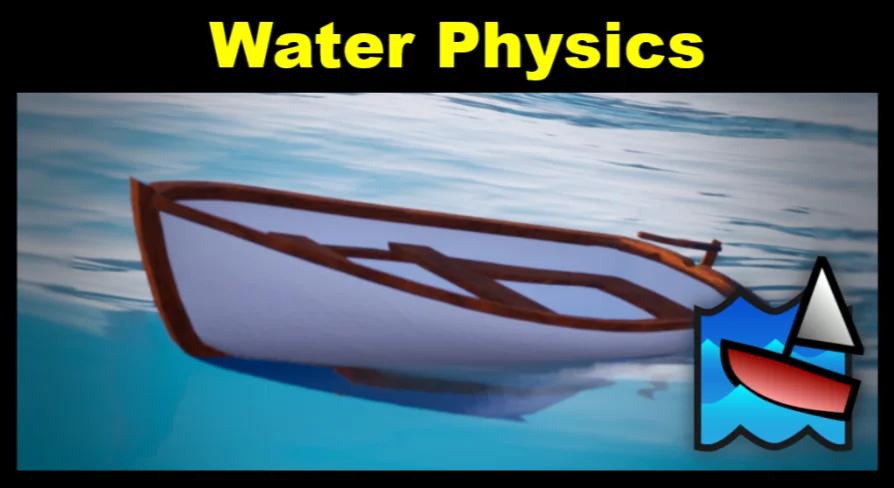
While the plugin is specialized for boats and other watercraft, it's not locked to them. The same setup works for general-purpose Buoyancy simulations. You can apply it to floating crates, debris, or any other object that needs to sit in or move through water. The watercraft focus means it handles the specific forces that affect hulls, like resistance and stability, but it stays usable for simpler floating objects.
For a boat, the Collision already defines the hull shape, and the plugin uses that shape to calculate where water pushes. That makes the behavior feel tied to the actual geometry of the vessel rather than a generic set of floaters. The package then offers a simulation that responds to the mass and shape you've already built into the Physics Body.
Per-Component Controls and Dynamic Buoyancy Settings
1 of the more useful parts for iterative tuning is the custom User Interface (UI) for per-component water simulation settings. Instead of relying on global defaults, you can adjust how each component behaves in water. Buoyancy settings can be modified dynamically at runtime, which opens up gameplay possibilities like changing ballast, flooding, or variable floatation mid-simulation.
The per-component approach means 1 single Actor with multiple parts can have each part respond differently. A ship with separate hull sections can specify different Buoyancy for each section, or a Vehicle that transforms into a boat can switch its settings on the fly. Because the UI is laid out per component, you're not digging through 1 giant config file to find the setting you need.
C++ and Parallelism: Performance Under Load
The plugin is written in C++ for optimal performance, and it's fully parallelized. That means the water physics calculations are spread across multiple threads, which matters when you have several floating Actors in the same scene. The parallelized path works whether you're using UE4 Water, Oceanology, or Riverology, so it doesn't fall back to 1 single-threaded routine when you switch water systems.
Massive performance improvements came in Update V1.20, along with Chaos Physics support. If you're on a project that builds from C++ using 4.26 Chaos, the plugin can work with that physics system. The same update also extended platform support, making it a more flexible option for projects that aren't locked to 1 single build target.
Integration with UE4 Water, Oceanology, and Riverology
Water physics doesn't operate in a vacuum; it has to read the water surface that your scene uses. The plugin is fully integrated with UE4 Water, and later updates added support for the popular ocean plugins Oceanology and Riverology. So if your project uses 1 of these water systems, the plugin works with it directly rather than requiring a custom adapter.
Update V1.3.12 brought Riverology support, and Update V1.3.0 added Oceanology. Each integration expands the range of scenes you can use without reworking the core setup. Whether the water is an ocean, a river, or the built-in UE4 Water, the Buoyancy simulation stays consistent.
Chaos Physics Support and the New Water Physics Collision Component
Update V1.2.0 introduced Chaos Physics support, though it requires the project to be built from C++ using 4.26 Chaos. That's a specific constraint worth checking if you're on a newer engine version with Chaos enabled. The same update focused on performance improvements and broader platform support.
Update V1.1.0 added a new Water Physics Collision Component, which gives you a dedicated component to handle Collision interactions specifically for the water simulation. Before that, the plugin relied on the Actor's existing Collision source. The new component offers a more direct way to control how Collision feeds into the Buoyancy calculation, and it was released alongside general bug fixes and a plugin trial version.
Who Gets the Most from This Water Physics Plugin
Because the plugin is now free, it's an easy addition to any UE4 project that needs Buoyancy. The obvious audience is anyone building a boat or watercraft game, where the simulation's specialization will pay off. But it also fits projects that just need a few floating objects, whether those are gameplay pickups, environmental Props, or Vehicles that land in water.
Since the setup flow is shaped by sourcing Collision from the Actor, it suits teams working in Blueprints who want to avoid a heavy C++ custom solution. The plugin itself is C++ under the hood, but the per-component UI makes the settings accessible to less technical users. For a production that needs water physics without building a custom Buoyancy pipeline, this plugin covers the core simulation and keeps the tuning workflow compact.
 Physics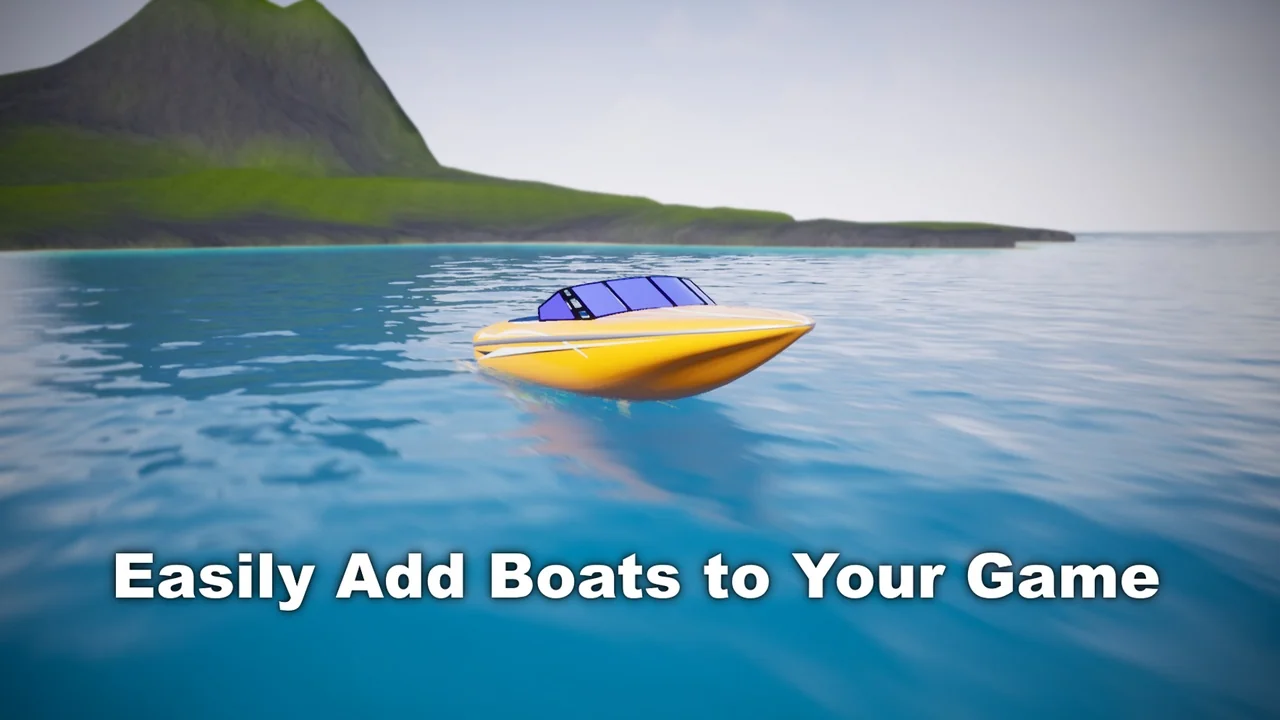
 Physics
 Engine Tools
 Gameplay Features