

ProInstance Tools Plugin
A set of tools to control procedurally generated placement of meshes or actors with easy and unified settings. ProInstance Tools is a lightweight set of tools to control mesh or actor placement using procedural generation with easy to understand and unified settings. It can help you avoid doing lots of
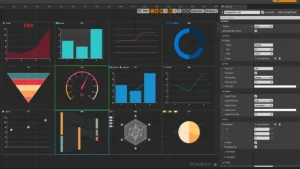
SimpleCharts
This can be an easy to use chart plugin. You can use it completely through UMG, or you can use blueprints to update the chart at runtime. This plug-in cannot be used with the WebBrowser. (Now it supports nearly 4.27 compatible with WebBrowser.)If you need to use Web browser, plug-in
Procedural Terrain Generator v2
Easy and lightweight plugin for procedural terrain generation within the editor, using your own assets. The Procedural Terrain Generator (PTG) v2 is an editor code plugin that aims to assist the user by procedurally creating terrains with different shaped (plane, sphere or cube) and populate it with thousands of nature meshes (using
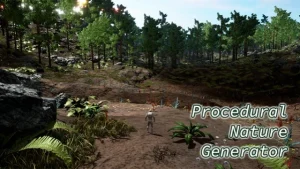
Procedural Nature Generator
Easy and lightweight plugin for procedural nature generation within the editor, using your own landscapes and assets. PNG also provides modifiers and other settings that let you create exceptions on the landscape for certain assets generation. For example, you can use trees and grass assets, but configuring the plugin to

Landscaping
An easy way to import GIS data as single Landscape, World Partition or World Composition, generate Weightmaps, Spline Actors and more. Landscaping offers an easy way to import GIS data as single Landscape or World Composition (UE4) or World Partition (UE5) or Procedural/Static Mesh. Import Digital Terrain Models (DTM) Supports
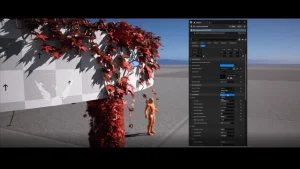
Crazy Ivy – Procedural Ivy & Vine Generator Plug-in – Auto Grow Plants In Editor
Crazy Ivy is an easy-to-use plugin that makes growing realistic ivy directly in the editor possible. The procedural ivy adapts to the static meshes in your scene by automatically detecting the surface of your mesh. The result is a believable, optimized, customizable 3D-ivy plant system unique to your scene. The
AlterMesh — Geometry Nodes in Unreal
Perform your knowledge of blender in Unreal Engine with AlterMesh, enjoy the malleability that GeometryNodes can offer. Through AlterMesh promote integration between Blender and Unreal Engine, preserving your Geometry Nodes parameters, and providing a fast and Non-Destructive Workflow. Save time in Unreal Engine and retain your editable files that you

Vector Flow Field 2D
A fully GPU-powered Vector flow fields visualization that can render a million particles at 60fps If you have any Vector field data, you can use this plug-in to draw the flow field, this plugin is a fully GPU-powered flow field visualization that can render a million particles at 60fps. Click
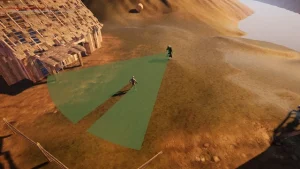
Line Of Sight. Dynamic mesh.
The component creates a field of view (Field of vision) and allows you to detect objects. It can also be used in postprocess for a pseudo lighting and fog of war effect. The only “Line Of Sight” plugin on the market with support for two arches, two types of geometric

Instance Damage System
A full fledged solution for interaction with Instanced Static Meshes in your open worlds with multiplayer support! Easy scripting in BP’s thanks to exposed functionalities. Built with UE5 World Partition system in mind. Instance Damage System lets you interact with instanced static meshes in an open world fashion! Click here
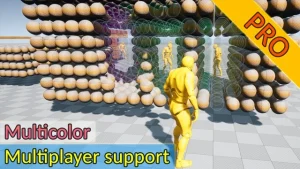
Advanced Fade Objects PRO – Multicolor
This system uses only one component to make objects transparent between the character and the camera. Objects can be of any complexity and with any number of materials. Click here to view the full details of the resource.:URL Click the button below to download. Download:

EnGore: Procedural Dismemberment
Procedurally dismember any bones of a skeletal mesh. No need to bake any extra meshes. Includes Blood / Gore FX that can be easily interchanged for any other FX. The system is Highly Customizable. It will work with any Character, Creature, Animal, or monster as long as they are a