"e88a43d85ab64b40"{"id":"1000340","slug":"smart-measure-distance-and-length-measurement","title":"Smart Measure – Distance \u0026 Length Measurement","category":"Engine Tools","engine":"5.3+","assetVersion":"","engineVersion":"Engine Version: 5.3+","tag":"Engine Tools","accent":"blue","visual":"mech","summary":"A clean, multi-unit measurement utility for Unreal Engine designed to provide precise object-to-object distance calculations for virtual production and layout.","platform":"Unreal Engine","publishedAt":"2026-07-05T08:33:20.520Z","updatedAt":"2026-07-05T08:33:20.520Z","sourceNotes":[],"fileContents":[],"compatibility":["Unreal Engine","Engine Version: 5.3+"],"featuredImage":{"alt":"Smart Measure – Distance \u0026 Length Measurement","src":"/wp-content/uploads/published/2026/07/5877dd3ff6f3-b92f6847-78fe-451c-a28f-635e70858e10-05bd63ebfc.webp"},"hasDownloadLink":true,"downloads":0,"terms":[{"taxonomy":"category","slug":"engine-tools","name":"Engine Tools"}],"galleryImages":[{"src":"/wp-content/uploads/published/2026/07/fb17464e1cc4-3c9f932f-410c-452e-81da-785cb2e9c6c5-1e6e3b14da.webp","alt":"Smart Measure – Distance \u0026 Length Measurement"},{"src":"/wp-content/uploads/published/2026/07/b2b3a2128ad7-285a64b8-8edf-4093-9cf1-672a1a503fba-4791d75cb9.webp","alt":"Smart Measure – Distance \u0026 Length Measurement"},{"src":"/wp-content/uploads/published/2026/07/50a828207ec2-d2277332-e774-4918-8b7b-00d172dd6912-5abd7dc686.webp","alt":"Smart Measure – Distance \u0026 Length Measurement"}],"accessPanel":{"kind":"resource","title":"Download this resource","eyebrow":"Free Download","message":"Log in or create a free account to start your download.","fileName":"Content.7z","safetyNote":"Resources are manually reviewed before listing to improve quality and reduce obvious risks.","actionLabel":"Download Free","resourceType":"Resource archive"},"contentHtml":"\u003ch2\u003eValidating Scale and Clearances in Unreal Engine\u003c/h2\u003e\n\u003cp\u003eIn the fast-paced environments of virtual production and real-time staging, confirming spatial relationships often becomes a critical, last-minute necessity. Whether a project involves verifying actor spacing, checking physical clearances for digital camera moves, or validating the overall scale of an environment right before a shoot, having immediate access to exact spatial data is absolutely essential. Smart Measure addresses these specific scenarios by providing a clean, accurate, and production-ready measurement utility directly inside Unreal Engine. Rather than relying on visual estimation or dealing with cumbersome workarounds, environment designers and layout artists can utilize this tool to instantly retrieve precise length and distance calculations.\u003c/p\u003e\n\u003cp\u003eThe utility is engineered specifically for layout validation workflows, ensuring that set pieces are aligned correctly and continuous spatial awareness is maintained throughout the staging process. By removing the guesswork inherent in translating physical stage dimensions to digital environments, the tool facilitates faster scene setup. When working on modular sets or realistic environments, confirming that clearances match the intended design prevents costly real-world delays. Smart Measure provides instant visual confirmation, delivering pure functionality precisely when accurate measurements become an urgent priority.\u003c/p\u003e \u003ch2\u003eExecuting Object-to-Object Distance Calculations\u003c/h2\u003e\n\u003cp\u003eAt the core of the utility is its ability to quickly calculate the exact distance between any two objects within a scene. During environment design or virtual production staging, determining prop distances or confirming the specific staging space between stand-ins for actors requires schematic accuracy. Smart Measure handles these object-to-object calculations procedurally, delivering immediate readouts directly in the viewport. This functionality is particularly vital when making last-minute adjustments on a live set.\u003c/p\u003e\n\u003cp\u003eIf a virtual production director needs to know the exact physical clearance between a digital vehicle and a structural wall, or the specific staging distance between two interactive modular elements, the utility provides that data in seconds. The workflow relies on straightforward execution, bypassing complex setups in favor of actionable results. Functioning as an essential editor and runtime multimeter for spatial dimensions, it ensures that every layout decision is backed by accurate, real-time data rather than approximation.\u003c/p\u003e \u003ch2\u003eMulti-Unit Measurement for Diverse Production Workflows\u003c/h2\u003e\n\u003cp\u003eProduction teams frequently operate across different measurement standards, especially when integrating practical set pieces with digital extensions or importing architectural CAD data. To accommodate diverse staging requirements, Smart Measure features comprehensive multi-unit measurement support. Users can instantly measure and display scene lengths in centimeters, meters, feet, or inches.\u003c/p\u003e\n\u003cp\u003eThis flexibility allows environment artists to validate scale using the exact units required by the physical art department or the specific schematic parameters of a given project. Whether roughing out the broad strokes of a sprawling landscape in meters or fine-tuning the realistic placement of a small prop down to the individual inch, the utility adapts seamlessly. The ability to switch between metric and imperial units on the fly ensures that layout artists can maintain absolute precision without needing to perform manual, out-of-engine conversions. This multi-unit approach bridges the gap between traditional CAD environments and real-time Unreal Engine workflows.\u003c/p\u003e \u003ch2\u003eMinimalist Visualization and Real-Time Performance\u003c/h2\u003e\n\u003cp\u003eIntegrating measurement tools into an active Unreal Engine viewport can sometimes introduce unwanted visual clutter or unintentionally drag down editor performance. Smart Measure is designed to counter these common issues by prioritizing a highly minimalist approach. The utility employs a minimal on-screen ruler visualization that relays the necessary numerical data without obscuring the surrounding environment or interfering with the scene's composition.\u003c/p\u003e\n\u003cp\u003eUtilizing clean, lowpoly, and emissive visual elements, the tool ensures that the measurement readouts remain highly visible against complex or darkly lit backgrounds, which is a common occurrence during the early lighting phases of virtual production. Despite this high visibility, it maintains a clutter-free workspace free from heavy UI panels. Furthermore, the tool is built explicitly for real-time workflows, boasting zero performance impact. Implemented efficiently via Blueprints as an editor utility, it can remain active during demanding staging sessions without interrupting the creative flow or dropping frame rates.\u003c/p\u003e \u003ch2\u003eFacilitating Cleaner Decision-Making in Environment Design\u003c/h2\u003e\n\u003cp\u003eUltimately, the practical value of precise measurement utilities lies in their ability to streamline the production pipeline. Spatial measurements frequently transition from routine tasks to unexpected hurdles just before rendering a final shot or locking a level layout. By providing instant, accurate spatial awareness, Smart Measure equips virtual production crews and environment designers with the exact dimensions they need, right when the pressure is highest.\u003c/p\u003e\n\u003cp\u003eThe straightforward, procedural design ensures that it acts as an essential, everyday editor utility rather than a highly specialized, cumbersome plugin that requires extensive training to use. For professionals focused on realistic layout, staging accuracy, and structural validation, the tool eliminates staging ambiguities. It supports a highly organized, accurate approach to environment design, ensuring that every centimeter, meter, inch, or foot is accounted for before the cameras start rolling.\u003c/p\u003e\n\n\u003ch2\u003eContinue Browsing Similar Packs\u003c/h2\u003e\n\u003cul\u003e\n\u003cli\u003e\u003ca href=\"https://3dcghub.com/smart-cable-connector/\" title=\"Smart Cable Connector\"\u003eSmart Cable Connector\u003c/a\u003e\u003c/li\u003e\n\u003cli\u003e\u003ca href=\"https://3dcghub.com/smart-ai/\" title=\"Smart AI\"\u003eSmart AI\u003c/a\u003e\u003c/li\u003e\n\u003cli\u003e\u003ca href=\"https://3dcghub.com/brushify-volcano-pack/\" title=\"Brushify Volcano Pack\"\u003eBrushify Volcano Pack\u003c/a\u003e\u003c/li\u003e\n\u003cli\u003e\u003ca href=\"https://3dcghub.com/advanced-water-material/\" title=\"Advanced Water Material\"\u003eAdvanced Water Material\u003c/a\u003e\u003c/li\u003e\n\u003cli\u003e\u003ca href=\"https://3dcghub.com/ultimate-touch-components/\" title=\"Ultimate Touch Components\"\u003eUltimate Touch Components\u003c/a\u003e\u003c/li\u003e\n\u003c/ul\u003e","contentTextLength":5988,"navigation":{"current":1287,"total":3487,"previous":{"id":"1000343","slug":"speech-generation-system","title":"Speech Generation System","category":"Gameplay Features","platform":"Unreal Engine","updatedAt":"2026-07-05T08:43:33.310Z"},"next":{"id":"1000339","slug":"skill-set-vfx","title":"Skill Set VFX","category":"Spells \u0026 Combat","platform":"Unreal Engine","updatedAt":"2026-07-05T08:30:23.100Z"}},"relatedResources":[{"id":"1000341","slug":"smart-shooting-npc-and-player-projectile-target-prediction-and-ballistic-system","title":"Smart Shooting - NPC \u0026 Player Projectile Target Prediction \u0026 Ballistic System","category":"Game Mechanics","engine":"5.4 - 5.5,5.7","assetVersion":"Asset Version: 1.0.6 - 1.1.0","engineVersion":"Engine Version: 5.4 - 5.5,5.7","tag":"Game Mechanics","accent":"blue","visual":"mech","summary":"A comprehensive Unreal Engine shooting system featuring target prediction, parabolic trajectories, and C++ optimized background calculations for NPCs and player","platform":"Unreal Engine","publishedAt":"2026-07-05T08:36:29.188Z","updatedAt":"2026-07-23T16:54:01.327Z","sourceNotes":[],"fileContents":[],"compatibility":["Unreal Engine","Asset Version: 1.0.6 - 1.1.0","Engine Version: 5.4 - 5.5,5.7"],"featuredImage":{"alt":"Smart Shooting - NPC \u0026 Player Projectile Target Prediction \u0026 Ballistic System","src":"/wp-content/uploads/published/2026/07/051ba082f09c-1bc7df8d-34b4-4ea9-95a1-58ea32b1439e-fa9fc2ec39.webp"},"hasDownloadLink":true,"downloads":1},{"id":"1001068","slug":"smart-locomotion","title":"Smart Locomotion","category":"Animations","engine":"5.2+","assetVersion":"","engineVersion":"Engine Version: 5.2+","tag":"Animations","accent":"blue","visual":"animation","summary":"Smart Locomotion is a multiplayer-ready movement template with FPS/TPS cameras, parkour, swimming, ladders, combat stances, Foot IK, and high-quality animations","platform":"Unreal Engine","publishedAt":"2026-09-03T16:46:08.418Z","updatedAt":"2026-09-03T16:46:08.418Z","sourceNotes":[],"fileContents":[],"compatibility":["Unreal Engine","Engine Version: 5.2+"],"featuredImage":{"alt":"Smart Locomotion","src":"/wp-content/uploads/published/2026/09/e88f36f8a02e-55b74ceb-8f2a-4af4-9e60-b34718f52e90-b86c5e3d03.webp"},"hasDownloadLink":true,"downloads":1},{"id":"1001204","slug":"kcisa-korean-traditional-smart-materials-vol-4","title":"KCISA -Korean Traditional Smart Materials Vol.4","category":"Art \u0026 Traditional","engine":"5.0+","assetVersion":"","engineVersion":"Engine Version: 5.0+","tag":"Art \u0026 Traditional","accent":"blue","visual":"luts","summary":"Explore KCISA -Korean Traditional Smart Materials Vol.4, featuring traditional Korean architectural and landscape materials like stone, wood, and brick.","platform":"Unreal Engine","publishedAt":"2026-09-19T08:22:21.629Z","updatedAt":"2026-09-19T08:22:21.629Z","sourceNotes":[],"fileContents":[],"compatibility":["Unreal Engine","Engine Version: 5.0+"],"featuredImage":{"alt":"KCISA -Korean Traditional Smart Materials Vol.4","src":"/wp-content/uploads/published/2026/09/fd8800c89146-2ccabbb3-8c43-41a7-a712-5039b9416d55-e69509d935.webp"},"hasDownloadLink":true,"downloads":0}]}
Engine Tools
Smart Measure – Distance & Length Measurement
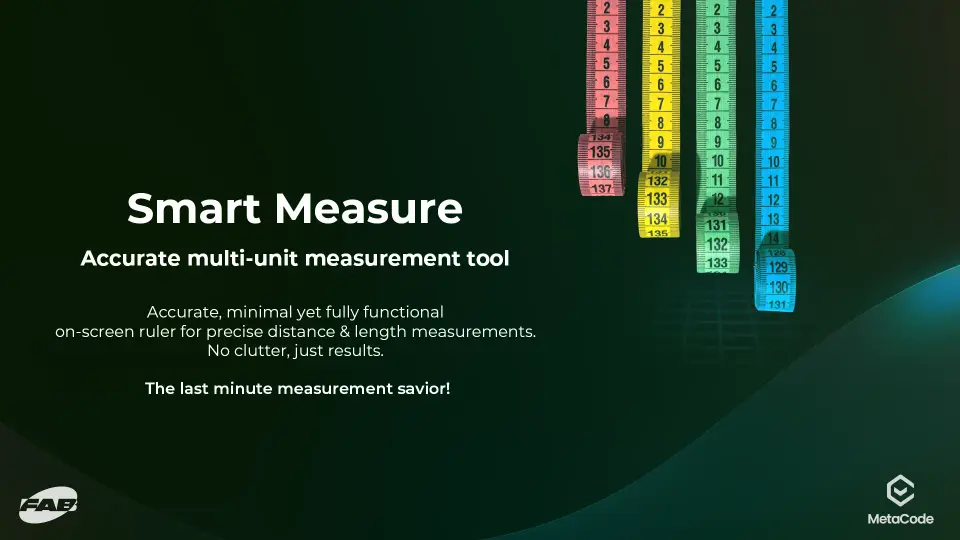
A clean, multi-unit measurement utility for Unreal Engine designed to provide precise object-to-object distance calculations for virtual production and layout.
In the fast-paced environments of virtual production and real-time staging, confirming spatial relationships often becomes a critical, last-minute necessity. Whether a project involves verifying actor spacing, checking physical clearances for digital camera moves, or validating the overall scale of an environment right before a shoot, having immediate access to exact spatial data is absolutely essential. Smart Measure addresses these specific scenarios by providing a clean, accurate, and production-ready measurement utility directly inside Unreal Engine. Rather than relying on visual estimation or dealing with cumbersome workarounds, environment designers and layout artists can utilize this tool to instantly retrieve precise length and distance calculations.
The utility is engineered specifically for layout validation workflows, ensuring that set pieces are aligned correctly and continuous spatial awareness is maintained throughout the staging process. By removing the guesswork inherent in translating physical stage dimensions to digital environments, the tool facilitates faster scene setup. When working on modular sets or realistic environments, confirming that clearances match the intended design prevents costly real-world delays. Smart Measure provides instant visual confirmation, delivering pure functionality precisely when accurate measurements become an urgent priority.
Executing Object-to-Object Distance Calculations
At the core of the utility is its ability to quickly calculate the exact distance between any two objects within a scene. During environment design or virtual production staging, determining prop distances or confirming the specific staging space between stand-ins for actors requires schematic accuracy. Smart Measure handles these object-to-object calculations procedurally, delivering immediate readouts directly in the viewport. This functionality is particularly vital when making last-minute adjustments on a live set.
If a virtual production director needs to know the exact physical clearance between a digital vehicle and a structural wall, or the specific staging distance between two interactive modular elements, the utility provides that data in seconds. The workflow relies on straightforward execution, bypassing complex setups in favor of actionable results. Functioning as an essential editor and runtime multimeter for spatial dimensions, it ensures that every layout decision is backed by accurate, real-time data rather than approximation.
Multi-Unit Measurement for Diverse Production Workflows
Production teams frequently operate across different measurement standards, especially when integrating practical set pieces with digital extensions or importing architectural CAD data. To accommodate diverse staging requirements, Smart Measure features comprehensive multi-unit measurement support. Users can instantly measure and display scene lengths in centimeters, meters, feet, or inches.
This flexibility allows environment artists to validate scale using the exact units required by the physical art department or the specific schematic parameters of a given project. Whether roughing out the broad strokes of a sprawling landscape in meters or fine-tuning the realistic placement of a small prop down to the individual inch, the utility adapts seamlessly. The ability to switch between metric and imperial units on the fly ensures that layout artists can maintain absolute precision without needing to perform manual, out-of-engine conversions. This multi-unit approach bridges the gap between traditional CAD environments and real-time Unreal Engine workflows.
Minimalist Visualization and Real-Time Performance
Integrating measurement tools into an active Unreal Engine viewport can sometimes introduce unwanted visual clutter or unintentionally drag down editor performance. Smart Measure is designed to counter these common issues by prioritizing a highly minimalist approach. The utility employs a minimal on-screen ruler visualization that relays the necessary numerical data without obscuring the surrounding environment or interfering with the scene's composition.
Utilizing clean, lowpoly, and emissive visual elements, the tool ensures that the measurement readouts remain highly visible against complex or darkly lit backgrounds, which is a common occurrence during the early lighting phases of virtual production. Despite this high visibility, it maintains a clutter-free workspace free from heavy UI panels. Furthermore, the tool is built explicitly for real-time workflows, boasting zero performance impact. Implemented efficiently via Blueprints as an editor utility, it can remain active during demanding staging sessions without interrupting the creative flow or dropping frame rates.
Facilitating Cleaner Decision-Making in Environment Design
Ultimately, the practical value of precise measurement utilities lies in their ability to streamline the production pipeline. Spatial measurements frequently transition from routine tasks to unexpected hurdles just before rendering a final shot or locking a level layout. By providing instant, accurate spatial awareness, Smart Measure equips virtual production crews and environment designers with the exact dimensions they need, right when the pressure is highest.
The straightforward, procedural design ensures that it acts as an essential, everyday editor utility rather than a highly specialized, cumbersome plugin that requires extensive training to use. For professionals focused on realistic layout, staging accuracy, and structural validation, the tool eliminates staging ambiguities. It supports a highly organized, accurate approach to environment design, ensuring that every centimeter, meter, inch, or foot is accounted for before the cameras start rolling.
 Engine Tools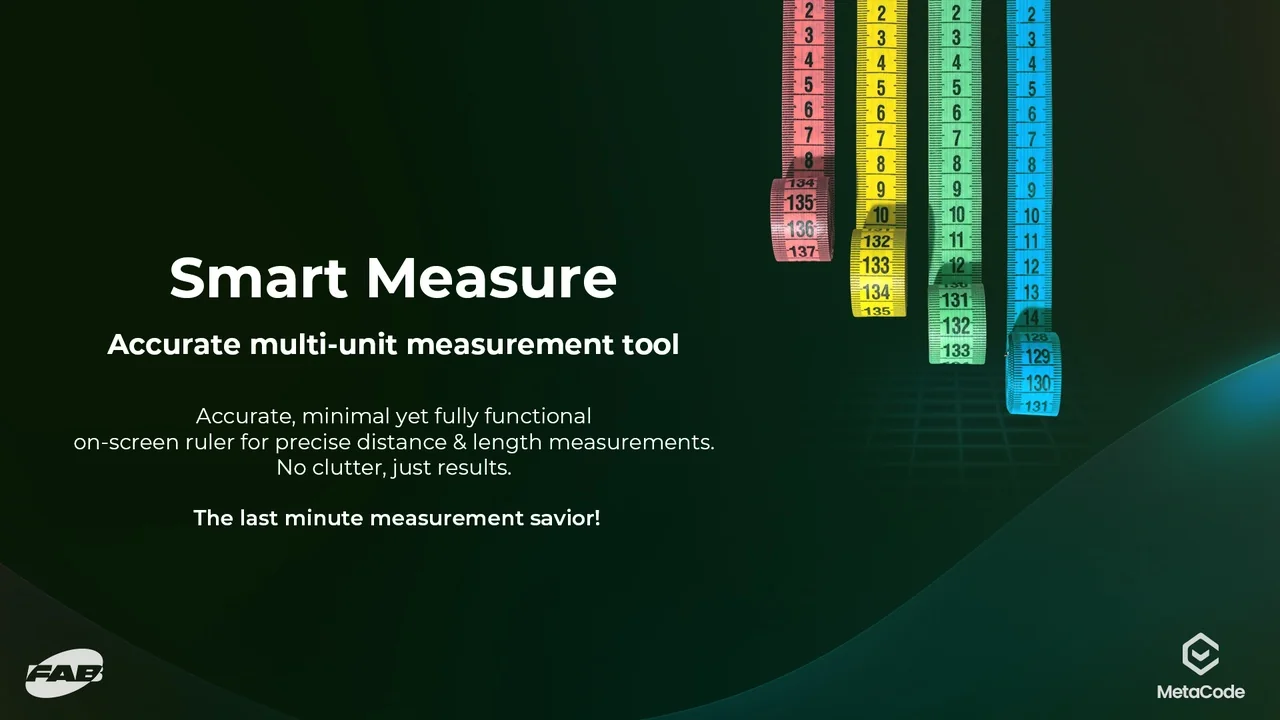
 Game Mechanics
 Animations
 Art & Traditional