"7066dd76da796369"{"id":"1000776","slug":"slime-vfx-2","title":"Slime VFX","category":"Variety","engine":"4.27,5.0+","assetVersion":"","engineVersion":"Engine Version: 4.27,5.0+","tag":"Variety","accent":"blue","visual":"mech","summary":"Five unique slime VFX effects plus a slime decal built in Unreal Engine Niagara with controllable parameters, drag-and-drop ready for game-ready projects.","platform":"Unreal Engine","publishedAt":"2026-07-28T18:10:15.879Z","updatedAt":"2026-07-28T18:10:15.879Z","sourceNotes":[],"fileContents":[],"compatibility":["Unreal Engine","Engine Version: 4.27,5.0+"],"featuredImage":{"alt":"Slime VFX","src":"/wp-content/uploads/published/2026/07/da5a47581944-e9974b07-480c-482e-bfe2-7d679288a657-f2c75b7c0f.webp"},"hasDownloadLink":true,"downloads":3,"terms":[{"taxonomy":"category","slug":"variety-vfx","name":"Variety"}],"galleryImages":[{"src":"/wp-content/uploads/published/2026/07/af5146f5bbd5-cb5f9b56-397f-4e8c-968d-fbc956421e97-1bda01afb5.webp","alt":"Slime VFX"},{"src":"/wp-content/uploads/published/2026/07/cfc6507fc802-868e9643-6a55-4cf1-8942-b55f541a1aa9-316babcb63.webp","alt":"Slime VFX"},{"src":"/wp-content/uploads/published/2026/07/1ff0afb05b6f-ffb4c459-fc59-4e7c-83db-0f76b9121d0b-c991bf19c0.webp","alt":"Slime VFX"},{"src":"/wp-content/uploads/published/2026/07/4b17ed585563-a3ec1b7b-06d8-43f4-9675-773cbcbddaad-aa3c0f3bb1.webp","alt":"Slime VFX"}],"accessPanel":{"kind":"resource","title":"Download this resource","eyebrow":"Free Download","message":"Log in or create a free account to start your download.","fileName":"Content.7z","safetyNote":"Resources are manually reviewed before listing to improve quality and reduce obvious risks.","actionLabel":"Download Free","resourceType":"Resource archive"},"contentHtml":"\u003cp\u003eToxic swamps, radioactive spill zones, alien environments, and corrupted laboratory interiors all share a common visual need: viscous, creeping substance matter that behaves like slime. \u003cem\u003eSlime VFX\u003c/em\u003e addresses that requirement directly for Unreal Engine developers working with the Niagara particle system. Rather than building ooze, goo, or toxic puddle effects from scratch, teams can drop pre-built particle systems into a scene and adjust their parameters to taste.\u003c/p\u003e\n\n\u003cp\u003eThe package is built on Unreal Engine's Niagara framework, which places the five effects and the accompanying decal within a real-time particle ecosystem. Niagara-based effects integrate with engine lighting, depth, and rendering features, meaning the slime interacts with the scene to the same degree as any other particle system a developer might author manually. The tag set includes \u003cem\u003eRadiation\u003c/em\u003e alongside \u003cem\u003eSlime\u003c/em\u003e, pointing toward how the effects are intended to read visually: glowing, emissive, possibly hazardous material rather than simple decorative goo.\u003c/p\u003e\n\n\u003ch2\u003eFive Slime VFX Built on Niagara\u003c/h2\u003e\n\u003cp\u003eThe core offering consists of five distinct slime VFX. Each one represents a separate visual approach to slime as a substance, giving developers a small library to choose from instead of a one-size-fits-all effect. Different scenes call for different scales and densities of slime. A compact puddle on a laboratory floor needs a different treatment than a large-scale environmental pool in an alien cavern, and having five options allows the developer to match the effect to the scene without reauthoring the particle system.\u003c/p\u003e\n\n\u003cp\u003eEvery effect in the set carries controllable parameters. This means the five VFX are not locked into fixed appearances. A developer can expose and tweak settings to shift the behavior of the slime—adjusting how it moves, expands, or visually reacts—within the limits each effect's parameter set provides. That adjustability matters because slime often needs to be tuned to fit specific environmental context, lighting conditions, or gameplay timing. The same effect can serve a slow-dripping scenario or a faster burst with different parameter values.\u003c/p\u003e\n\n\u003ch3\u003eDrag-and-Drop Integration into Scenes\u003c/h3\u003e\n\u003cp\u003eAll five effects are intended for drag-and-drop placement. A developer can move a slime effect from the Content Browser directly into a level without requiring manual particle system setup, emitter linking, or parameter scripting from scratch. The effects are game-ready, meaning they are intended to function in playable environments rather than only in isolated preview or cinematic contexts. For teams that need to populate a level with hazard zones quickly, this workflow removes the particle-authoring bottleneck entirely from the level design process.\u003c/p\u003e\n\n\u003cp\u003eGame-ready status also implies that the effects are configured to run within a running game session rather than requiring manual per-frame scripting or Blueprint logic to trigger display. They can be placed, set, and left to play as environmental dressing or gameplay visual markers. The drag-and-drop workflow does not preclude further customization, but it does ensure a baseline functional state the moment the effect enters the scene.\u003c/p\u003e\n\n\u003ch2\u003eSlime Decal and Surface Contamination\u003c/h2\u003e\n\u003cp\u003eBeyond the five particle effects, the package includes a dedicated \u003cem\u003eSlime Decal\u003c/em\u003e. Decals in Unreal Engine project materials and textures onto surfaces, allowing slime to appear as a stain, residue, or spread across floors, walls, and objects rather than as floating particle matter. Where the five VFX handle the animated, volumetric, or airborne aspects of slime—drips, bursts, and ambient motion—the decal handles the static surface evidence of slime having been present or having settled.\u003c/p\u003e\n\n\u003cp\u003eThe \u003cem\u003eSlime Decal\u003c/em\u003e also carries controllable parameters. A developer can adjust how the decal reads on a surface, tuning it for different material types, area coverage, or visual intensity. Used together, the particle effects and the decal allow a scene to communicate slime at two levels simultaneously: the active, moving substance through Niagara particles, and the lasting, surface-level residue through the decal system. This combination covers both real-time happening and environmental storytelling in a single package.\u003c/p\u003e\n\n\u003ch2\u003eWhere Slime VFX Fits in Level Design\u003c/h2\u003e\n\u003cp\u003eThe \u003cem\u003eRadiation\u003c/em\u003e tag attached to the package opens specific scene applications. Radioactive zones in games often require visual indicators of hazard—pools of glowing material, emissive residue, or airborne particles that communicate threat without requiring UI overlays or explicit warning text. \u003cem\u003eSlime VFX\u003c/em\u003e can serve as a pure visual hazard marker in levels where environmental danger needs to be shown rather than told. The slime effects can define the boundary of a dangerous area or mark a contaminated sector the player should avoid or interact with cautiously.\u003c/p\u003e\n\n\u003cp\u003eAlien biomes present another natural fit. Surfaces coated in unfamiliar organic matter, corridors dripping with unknown substance, and terrain features that pulse with emissive energy all fall within the package's visual language. The five effects and the decal can be distributed across a level to create consistent environmental theming without requiring each slime instance to be authored independently.\u003c/p\u003e\n\n\u003cp\u003eCorrupted or abandoned laboratory environments benefit similarly. Spilled containers, containment breaches, and failed experiments all produce residue that needs to read visually. The decal can represent where slime has spread across a floor, while one or more of the five VFX can represent active dripping or pooling from a broken container or compromised seal. Used together across a level, the set provides enough variation to avoid visual repetition while maintaining a coherent material identity for the slime itself.\u003c/p\u003e\n\n\u003ch3\u003eParameter Control Across Effects and Decal\u003c/h3\u003e\n\u003cp\u003eControllable parameters appear on both the five VFX and the \u003cem\u003eSlime Decal\u003c/em\u003e, which gives the developer a degree of creative authority over the final look without requiring them to open and modify the underlying Niagara systems or Material Graphs. For small teams or solo developers who want custom-feeling results without deep particle authoring work, the parameter approach allows visual tuning at the placement stage rather than at the creation stage.\u003c/p\u003e\n\n\u003cp\u003eThis also means the same set of five effects and one decal can serve multiple scenes within a single project. A forest area and an industrial area might both contain slime, but tuned differently—different motion speed, different visual intensity, different surface spread—through parameter adjustment rather than duplicate asset creation. The drag-and-drop workflow combined with parameter control keeps the asset lightweight to use across multiple levels or repeated throughout a single large level with variation.\u003c/p\u003e\n\n\u003ch2\u003eWho Benefits from Slime VFX\u003c/h2\u003e\n\u003cp\u003eDevelopers building Unreal Engine projects that require environmental hazard visualization—particularly radioactive, alien, or contaminated settings—get the most immediate value. The Niagara foundation ensures the effects fit within the engine's modern particle pipeline, which matters for teams already working in current Unreal versions and relying on Niagara for their existing particle workflows. The drag-and-drop, game-ready configuration lowers the barrier for level designers who want to dress environments quickly without involving a VFX artist in every slime instance.\u003c/p\u003e\n\n\u003cp\u003eSolo developers and small teams benefit from the controllable parameters. Being able to tune the five VFX and the decal without diving into emitter graphs means a single package can stretch across multiple scene types and still read visually distinct in each one. Teams already using Niagara can integrate the effects into existing systems without workflow friction, and projects that need emissive, hazard-coded environmental slime rather than purely decorative goo will find the effect set oriented in that direction.\u003c/p\u003e\n\n\u003ch2\u003eExplore Similar Assets\u003c/h2\u003e\n\u003cul\u003e\n\u003cli\u003e\u003ca href=\"https://3dcghub.com/radiation-vfx/\" title=\"Radiation VFX\"\u003eRadiation VFX\u003c/a\u003e\u003c/li\u003e\n\u003cli\u003e\u003ca href=\"https://3dcghub.com/energy-weapon-vfx-pack/\" title=\"Energy weapon VFX Pack\"\u003eEnergy weapon VFX Pack\u003c/a\u003e\u003c/li\u003e\n\u003cli\u003e\u003ca href=\"https://3dcghub.com/molecules-and-organisms-vfx/\" title=\"Molecules and Organisms VFX\"\u003eMolecules and Organisms VFX\u003c/a\u003e\u003c/li\u003e\n\u003cli\u003e\u003ca href=\"https://3dcghub.com/500-ultimate-luts-pack-post-processing-filters/\" title=\"500+ Ultimate LUTs Pack - Post-Processing Filters\"\u003e500+ Ultimate LUTs Pack - Post-Processing Filters\u003c/a\u003e\u003c/li\u003e\n\u003cli\u003e\u003ca href=\"https://3dcghub.com/arcs-and-sparks/\" title=\"Arcs and Sparks\"\u003eArcs and Sparks\u003c/a\u003e\u003c/li\u003e\n\u003c/ul\u003e","contentTextLength":8043,"navigation":{"current":1387,"total":4016,"previous":{"id":"1000777","slug":"volcano-environment-vfx","title":"Volcano Environment VFX","category":"Fire \u0026 Explosions","platform":"Unreal Engine","updatedAt":"2026-07-28T18:19:24.127Z"},"next":{"id":"1000775","slug":"simple-screen-damage-indicator","title":"Simple Screen Damage Indicator","category":"Gameplay Features","platform":"Unreal Engine","updatedAt":"2026-07-28T18:07:04.744Z"}},"relatedResources":[{"id":"1001925","slug":"2d-anime-vfx-pack","title":"2D Anime VFX Pack","category":"Variety","engine":"4.26+,5.0+","assetVersion":"","engineVersion":"Engine Version: 4.26+,5.0+","tag":"Variety","accent":"blue","visual":"mech","summary":"Hand-painted 2D anime VFX featuring explosions, muzzleflashes, warp, fire, smoke, and trail effects with instanced material color control for stylized games.","platform":"Unreal Engine","publishedAt":"2026-10-24T11:04:02.324Z","updatedAt":"2026-10-24T11:04:02.324Z","sourceNotes":[],"fileContents":[],"compatibility":["Unreal Engine","Engine Version: 4.26+,5.0+"],"featuredImage":{"alt":"2D Anime VFX Pack","src":"/wp-content/uploads/published/2026/10/57ac03a27daf-4d6ea1ad-6522-47a1-9f93-a3d7d0b6648d-757b4018a8.webp"},"hasDownloadLink":true,"downloads":2},{"id":"1001915","slug":"vfx-attack-trails","title":"VFX Attack Trails","category":"Variety","engine":"4.26+,5.0+","assetVersion":"","engineVersion":"Engine Version: 4.26+,5.0+","tag":"Variety","accent":"blue","visual":"mech","summary":"Equip combat systems with VFX Attack Trails, featuring 13 Cascade and 13 Niagara trails, alongside hit and cast effects compatible with Modular Fantasy Knights.","platform":"Unreal Engine","publishedAt":"2026-10-22T11:52:25.654Z","updatedAt":"2026-10-22T11:52:25.654Z","sourceNotes":[],"fileContents":[],"compatibility":["Unreal Engine","Engine Version: 4.26+,5.0+"],"featuredImage":{"alt":"VFX Attack Trails","src":"/wp-content/uploads/published/2026/10/8eabaef1e52f-2148a916-d817-4ae5-aae6-5fac0b6a729c-214779413d.webp"},"hasDownloadLink":true,"downloads":0},{"id":"1001805","slug":"fantasy-vfx-collection-2","title":"FANTASY VFX COLLECTION '2'","category":"Variety","engine":"4.26+,5.0+","assetVersion":"","engineVersion":"Engine Version: 4.26+,5.0+","tag":"Variety","accent":"blue","visual":"mech","summary":"FANTASY VFX COLLECTION '2' delivers elemental visual effects for simple game creation, featuring fantasy magic elements and Trail Master compatibility.","platform":"Unreal Engine","publishedAt":"2026-10-21T07:56:33.422Z","updatedAt":"2026-10-21T07:56:33.422Z","sourceNotes":[],"fileContents":[],"compatibility":["Unreal Engine","Engine Version: 4.26+,5.0+"],"featuredImage":{"alt":"FANTASY VFX COLLECTION '2'","src":"/wp-content/uploads/published/2026/10/72eed2384356-5760cb26-f3d1-4308-8c12-110eab7ac191-410d522251.webp"},"hasDownloadLink":true,"downloads":0}]}
Variety
Slime VFX
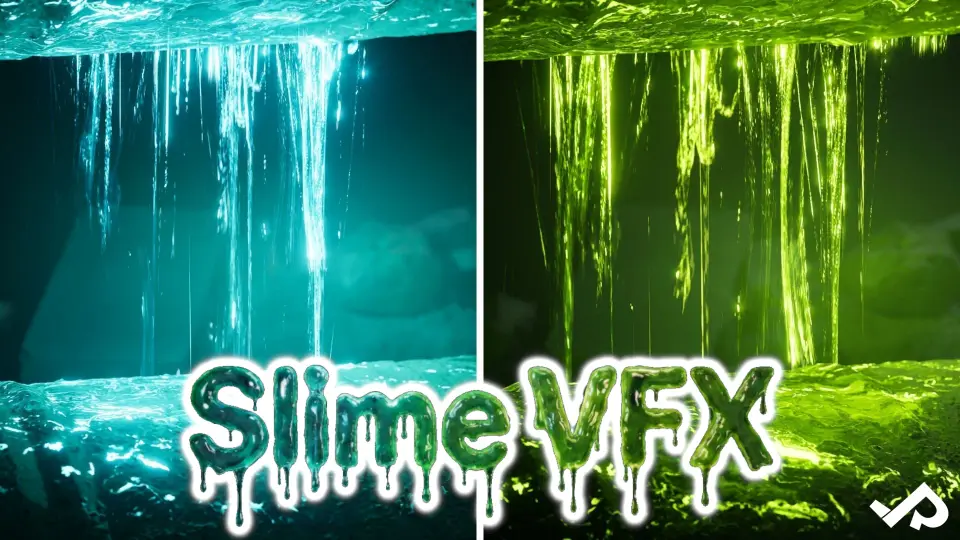
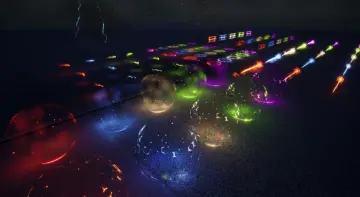
Five unique slime VFX effects plus a slime decal built in Unreal Engine Niagara with controllable parameters, drag-and-drop ready for game-ready projects.
Toxic swamps, radioactive spill zones, alien environments, and corrupted laboratory interiors all share a common visual need: viscous, creeping substance matter that behaves like slime. Slime VFX addresses that requirement directly for Unreal Engine developers working with the Niagara particle system. Rather than building ooze, goo, or toxic puddle effects from scratch, teams can drop pre-built particle systems into a scene and adjust their parameters to taste.
The package is built on Unreal Engine's Niagara framework, which places the five effects and the accompanying decal within a real-time particle ecosystem. Niagara-based effects integrate with engine lighting, depth, and rendering features, meaning the slime interacts with the scene to the same degree as any other particle system a developer might author manually. The tag set includes Radiation alongside Slime, pointing toward how the effects are intended to read visually: glowing, emissive, possibly hazardous material rather than simple decorative goo.
Five Slime VFX Built on Niagara
The core offering consists of five distinct slime VFX. Each one represents a separate visual approach to slime as a substance, giving developers a small library to choose from instead of a one-size-fits-all effect. Different scenes call for different scales and densities of slime. A compact puddle on a laboratory floor needs a different treatment than a large-scale environmental pool in an alien cavern, and having five options allows the developer to match the effect to the scene without reauthoring the particle system.
Every effect in the set carries controllable parameters. This means the five VFX are not locked into fixed appearances. A developer can expose and tweak settings to shift the behavior of the slime—adjusting how it moves, expands, or visually reacts—within the limits each effect's parameter set provides. That adjustability matters because slime often needs to be tuned to fit specific environmental context, lighting conditions, or gameplay timing. The same effect can serve a slow-dripping scenario or a faster burst with different parameter values.
Drag-and-Drop Integration into Scenes
All five effects are intended for drag-and-drop placement. A developer can move a slime effect from the Content Browser directly into a level without requiring manual particle system setup, emitter linking, or parameter scripting from scratch. The effects are game-ready, meaning they are intended to function in playable environments rather than only in isolated preview or cinematic contexts. For teams that need to populate a level with hazard zones quickly, this workflow removes the particle-authoring bottleneck entirely from the level design process.
Game-ready status also implies that the effects are configured to run within a running game session rather than requiring manual per-frame scripting or Blueprint logic to trigger display. They can be placed, set, and left to play as environmental dressing or gameplay visual markers. The drag-and-drop workflow does not preclude further customization, but it does ensure a baseline functional state the moment the effect enters the scene.
Slime Decal and Surface Contamination
Beyond the five particle effects, the package includes a dedicated Slime Decal. Decals in Unreal Engine project materials and textures onto surfaces, allowing slime to appear as a stain, residue, or spread across floors, walls, and objects rather than as floating particle matter. Where the five VFX handle the animated, volumetric, or airborne aspects of slime—drips, bursts, and ambient motion—the decal handles the static surface evidence of slime having been present or having settled.
The Slime Decal also carries controllable parameters. A developer can adjust how the decal reads on a surface, tuning it for different material types, area coverage, or visual intensity. Used together, the particle effects and the decal allow a scene to communicate slime at two levels simultaneously: the active, moving substance through Niagara particles, and the lasting, surface-level residue through the decal system. This combination covers both real-time happening and environmental storytelling in a single package.
Where Slime VFX Fits in Level Design
The Radiation tag attached to the package opens specific scene applications. Radioactive zones in games often require visual indicators of hazard—pools of glowing material, emissive residue, or airborne particles that communicate threat without requiring UI overlays or explicit warning text. Slime VFX can serve as a pure visual hazard marker in levels where environmental danger needs to be shown rather than told. The slime effects can define the boundary of a dangerous area or mark a contaminated sector the player should avoid or interact with cautiously.
Alien biomes present another natural fit. Surfaces coated in unfamiliar organic matter, corridors dripping with unknown substance, and terrain features that pulse with emissive energy all fall within the package's visual language. The five effects and the decal can be distributed across a level to create consistent environmental theming without requiring each slime instance to be authored independently.
Corrupted or abandoned laboratory environments benefit similarly. Spilled containers, containment breaches, and failed experiments all produce residue that needs to read visually. The decal can represent where slime has spread across a floor, while one or more of the five VFX can represent active dripping or pooling from a broken container or compromised seal. Used together across a level, the set provides enough variation to avoid visual repetition while maintaining a coherent material identity for the slime itself.
Parameter Control Across Effects and Decal
Controllable parameters appear on both the five VFX and the Slime Decal, which gives the developer a degree of creative authority over the final look without requiring them to open and modify the underlying Niagara systems or Material Graphs. For small teams or solo developers who want custom-feeling results without deep particle authoring work, the parameter approach allows visual tuning at the placement stage rather than at the creation stage.
This also means the same set of five effects and one decal can serve multiple scenes within a single project. A forest area and an industrial area might both contain slime, but tuned differently—different motion speed, different visual intensity, different surface spread—through parameter adjustment rather than duplicate asset creation. The drag-and-drop workflow combined with parameter control keeps the asset lightweight to use across multiple levels or repeated throughout a single large level with variation.
Who Benefits from Slime VFX
Developers building Unreal Engine projects that require environmental hazard visualization—particularly radioactive, alien, or contaminated settings—get the most immediate value. The Niagara foundation ensures the effects fit within the engine's modern particle pipeline, which matters for teams already working in current Unreal versions and relying on Niagara for their existing particle workflows. The drag-and-drop, game-ready configuration lowers the barrier for level designers who want to dress environments quickly without involving a VFX artist in every slime instance.
Solo developers and small teams benefit from the controllable parameters. Being able to tune the five VFX and the decal without diving into emitter graphs means a single package can stretch across multiple scene types and still read visually distinct in each one. Teams already using Niagara can integrate the effects into existing systems without workflow friction, and projects that need emissive, hazard-coded environmental slime rather than purely decorative goo will find the effect set oriented in that direction.
 Variety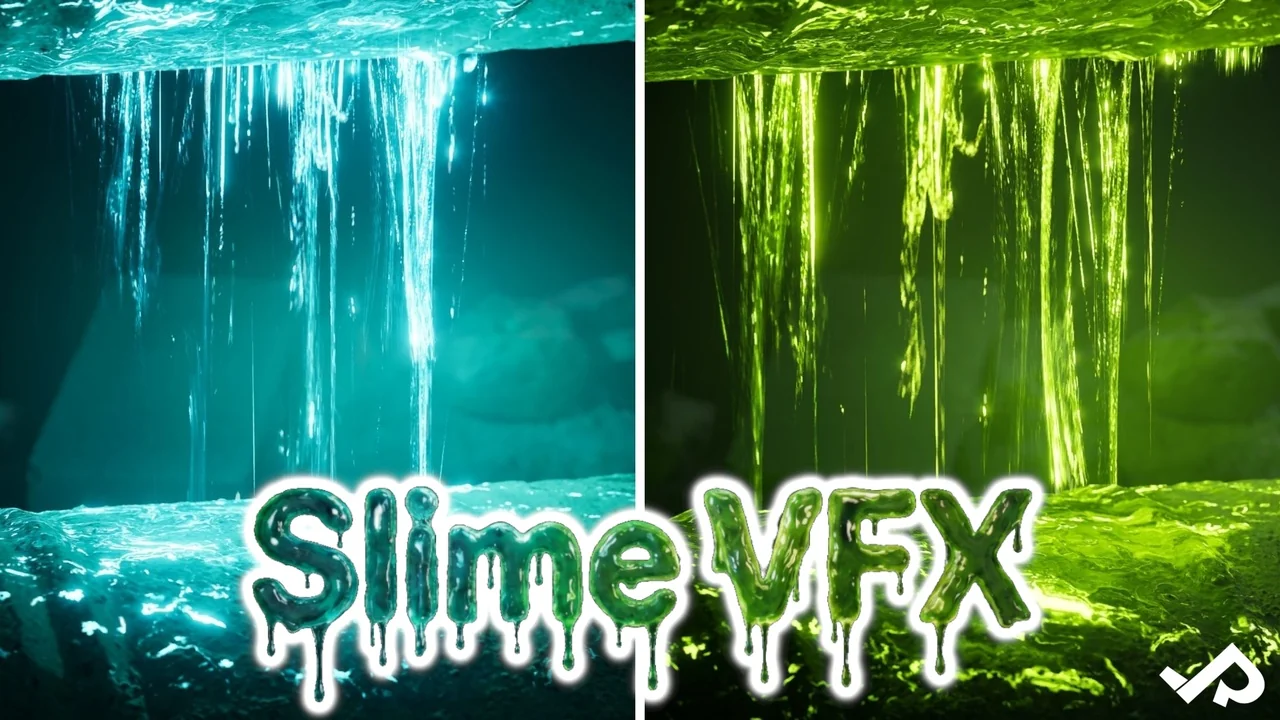
 Variety
 Variety
 Variety