"7066dd76da796369"{"id":"25019","slug":"shader-compilation-screen-remove-shader-stutters","title":"Shader Compilation Screen - remove shader stutters","category":"Engine Tools","engine":"5.7","assetVersion":"Asset Version: 1.0","engineVersion":"Engine version: 5.7","tag":"Engine Tools","accent":"blue","visual":"city","summary":"Shader and Niagara compilation can interrupt the first moments of a game with visible stutters. This Unreal Engine plugin focuses on that problem in packaged builds, where the engine behaves more predictably.","platform":"Unreal Engine","publishedAt":"2026-04-18T15:56:03.000Z","updatedAt":"2026-08-05T15:22:48.242Z","sourceNotes":[],"fileContents":[],"compatibility":["Unreal Engine","Asset Version: 1.0","Engine version: 5.7"],"featuredImage":{"alt":"Shader Compilation Screen - remove shader stutters","src":"https://3dcghub.com/wp-content/uploads/2026/04/83a31d9564f4_8d067fcd-1c16-4e07-a9bd-253ab026f986.webp"},"hasDownloadLink":true,"downloads":0,"terms":[{"taxonomy":"category","slug":"engine-tools-tools-and-plugins","name":"Engine Tools"},{"taxonomy":"post_tag","slug":"materials","name":"Materials"},{"taxonomy":"post_tag","slug":"unreal-engine-5","name":"Unreal Engine 5"},{"taxonomy":"post_tag","slug":"vfx","name":"VFX"}],"galleryImages":[{"src":"https://3dcghub.com/wp-content/uploads/2026/04/3a1fa481f21d_32c2651b-8b42-49cb-bd6f-7373ee48a9f0.webp","alt":"Shader Compilation Screen - remove shader stutters"}],"accessPanel":{"kind":"resource","title":"Download this resource","eyebrow":"Free Download","message":"Log in or create a free account to start your download.","fileName":"5.7.7z","safetyNote":"Resources are manually reviewed before listing to improve quality and reduce obvious risks.","actionLabel":"Download Free","resourceType":"Resource archive"},"contentHtml":"\u003ch2\u003eWhen first-run stutters show up\u003c/h2\u003e\n\u003cp\u003eGames that rely on shaders and Niagara emitters can hit an awkward moment when they first run: the player sees stutters while compilation is happening in the background. That kind of hitch is noticeable, and it can leave a poor first impression even if the rest of the game runs well afterward.\u003c/p\u003e\n\u003cp\u003eThis Unreal Engine plugin is aimed at that exact situation. It is meant to reduce stutters caused by one-time shader compilation and Niagara emitter compilation, especially in packaged game builds where those delays can be felt at the worst possible time. Instead of treating the problem as a minor technical detail, it places smooth first-run performance at the center of the workflow.\u003c/p\u003e \u003ch2\u003eWhat happens during shader compilation\u003c/h2\u003e\n\u003cp\u003eUnreal Engine compiles shaders into machine code that gets sent to the GPU. That is only part of the story, though. Because every GPU behaves differently, the driver may also need to compile the shader at its own level. That extra driver-side compilation is identified as the main reason the stutters appear.\u003c/p\u003e\n\u003cp\u003eThe plugin addresses that layer directly by forcing the drivers to perform the compilation ahead of time. In practice, that means the work does not wait until the moment it becomes visible to the player. The goal is to move the heavy lifting out of the way so the game can present a cleaner first run.\u003c/p\u003e\n\u003cp\u003eThere is a simple way to see the difference: clear the shader cache before starting the game with \u003ccode\u003e-clearPSODriverCache\u003c/code\u003e. That makes the compilation path visible again, which helps show what the plugin is affecting.\u003c/p\u003e \u003ch2\u003eWhy packaged builds are the main target\u003c/h2\u003e\n\u003cp\u003eThe plugin is meant for packaged games, not editor sessions. That distinction matters because Unreal Engine handles shader compilation differently in the editor and in a packaged build. The packaged game path is the one the plugin is built around, since the engine behaves more predictably there.\u003c/p\u003e\n\u003cp\u003eStandalone and packaged modes also behave differently from one another. That makes the packaged build the more relevant place to judge whether the plugin is doing its job. If the concern is the player-facing version of the game, the workflow needs to reflect that reality rather than the editor view.\u003c/p\u003e\n\u003cp\u003eThis makes the plugin fit naturally into late-stage production work. It is the kind of tool that becomes relevant when the project is already moving toward a playable build and the remaining problem is not rendering quality, but the interruptions that happen while the game is loading and compiling for the first time.\u003c/p\u003e \u003ch2\u003eHow it fits into a production workflow\u003c/h2\u003e\n\u003cp\u003eIn a real production pipeline, shader and Niagara compilation issues are not just technical noise. They affect how the first seconds of a game feel. A build that pauses or hitches while preparing shaders can make the project seem less polished, even if the underlying content is solid.\u003c/p\u003e\n\u003cp\u003eThis plugin fits into that gap by focusing on the player-visible side of compilation. It is not a general performance fix for every possible slowdown. Its role is narrower and more specific: reduce the stutter that comes from driver-level shader work during the moments when the game is first being used.\u003c/p\u003e\n\u003cp\u003eThat specificity is useful. Teams working on packaged builds can treat it as part of the final polish pass, especially when shader-heavy scenes or Niagara effects are part of the experience. The plugin gives those assets a better chance of appearing without the sudden interruptions that usually come from first-time compilation.\u003c/p\u003e\n\u003cp\u003eIt also suits situations where the opening moments of a game matter most. If the first launch is where players notice the smoothness of movement, VFX, and scene transitions, then avoiding compilation hitches becomes a practical production concern rather than a background detail.\u003c/p\u003e \u003ch2\u003eChecking the result with a clean cache\u003c/h2\u003e\n\u003cp\u003eThe clearest way to observe the effect is to start from a cleared shader cache using \u003ccode\u003e-clearPSODriverCache\u003c/code\u003e. That creates a more honest test of the compilation path because it removes cached data that would otherwise hide the issue.\u003c/p\u003e\n\u003cp\u003eFrom there, the difference is easier to judge in a packaged build. The plugin is positioned for the stage where the game is closest to what players will actually run, so that is where its effect makes the most sense to measure. The shader compilation system does not behave the same way in editor and packaged game environments, so the test should match the use case the plugin is meant to support.\u003c/p\u003e\n\u003cp\u003eIn short, the plugin is for Unreal Engine projects that need to reduce stutters tied to shader and Niagara emitter compilation in packaged games. It is most useful when a team wants the first playable moment to feel stable and when the driver-level compilation path needs to be addressed directly rather than left to interrupt gameplay.\u003c/p\u003e\n\u003cp\u003eFor projects that depend on shader-heavy scenes, Niagara effects, and a clean first impression, this is a focused tool for the final build stage where that problem becomes visible.\u003c/p\u003e\n\n\u003ch2\u003eContinue Browsing Similar Packs\u003c/h2\u003e\n\u003cul\u003e\n\u003cli\u003e\u003ca href=\"https://3dcghub.com/advanced-unreal-engine-5-multiplayer-gameplay-programming/\" title=\"Advanced Unreal Engine 5 Multiplayer Gameplay Programming\"\u003eAdvanced Unreal Engine 5 Multiplayer Gameplay Programming\u003c/a\u003e\u003c/li\u003e\n\u003cli\u003e\u003ca href=\"https://3dcghub.com/niagara-beginners-to-advanced-in-unreal-engine-5/\" title=\"Niagara Beginners to advanced in Unreal Engine 5\"\u003eNiagara Beginners to advanced in Unreal Engine 5\u003c/a\u003e\u003c/li\u003e\n\u003cli\u003e\u003ca href=\"https://3dcghub.com/create-zelda-like-skills-with-c-in-unreal-engine-5-2/\" title=\"Create Zelda-like skills with C++ in unreal engine 5\"\u003eCreate Zelda-like skills with C++ in unreal engine 5\u003c/a\u003e\u003c/li\u003e\n\u003cli\u003e\u003ca href=\"https://3dcghub.com/main-menus-beginner-class-unreal-engine-5/\" title=\"Main Menus Beginner Class – Unreal Engine 5\"\u003eMain Menus Beginner Class – Unreal Engine 5\u003c/a\u003e\u003c/li\u003e\n\u003cli\u003e\u003ca href=\"https://3dcghub.com/create-zelda-like-skills-with-c-in-unreal-engine-5/\" title=\"Create Zelda-like skills with C++ in unreal engine 5\"\u003eCreate Zelda-like skills with C++ in unreal engine 5\u003c/a\u003e\u003c/li\u003e\n\u003c/ul\u003e","contentTextLength":5291,"navigation":{"current":1279,"total":4016,"previous":{"id":"1000880","slug":"silent-walking-animations","title":"Silent Walking Animations","category":"Locomotion / Gaits","platform":"Unreal Engine","updatedAt":"2026-08-05T15:25:57.406Z"},"next":{"id":"1000879","slug":"sci-fi-gunship","title":"Sci-fi Gunship","category":"Vehicles \u0026 Transportation","platform":"Unreal Engine","updatedAt":"2026-08-05T15:20:27.102Z"}},"relatedResources":[{"id":"14556","slug":"screen-space-fog-scattering","title":"Screen Space Fog Scattering","category":"Engine Tools","engine":"5.1 - 5.2,5.5 - 5.7","assetVersion":"Engine version: 5.1 - 5.2,5.5 - 5.7","engineVersion":"Asset Version:1.02 - 1.31","tag":"Engine Tools","accent":"blue","visual":"audio","summary":"Enhance your scene's atmosphere with Screen Space Fog Scattering. This lightweight shader adds realistic light scattering to Exponential Height Fog for a more natural look.","platform":"Unreal Engine","publishedAt":"2026-03-11T18:27:05.000Z","updatedAt":"2026-04-19T15:45:44.000Z","sourceNotes":[],"fileContents":[],"compatibility":["Unreal Engine","Engine version: 5.1 - 5.2,5.5 - 5.7","Asset Version: 1.02 - 1.31"],"featuredImage":{"alt":"Screen Space Fog Scattering","src":"https://3dcghub.com/wp-content/uploads/2026/03/ad28875a-16a1-44e6-9aca-345ecc1ec0e5.webp"},"hasDownloadLink":true,"downloads":1},{"id":"12818","slug":"ice-world","title":"Ice World","category":"Nature \u0026 Terrain","engine":"5.1+","assetVersion":"Engine version: 5.1+","engineVersion":"4.14","tag":"Nature \u0026 Terrain","accent":"blue","visual":"luts","summary":"Ice World provides a comprehensive library of ice materials designed for lakes, rivers, and standard lit models. This asset pack features advanced shaders that remove tiling and offer deep customization for realistic or stylized winter scenes.","platform":"Unreal Engine","publishedAt":"2026-03-09T17:38:04.000Z","updatedAt":"2026-04-19T15:46:36.000Z","sourceNotes":[],"fileContents":[],"compatibility":["Unreal Engine","Engine version: 5.1+"],"featuredImage":{"alt":"Ice World","src":"https://3dcghub.com/wp-content/uploads/2026/03/59b80838-ea0a-4fe4-b1cf-79456bfdbe76.webp"},"hasDownloadLink":true,"downloads":0},{"id":"14365","slug":"prismatiscape-interaction-plugin","title":"Prismatiscape Interaction Plugin","category":"Engine Tools","engine":"Engine Version: 1.02.7 - 1.04.1","assetVersion":"Engine version: 5.3 - 5.5","engineVersion":"Engine Version: 1.02.7 - 1.04.1","tag":"Engine Tools","accent":"blue","visual":"character","summary":"The Prismatiscape Interaction Plugin provides a robust global shader interaction system for Unreal Engine 5.3+. It utilizes NiagaraGrid2D and Runtime Virtual Textures to create performant wind, water, and foliage simulations.","platform":"Unreal Engine","publishedAt":"2026-03-11T17:47:22.000Z","updatedAt":"2026-06-05T16:50:19.620Z","sourceNotes":[],"fileContents":[],"compatibility":["Unreal Engine","Engine version: 5.3 - 5.5","Engine Version: 1.02.7 - 1.04.1"],"featuredImage":{"alt":"Prismatiscape Interaction Plugin","src":"https://3dcghub.com/wp-content/uploads/2026/03/44b145e2-909c-4c4e-bf70-1a1fd135c999.webp"},"hasDownloadLink":true,"downloads":5}]}
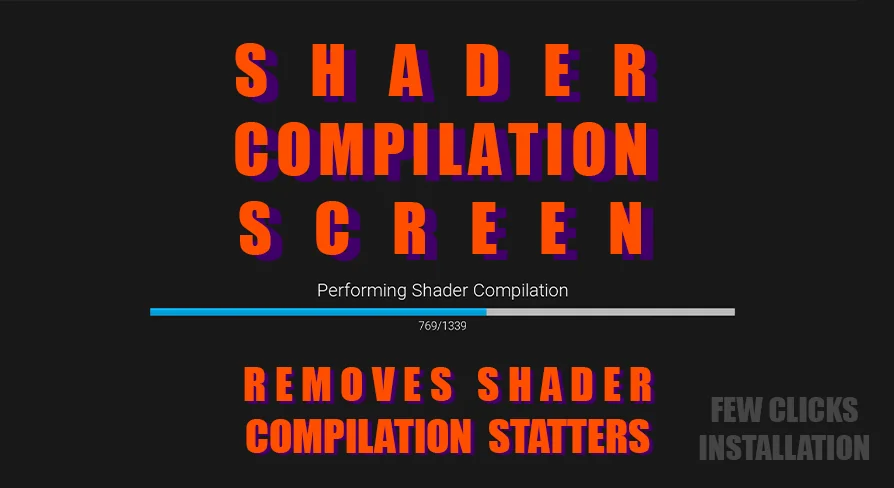
Shader and Niagara compilation can interrupt the first moments of a game with visible stutters. This Unreal Engine plugin focuses on that problem in packaged builds, where the engine behaves more predictably.
Games that rely on shaders and Niagara emitters can hit an awkward moment when they first run: the player sees stutters while compilation is happening in the background. That kind of hitch is noticeable, and it can leave a poor first impression even if the rest of the game runs well afterward.
This Unreal Engine plugin is aimed at that exact situation. It is meant to reduce stutters caused by one-time shader compilation and Niagara emitter compilation, especially in packaged game builds where those delays can be felt at the worst possible time. Instead of treating the problem as a minor technical detail, it places smooth first-run performance at the center of the workflow.
What happens during shader compilation
Unreal Engine compiles shaders into machine code that gets sent to the GPU. That is only part of the story, though. Because every GPU behaves differently, the driver may also need to compile the shader at its own level. That extra driver-side compilation is identified as the main reason the stutters appear.
The plugin addresses that layer directly by forcing the drivers to perform the compilation ahead of time. In practice, that means the work does not wait until the moment it becomes visible to the player. The goal is to move the heavy lifting out of the way so the game can present a cleaner first run.
There is a simple way to see the difference: clear the shader cache before starting the game with -clearPSODriverCache. That makes the compilation path visible again, which helps show what the plugin is affecting.
Why packaged builds are the main target
The plugin is meant for packaged games, not editor sessions. That distinction matters because Unreal Engine handles shader compilation differently in the editor and in a packaged build. The packaged game path is the one the plugin is built around, since the engine behaves more predictably there.
Standalone and packaged modes also behave differently from one another. That makes the packaged build the more relevant place to judge whether the plugin is doing its job. If the concern is the player-facing version of the game, the workflow needs to reflect that reality rather than the editor view.
This makes the plugin fit naturally into late-stage production work. It is the kind of tool that becomes relevant when the project is already moving toward a playable build and the remaining problem is not rendering quality, but the interruptions that happen while the game is loading and compiling for the first time.
How it fits into a production workflow
In a real production pipeline, shader and Niagara compilation issues are not just technical noise. They affect how the first seconds of a game feel. A build that pauses or hitches while preparing shaders can make the project seem less polished, even if the underlying content is solid.
This plugin fits into that gap by focusing on the player-visible side of compilation. It is not a general performance fix for every possible slowdown. Its role is narrower and more specific: reduce the stutter that comes from driver-level shader work during the moments when the game is first being used.
That specificity is useful. Teams working on packaged builds can treat it as part of the final polish pass, especially when shader-heavy scenes or Niagara effects are part of the experience. The plugin gives those assets a better chance of appearing without the sudden interruptions that usually come from first-time compilation.
It also suits situations where the opening moments of a game matter most. If the first launch is where players notice the smoothness of movement, VFX, and scene transitions, then avoiding compilation hitches becomes a practical production concern rather than a background detail.
Checking the result with a clean cache
The clearest way to observe the effect is to start from a cleared shader cache using -clearPSODriverCache. That creates a more honest test of the compilation path because it removes cached data that would otherwise hide the issue.
From there, the difference is easier to judge in a packaged build. The plugin is positioned for the stage where the game is closest to what players will actually run, so that is where its effect makes the most sense to measure. The shader compilation system does not behave the same way in editor and packaged game environments, so the test should match the use case the plugin is meant to support.
In short, the plugin is for Unreal Engine projects that need to reduce stutters tied to shader and Niagara emitter compilation in packaged games. It is most useful when a team wants the first playable moment to feel stable and when the driver-level compilation path needs to be addressed directly rather than left to interrupt gameplay.
For projects that depend on shader-heavy scenes, Niagara effects, and a clean first impression, this is a focused tool for the final build stage where that problem becomes visible.
 Engine Tools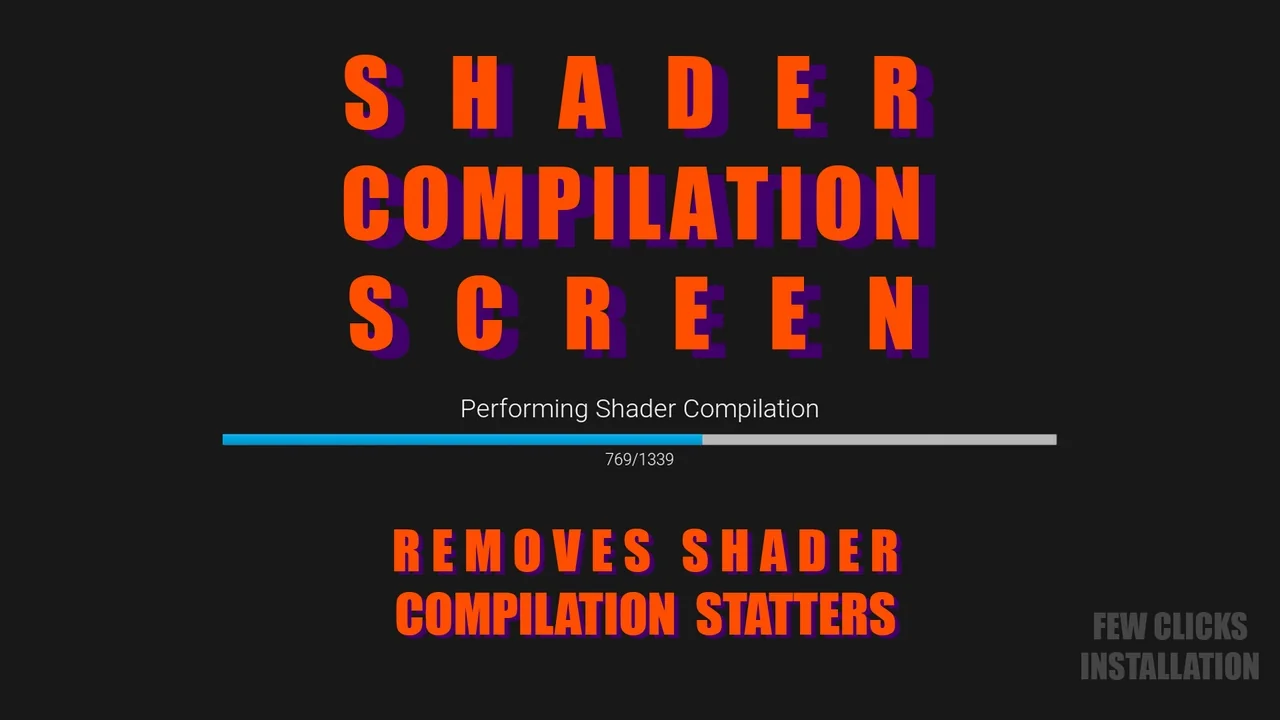
 Engine Tools
 Nature & Terrain
 Engine Tools