"efaa631e936fd3ee"{"id":"1002149","slug":"portalify-advanced-level-streaming-supported-portal-system","title":"Portalify - Advanced Level Streaming Supported Portal System","category":"Procedural Systems","engine":"5.1+","assetVersion":"","engineVersion":"Engine Version: 5.1+","tag":"Procedural Systems","accent":"blue","visual":"mech","summary":"Explore the implementation, GPU Lumen requirements, and level streaming workflows in Portalify - Advanced Level Streaming Supported Portal System for Unreal Eng","platform":"Unreal Engine","publishedAt":"2026-10-29T09:53:31.822Z","updatedAt":"2026-10-29T09:53:31.822Z","sourceNotes":[],"fileContents":[],"compatibility":["Unreal Engine","Engine Version: 5.1+"],"featuredImage":{"alt":"Portalify - Advanced Level Streaming Supported Portal System","src":"/wp-content/uploads/published/2026/10/00cf1815d734-98b8d9eb-2db1-4575-815c-79109997ad19-2f0b7707a1.webp"},"hasDownloadLink":true,"downloads":0,"terms":[{"taxonomy":"category","slug":"procedural-systems","name":"Procedural Systems"}],"galleryImages":[{"src":"/wp-content/uploads/published/2026/10/ec06e51123c8-24883239-05af-4b36-9e8c-40cd87f099de-c7c0cd1803.webp","alt":"Portalify - Advanced Level Streaming Supported Portal System"},{"src":"/wp-content/uploads/published/2026/10/877db988f304-7f3bc574-58ec-4874-b48e-bb3abecb69ea-21f378df79.webp","alt":"Portalify - Advanced Level Streaming Supported Portal System"},{"src":"/wp-content/uploads/published/2026/10/fc947f44e01d-46845d8e-f43c-4e7d-ac7c-fbd370af3b85-2b96c6985e.webp","alt":"Portalify - Advanced Level Streaming Supported Portal System"},{"src":"/wp-content/uploads/published/2026/10/af372cafa390-bae95236-58d4-46f2-8bcf-63aac0b2cced-2066a4ef41.webp","alt":"Portalify - Advanced Level Streaming Supported Portal System"},{"src":"/wp-content/uploads/published/2026/10/f03e19439ec1-12600257-4856-407b-bd45-761939e5e28f-9503903193.webp","alt":"Portalify - Advanced Level Streaming Supported Portal System"},{"src":"/wp-content/uploads/published/2026/10/0f69f9f97276-0075f499-537d-4e33-a87c-532f012f17b4-d868658c41.webp","alt":"Portalify - Advanced Level Streaming Supported Portal System"},{"src":"/wp-content/uploads/published/2026/10/2cf50235f2cd-1b47f025-317a-4910-9230-ef0c1541328a-a776542a21.webp","alt":"Portalify - Advanced Level Streaming Supported Portal System"},{"src":"/wp-content/uploads/published/2026/10/ed28ac3c5c34-c9f67d4b-3e5a-41f3-9f5a-cdcbedbe4fe8-23feda8797.webp","alt":"Portalify - Advanced Level Streaming Supported Portal System"},{"src":"/wp-content/uploads/published/2026/10/9c6ba8637537-1bd76fbc-d32a-416d-97c0-3b2c57722117-71809b2c27.webp","alt":"Portalify - Advanced Level Streaming Supported Portal System"}],"accessPanel":{"kind":"resource","title":"Download this resource","eyebrow":"Free Download","message":"Log in or create a free account to start your download.","fileName":"Portalify - Advanced Level Streaming Supported Portal System.7z","safetyNote":"Resources are manually reviewed before listing to improve quality and reduce obvious risks.","actionLabel":"Download Free","resourceType":"Resource archive"},"contentHtml":"\u003ch2\u003eLevel Streaming Infrastructure and Seamless Spatial Transitions\u003c/h2\u003e\u003cp\u003eManaging seamless spatial traversal across dense environments in Unreal Engine often encounters memory constraints when multiple detailed scenes must exist at once.\u003c/p\u003e\u003cp\u003ePortalify - Advanced Level Streaming Supported Portal System operates directly within Unreal Engine's level streaming framework to solve that bottleneck. Rather than serving merely as visual illusions or isolated rendering planes, the portals connect with streaming logic to enable real-time passage between distinct sublevels. Level streaming allows background scenes to load into memory or unload dynamically based on the camera position and player proximity. For developers implementing non-euclidean doorways or vast world transitions, understanding Unreal Engine level streaming is essential to managing memory allocation, persistent map coordination, and smooth visual handoffs without runtime hitches.\u003c/p\u003e\u003ch2\u003eHardware and GPU Lumen Requirements in Unreal Engine 5.0+\u003c/h2\u003e\u003cp\u003eReal-time dynamic global illumination across open portal frames requires immediate, precise light transport calculations that traditional software approximation methods struggle to handle.\u003c/p\u003e\u003cp\u003eThis portal system relies explicitly on Hardware/GPU Lumen in Unreal Engine 5.0 and newer versions, which must be enabled by default. Software or CPU-based Lumen is explicitly unsupported. Because CPU Lumen does not accommodate the complex spatial ray-tracing calls required by the portal architecture, project settings must be configured to utilize hardware ray tracing pipelines on compatible graphics hardware. GPU Lumen calculates real-time indirect illumination, specular reflections, and color bleeding across the portal threshold, preserving continuous lighting behavior between the source environment and the incoming streamed destination.\u003c/p\u003e\u003ch2\u003eMandatory Editor Plugins: Editor Scripting Utilities and Modeling Tools\u003c/h2\u003e\u003cp\u003eProper configuration and viewport setup inside the engine depend on specific pre-installed plugins that must be activated prior to deployment.\u003c/p\u003e\u003cp\u003eTwo engine plugins are required to be enabled by default: Editor Scripting Utilities and Modeling Tools Editor Mode. Editor Scripting Utilities provides the foundational interfaces needed for editor-side script execution, allowing automated handling of scene actors, level references, and property assignments without requiring repetitive manual input. Modeling Tools Editor Mode provides direct access to in-engine geometry generation and editing tools, which assists in adjusting portal geometry, shaping collision boundaries, and aligning doorway frames directly within the level viewport. Having both plugins active ensures that the editor environment properly supports the scripts and modeling operations utilized by the system.\u003c/p\u003e\u003ch2\u003eBlueprint Functions, Collision, and Niagara Visuals\u003c/h2\u003e\u003cp\u003eA functional gateway must handle physical entity traversal, camera vectors, and boundary aesthetics simultaneously without breaking scene immersion.\u003c/p\u003e\u003cp\u003eThe system is constructed with modular Blueprint functions that orchestrate player coordinate transformations, camera alignment, and virtual space translation. These Blueprint scripts govern the transition math required to pass an actor cleanly from one coordinate space into another. Accompanying the Blueprint architecture is a dedicated collision structure that tracks when pawns and physics bodies intersect the portal threshold, preserving momentum and preventing clipping through neighboring geometry. Visual cues at the portal boundary are driven by Niagara particle integration, enabling developers to incorporate dynamic visual effects, energy rings, and threshold markers that interact naturally with the surrounding scene geometry.\u003c/p\u003e\u003ch2\u003eIntegration with Neonify Stylized Neon Stages\u003c/h2\u003e\u003cp\u003eVibrant, high-contrast scenes place significant demands on emissive light calculation and dynamic reflection sampling when viewed through a portal aperture.\u003c/p\u003e\u003cp\u003eThe portal framework is compatible with Neonify - Stylized Neon Stages with Neon Ambience, allowing developers to connect intensely lit, neon-soaked environments across streaming boundaries. In scenes populated by emissive geometry, dark ambient contrasts, and reflective materials, the GPU Lumen requirement ensures that vibrant neon bounce light transitions realistically across the portal threshold. The level streaming backend loads and unloads individual neon stage modules seamlessly, demonstrating how the portal system performs inside stylized, lighting-intensive production pipelines.\u003c/p\u003e\n\n\u003ch2\u003eContinue Browsing Similar Packs\u003c/h2\u003e\n\u003cul\u003e\n\u003cli\u003e\u003ca href=\"https://3dcghub.com/endless-random-worlds/\" title=\"Endless Random Worlds\"\u003eEndless Random Worlds\u003c/a\u003e\u003c/li\u003e\n\u003cli\u003e\u003ca href=\"https://3dcghub.com/procedural-level-generator/\" title=\"Procedural Level Generator\"\u003eProcedural Level Generator\u003c/a\u003e\u003c/li\u003e\n\u003cli\u003e\u003ca href=\"https://3dcghub.com/calysto-village-procedural-villages-farms-with-pcg/\" title=\"Calysto Village Procedural villages, farms with PCG\"\u003eCalysto Village Procedural villages, farms with PCG\u003c/a\u003e\u003c/li\u003e\n\u003cli\u003e\u003ca href=\"https://3dcghub.com/simple-fence-generator/\" title=\"Simple Fence Generator\"\u003eSimple Fence Generator\u003c/a\u003e\u003c/li\u003e\n\u003cli\u003e\u003ca href=\"https://3dcghub.com/universal-ai-spawner/\" title=\"Universal AI Spawner\"\u003eUniversal AI Spawner\u003c/a\u003e\u003c/li\u003e\n\u003c/ul\u003e","contentTextLength":4699,"navigation":{"current":135,"total":4209,"previous":{"id":"1002150","slug":"post-apocalypse-girl","title":"Post Apocalypse Girl","category":"Characters \u0026 Creatures","platform":"Unreal Engine","updatedAt":"2026-10-29T09:54:41.031Z"},"next":{"id":"1002148","slug":"portal-pack-teleport-blueprint-vfx","title":"Portal Pack / Teleport Blueprint / VFX","category":"Gameplay Features","platform":"Unreal Engine","updatedAt":"2026-10-29T09:52:41.232Z"}},"relatedResources":[{"id":"1001259","slug":"endless-random-worlds","title":"Endless Random Worlds","category":"Procedural Systems","engine":"5.0+","assetVersion":"","engineVersion":"Engine Version: 5.0+","tag":"Procedural Systems","accent":"blue","visual":"mech","summary":"Build dynamic procedural environments with Endless Random Worlds, using level streaming to assemble endless open maps and roguelike interior spaces.","platform":"Unreal Engine","publishedAt":"2026-09-27T05:27:08.445Z","updatedAt":"2026-09-27T05:27:08.445Z","sourceNotes":[],"fileContents":[],"compatibility":["Unreal Engine","Engine Version: 5.0+"],"featuredImage":{"alt":"Endless Random Worlds","src":"/wp-content/uploads/published/2026/09/4390d1da3360-6bd61fd8-acd3-4fa8-9527-f9f5ab33a842-cf89e64b75.webp"},"hasDownloadLink":true,"downloads":1},{"id":"1001251","slug":"procedural-level-generator","title":"Procedural Level Generator","category":"RPG","engine":"5.0+","assetVersion":"","engineVersion":"Engine Version: 5.0+","tag":"RPG","accent":"blue","visual":"mech","summary":"Build complex environments with Procedural Level Generator, featuring streaming level room instancing, freeform modular sizing, and floor transitions.","platform":"Unreal Engine","publishedAt":"2026-09-23T15:35:35.322Z","updatedAt":"2026-09-23T15:35:35.322Z","sourceNotes":[],"fileContents":[],"compatibility":["Unreal Engine","Engine Version: 5.0+"],"featuredImage":{"alt":"Procedural Level Generator","src":"/wp-content/uploads/published/2026/09/c476c1d3aa08-4febf285-afb3-496b-9398-053c47badebf-781cec17f2.webp"},"hasDownloadLink":true,"downloads":0},{"id":"11470","slug":"calysto-village-procedural-villages-farms-with-pcg","title":"Calysto Village Procedural villages, farms with PCG","category":"Procedural Systems","engine":"5.3+","assetVersion":"Engine version: 5.3+","engineVersion":"5.4","tag":"Procedural Systems","accent":"blue","visual":"animation","summary":"Streamline your level design with Calysto Village, a procedural tool for creating detailed villages and farms. Leverage the power of PCG and World Partition to build massive, high-performance environments with ease.","platform":"Unreal Engine","publishedAt":"2026-03-05T17:27:28.000Z","updatedAt":"2026-04-19T15:48:12.000Z","sourceNotes":[],"fileContents":[],"compatibility":["Unreal Engine","Engine version: 5.3+"],"featuredImage":{"alt":"Calysto Village Procedural villages, farms with PCG","src":"https://3dcghub.com/wp-content/uploads/2026/03/c9af98d7-f979-466d-a8d7-7720567e386e.webp"},"hasDownloadLink":true,"downloads":1}]}
Procedural Systems
Portalify - Advanced Level Streaming Supported Portal System
Explore the implementation, GPU Lumen requirements, and level streaming workflows in Portalify - Advanced Level Streaming Supported Portal System for Unreal Eng
Level Streaming Infrastructure and Seamless Spatial Transitions
Managing seamless spatial traversal across dense environments in Unreal Engine often encounters memory constraints when multiple detailed scenes must exist at once.
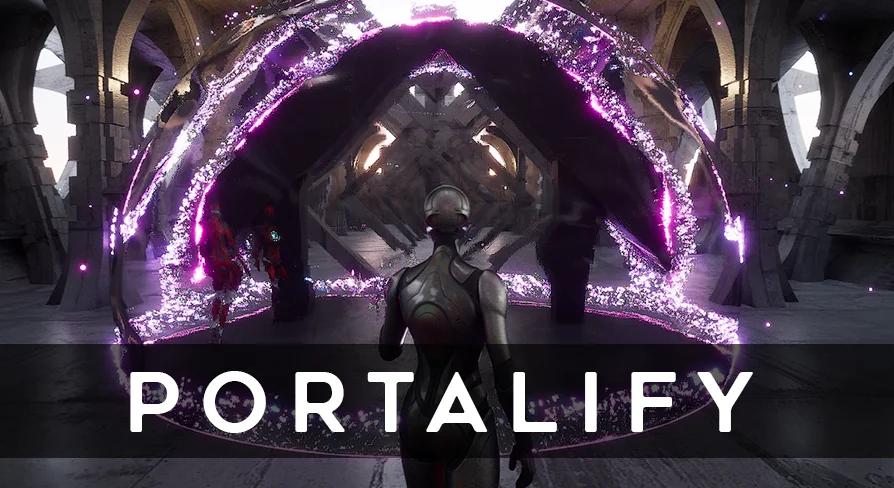
Portalify - Advanced Level Streaming Supported Portal System operates directly within Unreal Engine's level streaming framework to solve that bottleneck. Rather than serving merely as visual illusions or isolated rendering planes, the portals connect with streaming logic to enable real-time passage between distinct sublevels. Level streaming allows background scenes to load into memory or unload dynamically based on the camera position and player proximity. For developers implementing non-euclidean doorways or vast world transitions, understanding Unreal Engine level streaming is essential to managing memory allocation, persistent map coordination, and smooth visual handoffs without runtime hitches.
Hardware and GPU Lumen Requirements in Unreal Engine 5.0+
Real-time dynamic global illumination across open portal frames requires immediate, precise light transport calculations that traditional software approximation methods struggle to handle.
This portal system relies explicitly on Hardware/GPU Lumen in Unreal Engine 5.0 and newer versions, which must be enabled by default. Software or CPU-based Lumen is explicitly unsupported. Because CPU Lumen does not accommodate the complex spatial ray-tracing calls required by the portal architecture, project settings must be configured to utilize hardware ray tracing pipelines on compatible graphics hardware. GPU Lumen calculates real-time indirect illumination, specular reflections, and color bleeding across the portal threshold, preserving continuous lighting behavior between the source environment and the incoming streamed destination.
Mandatory Editor Plugins: Editor Scripting Utilities and Modeling Tools
Proper configuration and viewport setup inside the engine depend on specific pre-installed plugins that must be activated prior to deployment.
Two engine plugins are required to be enabled by default: Editor Scripting Utilities and Modeling Tools Editor Mode. Editor Scripting Utilities provides the foundational interfaces needed for editor-side script execution, allowing automated handling of scene actors, level references, and property assignments without requiring repetitive manual input. Modeling Tools Editor Mode provides direct access to in-engine geometry generation and editing tools, which assists in adjusting portal geometry, shaping collision boundaries, and aligning doorway frames directly within the level viewport. Having both plugins active ensures that the editor environment properly supports the scripts and modeling operations utilized by the system.
Blueprint Functions, Collision, and Niagara Visuals
A functional gateway must handle physical entity traversal, camera vectors, and boundary aesthetics simultaneously without breaking scene immersion.
The system is constructed with modular Blueprint functions that orchestrate player coordinate transformations, camera alignment, and virtual space translation. These Blueprint scripts govern the transition math required to pass an actor cleanly from one coordinate space into another. Accompanying the Blueprint architecture is a dedicated collision structure that tracks when pawns and physics bodies intersect the portal threshold, preserving momentum and preventing clipping through neighboring geometry. Visual cues at the portal boundary are driven by Niagara particle integration, enabling developers to incorporate dynamic visual effects, energy rings, and threshold markers that interact naturally with the surrounding scene geometry.
Integration with Neonify Stylized Neon Stages
Vibrant, high-contrast scenes place significant demands on emissive light calculation and dynamic reflection sampling when viewed through a portal aperture.
The portal framework is compatible with Neonify - Stylized Neon Stages with Neon Ambience, allowing developers to connect intensely lit, neon-soaked environments across streaming boundaries. In scenes populated by emissive geometry, dark ambient contrasts, and reflective materials, the GPU Lumen requirement ensures that vibrant neon bounce light transitions realistically across the portal threshold. The level streaming backend loads and unloads individual neon stage modules seamlessly, demonstrating how the portal system performs inside stylized, lighting-intensive production pipelines.
 Procedural Systems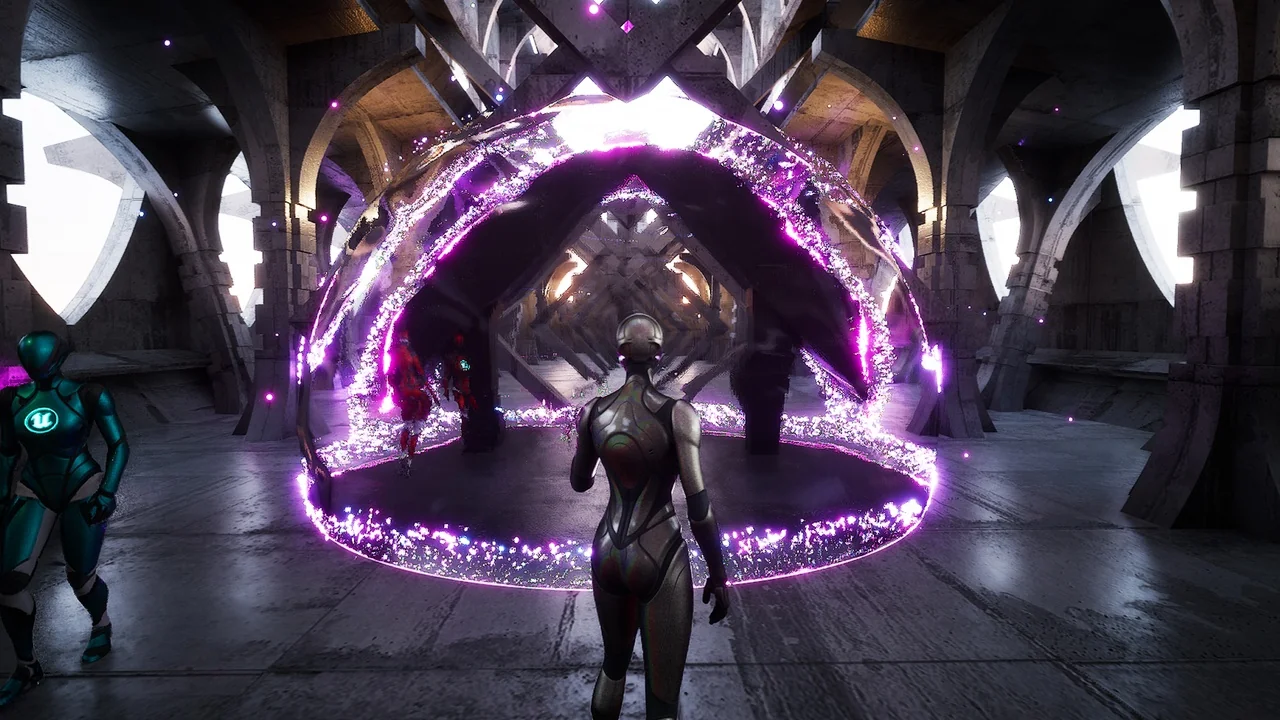
 Procedural Systems
 RPG
RPG Procedural Systems