"1f00f67f9253451b"{"id":"1000970","slug":"universal-ai-spawner","title":"Universal AI Spawner","category":"Procedural Systems","engine":"5.0+","assetVersion":"","engineVersion":"Engine Version: 5.0+","tag":"Procedural Systems","accent":"blue","visual":"mech","summary":"A Blueprint-powered AI spawner for filling levels, building wave systems, and handling multiplayer spawns with timer, trigger, or event control.","platform":"Unreal Engine","publishedAt":"2026-08-15T14:24:21.623Z","updatedAt":"2026-08-15T14:24:21.623Z","sourceNotes":[],"fileContents":[],"compatibility":["Unreal Engine","Engine Version: 5.0+"],"featuredImage":{"alt":"Universal AI Spawner","src":"/wp-content/uploads/published/2026/08/7a777539e89f-047f2364-7ec5-4d9f-9e39-e55ab144c4b4-7f50aa5520.webp"},"hasDownloadLink":true,"downloads":1,"terms":[{"taxonomy":"category","slug":"procedural-systems","name":"Procedural Systems"}],"galleryImages":[{"src":"/wp-content/uploads/published/2026/08/393857af4691-aa22d42a-477e-425d-aee3-04ffff58009f-5edfcf06e9.webp","alt":"Universal AI Spawner"},{"src":"/wp-content/uploads/published/2026/08/a1de3bbe02b5-7923ad14-f587-4d3c-8f29-ffbae57e9ecf-40a03967b3.webp","alt":"Universal AI Spawner"},{"src":"/wp-content/uploads/published/2026/08/fc11806132e1-f6462f0f-c588-45d1-961e-9d72590396bf-28be55c981.webp","alt":"Universal AI Spawner"},{"src":"/wp-content/uploads/published/2026/08/7fecad7b4889-9b24b44b-6ac0-4439-a514-178a035861ca-8e6ba29c24.webp","alt":"Universal AI Spawner"},{"src":"/wp-content/uploads/published/2026/08/8655657860a8-16a1dee5-af20-4bee-815a-605983f4e5f5-e0c3618143.webp","alt":"Universal AI Spawner"},{"src":"/wp-content/uploads/published/2026/08/2ef49591a4e5-81c78640-c19a-4679-a765-a87974df1bd8-7c00f02cc7.webp","alt":"Universal AI Spawner"},{"src":"/wp-content/uploads/published/2026/08/bfd17d0e4d12-43fa5b89-d7db-4fb5-8d9d-cc5da4b73f26-a1a13011e5.webp","alt":"Universal AI Spawner"}],"accessPanel":{"kind":"resource","title":"Download this resource","eyebrow":"Free Download","message":"Log in or create a free account to start your download.","fileName":"UAISpawner.7z","safetyNote":"Resources are manually reviewed before listing to improve quality and reduce obvious risks.","actionLabel":"Download Free","resourceType":"Resource archive"},"contentHtml":"\u003cp\u003ePopulating a game level with enemies is often a mix of placement work and runtime logic. Universal AI Spawner tackles both, using a single spawner actor that can drop AI into a scene, create wave encounters, and keep the pressure on through respawning. It works as a standalone system, or it can feed into a behavior tree if the AI needs a more complex decision layer.\u003c/p\u003e \u003ch2\u003eFilling a level, running a wave system, or both\u003c/h2\u003e\n\u003cp\u003eThe spawner is built for AI-first levels, so it can be used to simply fill an area with enemies at the start, or to run a full wave system over time. The same asset supports both approaches, and you can place an unlimited number of spawners on the stage, with each one used in a different way. One spawner might set up a static ambush, while another controls a timed wave sequence later in the level. That separation makes it easy to reuse the tool across different encounters without duplicating logic.\u003c/p\u003e\n\u003cp\u003eBecause the spawner works with or without a behavior tree, the spawned AI can be as simple as a pawn that moves on its own or as complex as a full tree-driven enemy. The system does not force a specific AI architecture onto the project.\u003c/p\u003e \u003ch2\u003eSpawn placement controls that respect terrain\u003c/h2\u003e\n\u003cp\u003ePlacing AI in an environment is rarely uniform, especially when the terrain is sloped or cluttered. Universal AI Spawner gives you several controls for making sure enemies appear where they should. The area size is adjustable, so you can confine spawning to a small room or stretch it across an open field. For surfaces that are inclined, you can set the maximum angle of appearance, which prevents enemies from popping out on walls or overly steep slopes.\u003c/p\u003e\n\u003cp\u003eThe spawner also lets you select object types to ignore, meaning spawning will not occur on those actors. That can be useful for keeping AI out of props, water volumes, or any other actor you don't want as a spawn point. Placement can be stream-based, giving you a fixed result each time, or you can change positions to appear, so enemies show up in varied spots across the area. There is also an angle of rotation for AI when spawning, so you can control which direction they face the moment they appear. This is particularly helpful for wave systems, where enemies need to approach from a consistent orientation.\u003c/p\u003e \u003ch2\u003eStarting a spawn: timers, triggers, and events\u003c/h2\u003e\n\u003cp\u003eHow a spawn begins is as important as where it happens. Universal AI Spawner supports three different activation methods: a timer, a trigger, or an event. You can set a delayed start-timer, so the spawner goes off after a certain amount of time, or you can tie it to a trigger volume or a reference to a spawn event elsewhere in the game. This flexibility lets you chain encounters, delay ambushes, or sync spawns with gameplay milestones. The same spawner actor can be reused with different activation modes depending on the scenario.\u003c/p\u003e\n\u003cp\u003eBecause the trigger and event references are both available, you can call the spawner from a blueprint interface or from a trigger placed in the level. That makes it easy to design a level where walking into a room sets off enemies, while another spawner is waiting for a delayed timer to start a wave.\u003c/p\u003e \u003ch2\u003eRespawn rules and enemy frequency\u003c/h2\u003e\n\u003cp\u003eFor wave-based games or survival modes, respawning is often the core loop. Universal AI Spawner includes the ability to respawn AI, with limits that are set per Pawn class. You can define a maximum number of respawns for each enemy type, or you can turn on unlimited respawn for a specific class. This keeps waves balanced without letting one enemy type overwhelm the level, and it gives you control over when reinforcements stop.\u003c/p\u003e\n\u003cp\u003eThe respawn system works naturally with the wave system setup. You can combine the area, rotation, and ignore-list controls with a respawn limit to create a fight that pushes players to move, clear an area, or secure a chokepoint.\u003c/p\u003e \u003ch2\u003eMultiplayer-ready spawning\u003c/h2\u003e\n\u003cp\u003eMultiplayer projects have to deal with synchronization, and the spawner is adapted for that right out of the gate. It is network replicated, so when the server decides to spawn AI, that leaves shared across clients. That means you can use the same wave logic, trigger activation, and respawn rules in a co-op or PvE game without building a separate replication layer for the spawner itself.\u003c/p\u003e\n\u003cp\u003eThe multiplayer adaptation also means that each client sees the same enemies in the same places, and the spawner's state stays consistent across the session.\u003c/p\u003e \u003ch2\u003ePairing with Advanced Universal Spawner\u003c/h2\u003e\n\u003cp\u003eUniversal AI Spawner covers the common cases, but for even more control, the same developer offers Advanced Universal Spawner. The two assets are designed to work together, so you can start with the core setup here and extend it with the advanced tool when your encounter design calls for it. For a project that needs a straightforward way to place AI, run waves, and keep them coming back, Universal AI Spawner gives you everything in one Blueprint package.\u003c/p\u003e\n\n\u003ch2\u003eExplore Similar Assets\u003c/h2\u003e\n\u003cul\u003e\n\u003cli\u003e\u003ca href=\"https://3dcghub.com/advanced-universal-spawner/\" title=\"Advanced Universal Spawner\"\u003eAdvanced Universal Spawner\u003c/a\u003e\u003c/li\u003e\n\u003cli\u003e\u003ca href=\"https://3dcghub.com/universal-shooting-game-template-and-framework/\" title=\"Universal Shooting Game Template and Framework\"\u003eUniversal Shooting Game Template and Framework\u003c/a\u003e\u003c/li\u003e\n\u003cli\u003e\u003ca href=\"https://3dcghub.com/procedural-road-and-highway-tool-with-simple-vehicle-traffic/\" title=\"Procedural Road And Highway Tool With Simple Vehicle Traffic\"\u003eProcedural Road And Highway Tool With Simple Vehicle Traffic\u003c/a\u003e\u003c/li\u003e\n\u003cli\u003e\u003ca href=\"https://3dcghub.com/easysky-multiplayer-ready-dynamic-day-night-cycle/\" title=\"EasySky Multiplayer Ready Dynamic Day / Night Cycle\"\u003eEasySky Multiplayer Ready Dynamic Day / Night Cycle\u003c/a\u003e\u003c/li\u003e\n\u003cli\u003e\u003ca href=\"https://3dcghub.com/multiplayer-dynamic-weather-system-v4/\" title=\"Multiplayer Dynamic Weather System V4\"\u003eMultiplayer Dynamic Weather System V4\u003c/a\u003e\u003c/li\u003e\n\u003c/ul\u003e","contentTextLength":5180,"navigation":{"current":357,"total":3222,"previous":{"id":"1000971","slug":"2d-animated-cute-and-furry-monster-pack-pack-of-30","title":"2D Animated Cute and Furry Monster Pack (Pack of 30)","category":"Characters \u0026 Creatures","platform":"Unreal Engine","updatedAt":"2026-08-17T15:38:53.654Z"},"next":{"id":"1000969","slug":"ultimate-torches-package-50-variations","title":"Ultimate Torches package / 50 Variations","category":"Tools, Objects \u0026 Decor","platform":"Unreal Engine","updatedAt":"2026-08-15T14:19:51.805Z"}},"relatedResources":[{"id":"27283","slug":"advanced-universal-spawner","title":"Advanced Universal Spawner","category":"Procedural Systems","engine":"4.26+,5.0+","assetVersion":"Engine version: 4.26+,5.0+","engineVersion":"4.25","tag":"Procedural Systems","accent":"blue","visual":"audio","summary":"Advanced Universal Spawner combines actor spawning, AI waves, and respawn handling in one package. It is set up for quick level population, wave-based encounters, and networked projects with large-world support.","platform":"Unreal Engine","publishedAt":"2026-04-23T16:08:21.000Z","updatedAt":"2026-04-23T16:08:23.000Z","sourceNotes":[],"fileContents":[],"compatibility":["Unreal Engine","Engine version: 4.26+,5.0+"],"featuredImage":{"alt":"Advanced Universal Spawner","src":"https://3dcghub.com/wp-content/uploads/2026/04/2f16328be67d_125b8ee6-892f-4032-8238-040821e0da6c.webp"},"hasDownloadLink":true,"downloads":0},{"id":"11176","slug":"universal-shooting-game-template-and-framework","title":"Universal Shooting Game Template and Framework","category":"Gameplay Features","engine":"5.1+","assetVersion":"Engine version: 5.1+","engineVersion":"5.1","tag":"Gameplay Features","accent":"blue","visual":"character","summary":"A comprehensive, blueprint-only framework designed for creating shooting games with independent modules and multiplayer support. It features integrated AI, weapon systems, and character customization tools.","platform":"Unreal Engine","publishedAt":"2026-03-03T17:04:56.000Z","updatedAt":"2026-04-19T15:48:15.000Z","sourceNotes":[],"fileContents":[],"compatibility":["Unreal Engine","Engine version: 5.1+"],"featuredImage":{"alt":"Universal Shooting Game Template and Framework","src":"https://3dcghub.com/wp-content/uploads/2026/03/809586c9-06d5-4b25-8d10-adc2975bbd96.webp"},"hasDownloadLink":true,"downloads":0},{"id":"1001044","slug":"ai-optimizer","title":"AI Optimizer","category":"Engine Tools","engine":"5.0 - 5.3","assetVersion":"Asset Version: 1.0","engineVersion":"Engine Version: 5.0 - 5.3","tag":"Engine Tools","accent":"blue","visual":"mech","summary":"Plugin for fast actor spawner setup and AI agent optimization in any world size. Includes docs, example project, and Souls-Like spawner tutorial.","platform":"Unreal Engine","publishedAt":"2026-08-27T14:42:21.040Z","updatedAt":"2026-08-27T14:42:21.040Z","sourceNotes":[],"fileContents":[],"compatibility":["Unreal Engine","Asset Version: 1.0","Engine Version: 5.0 - 5.3"],"featuredImage":{"alt":"AI Optimizer","src":"/wp-content/uploads/published/2026/08/4fcf26f0294d-60c1ee24-5897-4094-8d67-0f105ad9143c-ee39e12bef.webp"},"hasDownloadLink":true,"downloads":0}]}
Procedural Systems
Universal AI Spawner
A Blueprint-powered AI spawner for filling levels, building wave systems, and handling multiplayer spawns with timer, trigger, or event control.
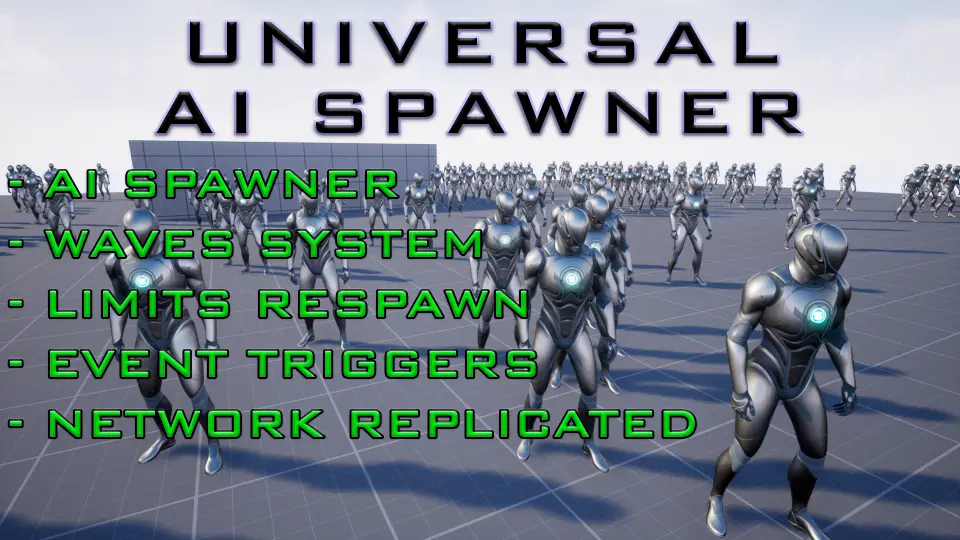
Populating a game level with enemies is often a mix of placement work and runtime logic. Universal AI Spawner tackles both, using a single spawner actor that can drop AI into a scene, create wave encounters, and keep the pressure on through respawning. It works as a standalone system, or it can feed into a behavior tree if the AI needs a more complex decision layer.
Filling a level, running a wave system, or both
The spawner is built for AI-first levels, so it can be used to simply fill an area with enemies at the start, or to run a full wave system over time. The same asset supports both approaches, and you can place an unlimited number of spawners on the stage, with each one used in a different way. One spawner might set up a static ambush, while another controls a timed wave sequence later in the level. That separation makes it easy to reuse the tool across different encounters without duplicating logic.
Because the spawner works with or without a behavior tree, the spawned AI can be as simple as a pawn that moves on its own or as complex as a full tree-driven enemy. The system does not force a specific AI architecture onto the project.
Spawn placement controls that respect terrain
Placing AI in an environment is rarely uniform, especially when the terrain is sloped or cluttered. Universal AI Spawner gives you several controls for making sure enemies appear where they should. The area size is adjustable, so you can confine spawning to a small room or stretch it across an open field. For surfaces that are inclined, you can set the maximum angle of appearance, which prevents enemies from popping out on walls or overly steep slopes.
The spawner also lets you select object types to ignore, meaning spawning will not occur on those actors. That can be useful for keeping AI out of props, water volumes, or any other actor you don't want as a spawn point. Placement can be stream-based, giving you a fixed result each time, or you can change positions to appear, so enemies show up in varied spots across the area. There is also an angle of rotation for AI when spawning, so you can control which direction they face the moment they appear. This is particularly helpful for wave systems, where enemies need to approach from a consistent orientation.
Starting a spawn: timers, triggers, and events
How a spawn begins is as important as where it happens. Universal AI Spawner supports three different activation methods: a timer, a trigger, or an event. You can set a delayed start-timer, so the spawner goes off after a certain amount of time, or you can tie it to a trigger volume or a reference to a spawn event elsewhere in the game. This flexibility lets you chain encounters, delay ambushes, or sync spawns with gameplay milestones. The same spawner actor can be reused with different activation modes depending on the scenario.
Because the trigger and event references are both available, you can call the spawner from a blueprint interface or from a trigger placed in the level. That makes it easy to design a level where walking into a room sets off enemies, while another spawner is waiting for a delayed timer to start a wave.
Respawn rules and enemy frequency
For wave-based games or survival modes, respawning is often the core loop. Universal AI Spawner includes the ability to respawn AI, with limits that are set per Pawn class. You can define a maximum number of respawns for each enemy type, or you can turn on unlimited respawn for a specific class. This keeps waves balanced without letting one enemy type overwhelm the level, and it gives you control over when reinforcements stop.
The respawn system works naturally with the wave system setup. You can combine the area, rotation, and ignore-list controls with a respawn limit to create a fight that pushes players to move, clear an area, or secure a chokepoint.
Multiplayer-ready spawning
Multiplayer projects have to deal with synchronization, and the spawner is adapted for that right out of the gate. It is network replicated, so when the server decides to spawn AI, that leaves shared across clients. That means you can use the same wave logic, trigger activation, and respawn rules in a co-op or PvE game without building a separate replication layer for the spawner itself.
The multiplayer adaptation also means that each client sees the same enemies in the same places, and the spawner's state stays consistent across the session.
Pairing with Advanced Universal Spawner
Universal AI Spawner covers the common cases, but for even more control, the same developer offers Advanced Universal Spawner. The two assets are designed to work together, so you can start with the core setup here and extend it with the advanced tool when your encounter design calls for it. For a project that needs a straightforward way to place AI, run waves, and keep them coming back, Universal AI Spawner gives you everything in one Blueprint package.
 Procedural Systems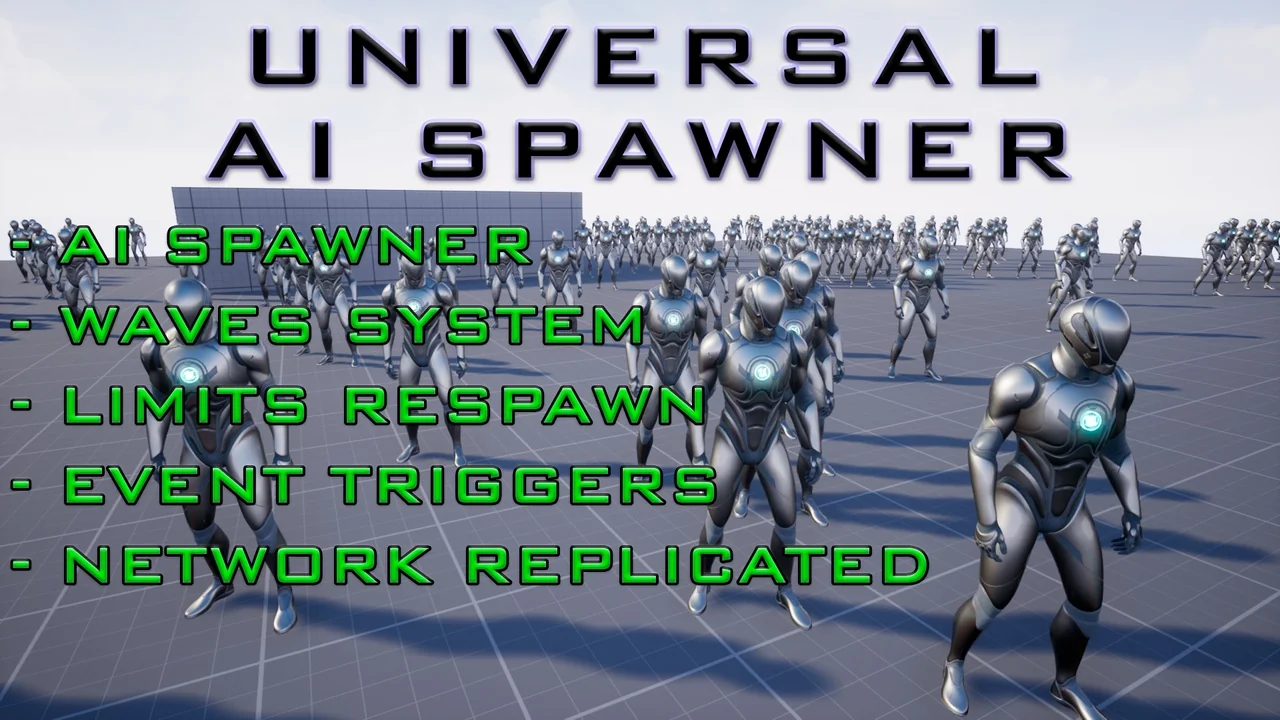
 Procedural Systems
 Gameplay Features
 Engine Tools