"0341a2901a4ae9aa"{"id":"1000770","slug":"easysky-multiplayer-ready-dynamic-day-night-cycle","title":"EasySky Multiplayer Ready Dynamic Day / Night Cycle","category":"Procedural Systems","engine":"4.26+,5.0+","assetVersion":"","engineVersion":"Engine Version: 4.26+,5.0+","tag":"Procedural Systems","accent":"blue","visual":"mech","summary":"Blueprint-driven Unreal Engine skybox with dynamic day/night cycle, multiplayer-ready, drag-and-drop setup, and profiled performance optimized for PC, console,","platform":"Unreal Engine","publishedAt":"2026-07-28T17:44:38.260Z","updatedAt":"2026-07-28T17:44:38.260Z","sourceNotes":[],"fileContents":[],"compatibility":["Unreal Engine","Engine Version: 4.26+,5.0+"],"featuredImage":{"alt":"EasySky Multiplayer Ready Dynamic Day / Night Cycle","src":"/wp-content/uploads/published/2026/07/f5f310659cea-2d9fdec0-ac02-44d7-83d4-ed86e198a14c-018be534e4.webp"},"hasDownloadLink":true,"downloads":0,"terms":[{"taxonomy":"category","slug":"procedural-systems","name":"Procedural Systems"}],"galleryImages":[{"src":"/wp-content/uploads/published/2026/07/0439037ed7af-f493c7b4-323d-423e-bfbb-f654a924b666-160e84d009.webp","alt":"EasySky Multiplayer Ready Dynamic Day / Night Cycle"},{"src":"/wp-content/uploads/published/2026/07/dbe018b080d5-ffbd5c8b-0379-4388-954f-170bd8c6b6f7-827081ab16.webp","alt":"EasySky Multiplayer Ready Dynamic Day / Night Cycle"},{"src":"/wp-content/uploads/published/2026/07/f2c31b4b566c-24ad7168-6b28-4135-8227-d6ae503520dd-89e1748b61.webp","alt":"EasySky Multiplayer Ready Dynamic Day / Night Cycle"},{"src":"/wp-content/uploads/published/2026/07/1319e5c88929-1792304e-5073-450c-a9d3-5924f7f015a5-97d5701866.webp","alt":"EasySky Multiplayer Ready Dynamic Day / Night Cycle"},{"src":"/wp-content/uploads/published/2026/07/613f8f2ce2b2-336391ad-1cf0-4c56-9d66-e4a50e4a8f11-4e1716e313.webp","alt":"EasySky Multiplayer Ready Dynamic Day / Night Cycle"},{"src":"/wp-content/uploads/published/2026/07/37b7915f7c25-7f302d80-c3af-49a2-9585-8852d15b3fa8-3fcfdb3aa0.webp","alt":"EasySky Multiplayer Ready Dynamic Day / Night Cycle"},{"src":"/wp-content/uploads/published/2026/07/8dd8ab7d30be-66047a91-bb79-40ca-b0bc-6bda4068cae1-d749c75fe9.webp","alt":"EasySky Multiplayer Ready Dynamic Day / Night Cycle"},{"src":"/wp-content/uploads/published/2026/07/62693c0c1446-57e2c695-5403-4a03-81a2-6398efa7001a-a48f7ac147.webp","alt":"EasySky Multiplayer Ready Dynamic Day / Night Cycle"},{"src":"/wp-content/uploads/published/2026/07/24d320b4abb8-340c1a2c-f45f-49f3-89a8-2ff1bccc374b-0ac577ba36.webp","alt":"EasySky Multiplayer Ready Dynamic Day / Night Cycle"},{"src":"/wp-content/uploads/published/2026/07/30ac92c13435-a43dece2-fe97-4d9d-b4b5-c0aa5016eae2-17e372b3a3.webp","alt":"EasySky Multiplayer Ready Dynamic Day / Night Cycle"}],"accessPanel":{"kind":"resource","title":"Download this resource","eyebrow":"Free Download","message":"Log in or create a free account to start your download.","fileName":"Contnet.7z","safetyNote":"Resources are manually reviewed before listing to improve quality and reduce obvious risks.","actionLabel":"Download Free","resourceType":"Resource archive"},"contentHtml":"\u003cp\u003eDrop a single Blueprint into a level and a full dynamic sky begins cycling through sunrise, day, sunset, and night without further configuration. That is the core workflow \u003cem\u003eEasySky\u003c/em\u003e brings to Unreal Engine projects. The system is Blueprint-driven and functions the moment it is placed in a scene, which removes the need to manually wire up sun positions, sky domes, or lighting transitions before seeing results.\u003c/p\u003e\n\n\u003ch2\u003eDrag-and-Drop Skybox with Immediate Functionality\u003c/h2\u003e\n\u003cp\u003eThe project centers on one Blueprint Actor that handles the skybox and the day/night progression. Placing it in a level is the only required step to get the cycle running. This makes it practical for prototyping, scene blocking, or any production phase where a believable sky needs to be present without pulling attention away from other tasks.\u003c/p\u003e\n\n\u003cp\u003eThe default behavior is ready to use as-is, but the Blueprint remains open to user tweaks. Developers who want to adjust timing, lighting intensity, or other parameters can do so without working around locked logic. The structure balances instant usability with room for customization once the initial placement is done.\u003c/p\u003e\n\n\u003ch2\u003eMultiplayer-Ready Architecture in EasySky\u003c/h2\u003e\n\u003cp\u003eNetworked games require sky and lighting systems that stay synchronized across clients and servers. \u003cem\u003eEasySky\u003c/em\u003e is built with that constraint in mind. It is fully multiplayer-ready and intended for direct use in any multiplayer project, not just single-player environments.\u003c/p\u003e\n\n\u003cp\u003eBecause the cycle runs through a single Blueprint, keeping state consistent across a network is more manageable than coordinating separate actors for sun, sky dome, and clouds. The design avoids the common problem of desynchronized lighting that arises when clients update independently. This makes the system suitable for sessions where players join and leave at various times in the in-game day.\u003c/p\u003e\n\n\u003ch2\u003ePerformance Profiling Across Platforms\u003c/h2\u003e\n\u003cp\u003eThe creator has spent over 15 years as a technical artist in the games industry, contributing to several AAA titles spanning mobile, PC, Xbox 360, Xbox One, PlayStation 3, PlayStation 4, and both mobile and desktop VR. That background directly shaped how \u003cem\u003eEasySky\u003c/em\u003e performs under load.\u003c/p\u003e\n\n\u003cp\u003eEvery line of code in the project has been double-checked and profiled to maximize skybox performance. The optimization target is not limited to high-end hardware. Given the author's experience shipping on mobile and VR devices—where frame budgets are tight and fill rate matters—the system is engineered to keep rendering cost low across a wide hardware range.\u003c/p\u003e\n\n\u003ch2\u003eVersion Requirements and Engine Compatibility\u003c/h2\u003e\n\u003cp\u003eAs of version 3.0, published on June 10, 2020, the minimum supported Unreal Engine version is 4.20. Projects running on older engine versions are directed to version 2.0, which remains available. A newer release, \u003cem\u003eEasySky V2\u003c/em\u003e, has also been published and represents the current iteration of the system.\u003c/p\u003e\n\n\u003cp\u003eTeams evaluating the asset should match their engine version to the correct release. The 4.20 floor for version 3.0 ensures compatibility with specific Blueprint and rendering APIs that earlier builds may not support.\u003c/p\u003e\n\n\u003ch2\u003eDynamic Sky Elements and Environmental Coverage\u003c/h2\u003e\n\u003cp\u003eThe tagged feature set spans the full cycle of a sky simulation: \u003cem\u003eSunrise\u003c/em\u003e, \u003cem\u003eDay\u003c/em\u003e, \u003cem\u003eSunset\u003c/em\u003e, and \u003cem\u003eNight\u003c/em\u003e. The \u003cem\u003eSun\u003c/em\u003e and sky \u003cem\u003eDome\u003c/em\u003e act as the primary drivers of changing lighting, while \u003cem\u003eCloud\u003c/em\u003e coverage and \u003cem\u003eRain\u003c/em\u003e extend the system beyond clear-sky conditions.\u003c/p\u003e\n\n\u003cp\u003e\u003cem\u003eLighting\u003c/em\u003e tagged alongside \u003cem\u003eSky\u003c/em\u003e and \u003cem\u003eSkybox\u003c/em\u003e confirms that illumination changes are tied to time-of-day progression rather than relying on static setups. The \u003cem\u003eDynamic\u003c/em\u003e and \u003cem\u003eBlueprint\u003c/em\u003e tags reflect the non-baked, real-time nature of the system. Together these cover the visual and atmospheric logic needed for environments where time progresses and weather shifts.\u003c/p\u003e\n\n\u003ch2\u003eWhat to Validate Before Committing\u003c/h2\u003e\n\u003cp\u003eBefore integrating \u003cem\u003eEasySky\u003c/em\u003e into a production pipeline, confirm the Unreal Engine version aligns with the correct release—4.20 or higher for version 3.0, older builds for version 2.0. For multiplayer projects, test client join scenarios mid-cycle to verify that the skybox state replicates cleanly. Since the Blueprint is editable, document any tweaks made to the default parameters so future updates do not overwrite custom timing or lighting adjustments.\u003c/p\u003e\n\n\u003ch2\u003eMore From The Same Workflow\u003c/h2\u003e\n\u003cul\u003e\n\u003cli\u003e\u003ca href=\"https://3dcghub.com/multiplayer-dynamic-weather-system-v4/\" title=\"Multiplayer Dynamic Weather System V4\"\u003eMultiplayer Dynamic Weather System V4\u003c/a\u003e\u003c/li\u003e\n\u003cli\u003e\u003ca href=\"https://3dcghub.com/temperature-and-radiation-system-replicated-with-day-and-night/\" title=\"Temperature and Radiation System (Replicated - With day and night)\"\u003eTemperature and Radiation System (Replicated - With day and night)\u003c/a\u003e\u003c/li\u003e\n\u003cli\u003e\u003ca href=\"https://3dcghub.com/ultra-dynamic-sky/\" title=\"Ultra Dynamic Sky\"\u003eUltra Dynamic Sky\u003c/a\u003e\u003c/li\u003e\n\u003cli\u003e\u003ca href=\"https://3dcghub.com/road-creator-pro/\" title=\"Road Creator Pro\"\u003eRoad Creator Pro\u003c/a\u003e\u003c/li\u003e\n\u003cli\u003e\u003ca href=\"https://3dcghub.com/stylized-dynamic-sky-weather-system/\" title=\"Stylized Dynamic Sky \u0026amp; Weather System\"\u003eStylized Dynamic Sky \u0026amp; Weather System\u003c/a\u003e\u003c/li\u003e\n\u003c/ul\u003e","contentTextLength":4441,"navigation":{"current":1394,"total":4017,"previous":{"id":"1000771","slug":"hand-guns-sound-effects-pack","title":"Hand Guns Sound Effects Pack","category":"Sound Effects","platform":"Unreal Engine","updatedAt":"2026-07-28T17:47:27.303Z"},"next":{"id":"1000769","slug":"the-lords-mansion","title":"The Lords' Mansion","category":"Victorian","platform":"Unreal Engine","updatedAt":"2026-07-28T17:40:56.032Z"}},"relatedResources":[{"id":"11481","slug":"multiplayer-dynamic-weather-system-v4","title":"Multiplayer Dynamic Weather System V4","category":"Procedural Systems","engine":"5.3+","assetVersion":"Engine version: 5.3+","engineVersion":"4.21","tag":"Procedural Systems","accent":"blue","visual":"luts","summary":"Enhance your project with a smooth, optimized, and fully replicated weather and season system designed for professional game development.","platform":"Unreal Engine","publishedAt":"2026-03-05T17:27:52.000Z","updatedAt":"2026-04-19T15:48:12.000Z","sourceNotes":[],"fileContents":[],"compatibility":["Unreal Engine"],"featuredImage":{"alt":"Multiplayer Dynamic Weather System V4","src":"https://3dcghub.com/wp-content/uploads/2026/03/0b57448e-be6d-4c15-a960-226f5d8048e1.webp"},"hasDownloadLink":true,"downloads":0},{"id":"1000693","slug":"temperature-and-radiation-system-replicated-with-day-and-night","title":"Temperature and Radiation System (Replicated - With day and night)","category":"Procedural Systems","engine":"4.26+,5.0+","assetVersion":"","engineVersion":"Engine Version: 4.26+,5.0+","tag":"Procedural Systems","accent":"blue","visual":"mech","summary":"Replicated Unreal Engine temperature and radiation system with volume-based control, local and world variation, sunlight and world time integration for multipla","platform":"Unreal Engine","publishedAt":"2026-07-23T11:04:08.438Z","updatedAt":"2026-07-23T11:04:08.438Z","sourceNotes":[],"fileContents":[],"compatibility":["Unreal Engine","Engine Version: 4.26+,5.0+"],"featuredImage":{"alt":"Temperature and Radiation System (Replicated - With day and night)","src":"/wp-content/uploads/published/2026/07/d26ee346e4d2-00-1920x1080-0ae41c199871e9124e9c37445f9542d1-8f90a8e4a8.webp"},"hasDownloadLink":true,"downloads":0},{"id":"11609","slug":"ultra-dynamic-sky","title":"Ultra Dynamic Sky","category":"Procedural Systems","engine":"Aseet Version:8.6b - 9.6","assetVersion":"Engine version: 5.1+","engineVersion":"Aseet Version:8.6b - 9.6","tag":"Procedural Systems","accent":"blue","visual":"character","summary":"Ultra Dynamic Sky offers a comprehensive and natural sky system designed for flexibility and speed. It features a full weather system, customizable volumetric clouds, and real-world celestial simulation.","platform":"Unreal Engine","publishedAt":"2026-03-05T18:00:27.000Z","updatedAt":"2026-07-08T21:45:49.541Z","sourceNotes":[],"fileContents":[],"compatibility":["Unreal Engine","Engine version: 5.1+","Aseet Version:8.6b - 9.6"],"featuredImage":{"alt":"Ultra Dynamic Sky","src":"https://3dcghub.com/wp-content/uploads/2026/03/cbacfeb0-4619-459c-8c69-eaffc8dda72c.webp"},"hasDownloadLink":true,"downloads":13}]}
Procedural Systems
EasySky Multiplayer Ready Dynamic Day / Night Cycle
Blueprint-driven Unreal Engine skybox with dynamic day/night cycle, multiplayer-ready, drag-and-drop setup, and profiled performance optimized for PC, console,
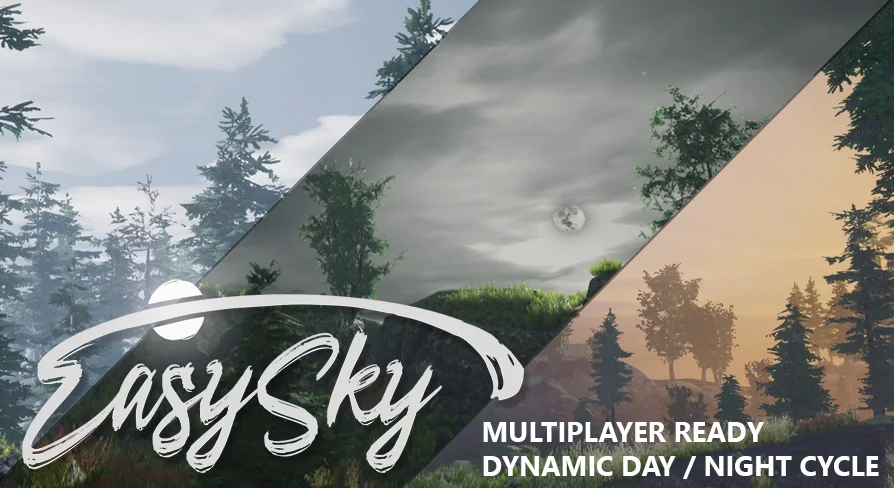
Drop a single Blueprint into a level and a full dynamic sky begins cycling through sunrise, day, sunset, and night without further configuration. That is the core workflow EasySky brings to Unreal Engine projects. The system is Blueprint-driven and functions the moment it is placed in a scene, which removes the need to manually wire up sun positions, sky domes, or lighting transitions before seeing results.
Drag-and-Drop Skybox with Immediate Functionality
The project centers on one Blueprint Actor that handles the skybox and the day/night progression. Placing it in a level is the only required step to get the cycle running. This makes it practical for prototyping, scene blocking, or any production phase where a believable sky needs to be present without pulling attention away from other tasks.
The default behavior is ready to use as-is, but the Blueprint remains open to user tweaks. Developers who want to adjust timing, lighting intensity, or other parameters can do so without working around locked logic. The structure balances instant usability with room for customization once the initial placement is done.
Multiplayer-Ready Architecture in EasySky
Networked games require sky and lighting systems that stay synchronized across clients and servers. EasySky is built with that constraint in mind. It is fully multiplayer-ready and intended for direct use in any multiplayer project, not just single-player environments.
Because the cycle runs through a single Blueprint, keeping state consistent across a network is more manageable than coordinating separate actors for sun, sky dome, and clouds. The design avoids the common problem of desynchronized lighting that arises when clients update independently. This makes the system suitable for sessions where players join and leave at various times in the in-game day.
Performance Profiling Across Platforms
The creator has spent over 15 years as a technical artist in the games industry, contributing to several AAA titles spanning mobile, PC, Xbox 360, Xbox One, PlayStation 3, PlayStation 4, and both mobile and desktop VR. That background directly shaped how EasySky performs under load.
Every line of code in the project has been double-checked and profiled to maximize skybox performance. The optimization target is not limited to high-end hardware. Given the author's experience shipping on mobile and VR devices—where frame budgets are tight and fill rate matters—the system is engineered to keep rendering cost low across a wide hardware range.
Version Requirements and Engine Compatibility
As of version 3.0, published on June 10, 2020, the minimum supported Unreal Engine version is 4.20. Projects running on older engine versions are directed to version 2.0, which remains available. A newer release, EasySky V2, has also been published and represents the current iteration of the system.
Teams evaluating the asset should match their engine version to the correct release. The 4.20 floor for version 3.0 ensures compatibility with specific Blueprint and rendering APIs that earlier builds may not support.
Dynamic Sky Elements and Environmental Coverage
The tagged feature set spans the full cycle of a sky simulation: Sunrise, Day, Sunset, and Night. The Sun and sky Dome act as the primary drivers of changing lighting, while Cloud coverage and Rain extend the system beyond clear-sky conditions.
Lighting tagged alongside Sky and Skybox confirms that illumination changes are tied to time-of-day progression rather than relying on static setups. The Dynamic and Blueprint tags reflect the non-baked, real-time nature of the system. Together these cover the visual and atmospheric logic needed for environments where time progresses and weather shifts.
What to Validate Before Committing
Before integrating EasySky into a production pipeline, confirm the Unreal Engine version aligns with the correct release—4.20 or higher for version 3.0, older builds for version 2.0. For multiplayer projects, test client join scenarios mid-cycle to verify that the skybox state replicates cleanly. Since the Blueprint is editable, document any tweaks made to the default parameters so future updates do not overwrite custom timing or lighting adjustments.
 Procedural Systems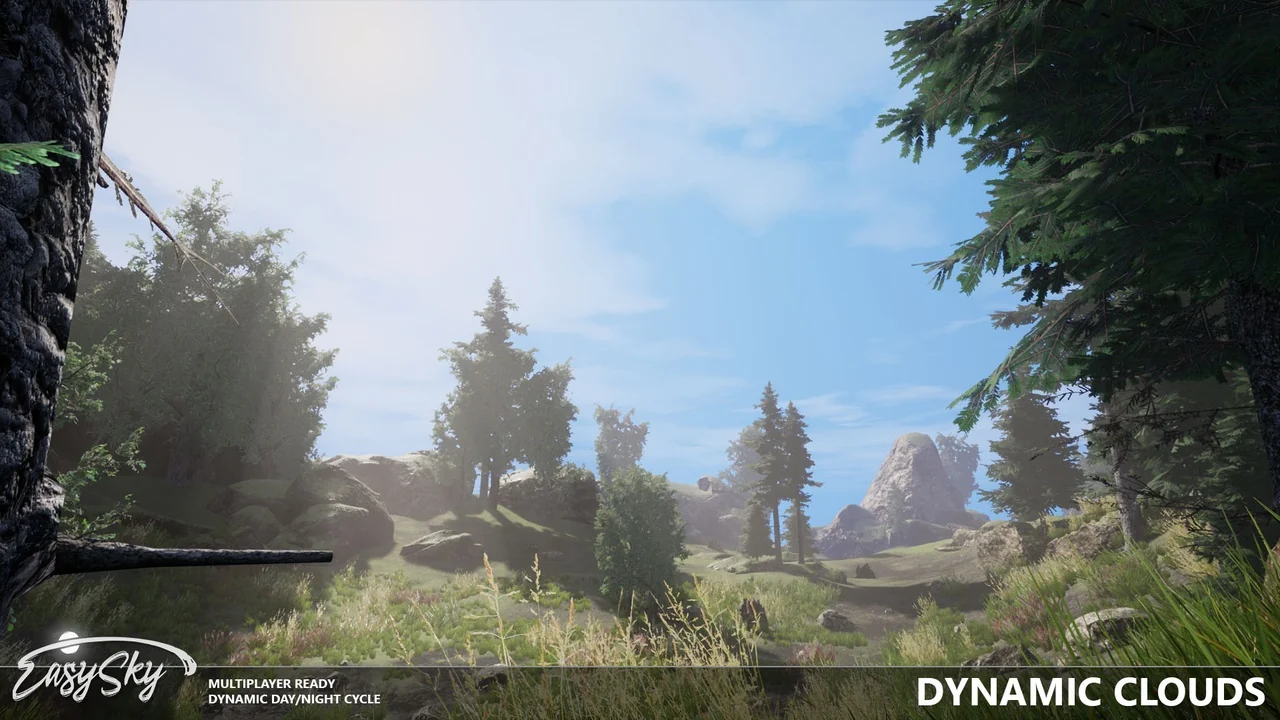
 Procedural Systems
 Procedural Systems
 Procedural Systems