"c68a05d5e51405b3"{"id":"27283","slug":"advanced-universal-spawner","title":"Advanced Universal Spawner","category":"Procedural Systems","engine":"4.26+,5.0+","assetVersion":"Engine version: 4.26+,5.0+","engineVersion":"4.25","tag":"Procedural Systems","accent":"blue","visual":"audio","summary":"Advanced Universal Spawner combines actor spawning, AI waves, and respawn handling in one package. It is set up for quick level population, wave-based encounters, and networked projects with large-world support.","platform":"Unreal Engine","publishedAt":"2026-04-23T16:08:21.000Z","updatedAt":"2026-04-23T16:08:23.000Z","sourceNotes":[],"fileContents":[],"compatibility":["Unreal Engine","Engine version: 4.26+,5.0+"],"featuredImage":{"alt":"Advanced Universal Spawner","src":"https://3dcghub.com/wp-content/uploads/2026/04/2f16328be67d_125b8ee6-892f-4032-8238-040821e0da6c.webp"},"hasDownloadLink":true,"downloads":0,"terms":[{"taxonomy":"category","slug":"procedural-systems","name":"Procedural Systems"},{"taxonomy":"post_tag","slug":"characters","name":"Characters"},{"taxonomy":"post_tag","slug":"environment","name":"Environment"},{"taxonomy":"post_tag","slug":"game-systems","name":"Game Systems"}],"galleryImages":[{"src":"https://3dcghub.com/wp-content/uploads/2026/04/21ad20a40035_4a5f6eb8-fbd9-43d8-8b21-0b478180db44.webp","alt":"Advanced Universal Spawner"},{"src":"https://3dcghub.com/wp-content/uploads/2026/04/cc04a78eba63_9df5dbb9-d83e-43b2-a086-d7c127a23b99.webp","alt":"Advanced Universal Spawner"},{"src":"https://3dcghub.com/wp-content/uploads/2026/04/ae56654b4c7d_020a0d59-3108-4de2-9175-2223f9f28ee8.webp","alt":"Advanced Universal Spawner"},{"src":"https://3dcghub.com/wp-content/uploads/2026/04/774816a16a9e_a2d11262-05c7-48f8-b9b6-cf10a33de2c6.webp","alt":"Advanced Universal Spawner"},{"src":"https://3dcghub.com/wp-content/uploads/2026/04/16d13afbd694_54b569c5-2711-43bb-b496-b22b114e08c6.webp","alt":"Advanced Universal Spawner"},{"src":"https://3dcghub.com/wp-content/uploads/2026/04/31af0a83e964_e4b02e42-6d06-47ea-96b9-42535a0e2071.webp","alt":"Advanced Universal Spawner"},{"src":"https://3dcghub.com/wp-content/uploads/2026/04/50b14750280f_2fa4f45f-76e2-43d4-be85-bcda206f7054.webp","alt":"Advanced Universal Spawner"},{"src":"https://3dcghub.com/wp-content/uploads/2026/04/a41851cbdf61_ede3207b-eacf-46a4-ac6b-c81f29bb6361.webp","alt":"Advanced Universal Spawner"},{"src":"https://3dcghub.com/wp-content/uploads/2026/04/2dc325e7a1d6_d8a50a22-86fd-4d94-bd9a-876d6c282dde.webp","alt":"Advanced Universal Spawner"},{"src":"https://3dcghub.com/wp-content/uploads/2026/04/4daf3ae6f24a_5ee7de49-2e95-4d74-bf91-3b9dc4f375bf.webp","alt":"Advanced Universal Spawner"}],"accessPanel":{"kind":"resource","title":"Access this resource","eyebrow":"Free Download","message":"Log in or create a free account to start your download.","fileName":"Content.7z","safetyNote":"All resources are 100% manually reviewed to eliminate all risks.","actionLabel":"Download Free","resourceType":"Resource archive"},"contentHtml":"\u003ch2\u003eSpawn shapes and the objects they place\u003c/h2\u003e\u003cp\u003eAdvanced Universal Spawner brings together a customizable AI spawn system, two AI wave spawn system types, and an actors spawn system in one tool. Its main purpose is direct and practical: fill a level with actors quickly, populate AI, or build a wave-based scene without stitching together separate spawning tools.\u003c/p\u003e\u003cp\u003eThe package supports three spawn shapes: spline, sphere, and box. That gives the spawner three different ways to define placement. A spline can follow a path, while sphere and box setups give more enclosed spawn areas. The same system handles four kinds of spawn objects:\u003c/p\u003e\u003cul\u003e\u003cli\u003eActors, including any blueprints\u003c/li\u003e\u003cli\u003eHISM\u003c/li\u003e\u003cli\u003eSprites\u003c/li\u003e\u003cli\u003ePawns, including AI\u003c/li\u003e\u003c/ul\u003e\u003cp\u003eThat combination makes the tool useful when a project needs more than one kind of placed object. It is not limited to enemies, and it is not limited to static placement either. The same setup can work across blueprint actors, visual sprites, and AI pawns.\u003c/p\u003e\u003ch2\u003eWave behavior, respawn handling, and spawn limits\u003c/h2\u003e\u003cp\u003eBeyond the main spawn flow, the system includes two AI wave spawn system types alongside the usual pawn spawning. Three spawn modes are available: Main Spawn, Waves Mode, and Increase Waves Mode. The last of those increases the number with each new wave, which gives the system a straightforward way to scale pressure over time.\u003c/p\u003e\u003cp\u003eRespawn support is included for all spawn types, and limits can be set for Actors, HISM, Sprites, and Pawns. That matters in a production workflow where spawned objects should return after removal, but not endlessly flood a scene. The ability to set a cap keeps the behavior under control while still allowing repeated spawn cycles.\u003c/p\u003e\u003cp\u003eThe package also supports two spawn directions: on the land or in the air. That keeps the system flexible enough for grounded encounters and airborne placement without changing tools. Spawn exclusion zones are available as either a sphere or a box, giving another layer of control over where objects are allowed to appear.\u003c/p\u003e\u003ch2\u003ePawn setup and the included wave towers\u003c/h2\u003e\u003cp\u003ePawn spawning can be used with or without a Behavior Tree. That gives room for different AI setups, depending on how much behavior control the project needs. The spawn system does not force a single structure on every pawn, which makes it easier to fit into an existing AI setup.\u003c/p\u003e\u003cp\u003eThe AI wave side also includes two game-ready towers: Laser (FX) and Laser Shot. Both come with settings for damage and attack speed. The towers can also select a zone for tracking the enemy, so the wave setup is not just about placing AI; it also includes tools that can participate in the encounter itself.\u003c/p\u003e\u003cp\u003eThose tower elements make the package feel more complete when a level needs enemies and supporting defenses in the same pass. Instead of treating the wave system as a one-direction spawn tool, it already includes pieces that can be used to shape how the encounter plays out.\u003c/p\u003e\u003ch2\u003eWhere it fits in a real production workflow\u003c/h2\u003e\u003cp\u003eThis kind of spawner fits best when a level needs to be populated quickly and consistently. That could mean building an AI-heavy scene, setting up a wave level, or placing blueprint-driven actors across a map. Because the system is easy to add and use, it works as a practical layer in the middle of level building rather than as a one-off script for a single encounter.\u003c/p\u003e\u003cp\u003eSupport for World Partition and World Composition makes it suitable for large project structures, while network replication points toward multiplayer use. Those two details place it in projects where spawning cannot be treated as a local-only detail. The system needs to hold up across larger spaces and across connected play states, and those options are already part of the setup.\u003c/p\u003e\u003cp\u003eFor a project that needs one tool to cover actors, AI, waves, respawn logic, and enemy-focused tower helpers, Advanced Universal Spawner is arranged to handle that workflow from the start. It is set up for scenes that need repeated spawning, controlled placement, and a clear path from basic object placement to wave-based encounters.\u003c/p\u003e\n\n\u003ch2\u003eRelated Resources Worth Checking\u003c/h2\u003e\n\u003cul\u003e\n\u003cli\u003e\u003ca href=\"https://3dcghub.com/medieval-nordic-viking-castle-environment/\" title=\"Medieval Nordic / Viking Castle Environment\"\u003eMedieval Nordic / Viking Castle Environment\u003c/a\u003e\u003c/li\u003e\n\u003cli\u003e\u003ca href=\"https://3dcghub.com/medieval-fantasy-ruins-dark-forest-environment/\" title=\"Medieval Fantasy Ruins – Dark Forest Environment\"\u003eMedieval Fantasy Ruins – Dark Forest Environment\u003c/a\u003e\u003c/li\u003e\n\u003cli\u003e\u003ca href=\"https://3dcghub.com/junkyard-environment-14-assets/\" title=\"Junkyard Environment / 14 Assets\"\u003eJunkyard Environment / 14 Assets\u003c/a\u003e\u003c/li\u003e\n\u003cli\u003e\u003ca href=\"https://3dcghub.com/medieval-village-slavic-huts-environment/\" title=\"Medieval Village – Slavic Huts environment\"\u003eMedieval Village – Slavic Huts environment\u003c/a\u003e\u003c/li\u003e\n\u003cli\u003e\u003ca href=\"https://3dcghub.com/volcano-land-environment-w-terrain-scatter-tool-exterior-natural-vfx/\" title=\"Volcano Land Environment w/ Terrain Scatter Tool (Exterior, Natural, VFX)\"\u003eVolcano Land Environment w/ Terrain Scatter Tool (Exterior, Natural, VFX)\u003c/a\u003e\u003c/li\u003e\n\u003c/ul\u003e","contentTextLength":4336,"navigation":{"current":2112,"total":3860,"previous":{"id":"27297","slug":"aerial-survey-hdr-collection-vol-1","title":"Aerial Survey HDR Collection vol.1","category":"Variety","platform":"Unreal Engine","updatedAt":"2026-04-23T16:39:23.000Z"},"next":{"id":"27270","slug":"advanced-road-materials","title":"Advanced road materials","category":"Asphalt","platform":"Unreal Engine","updatedAt":"2026-04-23T16:08:13.000Z"}},"relatedResources":[{"id":"1000970","slug":"universal-ai-spawner","title":"Universal AI Spawner","category":"Procedural Systems","engine":"5.0+","assetVersion":"","engineVersion":"Engine Version: 5.0+","tag":"Procedural Systems","accent":"blue","visual":"mech","summary":"A Blueprint-powered AI spawner for filling levels, building wave systems, and handling multiplayer spawns with timer, trigger, or event control.","platform":"Unreal Engine","publishedAt":"2026-08-15T14:24:21.623Z","updatedAt":"2026-08-15T14:24:21.623Z","sourceNotes":[],"fileContents":[],"compatibility":["Unreal Engine","Engine Version: 5.0+"],"featuredImage":{"alt":"Universal AI Spawner","src":"/wp-content/uploads/published/2026/08/7a777539e89f-047f2364-7ec5-4d9f-9e39-e55ab144c4b4-7f50aa5520.webp"},"hasDownloadLink":true,"downloads":1},{"id":"15167","slug":"universal-mp-indicator","title":"Universal MP Indicator","category":"Network \u0026 Multiplayer","engine":"4.27 - 5.8","assetVersion":"Asset Version:1.0 - 1.4","engineVersion":"Engine version: 4.27 - 5.8","tag":"Network","accent":"blue","visual":"character","summary":"The Universal MP Indicator is a high-performance C++ plugin designed for tracking targets in 2D screen space. It offers versatile on-screen and off-screen modes with deep customization for any game project.","platform":"Unreal Engine","publishedAt":"2026-03-12T08:08:42.000Z","updatedAt":"2026-09-30T04:40:38.530Z","sourceNotes":[],"fileContents":[],"compatibility":["Unreal Engine","Asset Version:1.0 - 1.4","Engine version: 4.27 - 5.8"],"featuredImage":{"alt":"Universal MP Indicator","src":"https://3dcghub.com/wp-content/uploads/2026/03/425f1a5c-f01e-46ad-8217-6e746d0a12fd.webp"},"hasDownloadLink":true,"downloads":0},{"id":"13453","slug":"dragon-ik-plugin-universal-ik-system","title":"Dragon IK Plugin - Universal IK System","category":"Animations","engine":"4.26 - 5.6","assetVersion":"Engine version: 4.26 - 5.6","engineVersion":"Asset Version:V2.3.8 - 2.6.6","tag":"Animations","accent":"blue","visual":"animation","summary":"The Dragon IK Plugin - Universal IK System is a battle-tested suite designed to save time while achieving realistic animation results. It supports everything from bipeds and quadrupeds to complex multi-legged creatures.","platform":"Unreal Engine","publishedAt":"2026-03-10T17:15:30.000Z","updatedAt":"2026-04-19T15:46:27.000Z","sourceNotes":[],"fileContents":[],"compatibility":["Unreal Engine","Engine version: 4.26 - 5.6","Asset Version: V2.3.8 - 2.6.6"],"featuredImage":{"alt":"Dragon IK Plugin - Universal IK System","src":"https://3dcghub.com/wp-content/uploads/2026/03/573aa55a-7f64-4427-8ef0-1428618b4d1f.webp"},"hasDownloadLink":true,"downloads":2}]}
Procedural Systems
Advanced Universal Spawner
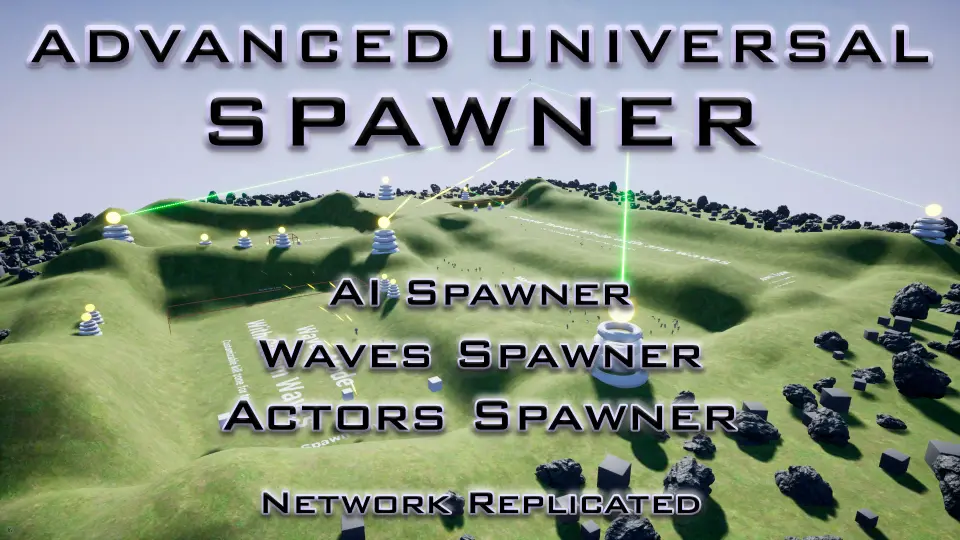
Advanced Universal Spawner combines actor spawning, AI waves, and respawn handling in one package. It is set up for quick level population, wave-based encounters, and networked projects with large-world support.
Advanced Universal Spawner brings together a customizable AI spawn system, two AI wave spawn system types, and an actors spawn system in one tool. Its main purpose is direct and practical: fill a level with actors quickly, populate AI, or build a wave-based scene without stitching together separate spawning tools.
The package supports three spawn shapes: spline, sphere, and box. That gives the spawner three different ways to define placement. A spline can follow a path, while sphere and box setups give more enclosed spawn areas. The same system handles four kinds of spawn objects:
Actors, including any blueprints
HISM
Sprites
Pawns, including AI
That combination makes the tool useful when a project needs more than one kind of placed object. It is not limited to enemies, and it is not limited to static placement either. The same setup can work across blueprint actors, visual sprites, and AI pawns.
Wave behavior, respawn handling, and spawn limits
Beyond the main spawn flow, the system includes two AI wave spawn system types alongside the usual pawn spawning. Three spawn modes are available: Main Spawn, Waves Mode, and Increase Waves Mode. The last of those increases the number with each new wave, which gives the system a straightforward way to scale pressure over time.
Respawn support is included for all spawn types, and limits can be set for Actors, HISM, Sprites, and Pawns. That matters in a production workflow where spawned objects should return after removal, but not endlessly flood a scene. The ability to set a cap keeps the behavior under control while still allowing repeated spawn cycles.
The package also supports two spawn directions: on the land or in the air. That keeps the system flexible enough for grounded encounters and airborne placement without changing tools. Spawn exclusion zones are available as either a sphere or a box, giving another layer of control over where objects are allowed to appear.
Pawn setup and the included wave towers
Pawn spawning can be used with or without a Behavior Tree. That gives room for different AI setups, depending on how much behavior control the project needs. The spawn system does not force a single structure on every pawn, which makes it easier to fit into an existing AI setup.
The AI wave side also includes two game-ready towers: Laser (FX) and Laser Shot. Both come with settings for damage and attack speed. The towers can also select a zone for tracking the enemy, so the wave setup is not just about placing AI; it also includes tools that can participate in the encounter itself.
Those tower elements make the package feel more complete when a level needs enemies and supporting defenses in the same pass. Instead of treating the wave system as a one-direction spawn tool, it already includes pieces that can be used to shape how the encounter plays out.
Where it fits in a real production workflow
This kind of spawner fits best when a level needs to be populated quickly and consistently. That could mean building an AI-heavy scene, setting up a wave level, or placing blueprint-driven actors across a map. Because the system is easy to add and use, it works as a practical layer in the middle of level building rather than as a one-off script for a single encounter.
Support for World Partition and World Composition makes it suitable for large project structures, while network replication points toward multiplayer use. Those two details place it in projects where spawning cannot be treated as a local-only detail. The system needs to hold up across larger spaces and across connected play states, and those options are already part of the setup.
For a project that needs one tool to cover actors, AI, waves, respawn logic, and enemy-focused tower helpers, Advanced Universal Spawner is arranged to handle that workflow from the start. It is set up for scenes that need repeated spawning, controlled placement, and a clear path from basic object placement to wave-based encounters.
 Procedural Systems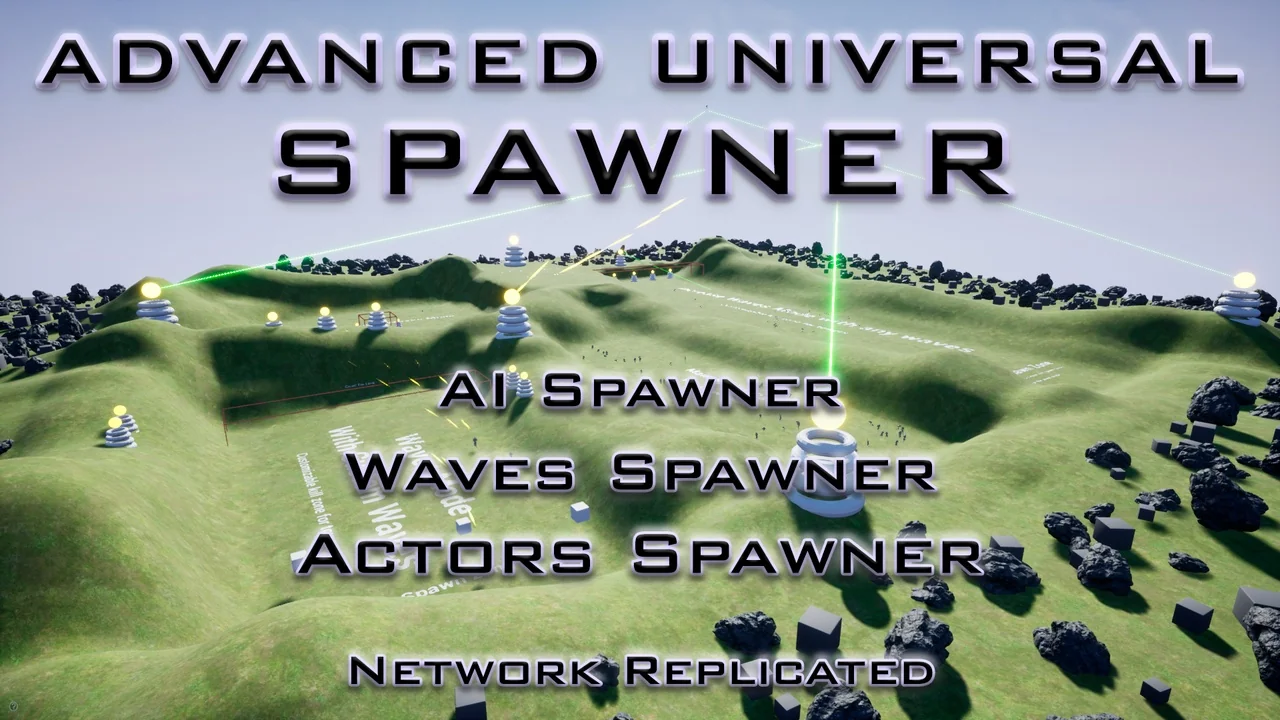
 Procedural Systems
 Network
 Animations