"7e6fc58c410f2894"{"id":"24340","slug":"polyverse-skies-low-poly-skybox-shaders","title":"Polyverse Skies | Low Poly Skybox Shaders","category":"Shaders","engine":"Original Unity version: 2022.3.0","assetVersion":"Original Unity version: 2022.3.0","engineVersion":"Asset Version:3.4.0","tag":"Shaders","accent":"cyan","visual":"character","summary":"Polyverse Skies focuses on stylized skyboxes for low poly games, with controls for gradients, overlays, clouds, stars, sun, moon, and fog. It also supports Standard and Universal Render Pipeline projects, plus Console, Mobile, and VR targets.","platform":"Unity","publishedAt":"2026-04-14T11:22:37.000Z","updatedAt":"2026-04-20T06:12:49.000Z","sourceNotes":[],"fileContents":[],"compatibility":["Unity","Original Unity version: 2022.3.0","Asset Version: 3.4.0"],"featuredImage":{"alt":"Polyverse Skies | Low Poly Skybox Shaders","src":"https://3dcghub.com/wp-content/uploads/2026/04/07945a18b484_c3bce9e3-5ea6-4ca3-8edb-c833f203d51e_1280x720_stretch.webp"},"hasDownloadLink":true,"downloads":0,"terms":[{"taxonomy":"category","slug":"shaders-vfx-unity-2","name":"Shaders"},{"taxonomy":"post_tag","slug":"materials","name":"Materials"},{"taxonomy":"post_tag","slug":"tools","name":"Tools"},{"taxonomy":"post_tag","slug":"unity","name":"Unity"}],"galleryImages":[{"src":"https://3dcghub.com/wp-content/uploads/2026/04/188ae04b9ce4_38047c19-1ccf-481c-86af-ab2cc9ddcf5e_scaled.webp","alt":"Polyverse Skies | Low Poly Skybox Shaders"},{"src":"https://3dcghub.com/wp-content/uploads/2026/04/552854f3bf17_a0951c8b-50ea-4ff6-9d68-3c25496afede_scaled.webp","alt":"Polyverse Skies | Low Poly Skybox Shaders"},{"src":"https://3dcghub.com/wp-content/uploads/2026/04/64886b9817ab_e345d0a9-c3cd-45c1-a1b2-d94c21cab26c_scaled.webp","alt":"Polyverse Skies | Low Poly Skybox Shaders"},{"src":"https://3dcghub.com/wp-content/uploads/2026/04/2743a8d1b239_72a47535-ee89-4ab4-883e-2164fcb605b9_scaled.webp","alt":"Polyverse Skies | Low Poly Skybox Shaders"},{"src":"https://3dcghub.com/wp-content/uploads/2026/04/850f64f5e022_d3c44252-9f0d-4300-8446-5ade674fa5af_scaled.webp","alt":"Polyverse Skies | Low Poly Skybox Shaders"},{"src":"https://3dcghub.com/wp-content/uploads/2026/04/96fd2bb53cd3_520d7c15-16f8-4abe-9033-aa6d5af2e1ac_scaled.webp","alt":"Polyverse Skies | Low Poly Skybox Shaders"},{"src":"https://3dcghub.com/wp-content/uploads/2026/04/df0c8a6c58f2_e2cf3592-3450-4cae-94b8-50fbabf0b3be_scaled.webp","alt":"Polyverse Skies | Low Poly Skybox Shaders"},{"src":"https://3dcghub.com/wp-content/uploads/2026/04/ae24235f6c8e_80a5a729-52b7-481e-8236-2ea516f60fbc_scaled.webp","alt":"Polyverse Skies | Low Poly Skybox Shaders"},{"src":"https://3dcghub.com/wp-content/uploads/2026/04/d2da476f22be_8a811c6b-4c14-42c1-bb7d-5ea62c74dbd2_scaled.webp","alt":"Polyverse Skies | Low Poly Skybox Shaders"},{"src":"https://3dcghub.com/wp-content/uploads/2026/04/4d1c1e1fdeb5_c66da7fc-f875-46b1-aab7-27ceaabb1bf2_scaled.webp","alt":"Polyverse Skies | Low Poly Skybox Shaders"}],"accessPanel":{"kind":"resource","title":"Access this resource","eyebrow":"Free Download","message":"Log in or create a free account to start your download.","fileName":"Polyverse Skies Low Poly Skybox Shaders v3.4.0.7z","safetyNote":"All resources are 100% manually reviewed to eliminate all risks.","actionLabel":"Download Free","resourceType":"Resource archive"},"contentHtml":"\u003ch2\u003eStylized skies for low poly scenes that need more than a flat backdrop\u003c/h2\u003e\u003cp\u003ePolyverse Skies centers on skybox shaders for low poly style games, giving a scene a more controlled sky without moving away from a clean stylized look. It is built with Amplify Shader Editor and is aimed at Console, Mobile, and VR projects, so the focus stays on efficiency as well as presentation. Perspective and orthographic camera support are both included, which makes it suitable for projects that use different camera setups or shift between scene views.\u003c/p\u003e\u003cp\u003eThe core idea is straightforward: shape the sky as part of the scene instead of leaving it as a passive background. That matters in low poly work because the horizon, clouds, stars, and sun often carry a large part of the visual identity. Here, those pieces are not locked into a single appearance. They can be adjusted and combined through shader controls and ready-made presets.\u003c/p\u003e\u003ch2\u003eSky layers, color control, and the pieces that define the horizon\u003c/h2\u003e\u003cp\u003eThe shader set includes a 3 color gradient background, sky pattern overlays, animated clouds, sun-lit clouds, sun and moon elements, twinkling stars, and Unityâs built-in fog support. Those parts are arranged around the visible layers that usually matter most in a stylized sky: the upper sky, the horizon line, and the ground-facing portion near the camera view.\u003c/p\u003e\u003cp\u003eSeveral controls focus on shaping those layers directly. Sky, horizon, and ground colors are supported, along with horizon height and smoothness adjustment. That gives a project a way to keep the sky aligned with the terrain or landscape style rather than leaving the transition point fixed. The package also includes feature toggles for easier usage and performance, which helps reduce the need to keep every visual element active in every scene.\u003c/p\u003e\u003cp\u003eFor scenes that need a quick starting point, ready-made presets are included. The shader setup also uses zero global shader keywords in 2019.1 and later, which keeps the implementation cleaner on the shader side.\u003c/p\u003e\u003ch3\u003eIncluded sky elements and adjustable details\u003c/h3\u003e\u003cul\u003e\u003cli\u003e3 pattern overlay cubemaps at 2K resolution\u003c/li\u003e\u003cli\u003e5 stars cubemaps at 2K resolution\u003c/li\u003e\u003cli\u003e3 layers of stars\u003c/li\u003e\u003cli\u003e6 sun and moon textures at 2K resolution\u003c/li\u003e\u003cli\u003e10 low poly clouds cubemaps at 4K resolution\u003c/li\u003e\u003cli\u003eMoon meshes included\u003c/li\u003e\u003cli\u003eClouds meshes included\u003c/li\u003e\u003c/ul\u003e\u003cp\u003eThe stars can be tuned with size, intensity, and twinkling adjustment, and they also include a stars horizon and sun mask. The sun and moon elements support size, color, and intensity adjustment, while sun position can be controlled either by a directional light or by a user gameobject. Clouds can be rotated and animated, with height, light, and shadow colors available for adjustment. Clouds are also lit by directional light.\u003c/p\u003e\u003ch2\u003eWhere the package fits in a Unity workflow\u003c/h2\u003e\u003cp\u003ePolyverse Skies supports both the Standard Render Pipeline and the Universal Render Pipeline. That makes it relevant for projects that are staying on the built-in setup as well as projects using URP. It also has full shader editing support through Amplify Shader Editor, so the included graph is not just a black box preset; it can be worked on directly in that workflow.\u003c/p\u003e\u003cp\u003eTwo cubemap generation options are included as well. One can generate a prebaked cubemap from the scene skybox, and another can generate a cubemap with custom made clouds meshes. Those options point to a workflow where the sky can be built, baked, and refined around the scene rather than treated as a separate static texture only.\u003c/p\u003e\u003cp\u003eBasic Time Of Day is handled through Day-Night material interpolation. Combined with the sun, moon, star, and cloud controls, this gives the skybox system a practical way to shift between different times of day without changing the overall shader approach.\u003c/p\u003e\u003ch2\u003eWhy it suits Console, Mobile, and VR projects\u003c/h2\u003e\u003cp\u003eThe package repeatedly emphasizes optimization for Console, Mobile, and VR, which is a clear sign that the visuals are meant to stay adaptable across demanding targets. In a low poly game, that can matter as much as the art style itself. A skybox that supports feature toggles, preset use, and built-in fog can help keep the scene readable while still allowing a distinctive skyline, day-night progression, and cloud motion.\u003c/p\u003e\u003cp\u003eBecause the package covers both perspective and orthographic camera support, it also fits projects with different presentation styles. The sky can support a 3D camera view, but it can also work where a more flat or scene-board presentation is used. That flexibility makes the shader set useful for a broad range of low poly scenes without changing the look from one camera mode to another.\u003c/p\u003e\u003cp\u003eFor teams building stylized Unity projects, the strongest fit is a scene that needs a controllable sky system rather than a single fixed backdrop. The package gives that control through gradients, overlays, stars, sun and moon options, clouds, fog, and pipeline support, making it especially relevant for developers who want the sky to stay consistent with a low poly art direction while still being adjustable in detail.\u003c/p\u003e\n\n\u003ch2\u003eRelated Resources Worth Checking\u003c/h2\u003e\n\u003cul\u003e\n\u003cli\u003e\u003ca href=\"https://3dcghub.com/make-a-horror-survival-game-in-unity/\" title=\"Make a horror survival game in Unity\"\u003eMake a horror survival game in Unity\u003c/a\u003e\u003c/li\u003e\n\u003cli\u003e\u003ca href=\"https://3dcghub.com/unity-shader-programming-beginners-to-advanced-techniques/\" title=\"Unity Shader Programming: Beginners to Advanced Techniques\"\u003eUnity Shader Programming: Beginners to Advanced Techniques\u003c/a\u003e\u003c/li\u003e\n\u003cli\u003e\u003ca href=\"https://3dcghub.com/mastering-editor-scripting-in-unity/\" title=\"Mastering Editor Scripting in Unity\"\u003eMastering Editor Scripting in Unity\u003c/a\u003e\u003c/li\u003e\n\u003cli\u003e\u003ca href=\"https://3dcghub.com/altos-volumetric-clouds-skybox-and-weather-for-unity-urp/\" title=\"Altos – Volumetric Clouds, Skybox, and Weather for Unity URP\"\u003eAltos – Volumetric Clouds, Skybox, and Weather for Unity URP\u003c/a\u003e\u003c/li\u003e\n\u003cli\u003e\u003ca href=\"https://3dcghub.com/toolkit-for-unity-physics-2026/\" title=\"Toolkit for Unity Physics 2026\"\u003eToolkit for Unity Physics 2026\u003c/a\u003e\u003c/li\u003e\n\u003c/ul\u003e","contentTextLength":5291,"navigation":{"current":1893,"total":3618,"previous":{"id":"24353","slug":"realtoon-pro-anime-toon-shader","title":"RealToon (Pro Anime/Toon Shader)","category":"Shaders","platform":"Unity","updatedAt":"2026-04-20T06:12:49.000Z"},"next":{"id":"24477","slug":"learn-to-create-advance-metroidvania-game-with-unity-c","title":"Learn to create advance Metroidvania game with Unity \u0026 C#","category":"Unity","platform":"Unity","updatedAt":"2026-04-20T06:12:48.000Z"}},"relatedResources":[{"id":"24246","slug":"galaxy-materials-skybox-update","title":"Galaxy Materials (Skybox Update)","category":"Shaders","engine":"Original Unity version: 2020.3.40","assetVersion":"Original Unity version: 2020.3.40","engineVersion":"Asset Version:2.1","tag":"Shaders","accent":"cyan","visual":"luts","summary":"Galaxy Materials (Skybox Update) centers on space and nebula surfaces that can be applied to meshes or used as skyboxes. It gives artists a set of editable shaders, cubemap textures, and gradient-driven controls for shaping the look across Built-in, URP, an...","platform":"Unity","publishedAt":"2026-04-12T10:23:16.000Z","updatedAt":"2026-04-19T15:34:55.000Z","sourceNotes":[],"fileContents":[],"compatibility":["Unity","Original Unity version: 2020.3.40","Asset Version: 2.1"],"featuredImage":{"alt":"Galaxy Materials (Skybox Update)","src":"https://3dcghub.com/wp-content/uploads/2026/04/89ae8d5d8078_8c7438b1-0416-4898-8b13-e3b5e4f9fbea_1280x720_stretch.webp"},"hasDownloadLink":true,"downloads":0},{"id":"24104","slug":"cozy-stylized-weather-3","title":"COZY: Stylized Weather 3","category":"Shaders","engine":"Original Unity version: 2022.3.62","assetVersion":"Original Unity version: 2022.3.62","engineVersion":"Asset Version:3.5.4 - 3.6.8","tag":"Shaders","accent":"cyan","visual":"audio","summary":"COZY: Stylized Weather 3 handles the weather layer with a hand-crafted look instead of realism. It covers time-of-day, seasons, clouds, storms, fog, and scene-color tweaks, while supporting Built-In, HDRP, and URP.","platform":"Unity","publishedAt":"2026-04-12T09:44:13.000Z","updatedAt":"2026-04-19T15:34:59.000Z","sourceNotes":[],"fileContents":[],"compatibility":["Unity","Original Unity version: 2022.3.62","Asset Version: 3.5.4 - 3.6.8"],"featuredImage":{"alt":"COZY: Stylized Weather 3","src":"https://3dcghub.com/wp-content/uploads/2026/04/4bb6b2024623_96bcefb7-182c-45a9-b50f-59d65b527604_1280x720_stretch.webp"},"hasDownloadLink":true,"downloads":10},{"id":"24403","slug":"stylized-water-3","title":"Stylized Water 3","category":"Shaders","engine":"Original Unity version: 6000.0.68","assetVersion":"Original Unity version: 6000.0.68","engineVersion":"Asset Version:3.0.1","tag":"Shaders","accent":"cyan","visual":"audio","summary":"Stylized Water 3 focuses on artistic water rendering for Unity scenes that need clear control over color, reflections, foam, and wave motion. It covers ocean meshes, river behavior, waterfalls, puddles, and water decals without leaning on a realism-first si...","platform":"Unity","publishedAt":"2026-04-14T11:48:46.000Z","updatedAt":"2026-04-20T06:12:49.000Z","sourceNotes":[],"fileContents":[],"compatibility":["Unity","Original Unity version: 6000.0.68","Asset Version: 3.0.1"],"featuredImage":{"alt":"Stylized Water 3","src":"https://3dcghub.com/wp-content/uploads/2026/04/1e931df26ffe_2a7b5ca4-dbfb-416e-b26c-2a1dc7b15ca8_1280x720_stretch.webp"},"hasDownloadLink":true,"downloads":12}]}
Shaders
Polyverse Skies | Low Poly Skybox Shaders
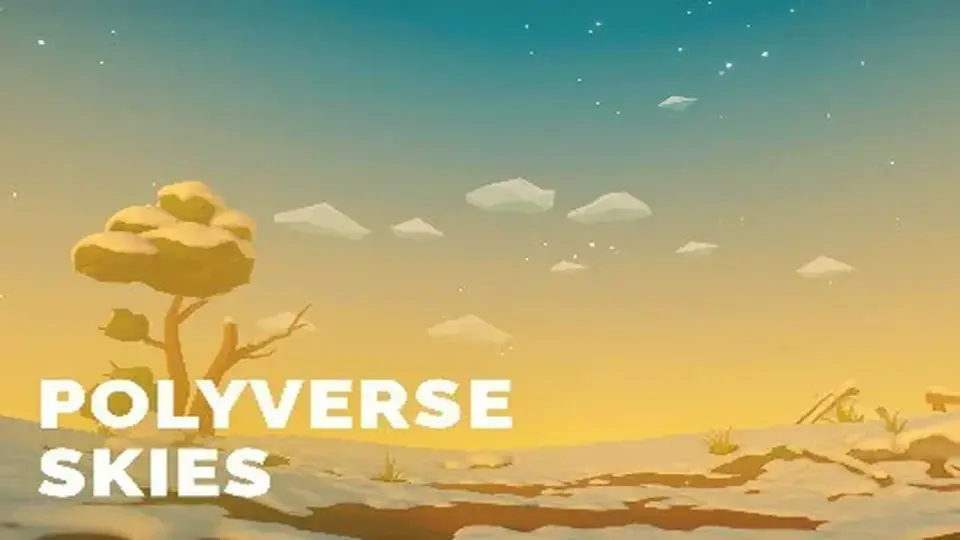
Polyverse Skies focuses on stylized skyboxes for low poly games, with controls for gradients, overlays, clouds, stars, sun, moon, and fog. It also supports Standard and Universal Render Pipeline projects, plus Console, Mobile, and VR targets.
Stylized skies for low poly scenes that need more than a flat backdrop
Polyverse Skies centers on skybox shaders for low poly style games, giving a scene a more controlled sky without moving away from a clean stylized look. It is built with Amplify Shader Editor and is aimed at Console, Mobile, and VR projects, so the focus stays on efficiency as well as presentation. Perspective and orthographic camera support are both included, which makes it suitable for projects that use different camera setups or shift between scene views.
The core idea is straightforward: shape the sky as part of the scene instead of leaving it as a passive background. That matters in low poly work because the horizon, clouds, stars, and sun often carry a large part of the visual identity. Here, those pieces are not locked into a single appearance. They can be adjusted and combined through shader controls and ready-made presets.
Sky layers, color control, and the pieces that define the horizon
The shader set includes a 3 color gradient background, sky pattern overlays, animated clouds, sun-lit clouds, sun and moon elements, twinkling stars, and Unityâs built-in fog support. Those parts are arranged around the visible layers that usually matter most in a stylized sky: the upper sky, the horizon line, and the ground-facing portion near the camera view.
Several controls focus on shaping those layers directly. Sky, horizon, and ground colors are supported, along with horizon height and smoothness adjustment. That gives a project a way to keep the sky aligned with the terrain or landscape style rather than leaving the transition point fixed. The package also includes feature toggles for easier usage and performance, which helps reduce the need to keep every visual element active in every scene.
For scenes that need a quick starting point, ready-made presets are included. The shader setup also uses zero global shader keywords in 2019.1 and later, which keeps the implementation cleaner on the shader side.
Included sky elements and adjustable details
3 pattern overlay cubemaps at 2K resolution
5 stars cubemaps at 2K resolution
3 layers of stars
6 sun and moon textures at 2K resolution
10 low poly clouds cubemaps at 4K resolution
Moon meshes included
Clouds meshes included
The stars can be tuned with size, intensity, and twinkling adjustment, and they also include a stars horizon and sun mask. The sun and moon elements support size, color, and intensity adjustment, while sun position can be controlled either by a directional light or by a user gameobject. Clouds can be rotated and animated, with height, light, and shadow colors available for adjustment. Clouds are also lit by directional light.
Where the package fits in a Unity workflow
Polyverse Skies supports both the Standard Render Pipeline and the Universal Render Pipeline. That makes it relevant for projects that are staying on the built-in setup as well as projects using URP. It also has full shader editing support through Amplify Shader Editor, so the included graph is not just a black box preset; it can be worked on directly in that workflow.
Two cubemap generation options are included as well. One can generate a prebaked cubemap from the scene skybox, and another can generate a cubemap with custom made clouds meshes. Those options point to a workflow where the sky can be built, baked, and refined around the scene rather than treated as a separate static texture only.
Basic Time Of Day is handled through Day-Night material interpolation. Combined with the sun, moon, star, and cloud controls, this gives the skybox system a practical way to shift between different times of day without changing the overall shader approach.
Why it suits Console, Mobile, and VR projects
The package repeatedly emphasizes optimization for Console, Mobile, and VR, which is a clear sign that the visuals are meant to stay adaptable across demanding targets. In a low poly game, that can matter as much as the art style itself. A skybox that supports feature toggles, preset use, and built-in fog can help keep the scene readable while still allowing a distinctive skyline, day-night progression, and cloud motion.
Because the package covers both perspective and orthographic camera support, it also fits projects with different presentation styles. The sky can support a 3D camera view, but it can also work where a more flat or scene-board presentation is used. That flexibility makes the shader set useful for a broad range of low poly scenes without changing the look from one camera mode to another.
For teams building stylized Unity projects, the strongest fit is a scene that needs a controllable sky system rather than a single fixed backdrop. The package gives that control through gradients, overlays, stars, sun and moon options, clouds, fog, and pipeline support, making it especially relevant for developers who want the sky to stay consistent with a low poly art direction while still being adjustable in detail.
 Shaders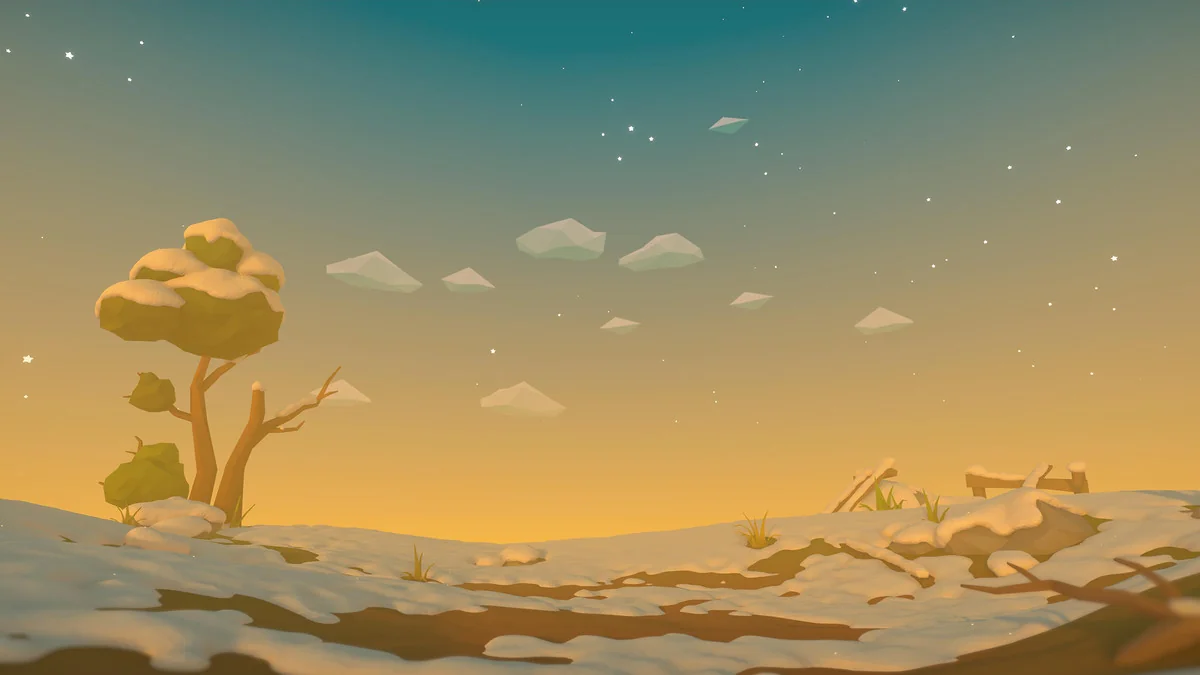
 Shaders
 Shaders
 Shaders