"322fe79650c29655"{"id":"14354","slug":"pivot-tool-2","title":"Pivot Tool","category":"Engine Tools","engine":"4.27,5.0 - 5.4,5.7","assetVersion":"Engine version: 4.27,5.0 - 5.4,5.7","engineVersion":"Asset Version:1.3.6","tag":"Engine Tools","accent":"rose","visual":"audio","summary":"Pivot Tool simplifies the process of adjusting actor pivots directly within Unreal Engine. It features 27 presets and the ability to bake changes into static meshes.","platform":"Unreal Engine","publishedAt":"2026-03-11T17:44:35.000Z","updatedAt":"2026-04-19T15:45:48.000Z","sourceNotes":[],"fileContents":[],"compatibility":["Unreal Engine","Engine version: 4.27,5.0 - 5.4,5.7","Asset Version: 1.3.6"],"featuredImage":{"alt":"Pivot Tool","src":"https://3dcghub.com/wp-content/uploads/2026/03/14813ab7-c580-4147-9876-1f3850b86715-1.webp"},"hasDownloadLink":true,"pageviews":9,"galleryImages":[{"src":"https://3dcghub.com/wp-content/uploads/2026/03/147644a06a99_e7c9c6c5-0732-4825-83bb-4d02f1a1935a-1.webp","alt":"Pivot Tool"},{"src":"https://3dcghub.com/wp-content/uploads/2026/03/c3f3da27ee6e_970b395c-9a3b-4b7e-8568-30b771a24033-1.webp","alt":"Pivot Tool"},{"src":"https://3dcghub.com/wp-content/uploads/2026/03/8db59f5e940a_5ef08bec-77b9-4701-aec2-859697ceb1cb-1.webp","alt":"Pivot Tool"},{"src":"https://3dcghub.com/wp-content/uploads/2026/03/59543b19af74_2b8129e6-aa5e-4003-b182-6ca0714001c5-1.webp","alt":"Pivot Tool"},{"src":"https://3dcghub.com/wp-content/uploads/2026/03/23e7209c2a48_f7b1908c-4010-4c3c-b91d-7ac1891e1e33-1.webp","alt":"Pivot Tool"},{"src":"https://3dcghub.com/wp-content/uploads/2026/03/f22c06763d9f_408e7baa-a8e1-4581-96ba-2e2b55e6caca-1.webp","alt":"Pivot Tool"}],"accessPanel":{"kind":"resource","title":"Access this resource","eyebrow":"Free protected download","message":"Sign in or create an account to continue to the protected download through the managed storage service.","fileName":"Pivot Tool 4.27,5.0-5.4,5.7,v1.3.6.7z","safetyNote":"All resources are 100% manually reviewed to eliminate all risks.","actionLabel":"Download Free","resourceType":"Resource archive","sourceShortcode":"cryptomus_member"},"contentHtml":"\u003ch2\u003eStreamline Your Workflow with Pivot Tool\u003c/h2\u003e\n\u003cp\u003ePivot Tool is a pivot editor for Unreal Engine designed to simplify asset management. This utility allows developers to modify actor pivots directly within the engine environment. Consequently, it eliminates the repetitive task of switching between different software packages for minor adjustments. By using this tool, you can maintain a more efficient and focused creative process.\u003c/p\u003e\n\n\u003cp\u003eThe tool provides two primary methods for adjustment. Users can choose to modify pivots manually for precise control over specific actors. Alternatively, the developer has included 27 pivot presets for automatic application. These presets allow for rapid alignment based on common placement needs, ensuring that your objects behave correctly during the layout phase.\u003c/p\u003e\n\n\u003ch2\u003eBaking and Mesh Integration\u003c/h2\u003e\n\u003cp\u003eA significant advantage of the Pivot Tool is its ability to bake changes. You can bake pivot offsets into a static mesh right inside the Unreal Editor. Therefore, there is no need to open external 3D modeling software for simple pivot position tweaking. This feature ensures that your pivot adjustments remain persistent within the asset itself.\u003c/p\u003e\n\n\u003cp\u003eThis internal baking process saves a considerable amount of time. Moreover, it reduces the risk of errors that often occur when exporting and re-importing assets. By keeping the entire workflow within Unreal Engine, the Pivot Tool provides a seamless experience for level designers and environment artists alike.\u003c/p\u003e\n\n\u003ch2\u003eAdvanced Control and Features\u003c/h2\u003e\n\u003cp\u003eThe tool has evolved to include several advanced features that improve actor management. For instance, version 1.0.2 introduced a Freeze Rotation capability. This allows for better control over how actors are oriented within your scene. Furthermore, the tool supports a variety of meshing and alignment tasks through its dedicated interface.\u003c/p\u003e\n\n\u003cul\u003e\n \u003cli\u003eModify pivots manually or automatically.\u003c/li\u003e\n \u003cli\u003eAccess 27 distinct pivot presets.\u003c/li\u003e\n \u003cli\u003eBake pivot offsets into static meshes internally.\u003c/li\u003e\n \u003cli\u003eUtilize the Freeze Rotation feature for better alignment.\u003c/li\u003e\n\u003c/ul\u003e\n\n\u003ch2\u003eClosing Notes\u003c/h2\u003e\n\u003cp\u003eTaken together, Pivot Tool offers a robust solution for pivot management in Unreal Engine. It provides the necessary features to handle actor alignment without the need for external tools. Because it supports both manual tweaks and automatic presets, it caters to various development styles. Ultimately, this tool is a practical addition for anyone looking to optimize their static mesh workflow.\u003c/p\u003e\n\n\u003ch2\u003eContinue Browsing Similar Packs\u003c/h2\u003e\n\u003cul\u003e\n\u003cli\u003e\u003ca href=\"https://3dcghub.com/pivot-tool/\" title=\"Pivot Tool\"\u003ePivot Tool\u003c/a\u003e\u003c/li\u003e\n\u003cli\u003e\u003ca href=\"https://3dcghub.com/root-motion-fix-tool-mocap-animations-root-motion-cleaner-and-fixer/\" title=\"Root Motion Fix Tool | Mocap animations root motion cleaner and fixer\"\u003eRoot Motion Fix Tool | Mocap animations root motion cleaner and fixer\u003c/a\u003e\u003c/li\u003e\n\u003cli\u003e\u003ca href=\"https://3dcghub.com/psd2umg/\" title=\"PSD2UMG\"\u003ePSD2UMG\u003c/a\u003e\u003c/li\u003e\n\u003cli\u003e\u003ca href=\"https://3dcghub.com/modular-snap-system/\" title=\"Modular Snap System\"\u003eModular Snap System\u003c/a\u003e\u003c/li\u003e\n\u003cli\u003e\u003ca href=\"https://3dcghub.com/barnyard-megapack-barn-barn-props-farm-environment/\" title=\"Barnyard Megapack (Barn, Barn Props, Farm Environment)\"\u003eBarnyard Megapack (Barn, Barn Props, Farm Environment)\u003c/a\u003e\u003c/li\u003e\n\u003c/ul\u003e","contentTextLength":2674,"navigation":{"current":2068,"total":2724,"previous":{"id":"14282","slug":"narrative-tales-node-based-quests-and-dialogue","title":"Narrative Tales - Node Based Quests and Dialogue","category":"Engine Tools","platform":"Unreal Engine","updatedAt":"2026-04-19T15:45:49.000Z"},"next":{"id":"14345","slug":"pdf-viewer","title":"PDF Viewer","category":"Engine Tools","platform":"Unreal Engine","updatedAt":"2026-04-19T15:45:48.000Z"}},"relatedResources":[{"id":"14645","slug":"snapping-helper","title":"Snapping Helper","category":"Engine Tools","engine":"5.5,5.7","assetVersion":"Engine version: 5.5,5.7","engineVersion":"Asset Version:1.41 - 1.44","tag":"Engine Tools","accent":"teal","visual":"luts","summary":"Improve your Unreal Engine environment creation with the Snapping Helper plugin. This tool simplifies pivot adjustments and vertex snapping to speed up modular level design.","platform":"Unreal Engine","publishedAt":"2026-03-11T18:49:05.000Z","updatedAt":"2026-04-19T15:45:43.000Z","sourceNotes":[],"fileContents":[],"compatibility":["Unreal Engine","Engine version: 5.5,5.7","Asset Version: 1.41 - 1.44"],"featuredImage":{"alt":"Snapping Helper","src":"https://3dcghub.com/wp-content/uploads/2026/03/f3795d13-07ce-4b31-932b-895c39179ad8.webp"},"hasDownloadLink":true,"pageviews":11},{"id":"13695","slug":"assets-cleaner-project-cleaning-tool","title":"Assets Cleaner - Project Cleaning Tool","category":"Engine Tools","engine":"4.25 - 5.7","assetVersion":"Asset Version: 1.07 - 2.70","engineVersion":"Engine version: 4.25 - 5.7","tag":"Engine Tools","accent":"cyan","visual":"city","summary":"Assets Cleaner - Project Cleaning Tool is a streamlined utility designed to identify and manage unused assets, ensuring your project remains lean and efficient.","platform":"Unreal Engine","publishedAt":"2026-03-11T09:40:58.000Z","updatedAt":"2026-07-27T20:34:06.062Z","sourceNotes":[],"fileContents":[],"compatibility":["Unreal Engine","Asset Version: 1.07 - 2.70","Engine version: 4.25 - 5.7"],"featuredImage":{"alt":"Assets Cleaner - Project Cleaning Tool","src":"https://3dcghub.com/wp-content/uploads/2026/03/312b782f-7c4e-4cc7-ad23-d82ce4ea68fd.webp"},"hasDownloadLink":true,"pageviews":6},{"id":"13623","slug":"pivot-tool","title":"Pivot Tool","category":"Automations","engine":"4.26 - 5.3","assetVersion":"Engine version: 4.26 - 5.3","engineVersion":"4.12","tag":"Automations","accent":"teal","visual":"luts","summary":"The Pivot Tool provides a seamless way to adjust and bake actor pivots directly within Unreal Engine. This utility eliminates the need for external 3D modeling software when tweaking asset positions.","platform":"Unreal Engine","publishedAt":"2026-03-11T09:18:28.000Z","updatedAt":"2026-04-19T15:46:25.000Z","sourceNotes":[],"fileContents":[],"compatibility":["Unreal Engine","Engine version: 4.26 - 5.3"],"featuredImage":{"alt":"Pivot Tool","src":"https://3dcghub.com/wp-content/uploads/2026/03/14813ab7-c580-4147-9876-1f3850b86715.webp"},"hasDownloadLink":true,"pageviews":8}]}
Engine Tools
Pivot Tool
Pivot Tool simplifies the process of adjusting actor pivots directly within Unreal Engine. It features 27 presets and the ability to bake changes into static meshes.
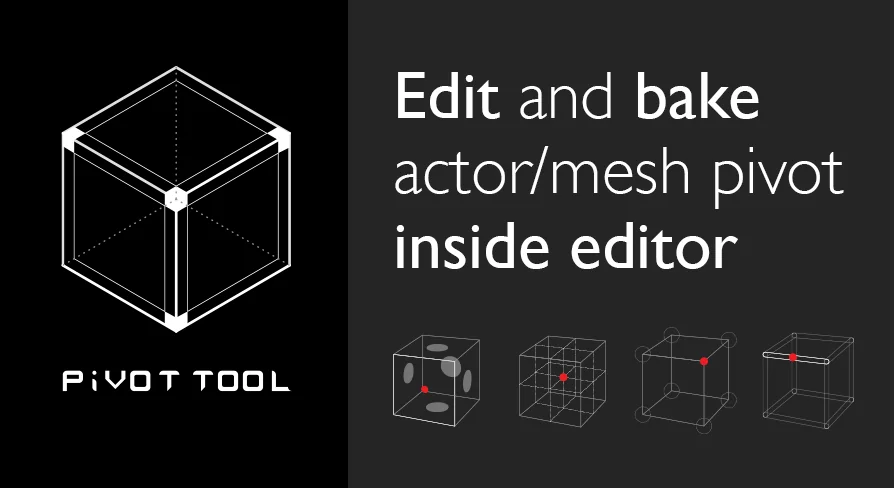
Pivot Tool is a pivot editor for Unreal Engine designed to simplify asset management. This utility allows developers to modify actor pivots directly within the engine environment. Consequently, it eliminates the repetitive task of switching between different software packages for minor adjustments. By using this tool, you can maintain a more efficient and focused creative process.
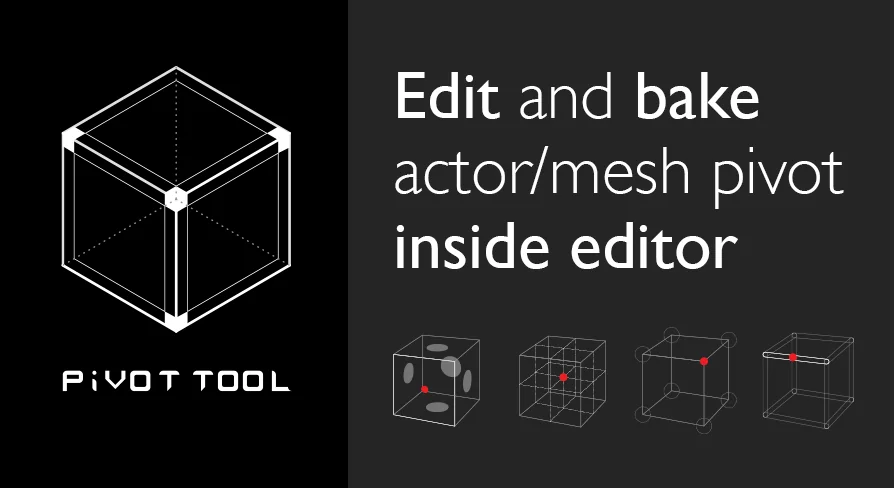
The tool provides two primary methods for adjustment. Users can choose to modify pivots manually for precise control over specific actors. Alternatively, the developer has included 27 pivot presets for automatic application. These presets allow for rapid alignment based on common placement needs, ensuring that your objects behave correctly during the layout phase.
Baking and Mesh Integration
A significant advantage of the Pivot Tool is its ability to bake changes. You can bake pivot offsets into a static mesh right inside the Unreal Editor. Therefore, there is no need to open external 3D modeling software for simple pivot position tweaking. This feature ensures that your pivot adjustments remain persistent within the asset itself.
This internal baking process saves a considerable amount of time. Moreover, it reduces the risk of errors that often occur when exporting and re-importing assets. By keeping the entire workflow within Unreal Engine, the Pivot Tool provides a seamless experience for level designers and environment artists alike.
Advanced Control and Features
The tool has evolved to include several advanced features that improve actor management. For instance, version 1.0.2 introduced a Freeze Rotation capability. This allows for better control over how actors are oriented within your scene. Furthermore, the tool supports a variety of meshing and alignment tasks through its dedicated interface.
Modify pivots manually or automatically.
Access 27 distinct pivot presets.
Bake pivot offsets into static meshes internally.
Utilize the Freeze Rotation feature for better alignment.
Closing Notes
Taken together, Pivot Tool offers a robust solution for pivot management in Unreal Engine. It provides the necessary features to handle actor alignment without the need for external tools. Because it supports both manual tweaks and automatic presets, it caters to various development styles. Ultimately, this tool is a practical addition for anyone looking to optimize their static mesh workflow.
 Engine Tools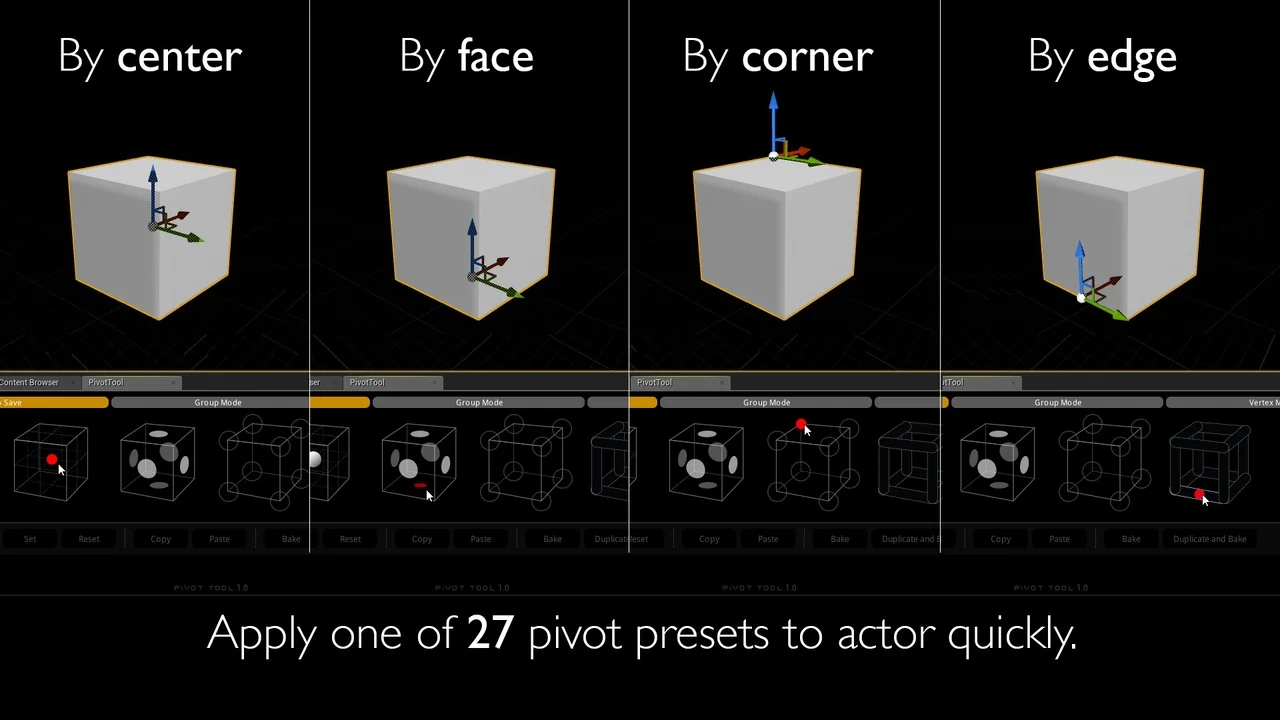
 Engine Tools
 Engine Tools
 Automations