"7066dd76da796369"{"id":"14331","slug":"pbl-database","title":"PBL Database","category":"Engine Tools","engine":"5.4 - 5.7","assetVersion":"Engine version: 5.4 - 5.7","engineVersion":"Asset Version:1.1","tag":"Engine Tools","accent":"blue","visual":"city","summary":"The PBL Database provides artists with a scientific approach to lighting within Unreal Engine. This toolbox offers physically accurate data and conversion tools to achieve professional-grade realism.","platform":"Unreal Engine","publishedAt":"2026-03-11T17:41:11.000Z","updatedAt":"2026-04-19T15:45:48.000Z","sourceNotes":[],"fileContents":[],"compatibility":["Unreal Engine","Engine version: 5.4 - 5.7","Asset Version: 1.1"],"featuredImage":{"alt":"PBL Database","src":"https://3dcghub.com/wp-content/uploads/2026/03/4e4940dd-91af-47c5-84c6-8977c500a1ca.webp"},"hasDownloadLink":true,"downloads":1,"terms":[{"taxonomy":"category","slug":"engine-tools-tools-and-plugins","name":"Engine Tools"},{"taxonomy":"post_tag","slug":"environment","name":"Environment"},{"taxonomy":"post_tag","slug":"pbl-database","name":"PBL Database"},{"taxonomy":"post_tag","slug":"plugins","name":"Plugins"},{"taxonomy":"post_tag","slug":"tools","name":"Tools"},{"taxonomy":"post_tag","slug":"ui","name":"UI"},{"taxonomy":"post_tag","slug":"unreal-engine-5","name":"Unreal Engine 5"}],"galleryImages":[{"src":"https://3dcghub.com/wp-content/uploads/2026/03/a4e45b5db548_5cb3ea8a-8894-484a-9548-357434269642.webp","alt":"PBL Database"},{"src":"https://3dcghub.com/wp-content/uploads/2026/03/9ff27126981d_cb86c2d1-5431-4f2a-8c47-1370ea9e1d2f.webp","alt":"PBL Database"},{"src":"https://3dcghub.com/wp-content/uploads/2026/03/a76d1596d8b0_48d986c8-209d-4aa0-bf4b-648b928f17d0.webp","alt":"PBL Database"},{"src":"https://3dcghub.com/wp-content/uploads/2026/03/b43377da4850_769b17ae-cbce-43bb-8320-85d93e71d97a.webp","alt":"PBL Database"},{"src":"https://3dcghub.com/wp-content/uploads/2026/03/1222774a63ff_2c2053bc-09f1-4bdf-8f3c-fc9f3fbbb3cb.webp","alt":"PBL Database"}],"accessPanel":{"kind":"resource","title":"Access this resource","eyebrow":"Free Download","message":"Log in or create a free account to start your download.","fileName":"PBL Database 5.4 - 5.7,v1.1.7z","safetyNote":"All resources are 100% manually reviewed to eliminate all risks.","actionLabel":"Download Free","resourceType":"Resource archive"},"contentHtml":"\u003ch2\u003eAchieving Realism with the PBL Database\u003c/h2\u003e\n\u003cp\u003eThe \u003cstrong\u003ePBL Database\u003c/strong\u003e is a specialized toolbox designed to assist developers in mastering the Physically Based Lighting workflow. It functions as an all-in-one solution for understanding how light behaves in the real world. Unlike automated lighting systems, this plugin provides the specific tools and data needed to create realistic environments manually.\u003c/p\u003e\n\u003cp\u003eFor that reason, users can learn the science behind light behavior while working directly within the engine. The creator designed this resource to gather all necessary references into a single, accessible location. This approach ensures that your lighting setups remain grounded in physical reality.\u003c/p\u003e\n\n\u003ch2\u003eComprehensive In-Engine Data\u003c/h2\u003e\n\u003cp\u003eThe core of the \u003cstrong\u003ePBL Database\u003c/strong\u003e is its growing collection of physically accurate lighting data. Users can access measurements for lux, cd/m², lm, and EV100 without leaving the editor. Furthermore, each data point includes sampling notes and visual proof, such as pictures and videos of the sampling environment and light meters.\u003c/p\u003e\n\u003cp\u003eTo make this information easy to navigate, the tool includes several organizational features:\u003c/p\u003e\n\u003cul\u003e\n\u003cli\u003e\u003cstrong\u003eData Sorting:\u003c/strong\u003e Organize information by unit, location (indoors or outdoors), and light type (natural or artificial).\u003c/li\u003e\n\u003cli\u003e\u003cstrong\u003eScenario Selector:\u003c/strong\u003e Use parameters like cloud coverage and time of day to find exact lighting data.\u003c/li\u003e\n\u003cli\u003e\u003cstrong\u003eDescription Panel:\u003c/strong\u003e View definitions based on your modifiers and use the built-in tutorial feature to learn the UI.\u003c/li\u003e\n\u003cli\u003e\u003cstrong\u003eExternal Resources:\u003c/strong\u003e Access useful cheat sheets and relevant links directly at your fingertips.\u003c/li\u003e\n\u003c/ul\u003e\n\n\u003ch2\u003eAdvanced Calibration and Conversion Tools\u003c/h2\u003e\n\u003cp\u003eThe \u003cstrong\u003ePBL Database\u003c/strong\u003e includes an Edit mode that allows you to apply values directly to actors in your scene. This feature enables quick iteration within realistic ranges. Additionally, the tool includes a Sunny 16 rule calculator, which allows you to dynamically change camera settings to match specific environmental needs.\u003c/p\u003e\n\u003cp\u003eFor technical accuracy, the plugin offers a Camera Settings Converter. This tool helps you understand the complex relationship between Shutter Speed, Aperture, and EV100. Moreover, a Light Temperature converter is included to help you find the correct RGB colors for emissive materials based on real-world temperatures.\u003c/p\u003e\n\n\u003ch2\u003eTechnical Requirements\u003c/h2\u003e\n\u003cp\u003eTo utilize the \u003cstrong\u003ePBL Database\u003c/strong\u003e, your project must have two specific Unreal Engine plugins activated. These are the EditorScriptingUtilities and the HDRIBackdrop plugins. Once these are enabled, the toolbox integrates seamlessly into your workflow.\u003c/p\u003e\n\u003cp\u003eFor teams considering it, this resource is an essential toolkit for any artist focused on scientific accuracy in cinematography and lighting. It provides the data and the conversion tools necessary to bridge the gap between digital scenes and real-world light behavior.\u003c/p\u003e\n\n\u003ch2\u003eMore From The Same Workflow\u003c/h2\u003e\n\u003cul\u003e\n\u003cli\u003e\u003ca href=\"https://3dcghub.com/extile-plus-ultimate-non-tiling-material-toolkit-for-unreal-engine-environments/\" title=\"EXTILE PLUS -Ultimate Non-Tiling Material Toolkit for Unreal Engine Environments\"\u003eEXTILE PLUS -Ultimate Non-Tiling Material Toolkit for Unreal Engine Environments\u003c/a\u003e\u003c/li\u003e\n\u003cli\u003e\u003ca href=\"https://3dcghub.com/ultimate-template-unrealengine-2d-dialogue-inventory-system-save/\" title=\"ULTIMATE Template UnrealEngine || 2D + Dialogue + Inventory system + Save | |\"\u003eULTIMATE Template UnrealEngine || 2D + Dialogue + Inventory system + Save | |\u003c/a\u003e\u003c/li\u003e\n\u003cli\u003e\u003ca href=\"https://3dcghub.com/daz-to-unreal/\" title=\"Daz To Unreal\"\u003eDaz To Unreal\u003c/a\u003e\u003c/li\u003e\n\u003cli\u003e\u003ca href=\"https://3dcghub.com/blueprint-generator-ai-kibibyte-labs-engine-assistant/\" title=\"Blueprint Generator Ai – Kibibyte Labs (Engine Assistant)\"\u003eBlueprint Generator Ai – Kibibyte Labs (Engine Assistant)\u003c/a\u003e\u003c/li\u003e\n\u003cli\u003e\u003ca href=\"https://3dcghub.com/sci-fi-environment-engine-room/\" title=\"Sci-fi Environment Engine Room\"\u003eSci-fi Environment Engine Room\u003c/a\u003e\u003c/li\u003e\n\u003c/ul\u003e","contentTextLength":3112,"navigation":{"current":3388,"total":4016,"previous":{"id":"14345","slug":"pdf-viewer","title":"PDF Viewer","category":"Engine Tools","platform":"Unreal Engine","updatedAt":"2026-04-19T15:45:48.000Z"},"next":{"id":"14323","slug":"pak-creator-plugin","title":"Pak Creator Plugin","category":"Engine Tools","platform":"Unreal Engine","updatedAt":"2026-04-19T15:45:48.000Z"}},"relatedResources":[{"id":"14305","slug":"object-distribution-tool-objectt-distributed-tooll-objecting-distributing","title":"Object Distribution Tool (Objectt Distributed Tooll Objecting Distributing)","category":"Engine Tools","engine":"5.0 - 5.7","assetVersion":"Engine version: 5.0 - 5.7","engineVersion":"Asset Version:1.3","tag":"Engine Tools","accent":"blue","visual":"animation","summary":"Enhance your level design workflow with the Object Distribution Tool. This Unreal Engine plugin offers automated organization, new distribution types like Tunnel and Disk, and advanced density controls.","platform":"Unreal Engine","publishedAt":"2026-03-11T17:32:21.000Z","updatedAt":"2026-04-26T06:48:51.000Z","sourceNotes":[],"fileContents":[],"compatibility":["Unreal Engine","Engine version: 5.0 - 5.7","Asset Version: 1.3"],"featuredImage":{"alt":"Object Distribution Tool (Objectt Distributed Tooll Objecting Distributing)","src":"https://3dcghub.com/wp-content/uploads/2026/03/a694e9f4-aab2-412f-a1ff-0aad1f95ee00.webp"},"hasDownloadLink":true,"downloads":0},{"id":"14592","slug":"shadersource-waterfall-tool-2","title":"SHADERSOURCE - Waterfall Tool 2","category":"Engine Tools","engine":"5.2 - 5.7","assetVersion":"Asset Version: 1.0a - 1.0d","engineVersion":"Engine Version: 5.2 - 5.7","tag":"Engine Tools","accent":"blue","visual":"animation","summary":"The SHADERSOURCE - Waterfall Tool 2 introduces a specialized Editor Mode for generating realistic waterfalls through dynamic meshes and spline paths. This tool offers both Simple and Advanced modes to provide full control over fluid paths and VFX generation.","platform":"Unreal Engine","publishedAt":"2026-03-11T18:36:22.000Z","updatedAt":"2026-10-04T08:27:42.401Z","sourceNotes":[],"fileContents":[],"compatibility":["Unreal Engine","Asset Version: 1.0a - 1.0d","Engine Version: 5.2 - 5.7"],"featuredImage":{"alt":"SHADERSOURCE - Waterfall Tool 2","src":"https://3dcghub.com/wp-content/uploads/2026/03/79d82bd8-c7cf-4877-9519-16f36c4a03c4.webp"},"hasDownloadLink":true,"downloads":1},{"id":"14147","slug":"make-modular-skeletal-mesh","title":"Make Modular Skeletal Mesh","category":"Engine Tools","engine":"5.3 - 5.4","assetVersion":"Engine version: 5.3 - 5.4","engineVersion":"5.3","tag":"Engine Tools","accent":"blue","visual":"mech","summary":"Enhance your asset creation process with the Make Modular Skeletal Mesh subsystem. This tool enables developers to modify and combine skeletal mesh parts directly within the UE editor.","platform":"Unreal Engine","publishedAt":"2026-03-11T16:00:04.000Z","updatedAt":"2026-04-19T15:45:52.000Z","sourceNotes":[],"fileContents":[],"compatibility":["Unreal Engine","Engine version: 5.3 - 5.4"],"featuredImage":{"alt":"Make Modular Skeletal Mesh","src":"https://3dcghub.com/wp-content/uploads/2026/03/8090ef9f-f5d3-428e-940c-ad1f4ed77720.webp"},"hasDownloadLink":true,"downloads":1}]}
Engine Tools
PBL Database
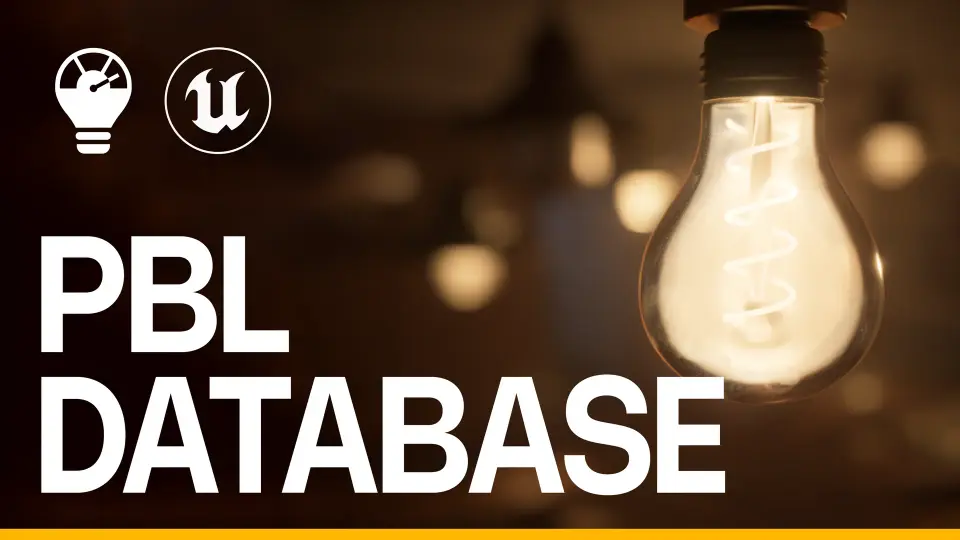
The PBL Database provides artists with a scientific approach to lighting within Unreal Engine. This toolbox offers physically accurate data and conversion tools to achieve professional-grade realism.
The PBL Database is a specialized toolbox designed to assist developers in mastering the Physically Based Lighting workflow. It functions as an all-in-one solution for understanding how light behaves in the real world. Unlike automated lighting systems, this plugin provides the specific tools and data needed to create realistic environments manually.
For that reason, users can learn the science behind light behavior while working directly within the engine. The creator designed this resource to gather all necessary references into a single, accessible location. This approach ensures that your lighting setups remain grounded in physical reality.
Comprehensive In-Engine Data
The core of the PBL Database is its growing collection of physically accurate lighting data. Users can access measurements for lux, cd/m², lm, and EV100 without leaving the editor. Furthermore, each data point includes sampling notes and visual proof, such as pictures and videos of the sampling environment and light meters.
To make this information easy to navigate, the tool includes several organizational features:
Data Sorting: Organize information by unit, location (indoors or outdoors), and light type (natural or artificial).
Scenario Selector: Use parameters like cloud coverage and time of day to find exact lighting data.
Description Panel: View definitions based on your modifiers and use the built-in tutorial feature to learn the UI.
External Resources: Access useful cheat sheets and relevant links directly at your fingertips.
Advanced Calibration and Conversion Tools
The PBL Database includes an Edit mode that allows you to apply values directly to actors in your scene. This feature enables quick iteration within realistic ranges. Additionally, the tool includes a Sunny 16 rule calculator, which allows you to dynamically change camera settings to match specific environmental needs.
For technical accuracy, the plugin offers a Camera Settings Converter. This tool helps you understand the complex relationship between Shutter Speed, Aperture, and EV100. Moreover, a Light Temperature converter is included to help you find the correct RGB colors for emissive materials based on real-world temperatures.
Technical Requirements
To utilize the PBL Database, your project must have two specific Unreal Engine plugins activated. These are the EditorScriptingUtilities and the HDRIBackdrop plugins. Once these are enabled, the toolbox integrates seamlessly into your workflow.
For teams considering it, this resource is an essential toolkit for any artist focused on scientific accuracy in cinematography and lighting. It provides the data and the conversion tools necessary to bridge the gap between digital scenes and real-world light behavior.
 Engine Tools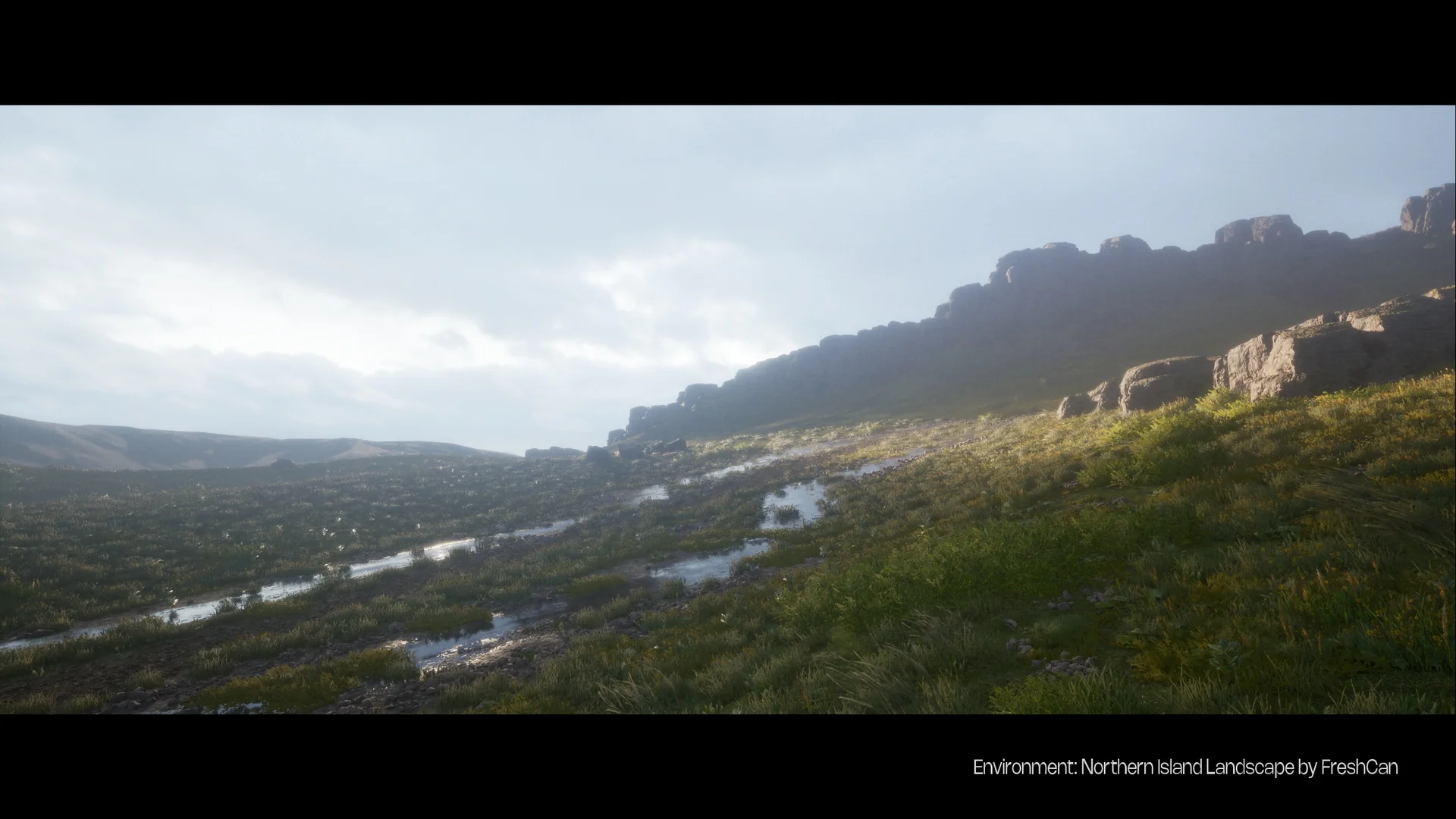
 Engine Tools
 Engine Tools
 Engine Tools