"f813c18d2170b1f6"{"id":"24518","slug":"mastering-unity-muse","title":"Mastering Unity Muse","category":"Unity","engine":"Video language: English","assetVersion":"Video language: English","engineVersion":"File content: video + supporting files + English subtitles","tag":"Unity","accent":"cyan","visual":"audio","summary":"Mastering Unity Muse focuses on Unityâs generative AI tools through a beginner-friendly path that moves from setup to prompt writing and short projects. The course covers Muse packages for textures, sprites, animation, behaviour, and chat, then follows th...","platform":"Unity","publishedAt":"2026-04-14T15:59:40.000Z","updatedAt":"2026-04-20T06:12:47.000Z","sourceNotes":[],"fileContents":[],"compatibility":["Unity","Video language: English","File content: video + supporting files + English subtitles"],"featuredImage":{"alt":"Mastering Unity Muse","src":"https://3dcghub.com/wp-content/uploads/2026/04/91d5a2d8f144_5940238_1a14.webp"},"hasDownloadLink":true,"downloads":0,"terms":[{"taxonomy":"category","slug":"tutoriallibrary-unity","name":"Unity"},{"taxonomy":"post_tag","slug":"environment","name":"Environment"},{"taxonomy":"post_tag","slug":"tools","name":"Tools"},{"taxonomy":"post_tag","slug":"unity","name":"Unity"}],"galleryImages":[],"accessPanel":{"kind":"video-resource","title":"Access this video resource","eyebrow":"Free Download","message":"Log in or create a free account to start your download.","fileName":"Mastering Unity Muse.rar","safetyNote":"All resources are 100% manually reviewed to eliminate all risks.","actionLabel":"Download Free","resourceType":"Video package"},"contentHtml":"\u003ch2\u003eUnity Muse packages and the course path\u003c/h2\u003e\u003cp\u003eMastering Unity Muse takes Unityâs generative AI tools and turns them into a structured learning path for beginners. The course centers on Muse Tool Packages for textures, sprites, animations, behaviours, and chat, then follows those tools through a sequence of focused lessons. That sequence matters because it keeps the work close to actual usage in Unity instead of treating generative AI as an abstract idea.\u003c/p\u003e\u003cp\u003eThe curriculum begins with an introduction and moves through textures, sprites, animation, behaviour, chat, and working with Muse Chat before closing with a conclusion. That order gives the course a clear setup-to-use flow: first the tools, then the application, then the direct work with chat-based features. The course is listed at 7h 2m and is set at beginner level, which places it in the category of guided first contact with Unityâs AI tooling rather than advanced experimentation.\u003c/p\u003e\u003cp\u003eThe course is presented as a complete guide to generative AI tools in the Unity Game Engine, and the lesson structure reflects that focus. Instead of isolating one asset type or one narrow task, it keeps the attention on how the different Muse packages fit together inside a Unity workflow.\u003c/p\u003e\u003ch2\u003eInstalling Muse and moving through each tool package\u003c/h2\u003e\u003cp\u003eOne of the clearest parts of the course is the installation step. It starts by showing how to install Unityâs Muse Tool Packages for textures, sprites, animations, behaviours, and chat. That makes the setup stage part of the learning process rather than an extra hurdle sitting outside it. The course does not treat installation as a separate technical footnote; it places it at the front of the workflow so the remaining lessons can build on a working setup.\u003c/p\u003e\u003cp\u003eFrom there, each package has its own place in the curriculum. Textures appear first in the module list, followed by sprites, animation, behaviour, and chat. The sequence suggests a gradual move from visual content to more interactive and conversational uses of generative AI inside Unity. A learner can follow the same order and see how each tool package fits into the broader workflow without jumping around between unrelated topics.\u003c/p\u003e\u003cp\u003eThe most important practical point here is that the course does not limit Muse to one kind of output. It includes textures, sprites, animation, behaviours, and chat in the same learning path, so the material stays connected to different kinds of Unity content rather than a single feature.\u003c/p\u003e\u003ch2\u003ePrompt writing for generated results\u003c/h2\u003e\u003cp\u003ePrompting is treated as a core part of the course, not a side skill. One of the stated learning goals is to develop effective prompts for generative AI so the results match the intended output more closely. That focus gives the course a practical angle: the learner is not only exposed to Muse tools, but also to the wording and input needed to get useful results from them.\u003c/p\u003e\u003cp\u003eThis is especially relevant across the different asset types named in the course. The same prompt-writing habit applies whether the output is meant for textures, sprites, animation content, behaviour content, or chat. The course keeps that connection visible by pairing prompt development with the actual Muse packages, so the learner can think about input and output as part of one process.\u003c/p\u003e\u003cp\u003eAnother learning goal is identifying uses of generative AI in game development. That makes the prompt work more than just a technical exercise. It places the tools in a game-development context and asks the learner to recognize where generative AI can fit into Unity work. The course does not push the topic into general AI theory; it keeps the focus on practical use inside the engine.\u003c/p\u003e\u003ch2\u003eShort Unity projects with generated textures, sprites, animation, and behaviour\u003c/h2\u003e\u003cp\u003eThe course includes short Unity projects that use generated texture, sprite, animation, and behaviour content. That gives the material a hands-on shape after the setup and prompt-writing stages. Instead of stopping at tool explanations, the course moves into small projects that use the generated content in context.\u003c/p\u003e\u003cp\u003eThis project work is a good match for the beginner level. Short projects can keep the focus on the generated content itself while still showing how the pieces fit together in Unity. The course does not present those projects as large production builds; it keeps them short, which makes the structure easier to follow for game programmers, artists, and hobbyists who want to keep up with the latest AI tools available in Unity.\u003c/p\u003e\u003cp\u003eBecause the projects use multiple content types, they also mirror the courseâs broader pattern: textures, sprites, animation, and behaviour are not treated as separate islands. They sit within the same learning path and show how generative AI content can be carried from prompt to use in a Unity project.\u003c/p\u003e\u003ch3\u003eCourse details and audience\u003c/h3\u003e\u003cp\u003eMastering Unity Muse is taught by Penny de Byl, with Penny Holistic3D also listed among the instructors. The course is provided by Penny de Byl and was published on Aug. 28, 2024. Its beginner level and 7h 2m workload make the pace clear from the start: it is a guided course for people who want to learn the basics of Unityâs Muse tools and how to apply them in practice.\u003c/p\u003e\u003cp\u003eThe intended audience includes any game programmers, artists, or hobbyists who want to stay current with the latest AI tools available in Unity. That audience fits the lesson structure well. The course begins with installation, moves through the individual tool packages, develops prompt-writing habits, and closes with short Unity projects and Muse Chat work. For someone approaching Unityâs generative AI tools for the first time, the course is set up to handle the full path from setup to creative use.\u003c/p\u003e\n\n\u003ch2\u003eMore From The Same Workflow\u003c/h2\u003e\n\u003cul\u003e\n\u003cli\u003e\u003ca href=\"https://3dcghub.com/create-2d-multiplayer-game-with-photon-in-unity/\" title=\"Create 2D Multiplayer Game with photon in unity\"\u003eCreate 2D Multiplayer Game with photon in unity\u003c/a\u003e\u003c/li\u003e\n\u003cli\u003e\u003ca href=\"https://3dcghub.com/procedural-terrain-generation-with-unity/\" title=\"Procedural Terrain Generation with Unity\"\u003eProcedural Terrain Generation with Unity\u003c/a\u003e\u003c/li\u003e\n\u003cli\u003e\u003ca href=\"https://3dcghub.com/learn-to-create-a-2d-action-zombie-game-in-unity/\" title=\"Learn to create a 2D Action Zombie Game in Unity\"\u003eLearn to create a 2D Action Zombie Game in Unity\u003c/a\u003e\u003c/li\u003e\n\u003cli\u003e\u003ca href=\"https://3dcghub.com/learn-to-create-advance-metroidvania-game-with-unity-c/\" title=\"Learn to create advance Metroidvania game with Unity \u0026amp;amp; C#\"\u003eLearn to create advance Metroidvania game with Unity \u0026amp; C#\u003c/a\u003e\u003c/li\u003e\n\u003cli\u003e\u003ca href=\"https://3dcghub.com/make-a-multiplayer-game-in-unity/\" title=\"Make a Multiplayer Game in Unity\"\u003eMake a Multiplayer Game in Unity\u003c/a\u003e\u003c/li\u003e\n\u003c/ul\u003e","contentTextLength":5987,"navigation":{"current":1936,"total":3651,"previous":{"id":"24419","slug":"urp-glass-shaders","title":"URP - Glass Shaders","category":"Shaders","platform":"Unity","updatedAt":"2026-04-20T06:12:48.000Z"},"next":{"id":"24514","slug":"create-2d-multiplayer-game-with-photon-in-unity","title":"Create 2D Multiplayer Game with photon in unity","category":"Unity","platform":"Unity","updatedAt":"2026-04-20T06:12:47.000Z"}},"relatedResources":[{"id":"24548","slug":"coding-in-unity-mastering-procedural-mesh-generation","title":"Coding in Unity: Mastering Procedural Mesh Generation","category":"Unity","engine":"Video language: English","assetVersion":"Video language: English","engineVersion":"File content: video + supporting files + English subtitles","tag":"Unity","accent":"cyan","visual":"animation","summary":"This Unity course focuses on building meshes through code, starting with simple geometry and moving into terrain and landscape generation. It follows a clear path through shapes, mesh data, noise, and infinite landscapes, with a level aimed at intermediate...","platform":"Unity","publishedAt":"2026-04-15T12:54:34.000Z","updatedAt":"2026-04-20T06:12:45.000Z","sourceNotes":[],"fileContents":[],"compatibility":["Unity","Video language: English","File content: video + supporting files + English subtitles"],"featuredImage":{"alt":"Coding in Unity: Mastering Procedural Mesh Generation","src":"https://3dcghub.com/wp-content/uploads/2026/04/4d64af57e641_870650_188c.webp"},"hasDownloadLink":true,"downloads":0},{"id":"24276","slug":"mastering-editor-scripting-in-unity","title":"Mastering Editor Scripting in Unity","category":"Unity","engine":"Video language: English","assetVersion":"Video language: English","engineVersion":"File content: video + supporting files + English subtitles","tag":"Unity","accent":"cyan","visual":"mech","summary":"Mastering Editor Scripting in Unity focuses on the parts of the editor that shape day-to-day production work: custom inspectors, GUI tools, editor modes, and asset automation. It moves from fundamentals into more specialized editor workflows that help organ...","platform":"Unity","publishedAt":"2026-04-13T06:36:22.000Z","updatedAt":"2026-04-19T15:34:55.000Z","sourceNotes":[],"fileContents":[],"compatibility":["Unity","Video language: English","File content: video + supporting files + English subtitles"],"featuredImage":{"alt":"Mastering Editor Scripting in Unity","src":"https://3dcghub.com/wp-content/uploads/2026/04/865616ddefa2_6047523_431f_2.webp"},"hasDownloadLink":true,"downloads":0},{"id":"24279","slug":"unity-shader-programming-beginners-to-advanced-techniques","title":"Unity Shader Programming: Beginners to Advanced Techniques","category":"Unity","engine":"Video language: English","assetVersion":"Video language: English","engineVersion":"File content: video + supporting files + English subtitles","tag":"Unity","accent":"cyan","visual":"mech","summary":"This training follows Unity shader work from the first fundamentals through intermediate control and into advanced techniques. It connects setup, implementation, and creative effects with mobile optimization and profiler use.","platform":"Unity","publishedAt":"2026-04-13T06:40:52.000Z","updatedAt":"2026-04-19T15:34:54.000Z","sourceNotes":[],"fileContents":[],"compatibility":["Unity","Video language: English","File content: video + supporting files + English subtitles"],"featuredImage":{"alt":"Unity Shader Programming: Beginners to Advanced Techniques","src":"https://3dcghub.com/wp-content/uploads/2026/04/85f3f53f367c_6048761_32cf_2.webp"},"hasDownloadLink":true,"downloads":0}]}
Unity
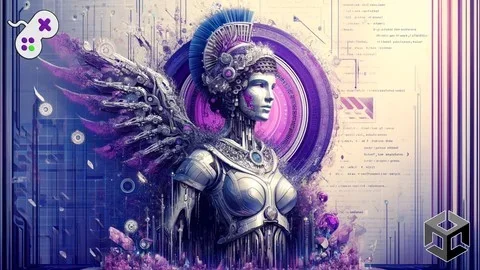
Mastering Unity Muse
Mastering Unity Muse focuses on Unityâs generative AI tools through a beginner-friendly path that moves from setup to prompt writing and short projects. The course covers Muse packages for textures, sprites, animation, behaviour, and chat, then follows th...
Category:UnityPlatform: UnityVideo language: EnglishFile content: video + supporting files + English subtitlesPublished: Apr 14, 2026Updated: Apr 20, 2026
Unity
Resource overview
Unity Muse packages and the course path
Mastering Unity Muse takes Unityâs generative AI tools and turns them into a structured learning path for beginners. The course centers on Muse Tool Packages for textures, sprites, animations, behaviours, and chat, then follows those tools through a sequence of focused lessons. That sequence matters because it keeps the work close to actual usage in Unity instead of treating generative AI as an abstract idea.
The curriculum begins with an introduction and moves through textures, sprites, animation, behaviour, chat, and working with Muse Chat before closing with a conclusion. That order gives the course a clear setup-to-use flow: first the tools, then the application, then the direct work with chat-based features. The course is listed at 7h 2m and is set at beginner level, which places it in the category of guided first contact with Unityâs AI tooling rather than advanced experimentation.
The course is presented as a complete guide to generative AI tools in the Unity Game Engine, and the lesson structure reflects that focus. Instead of isolating one asset type or one narrow task, it keeps the attention on how the different Muse packages fit together inside a Unity workflow.
Installing Muse and moving through each tool package
One of the clearest parts of the course is the installation step. It starts by showing how to install Unityâs Muse Tool Packages for textures, sprites, animations, behaviours, and chat. That makes the setup stage part of the learning process rather than an extra hurdle sitting outside it. The course does not treat installation as a separate technical footnote; it places it at the front of the workflow so the remaining lessons can build on a working setup.
From there, each package has its own place in the curriculum. Textures appear first in the module list, followed by sprites, animation, behaviour, and chat. The sequence suggests a gradual move from visual content to more interactive and conversational uses of generative AI inside Unity. A learner can follow the same order and see how each tool package fits into the broader workflow without jumping around between unrelated topics.
The most important practical point here is that the course does not limit Muse to one kind of output. It includes textures, sprites, animation, behaviours, and chat in the same learning path, so the material stays connected to different kinds of Unity content rather than a single feature.
Prompt writing for generated results
Prompting is treated as a core part of the course, not a side skill. One of the stated learning goals is to develop effective prompts for generative AI so the results match the intended output more closely. That focus gives the course a practical angle: the learner is not only exposed to Muse tools, but also to the wording and input needed to get useful results from them.
This is especially relevant across the different asset types named in the course. The same prompt-writing habit applies whether the output is meant for textures, sprites, animation content, behaviour content, or chat. The course keeps that connection visible by pairing prompt development with the actual Muse packages, so the learner can think about input and output as part of one process.
Another learning goal is identifying uses of generative AI in game development. That makes the prompt work more than just a technical exercise. It places the tools in a game-development context and asks the learner to recognize where generative AI can fit into Unity work. The course does not push the topic into general AI theory; it keeps the focus on practical use inside the engine.
Short Unity projects with generated textures, sprites, animation, and behaviour
The course includes short Unity projects that use generated texture, sprite, animation, and behaviour content. That gives the material a hands-on shape after the setup and prompt-writing stages. Instead of stopping at tool explanations, the course moves into small projects that use the generated content in context.
This project work is a good match for the beginner level. Short projects can keep the focus on the generated content itself while still showing how the pieces fit together in Unity. The course does not present those projects as large production builds; it keeps them short, which makes the structure easier to follow for game programmers, artists, and hobbyists who want to keep up with the latest AI tools available in Unity.
Because the projects use multiple content types, they also mirror the courseâs broader pattern: textures, sprites, animation, and behaviour are not treated as separate islands. They sit within the same learning path and show how generative AI content can be carried from prompt to use in a Unity project.
Course details and audience
Mastering Unity Muse is taught by Penny de Byl, with Penny Holistic3D also listed among the instructors. The course is provided by Penny de Byl and was published on Aug. 28, 2024. Its beginner level and 7h 2m workload make the pace clear from the start: it is a guided course for people who want to learn the basics of Unityâs Muse tools and how to apply them in practice.
The intended audience includes any game programmers, artists, or hobbyists who want to stay current with the latest AI tools available in Unity. That audience fits the lesson structure well. The course begins with installation, moves through the individual tool packages, develops prompt-writing habits, and closes with short Unity projects and Muse Chat work. For someone approaching Unityâs generative AI tools for the first time, the course is set up to handle the full path from setup to creative use.
 Unity
Unity Unity
Unity Unity
Unity Unity
Unity