"f813c18d2170b1f6"{"id":"24548","slug":"coding-in-unity-mastering-procedural-mesh-generation","title":"Coding in Unity: Mastering Procedural Mesh Generation","category":"Unity","engine":"Video language: English","assetVersion":"Video language: English","engineVersion":"File content: video + supporting files + English subtitles","tag":"Unity","accent":"cyan","visual":"animation","summary":"This Unity course focuses on building meshes through code, starting with simple geometry and moving into terrain and landscape generation. It follows a clear path through shapes, mesh data, noise, and infinite landscapes, with a level aimed at intermediate...","platform":"Unity","publishedAt":"2026-04-15T12:54:34.000Z","updatedAt":"2026-04-20T06:12:45.000Z","sourceNotes":[],"fileContents":[],"compatibility":["Unity","Video language: English","File content: video + supporting files + English subtitles"],"featuredImage":{"alt":"Coding in Unity: Mastering Procedural Mesh Generation","src":"https://3dcghub.com/wp-content/uploads/2026/04/4d64af57e641_870650_188c.webp"},"hasDownloadLink":true,"downloads":0,"terms":[{"taxonomy":"category","slug":"tutoriallibrary-unity","name":"Unity"},{"taxonomy":"post_tag","slug":"environment","name":"Environment"},{"taxonomy":"post_tag","slug":"materials","name":"Materials"},{"taxonomy":"post_tag","slug":"unity","name":"Unity"}],"galleryImages":[],"accessPanel":{"kind":"video-resource","title":"Access this video resource","eyebrow":"Free Download","message":"Log in or create a free account to start your download.","fileName":"Coding in Unity Mastering Procedural Mesh Generation.7z","safetyNote":"All resources are 100% manually reviewed to eliminate all risks.","actionLabel":"Download Free","resourceType":"Video package"},"contentHtml":"\u003ch2\u003eMeshes that come from code, not a modeling pass\u003c/h2\u003e\u003cp\u003eThis Unity course is centered on procedural mesh generation: creating geometry through code inside Unity rather than relying on static, hand-built shapes. It starts from the simplest mesh forms and works upward to complex terrain and infinite fractal landscapes, which makes it easy to place within a development workflow where geometry needs to be generated, adjusted, or expanded by scripts.\u003c/p\u003e\u003cp\u003eThat focus gives it a clear role in production. When a project needs terrain, modular shapes, or landscapes that are not fixed ahead of time, procedural generation becomes part of how the scene is assembled. The course keeps that idea concrete by moving step by step through mesh construction, then into the data that makes those meshes read correctly in a scene.\u003c/p\u003e\u003ch2\u003eFrom triangles and shapes to full 3D forms\u003c/h2\u003e\u003cp\u003eThe curriculum begins with the fundamentals of geometry and builds from there. It covers triangles first, then more 2D shapes, then tetrahedrons and additional 3D shapes. That progression matters because it mirrors how procedural mesh work often unfolds in practice: start with basic polygons, then expand toward more expressive forms once the underlying structure is clear.\u003c/p\u003e\u003cp\u003eRather than jumping straight into terrain, the course uses these earlier modules to establish how meshes are assembled and how shape logic works in Unity. By the time it reaches the more advanced material, the learner has already gone through the core building blocks that make procedural generation understandable in code.\u003c/p\u003e\u003cul\u003e\u003cli\u003eAll the Triangles\u003c/li\u003e\u003cli\u003eMore 2D Shapes\u003c/li\u003e\u003cli\u003eAll the Tetrahedrons\u003c/li\u003e\u003cli\u003eMore 3D Shapes\u003c/li\u003e\u003c/ul\u003e\u003cp\u003eThis ordered approach gives the course a practical rhythm. The shape work is not treated as an isolated exercise; it becomes the foundation for later terrain and landscape generation.\u003c/p\u003e\u003ch2\u003eUVs, normals, tangents, and vertex colour work\u003c/h2\u003e\u003cp\u003eOnce the mesh structures are in place, the course moves into the data that makes them usable in a real scene. UVs, normals, and tangents are all included, along with vertex colours. Those topics sit squarely in the part of a workflow where geometry needs more than just positions and faces. A mesh has to carry the information that supports shading, surface mapping, and visual variation.\u003c/p\u003e\u003cp\u003eThe presence of these topics is useful because they connect procedural geometry to the visual layer of a project. A mesh generated from code still has to behave like a proper scene object, and that means understanding how UVs are calculated and how normals and tangents fit into the mesh structure. Vertex colours add another layer of control within the same workflow.\u003c/p\u003e\u003cp\u003eFor teams exploring procedural systems, this is the point where mesh generation stops being only about shape creation. It becomes about making the generated geometry ready for use in a scene, with the supporting data needed for consistent results.\u003c/p\u003e\u003ch2\u003eNoise-driven terrain and landscape generation\u003c/h2\u003e\u003cp\u003eThe course then shifts into noise-based generation, including Perlin noise and fractal noise. From there it moves into 2D procedural terrain generation, procedural landscape generation, and infinite landscapes. That sequence shows a clear path from noise as a building tool to the larger task of shaping ground and scenery.\u003c/p\u003e\u003cp\u003eIn a real project, this is where procedural mesh work becomes especially relevant to scene scale. 2D terrain can be generated directly from code, while landscape generation pushes that same logic into larger environmental forms. The infinite landscapes portion signals a further step in scope, where the focus is no longer just on a single mesh, but on a system capable of extending the world as needed.\u003c/p\u003e\u003cp\u003eThe curriculum titles make the progression easy to follow:\u003c/p\u003e\u003cul\u003e\u003cli\u003eNoise\u003c/li\u003e\u003cli\u003e2D Procedural Terrain Generation\u003c/li\u003e\u003cli\u003eProcedural Landscape Generation\u003c/li\u003e\u003cli\u003eInfinite Landscapes\u003c/li\u003e\u003c/ul\u003e\u003cp\u003eThat combination of noise and terrain work is the clearest indicator of where the course fits in a project pipeline. It is aimed at developers who want to generate landscapes in code and understand the mesh logic behind them, not just place prebuilt terrain into a scene.\u003c/p\u003e\u003ch2\u003eWho this fits, and how much it covers\u003c/h2\u003e\u003cp\u003eThe target audience is intermediate Unity developers who want to learn procedural mesh generation. It is not meant for people who are new to Unity or C#, so it assumes that the learner already has a working base in both. That makes the course a better fit for developers who can already navigate Unity and now want to extend their skills into code-driven geometry.\u003c/p\u003e\u003cp\u003eAt 2 hours and 56 minutes, the course stays focused on its subject. It was published on November 23, 2020, and is listed at the intermediate level. Those details point to a compact, skill-specific learning path rather than a broad Unity overview.\u003c/p\u003e\u003cp\u003eThe curriculum finishes with a bonus section, which keeps the structure from feeling abruptly cut off after the main terrain and landscape topics. Taken as a whole, the course is most useful for Unity developers who need a practical path from basic mesh construction to terrain and landscape generation, with the supporting pieces like UVs, normals, tangents, and vertex colours included along the way.\u003c/p\u003e\u003cp\u003eFor teams evaluating it as part of a workflow, the strongest takeaway is simple: it covers the exact chain of skills needed to build procedural meshes in Unity, from shape generation through to noise-driven landscapes and infinite terrain forms.\u003c/p\u003e\n\n\u003ch2\u003eExplore Similar Assets\u003c/h2\u003e\n\u003cul\u003e\n\u003cli\u003e\u003ca href=\"https://3dcghub.com/make-a-match-three-puzzle-game-in-unity/\" title=\"Make a Match-Three Puzzle Game in Unity\"\u003eMake a Match-Three Puzzle Game in Unity\u003c/a\u003e\u003c/li\u003e\n\u003cli\u003e\u003ca href=\"https://3dcghub.com/making-an-ai-eight-ball-pool-game-in-unity/\" title=\"Making an AI Eight-Ball Pool Game in Unity\"\u003eMaking an AI Eight-Ball Pool Game in Unity\u003c/a\u003e\u003c/li\u003e\n\u003cli\u003e\u003ca href=\"https://3dcghub.com/the-complete-guide-to-unity-2d-platformer-development/\" title=\"The Complete Guide to Unity 2D : Platformer Development\"\u003eThe Complete Guide to Unity 2D : Platformer Development\u003c/a\u003e\u003c/li\u003e\n\u003cli\u003e\u003ca href=\"https://3dcghub.com/the-ultimate-unity-game-developer-course-from-zero-to-hero/\" title=\"The Ultimate Unity Game Developer Course: From Zero to Hero\"\u003eThe Ultimate Unity Game Developer Course: From Zero to Hero\u003c/a\u003e\u003c/li\u003e\n\u003cli\u003e\u003ca href=\"https://3dcghub.com/unity-bootcamp-3d-game-development/\" title=\"Unity Bootcamp: 3D Game Development\"\u003eUnity Bootcamp: 3D Game Development\u003c/a\u003e\u003c/li\u003e\n\u003c/ul\u003e","contentTextLength":5624,"navigation":{"current":1952,"total":3651,"previous":{"id":"24551","slug":"egg-snatchers-fun-local-multiplayer-game-in-unity-netcode","title":"Egg Snatchers - Fun Local Multiplayer Game in Unity Netcode","category":"Unity","platform":"Unity","updatedAt":"2026-04-20T06:12:45.000Z"},"next":{"id":"24545","slug":"build-a-poker-game-in-unity-complete-development-course","title":"Build a Poker Game in Unity: Complete Development Course","category":"Unity","platform":"Unity","updatedAt":"2026-04-20T06:12:45.000Z"}},"relatedResources":[{"id":"24487","slug":"procedural-terrain-generation-with-unity","title":"Procedural Terrain Generation with Unity","category":"Unity","engine":"Video language: English","assetVersion":"Video language: English","engineVersion":"File content: video + supporting files + English subtitles","tag":"Unity","accent":"cyan","visual":"luts","summary":"This Unity course follows the path from raw terrain shapes to more complete outdoor scenes, using C# to manipulate meshes, vegetation data, and rendering settings in URP. It also includes custom editor windows, inspector editors, and procedural approaches s...","platform":"Unity","publishedAt":"2026-04-14T14:43:35.000Z","updatedAt":"2026-04-20T06:12:47.000Z","sourceNotes":[],"fileContents":[],"compatibility":["Unity","Video language: English","File content: video + supporting files + English subtitles"],"featuredImage":{"alt":"Procedural Terrain Generation with Unity","src":"https://3dcghub.com/wp-content/uploads/2026/04/ead49845a0d3_1660066_829f_3.webp"},"hasDownloadLink":true,"downloads":0},{"id":"24521","slug":"math-for-video-games-the-fastest-way-to-get-smarter-at-math","title":"Math For Video Games: The Fastest Way To Get Smarter At Math","category":"Unity","engine":"Video language: English","assetVersion":"Video language: English","engineVersion":"File content: video + supporting files + English subtitles","tag":"Unity","accent":"cyan","visual":"audio","summary":"A beginner-level course that uses video game design and coding problems to teach core math. It moves from arithmetic and number bases into vectors, trigonometry, probability, and projectile motion.","platform":"Unity","publishedAt":"2026-04-14T16:34:54.000Z","updatedAt":"2026-04-20T06:12:46.000Z","sourceNotes":[],"fileContents":[],"compatibility":["Unity","Video language: English","File content: video + supporting files + English subtitles"],"featuredImage":{"alt":"Math For Video Games: The Fastest Way To Get Smarter At Math","src":"https://3dcghub.com/wp-content/uploads/2026/04/72d1f95d1cf4_3019460_d9a0_2.webp"},"hasDownloadLink":true,"downloads":0},{"id":"24518","slug":"mastering-unity-muse","title":"Mastering Unity Muse","category":"Unity","engine":"Video language: English","assetVersion":"Video language: English","engineVersion":"File content: video + supporting files + English subtitles","tag":"Unity","accent":"cyan","visual":"audio","summary":"Mastering Unity Muse focuses on Unityâs generative AI tools through a beginner-friendly path that moves from setup to prompt writing and short projects. The course covers Muse packages for textures, sprites, animation, behaviour, and chat, then follows th...","platform":"Unity","publishedAt":"2026-04-14T15:59:40.000Z","updatedAt":"2026-04-20T06:12:47.000Z","sourceNotes":[],"fileContents":[],"compatibility":["Unity","Video language: English","File content: video + supporting files + English subtitles"],"featuredImage":{"alt":"Mastering Unity Muse","src":"https://3dcghub.com/wp-content/uploads/2026/04/91d5a2d8f144_5940238_1a14.webp"},"hasDownloadLink":true,"downloads":0}]}
Unity
Coding in Unity: Mastering Procedural Mesh Generation
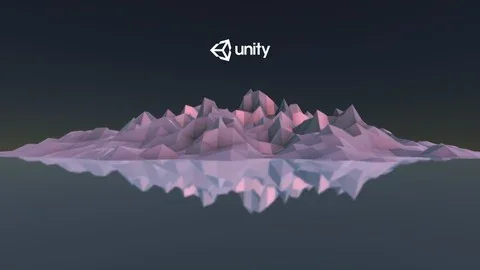
This Unity course focuses on building meshes through code, starting with simple geometry and moving into terrain and landscape generation. It follows a clear path through shapes, mesh data, noise, and infinite landscapes, with a level aimed at intermediate...
Category:UnityPlatform: UnityVideo language: EnglishFile content: video + supporting files + English subtitlesPublished: Apr 15, 2026Updated: Apr 20, 2026
Unity
Resource overview
Meshes that come from code, not a modeling pass
This Unity course is centered on procedural mesh generation: creating geometry through code inside Unity rather than relying on static, hand-built shapes. It starts from the simplest mesh forms and works upward to complex terrain and infinite fractal landscapes, which makes it easy to place within a development workflow where geometry needs to be generated, adjusted, or expanded by scripts.
That focus gives it a clear role in production. When a project needs terrain, modular shapes, or landscapes that are not fixed ahead of time, procedural generation becomes part of how the scene is assembled. The course keeps that idea concrete by moving step by step through mesh construction, then into the data that makes those meshes read correctly in a scene.
From triangles and shapes to full 3D forms
The curriculum begins with the fundamentals of geometry and builds from there. It covers triangles first, then more 2D shapes, then tetrahedrons and additional 3D shapes. That progression matters because it mirrors how procedural mesh work often unfolds in practice: start with basic polygons, then expand toward more expressive forms once the underlying structure is clear.
Rather than jumping straight into terrain, the course uses these earlier modules to establish how meshes are assembled and how shape logic works in Unity. By the time it reaches the more advanced material, the learner has already gone through the core building blocks that make procedural generation understandable in code.
All the Triangles
More 2D Shapes
All the Tetrahedrons
More 3D Shapes
This ordered approach gives the course a practical rhythm. The shape work is not treated as an isolated exercise; it becomes the foundation for later terrain and landscape generation.
UVs, normals, tangents, and vertex colour work
Once the mesh structures are in place, the course moves into the data that makes them usable in a real scene. UVs, normals, and tangents are all included, along with vertex colours. Those topics sit squarely in the part of a workflow where geometry needs more than just positions and faces. A mesh has to carry the information that supports shading, surface mapping, and visual variation.
The presence of these topics is useful because they connect procedural geometry to the visual layer of a project. A mesh generated from code still has to behave like a proper scene object, and that means understanding how UVs are calculated and how normals and tangents fit into the mesh structure. Vertex colours add another layer of control within the same workflow.
For teams exploring procedural systems, this is the point where mesh generation stops being only about shape creation. It becomes about making the generated geometry ready for use in a scene, with the supporting data needed for consistent results.
Noise-driven terrain and landscape generation
The course then shifts into noise-based generation, including Perlin noise and fractal noise. From there it moves into 2D procedural terrain generation, procedural landscape generation, and infinite landscapes. That sequence shows a clear path from noise as a building tool to the larger task of shaping ground and scenery.
In a real project, this is where procedural mesh work becomes especially relevant to scene scale. 2D terrain can be generated directly from code, while landscape generation pushes that same logic into larger environmental forms. The infinite landscapes portion signals a further step in scope, where the focus is no longer just on a single mesh, but on a system capable of extending the world as needed.
The curriculum titles make the progression easy to follow:
Noise
2D Procedural Terrain Generation
Procedural Landscape Generation
Infinite Landscapes
That combination of noise and terrain work is the clearest indicator of where the course fits in a project pipeline. It is aimed at developers who want to generate landscapes in code and understand the mesh logic behind them, not just place prebuilt terrain into a scene.
Who this fits, and how much it covers
The target audience is intermediate Unity developers who want to learn procedural mesh generation. It is not meant for people who are new to Unity or C#, so it assumes that the learner already has a working base in both. That makes the course a better fit for developers who can already navigate Unity and now want to extend their skills into code-driven geometry.
At 2 hours and 56 minutes, the course stays focused on its subject. It was published on November 23, 2020, and is listed at the intermediate level. Those details point to a compact, skill-specific learning path rather than a broad Unity overview.
The curriculum finishes with a bonus section, which keeps the structure from feeling abruptly cut off after the main terrain and landscape topics. Taken as a whole, the course is most useful for Unity developers who need a practical path from basic mesh construction to terrain and landscape generation, with the supporting pieces like UVs, normals, tangents, and vertex colours included along the way.
For teams evaluating it as part of a workflow, the strongest takeaway is simple: it covers the exact chain of skills needed to build procedural meshes in Unity, from shape generation through to noise-driven landscapes and infinite terrain forms.
 Unity
Unity Unity
Unity Unity
Unity Unity
Unity