"2596237520a17fbf"{"id":"1002916","slug":"loading-screen-with-load-percentage","title":"Loading Screen With Load Percentage","category":"Engine Tools","engine":"5.1 - 5.5","assetVersion":"Asset Version: 1.25","engineVersion":"Engine Version: 5.1 - 5.5","tag":"Engine Tools","accent":"blue","visual":"mech","summary":"Examine how Loading Screen With Load Percentage uses UMG-to-Slate conversion, smooth interpolation, and asynchronous package tracking in Unreal Engine.","platform":"Unreal Engine","indexPolicy":"index","publishedAt":"2026-11-21T15:45:23.734Z","updatedAt":"2026-11-21T15:45:23.734Z","sourceNotes":[],"fileContents":[],"compatibility":["Unreal Engine","Asset Version: 1.25","Engine Version: 5.1 - 5.5"],"featuredImage":{"alt":"Loading Screen With Load Percentage","src":"/wp-content/uploads/published/2026/11/a436f613237f-661321f1-b5a3-4be4-aaf2-310939b9d91c-ba3b09aa5a.webp"},"fileSizeBytes":138377166,"hasDownloadLink":true,"downloads":0,"terms":[{"taxonomy":"category","slug":"engine-tools-tools-and-plugins","name":"Engine Tools"}],"galleryImages":[{"src":"/wp-content/uploads/published/2026/11/81b1abd1ee11-918a1948-5b09-44df-b711-725e24a15772-9e9172b588.webp","alt":"Loading Screen With Load Percentage"},{"src":"/wp-content/uploads/published/2026/11/02fc703ee29e-f2eab7a6-a2ff-43da-bd86-7c16f4053c07-b57488b450.webp","alt":"Loading Screen With Load Percentage"},{"src":"/wp-content/uploads/published/2026/11/3da7c84ff73c-73c747c8-0355-41b0-a21d-065392636763-565398d2ae.webp","alt":"Loading Screen With Load Percentage"},{"src":"/wp-content/uploads/published/2026/11/430506d06a9a-2fd247f9-221f-403b-ae1a-91513910a60d-8c24ba290c.webp","alt":"Loading Screen With Load Percentage"},{"src":"/wp-content/uploads/published/2026/11/244793201404-5eeb9f67-2faf-4379-a0b5-2fe53d2d0f51-13f6d35400.webp","alt":"Loading Screen With Load Percentage"},{"src":"/wp-content/uploads/published/2026/11/630118a28f4b-f79ace51-6595-46b8-9e73-4201582d2a67-8125dc0def.webp","alt":"Loading Screen With Load Percentage"},{"src":"/wp-content/uploads/published/2026/11/0fbca599ff5d-67d97b49-1e79-4a64-b13e-651da4d93868-42c22a147c.webp","alt":"Loading Screen With Load Percentage"},{"src":"/wp-content/uploads/published/2026/11/9a4ccf096a16-002c6cb6-b948-4816-adb4-731a946ce549-13e70b1d8e.webp","alt":"Loading Screen With Load Percentage"},{"src":"/wp-content/uploads/published/2026/11/4739834bfaaa-65b3cea1-4bf5-4630-9246-00883bbc71fb-eafca9c234.webp","alt":"Loading Screen With Load Percentage"},{"src":"/wp-content/uploads/published/2026/11/b748bc995257-ac06bdf2-b428-4d7d-b253-63b43b807607-b5e0898beb.webp","alt":"Loading Screen With Load Percentage"}],"contentHtml":"\u003cp\u003eA functional transition screen requires a bridge between Unreal Engine's visual interface tools and the lower-level systems that operate while maps load. Loading Screen With Load Percentage establishes this connection by converting standard UMG layouts into Slate widgets, binding asynchronous package loading progress directly to user interface elements, and controlling execution flow across world transitions. By managing Slate rendering, mathematical interpolation, and travel parameters through a minimal set of functions, the tool manages level shifts without requiring custom C++ Slate construction from scratch.\u003c/p\u003e \u003ch2\u003eConverting UMG to Slate for Screen Display\u003c/h2\u003e \u003cp\u003eAt the center of the plugin is a mechanism that converts a standard UMG widget into a native Slate widget. Standard UMG widgets operate within the world context of an active level. When that level is torn down during an open or travel command, standard widgets are cleared from the viewport. Slate, operating at a lower layer within the application framework, persists through the transition phase where the engine discards the old world and initializes the new one.\u003c/p\u003e \u003cp\u003eThe workflow begins by defining a UMG design containing an indicator bar and percentage text. The plugin takes this layout, converts it into Slate, and presents it directly to the viewport. Because the converted interface exists at the Slate level, it remains visible and animated while the underlying engine destroys the existing world context. The setup also includes explicit ZOrder configuration, ensuring the loading screen layer renders over other viewport layers and graphics buffers during the handover phase.\u003c/p\u003e \u003ch2\u003eTracking the Package Load Percentage and Interpolation\u003c/h2\u003e \u003cp\u003eAccurate progress tracking relies on evaluating asynchronous package requests. The system locates the targeted package using its object path and starts asynchronous loading routines. As data streams into memory, the plugin queries the percentage of loaded packages to drive the visual elements.\u003c/p\u003e \u003cp\u003eRaw package loading values often advance in uneven steps as disparate asset batches finish reading from disk. To prevent abrupt jumps in both the progress bar and numerical text readout, the plugin applies \u003ccode\u003eFInterpTo\u003c/code\u003e Smoothing. This smoothly interpolates the visual values toward the true loaded percentage across frames. For developers who require direct, frame-accurate reporting without mathematical smoothing, the plugin includes a toggle variable labeled \"UseF Interp to Movement.\" Unchecking this setting bypasses the interpolation function entirely, immediately passing raw percentage values to the interface elements.\u003c/p\u003e \u003cp\u003ePercentage values are accessible directly within Blueprints, allowing designers to link the calculated progression to custom events or specialized data readouts. The interface system automatically locates the designated progress bar and text block displaying the % symbol, updating them continuously until the asynchronous operations conclude.\u003c/p\u003e \u003ch2\u003eTransition Execution and Level Handovers\u003c/h2\u003e \u003cp\u003eTracking the completion of an asynchronous package load is only one half of a transition pipeline; the engine must also swap the active map cleanly. The plugin implements a structured sequence to manage this handover:\u003c/p\u003e \u003cul\u003e \u003cli\u003eConvert and configure the chosen UMG asset into a Slate widget.\u003c/li\u003e \u003cli\u003eDetect the associated progress bar and percentage text element.\u003c/li\u003e \u003cli\u003eLocate the target package from its Object Path and initiate asynchronous loading.\u003c/li\u003e \u003cli\u003eDisplay the Slate widget on the screen.\u003c/li\u003e \u003cli\u003eFetch the loading percentage of the packages and push updates to the progress bar and text.\u003c/li\u003e \u003cli\u003eEvaluate both package completion status and a defined minimum display time threshold before initiating \u003ccode\u003eOpenLevel\u003c/code\u003e Or \u003ccode\u003eServerTravel\u003c/code\u003e.\u003c/li\u003e \u003cli\u003eKeep the configured screen active while the new level opens or while network travel concludes.\u003c/li\u003e \u003cli\u003eVerify the level transition before removing the Slate widget from view.\u003c/li\u003e\n\u003c/ul\u003e \u003cp\u003eEnforcing a minimum display time guarantees that screens do not briefly flash and vanish when loading lightweight test scenes or cached assets. The plugin validates that this elapsed duration has passed alongside asset completion before executing the transition call. Once map initialization finishes, the plugin checks the transition state and hides the Slate widget, preventing visual artifacts such as momentary black frames during map initialization.\u003c/p\u003e \u003ch2\u003eVisual Styles, Materials, and Motion States\u003c/h2\u003e \u003cp\u003eVisual presentation includes features designed to avoid static loading scenes. The system supports standalone execution outside the editor environment, matching the behavior observed during active play sessions. Visual updates include dedicated background materials and specialized sectoral loading effect materials, expanding visual options beyond simple horizontal bars.\u003c/p\u003e \u003cp\u003eIn addition to traditional linear progress bars, the plugin supports circular progress bars driven by Blueprint logic. Interface opacity can be managed using discrete fade-in and fade-out functions. These transitions incorporate configurable interpolation types, giving projects control over the curve and timing with which a screen enters the view or dissolves to reveal the loaded level.\u003c/p\u003e \u003ch2\u003eControlling the Loading Lifecycle and Sublevel Streaming\u003c/h2\u003e \u003cp\u003eModern level design frequently relies on streaming architectures rather than monolithic level files. The plugin provides native support for sublevel loading workflows, adapting beyond the legacy \u003ccode\u003eBeginLoadingScreenSimple\u003c/code\u003e Function which has been marked as deprecated. This ensures complex persistent map architectures with multiple streaming components can track and display their asset status through the same framework.\u003c/p\u003e \u003cp\u003eFor projects built on Unreal Engine 5.5 and later releases, transition logic is expanded through a structured \u003ccode\u003eTravelSettings\u003c/code\u003e Configuration container. This structure exposes granular network and map parameters directly to transition calls:\u003c/p\u003e \u003cul\u003e \u003cli\u003e\u003cstrong\u003eServerTravel Toggle:\u003c/strong\u003e When enabled, the transition routine issues a \u003ccode\u003eServerTravel\u003c/code\u003e Command rather than a standard \u003ccode\u003eOpenLevel\u003c/code\u003e Call, allowing multiplayer hosts to carry connected clients between game worlds.\u003c/li\u003e \u003cli\u003e\u003cstrong\u003eAbsolute \u0026amp; Options:\u003c/strong\u003e The Absolute flag and launch option strings apply uniformly across both \u003ccode\u003eOpenLevel\u003c/code\u003e And \u003ccode\u003eServerTravel\u003c/code\u003e Pathways, preserving URL parameters, game modes, and configuration parameters across level switches.\u003c/li\u003e\n\u003c/ul\u003e \u003cp\u003eEngine versions 5.5 and onward also introduce manual lifecycle control over the screen display. By default, the system monitors level initialization and closes the interface automatically. By setting the \u003ccode\u003eAutoStopLoadingScreen\u003c/code\u003e Variable to false, developers prevent the screen from closing automatically when map streaming completes. The Slate interface remains active until the project explicitly executes the \u003ccode\u003eManuallyStopLoadingScreen\u003c/code\u003e Function. This setup allows games to finish post-load processes—such as server synchronization, player pawn instantiation, or shader preparation—behind an uninterrupted interface before revealing the world.\u003c/p\u003e\n\n\u003ch2\u003eExplore Similar Assets\u003c/h2\u003e\n\u003cul\u003e\n\u003cli\u003e\u003ca href=\"https://3dcghub.com/common-loading-screen/\" rel=\"noopener noreferrer\"\u003eCommon Loading Screen\u003c/a\u003e\u003c/li\u003e\n\u003cli\u003e\u003ca href=\"https://3dcghub.com/anime-character-creator-plugin/\" rel=\"noopener noreferrer\"\u003eAnime Character Creator - Plugin\u003c/a\u003e\u003c/li\u003e\n\u003cli\u003e\u003ca href=\"https://3dcghub.com/runtime-load-fbx/\" rel=\"noopener noreferrer\"\u003eRuntime Load FBX\u003c/a\u003e\u003c/li\u003e\n\u003cli\u003e\u003ca href=\"https://3dcghub.com/mazen-level-tool/\" rel=\"noopener noreferrer\"\u003eMazen Level Tool\u003c/a\u003e\u003c/li\u003e\n\u003cli\u003e\u003ca href=\"https://3dcghub.com/shader-compilation-screen-remove-shader-stutters/\" rel=\"noopener noreferrer\"\u003eShader Compilation Screen - remove shader stutters\u003c/a\u003e\u003c/li\u003e\n\u003c/ul\u003e","contentTextLength":7074,"navigation":{"current":3,"total":4839,"previous":{"id":"1002917","slug":"exe-extension-and-process-management","title":".exe Extension \u0026 Process Management","category":"Engine Tools","platform":"Unreal Engine","updatedAt":"2026-11-21T15:46:43.853Z"},"next":{"id":"1002915","slug":"inventory-framework-plugin-inventory-system","title":"Inventory Framework Plugin - Inventory System","category":"Game Mechanics","platform":"Unreal Engine","updatedAt":"2026-11-21T15:44:15.077Z"}},"relatedResources":[{"id":"1000806","slug":"common-loading-screen","title":"Common Loading Screen","category":"Engine Tools","engine":"5.7","assetVersion":"Asset Version: 1.1.4","engineVersion":"Engine Version: 5.7","tag":"Engine Tools","accent":"blue","visual":"mech","summary":"A modular Unreal Engine loading screen plugin built on Common UI, supporting splash screens, level transitions, and on-demand displays for UE5 and earlier versi","platform":"Unreal Engine","indexPolicy":"index","publishedAt":"2026-07-31T05:13:55.000Z","updatedAt":"2026-07-31T05:13:55.000Z","sourceNotes":[],"fileContents":[],"compatibility":["Unreal Engine","Asset Version: 1.1.4","Engine Version: 5.7"],"featuredImage":{"alt":"Common Loading Screen","src":"/wp-content/uploads/published/2026/07/768a3663b69c-b2dc683c-a518-4dde-a74d-1e454dc6deed-5f71985104.webp"},"fileSizeBytes":78497968,"hasDownloadLink":true,"downloads":0},{"id":"1001951","slug":"anime-character-creator-plugin","title":"Anime Character Creator - Plugin","category":"Engine Tools","engine":"5.1+","assetVersion":"","engineVersion":"Engine Version: 5.1+","tag":"Engine Tools","accent":"blue","visual":"character","summary":"Examine the Anime Character Creator - Plugin featuring morphology controls, async data loading, spawn point randomization, and OOP architecture.","platform":"Unreal Engine","indexPolicy":"index","publishedAt":"2026-10-24T11:24:37.566Z","updatedAt":"2026-10-24T11:24:37.566Z","sourceNotes":[],"fileContents":[],"compatibility":["Unreal Engine","Engine Version: 5.1+"],"featuredImage":{"alt":"Anime Character Creator - Plugin","src":"/wp-content/uploads/published/2026/10/5dd9add74b26-d537e28e-4283-44a1-88e3-b5fb783c7d26-d5fd7c5c21.webp"},"fileSizeBytes":224565305,"hasDownloadLink":true,"downloads":2},{"id":"1001755","slug":"runtime-load-fbx","title":"Runtime Load FBX","category":"Engine Tools","engine":"5.0","assetVersion":"Asset Version: 1.2.0","engineVersion":"Engine Version: 5.0","tag":"Engine Tools","accent":"blue","visual":"mech","summary":"Runtime Load FBX brings external static FBX models directly into packaged Unreal builds, supporting procedural setups, MQTT workflows, and dynamic pipelines.","platform":"Unreal Engine","indexPolicy":"index","publishedAt":"2026-10-20T03:00:02.880Z","updatedAt":"2026-10-28T12:37:19.536Z","sourceNotes":[],"fileContents":[],"compatibility":["Unreal Engine","Asset Version: 1.2.0","Engine Version: 5.0"],"featuredImage":{"alt":"Runtime Load FBX","src":"/wp-content/uploads/published/2026/10/a6b48dd50373-b12ce29f-0648-4984-a3b6-d316181a13e4-3ac3b542bb.webp"},"fileSizeBytes":14594943,"hasDownloadLink":true,"downloads":0}]}
Resource screenshots
1 / 10
Join our channel
Follow 3DCGHUB on Telegram for new resource drops, migration updates, and community notices.
Examine how Loading Screen With Load Percentage uses UMG-to-Slate conversion, smooth interpolation, and asynchronous package tracking in Unreal Engine.
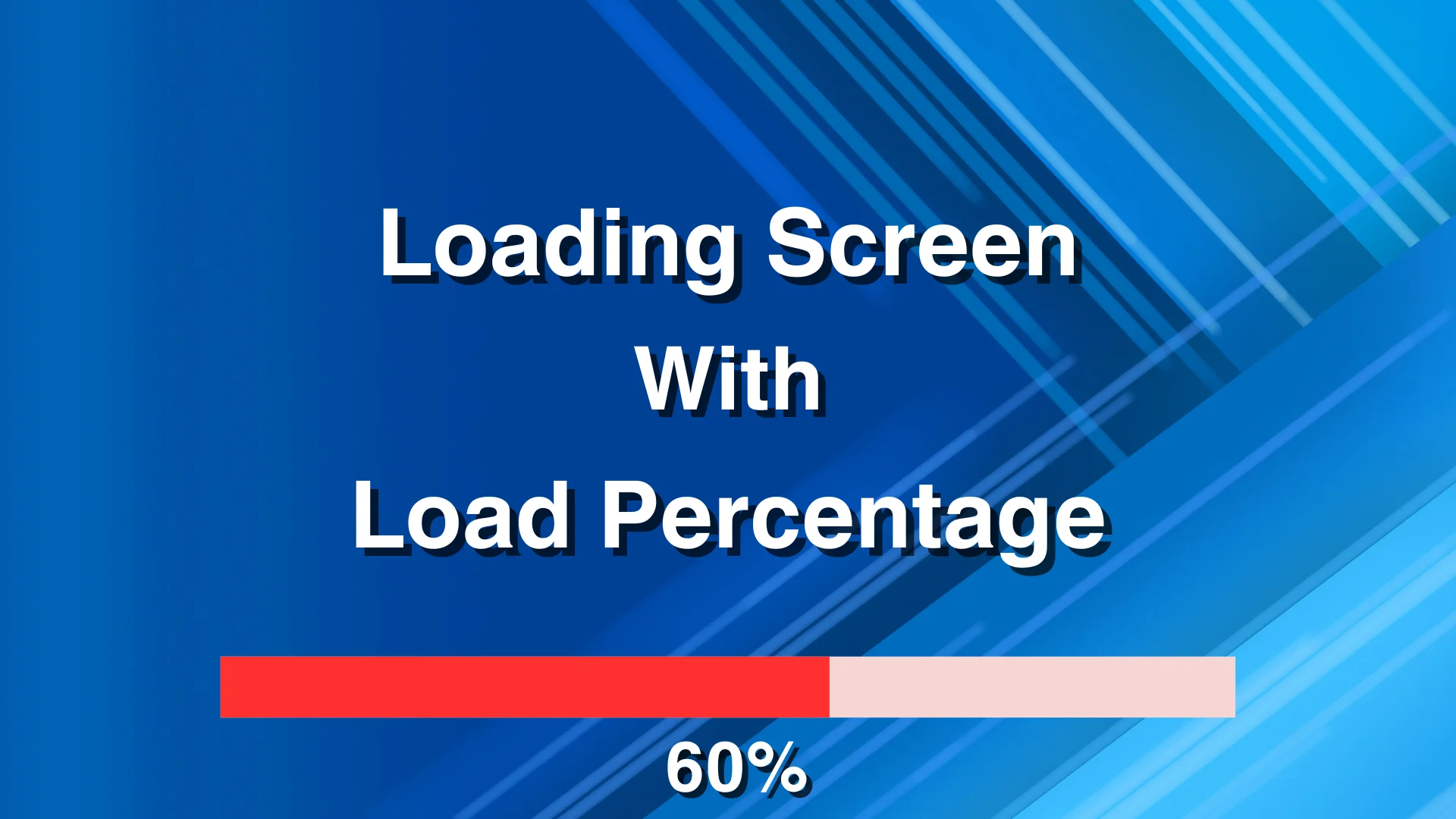
A functional transition screen requires a bridge between Unreal Engine's visual interface tools and the lower-level systems that operate while maps load. Loading Screen With Load Percentage establishes this connection by converting standard UMG layouts into Slate widgets, binding asynchronous package loading progress directly to user interface elements, and controlling execution flow across world transitions. By managing Slate rendering, mathematical interpolation, and travel parameters through a minimal set of functions, the tool manages level shifts without requiring custom C++ Slate construction from scratch.
Converting UMG to Slate for Screen Display
At the center of the plugin is a mechanism that converts a standard UMG widget into a native Slate widget. Standard UMG widgets operate within the world context of an active level. When that level is torn down during an open or travel command, standard widgets are cleared from the viewport. Slate, operating at a lower layer within the application framework, persists through the transition phase where the engine discards the old world and initializes the new one.
The workflow begins by defining a UMG design containing an indicator bar and percentage text. The plugin takes this layout, converts it into Slate, and presents it directly to the viewport. Because the converted interface exists at the Slate level, it remains visible and animated while the underlying engine destroys the existing world context. The setup also includes explicit ZOrder configuration, ensuring the loading screen layer renders over other viewport layers and graphics buffers during the handover phase.
Tracking the Package Load Percentage and Interpolation
Accurate progress tracking relies on evaluating asynchronous package requests. The system locates the targeted package using its object path and starts asynchronous loading routines. As data streams into memory, the plugin queries the percentage of loaded packages to drive the visual elements.
Raw package loading values often advance in uneven steps as disparate asset batches finish reading from disk. To prevent abrupt jumps in both the progress bar and numerical text readout, the plugin applies FInterpTo Smoothing. This smoothly interpolates the visual values toward the true loaded percentage across frames. For developers who require direct, frame-accurate reporting without mathematical smoothing, the plugin includes a toggle variable labeled "UseF Interp to Movement." Unchecking this setting bypasses the interpolation function entirely, immediately passing raw percentage values to the interface elements.
Percentage values are accessible directly within Blueprints, allowing designers to link the calculated progression to custom events or specialized data readouts. The interface system automatically locates the designated progress bar and text block displaying the % symbol, updating them continuously until the asynchronous operations conclude.
Transition Execution and Level Handovers
Tracking the completion of an asynchronous package load is only one half of a transition pipeline; the engine must also swap the active map cleanly. The plugin implements a structured sequence to manage this handover:
Convert and configure the chosen UMG asset into a Slate widget.
Detect the associated progress bar and percentage text element.
Locate the target package from its Object Path and initiate asynchronous loading.
Display the Slate widget on the screen.
Fetch the loading percentage of the packages and push updates to the progress bar and text.
Evaluate both package completion status and a defined minimum display time threshold before initiating OpenLevel Or ServerTravel.
Keep the configured screen active while the new level opens or while network travel concludes.
Verify the level transition before removing the Slate widget from view.
Enforcing a minimum display time guarantees that screens do not briefly flash and vanish when loading lightweight test scenes or cached assets. The plugin validates that this elapsed duration has passed alongside asset completion before executing the transition call. Once map initialization finishes, the plugin checks the transition state and hides the Slate widget, preventing visual artifacts such as momentary black frames during map initialization.
Visual Styles, Materials, and Motion States
Visual presentation includes features designed to avoid static loading scenes. The system supports standalone execution outside the editor environment, matching the behavior observed during active play sessions. Visual updates include dedicated background materials and specialized sectoral loading effect materials, expanding visual options beyond simple horizontal bars.
In addition to traditional linear progress bars, the plugin supports circular progress bars driven by Blueprint logic. Interface opacity can be managed using discrete fade-in and fade-out functions. These transitions incorporate configurable interpolation types, giving projects control over the curve and timing with which a screen enters the view or dissolves to reveal the loaded level.
Controlling the Loading Lifecycle and Sublevel Streaming
Modern level design frequently relies on streaming architectures rather than monolithic level files. The plugin provides native support for sublevel loading workflows, adapting beyond the legacy BeginLoadingScreenSimple Function which has been marked as deprecated. This ensures complex persistent map architectures with multiple streaming components can track and display their asset status through the same framework.
For projects built on Unreal Engine 5.5 and later releases, transition logic is expanded through a structured TravelSettings Configuration container. This structure exposes granular network and map parameters directly to transition calls:
ServerTravel Toggle: When enabled, the transition routine issues a ServerTravel Command rather than a standard OpenLevel Call, allowing multiplayer hosts to carry connected clients between game worlds.
Absolute & Options: The Absolute flag and launch option strings apply uniformly across both OpenLevel And ServerTravel Pathways, preserving URL parameters, game modes, and configuration parameters across level switches.
Engine versions 5.5 and onward also introduce manual lifecycle control over the screen display. By default, the system monitors level initialization and closes the interface automatically. By setting the AutoStopLoadingScreen Variable to false, developers prevent the screen from closing automatically when map streaming completes. The Slate interface remains active until the project explicitly executes the ManuallyStopLoadingScreen Function. This setup allows games to finish post-load processes—such as server synchronization, player pawn instantiation, or shader preparation—behind an uninterrupted interface before revealing the world.
 Engine Tools
 Engine Tools
 Engine Tools