"6ac84fdb0bd06614"{"id":"1001238","slug":"interaction-system","title":"Interaction System","category":"Action-Adventure","engine":"Version details listed","assetVersion":"","engineVersion":"","tag":"Action-Adventure","accent":"blue","visual":"mech","summary":"A modular, Blueprint-based starter kit built for rapid Unreal Engine 5 integration, suited for stylized nature biomes and interactive scene design.","platform":"Unreal Engine","publishedAt":"2026-09-21T03:51:17.965Z","updatedAt":"2026-09-21T03:51:17.965Z","sourceNotes":[],"fileContents":[],"compatibility":["Unreal Engine"],"featuredImage":{"alt":"Interaction System","src":"/wp-content/uploads/published/2026/09/89cb92998a2f-3d313b24-87c7-4a4c-a978-5521a4db4560-00555b9a06.webp"},"hasDownloadLink":true,"downloads":0,"terms":[{"taxonomy":"category","slug":"action-adventure","name":"Action-Adventure"}],"galleryImages":[{"src":"/wp-content/uploads/published/2026/09/92e3e9bb9110-2f9a399c-fbdd-49fe-a051-c5f8d1edaf28-4bfeff3cde.webp","alt":"Interaction System"},{"src":"/wp-content/uploads/published/2026/09/423831fee0f6-a3564c87-fa20-4f1a-8cb7-8b94ec41b00e-ce3b3b16a9.webp","alt":"Interaction System"},{"src":"/wp-content/uploads/published/2026/09/868a22ddc85c-c2811a54-dce3-403a-9870-593b074624ec-b6700ab485.webp","alt":"Interaction System"},{"src":"/wp-content/uploads/published/2026/09/dfbc8e780f2a-37f94ca2-6a6e-4959-b5a8-b398ce55b596-573a461e6e.webp","alt":"Interaction System"},{"src":"/wp-content/uploads/published/2026/09/2f2da45f4e31-beeff4db-7313-4a8b-8d02-2e59189237fa-5848da51a3.webp","alt":"Interaction System"},{"src":"/wp-content/uploads/published/2026/09/fb16d707bc00-a62752e7-74e4-4839-bc3d-27340c5cbf9b-06d7840091.webp","alt":"Interaction System"},{"src":"/wp-content/uploads/published/2026/09/b3edcee83c71-d0da7ccc-936b-4783-9779-b7f890585c23-b3b5c689de.webp","alt":"Interaction System"},{"src":"/wp-content/uploads/published/2026/09/e75a10bbcdd4-67b545a1-ae2a-46a2-b8c9-38f5b1983a84-661b351d99.webp","alt":"Interaction System"}],"accessPanel":{"kind":"resource","title":"Download this resource","eyebrow":"Free Download","message":"Log in or create a free account to start your download.","fileName":"Content.7z","safetyNote":"Resources are manually reviewed before listing to improve quality and reduce obvious risks.","actionLabel":"Download Free","resourceType":"Resource archive"},"contentHtml":"\u003ch2\u003eInteractive Touchpoints Across Stylized Nature and Biome Environments\u003c/h2\u003e\u003cp\u003ePopulating a stylized world requires more than aesthetic composition; scenes come alive when the player can engage directly with surrounding elements. Whether navigating dense stylized forests, open grassland biomes, or rocky wilderness outposts, environmental assets benefit immediately from interactive logic. Placing responsive touchpoints into natural environments shifts a scene from a passive backdrop to an active space where props, landscape markers, and biome structures invite exploration.\u003c/p\u003e\u003cp\u003eBecause the kit coordinates directly with stylized nature and environment biomes, level artists and gameplay designers can align visual styling with functional triggers. An interactive framework allows designers to connect player input to distinct environmental behaviors. In expansive biomes, interactive targets might include harvestable flora, opening pathways, functional props, or examination points scattered across natural terrain. Establishing these mechanics early anchors the player's presence in the scene, transforming wide-open nature landscapes into spaces with purpose and momentum.\u003c/p\u003e\u003ch2\u003eRapid Unreal Engine 5 Integration and Starter Kit Structure\u003c/h2\u003e\u003cp\u003eImporting functional gameplay mechanics into an active project often risks disrupting existing character controllers, camera setups, or folder hierarchies. This starter pack approaches integration with a clean entry process that fits into any Unreal Engine 5 project within a matter of minutes. The architecture eliminates lengthy configuration hurdles, letting creators drop the foundational interaction logic directly into an active level without rebuilding their project settings from scratch.\u003c/p\u003e\u003cp\u003eThe package operates as a focused starter kit rather than an unwieldy, monolithic system. Its footprint is targeted, ensuring that projects at any production stage can introduce player-to-world interactions quickly. For rapid prototyping in Unreal Engine 5, being able to initiate an interactive framework in minutes frees developers to test mechanic ideas, stage environmental triggers, and validate gameplay pacing before committing to deeper custom programming.\u003c/p\u003e\u003ch2\u003eModular Blueprint Logic for Flexible Interaction\u003c/h2\u003e\u003cp\u003eAt the center of the framework is a fully Blueprint-driven architecture structured through modularity. Relying on visual scripting inside Unreal Engine allows creators to inspect, adapt, and reparent interaction mechanics without writing native C++ code. The modular nature of the setup ensures that individual interaction rules remain decoupled from specific scene meshes, letting one standard logic flow govern a wide variety of interactive targets.\u003c/p\u003e\u003cp\u003eInteractive elements built with modular Blueprints yield several distinct workflow benefits:\u003c/p\u003e\u003cul\u003e\u003cli\u003eIndividual interactable components can be attached to diverse actor types across stylized biomes without rewriting the underlying trigger logic.\u003c/li\u003e\u003cli\u003eThe Blueprint flow is accessible for rapid adjustment, allowing developers to tweak trace settings, collision volumes, and response behaviors quickly.\u003c/li\u003e\u003cli\u003eGame designers can test varied interaction parameters across props, doors, natural elements, or inventory triggers while maintaining clean asset separation.\u003c/li\u003e\u003cli\u003eNew interactive variants can inherit the primary logic structure, keeping the project organized as scope expands.\u003c/li\u003e\u003c/ul\u003e\u003cp\u003eBy keeping the interaction layer isolated and modular, the system avoids hard-coded dependencies that typically complicate level refactoring. When an environment demands specialized behaviors—such as opening a container nestled inside a stylized ruin or triggering a discovery cue near an ancient tree—the underlying Blueprint graph can be tailored without destabilizing interactions elsewhere in the level.\u003c/p\u003e\u003ch2\u003eImplementation Workflow with the Interaction Starter Pack Guide\u003c/h2\u003e\u003cp\u003eA smooth onboarding experience depends on clear procedural instructions, especially when merging a new mechanics pack into an in-progress project. The framework provides a dedicated interaction starter pack guide designed to outline each installation phase step by step. Following this setup guide ensures that collision profiles, input mappings, and actor components interface properly upon initial deployment.\u003c/p\u003e\u003cp\u003eCoupled with the documentation, the project includes showcase materials that demonstrate the system operating in real time. Creators can cross-reference the showcase to observe how interactable actors are configured, how trace channels detect target objects, and how input events trigger outcomes. For troubleshooting unique implementation questions or discussing setup specifics, a community Discord provides a shared hub for real-time questions, peer support, and direct project feedback.\u003c/p\u003e\u003ch2\u003eExtending the Interaction System for Custom Project Needs\u003c/h2\u003e\u003cp\u003eWhile the initial setup provides the foundation for responsive gameplay, projects rarely stay confined to baseline interactions. The system is prepared to handle expansion as game concepts grow in sophistication. Future tutorials and supplemental guides aim to step developers through scaling the interaction loop, showing how to introduce complex contextual prompts, multi-stage interaction mechanics, or customized gameplay results tailored to specific titles.\u003c/p\u003e\u003cp\u003eBecause the foundation relies on standard Unreal Engine 5 conventions, building outward from the starter kit remains straightforward. Teams can connect the interaction outputs to UI widgets, audio cues, inventory systems, or cinematic triggers. The setup acts as a structural baseline that accepts custom scripting, enabling creators to scale from simple press-to-interact prompts to layered, condition-based interactions without having to dismantle the initial setup.\u003c/p\u003e\u003ch2\u003eProduction Fit and Practical Deployment\u003c/h2\u003e\u003cp\u003eThis starter kit is particularly suited for solo creators, indie teams, and technical designers who need functional interactivity without the development overhead of authoring an interaction pipeline from scratch. Teams working within stylized nature and environment biomes will find it especially convenient, as it bridges the gap between static environmental art and player-driven gameplay.\u003c/p\u003e\u003cp\u003eFor projects requiring swift turnaround, the combination of quick Unreal Engine 5 import, straightforward guide-based deployment, and modular Blueprint mechanics delivers a practical starting point that handles foundational interactions while staying open for future expansion.\u003c/p\u003e\n\n\u003ch2\u003eMore From The Same Workflow\u003c/h2\u003e\n\u003cul\u003e\n\u003cli\u003e\u003ca href=\"https://3dcghub.com/easy-ai-toolkit/\" title=\"Easy AI Toolkit\"\u003eEasy AI Toolkit\u003c/a\u003e\u003c/li\u003e\n\u003cli\u003e\u003ca href=\"https://3dcghub.com/demonstrating-animation-blueprints-and-ai-for-gameplay-designers/\" title=\"Demonstrating Animation Blueprints and AI for Gameplay Designers\"\u003eDemonstrating Animation Blueprints and AI for Gameplay Designers\u003c/a\u003e\u003c/li\u003e\n\u003cli\u003e\u003ca href=\"https://3dcghub.com/asymmetric-multiplayer-horror/\" title=\"Asymmetric Multiplayer Horror\"\u003eAsymmetric Multiplayer Horror\u003c/a\u003e\u003c/li\u003e\n\u003cli\u003e\u003ca href=\"https://3dcghub.com/hyper-multiplayer-survival-template-pro-mst-v4/\" title=\"Hyper Multiplayer Survival Template Pro [MST] V4\"\u003eHyper Multiplayer Survival Template Pro [MST] V4\u003c/a\u003e\u003c/li\u003e\n\u003cli\u003e\u003ca href=\"https://3dcghub.com/hyper-multiplayer-survival-template-plus-mst-v4/\" title=\"Hyper Multiplayer Survival Template Plus [MST] v4\"\u003eHyper Multiplayer Survival Template Plus [MST] v4\u003c/a\u003e\u003c/li\u003e\n\u003c/ul\u003e","contentTextLength":6664,"navigation":{"current":1,"total":3181,"next":{"id":"1001237","slug":"horse-starter-kit","title":"Horse Starter Kit","category":"Action-Adventure","platform":"Unreal Engine","updatedAt":"2026-09-21T03:49:23.075Z"}},"relatedResources":[{"id":"1001235","slug":"easy-ai-toolkit","title":"Easy AI Toolkit","category":"Action-Adventure","engine":"5.0+","assetVersion":"","engineVersion":"Engine Version: 5.0+","tag":"Action-Adventure","accent":"blue","visual":"mech","summary":"Explore the Easy AI Toolkit for Unreal Engine, featuring modular actor navigation, controller lifecycle controls, and dynamic behavior tree swapping.","platform":"Unreal Engine","publishedAt":"2026-09-21T03:45:03.291Z","updatedAt":"2026-09-21T03:45:03.291Z","sourceNotes":[],"fileContents":[],"compatibility":["Unreal Engine","Engine Version: 5.0+"],"featuredImage":{"alt":"Easy AI Toolkit","src":"/wp-content/uploads/published/2026/09/2ea23c1fb0c2-05ef4a20-03f1-4d9a-832b-7ce6083cdc69-d6a85e3559.webp"},"hasDownloadLink":true,"downloads":0},{"id":"1001231","slug":"demonstrating-animation-blueprints-and-ai-for-gameplay-designers","title":"Demonstrating Animation Blueprints and AI for Gameplay Designers","category":"Action-Adventure","engine":"5.0+","assetVersion":"","engineVersion":"Engine Version: 5.0+","tag":"Action-Adventure","accent":"blue","visual":"animation","summary":"Explore the connection between Animation Blueprints, behavior trees, montages, and basic enemy character AI for gameplay designers.","platform":"Unreal Engine","publishedAt":"2026-09-21T03:35:26.508Z","updatedAt":"2026-09-21T03:35:26.508Z","sourceNotes":[],"fileContents":[],"compatibility":["Unreal Engine","Engine Version: 5.0+"],"featuredImage":{"alt":"Demonstrating Animation Blueprints and AI for Gameplay Designers","src":"/wp-content/uploads/published/2026/09/17ead882c717-6d1822dd-94f6-42cb-bab3-18f794094846-660798aead.webp"},"hasDownloadLink":true,"downloads":0},{"id":"1000977","slug":"asymmetric-multiplayer-horror","title":"Asymmetric Multiplayer Horror","category":"Action-Adventure","engine":"5.0+","assetVersion":"","engineVersion":"Engine Version: 5.0+","tag":"Action-Adventure","accent":"blue","visual":"mech","summary":"Blueprint template for asymmetric multiplayer horror with 4 vs 1 play, AI or player monsters, first/third person views, and a Cursed Forest demo.","platform":"Unreal Engine","publishedAt":"2026-08-17T17:19:51.833Z","updatedAt":"2026-08-17T17:19:51.833Z","sourceNotes":[],"fileContents":[],"compatibility":["Unreal Engine","Engine Version: 5.0+"],"featuredImage":{"alt":"Asymmetric Multiplayer Horror","src":"/wp-content/uploads/published/2026/08/d3e8d4559426-f968b340-50b9-4a59-9fa7-7cdea14f055c-e0904bd06f.webp"},"hasDownloadLink":true,"downloads":1}]}
Action-Adventure
Interaction System
A modular, Blueprint-based starter kit built for rapid Unreal Engine 5 integration, suited for stylized nature biomes and interactive scene design.
Interactive Touchpoints Across Stylized Nature and Biome Environments
Populating a stylized world requires more than aesthetic composition; scenes come alive when the player can engage directly with surrounding elements. Whether navigating dense stylized forests, open grassland biomes, or rocky wilderness outposts, environmental assets benefit immediately from interactive logic. Placing responsive touchpoints into natural environments shifts a scene from a passive backdrop to an active space where props, landscape markers, and biome structures invite exploration.
Because the kit coordinates directly with stylized nature and environment biomes, level artists and gameplay designers can align visual styling with functional triggers. An interactive framework allows designers to connect player input to distinct environmental behaviors. In expansive biomes, interactive targets might include harvestable flora, opening pathways, functional props, or examination points scattered across natural terrain. Establishing these mechanics early anchors the player's presence in the scene, transforming wide-open nature landscapes into spaces with purpose and momentum.
Rapid Unreal Engine 5 Integration and Starter Kit Structure
Importing functional gameplay mechanics into an active project often risks disrupting existing character controllers, camera setups, or folder hierarchies. This starter pack approaches integration with a clean entry process that fits into any Unreal Engine 5 project within a matter of minutes. The architecture eliminates lengthy configuration hurdles, letting creators drop the foundational interaction logic directly into an active level without rebuilding their project settings from scratch.
The package operates as a focused starter kit rather than an unwieldy, monolithic system. Its footprint is targeted, ensuring that projects at any production stage can introduce player-to-world interactions quickly. For rapid prototyping in Unreal Engine 5, being able to initiate an interactive framework in minutes frees developers to test mechanic ideas, stage environmental triggers, and validate gameplay pacing before committing to deeper custom programming.
Modular Blueprint Logic for Flexible Interaction
At the center of the framework is a fully Blueprint-driven architecture structured through modularity. Relying on visual scripting inside Unreal Engine allows creators to inspect, adapt, and reparent interaction mechanics without writing native C++ code. The modular nature of the setup ensures that individual interaction rules remain decoupled from specific scene meshes, letting one standard logic flow govern a wide variety of interactive targets.
Interactive elements built with modular Blueprints yield several distinct workflow benefits:
Individual interactable components can be attached to diverse actor types across stylized biomes without rewriting the underlying trigger logic.
The Blueprint flow is accessible for rapid adjustment, allowing developers to tweak trace settings, collision volumes, and response behaviors quickly.
Game designers can test varied interaction parameters across props, doors, natural elements, or inventory triggers while maintaining clean asset separation.
New interactive variants can inherit the primary logic structure, keeping the project organized as scope expands.
By keeping the interaction layer isolated and modular, the system avoids hard-coded dependencies that typically complicate level refactoring. When an environment demands specialized behaviors—such as opening a container nestled inside a stylized ruin or triggering a discovery cue near an ancient tree—the underlying Blueprint graph can be tailored without destabilizing interactions elsewhere in the level.
Implementation Workflow with the Interaction Starter Pack Guide
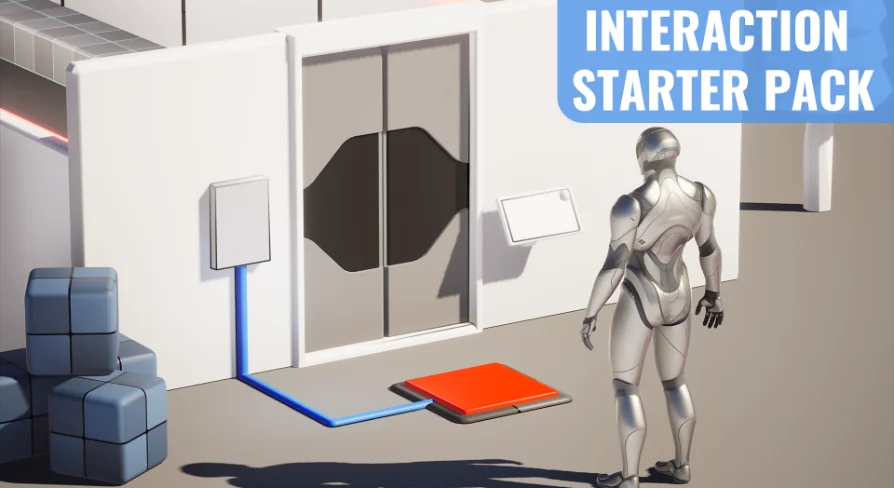
A smooth onboarding experience depends on clear procedural instructions, especially when merging a new mechanics pack into an in-progress project. The framework provides a dedicated interaction starter pack guide designed to outline each installation phase step by step. Following this setup guide ensures that collision profiles, input mappings, and actor components interface properly upon initial deployment.
Coupled with the documentation, the project includes showcase materials that demonstrate the system operating in real time. Creators can cross-reference the showcase to observe how interactable actors are configured, how trace channels detect target objects, and how input events trigger outcomes. For troubleshooting unique implementation questions or discussing setup specifics, a community Discord provides a shared hub for real-time questions, peer support, and direct project feedback.
Extending the Interaction System for Custom Project Needs
While the initial setup provides the foundation for responsive gameplay, projects rarely stay confined to baseline interactions. The system is prepared to handle expansion as game concepts grow in sophistication. Future tutorials and supplemental guides aim to step developers through scaling the interaction loop, showing how to introduce complex contextual prompts, multi-stage interaction mechanics, or customized gameplay results tailored to specific titles.
Because the foundation relies on standard Unreal Engine 5 conventions, building outward from the starter kit remains straightforward. Teams can connect the interaction outputs to UI widgets, audio cues, inventory systems, or cinematic triggers. The setup acts as a structural baseline that accepts custom scripting, enabling creators to scale from simple press-to-interact prompts to layered, condition-based interactions without having to dismantle the initial setup.
Production Fit and Practical Deployment
This starter kit is particularly suited for solo creators, indie teams, and technical designers who need functional interactivity without the development overhead of authoring an interaction pipeline from scratch. Teams working within stylized nature and environment biomes will find it especially convenient, as it bridges the gap between static environmental art and player-driven gameplay.
For projects requiring swift turnaround, the combination of quick Unreal Engine 5 import, straightforward guide-based deployment, and modular Blueprint mechanics delivers a practical starting point that handles foundational interactions while staying open for future expansion.
 Action-Adventure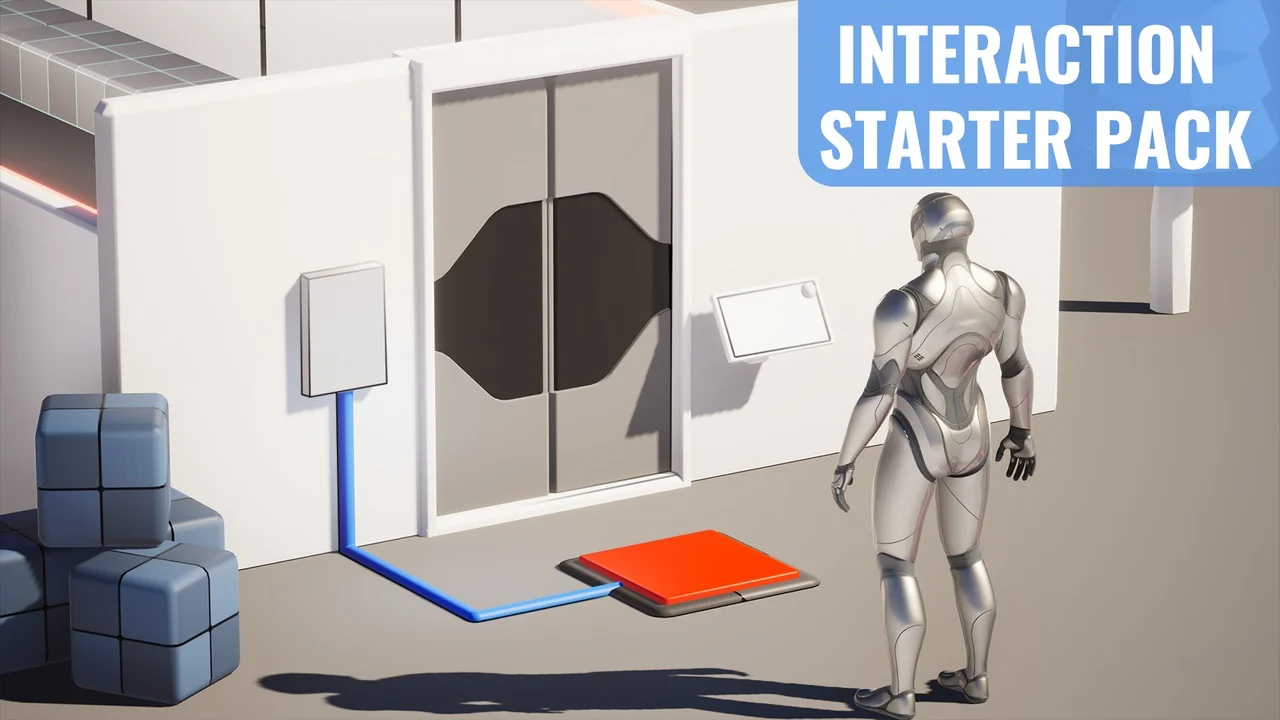
 Action-Adventure
 Action-Adventure
 Action-Adventure