"7e6fc58c410f2894"{"id":"24299","slug":"ice-world-2","title":"Ice World","category":"Shaders","engine":"Original Unity version: 2020.1.2","assetVersion":"Original Unity version: 2020.1.2","engineVersion":"Asset Version:2.0.3","tag":"Shaders","accent":"cyan","visual":"animation","summary":"Ice World centers on a large set of ice textures and shader variants that can be used on lakes, rivers, and model surfaces. It also includes demo scenes, ice floe models, and support for several Unity render pipelines.","platform":"Unity","publishedAt":"2026-04-14T11:12:50.000Z","updatedAt":"2026-04-20T06:12:50.000Z","sourceNotes":[],"fileContents":[],"compatibility":["Unity","Original Unity version: 2020.1.2","Asset Version: 2.0.3"],"featuredImage":{"alt":"Ice World","src":"https://3dcghub.com/wp-content/uploads/2026/04/5379d5e42b61_a48bc4f8-4cd5-4dc5-bf99-4e6616f5df29_1280x720_stretch.webp"},"hasDownloadLink":true,"downloads":2,"terms":[{"taxonomy":"category","slug":"shaders-vfx-unity-2","name":"Shaders"},{"taxonomy":"post_tag","slug":"materials","name":"Materials"},{"taxonomy":"post_tag","slug":"textures","name":"Textures"},{"taxonomy":"post_tag","slug":"unity","name":"Unity"}],"galleryImages":[{"src":"https://3dcghub.com/wp-content/uploads/2026/04/594ca2ff93ec_c16cca76-a577-44f5-85ec-d2aebf7d789f_scaled.webp","alt":"Ice World"},{"src":"https://3dcghub.com/wp-content/uploads/2026/04/b0ca163dc8ee_54976ab7-ee6c-422f-a6f1-e4df67b978b3_scaled.webp","alt":"Ice World"},{"src":"https://3dcghub.com/wp-content/uploads/2026/04/8b7e0f6d3c9a_b9a70fe0-d6e1-4244-b6a5-a753034d0cac_scaled.webp","alt":"Ice World"},{"src":"https://3dcghub.com/wp-content/uploads/2026/04/e811cf67d0bc_36022b51-efc8-40df-9e7e-8dd60e4ac9f1_scaled.webp","alt":"Ice World"},{"src":"https://3dcghub.com/wp-content/uploads/2026/04/ad4d63cfa20e_f45e08f7-808e-4664-a2f7-29b87a9fc808_scaled.webp","alt":"Ice World"},{"src":"https://3dcghub.com/wp-content/uploads/2026/04/5be19626a993_05f4f5c3-c95a-4e7a-b2f3-753c5fa8b2e3_scaled.webp","alt":"Ice World"},{"src":"https://3dcghub.com/wp-content/uploads/2026/04/85988cc350fc_5063fc1b-c133-4559-a336-16a5e7b3b9ea_scaled.webp","alt":"Ice World"},{"src":"https://3dcghub.com/wp-content/uploads/2026/04/82735e4004f7_56021607-6efa-4811-94d9-c16534dcfaa1_scaled.webp","alt":"Ice World"},{"src":"https://3dcghub.com/wp-content/uploads/2026/04/ef74a0e85938_44c83497-7335-40ed-becc-06e8f008a187_scaled.webp","alt":"Ice World"},{"src":"https://3dcghub.com/wp-content/uploads/2026/04/cdd6e121d677_1e77f4ad-42af-46c8-a4d4-a1091ec8ac89_scaled.webp","alt":"Ice World"}],"accessPanel":{"kind":"resource","title":"Access this resource","eyebrow":"Free Download","message":"Log in or create a free account to start your download.","fileName":"Ice World v2.0.3.7z","safetyNote":"All resources are 100% manually reviewed to eliminate all risks.","actionLabel":"Download Free","resourceType":"Resource archive"},"contentHtml":"\u003ch2\u003eIce materials, textures, and shader variants\u003c/h2\u003e\n\u003cp\u003eIce World brings together a large library of ice textures and shader variants for Unity projects that need frozen surfaces with room for control. The package is set up for ice that can appear as a lake, a river, or a surface treatment on models, so it is not limited to one kind of scene. That flexibility makes it useful for environments where ice needs to sit naturally beside terrain, water, and props rather than looking like a separate layer dropped on top.\u003c/p\u003e\n\u003cp\u003eThe package includes over 180 ice materials, or 544 when all shader variants are counted, along with 88 ice textures. Those numbers point to a resource that is meant to be reused in different forms instead of relying on a single frozen look. The shader options are central to that approach: they let the ice shift between different visual behaviors while still staying within the same overall asset family.\u003c/p\u003e \u003ch2\u003eLake and river surfaces that behave like water\u003c/h2\u003e\n\u003cp\u003eLake and river variants are a major part of how Ice World can be used creatively. These versions behave like water, which gives control over water depth, shelf colors, object blending, and ice depth. That makes them a practical fit for frozen waterways where the ice needs to feel connected to the environment underneath it. The shader also blends with terrain, which helps it sit more naturally in landscape scenes.\u003c/p\u003e\n\u003cp\u003eBecause the lake and river versions are built to act like water, they are suited to scenes where frozen surfaces need to reveal structure beneath them or transition across different shore conditions. Artists can use that behavior to shape the edge of a frozen river, define shelf areas near land, and control how objects meet the ice surface. The result is a surface that can read as thick, layered, or partially submerged depending on how it is configured.\u003c/p\u003e\n\u003cp\u003eThe package also notes that the noise function removes tilling problems. In practice, that matters when the same texture or shader pattern needs to cover a wide surface without obvious repetition. For ice fields, frozen water, and broad environmental surfaces, that kind of variation helps the material hold up across larger areas.\u003c/p\u003e \u003ch2\u003eShader controls and surface behavior\u003c/h2\u003e\n\u003cp\u003eMany options are included to control almost every aspect of ice. The shader features listed for the pack include ice depth, water depth, translucency, noise that kills tilling, PBR, objects and terrain blending, VS instanced indirect support, and mobile friendly behavior. Together, those options show a workflow aimed at making ice adjustable instead of fixed.\u003c/p\u003e\n\u003cp\u003eSeveral shader variants are called out directly: metallic and specular versions, translucence variants, and UV-free shader variants. That combination gives the pack a wider range of visual setups. Metallic and specular options provide different surface responses, translucence supports a more layered frozen appearance, and UV-free variants open up uses that do not depend on traditional UV mapping.\u003c/p\u003e\n\u003cp\u003eThose UV-free shader variants make it possible to create ice caves, floe around the river, and other layouts that rely more on surface behavior than on tightly wrapped texture placement. Since the pack also includes objects and terrain blending, the ice can be shaped to interact with its surroundings rather than looking isolated from them.\u003c/p\u003e \u003ch2\u003eIncluded scenes, models, and support pieces\u003c/h2\u003e\n\u003cp\u003eIce World is not only a set of shaders. It also includes demo content and support models that help show the material behavior in context. The included assets are:\u003c/p\u003e\n\u003cul\u003e \u003cli\u003eTutorial demo scenes\u003c/li\u003e \u003cli\u003eFrozen river demo scene\u003c/li\u003e \u003cli\u003e8 shader variants for lakes\u003c/li\u003e \u003cli\u003e8 shader variants for solid ice models\u003c/li\u003e \u003cli\u003e6 ice floe models\u003c/li\u003e \u003cli\u003eVegetation Studio Support\u003c/li\u003e\n\u003c/ul\u003e\n\u003cp\u003eThese pieces give the pack several ways to be applied in an environment. The demo scenes show how the ice material system behaves in scene setups, while the frozen river scene provides a focused example of river ice. The ice floe models extend the pack beyond flat surfaces and into floating or broken-ice compositions, which can support more varied frozen waterways.\u003c/p\u003e\n\u003cp\u003eVegetation Studio Support is also included, which matters for scenes that need the ice to work alongside vegetation systems. Combined with the object and terrain blending features, this gives the package a broader fit for environment work where ice is only one element inside a larger landscape.\u003c/p\u003e \u003ch2\u003eUnity pipeline support and setup path\u003c/h2\u003e\n\u003cp\u003eIce World supports Unity 2020.1+ through 2023.2+ and Unity 6+ through 6.4+, with HD RP, URP, and Built-in support listed across those versions. That makes the package relevant to projects using different render pipelines without tying it to a single workflow. The support range is broad, but the setup path is specific.\u003c/p\u003e\n\u003cp\u003eTo use the HD or URP version, the pack is imported into the HD or URP project first, then the support pack inside the asset is imported from the \u003cstrong\u003eHD and URP support\u003c/strong\u003e Folder. That support content replaces shaders, prefabs, and meshes so they work with the render pipeline out of the box. The readme files in that folder are also part of the setup guidance.\u003c/p\u003e\n\u003cp\u003eThe pack is also described as working very well with water, lake, rivers, and waterfalls systems, including R.A.M 3 - River Auto Material 3 and R.A.M 2019 River Auto Material 2019. That makes it a practical match for environments where frozen and flowing water may appear in the same project. For scenes that need ice to sit alongside waterways, terrain, and blended shoreline details, Ice World is built to handle that combination without leaving the ice surface as a standalone effect.\u003c/p\u003e\n\n\u003ch2\u003eRelated Resources Worth Checking\u003c/h2\u003e\n\u003cul\u003e\n\u003cli\u003e\u003ca href=\"https://3dcghub.com/make-a-horror-survival-game-in-unity/\" title=\"Make a horror survival game in Unity\"\u003eMake a horror survival game in Unity\u003c/a\u003e\u003c/li\u003e\n\u003cli\u003e\u003ca href=\"https://3dcghub.com/unity-shader-programming-beginners-to-advanced-techniques/\" title=\"Unity Shader Programming: Beginners to Advanced Techniques\"\u003eUnity Shader Programming: Beginners to Advanced Techniques\u003c/a\u003e\u003c/li\u003e\n\u003cli\u003e\u003ca href=\"https://3dcghub.com/mastering-editor-scripting-in-unity/\" title=\"Mastering Editor Scripting in Unity\"\u003eMastering Editor Scripting in Unity\u003c/a\u003e\u003c/li\u003e\n\u003cli\u003e\u003ca href=\"https://3dcghub.com/altos-volumetric-clouds-skybox-and-weather-for-unity-urp/\" title=\"Altos – Volumetric Clouds, Skybox, and Weather for Unity URP\"\u003eAltos – Volumetric Clouds, Skybox, and Weather for Unity URP\u003c/a\u003e\u003c/li\u003e\n\u003cli\u003e\u003ca href=\"https://3dcghub.com/toolkit-for-unity-physics-2026/\" title=\"Toolkit for Unity Physics 2026\"\u003eToolkit for Unity Physics 2026\u003c/a\u003e\u003c/li\u003e\n\u003c/ul\u003e","contentTextLength":5827,"navigation":{"current":1886,"total":3618,"previous":{"id":"24303","slug":"marine-shader-pack","title":"Marine Shader Pack","category":"Shaders","platform":"Unity","updatedAt":"2026-04-20T06:12:50.000Z"},"next":{"id":"24416","slug":"ui-shader-effects-edge-effects","title":"UI Shader Effects - Edge Effects","category":"Shaders","platform":"Unity","updatedAt":"2026-04-20T06:12:49.000Z"}},"relatedResources":[{"id":"24246","slug":"galaxy-materials-skybox-update","title":"Galaxy Materials (Skybox Update)","category":"Shaders","engine":"Original Unity version: 2020.3.40","assetVersion":"Original Unity version: 2020.3.40","engineVersion":"Asset Version:2.1","tag":"Shaders","accent":"cyan","visual":"luts","summary":"Galaxy Materials (Skybox Update) centers on space and nebula surfaces that can be applied to meshes or used as skyboxes. It gives artists a set of editable shaders, cubemap textures, and gradient-driven controls for shaping the look across Built-in, URP, an...","platform":"Unity","publishedAt":"2026-04-12T10:23:16.000Z","updatedAt":"2026-04-19T15:34:55.000Z","sourceNotes":[],"fileContents":[],"compatibility":["Unity","Original Unity version: 2020.3.40","Asset Version: 2.1"],"featuredImage":{"alt":"Galaxy Materials (Skybox Update)","src":"https://3dcghub.com/wp-content/uploads/2026/04/89ae8d5d8078_8c7438b1-0416-4898-8b13-e3b5e4f9fbea_1280x720_stretch.webp"},"hasDownloadLink":true,"downloads":0},{"id":"24316","slug":"omnishade-pbr-physically-based-uber-shader","title":"OmniShade PBR - Physically Based Uber Shader","category":"Shaders","engine":"Original Unity version: 2022.3.62","assetVersion":"Original Unity version: 2022.3.62","engineVersion":"Asset Version:1.3.0","tag":"Shaders","accent":"cyan","visual":"city","summary":"OmniShade PBR extends Unityâs Standard Lit workflow with a physically based shader that adds stylized lighting, layered materials, and texture painting support. It also supports Built-In, URP, and HDRP, with adaptive shader variants and Shader Graph imple...","platform":"Unity","publishedAt":"2026-04-14T11:19:12.000Z","updatedAt":"2026-04-20T06:12:50.000Z","sourceNotes":[],"fileContents":[],"compatibility":["Unity","Original Unity version: 2022.3.62","Asset Version: 1.3.0"],"featuredImage":{"alt":"OmniShade PBR - Physically Based Uber Shader","src":"https://3dcghub.com/wp-content/uploads/2026/04/aae2db2ec3cf_b94cd628-98ea-4e8a-8a50-b0cd480024a8_1280x720_stretch.webp"},"hasDownloadLink":true,"downloads":0},{"id":"24364","slug":"sprite-shaders-ultimate","title":"Sprite Shaders Ultimate","category":"Shaders","engine":"Original Unity version: 2020.3.0","assetVersion":"Original Unity version: 2020.3.0","engineVersion":"Asset Version:6.10","tag":"Shaders","accent":"cyan","visual":"luts","summary":"Sprite Shaders Ultimate brings sprites and UI elements into motion with a large set of combinable shaders. It includes tools for masking, fading, pixel art handling, shader baking, and support across render pipelines.","platform":"Unity","publishedAt":"2026-04-14T11:31:15.000Z","updatedAt":"2026-04-20T06:12:49.000Z","sourceNotes":[],"fileContents":[],"compatibility":["Unity","Original Unity version: 2020.3.0","Asset Version: 6.10"],"featuredImage":{"alt":"Sprite Shaders Ultimate","src":"https://3dcghub.com/wp-content/uploads/2026/04/dc468761f253_7796ac63-cceb-4e61-9b8d-fe845bffe76d_1280x720_stretch.webp"},"hasDownloadLink":true,"downloads":2}]}
Shaders
Ice World
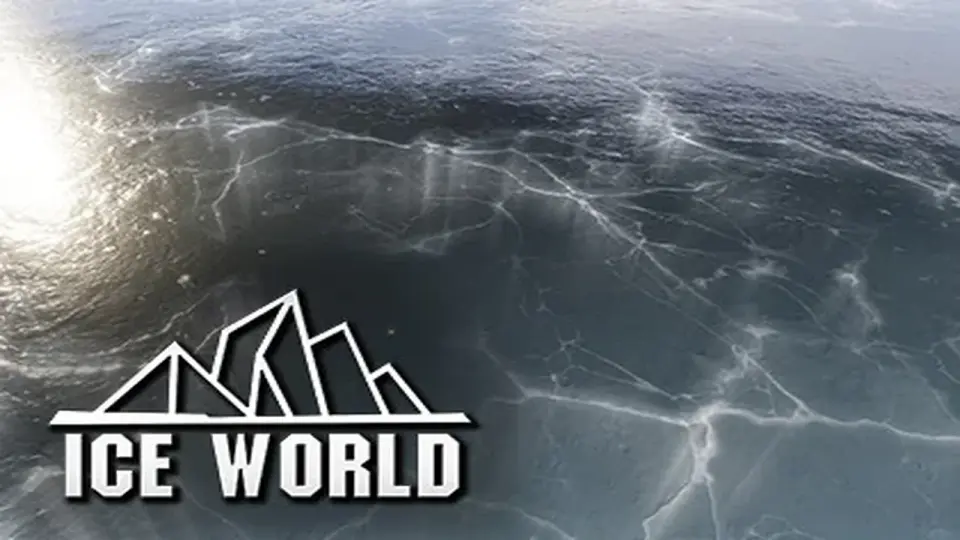
Ice World centers on a large set of ice textures and shader variants that can be used on lakes, rivers, and model surfaces. It also includes demo scenes, ice floe models, and support for several Unity render pipelines.
Ice World brings together a large library of ice textures and shader variants for Unity projects that need frozen surfaces with room for control. The package is set up for ice that can appear as a lake, a river, or a surface treatment on models, so it is not limited to one kind of scene. That flexibility makes it useful for environments where ice needs to sit naturally beside terrain, water, and props rather than looking like a separate layer dropped on top.
The package includes over 180 ice materials, or 544 when all shader variants are counted, along with 88 ice textures. Those numbers point to a resource that is meant to be reused in different forms instead of relying on a single frozen look. The shader options are central to that approach: they let the ice shift between different visual behaviors while still staying within the same overall asset family.
Lake and river surfaces that behave like water
Lake and river variants are a major part of how Ice World can be used creatively. These versions behave like water, which gives control over water depth, shelf colors, object blending, and ice depth. That makes them a practical fit for frozen waterways where the ice needs to feel connected to the environment underneath it. The shader also blends with terrain, which helps it sit more naturally in landscape scenes.
Because the lake and river versions are built to act like water, they are suited to scenes where frozen surfaces need to reveal structure beneath them or transition across different shore conditions. Artists can use that behavior to shape the edge of a frozen river, define shelf areas near land, and control how objects meet the ice surface. The result is a surface that can read as thick, layered, or partially submerged depending on how it is configured.
The package also notes that the noise function removes tilling problems. In practice, that matters when the same texture or shader pattern needs to cover a wide surface without obvious repetition. For ice fields, frozen water, and broad environmental surfaces, that kind of variation helps the material hold up across larger areas.
Shader controls and surface behavior
Many options are included to control almost every aspect of ice. The shader features listed for the pack include ice depth, water depth, translucency, noise that kills tilling, PBR, objects and terrain blending, VS instanced indirect support, and mobile friendly behavior. Together, those options show a workflow aimed at making ice adjustable instead of fixed.
Several shader variants are called out directly: metallic and specular versions, translucence variants, and UV-free shader variants. That combination gives the pack a wider range of visual setups. Metallic and specular options provide different surface responses, translucence supports a more layered frozen appearance, and UV-free variants open up uses that do not depend on traditional UV mapping.
Those UV-free shader variants make it possible to create ice caves, floe around the river, and other layouts that rely more on surface behavior than on tightly wrapped texture placement. Since the pack also includes objects and terrain blending, the ice can be shaped to interact with its surroundings rather than looking isolated from them.
Included scenes, models, and support pieces
Ice World is not only a set of shaders. It also includes demo content and support models that help show the material behavior in context. The included assets are:
Tutorial demo scenes
Frozen river demo scene
8 shader variants for lakes
8 shader variants for solid ice models
6 ice floe models
Vegetation Studio Support
These pieces give the pack several ways to be applied in an environment. The demo scenes show how the ice material system behaves in scene setups, while the frozen river scene provides a focused example of river ice. The ice floe models extend the pack beyond flat surfaces and into floating or broken-ice compositions, which can support more varied frozen waterways.
Vegetation Studio Support is also included, which matters for scenes that need the ice to work alongside vegetation systems. Combined with the object and terrain blending features, this gives the package a broader fit for environment work where ice is only one element inside a larger landscape.
Unity pipeline support and setup path
Ice World supports Unity 2020.1+ through 2023.2+ and Unity 6+ through 6.4+, with HD RP, URP, and Built-in support listed across those versions. That makes the package relevant to projects using different render pipelines without tying it to a single workflow. The support range is broad, but the setup path is specific.
To use the HD or URP version, the pack is imported into the HD or URP project first, then the support pack inside the asset is imported from the HD and URP support Folder. That support content replaces shaders, prefabs, and meshes so they work with the render pipeline out of the box. The readme files in that folder are also part of the setup guidance.
The pack is also described as working very well with water, lake, rivers, and waterfalls systems, including R.A.M 3 - River Auto Material 3 and R.A.M 2019 River Auto Material 2019. That makes it a practical match for environments where frozen and flowing water may appear in the same project. For scenes that need ice to sit alongside waterways, terrain, and blended shoreline details, Ice World is built to handle that combination without leaving the ice surface as a standalone effect.
 Shaders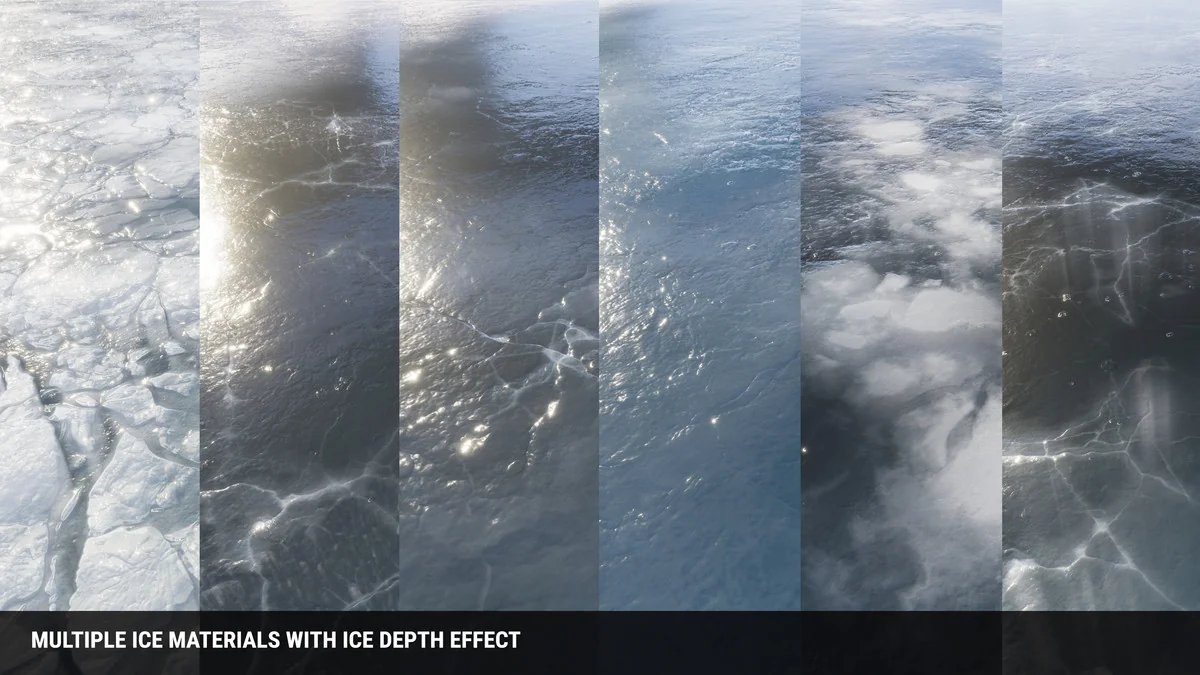
 Shaders
 Shaders
 Shaders