"c68a05d5e51405b3"{"id":"1000705","slug":"hyper-outliner-and-symbol-system-v4","title":"Hyper Outliner and Symbol System v4","category":"Gameplay Features","engine":"5.0+","assetVersion":"Asset Version: v4","engineVersion":"Engine Version: 5.0+","tag":"Gameplay Features","accent":"blue","visual":"mech","summary":"A fully replicated Unreal Engine outline and symbol system for multiplayer games. Attach colored outlines and quest symbols to any actor with no code needed.","platform":"Unreal Engine","publishedAt":"2026-07-24T01:34:23.942Z","updatedAt":"2026-07-24T01:34:23.942Z","sourceNotes":[],"fileContents":[],"compatibility":["Unreal Engine","Asset Version: v4","Engine Version: 5.0+"],"featuredImage":{"alt":"Hyper Outliner and Symbol System v4","src":"/wp-content/uploads/published/2026/07/845c3d6251d1-155e2be8-d517-47c2-8082-3009d481e506-6f0111c465.webp"},"hasDownloadLink":true,"downloads":1,"terms":[{"taxonomy":"category","slug":"gameplay-features","name":"Gameplay Features"}],"galleryImages":[{"src":"/wp-content/uploads/published/2026/07/559dc6fbc14e-a6a00168-7185-4cf6-ba12-4d048043254a-6102766a7c.webp","alt":"Hyper Outliner and Symbol System v4"},{"src":"/wp-content/uploads/published/2026/07/18f4b6bc1c33-b0ab2fe8-e926-4de3-a6f7-5cbf28e5a3b4-c3ac17028f.webp","alt":"Hyper Outliner and Symbol System v4"},{"src":"/wp-content/uploads/published/2026/07/573ce1e0826b-1cd2360b-1cae-48a6-aeb1-9657b333f2f1-0c8debaafe.webp","alt":"Hyper Outliner and Symbol System v4"},{"src":"/wp-content/uploads/published/2026/07/ebafecf2e7d4-e0d2c5a9-e0f1-4281-8f5f-1eb918e71401-cb16e1ad1f.webp","alt":"Hyper Outliner and Symbol System v4"},{"src":"/wp-content/uploads/published/2026/07/db56f267d937-cc90a28e-aba3-4e50-9770-a62540e0a3c0-5b4486076a.webp","alt":"Hyper Outliner and Symbol System v4"},{"src":"/wp-content/uploads/published/2026/07/cf5426c1a0e0-ea26ebf3-e353-45fe-bc69-0afa4797d32a-73ae01e29e.webp","alt":"Hyper Outliner and Symbol System v4"},{"src":"/wp-content/uploads/published/2026/07/a9cbdb31c413-51a9d05a-1f90-417d-82fa-c62c8879366f-b572a667fb.webp","alt":"Hyper Outliner and Symbol System v4"},{"src":"/wp-content/uploads/published/2026/07/0caedf71aef2-bf882b38-010e-49dd-8c8b-01dd4103702b-5d2881a6f3.webp","alt":"Hyper Outliner and Symbol System v4"}],"accessPanel":{"kind":"resource","title":"Download this resource","eyebrow":"Free Download","message":"Log in or create a free account to start your download.","fileName":"HyperOutlinerandSymbolSys.7z","safetyNote":"Resources are manually reviewed before listing to improve quality and reduce obvious risks.","actionLabel":"Download Free","resourceType":"Resource archive"},"contentHtml":"\u003ch2\u003eWhere Outlines and Symbols Earn Their Place\u003c/h2\u003e\n\n\u003cp\u003eAdventure, co-op, shooter, and open-world projects all share a common communication problem: telling the player what matters in the world right now. Hyper Outliner and Symbol System v4 addresses this by placing outlines and symbols directly in-world rather than locking them into UI overlays. You can highlight interactables, mark enemies, distinguish objectives, and attach contextual markers without writing a single line of code.\u003c/p\u003e\n\n\u003cp\u003eThe system is fully replicated and built clean from the start, which means it is ready for multiplayer games rather than retrofitted for them. For anyone working on a co-op shooter where multiple players see the same highlighted target, or an open-world RPG where quest markers drift behind terrain, that replication foundation matters.\u003c/p\u003e\n\n\u003ch2\u003eSetting Outlines Through AC_Outliner\u003c/h2\u003e\n\n\u003cp\u003eOutlines are managed through an Actor Component. You can set an outliner on any actor from any place in your project using that component. The design gives you useful functions to manage outlines without needing to build custom logic each time. Multiple actors can be toggled via function calls from the AC_Outliner component, which keeps batch operations compact.\u003c/p\u003e\n\n\n\u003cp\u003eThree predefined color slots are set up for the system. The developer has configured a primary outliner, a secondary outliner, and a third/other outliner. That three-tier setup maps cleanly onto common gameplay decisions: primary for key objectives, secondary for interactables, third for contextual or lower-priority targets. You can assign actors to these categories across the project rather than redefining color behavior each time.\u003c/p\u003e\n\n\u003cp\u003eOne function worth noting is the ability to toggle global scene depth easily. This gives you a quick way to shift how outlines read against the scene depth, which is useful when you need clarity in dense environments or want outlines to layer differently depending on camera perspective and world complexity.\u003c/p\u003e\n\n\u003ch2\u003eAttaching Symbols for Quest Systems and Contextual Markers\u003c/h2\u003e\n\n\u003cp\u003eSymbols are the companion feature to the outline system. You can set and attach a symbol on any of your actors. The examples given include ‘?’, ‘!’, and ‘⮟’ — the kind of markers that fit naturally into quest systems where a question mark signals a quest giver, an exclamation mark flags an active objective, and a downward arrow directs attention to a ground-level interactable.\u003c/p\u003e\n\n\n\u003cp\u003eEach symbol can be configured through several adjustable properties:\u003c/p\u003e\n\u003cul\u003e\n\u003cli\u003e\u003cstrong\u003ePlay Rate\u003c/strong\u003e — controls the timing of symbol animation.\u003c/li\u003e\n\u003cli\u003e\u003cstrong\u003eRotation\u003c/strong\u003e — sets how the symbol orients in the world.\u003c/li\u003e\n\u003cli\u003e\u003cstrong\u003eUp and Down Movement\u003c/strong\u003e — adds vertical bobbing motion so symbols stay visible against uneven terrain.\u003c/li\u003e\n\u003cli\u003e\u003cstrong\u003eMesh\u003c/strong\u003e — reference mesh options to match symbols cleanly with actor geometry.\u003c/li\u003e\n\u003cli\u003e\u003cstrong\u003eColor Sets\u003c/strong\u003e — apply different color definitions to symbols for visual distinction.\u003c/li\u003e\n\u003c/ul\u003e\n\n\n\u003cp\u003eDistance-based visibility and custom filters work alongside these symbol settings. The system can hide or reveal symbols depending on how far the player is from the target, which cuts visual noise in large worlds. Custom filters add another layer of control, letting you decide which symbols appear under which gameplay conditions.\u003c/p\u003e\n\n\u003ch2\u003eBlueprint Clarity and Modular Integration\u003c/h2\u003e\n\n\u003cp\u003eGames by Hyper builds every module around clean, well-organized Blueprints that scale with project complexity. The design principles target flexibility, maintainability, and performance — not just immediate usability. The outlines and symbols are exposed through component functions rather than buried in opaque systems, so behavior can be adjusted without unraveling the implementation.\u003c/p\u003e\n\n\u003cp\u003eThe outliner and symbol system is also included within the flagship product MST Pro. It is compatible with the Hyper Multiplayer Survival Template Pro, which means projects already running on that framework can integrate it directly. The broader Hyper ecosystem is positioned as a set of fully modular systems that integrate together, and this module slots into that structure.\u003c/p\u003e\n\n\u003cp\u003eOptional learning courses accompany the Hyper systems. A UE5 Fundamentals Course covers core Unreal Engine concepts, and a Multiplayer Survival Framework Course digs into the framework that this outliner system is designed to slot into.\u003c/p\u003e\n\n\u003ch2\u003ePedigree and Practical Fit\u003c/h2\u003e\n\n\u003cp\u003eThe developer behind the system is Eric, Company Lead at Games by Hyper. He comes from a background leading IT and cybersecurity programs at C-level for banks, corporates, and governments before shifting to game development full-time. He now teaches game development in Amsterdam and manages a community of over 4,000 developers.\u003c/p\u003e\n\n\u003cp\u003eEvery Hyper system is described as built on roughly 50,000 hours of real-world Unreal Engine development experience. The stated goal is a proven foundation that scales from simple projects to complex professional games, written in clean Blueprint structure.\u003c/p\u003e\n\n\u003cp\u003eFor developers working on multiplayer Unreal Engine projects — particularly co-op shooters, open-world RPGs, adventure titles, or quest-driven sandbox games — the system targets people who need replicated outline and symbol behavior without writing custom netcode. The predefined color tiers, attached symbol options, and distance-based visibility cover the most common communication needs, while the component-driven function set keeps it adjustable as gameplay requirements grow.\u003c/p\u003e\n\n\u003ch2\u003eContinue Browsing Similar Packs\u003c/h2\u003e\n\u003cul\u003e\n\u003cli\u003e\u003ca href=\"https://3dcghub.com/hyper-menu-and-gamepad-system-v4-commonui/\" title=\"Hyper Menu and Gamepad System v4 [CommonUI]\"\u003eHyper Menu and Gamepad System v4 [CommonUI]\u003c/a\u003e\u003c/li\u003e\n\u003cli\u003e\u003ca href=\"https://3dcghub.com/hyper-basic-pcg-forest-v2/\" title=\"Hyper Basic PCG Forest v2\"\u003eHyper Basic PCG Forest v2\u003c/a\u003e\u003c/li\u003e\n\u003cli\u003e\u003ca href=\"https://3dcghub.com/hyper-mesh-to-icon-creator-v4/\" title=\"Hyper Mesh to Icon Creator v4\"\u003eHyper Mesh to Icon Creator v4\u003c/a\u003e\u003c/li\u003e\n\u003cli\u003e\u003ca href=\"https://3dcghub.com/quiet-runtime-editor/\" title=\"Quiet Runtime Editor\"\u003eQuiet Runtime Editor\u003c/a\u003e\u003c/li\u003e\n\u003cli\u003e\u003ca href=\"https://3dcghub.com/multiplayer-object-throwing-system/\" title=\"Multiplayer Object Throwing System\"\u003eMultiplayer Object Throwing System\u003c/a\u003e\u003c/li\u003e\n\u003c/ul\u003e","contentTextLength":5495,"navigation":{"current":1298,"total":3860,"previous":{"id":"1000706","slug":"realistic-rock-set-01-nanite-and-low-poly","title":"Realistic Rock Set 01(Nanite and Low Poly)","category":"Rocks \u0026 Stones","platform":"Unreal Engine","updatedAt":"2026-07-24T01:50:37.535Z"},"next":{"id":"1000704","slug":"vdb-ocean-waves-and-tsunami-pack","title":"VDB Ocean Waves \u0026 Tsunami Pack","category":"Liquid","platform":"Unreal Engine","updatedAt":"2026-07-24T01:23:45.371Z"}},"relatedResources":[{"id":"1001035","slug":"hyper-time-manager-system-v4","title":"Hyper Time Manager System v4","category":"Gameplay Features","engine":"5.7+","assetVersion":"Asset Version: v4","engineVersion":"Engine Version: 5.7+","tag":"Gameplay Features","accent":"blue","visual":"mech","summary":"Hyper Time Manager System v4 centralizes in-game time in the GameState, syncing NPC schedules, day-night cycles, and world events with Blueprint, multiplayer-re","platform":"Unreal Engine","publishedAt":"2026-08-25T11:24:46.098Z","updatedAt":"2026-08-25T11:24:46.098Z","sourceNotes":[],"fileContents":[],"compatibility":["Unreal Engine","Asset Version: v4","Engine Version: 5.7+"],"featuredImage":{"alt":"Hyper Time Manager System v4","src":"/wp-content/uploads/published/2026/08/0c6d2b9b85f3-d2a03156-4b13-4068-b29a-47eca06cd2d2-7cea1ff9c1.webp"},"hasDownloadLink":true,"downloads":2},{"id":"1001034","slug":"hyper-scalable-interaction-system-v4","title":"Hyper Scalable Interaction System v4","category":"Gameplay Features","engine":"5.7+","assetVersion":"Asset Version: v4","engineVersion":"Engine Version: 5.7+","tag":"Gameplay Features","accent":"blue","visual":"mech","summary":"Plug-and-play interaction for any Unreal Engine actor with prompts, progress bars, conditions, and network replication for Adventure, RPG, Co-op, and Simulation","platform":"Unreal Engine","publishedAt":"2026-08-25T11:18:18.819Z","updatedAt":"2026-08-25T11:18:18.819Z","sourceNotes":[],"fileContents":[],"compatibility":["Unreal Engine","Asset Version: v4","Engine Version: 5.7+"],"featuredImage":{"alt":"Hyper Scalable Interaction System v4","src":"/wp-content/uploads/published/2026/08/7bc00c753bb2-66597fe3-a933-47a3-b023-6e95ce537263-e5174f5999.webp"},"hasDownloadLink":true,"downloads":1},{"id":"1001300","slug":"hyper-attribute-manager-v4","title":"Hyper Attribute Manager v4","category":"Gameplay Features","engine":"5.0+","assetVersion":"","engineVersion":"Engine Version: 5.0+","tag":"Gameplay Features","accent":"blue","visual":"mech","summary":"Hyper Attribute Manager v4 delivers datatable-driven attributes, status effects, replication, and environmental temperature systems for Unreal Engine projects.","platform":"Unreal Engine","publishedAt":"2026-10-02T06:02:21.105Z","updatedAt":"2026-10-02T06:02:21.105Z","sourceNotes":[],"fileContents":[],"compatibility":["Unreal Engine","Engine Version: 5.0+"],"featuredImage":{"alt":"Hyper Attribute Manager v4","src":"/wp-content/uploads/published/2026/10/972a4b879638-0e0fc583-022d-42e5-8bc2-1dfcf595c3f2-651c2fceab.webp"},"hasDownloadLink":true,"downloads":0}]}
Gameplay Features
Hyper Outliner and Symbol System v4
A fully replicated Unreal Engine outline and symbol system for multiplayer games. Attach colored outlines and quest symbols to any actor with no code needed.
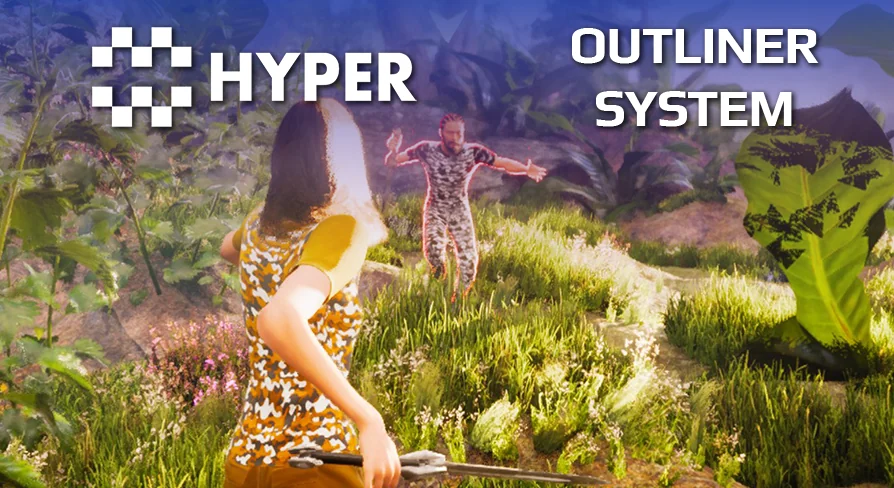
Adventure, co-op, shooter, and open-world projects all share a common communication problem: telling the player what matters in the world right now. Hyper Outliner and Symbol System v4 addresses this by placing outlines and symbols directly in-world rather than locking them into UI overlays. You can highlight interactables, mark enemies, distinguish objectives, and attach contextual markers without writing a single line of code.
The system is fully replicated and built clean from the start, which means it is ready for multiplayer games rather than retrofitted for them. For anyone working on a co-op shooter where multiple players see the same highlighted target, or an open-world RPG where quest markers drift behind terrain, that replication foundation matters.
Setting Outlines Through AC_Outliner
Outlines are managed through an Actor Component. You can set an outliner on any actor from any place in your project using that component. The design gives you useful functions to manage outlines without needing to build custom logic each time. Multiple actors can be toggled via function calls from the AC_Outliner component, which keeps batch operations compact.
Three predefined color slots are set up for the system. The developer has configured a primary outliner, a secondary outliner, and a third/other outliner. That three-tier setup maps cleanly onto common gameplay decisions: primary for key objectives, secondary for interactables, third for contextual or lower-priority targets. You can assign actors to these categories across the project rather than redefining color behavior each time.
One function worth noting is the ability to toggle global scene depth easily. This gives you a quick way to shift how outlines read against the scene depth, which is useful when you need clarity in dense environments or want outlines to layer differently depending on camera perspective and world complexity.
Attaching Symbols for Quest Systems and Contextual Markers
Symbols are the companion feature to the outline system. You can set and attach a symbol on any of your actors. The examples given include ‘?’, ‘!’, and ‘⮟’ — the kind of markers that fit naturally into quest systems where a question mark signals a quest giver, an exclamation mark flags an active objective, and a downward arrow directs attention to a ground-level interactable.
Each symbol can be configured through several adjustable properties:
Play Rate — controls the timing of symbol animation.
Rotation — sets how the symbol orients in the world.
Up and Down Movement — adds vertical bobbing motion so symbols stay visible against uneven terrain.
Mesh — reference mesh options to match symbols cleanly with actor geometry.
Color Sets — apply different color definitions to symbols for visual distinction.
Distance-based visibility and custom filters work alongside these symbol settings. The system can hide or reveal symbols depending on how far the player is from the target, which cuts visual noise in large worlds. Custom filters add another layer of control, letting you decide which symbols appear under which gameplay conditions.
Blueprint Clarity and Modular Integration
Games by Hyper builds every module around clean, well-organized Blueprints that scale with project complexity. The design principles target flexibility, maintainability, and performance — not just immediate usability. The outlines and symbols are exposed through component functions rather than buried in opaque systems, so behavior can be adjusted without unraveling the implementation.
The outliner and symbol system is also included within the flagship product MST Pro. It is compatible with the Hyper Multiplayer Survival Template Pro, which means projects already running on that framework can integrate it directly. The broader Hyper ecosystem is positioned as a set of fully modular systems that integrate together, and this module slots into that structure.
Optional learning courses accompany the Hyper systems. A UE5 Fundamentals Course covers core Unreal Engine concepts, and a Multiplayer Survival Framework Course digs into the framework that this outliner system is designed to slot into.
Pedigree and Practical Fit
The developer behind the system is Eric, Company Lead at Games by Hyper. He comes from a background leading IT and cybersecurity programs at C-level for banks, corporates, and governments before shifting to game development full-time. He now teaches game development in Amsterdam and manages a community of over 4,000 developers.
Every Hyper system is described as built on roughly 50,000 hours of real-world Unreal Engine development experience. The stated goal is a proven foundation that scales from simple projects to complex professional games, written in clean Blueprint structure.
For developers working on multiplayer Unreal Engine projects — particularly co-op shooters, open-world RPGs, adventure titles, or quest-driven sandbox games — the system targets people who need replicated outline and symbol behavior without writing custom netcode. The predefined color tiers, attached symbol options, and distance-based visibility cover the most common communication needs, while the component-driven function set keeps it adjustable as gameplay requirements grow.
 Gameplay Features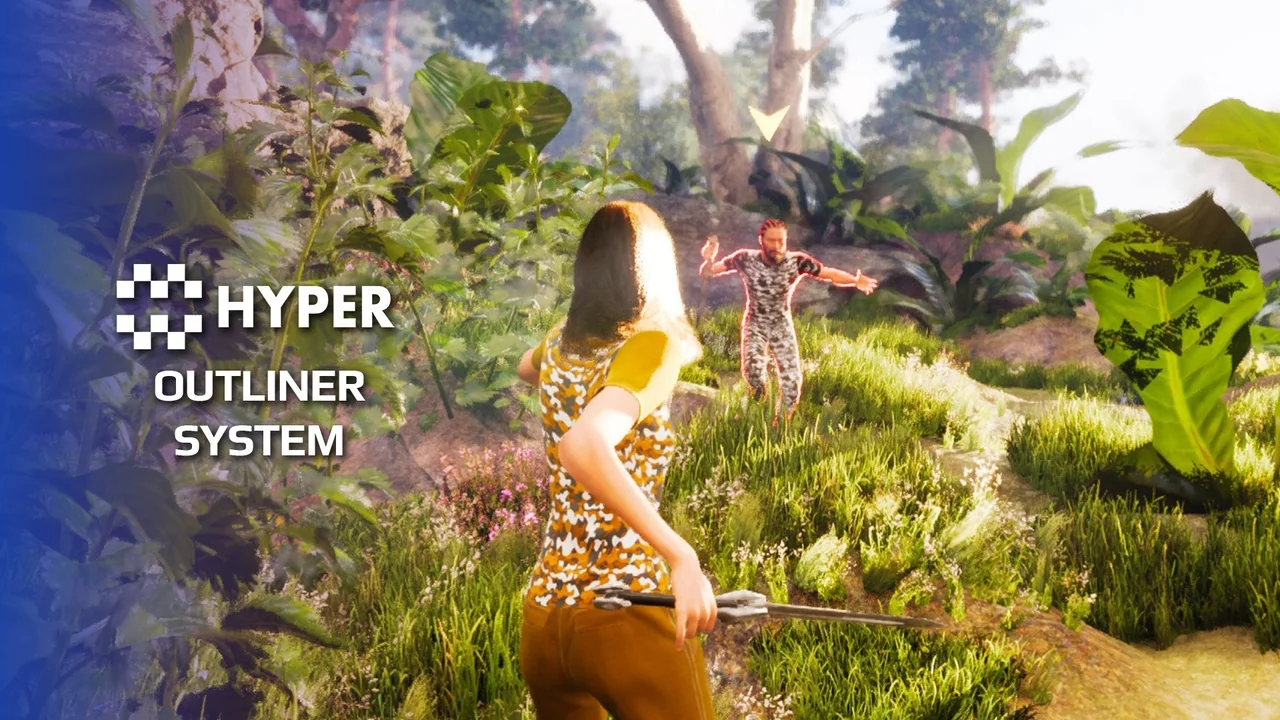
 Gameplay Features
 Gameplay Features
 Gameplay Features