"a19e0535960bd083"{"id":"1002058","slug":"html-menus-and-pdf-viewer-browser-plugin","title":"HTML Menus and PDF viewer Browser Plugin","category":"Engine Tools","engine":"4.18","assetVersion":"Asset Version: 1.0","engineVersion":"Engine Version: 4.18","tag":"Engine Tools","accent":"blue","visual":"mech","summary":"Build user interfaces, inventory systems, and documents in Unreal Engine using HTML, CSS, JavaScript, and an integrated PDF viewer.","platform":"Unreal Engine","publishedAt":"2026-10-26T15:15:33.420Z","updatedAt":"2026-10-26T15:15:33.420Z","sourceNotes":[],"fileContents":[],"compatibility":["Unreal Engine","Asset Version: 1.0","Engine Version: 4.18"],"featuredImage":{"alt":"HTML Menus and PDF viewer Browser Plugin","src":"/wp-content/uploads/published/2026/10/b545cf92850e-8780ee77-0abf-44d3-b495-291f47de066e-8a6e53dd1a.webp"},"hasDownloadLink":true,"downloads":0,"terms":[{"taxonomy":"category","slug":"engine-tools-tools-and-plugins","name":"Engine Tools"}],"galleryImages":[{"src":"/wp-content/uploads/published/2026/10/da0d83b8b659-1e1db588-d695-47db-8024-33e8cc8746e8-9a7d5371b2.webp","alt":"HTML Menus and PDF viewer Browser Plugin"},{"src":"/wp-content/uploads/published/2026/10/ca2fb81a3cc4-b7cd6d99-44ec-4918-959e-ae93d29d0291-54dffecc47.webp","alt":"HTML Menus and PDF viewer Browser Plugin"},{"src":"/wp-content/uploads/published/2026/10/ede1420759e5-2c911941-bf0d-40fb-ae1c-587949c5b52e-59c9d1030a.webp","alt":"HTML Menus and PDF viewer Browser Plugin"},{"src":"/wp-content/uploads/published/2026/10/5f0e3bd14131-7deec37a-c85d-4d5d-affb-465d88c0a20d-0baa54bd01.webp","alt":"HTML Menus and PDF viewer Browser Plugin"},{"src":"/wp-content/uploads/published/2026/10/791d50968849-eb176afc-a406-4041-8b34-05a45fdc38cd-5ba33f815d.webp","alt":"HTML Menus and PDF viewer Browser Plugin"},{"src":"/wp-content/uploads/published/2026/10/b1333639ec95-44187005-95b9-4217-af18-db38dde2df3a-0a1ad9b486.webp","alt":"HTML Menus and PDF viewer Browser Plugin"},{"src":"/wp-content/uploads/published/2026/10/8dbaf87289fa-e186dd61-6466-466f-961e-2fd507636c13-a92f3577e0.webp","alt":"HTML Menus and PDF viewer Browser Plugin"},{"src":"/wp-content/uploads/published/2026/10/320d2a2f995a-3a49ad05-42a5-410f-aad5-1e5665938260-94c51d8e70.webp","alt":"HTML Menus and PDF viewer Browser Plugin"},{"src":"/wp-content/uploads/published/2026/10/579bc56cf0e0-fccba7f1-0a67-40af-b97f-674d4e0734a1-ea8e4c990d.webp","alt":"HTML Menus and PDF viewer Browser Plugin"},{"src":"/wp-content/uploads/published/2026/10/72aeeac50233-900eb362-a483-4d6b-a874-6d12af261c11-c5c7aca69d.webp","alt":"HTML Menus and PDF viewer Browser Plugin"}],"accessPanel":{"kind":"resource","title":"Download this resource","eyebrow":"Free Download","message":"Log in or create a free account to start your download.","fileName":"HTML Menus and PDF viewer Browser Plugin.7z","safetyNote":"Resources are manually reviewed before listing to improve quality and reduce obvious risks.","actionLabel":"Download Free","resourceType":"Resource archive"},"contentHtml":"\u003ch2\u003eReplacing UMG with HTML and JavaScript Interfaces\u003c/h2\u003e\u003cp\u003eConstructing intricate game menus and dynamic inventories entirely inside Unreal Engine's native UMG framework often presents rigid styling boundaries and time-consuming layout iteration. This plugin shifts interface authoring into standard web technologies, allowing developers to craft main menus, HUDs, and inventory systems using HTML, CSS, JavaScript, and libraries such as jQuery.\u003c/p\u003e\u003cp\u003eWeb development delivers a vast ecosystem of existing design documentation, open styling resources, and responsive scripting examples. Rather than manually configuring complex canvas slots or vector curves in Slate, developers can generate tailored buttons, modal screens, and animated UI elements using familiar web style sheets. The underlying JavaScript library necessary to run these systems resides within the project directory at \u003ccode\u003eEngine\\Plugins\\Marketplace\\HTMLMenuMain\\HTMLMenu_basic\u003c/code\u003e, ensuring that all core scripts remain locally packaged alongside the engine structure for quick deployment.\u003c/p\u003e\u003ch2\u003eEmbedded C++ Web Server and Blueprint Communication\u003c/h2\u003e\u003cp\u003eServing local web assets inside an engine viewport can introduce security and file-path hurdles, particularly when dealing with complex script routines. Version 1.21 resolves this by embedding a small C++ web server directly into Unreal Engine, exposing its control surface directly to Blueprints.\u003c/p\u003e\u003cp\u003eThis internal web server architecture significantly expands local browser functionality. Features such as hyperlink routing and lazy loading of media assets operate cleanly through the local host environment without triggering pathing errors. Blueprint users can exchange information between the engine logic and the browser document, supported by specialized helper nodes such as \u003ccode\u003eGetSytemType\u003c/code\u003e To detect the active operating system and custom Base64 processing functions. The plugin also maintains functional compatibility with the Simple Controller (Advanced Input Device) Plugin, ensuring external control layouts can hook cleanly into hybrid UI states.\u003c/p\u003e\u003ch2\u003eIntegrating the PDF Viewer Across Engine Generations\u003c/h2\u003e\u003cp\u003eIn-game manuals, documentation panels, and textual game artifacts frequently need pagination and clean typographic rendering that standard engine widgets struggle to deliver. The plugin incorporates a dedicated PDF viewer, originally established in version 1.11 and subsequently brought to both Android and iOS targets.\u003c/p\u003e\u003cp\u003eThe PDF pipeline has been updated across multiple engine releases, including version 1.19, which adapted the viewing framework for Unreal Engine 5 workflows. This viewing component operates seamlessly within the browser runtime, enabling games or enterprise visualization tools to present architectural sheets, instructional handbooks, and static legal documents directly within the runtime interface without requiring players to launch third-party external applications.\u003c/p\u003e\u003ch2\u003eBrowser Debugging Tools and JavaScript Window Handling\u003c/h2\u003e\u003cp\u003eDiagnosing interaction bugs between the DOM and engine events can be challenging without proper runtime insight. Version 1.15 introduced integrated browser developer tools, allowing programmers to open a dedicated debugging window to inspect elements, monitor console outputs, and verify JavaScript execution during live play sessions.\u003c/p\u003e\u003cp\u003eThis toolset also provides native support for opening secondary windows driven by JavaScript calls. Communication between the browser environment and Unreal's core logic has been hardened over successive revisions. Version 1.17 addressed an issue where high-frequency messaging from JavaScript to the engine resulted in dropped packets on mobile hardware, ensuring that fast UI clicks and continuous inventory updates pass reliably. For modern engine builds from 5.2 through 5.8, version 1.22 repaired memory and cleanup handling by eliminating a bug that prevented the engine from properly destroying browser-backed widgets upon screen departure.\u003c/p\u003e\u003ch2\u003ePlatform Behaviors, Operational Constraints, and Setup Rules\u003c/h2\u003e\u003cp\u003eDeploying web engines inside a real-time graphics pipeline requires careful adherence to specific engine and hardware limitations. The plugin functions across Windows 10, macOS Mojave 10.14.2, Android 7.1.2, iOS 12.1.2, and WebGL environments, but developers must account for structural constraints built into underlying platform wrappers.\u003c/p\u003e\u003cp\u003eHardware-level input and capture features carry hard restrictions: microphone and camera access are not available within the embedded browser view, and JavaScript cannot directly access the host system's hard drive. Asian character entry using an Input Method Editor (IME) does not function inside the input fields. On mobile operating systems such as Android and iOS, the web browser widget renders permanently in the foreground, and certain UE4 versions suffer from an engine-level bug that renders a black texture when casting browser outputs to 3D in-world widgets. Blueprint nativization can trigger packaging conflicts and must be turned off for any Blueprints communicating with the plugin's browser systems. Teams working with third-party web content should always test remote pages within the integrated engine browser ahead of full interface deployment.\u003c/p\u003e\n\n\u003ch2\u003eRelated Resources Worth Checking\u003c/h2\u003e\n\u003cul\u003e\n\u003cli\u003e\u003ca href=\"https://3dcghub.com/uasset-browser/\" title=\"UAsset Browser\"\u003eUAsset Browser\u003c/a\u003e\u003c/li\u003e\n\u003cli\u003e\u003ca href=\"https://3dcghub.com/web-browser-for-video/\" title=\"Web Browser For Video\"\u003eWeb Browser For Video\u003c/a\u003e\u003c/li\u003e\n\u003cli\u003e\u003ca href=\"https://3dcghub.com/log-viewer/\" title=\"Log Viewer\"\u003eLog Viewer\u003c/a\u003e\u003c/li\u003e\n\u003cli\u003e\u003ca href=\"https://3dcghub.com/clarus-viewer-base/\" title=\"Clarus Viewer Base\"\u003eClarus Viewer Base\u003c/a\u003e\u003c/li\u003e\n\u003cli\u003e\u003ca href=\"https://3dcghub.com/clarus-viewer-asset-support/\" title=\"Clarus Viewer Asset Support\"\u003eClarus Viewer Asset Support\u003c/a\u003e\u003c/li\u003e\n\u003c/ul\u003e","contentTextLength":5320,"navigation":{"current":33,"total":4026,"previous":{"id":"1002059","slug":"humpback-whale","title":"Humpback Whale","category":"Characters \u0026 Creatures","platform":"Unreal Engine","updatedAt":"2026-10-26T15:16:49.323Z"},"next":{"id":"1002057","slug":"hq-retro-school-bus","title":"HQ Retro School Bus","category":"Vehicles \u0026 Transportation","platform":"Unreal Engine","updatedAt":"2026-10-26T15:14:11.469Z"}},"relatedResources":[{"id":"14687","slug":"uasset-browser","title":"UAsset Browser","category":"Engine Tools","engine":"5.6 - 5.7","assetVersion":"Engine version: 5.6 - 5.7","engineVersion":"Asset Version:1.3.4","tag":"Engine Tools","accent":"blue","visual":"luts","summary":"The UAsset Browser provides a streamlined way to manage external content by offering thumbnail previews, dependency graphs, and advanced metadata filtering for project assets.","platform":"Unreal Engine","publishedAt":"2026-03-11T19:00:50.000Z","updatedAt":"2026-04-19T15:45:42.000Z","sourceNotes":[],"fileContents":[],"compatibility":["Unreal Engine","Engine version: 5.6 - 5.7","Asset Version: 1.3.4"],"featuredImage":{"alt":"UAsset Browser","src":"https://3dcghub.com/wp-content/uploads/2026/03/26174904-e233-4509-9bed-c5b7cef34bf9.webp"},"hasDownloadLink":true,"downloads":1},{"id":"14814","slug":"web-browser-for-video","title":"Web Browser For Video","category":"Engine Tools","engine":"5.5","assetVersion":"Engine version: 5.5","engineVersion":"Asset Version:1.0","tag":"Engine Tools","accent":"blue","visual":"city","summary":"Web Browser For Video allows developers to render multiple high-frame-rate web windows onto static meshes. This specialized tool is optimized for performance and includes specific compatibility features for Cesium projects.","platform":"Unreal Engine","publishedAt":"2026-03-11T19:27:23.000Z","updatedAt":"2026-04-19T15:45:40.000Z","sourceNotes":[],"fileContents":[],"compatibility":["Unreal Engine","Engine version: 5.5","Asset Version: 1.0"],"featuredImage":{"alt":"Web Browser For Video","src":"https://3dcghub.com/wp-content/uploads/2026/03/87bbb7ef-4349-4802-a3a8-595dafdd4bab.webp"},"hasDownloadLink":true,"downloads":0},{"id":"1001098","slug":"log-viewer","title":"Log Viewer","category":"Engine Tools","engine":"4.26 - 5.8","assetVersion":"Asset Version: 1.0 - 1.3484","engineVersion":"Engine Version: 4.26 - 5.8","tag":"Engine Tools","accent":"blue","visual":"mech","summary":"Log Viewer streamlines Unreal Engine log analysis with saved log tabs, one-click filters, color-coded entries, and Blueprint node logging.","platform":"Unreal Engine","publishedAt":"2026-09-06T02:50:47.480Z","updatedAt":"2026-09-06T02:50:47.480Z","sourceNotes":[],"fileContents":[],"compatibility":["Unreal Engine","Asset Version: 1.0 - 1.3484","Engine Version: 4.26 - 5.8"],"featuredImage":{"alt":"Log Viewer","src":"/wp-content/uploads/published/2026/09/6b80c9e4b2ab-ce0c394b-fe45-4c3c-8f1f-bfc565402bf5-455f4d372d.webp"},"hasDownloadLink":true,"downloads":0}]}
Engine Tools
HTML Menus and PDF viewer Browser Plugin
Build user interfaces, inventory systems, and documents in Unreal Engine using HTML, CSS, JavaScript, and an integrated PDF viewer.
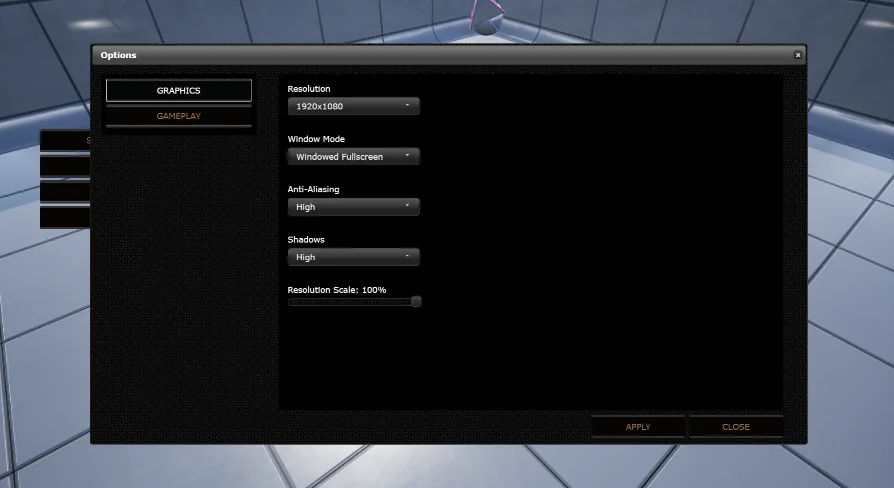
Constructing intricate game menus and dynamic inventories entirely inside Unreal Engine's native UMG framework often presents rigid styling boundaries and time-consuming layout iteration. This plugin shifts interface authoring into standard web technologies, allowing developers to craft main menus, HUDs, and inventory systems using HTML, CSS, JavaScript, and libraries such as jQuery.
Web development delivers a vast ecosystem of existing design documentation, open styling resources, and responsive scripting examples. Rather than manually configuring complex canvas slots or vector curves in Slate, developers can generate tailored buttons, modal screens, and animated UI elements using familiar web style sheets. The underlying JavaScript library necessary to run these systems resides within the project directory at Engine\Plugins\Marketplace\HTMLMenuMain\HTMLMenu_basic, ensuring that all core scripts remain locally packaged alongside the engine structure for quick deployment.
Embedded C++ Web Server and Blueprint Communication
Serving local web assets inside an engine viewport can introduce security and file-path hurdles, particularly when dealing with complex script routines. Version 1.21 resolves this by embedding a small C++ web server directly into Unreal Engine, exposing its control surface directly to Blueprints.
This internal web server architecture significantly expands local browser functionality. Features such as hyperlink routing and lazy loading of media assets operate cleanly through the local host environment without triggering pathing errors. Blueprint users can exchange information between the engine logic and the browser document, supported by specialized helper nodes such as GetSytemType To detect the active operating system and custom Base64 processing functions. The plugin also maintains functional compatibility with the Simple Controller (Advanced Input Device) Plugin, ensuring external control layouts can hook cleanly into hybrid UI states.
Integrating the PDF Viewer Across Engine Generations
In-game manuals, documentation panels, and textual game artifacts frequently need pagination and clean typographic rendering that standard engine widgets struggle to deliver. The plugin incorporates a dedicated PDF viewer, originally established in version 1.11 and subsequently brought to both Android and iOS targets.
The PDF pipeline has been updated across multiple engine releases, including version 1.19, which adapted the viewing framework for Unreal Engine 5 workflows. This viewing component operates seamlessly within the browser runtime, enabling games or enterprise visualization tools to present architectural sheets, instructional handbooks, and static legal documents directly within the runtime interface without requiring players to launch third-party external applications.
Browser Debugging Tools and JavaScript Window Handling
Diagnosing interaction bugs between the DOM and engine events can be challenging without proper runtime insight. Version 1.15 introduced integrated browser developer tools, allowing programmers to open a dedicated debugging window to inspect elements, monitor console outputs, and verify JavaScript execution during live play sessions.
This toolset also provides native support for opening secondary windows driven by JavaScript calls. Communication between the browser environment and Unreal's core logic has been hardened over successive revisions. Version 1.17 addressed an issue where high-frequency messaging from JavaScript to the engine resulted in dropped packets on mobile hardware, ensuring that fast UI clicks and continuous inventory updates pass reliably. For modern engine builds from 5.2 through 5.8, version 1.22 repaired memory and cleanup handling by eliminating a bug that prevented the engine from properly destroying browser-backed widgets upon screen departure.
Platform Behaviors, Operational Constraints, and Setup Rules
Deploying web engines inside a real-time graphics pipeline requires careful adherence to specific engine and hardware limitations. The plugin functions across Windows 10, macOS Mojave 10.14.2, Android 7.1.2, iOS 12.1.2, and WebGL environments, but developers must account for structural constraints built into underlying platform wrappers.
Hardware-level input and capture features carry hard restrictions: microphone and camera access are not available within the embedded browser view, and JavaScript cannot directly access the host system's hard drive. Asian character entry using an Input Method Editor (IME) does not function inside the input fields. On mobile operating systems such as Android and iOS, the web browser widget renders permanently in the foreground, and certain UE4 versions suffer from an engine-level bug that renders a black texture when casting browser outputs to 3D in-world widgets. Blueprint nativization can trigger packaging conflicts and must be turned off for any Blueprints communicating with the plugin's browser systems. Teams working with third-party web content should always test remote pages within the integrated engine browser ahead of full interface deployment.
 Engine Tools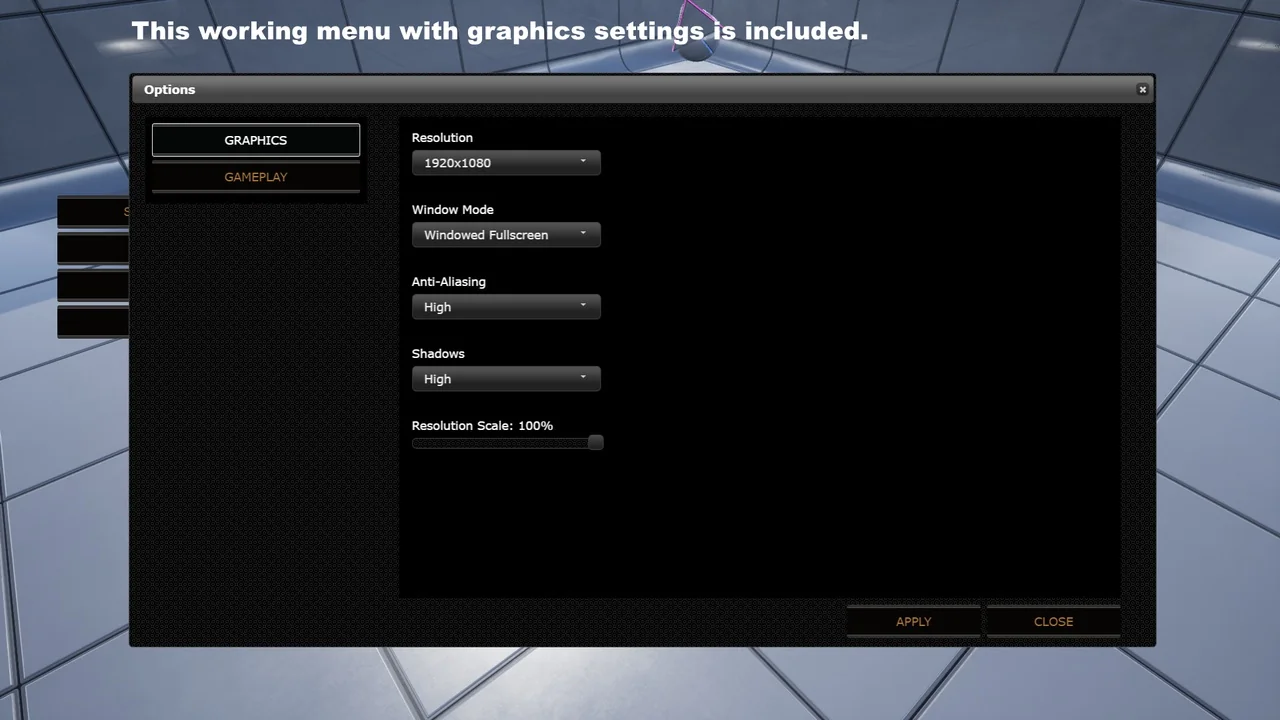
 Engine Tools
 Engine Tools
 Engine Tools