"c68a05d5e51405b3"{"id":"1000620","slug":"environment-art-in-unreal-engine-and-blender","title":"Environment Art in Unreal Engine \u0026 Blender","category":"Unreal Engine","engine":"File Content: video + English subtitles","assetVersion":"Video Language: English","engineVersion":"File Content: video + English subtitles","tag":"Unreal Engine","accent":"blue","visual":"city","summary":"Learn terrain, procedural landscape materials, foliage, PCG, and cinematic lighting across Blender and Unreal Engine through a 12-hour hands-on course.","platform":"Unreal Engine","publishedAt":"2026-07-21T08:02:27.443Z","updatedAt":"2026-07-21T08:02:27.443Z","sourceNotes":[],"fileContents":[],"compatibility":["Blender","Video Language: English","File Content: video + English subtitles"],"featuredImage":{"alt":"Environment Art in Unreal Engine \u0026 Blender","src":"/wp-content/uploads/published/2026/07/dee7455e91d9-6182543-f329-49ae08d4cf.webp"},"hasDownloadLink":true,"downloads":1,"terms":[{"taxonomy":"category","slug":"tutoriallibrary-unrealengine","name":"Unreal Engine"}],"galleryImages":[],"accessPanel":{"kind":"video-resource","title":"Download this video resource","eyebrow":"Free Download","message":"Log in or create a free account to start your download.","fileName":"Environment Art in Unreal Engine \u0026 Blender.7z","safetyNote":"Resources are manually reviewed before listing to improve quality and reduce obvious risks.","actionLabel":"Download Free","resourceType":"Video download"},"contentHtml":"\u003cp\u003eBuilding interactive game worlds requires a toolchain that handles terrain generation, asset creation, material authoring, and lighting in a coordinated way. \u003cstrong\u003eEnvironment Art in Unreal Engine \u0026 Blender\u003c/strong\u003e Brings both engines into a single workflow, starting with Unreal Engine fundamentals and moving through Blender asset creation before returning to Unreal for materials, foliage, procedural generation, and cinematic atmosphere. The course runs for 12 hours and 1 minute and was published on September 19, 2025 by Unrealverse Labs.\u003c/p\u003e\u003ch2\u003eUnreal 101 and Landscape Creation\u003c/h2\u003e\u003cp\u003eThe opening section, Unreal 101, establishes the foundational knowledge needed before tackling environment work. From there, the curriculum moves directly into landscape creation inside Unreal Engine. A dedicated module titled Unreal Engine: Let's Create the Landscape walks through the process of shaping terrain that serves as the base for the rest of the environment.\u003c/p\u003e\u003cp\u003eThis terrain-focused section is followed by Unreal Engine: Materials 101, which introduces material authoring concepts. These early modules set up the technical grounding needed for the more specialized landscape material work that follows.\u003c/p\u003e\u003ch2\u003eProcedural Landscape Material Authoring\u003c/h2\u003e\u003cp\u003eAfter the general materials module, the course narrows into Unreal Engine: Landscape Material. This section addresses procedural landscape materials, a technique that lets artists define surface appearance through rules and parameters rather than hand-painted textures alone. Procedural approaches matter for game environments because terrain often spans large areas where manual texture work becomes impractical.\u003c/p\u003e\u003cp\u003eThe landscape material module connects back to the terrain created earlier, giving the surface a material definition that can respond to slope, height, or other data-driven inputs. This is where the environment begins to take on visual specificity rather than remaining a raw geometric base.\u003c/p\u003e\u003ch2\u003eBlender Asset Creation and Cottage Modeling\u003c/h2\u003e\u003cp\u003eThe workflow shifts to Blender with a Blender 101 module, introducing the 3D modeling side of the pipeline. The specific project covered here is a cottage, built from scratch in a section called Blender: Cottage Modeling. This module teaches how to develop 3D assets in Blender that will later be integrated into the Unreal environment.\u003c/p\u003e\u003cp\u003eThe cottage serves as a concrete asset that bridges the two tools. Rather than treating Blender and Unreal as isolated applications, the course structure treats Blender as the authoring tool for geometry that Unreal will handle for rendering and interaction. This mirrors a production pipeline where models are built externally and then imported into a game engine for final placement and material assignment.\u003c/p\u003e\u003ch2\u003eCottage and Water Materials in Unreal Engine\u003c/h2\u003e\u003cp\u003eOnce the cottage model exists, the course returns to Unreal Engine for Cottage Materials, applying material definitions to the Blender-created geometry. A separate module covers Unreal Engine: Water Material, addressing how water surfaces are shaded and configured within the engine. Water materials in game environments carry their own technical demands, and giving this topic a dedicated section means the course treats it as a distinct skill rather than folding it into general material work.\u003c/p\u003e\u003cp\u003eBy this point in the curriculum, the environment has terrain with a procedural material, a modeled cottage with its own materials, and a water surface. These elements form the core visual components of an outdoor game scene.\u003c/p\u003e\u003ch2\u003eUE5 Foliage and PCG for Environment Population\u003c/h2\u003e\u003cp\u003eThe course then addresses two related but distinct topics: UE5: Foliage and UE5: PCG. The foliage module covers vegetation placement, while the PCG section introduces Unreal Engine's procedural content generation framework. PCG enables rule-based environment detailing, allowing artists to populate scenes with assets following defined parameters rather than placing each instance manually.\u003c/p\u003e\u003cp\u003eProcedural population and environment detailing represent a significant part of the course's value proposition. Together, these modules cover both traditional foliage workflows and the newer procedural approach available in Unreal Engine 5. The curriculum treats them as separate sections, which suggests each gets dedicated attention rather than a combined overview.\u003c/p\u003e\u003ch2\u003eCinematic Lighting and Atmosphere\u003c/h2\u003e\u003cp\u003eThe final creative module is Unreal Engine: Lighting, which handles cinematic lighting and atmosphere. This section wraps the environment art pipeline by addressing how the scene is illuminated and how mood is established through light. Cinematic lighting is listed as one of the primary learning objectives, and placing it near the end of the curriculum means all prior elements—terrain, materials, assets, foliage, and procedural generation—are defined before lighting is applied.\u003c/p\u003e\u003cp\u003eThe workflow ordering matters here. Lighting decisions depend on the geometry, materials, and vegetation already being in place. A course that teaches lighting last follows a production-logical sequence where each layer builds on what came before it.\u003c/p\u003e\u003ch2\u003eCourse Structure and Audience Reach\u003c/h2\u003e\u003cp\u003eThe full curriculum moves through 13 sections, beginning with Unreal 101 and ending with a module titled Congratulations. The progression is linear: fundamentals first, then landscape, then materials, then Blender modeling, then returning to Unreal for asset-specific materials, water, foliage, procedural generation, and finally lighting.\u003c/p\u003e\u003cp\u003eThe course is listed at a beginner level, but the target audience explicitly includes intermediate and experienced artists as well. Anyone interested in environment art is named as a potential participant. This suggests the content starts with foundational material but progresses to techniques that artists beyond the beginner stage would find relevant, such as procedural landscape materials and PCG-based environment detailing.\u003c/p\u003e\u003cp\u003eUnrealverse Labs is both the provider and the instructor, and the course was published on September 19, 2025. The total runtime is 12 hours and 1 minute, spread across the modules described above. The closing module, Congratulations, marks the completion point after the lighting section.\u003c/p\u003e\u003ch2\u003eWhat the Curriculum Covers End to End\u003c/h2\u003e\u003cp\u003eThe stated learning outcomes include creating realistic and interactive environments in Unreal Engine, developing 3D assets in Blender and integrating them into Unreal, procedural population and environment detailing, and cinematic lighting and atmosphere. Each of these outcomes maps directly to specific curriculum sections rather than existing as abstract goals.\u003c/p\u003e\u003cp\u003eRealistic environment creation connects to the landscape, materials, and lighting modules. Blender-to-Unreal integration is exercised through the cottage modeling and cottage materials sections. Procedural population is covered in the PCG module, with foliage as a related topic. Cinematic lighting has its own dedicated section at the end. The course workload and structure reflect these four pillars across the 13 modules, with each pillar receiving hands-on treatment through specific project elements like the landscape, the cottage, water, and vegetation.\u003c/p\u003e\n\n\u003ch2\u003eMore From The Same Workflow\u003c/h2\u003e\n\u003cul\u003e\n\u003cli\u003e\u003ca href=\"https://3dcghub.com/unreal-engine-5-blender-environment-design-for-beginners/\" title=\"Unreal Engine 5 + Blender Environment Design For Beginners\"\u003eUnreal Engine 5 + Blender Environment Design For Beginners\u003c/a\u003e\u003c/li\u003e\n\u003cli\u003e\u003ca href=\"https://3dcghub.com/unreal-engine-5-blueprints-and-blender-learn-game-development/\" title=\"Unreal Engine 5 Blueprints \u0026amp; Blender: Learn Game Development\"\u003eUnreal Engine 5 Blueprints \u0026amp; Blender: Learn Game Development\u003c/a\u003e\u003c/li\u003e\n\u003cli\u003e\u003ca href=\"https://3dcghub.com/creating-a-stylized-environment-in-unreal-engine-5/\" title=\"Creating a Stylized Environment in Unreal Engine 5\"\u003eCreating a Stylized Environment in Unreal Engine 5\u003c/a\u003e\u003c/li\u003e\n\u003cli\u003e\u003ca href=\"https://3dcghub.com/unreal-engine-5-and-blender-3d-product-visualization/\" title=\"Unreal Engine 5 and Blender 3D: Product Visualization\"\u003eUnreal Engine 5 and Blender 3D: Product Visualization\u003c/a\u003e\u003c/li\u003e\n\u003cli\u003e\u003ca href=\"https://3dcghub.com/introduction-to-materials-in-unreal-engine-5/\" title=\"Introduction to Materials in Unreal Engine 5\"\u003eIntroduction to Materials in Unreal Engine 5\u003c/a\u003e\u003c/li\u003e\n\u003c/ul\u003e","contentTextLength":7416,"navigation":{"current":1385,"total":3860,"previous":{"id":"1000621","slug":"heroic-fantasy-villains-vol-1","title":"Heroic Fantasy Villains Vol 1","category":"Characters \u0026 Creatures","platform":"Unreal Engine","updatedAt":"2026-07-21T08:21:40.237Z"},"next":{"id":"1000619","slug":"multiplayer-in-unreal-with-gas-and-aws-dedicated-servers","title":"Multiplayer in Unreal with GAS and AWS Dedicated Servers","category":"Unreal Engine","platform":"Unreal Engine","updatedAt":"2026-07-21T02:25:55.632Z"}},"relatedResources":[{"id":"1000222","slug":"creating-a-stylized-environment-in-unreal-engine-5","title":"Creating a Stylized Environment in Unreal Engine 5","category":"Unreal Engine","engine":"File Content: video + English subtitles","assetVersion":"Video Language: English","engineVersion":"File Content: video + English subtitles","tag":"Unreal Engine","accent":"blue","visual":"city","summary":"Learn the complete pipeline for building stylized scenes by bridging custom Blender modeling with Unreal Engine 5 materials, landscape sculpting, and foliage to","platform":"Unreal Engine","publishedAt":"2026-06-26T18:47:07.036Z","updatedAt":"2026-06-26T18:47:07.036Z","sourceNotes":[],"fileContents":[],"compatibility":["Unreal Engine","Video Language: English","File Content: video + English subtitles"],"featuredImage":{"alt":"Creating a Stylized Environment in Unreal Engine 5","src":"/wp-content/uploads/published/2026/06/ec9c5219c0ba-5654654-0f33-3-ae985f56f4.webp"},"hasDownloadLink":true,"downloads":0},{"id":"1000181","slug":"unreal-engine-5-blender-environment-design-for-beginners","title":"Unreal Engine 5 + Blender Environment Design For Beginners","category":"Unreal Engine","engine":"File Content: video + English subtitles","assetVersion":"Video Language: English","engineVersion":"File Content: video + English subtitles","tag":"Unreal Engine","accent":"blue","visual":"city","summary":"A beginner course focused on creating a factory interior with Blender and Unreal Engine 5, covering modular modeling, materials, lighting, and level assembly.","platform":"Unreal Engine","publishedAt":"2026-06-21T04:53:10.052Z","updatedAt":"2026-10-03T14:08:40.296Z","sourceNotes":[],"fileContents":[],"compatibility":["Blender","Video Language: English","File Content: video + English subtitles"],"featuredImage":{"alt":"Unreal Engine 5 + Blender Environment Design For Beginners","src":"/wp-content/uploads/published/2026/06/629c97a3fbc5-6468489-877c-9382f24713.webp"},"hasDownloadLink":true,"downloads":0},{"id":"1000183","slug":"unreal-engine-5-blueprints-and-blender-learn-game-development","title":"Unreal Engine 5 Blueprints \u0026 Blender: Learn Game Development","category":"Unreal Engine","engine":"File Content: video + English subtitles","assetVersion":"Video Language: English","engineVersion":"File Content: video + English subtitles","tag":"Unreal Engine","accent":"blue","visual":"mech","summary":"A beginner-focused course that walks through making a first game from scratch with Unreal Engine 5, Blueprints, Blender, HUDs, materials, and more.","platform":"Unreal Engine","publishedAt":"2026-06-21T07:06:07.043Z","updatedAt":"2026-06-21T07:06:07.043Z","sourceNotes":[],"fileContents":[],"compatibility":["Blender","Video Language: English","File Content: video + English subtitles"],"featuredImage":{"alt":"Unreal Engine 5 Blueprints \u0026 Blender: Learn Game Development","src":"/wp-content/uploads/published/2026/06/a12be9accb3a-5347078-7d72-8-0bf942ddb7.webp"},"hasDownloadLink":true,"downloads":0}]}
Unreal Engine
Environment Art in Unreal Engine & Blender
Learn terrain, procedural landscape materials, foliage, PCG, and cinematic lighting across Blender and Unreal Engine through a 12-hour hands-on course.
Category:Unreal EnginePlatform: Unreal EngineVideo Language: EnglishFile Content: video + English subtitlesPublished: Jul 21, 2026
Unreal Engine
Resource overview
Building interactive game worlds requires a toolchain that handles terrain generation, asset creation, material authoring, and lighting in a coordinated way. Environment Art in Unreal Engine & Blender Brings both engines into a single workflow, starting with Unreal Engine fundamentals and moving through Blender asset creation before returning to Unreal for materials, foliage, procedural generation, and cinematic atmosphere. The course runs for 12 hours and 1 minute and was published on September 19, 2025 by Unrealverse Labs.
Unreal 101 and Landscape Creation
The opening section, Unreal 101, establishes the foundational knowledge needed before tackling environment work. From there, the curriculum moves directly into landscape creation inside Unreal Engine. A dedicated module titled Unreal Engine: Let's Create the Landscape walks through the process of shaping terrain that serves as the base for the rest of the environment.
This terrain-focused section is followed by Unreal Engine: Materials 101, which introduces material authoring concepts. These early modules set up the technical grounding needed for the more specialized landscape material work that follows.
Procedural Landscape Material Authoring
After the general materials module, the course narrows into Unreal Engine: Landscape Material. This section addresses procedural landscape materials, a technique that lets artists define surface appearance through rules and parameters rather than hand-painted textures alone. Procedural approaches matter for game environments because terrain often spans large areas where manual texture work becomes impractical.
The landscape material module connects back to the terrain created earlier, giving the surface a material definition that can respond to slope, height, or other data-driven inputs. This is where the environment begins to take on visual specificity rather than remaining a raw geometric base.
Blender Asset Creation and Cottage Modeling
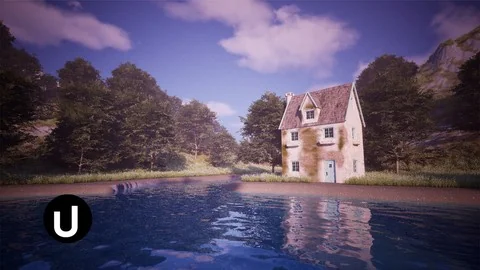
The workflow shifts to Blender with a Blender 101 module, introducing the 3D modeling side of the pipeline. The specific project covered here is a cottage, built from scratch in a section called Blender: Cottage Modeling. This module teaches how to develop 3D assets in Blender that will later be integrated into the Unreal environment.
The cottage serves as a concrete asset that bridges the two tools. Rather than treating Blender and Unreal as isolated applications, the course structure treats Blender as the authoring tool for geometry that Unreal will handle for rendering and interaction. This mirrors a production pipeline where models are built externally and then imported into a game engine for final placement and material assignment.
Cottage and Water Materials in Unreal Engine
Once the cottage model exists, the course returns to Unreal Engine for Cottage Materials, applying material definitions to the Blender-created geometry. A separate module covers Unreal Engine: Water Material, addressing how water surfaces are shaded and configured within the engine. Water materials in game environments carry their own technical demands, and giving this topic a dedicated section means the course treats it as a distinct skill rather than folding it into general material work.
By this point in the curriculum, the environment has terrain with a procedural material, a modeled cottage with its own materials, and a water surface. These elements form the core visual components of an outdoor game scene.
UE5 Foliage and PCG for Environment Population
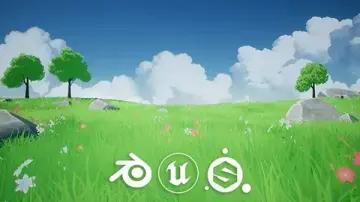
The course then addresses two related but distinct topics: UE5: Foliage and UE5: PCG. The foliage module covers vegetation placement, while the PCG section introduces Unreal Engine's procedural content generation framework. PCG enables rule-based environment detailing, allowing artists to populate scenes with assets following defined parameters rather than placing each instance manually.
Procedural population and environment detailing represent a significant part of the course's value proposition. Together, these modules cover both traditional foliage workflows and the newer procedural approach available in Unreal Engine 5. The curriculum treats them as separate sections, which suggests each gets dedicated attention rather than a combined overview.
Cinematic Lighting and Atmosphere
The final creative module is Unreal Engine: Lighting, which handles cinematic lighting and atmosphere. This section wraps the environment art pipeline by addressing how the scene is illuminated and how mood is established through light. Cinematic lighting is listed as one of the primary learning objectives, and placing it near the end of the curriculum means all prior elements—terrain, materials, assets, foliage, and procedural generation—are defined before lighting is applied.
The workflow ordering matters here. Lighting decisions depend on the geometry, materials, and vegetation already being in place. A course that teaches lighting last follows a production-logical sequence where each layer builds on what came before it.
Course Structure and Audience Reach
The full curriculum moves through 13 sections, beginning with Unreal 101 and ending with a module titled Congratulations. The progression is linear: fundamentals first, then landscape, then materials, then Blender modeling, then returning to Unreal for asset-specific materials, water, foliage, procedural generation, and finally lighting.
The course is listed at a beginner level, but the target audience explicitly includes intermediate and experienced artists as well. Anyone interested in environment art is named as a potential participant. This suggests the content starts with foundational material but progresses to techniques that artists beyond the beginner stage would find relevant, such as procedural landscape materials and PCG-based environment detailing.
Unrealverse Labs is both the provider and the instructor, and the course was published on September 19, 2025. The total runtime is 12 hours and 1 minute, spread across the modules described above. The closing module, Congratulations, marks the completion point after the lighting section.
What the Curriculum Covers End to End
The stated learning outcomes include creating realistic and interactive environments in Unreal Engine, developing 3D assets in Blender and integrating them into Unreal, procedural population and environment detailing, and cinematic lighting and atmosphere. Each of these outcomes maps directly to specific curriculum sections rather than existing as abstract goals.
Realistic environment creation connects to the landscape, materials, and lighting modules. Blender-to-Unreal integration is exercised through the cottage modeling and cottage materials sections. Procedural population is covered in the PCG module, with foliage as a related topic. Cinematic lighting has its own dedicated section at the end. The course workload and structure reflect these four pillars across the 13 modules, with each pillar receiving hands-on treatment through specific project elements like the landscape, the cottage, water, and vegetation.
 Unreal Engine
 Unreal Engine
 Unreal Engine
 Unreal Engine