"031373f479d9561a"{"id":"1000222","slug":"creating-a-stylized-environment-in-unreal-engine-5","title":"Creating a Stylized Environment in Unreal Engine 5","category":"Unreal Engine","engine":"File Content: video + English subtitles","assetVersion":"Video Language: English","engineVersion":"File Content: video + English subtitles","tag":"Unreal Engine","accent":"blue","visual":"city","summary":"Learn the complete pipeline for building stylized scenes by bridging custom Blender modeling with Unreal Engine 5 materials, landscape sculpting, and foliage to","platform":"Unreal Engine","publishedAt":"2026-06-26T18:47:07.036Z","updatedAt":"2026-06-26T18:47:07.036Z","sourceNotes":[],"fileContents":[],"compatibility":["Unreal Engine","Video Language: English","File Content: video + English subtitles"],"featuredImage":{"alt":"Creating a Stylized Environment in Unreal Engine 5","src":"/wp-content/uploads/published/2026/06/ec9c5219c0ba-5654654-0f33-3-ae985f56f4.webp"},"hasDownloadLink":true,"downloads":0,"terms":[{"taxonomy":"category","slug":"tutoriallibrary-unrealengine","name":"Unreal Engine"}],"galleryImages":[],"accessPanel":{"kind":"video-resource","title":"Download this video resource","eyebrow":"Free Download","message":"Log in or create a free account to start your download.","fileName":"Creating a Stylized Environment in Unreal Engine 5.7z","safetyNote":"Resources are manually reviewed before listing to improve quality and reduce obvious risks.","actionLabel":"Download Free","resourceType":"Video download"},"contentHtml":"\u003ch2\u003eEstablishing a Stylized Workflow Between Blender and UE5\u003c/h2\u003e\n\u003cp\u003eDeveloping a stylized aesthetic in 3D environment art requires a deliberate departure from photorealism, relying instead on distinct silhouettes, cohesive color palettes, and custom materials. The workflow for creating a complete stylized environment maps out this entire pipeline by bridging asset generation in Blender with world-building in Unreal Engine 5. The nearly seven-hour process, clocking in at 6 hours and 58 minutes, walks through the full construction of a stylized scene from an empty project to a populated landscape.\u003c/p\u003e\n\u003cp\u003ePublished on May 30, 2024, this pipeline is made for anyone looking to get started in the world of stylized art. While the instruction is detailed enough to accommodate users of all levels, establishing a baseline familiarity with Blender's modeling interface and Unreal Engine 5's editor helps smooth out the initial setup phases. The cross-software approach ensures that artists understand both the structural creation of 3D meshes and the real-time implementation of those meshes within a game engine environment.\u003c/p\u003e\n\u003ch2\u003eModeling Fluffy Stylized Grass and Custom Foliage\u003c/h2\u003e\n\u003cp\u003eThe foundation of any natural scene begins with its vegetation. Rather than relying on pre-made assets or photogrammetry scans, this workflow demands modeling various different assets directly. The curriculum places a strong early emphasis on creating fluffy stylized grass. Achieving this specific fluffy look requires modeling techniques that group blades into distinct, readable clusters rather than attempting to replicate individual, highly detailed strands of realistic grass. This approach creates the soft, voluminous ground cover characteristic of stylized art.\u003c/p\u003e\n\u003cp\u003eAlongside the grass, the modeling phase covers different types of flowers to add varied silhouettes and color breaks to the environment. All of these organic shapes are built from the ground up to support custom textures. The workflow includes dedicated steps for creating your own textures specifically tailored for stylized foliage. By authoring custom textures rather than using pre-existing realistic libraries, artists ensure that the visual language remains perfectly consistent across every plant, leaf, and petal in the scene.\u003c/p\u003e\n\u003ch2\u003eDeveloping Stylized Materials in Unreal Engine 5\u003c/h2\u003e\n\u003cp\u003eOnce the base meshes and custom textures are prepared in Blender, the focus shifts to the Unreal Engine 5 material editor. Material setup is a critical stage in environment art, as the way light interacts with the surfaces dictates the final aesthetic. The curriculum covers the creation of specific stylized materials natively within UE5, focusing heavily on organic elements like grass and leaves. Developing a stylized leaf material involves manipulating colors and shading models to achieve a soft, painted appearance rather than a physically accurate, hyper-detailed response.\u003c/p\u003e\n\u003cp\u003eBeyond the ground and plant materials, the workflow extends upward into the sky. \"Creating Clouds\" is a dedicated segment of the pipeline, demonstrating how to build stylized atmospheric materials. By creating custom clouds, the environment's backdrop perfectly matches the visual tone of the stylized terrain below, ensuring that the skybox does not visually clash with the handcrafted foreground assets.\u003c/p\u003e\n\u003ch2\u003eDeploying UE5 Landscape and Foliage Tools\u003c/h2\u003e\n\u003cp\u003eWith custom assets modeled and stylized materials compiled, the workflow moves into the active environmental assembly phase. Distributing thousands of grass clusters and flowers by hand is impractical, so the pipeline integrates Unreal Engine 5's dedicated environment systems. Users deploy the UE5 Landscape tools to sculpt the underlying terrain, establishing the hills, valleys, and foundational shapes of the world.\u003c/p\u003e\n\u003cp\u003eFollowing the landscape generation, the UE5 Foliage tools are brought in to populate the scene. These tools allow artists to paint the fluffy grass and diverse flower models directly across the newly sculpted terrain. This combination of landscape shaping and mass foliage painting facilitates the rapid distribution of stylized assets, turning isolated Blender models into a dense, cohesive ecosystem without sacrificing the intentional placement required for good composition.\u003c/p\u003e\n\u003ch2\u003eAnchoring the Scene with Stylized Rocks and Trees\u003c/h2\u003e\n\u003cp\u003eTo break up the continuous fields of soft grass and foliage, an environment requires structural anchors. The latter half of the workflow focuses on these larger, more complex assets. \"Creating Stylized Rocks\" introduces hard-surface elements to the pipeline. Like the vegetation, these rocks demand deliberate modeling choices to achieve their specific aesthetic. In stylized art, this usually means prioritizing broad, readable edge wear, exaggerated proportions, and simplified planar shapes over high-frequency noise and micro-details. Once modeled, these rocks receive their own custom materials in UE5 to ensure they blend naturally into the terrain.\u003c/p\u003e\n\u003cp\u003eFollowing the rock generation, \"Creating Stylized Trees\" serves as the culmination of the environment pipeline. Beautiful looking stylized trees are complex assets that combine several previously established techniques. The process involves modeling the underlying trunk and branching structures in Blender, designing large, readable canopy shapes, and applying custom stylized leaf materials back in Unreal Engine 5. Because trees are massive vertical elements, mastering their creation is essential for controlling the scale and lighting of the final stylized scene.\u003c/p\u003e\n\n\u003ch2\u003eContinue Browsing Similar Packs\u003c/h2\u003e\n\u003cul\u003e\n\u003cli\u003e\u003ca href=\"https://3dcghub.com/unreal-shader-megascans-assets/\" title=\"Unreal Shader : Megascans Assets\"\u003eUnreal Shader : Megascans Assets\u003c/a\u003e\u003c/li\u003e\n\u003cli\u003e\u003ca href=\"https://3dcghub.com/niagara-beginners-to-advanced-in-unreal-engine-5/\" title=\"Niagara Beginners to advanced in Unreal Engine 5\"\u003eNiagara Beginners to advanced in Unreal Engine 5\u003c/a\u003e\u003c/li\u003e\n\u003cli\u003e\u003ca href=\"https://3dcghub.com/stylized-winter-forest/\" title=\"Stylized Winter Forest\"\u003eStylized Winter Forest\u003c/a\u003e\u003c/li\u003e\n\u003cli\u003e\u003ca href=\"https://3dcghub.com/unreal-engine-5-5-the-ultimate-cinematic-masterclass/\" title=\"Unreal Engine 5.5 - The Ultimate Cinematic Masterclass\"\u003eUnreal Engine 5.5 - The Ultimate Cinematic Masterclass\u003c/a\u003e\u003c/li\u003e\n\u003cli\u003e\u003ca href=\"https://3dcghub.com/introduction-to-materials-in-unreal-engine-5/\" title=\"Introduction to Materials in Unreal Engine 5\"\u003eIntroduction to Materials in Unreal Engine 5\u003c/a\u003e\u003c/li\u003e\n\u003c/ul\u003e","contentTextLength":5754,"navigation":{"current":1127,"total":3223,"previous":{"id":"1000223","slug":"death-animations-mocap-pack","title":"Death Animations - MoCap Pack","category":"Combat","platform":"Unreal Engine","updatedAt":"2026-06-26T18:55:57.191Z"},"next":{"id":"1000221","slug":"counter-and-finisher-animations","title":"Counter \u0026 Finisher Animations","category":"Combat","platform":"Unreal Engine","updatedAt":"2026-06-26T13:46:44.136Z"}},"relatedResources":[{"id":"1000167","slug":"unreal-shader-megascans-assets","title":"Unreal Shader : Megascans Assets","category":"Unreal Engine","engine":"File Content: video + English subtitles","assetVersion":"Video Language: English","engineVersion":"File Content: video + English subtitles","tag":"Unreal Engine","accent":"blue","visual":"mech","summary":"A 4h 30m beginner UE5 course on creating a dedicated Megascans assets shader with material functions, blending systems, fuzzy shading, and RVT support.","platform":"Unreal Engine","publishedAt":"2026-06-19T13:46:14.677Z","updatedAt":"2026-06-19T13:46:14.677Z","sourceNotes":[],"fileContents":[],"compatibility":["Unreal Engine","Video Language: English","File Content: video + English subtitles"],"featuredImage":{"alt":"Unreal Shader : Megascans Assets","src":"/wp-content/uploads/published/2026/06/f576edca0264-5783338-0498-2-c056d419ae.webp"},"hasDownloadLink":true,"downloads":1},{"id":"1000251","slug":"unreal-engine-5-the-complete-automotive-cinematic-course","title":"Unreal Engine 5 - The Complete Automotive Cinematic Course","category":"Unreal Engine","engine":"File Content: video + English subtitles","assetVersion":"Video Language: English","engineVersion":"File Content: video + English subtitles","tag":"Unreal Engine","accent":"blue","visual":"mech","summary":"A comprehensive 7.5-hour curriculum detailing the workflow for creating photo-realistic automotive cinematics using Unreal Engine 5, Sequencer, and Niagara.","platform":"Unreal Engine","publishedAt":"2026-06-30T21:27:39.957Z","updatedAt":"2026-06-30T21:27:39.957Z","sourceNotes":[],"fileContents":[],"compatibility":["Unreal Engine","Video Language: English","File Content: video + English subtitles"],"featuredImage":{"alt":"Unreal Engine 5 - The Complete Automotive Cinematic Course","src":"/wp-content/uploads/published/2026/06/41c957b5fe31-5981764-16a5-2-7db92226dc.webp"},"hasDownloadLink":true,"downloads":0},{"id":"1000181","slug":"unreal-engine-5-blender-environment-design-for-beginners","title":"Unreal Engine 5 + Blender Environment Design For Beginners","category":"Unreal Engine","engine":"File Content: video + English subtitles","assetVersion":"Video Language: English","engineVersion":"File Content: video + English subtitles","tag":"Unreal Engine","accent":"blue","visual":"city","summary":"A beginner course focused on creating a factory interior with Blender and Unreal Engine 5, covering modular modeling, materials, lighting, and level assembly.","platform":"Unreal Engine","publishedAt":"2026-06-21T04:53:10.052Z","updatedAt":"2026-06-21T04:53:10.052Z","sourceNotes":[],"fileContents":[],"compatibility":["Blender","Video Language: English","File Content: video + English subtitles"],"featuredImage":{"alt":"Unreal Engine 5 + Blender Environment Design For Beginners","src":"/wp-content/uploads/published/2026/06/629c97a3fbc5-6468489-877c-9382f24713.webp"},"hasDownloadLink":true,"downloads":0}]}
Unreal Engine
Creating a Stylized Environment in Unreal Engine 5
Learn the complete pipeline for building stylized scenes by bridging custom Blender modeling with Unreal Engine 5 materials, landscape sculpting, and foliage to
Category:Unreal EnginePlatform: Unreal EngineVideo Language: EnglishFile Content: video + English subtitlesPublished: Jun 26, 2026
Unreal Engine
Resource overview
Establishing a Stylized Workflow Between Blender and UE5
Developing a stylized aesthetic in 3D environment art requires a deliberate departure from photorealism, relying instead on distinct silhouettes, cohesive color palettes, and custom materials. The workflow for creating a complete stylized environment maps out this entire pipeline by bridging asset generation in Blender with world-building in Unreal Engine 5. The nearly seven-hour process, clocking in at 6 hours and 58 minutes, walks through the full construction of a stylized scene from an empty project to a populated landscape.
Published on May 30, 2024, this pipeline is made for anyone looking to get started in the world of stylized art. While the instruction is detailed enough to accommodate users of all levels, establishing a baseline familiarity with Blender's modeling interface and Unreal Engine 5's editor helps smooth out the initial setup phases. The cross-software approach ensures that artists understand both the structural creation of 3D meshes and the real-time implementation of those meshes within a game engine environment.
Modeling Fluffy Stylized Grass and Custom Foliage
The foundation of any natural scene begins with its vegetation. Rather than relying on pre-made assets or photogrammetry scans, this workflow demands modeling various different assets directly. The curriculum places a strong early emphasis on creating fluffy stylized grass. Achieving this specific fluffy look requires modeling techniques that group blades into distinct, readable clusters rather than attempting to replicate individual, highly detailed strands of realistic grass. This approach creates the soft, voluminous ground cover characteristic of stylized art.
Alongside the grass, the modeling phase covers different types of flowers to add varied silhouettes and color breaks to the environment. All of these organic shapes are built from the ground up to support custom textures. The workflow includes dedicated steps for creating your own textures specifically tailored for stylized foliage. By authoring custom textures rather than using pre-existing realistic libraries, artists ensure that the visual language remains perfectly consistent across every plant, leaf, and petal in the scene.
Developing Stylized Materials in Unreal Engine 5
Once the base meshes and custom textures are prepared in Blender, the focus shifts to the Unreal Engine 5 material editor. Material setup is a critical stage in environment art, as the way light interacts with the surfaces dictates the final aesthetic. The curriculum covers the creation of specific stylized materials natively within UE5, focusing heavily on organic elements like grass and leaves. Developing a stylized leaf material involves manipulating colors and shading models to achieve a soft, painted appearance rather than a physically accurate, hyper-detailed response.
Beyond the ground and plant materials, the workflow extends upward into the sky. "Creating Clouds" is a dedicated segment of the pipeline, demonstrating how to build stylized atmospheric materials. By creating custom clouds, the environment's backdrop perfectly matches the visual tone of the stylized terrain below, ensuring that the skybox does not visually clash with the handcrafted foreground assets.
Deploying UE5 Landscape and Foliage Tools
With custom assets modeled and stylized materials compiled, the workflow moves into the active environmental assembly phase. Distributing thousands of grass clusters and flowers by hand is impractical, so the pipeline integrates Unreal Engine 5's dedicated environment systems. Users deploy the UE5 Landscape tools to sculpt the underlying terrain, establishing the hills, valleys, and foundational shapes of the world.
Following the landscape generation, the UE5 Foliage tools are brought in to populate the scene. These tools allow artists to paint the fluffy grass and diverse flower models directly across the newly sculpted terrain. This combination of landscape shaping and mass foliage painting facilitates the rapid distribution of stylized assets, turning isolated Blender models into a dense, cohesive ecosystem without sacrificing the intentional placement required for good composition.
Anchoring the Scene with Stylized Rocks and Trees
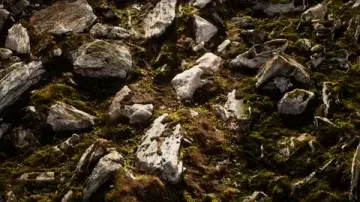
To break up the continuous fields of soft grass and foliage, an environment requires structural anchors. The latter half of the workflow focuses on these larger, more complex assets. "Creating Stylized Rocks" introduces hard-surface elements to the pipeline. Like the vegetation, these rocks demand deliberate modeling choices to achieve their specific aesthetic. In stylized art, this usually means prioritizing broad, readable edge wear, exaggerated proportions, and simplified planar shapes over high-frequency noise and micro-details. Once modeled, these rocks receive their own custom materials in UE5 to ensure they blend naturally into the terrain.
Following the rock generation, "Creating Stylized Trees" serves as the culmination of the environment pipeline. Beautiful looking stylized trees are complex assets that combine several previously established techniques. The process involves modeling the underlying trunk and branching structures in Blender, designing large, readable canopy shapes, and applying custom stylized leaf materials back in Unreal Engine 5. Because trees are massive vertical elements, mastering their creation is essential for controlling the scale and lighting of the final stylized scene.
 Unreal Engine
 Unreal Engine
 Unreal Engine
 Unreal Engine