"c14ff6bd758dadb1"{"id":"1000591","slug":"easy-dynmc-ragdoll","title":"EASY DYNMC RAGDOLL","category":"Characters \u0026 Creatures","engine":"4.26+,5.0+","assetVersion":"","engineVersion":"Engine Version: 4.26+,5.0+","tag":"Characters","accent":"blue","visual":"character","summary":"Pelvis-based ragdoll Blueprint for Unreal Engine 4.26–4.27. Drives walk, run, and jump on Mixamo skeletons. Built for party-game styles like Gang Beasts.","platform":"Unreal Engine","publishedAt":"2026-07-17T00:37:41.477Z","updatedAt":"2026-07-17T00:37:41.477Z","sourceNotes":[],"fileContents":[],"compatibility":["Unreal Engine","Engine Version: 4.26+,5.0+"],"featuredImage":{"alt":"EASY DYNMC RAGDOLL","src":"/wp-content/uploads/published/2026/07/8b06cd6f9acf-16a13933-bbc8-447d-ad2e-0998bb0c26ea-5a22b3b1d3.webp"},"hasDownloadLink":true,"downloads":1,"terms":[{"taxonomy":"category","slug":"characters-and-creatures","name":"Characters \u0026 Creatures"}],"galleryImages":[{"src":"/wp-content/uploads/published/2026/07/a1388aedf502-def802d9-c403-4b94-b43a-034cc2f0b4fd-9574f479e3.webp","alt":"EASY DYNMC RAGDOLL"},{"src":"/wp-content/uploads/published/2026/07/bfbae2b27000-52ed3cf2-9e43-4fb5-981b-3d9989d1d15f-9e410b2c97.webp","alt":"EASY DYNMC RAGDOLL"},{"src":"/wp-content/uploads/published/2026/07/753f3b5b8019-b09ed1ae-50da-4ab2-b65d-79ab4f5ae1de-89d10be28f.webp","alt":"EASY DYNMC RAGDOLL"},{"src":"/wp-content/uploads/published/2026/07/2b276b028742-be0d3538-b1b3-446e-b2a8-24202228d3dd-f3c14a9dce.webp","alt":"EASY DYNMC RAGDOLL"},{"src":"/wp-content/uploads/published/2026/07/159a659a4be2-e97567c1-5929-456c-8064-ad358c9af29d-0ea2f0101f.webp","alt":"EASY DYNMC RAGDOLL"},{"src":"/wp-content/uploads/published/2026/07/fc255cde4020-45e42201-a0ec-4db3-8221-2700857c3739-253f0da706.webp","alt":"EASY DYNMC RAGDOLL"}],"accessPanel":{"kind":"resource","title":"Download this resource","eyebrow":"Free Download","message":"Log in or create a free account to start your download.","fileName":"Content.7z","safetyNote":"Resources are manually reviewed before listing to improve quality and reduce obvious risks.","actionLabel":"Download Free","resourceType":"Resource archive"},"contentHtml":"\u003cp\u003eBuilding a physics-driven character controller that stays upright without feeling rigid is one of the more stubborn challenges in party-game prototyping. Titles like \u003cem\u003eGang Beasts\u003c/em\u003e Or \u003cem\u003eHuman Fall Flat\u003c/em\u003e Lean into wobbly, imperfect locomotion as a core mechanic, which means the controller cannot simply snap a capsule to an animation curve. EASY DYNMC RAGDOLL addresses that gap by providing a pelvis-based ragdoll setup that keeps the character’s movement readable while letting the body flop, stagger, and tumble in ways preset animation alone cannot produce.\u003c/p\u003e \u003ch2\u003eWhat EASY DYNMC RAGDOLL brings to a character pipeline\u003c/h2\u003e \u003cp\u003eAt its core, the asset is a Blueprint-driven ragdoll controller. It lets a ragdoll walk, run, and jump through the level rather than collapsing passively. The locomotion logic attaches to the pelvis, meaning balance and momentum are simulated from the character’s center of mass outward. This is the same kind of design philosophy behind floppy-body party games, where losing balance is part of the fun.\u003c/p\u003e \u003cp\u003eThe system is explicitly built on simple logic. The creator notes that it is not a complex or detailed framework, which is part of its appeal for rapid prototyping. Developers get a straightforward ragdoll behavior without tuning layers of constraint solvers or secondary physics bones. The simplicity makes it easier to drop the Blueprint into a scene, press play, and immediately see how the character reacts to slopes, collisions, and player input.\u003c/p\u003e \u003ch3\u003eBringing your own character and Mixamo skeleton into the pelvis-based system\u003c/h3\u003e \u003cp\u003eOne of the more practical aspects of EASY DYNMC RAGDOLL is that it does not lock you into a single demo mesh. The project shows the Unreal Engine Mannequin as its reference skeleton, but the controller is set up to work with the Mixamo skeleton as well. Mixamo rigs are a common entry point for indie teams and solo developers, so being able to import a character, retarget or map it, and have the ragdoll logic function the same way matters for fast iteration.\u003c/p\u003e \u003cp\u003eThe creator states that swapping in your own character and animations preserves the same behavior. That means walk, run, and jump cycles you already have—whether baked from Mixamo or custom-authored—can drive the ragdoll without needing to rebuild the locomotion state machine from scratch. In practice, this shortens the loop between testing a new character’s look and seeing whether its proportions hold up under active balance simulation.\u003c/p\u003e \u003ch2\u003eSequencing your scene with simple logic ragdolls\u003c/h2\u003e \u003cp\u003eBecause the controller is Blueprint-based and tagged under Animation Blueprint workflows, it slots into the character setup side of a project rather than requiring a dedicated physics sub-system. The tags—\u003cem\u003eBased\u003c/em\u003e, \u003cem\u003eRagdoll\u003c/em\u003e, \u003cem\u003eScript\u003c/em\u003e, \u003cem\u003eBlueprint\u003c/em\u003e, \u003cem\u003eCharacter\u003c/em\u003e, \u003cem\u003eAnimationblueprint\u003c/em\u003e—point to how the asset is meant to be used: as a playable character Blueprint carrying ragdoll behavior, not as a post-mortem corpse effect or a one-off physics prop.\u003c/p\u003e \u003cp\u003eThis distinction matters when you are planning scene flow. You can build encounters or platforming challenges around the assumption that the player avatar will physically interact with the environment in a wobbly, unstable way. Pushing another character, stumbling over a ledge, or struggling to climb becomes a product of the ragdoll’s balance behavior rather than a canned animation event.\u003c/p\u003e \u003ch3\u003eMultiplayer-ready ragdoll behavior for party-style games\u003c/h3\u003e \u003cp\u003eThe asset is marked as multiplayer ready. For a wobbly-body party-game prototype, this is a meaningful detail. Networked ragdoll can be tricky because physics states are noisy and can desync between clients. Having a Blueprint that is built with multiplayer in mind means the creator has already done some of the legwork to make the pelvis-driven balance state shareable across a server-client setup.\u003c/p\u003e \u003cp\u003eIt is worth tempering expectations here. The asset is simple logic, not a comprehensive solution, so developers will likely still need to tune replication settings, relevancy, and damping values for their specific game mode. The value is having a starting point where the ragdoll behavior exists within a networked character context rather than starting from a blank Animation Blueprint.\u003c/p\u003e \u003ch2\u003eEngine fit and where this Blueprint belongs in production\u003c/h2\u003e \u003cp\u003eEASY DYNMC RAGDOLL targets Unreal Engine 4.26 and 4.27. These are the later branches of UE4, which means the asset uses the legacy Blueprint and Animation system rather than UE5’s newer features. Teams still on 4.27—whether finishing a shipped title, maintaining a project that has not migrated yet, or working within a studio’s locked engine version—can integrate it without a forward-port headache.\u003c/p\u003e \u003cp\u003eThis asset fits in the early-to-mid prototyping phase of a party-game or physics-comedy project. It is not pitched as a production-final character solution, and the creator’s straightforward description of its simplicity reinforces that. Use it to answer questions like: “Does my level design hold up when the player staggers?” or “Does this grab mechanic feel right when both characters are fighting to stay upright?” Once the feel is locked, you can invest in more detailed constraint tuning and bespoke animations, using the Blueprint as a reference for how pelvis-driven balance was wired in the first place.\u003c/p\u003e\n\n\u003ch2\u003eRelated Resources Worth Checking\u003c/h2\u003e\n\u003cul\u003e\n\u003cli\u003e\u003ca href=\"https://3dcghub.com/alien-fish-for-school-system-scifi-fantasy-creatures/\" title=\"Alien Fish for School System - Scifi Fantasy Creatures\"\u003eAlien Fish for School System - Scifi Fantasy Creatures\u003c/a\u003e\u003c/li\u003e\n\u003cli\u003e\u003ca href=\"https://3dcghub.com/animalia-honeybee/\" title=\"Animalia - Honeybee\"\u003eAnimalia - Honeybee\u003c/a\u003e\u003c/li\u003e\n\u003cli\u003e\u003ca href=\"https://3dcghub.com/animalia-leopard-young/\" title=\"Animalia - Leopard (young)\"\u003eAnimalia - Leopard (young)\u003c/a\u003e\u003c/li\u003e\n\u003cli\u003e\u003ca href=\"https://3dcghub.com/animalia-housefly/\" title=\"Animalia - Housefly\"\u003eAnimalia - Housefly\u003c/a\u003e\u003c/li\u003e\n\u003cli\u003e\u003ca href=\"https://3dcghub.com/gangs-pack-02/\" title=\"Gangs Pack 02\"\u003eGangs Pack 02\u003c/a\u003e\u003c/li\u003e\n\u003c/ul\u003e","contentTextLength":5419,"navigation":{"current":1271,"total":3719,"previous":{"id":"1000592","slug":"easy-toolbag","title":"Easy Toolbag","category":"Widgets \u0026 Controls","platform":"Unreal Engine","updatedAt":"2026-07-17T00:43:08.420Z"},"next":{"id":"1000590","slug":"dynamic-sketch-post-process-material","title":"Dynamic Sketch Post-Process Material","category":"Variety","platform":"Unreal Engine","updatedAt":"2026-07-17T00:34:20.273Z"}},"relatedResources":[{"id":"1000270","slug":"alien-fish-for-school-system-scifi-fantasy-creatures","title":"Alien Fish for School System - Scifi Fantasy Creatures","category":"Characters \u0026 Creatures","engine":"4.26+,5.0+","assetVersion":"","engineVersion":"Engine Version: 4.26+,5.0+","tag":"Characters","accent":"blue","visual":"character","summary":"A detailed look at a collection of 11 alien fish models built for sci-fi and fantasy underwater scenes, featuring vertex animations and ragdoll physics.","platform":"Unreal Engine","publishedAt":"2026-07-02T16:20:03.507Z","updatedAt":"2026-07-02T16:20:03.507Z","sourceNotes":[],"fileContents":[],"compatibility":["Unreal Engine","Engine Version: 4.26+,5.0+"],"featuredImage":{"alt":"Alien Fish for School System - Scifi Fantasy Creatures","src":"/wp-content/uploads/published/2026/07/4a2deb272a93-72358cf9-0b31-4504-816a-4c9315511ad8-efad13f3d0.webp"},"hasDownloadLink":true,"downloads":0},{"id":"1000974","slug":"animalia-lion-male","title":"Animalia - Lion (male)","category":"Characters \u0026 Creatures","engine":"4.26+,5.0+","assetVersion":"","engineVersion":"Engine Version: 4.26+,5.0+","tag":"Characters","accent":"blue","visual":"character","summary":"Realistic male lion with 60fps animations, 4K textures, gFur support, Maya/3ds Max rigs, LODs, and ragdoll for Unreal Engine 4.24 and up.","platform":"Unreal Engine","publishedAt":"2026-08-17T16:08:33.242Z","updatedAt":"2026-08-17T16:08:33.242Z","sourceNotes":[],"fileContents":[],"compatibility":["Unreal Engine","Engine Version: 4.26+,5.0+"],"featuredImage":{"alt":"Animalia - Lion (male)","src":"/wp-content/uploads/published/2026/08/799ef29163e0-6c655651-224e-4b8d-9200-2a0d57dbd08f-30295b193d.webp"},"hasDownloadLink":true,"downloads":0},{"id":"1000973","slug":"animalia-gray-wolf-young","title":"Animalia - Gray Wolf (young)","category":"Characters \u0026 Creatures","engine":"4.26+,5.0+","assetVersion":"","engineVersion":"Engine Version: 4.26+,5.0+","tag":"Characters","accent":"blue","visual":"character","summary":"A realistic young Gray Wolf with 60fps animations, 4K textures, gFur support, Maya/3ds Max rigs, LODs, and ragdoll setup for Unreal Engine 5 projects.","platform":"Unreal Engine","publishedAt":"2026-08-17T16:04:58.364Z","updatedAt":"2026-08-17T16:04:58.364Z","sourceNotes":[],"fileContents":[],"compatibility":["Unreal Engine","Engine Version: 4.26+,5.0+"],"featuredImage":{"alt":"Animalia - Gray Wolf (young)","src":"/wp-content/uploads/published/2026/08/9fcd1d0b632e-f6aeddf4-1dc7-45c0-91e5-98a501f9cf7e-0eaf67a9d1.webp"},"hasDownloadLink":true,"downloads":0}]}
Characters
EASY DYNMC RAGDOLL
Pelvis-based ragdoll Blueprint for Unreal Engine 4.26–4.27. Drives walk, run, and jump on Mixamo skeletons. Built for party-game styles like Gang Beasts.
Building a physics-driven character controller that stays upright without feeling rigid is one of the more stubborn challenges in party-game prototyping. Titles like Gang Beasts Or Human Fall Flat Lean into wobbly, imperfect locomotion as a core mechanic, which means the controller cannot simply snap a capsule to an animation curve. EASY DYNMC RAGDOLL addresses that gap by providing a pelvis-based ragdoll setup that keeps the character’s movement readable while letting the body flop, stagger, and tumble in ways preset animation alone cannot produce.
What EASY DYNMC RAGDOLL brings to a character pipeline
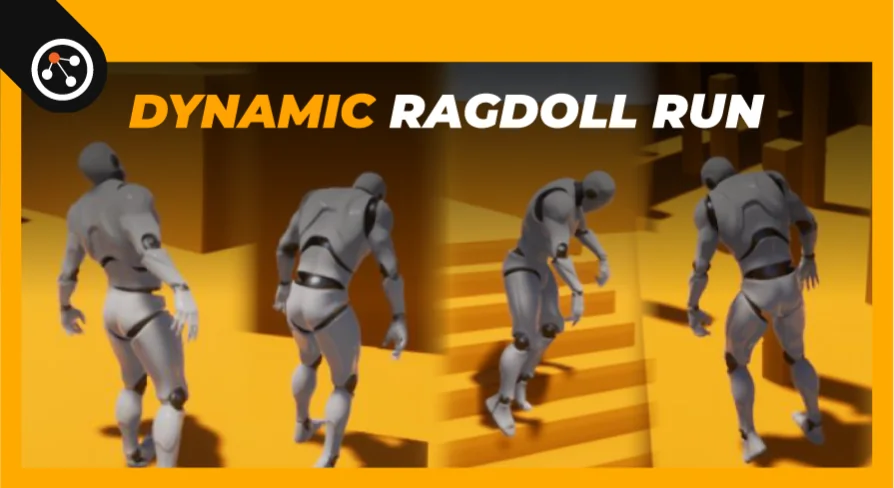
At its core, the asset is a Blueprint-driven ragdoll controller. It lets a ragdoll walk, run, and jump through the level rather than collapsing passively. The locomotion logic attaches to the pelvis, meaning balance and momentum are simulated from the character’s center of mass outward. This is the same kind of design philosophy behind floppy-body party games, where losing balance is part of the fun.
The system is explicitly built on simple logic. The creator notes that it is not a complex or detailed framework, which is part of its appeal for rapid prototyping. Developers get a straightforward ragdoll behavior without tuning layers of constraint solvers or secondary physics bones. The simplicity makes it easier to drop the Blueprint into a scene, press play, and immediately see how the character reacts to slopes, collisions, and player input.
Bringing your own character and Mixamo skeleton into the pelvis-based system
One of the more practical aspects of EASY DYNMC RAGDOLL is that it does not lock you into a single demo mesh. The project shows the Unreal Engine Mannequin as its reference skeleton, but the controller is set up to work with the Mixamo skeleton as well. Mixamo rigs are a common entry point for indie teams and solo developers, so being able to import a character, retarget or map it, and have the ragdoll logic function the same way matters for fast iteration.
The creator states that swapping in your own character and animations preserves the same behavior. That means walk, run, and jump cycles you already have—whether baked from Mixamo or custom-authored—can drive the ragdoll without needing to rebuild the locomotion state machine from scratch. In practice, this shortens the loop between testing a new character’s look and seeing whether its proportions hold up under active balance simulation.
Sequencing your scene with simple logic ragdolls
Because the controller is Blueprint-based and tagged under Animation Blueprint workflows, it slots into the character setup side of a project rather than requiring a dedicated physics sub-system. The tags—Based, Ragdoll, Script, Blueprint, Character, Animationblueprint—point to how the asset is meant to be used: as a playable character Blueprint carrying ragdoll behavior, not as a post-mortem corpse effect or a one-off physics prop.
This distinction matters when you are planning scene flow. You can build encounters or platforming challenges around the assumption that the player avatar will physically interact with the environment in a wobbly, unstable way. Pushing another character, stumbling over a ledge, or struggling to climb becomes a product of the ragdoll’s balance behavior rather than a canned animation event.
Multiplayer-ready ragdoll behavior for party-style games
The asset is marked as multiplayer ready. For a wobbly-body party-game prototype, this is a meaningful detail. Networked ragdoll can be tricky because physics states are noisy and can desync between clients. Having a Blueprint that is built with multiplayer in mind means the creator has already done some of the legwork to make the pelvis-driven balance state shareable across a server-client setup.
It is worth tempering expectations here. The asset is simple logic, not a comprehensive solution, so developers will likely still need to tune replication settings, relevancy, and damping values for their specific game mode. The value is having a starting point where the ragdoll behavior exists within a networked character context rather than starting from a blank Animation Blueprint.
Engine fit and where this Blueprint belongs in production
EASY DYNMC RAGDOLL targets Unreal Engine 4.26 and 4.27. These are the later branches of UE4, which means the asset uses the legacy Blueprint and Animation system rather than UE5’s newer features. Teams still on 4.27—whether finishing a shipped title, maintaining a project that has not migrated yet, or working within a studio’s locked engine version—can integrate it without a forward-port headache.
This asset fits in the early-to-mid prototyping phase of a party-game or physics-comedy project. It is not pitched as a production-final character solution, and the creator’s straightforward description of its simplicity reinforces that. Use it to answer questions like: “Does my level design hold up when the player staggers?” or “Does this grab mechanic feel right when both characters are fighting to stay upright?” Once the feel is locked, you can invest in more detailed constraint tuning and bespoke animations, using the Blueprint as a reference for how pelvis-driven balance was wired in the first place.
 Characters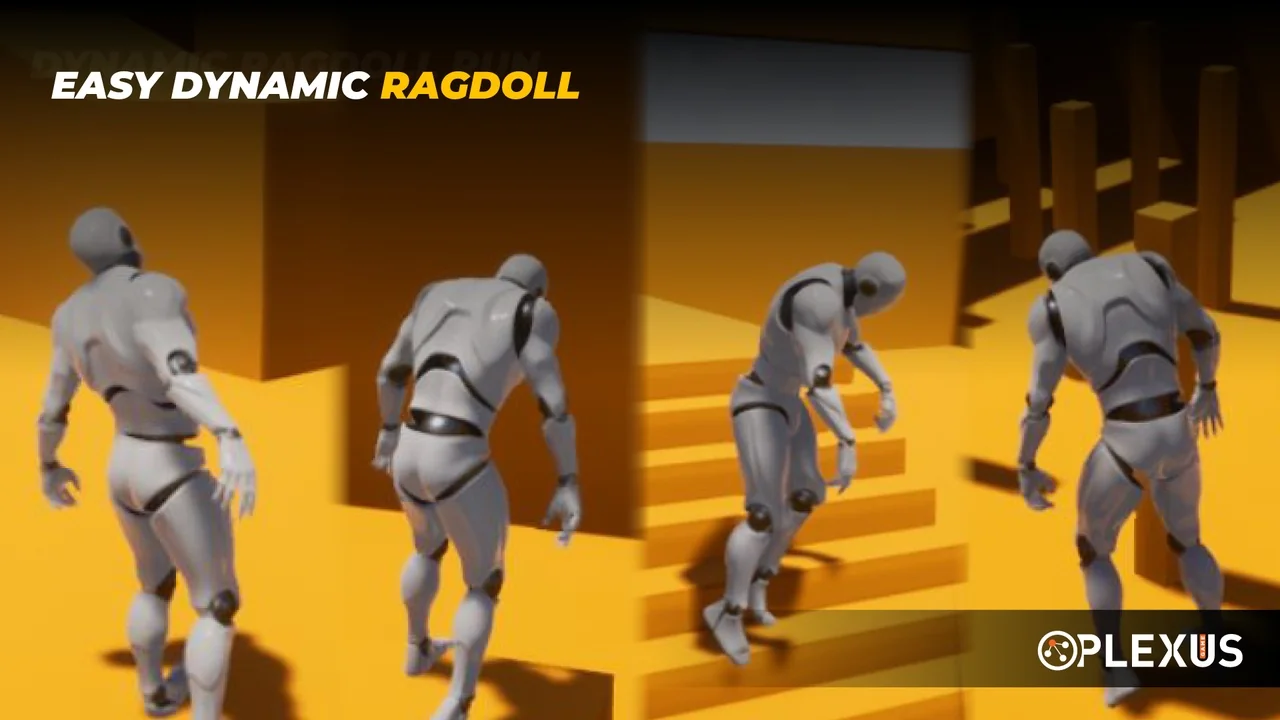
 Characters
 Characters
 Characters