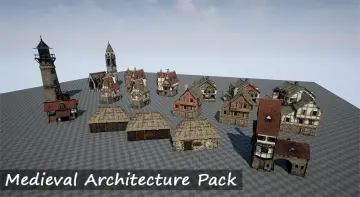
"c68a05d5e51405b3"{"id":"1000501","slug":"cyberpunk-futuristic-structures-set-cyberpunk-pack-21-assets-futuristic","title":"Cyberpunk / Futuristic Structures Set ( Cyberpunk Pack 21 Assets Futuristic )","category":"Buildings \u0026 Architecture","engine":"4.26+,5.0+","assetVersion":"","engineVersion":"Engine Version: 4.26+,5.0+","tag":"Buildings","accent":"blue","visual":"mech","summary":"A cyberpunk environment pack featuring 21 detailed futuristic structures and Ultimate Level Art Tool integration for building custom modular scenes in Unreal En","platform":"Unreal Engine","publishedAt":"2026-07-13T09:39:38.707Z","updatedAt":"2026-07-13T09:39:38.707Z","sourceNotes":[],"fileContents":[],"compatibility":["Unreal Engine","Engine Version: 4.26+,5.0+"],"featuredImage":{"alt":"Cyberpunk / Futuristic Structures Set ( Cyberpunk Pack 21 Assets Futuristic )","src":"/wp-content/uploads/published/2026/07/a359d641a6ad-47ddd40a-b29d-408b-af79-70ab0e18e699-01736bacc0.webp"},"hasDownloadLink":true,"downloads":0,"terms":[{"taxonomy":"category","slug":"buildings-and-architecture","name":"Buildings \u0026 Architecture"}],"galleryImages":[{"src":"/wp-content/uploads/published/2026/07/8a9e417b714c-708bf8f8-b35e-4107-bdc5-1250f23d8e88-265a320643.webp","alt":"Cyberpunk / Futuristic Structures Set ( Cyberpunk Pack 21 Assets Futuristic )"},{"src":"/wp-content/uploads/published/2026/07/c73a89fb5230-90671298-ed47-48a2-b971-cad2453cf2d6-31128fa0b3.webp","alt":"Cyberpunk / Futuristic Structures Set ( Cyberpunk Pack 21 Assets Futuristic )"},{"src":"/wp-content/uploads/published/2026/07/fc2c7e72f058-0f0b940e-f31a-4428-9f28-c19c1b824b59-e1fedcac9d.webp","alt":"Cyberpunk / Futuristic Structures Set ( Cyberpunk Pack 21 Assets Futuristic )"},{"src":"/wp-content/uploads/published/2026/07/f0acbaba1af0-cf7894a7-33f5-46e6-84cb-d213daf7163c-8a35705da9.webp","alt":"Cyberpunk / Futuristic Structures Set ( Cyberpunk Pack 21 Assets Futuristic )"},{"src":"/wp-content/uploads/published/2026/07/c9c907e25e3a-bd514153-245a-4ad9-82d4-2ae028a4a094-2b358cb146.webp","alt":"Cyberpunk / Futuristic Structures Set ( Cyberpunk Pack 21 Assets Futuristic )"},{"src":"/wp-content/uploads/published/2026/07/848b3c5c8210-88bc04d3-494f-4959-aa32-d1c78b54ad5e-f2134cfad7.webp","alt":"Cyberpunk / Futuristic Structures Set ( Cyberpunk Pack 21 Assets Futuristic )"},{"src":"/wp-content/uploads/published/2026/07/ee12174b185a-91fb0cd5-d83c-457d-b65b-98ca875f1d31-25a8e2f782.webp","alt":"Cyberpunk / Futuristic Structures Set ( Cyberpunk Pack 21 Assets Futuristic )"},{"src":"/wp-content/uploads/published/2026/07/dbf3a71bb415-2ef2fb13-157b-4970-bfea-24f12f6055f8-ff0696762f.webp","alt":"Cyberpunk / Futuristic Structures Set ( Cyberpunk Pack 21 Assets Futuristic )"},{"src":"/wp-content/uploads/published/2026/07/bbf4277a4e29-62eaf87d-94b6-43a3-b0ba-9757240b5c6b-079030c3af.webp","alt":"Cyberpunk / Futuristic Structures Set ( Cyberpunk Pack 21 Assets Futuristic )"},{"src":"/wp-content/uploads/published/2026/07/895c75c18a95-8d85ec51-cfac-4524-a6ca-8742a6a00170-ed85def531.webp","alt":"Cyberpunk / Futuristic Structures Set ( Cyberpunk Pack 21 Assets Futuristic )"}],"accessPanel":{"kind":"resource","title":"Download this resource","eyebrow":"Free Download","message":"Log in or create a free account to start your download.","fileName":"Content.7z","safetyNote":"Resources are manually reviewed before listing to improve quality and reduce obvious risks.","actionLabel":"Download Free","resourceType":"Resource archive"},"contentHtml":"\u003cp\u003eAssembling a convincing cyberpunk skyline demands more than scattered props—it requires structural components that logically connect and scale into larger architectural systems. The Cyberpunk / Futuristic Structures Set addresses this by providing modular building blocks designed to interlock cleanly, letting level designers construct dense futuristic cityscapes without hand-placing every individual detail.\u003c/p\u003e\u003cp\u003eAt the center of the pack are 21 highly detailed structures. These are not isolated decorative meshes. They are built to work together as a system, enabling creators to combine them into larger configurations. Some pre-assembled combinations are also included as static meshes, giving teams ready-to-drop structures alongside the modular parts.\u003c/p\u003e\u003ch2\u003eBuilding Custom Structure Systems with 21 Modular Structures\u003c/h2\u003e\u003cp\u003eThe core of the pack consists of 21 individual structures crafted for high detail. The design philosophy centers on interoperability—each piece is meant to connect with others, allowing artists to construct their own structure systems rather than relying solely on predefined assemblies.\u003c/p\u003e\u003cp\u003eFor teams that need immediate results, the pack also ships with combination static meshes. These pre-merged structures serve as both ready-made set dressing and reference examples of how the modular components fit together. This dual approach gives artists flexibility: build custom systems from individual pieces, or drop in pre-configured combinations for rapid scene coverage.\u003c/p\u003e\u003ch2\u003eUltimate Level Art Tool (ULAT) Integration\u003c/h2\u003e\u003cp\u003eBundled with the structures is the Ultimate Level Art Tool, referred to throughout the documentation as ULAT. Described as a modular design development tool for mobile and web-based systems, ULAT expands what the environment pack can do beyond static mesh placement.\u003c/p\u003e\u003cp\u003eULAT allows developers to create custom modular buildings quickly. Rather than assembling structures piece by piece in the viewport, teams can use ULAT to generate buildings procedurally within the tool's framework. It also offers a method for populating scenes naturally, placing elements in a way that maintains visual variety without requiring manual scatter work.\u003c/p\u003e\u003cp\u003eThe environment pack is explicitly compatible with ULAT, meaning the 21 structures integrate into the tool's workflow for building generation and scene population.\u003c/p\u003e\u003ch2\u003eUnreal Engine Compatibility and Access Flow\u003c/h2\u003e\u003cp\u003eThe asset pack supports Unreal Engine versions 4.21 through 4.27, as well as the 5.0 through 5.7 range. This covers a significant portion of active Unreal projects, from late-generation Unreal Engine 4 titles to current Unreal Engine 5 releases.\u003c/p\u003e\u003cp\u003eAccessing ULAT requires a specific step. After obtaining the Cyberpunk / Futuristic Structures Set, users need to create a support ticket to receive the Ultimate Level Art Tool. The tool is included with the pack rather than sold separately, but the distribution method routes through a ticket-based request system rather than an automatic download.\u003c/p\u003e\u003ch2\u003eScene Types and Genre Application\u003c/h2\u003e\u003cp\u003eThe tagged categories for this pack point directly to its intended use cases: Fiction, Structure, Futuristic, Science, Apocalyptic, and Cyberpunk. These categories frame the structures as suitable for science fiction environments that lean toward dystopian or high-tech visual languages.\u003c/p\u003e\u003cp\u003eIn practice, the 21 structures fit scenes where dense, layered architecture defines the atmosphere. Cyberpunk environments typically demand verticality, interconnected infrastructure, and a sense of accumulated technology. A pack structured through modular structure systems serves that need directly, letting artists stack, connect, and expand components into complex urban formations rather than relying on standalone buildings that read as separate objects.\u003c/p\u003e\u003cp\u003eThe apocalyptic tag also suggests the structures can support post-collapse or ruined-future settings, where the same architectural components might appear weathered, damaged, or repurposed within a degraded environment.\u003c/p\u003e\u003ch2\u003eSupport, Custom Work, and Ticket-Based Workflow\u003c/h2\u003e\u003cp\u003eTechnical support, promotional requests, suggestions, and refund requests all route through a ticket system. Live support is available through the creator's Discord channel, which also covers custom outsource environment projects for teams that need work beyond the existing pack.\u003c/p\u003e\u003cp\u003eVideo resources accompany the tool, including a ULAT showcase video, a version 1.20 video, and a tutorial or demonstration video. These resources cover how the tool functions and what its output looks like in practice, giving artists a reference point before integrating it into their own scene-building workflow.\u003c/p\u003e\u003ch2\u003eDistribution Through ULAT Rather Than Direct Download\u003c/h2\u003e\u003cp\u003eOne structural detail worth noting for production planning: ULAT does not arrive automatically with the pack. The workflow requires users to create a ticket to obtain the tool after acquisition. This means teams planning to rely on ULAT for building generation should factor in the ticket request as part of their onboarding process rather than expecting immediate tool access alongside the structure assets.\u003c/p\u003e\u003cp\u003eThe structures themselves are available as standard static meshes, but the procedural building generation and natural scene population features depend on ULAT integration. For projects that only need the 21 structures as manual placement assets, the ticket step is unnecessary. For projects that want to leverage ULAT's modular building capabilities, the ticket request is the gateway.\u003c/p\u003e\u003ch3\u003eWhere This Pack Fits in a Cyberpunk Pipeline\u003c/h2\u003e\u003cp\u003eFor environment teams building cyberpunk or futuristic scenes in Unreal Engine, this pack occupies the structural layer—the architectural framework that defines streets, skylines, and spatial flow. The modular approach means the 21 structures multiply into a larger library of possible configurations. Combined with ULAT, the same components feed into procedural building generation, shifting the workflow from manual placement to tool-assisted construction.\u003c/p\u003e\u003cp\u003eThe practical takeaway: use the 21 structures as the physical building blocks of your scene, and use ULAT when you need to scale that assembly across larger areas without hand-placing every module.\u003c/p\u003e\n\n\u003ch2\u003eExplore Similar Assets\u003c/h2\u003e\n\u003cul\u003e\n\u003cli\u003e\u003ca href=\"https://3dcghub.com/industrial-vol-4-electricity-hydro-and-water-treatment/\" title=\"Industrial VOL.4 - Electricity, Hydro, and Water Treatment\"\u003eIndustrial VOL.4 - Electricity, Hydro, and Water Treatment\u003c/a\u003e\u003c/li\u003e\n\u003cli\u003e\u003ca href=\"https://3dcghub.com/scl-restaurant-002/\" title=\"SCL Restaurant 002\"\u003eSCL Restaurant 002\u003c/a\u003e\u003c/li\u003e\n\u003cli\u003e\u003ca href=\"https://3dcghub.com/scificityscape/\" title=\"ScifiCityscape\"\u003eScifiCityscape\u003c/a\u003e\u003c/li\u003e\n\u003cli\u003e\u003ca href=\"https://3dcghub.com/wall-fx-pack/\" title=\"Wall FX pack\"\u003eWall FX pack\u003c/a\u003e\u003c/li\u003e\n\u003cli\u003e\u003ca href=\"https://3dcghub.com/cyberpunk-japan-holograms-neon-set-cyberpunk-japan-holograms-japans-hologram/\" title=\"Cyberpunk Japan Holograms / Neon Set (Cyberpunk Japan Holograms Japans Hologram)\"\u003eCyberpunk Japan Holograms / Neon Set (Cyberpunk Japan Holograms Japans Hologram)\u003c/a\u003e\u003c/li\u003e\n\u003c/ul\u003e","contentTextLength":6373,"navigation":{"current":1508,"total":3860,"previous":{"id":"7617","slug":"cyberpunk-night-street-cyberpunk-town-cyberpunk-props-night-city","title":"Cyberpunk Night Street ( Cyberpunk Town, Cyberpunk Props , Night City )","category":"Cyberpunk","platform":"Unreal Engine","updatedAt":"2026-07-13T11:55:33.583Z"},"next":{"id":"1000500","slug":"climb-and-vaulting-component-v2","title":"Climb and Vaulting Component V2","category":"Gameplay Features","platform":"Unreal Engine","updatedAt":"2026-07-13T09:33:50.073Z"}},"relatedResources":[{"id":"1001908","slug":"scaffolding-pack","title":"Scaffolding Pack","category":"Buildings \u0026 Architecture","engine":"4.26+,5.0+","assetVersion":"","engineVersion":"Engine Version: 4.26+,5.0+","tag":"Buildings","accent":"blue","visual":"mech","summary":"Build realistic construction sites with the Scaffolding Pack, featuring modular sections, completed structures, animated netting, trash tubes, and skips.","platform":"Unreal Engine","publishedAt":"2026-10-22T11:45:59.258Z","updatedAt":"2026-10-22T11:45:59.258Z","sourceNotes":[],"fileContents":[],"compatibility":["Unreal Engine","Engine Version: 4.26+,5.0+"],"featuredImage":{"alt":"Scaffolding Pack","src":"/wp-content/uploads/published/2026/10/bdf09412bee4-7c49e465-a00f-4d56-ab50-9c49b2c4cdde-4fc4b96e18.webp"},"hasDownloadLink":true,"downloads":0},{"id":"1001646","slug":"graveyard-and-nature-set","title":"Graveyard and Nature Set","category":"Buildings \u0026 Architecture","engine":"4.21+,5.0+","assetVersion":"","engineVersion":"Engine Version: 4.21+,5.0+","tag":"Buildings","accent":"blue","visual":"mech","summary":"Explore the Graveyard and Nature Set, featuring 762 modular PBR assets, photoscanned props, LOD billboards, and tesselated landscape materials.","platform":"Unreal Engine","publishedAt":"2026-10-13T02:30:35.472Z","updatedAt":"2026-10-13T02:30:35.472Z","sourceNotes":[],"fileContents":[],"compatibility":["Unreal Engine","Engine Version: 4.21+,5.0+"],"featuredImage":{"alt":"Graveyard and Nature Set","src":"/wp-content/uploads/published/2026/10/9240d4f7a8c2-cff0a82e-f997-402d-b42f-d764758f64a6-60522d3fbf.webp"},"hasDownloadLink":true,"downloads":0},{"id":"1000848","slug":"medieval-architecture-pack","title":"Medieval Architecture Pack","category":"Buildings \u0026 Architecture","engine":"4.26+,5.0+","assetVersion":"","engineVersion":"Engine Version: 4.26+,5.0+","tag":"Buildings","accent":"blue","visual":"mech","summary":"High-quality pack for fantasy and medieval environments, centered on blacksmith, house, and tavern structures, with Western Pack-1 Train compatibility.","platform":"Unreal Engine","publishedAt":"2026-08-04T16:13:16.344Z","updatedAt":"2026-08-04T16:13:16.344Z","sourceNotes":[],"fileContents":[],"compatibility":["Unreal Engine","Engine Version: 4.26+,5.0+"],"featuredImage":{"alt":"Medieval Architecture Pack","src":"/wp-content/uploads/published/2026/08/0e3361bee44c-3b2ef458-dae1-4716-9176-aa0c9d7bc9f7-8ca0344342.webp"},"hasDownloadLink":true,"downloads":1}]}
A cyberpunk environment pack featuring 21 detailed futuristic structures and Ultimate Level Art Tool integration for building custom modular scenes in Unreal En
Assembling a convincing cyberpunk skyline demands more than scattered props—it requires structural components that logically connect and scale into larger architectural systems. The Cyberpunk / Futuristic Structures Set addresses this by providing modular building blocks designed to interlock cleanly, letting level designers construct dense futuristic cityscapes without hand-placing every individual detail.
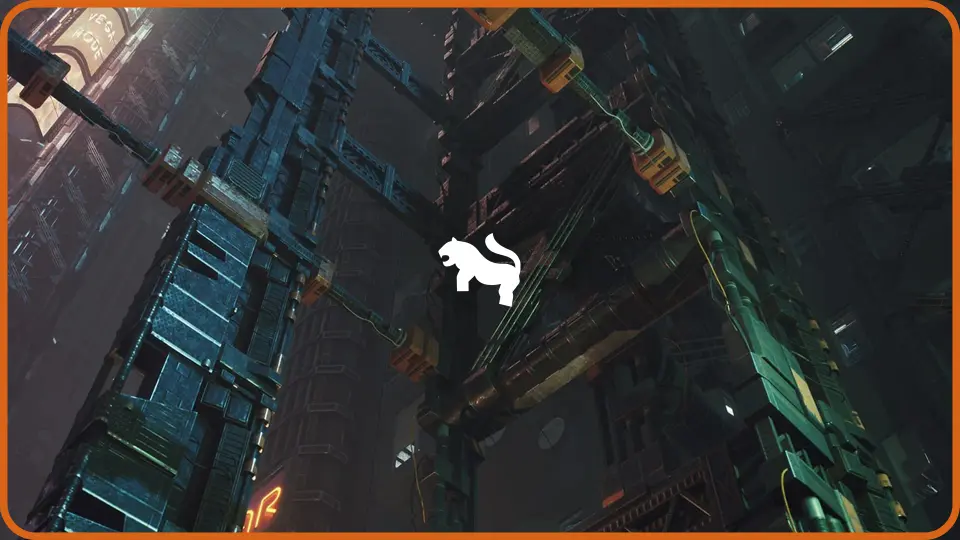
At the center of the pack are 21 highly detailed structures. These are not isolated decorative meshes. They are built to work together as a system, enabling creators to combine them into larger configurations. Some pre-assembled combinations are also included as static meshes, giving teams ready-to-drop structures alongside the modular parts.
Building Custom Structure Systems with 21 Modular Structures
The core of the pack consists of 21 individual structures crafted for high detail. The design philosophy centers on interoperability—each piece is meant to connect with others, allowing artists to construct their own structure systems rather than relying solely on predefined assemblies.
For teams that need immediate results, the pack also ships with combination static meshes. These pre-merged structures serve as both ready-made set dressing and reference examples of how the modular components fit together. This dual approach gives artists flexibility: build custom systems from individual pieces, or drop in pre-configured combinations for rapid scene coverage.
Ultimate Level Art Tool (ULAT) Integration
Bundled with the structures is the Ultimate Level Art Tool, referred to throughout the documentation as ULAT. Described as a modular design development tool for mobile and web-based systems, ULAT expands what the environment pack can do beyond static mesh placement.
ULAT allows developers to create custom modular buildings quickly. Rather than assembling structures piece by piece in the viewport, teams can use ULAT to generate buildings procedurally within the tool's framework. It also offers a method for populating scenes naturally, placing elements in a way that maintains visual variety without requiring manual scatter work.
The environment pack is explicitly compatible with ULAT, meaning the 21 structures integrate into the tool's workflow for building generation and scene population.
Unreal Engine Compatibility and Access Flow
The asset pack supports Unreal Engine versions 4.21 through 4.27, as well as the 5.0 through 5.7 range. This covers a significant portion of active Unreal projects, from late-generation Unreal Engine 4 titles to current Unreal Engine 5 releases.
Accessing ULAT requires a specific step. After obtaining the Cyberpunk / Futuristic Structures Set, users need to create a support ticket to receive the Ultimate Level Art Tool. The tool is included with the pack rather than sold separately, but the distribution method routes through a ticket-based request system rather than an automatic download.
Scene Types and Genre Application
The tagged categories for this pack point directly to its intended use cases: Fiction, Structure, Futuristic, Science, Apocalyptic, and Cyberpunk. These categories frame the structures as suitable for science fiction environments that lean toward dystopian or high-tech visual languages.
In practice, the 21 structures fit scenes where dense, layered architecture defines the atmosphere. Cyberpunk environments typically demand verticality, interconnected infrastructure, and a sense of accumulated technology. A pack structured through modular structure systems serves that need directly, letting artists stack, connect, and expand components into complex urban formations rather than relying on standalone buildings that read as separate objects.
The apocalyptic tag also suggests the structures can support post-collapse or ruined-future settings, where the same architectural components might appear weathered, damaged, or repurposed within a degraded environment.
Support, Custom Work, and Ticket-Based Workflow
Technical support, promotional requests, suggestions, and refund requests all route through a ticket system. Live support is available through the creator's Discord channel, which also covers custom outsource environment projects for teams that need work beyond the existing pack.
Video resources accompany the tool, including a ULAT showcase video, a version 1.20 video, and a tutorial or demonstration video. These resources cover how the tool functions and what its output looks like in practice, giving artists a reference point before integrating it into their own scene-building workflow.
Distribution Through ULAT Rather Than Direct Download
One structural detail worth noting for production planning: ULAT does not arrive automatically with the pack. The workflow requires users to create a ticket to obtain the tool after acquisition. This means teams planning to rely on ULAT for building generation should factor in the ticket request as part of their onboarding process rather than expecting immediate tool access alongside the structure assets.
The structures themselves are available as standard static meshes, but the procedural building generation and natural scene population features depend on ULAT integration. For projects that only need the 21 structures as manual placement assets, the ticket step is unnecessary. For projects that want to leverage ULAT's modular building capabilities, the ticket request is the gateway.
Where This Pack Fits in a Cyberpunk Pipeline
For environment teams building cyberpunk or futuristic scenes in Unreal Engine, this pack occupies the structural layer—the architectural framework that defines streets, skylines, and spatial flow. The modular approach means the 21 structures multiply into a larger library of possible configurations. Combined with ULAT, the same components feed into procedural building generation, shifting the workflow from manual placement to tool-assisted construction.
The practical takeaway: use the 21 structures as the physical building blocks of your scene, and use ULAT when you need to scale that assembly across larger areas without hand-placing every module.
 Buildings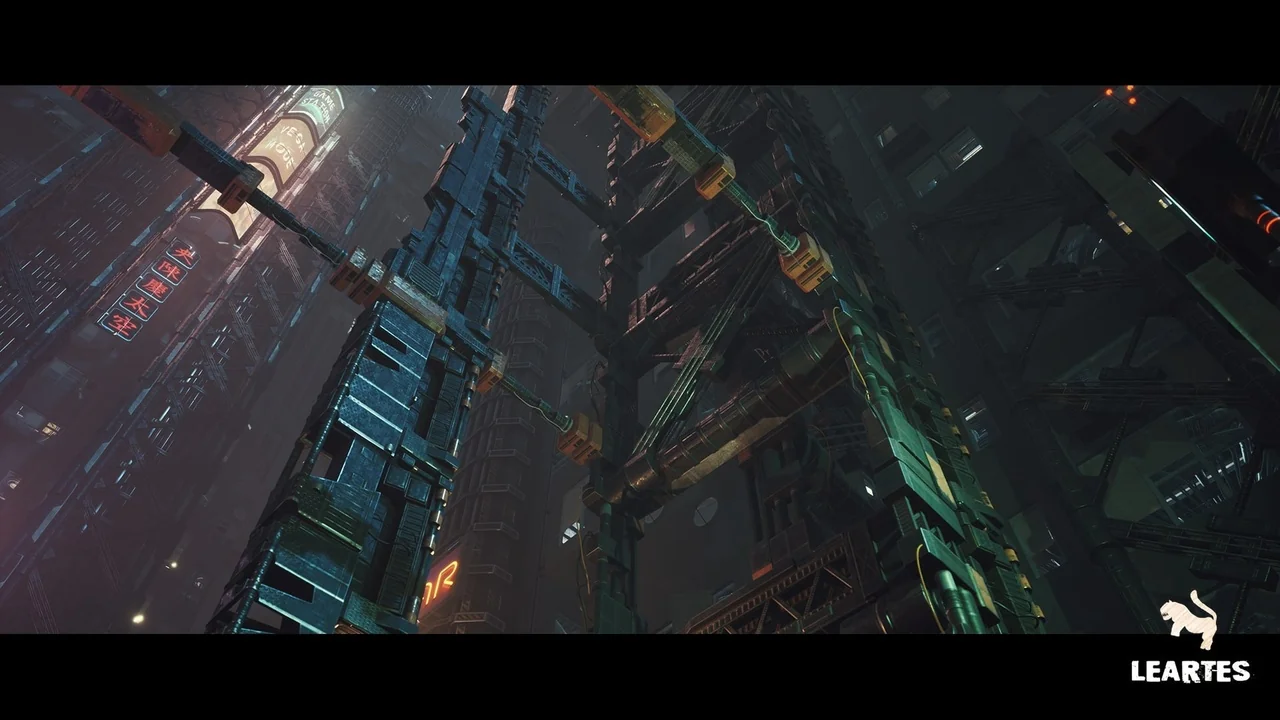
 Buildings
 Buildings
 Buildings