"f813c18d2170b1f6"{"id":"24604","slug":"create-a-complete-2d-survivors-style-game-in-godot-4","title":"Create a Complete 2D Survivors Style Game in Godot 4","category":"Godot","engine":"Video language: English","assetVersion":"Video language: English","engineVersion":"File content: video + supporting files + English subtitles","tag":"Godot","accent":"blue","visual":"city","summary":"This course walks through building a complete 2D arena survival roguelike in Godot 4, from the first gameplay foundation to final release steps. It covers combat systems, upgrades, animation polish, UI work, saving, and publishing builds for multiple platfo...","platform":"Unreal Engine","publishedAt":"2026-04-15T14:44:57.000Z","updatedAt":"2026-04-20T06:12:41.000Z","sourceNotes":[],"fileContents":[],"compatibility":["Unreal Engine","Video language: English","File content: video + supporting files + English subtitles"],"featuredImage":{"alt":"Create a Complete 2D Survivors Style Game in Godot 4","src":"https://3dcghub.com/wp-content/uploads/2026/04/eb31a93ed5fc_5183438_fc6c_11.webp"},"hasDownloadLink":true,"downloads":1,"terms":[{"taxonomy":"category","slug":"tutorial-library-godot","name":"Godot"},{"taxonomy":"post_tag","slug":"animation","name":"Animation"},{"taxonomy":"post_tag","slug":"environment","name":"Environment"},{"taxonomy":"post_tag","slug":"textures","name":"Textures"}],"galleryImages":[],"accessPanel":{"kind":"video-resource","title":"Access this video resource","eyebrow":"Free Download","message":"Log in or create a free account to start your download.","fileName":"Create a Complete 2D Survivors Style Game in Godot 4.7z","safetyNote":"All resources are 100% manually reviewed to eliminate all risks.","actionLabel":"Download Free","resourceType":"Video package"},"contentHtml":"\u003ch2\u003eA complete survivors-style game built in Godot 4\u003c/h2\u003e\u003cp\u003eThis course follows the process of creating a complete 2D arena survival roguelike game in Godot engine 4. The game loop centers on the survivors-style format: auto-attacking abilities, enemy hordes, experience drops, and roguelike upgrades all work together as the player progresses through the arena.\u003c/p\u003e\u003cp\u003eThat makes it a practical fit for projects that need more than a small prototype. The material moves through the same kinds of steps a real game project requires, starting with the gameplay foundation and continuing into visual improvement, audio, final touches, and release preparation.\u003c/p\u003e\u003cp\u003eThe workload is listed at 17h 15m, and the course is marked Intermediate. It was published on May 17, 2023 and is provided by Firebelley Games.\u003c/p\u003e\u003ch2\u003eWhat the gameplay loop covers\u003c/h2\u003e\u003cp\u003eThe core of the course is the arena survival roguelike structure. That means the player is placed into a fight focused on staying alive against repeated enemy pressure while building power through experience and upgrades. Auto-attacking abilities are part of the combat setup, so the player can focus on movement, positioning, and progression instead of manually handling every attack.\u003c/p\u003e\u003cp\u003eEnemy hordes and experience drops give the game its rhythm. The roguelike upgrade layer adds the progression side, which is what turns the project into a full survivors-style experience rather than a single-mechanic demo. Because the course is about building the game from start to finish, these systems are not treated as isolated lessons; they are part of the larger flow of the project.\u003c/p\u003e\u003ch2\u003eGodot 4 workflows used in the project\u003c/h2\u003e\u003cp\u003eAlongside the gameplay loop, the course introduces Godot engine fundamentals through scene composition, scripting, custom user signals, and a variety of nodes. Those tools matter because they are the building blocks that hold the project together. Scene structure and node organization are used to assemble the different gameplay pieces, while scripting and signals connect the moving parts during play.\u003c/p\u003e\u003cp\u003eThe focus stays practical. Instead of treating Godot 4 as a theory lesson, the course uses it as the working environment for the actual game. That gives context to the engine fundamentals: they support the combat loop, the upgrades, the UI, and the other systems that make the project feel complete.\u003c/p\u003e\u003ch2\u003eAnimation, UI, and presentation work\u003c/h2\u003e\u003cp\u003eThe course also spends time on animation and interface presentation. For animation, it uses squash and stretch to help static sprites feel more lively. That approach is especially useful in a 2D game where small motion changes can make attacks, hits, and movement feel less flat.\u003c/p\u003e\u003cp\u003eThe UI work is similarly hands-on. Containers are used for layout and sizing, theme styling is applied with textures and nine-patch, and various other control nodes are used as part of the interface setup. These details matter in a survivors-style game because the player is constantly reading information while fighting, so the interface has to support the action without getting in the way.\u003c/p\u003e\u003ch2\u003eSaving, loading, and release preparation\u003c/h2\u003e\u003cp\u003eBeyond the live gameplay scene, the course includes saving and loading for permanent player progression data. That places it firmly in the category of a production-minded project rather than a temporary test scene. Persistent progression is part of what makes the game feel like a finished roguelike experience.\u003c/p\u003e\u003cp\u003ePublishing is also part of the workflow. The course covers building the complete game for Windows, Linux, Web, and Mac, along with updating executable icons. That gives the project a broader release path and shows how the game moves beyond development inside the editor into distributable builds.\u003c/p\u003e\u003cp\u003eThe curriculum reflects that progression: Starting Out, Building the Foundation, Gameplay and Visual Improvements, Sound Effects, Final Touches, and Bonus Content. Those stages line up with how a real project tends to grow, from the early systems through polish and packaging.\u003c/p\u003e\u003ch2\u003eWho it suits and where it fits in a project pipeline\u003c/h2\u003e\u003cp\u003eThe target audience is specific: beginner game developers with programming experience, individuals looking for a complete 2D development guide for Godot 4, intermediate programmers, and intermediate game developers. That combination suggests a course aimed at people who can already handle code but want a full end-to-end project structure in Godot 4.\u003c/p\u003e\u003cp\u003eIn a production workflow, this kind of course fits best as a structured build guide for a survivors-style prototype that becomes a full game. It covers the pieces that usually have to work together in one project: combat behavior, enemy pressure, progression systems, UI, animation polish, persistence, and export-ready builds. For teams or solo developers evaluating the approach, the strongest takeaway is simple: it provides a complete path from arena combat setup to a finished Godot 4 game with saving, loading, and multi-platform publishing in place.\u003c/p\u003e\n\n\u003ch2\u003eExplore Similar Assets\u003c/h2\u003e\n\u003cul\u003e\n\u003cli\u003e\u003ca href=\"https://3dcghub.com/nature-package-forest-environment/\" title=\"Nature Package – Forest Environment\"\u003eNature Package – Forest Environment\u003c/a\u003e\u003c/li\u003e\n\u003cli\u003e\u003ca href=\"https://3dcghub.com/forest-environment-dynamic-nature/\" title=\"Forest Environment – Dynamic Nature\"\u003eForest Environment – Dynamic Nature\u003c/a\u003e\u003c/li\u003e\n\u003cli\u003e\u003ca href=\"https://3dcghub.com/underwater-sunken-ship-environment/\" title=\"Underwater Sunken Ship Environment\"\u003eUnderwater Sunken Ship Environment\u003c/a\u003e\u003c/li\u003e\n\u003cli\u003e\u003ca href=\"https://3dcghub.com/the-carnival-environment/\" title=\"The Carnival Environment\"\u003eThe Carnival Environment\u003c/a\u003e\u003c/li\u003e\n\u003cli\u003e\u003ca href=\"https://3dcghub.com/pizza-bar-environment-by-gamertose/\" title=\"Pizza Bar Environment by Gamertose\"\u003ePizza Bar Environment by Gamertose\u003c/a\u003e\u003c/li\u003e\n\u003c/ul\u003e","contentTextLength":5138,"navigation":{"current":1968,"total":3651,"previous":{"id":"24614","slug":"animated-render-border","title":"Animated Render Border","category":"Blender Add-ons \u0026 Plugins","platform":"Blender","updatedAt":"2026-04-20T06:12:41.000Z"},"next":{"id":"24599","slug":"3d-pool-in-ue5-c-aaa-quality-beginner-to-advance","title":"3D pool in UE5 C++ AAA Quality (Beginner to Advance)","category":"Unreal Engine","platform":"Unreal Engine","updatedAt":"2026-04-20T06:12:41.000Z"}},"relatedResources":[{"id":"24514","slug":"create-2d-multiplayer-game-with-photon-in-unity","title":"Create 2D Multiplayer Game with photon in unity","category":"Unity","engine":"Video language: English","assetVersion":"Video language: English","engineVersion":"File content: video + supporting files + English subtitles","tag":"Unity","accent":"cyan","visual":"mech","summary":"This Unity workflow follows the build of a 2D multiplayer game with Photon from the first menu screens through player setup, UI, enemies, and progression systems. It also includes mobile joystick support, game sound, and a range character type.","platform":"Unity","publishedAt":"2026-04-14T15:47:41.000Z","updatedAt":"2026-04-20T06:12:47.000Z","sourceNotes":[],"fileContents":[],"compatibility":["Unity","Video language: English","File content: video + supporting files + English subtitles"],"featuredImage":{"alt":"Create 2D Multiplayer Game with photon in unity","src":"https://3dcghub.com/wp-content/uploads/2026/04/d0bd75435e19_4751476_9c73.webp"},"hasDownloadLink":true,"downloads":1},{"id":"17879","slug":"pixel-art-platformer-dungeon","title":"Pixel Art Platformer - Dungeon","category":"Environments","engine":"Original Unity version: 2021.3.15","assetVersion":"Original Unity version: 2021.3.15","engineVersion":"Asset Version:1.1.5","tag":"Environments","accent":"cyan","visual":"city","summary":"Create immersive underground levels with the Pixel Art Platformer - Dungeon asset pack. This collection features 32x32 tilesets, animated props, and full URP support for modern 2D game development.","platform":"Unity","publishedAt":"2026-03-14T17:16:34.000Z","updatedAt":"2026-04-19T15:43:26.000Z","sourceNotes":[],"fileContents":[],"compatibility":["Unity","Original Unity version: 2021.3.15","Asset Version: 1.1.5"],"featuredImage":{"alt":"Pixel Art Platformer - Dungeon","src":"https://3dcghub.com/wp-content/uploads/2026/03/8d14cf58-c555-4b75-bca8-af49cf9ea23f.webp"},"hasDownloadLink":true,"downloads":0},{"id":"1000695","slug":"unreal-engine-5-create-a-top-down-2d-survivors-style-game","title":"Unreal Engine 5: Create a top-down 2D survivors style game","category":"Unreal Engine","engine":"File Content: video + English subtitles","assetVersion":"Video Language: English","engineVersion":"File Content: video + English subtitles","tag":"Unreal Engine","accent":"blue","visual":"mech","summary":"Intermediate Unreal Engine 5 course teaching top-down 2D roguelike development with Blueprints, pooling systems, skill modules, shop mechanics, and real-time le","platform":"Unreal Engine","publishedAt":"2026-07-23T12:33:28.920Z","updatedAt":"2026-07-23T12:33:28.920Z","sourceNotes":[],"fileContents":[],"compatibility":["Unreal Engine","Video Language: English","File Content: video + English subtitles"],"featuredImage":{"alt":"Unreal Engine 5: Create a top-down 2D survivors style game","src":"/wp-content/uploads/published/2026/07/2ec25d9d06f4-5653334-0375-8-7d5dfb7cd3.webp"},"hasDownloadLink":true,"downloads":0}]}
Godot
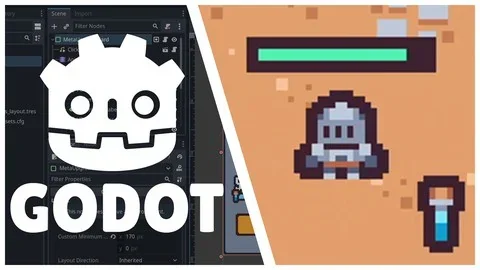
Create a Complete 2D Survivors Style Game in Godot 4
This course walks through building a complete 2D arena survival roguelike in Godot 4, from the first gameplay foundation to final release steps. It covers combat systems, upgrades, animation polish, UI work, saving, and publishing builds for multiple platfo...
Category:Unreal EnginePlatform: Unreal EngineVideo language: EnglishFile content: video + supporting files + English subtitlesPublished: Apr 15, 2026Updated: Apr 20, 2026
Godot
Resource overview
A complete survivors-style game built in Godot 4
This course follows the process of creating a complete 2D arena survival roguelike game in Godot engine 4. The game loop centers on the survivors-style format: auto-attacking abilities, enemy hordes, experience drops, and roguelike upgrades all work together as the player progresses through the arena.
That makes it a practical fit for projects that need more than a small prototype. The material moves through the same kinds of steps a real game project requires, starting with the gameplay foundation and continuing into visual improvement, audio, final touches, and release preparation.
The workload is listed at 17h 15m, and the course is marked Intermediate. It was published on May 17, 2023 and is provided by Firebelley Games.
What the gameplay loop covers
The core of the course is the arena survival roguelike structure. That means the player is placed into a fight focused on staying alive against repeated enemy pressure while building power through experience and upgrades. Auto-attacking abilities are part of the combat setup, so the player can focus on movement, positioning, and progression instead of manually handling every attack.
Enemy hordes and experience drops give the game its rhythm. The roguelike upgrade layer adds the progression side, which is what turns the project into a full survivors-style experience rather than a single-mechanic demo. Because the course is about building the game from start to finish, these systems are not treated as isolated lessons; they are part of the larger flow of the project.
Godot 4 workflows used in the project
Alongside the gameplay loop, the course introduces Godot engine fundamentals through scene composition, scripting, custom user signals, and a variety of nodes. Those tools matter because they are the building blocks that hold the project together. Scene structure and node organization are used to assemble the different gameplay pieces, while scripting and signals connect the moving parts during play.
The focus stays practical. Instead of treating Godot 4 as a theory lesson, the course uses it as the working environment for the actual game. That gives context to the engine fundamentals: they support the combat loop, the upgrades, the UI, and the other systems that make the project feel complete.
Animation, UI, and presentation work
The course also spends time on animation and interface presentation. For animation, it uses squash and stretch to help static sprites feel more lively. That approach is especially useful in a 2D game where small motion changes can make attacks, hits, and movement feel less flat.
The UI work is similarly hands-on. Containers are used for layout and sizing, theme styling is applied with textures and nine-patch, and various other control nodes are used as part of the interface setup. These details matter in a survivors-style game because the player is constantly reading information while fighting, so the interface has to support the action without getting in the way.
Saving, loading, and release preparation
Beyond the live gameplay scene, the course includes saving and loading for permanent player progression data. That places it firmly in the category of a production-minded project rather than a temporary test scene. Persistent progression is part of what makes the game feel like a finished roguelike experience.
Publishing is also part of the workflow. The course covers building the complete game for Windows, Linux, Web, and Mac, along with updating executable icons. That gives the project a broader release path and shows how the game moves beyond development inside the editor into distributable builds.
The curriculum reflects that progression: Starting Out, Building the Foundation, Gameplay and Visual Improvements, Sound Effects, Final Touches, and Bonus Content. Those stages line up with how a real project tends to grow, from the early systems through polish and packaging.
Who it suits and where it fits in a project pipeline
The target audience is specific: beginner game developers with programming experience, individuals looking for a complete 2D development guide for Godot 4, intermediate programmers, and intermediate game developers. That combination suggests a course aimed at people who can already handle code but want a full end-to-end project structure in Godot 4.
In a production workflow, this kind of course fits best as a structured build guide for a survivors-style prototype that becomes a full game. It covers the pieces that usually have to work together in one project: combat behavior, enemy pressure, progression systems, UI, animation polish, persistence, and export-ready builds. For teams or solo developers evaluating the approach, the strongest takeaway is simple: it provides a complete path from arena combat setup to a finished Godot 4 game with saving, loading, and multi-platform publishing in place.
 Godot
Godot Unity
Unity Environments
 Unreal Engine