CGr PCC Pack
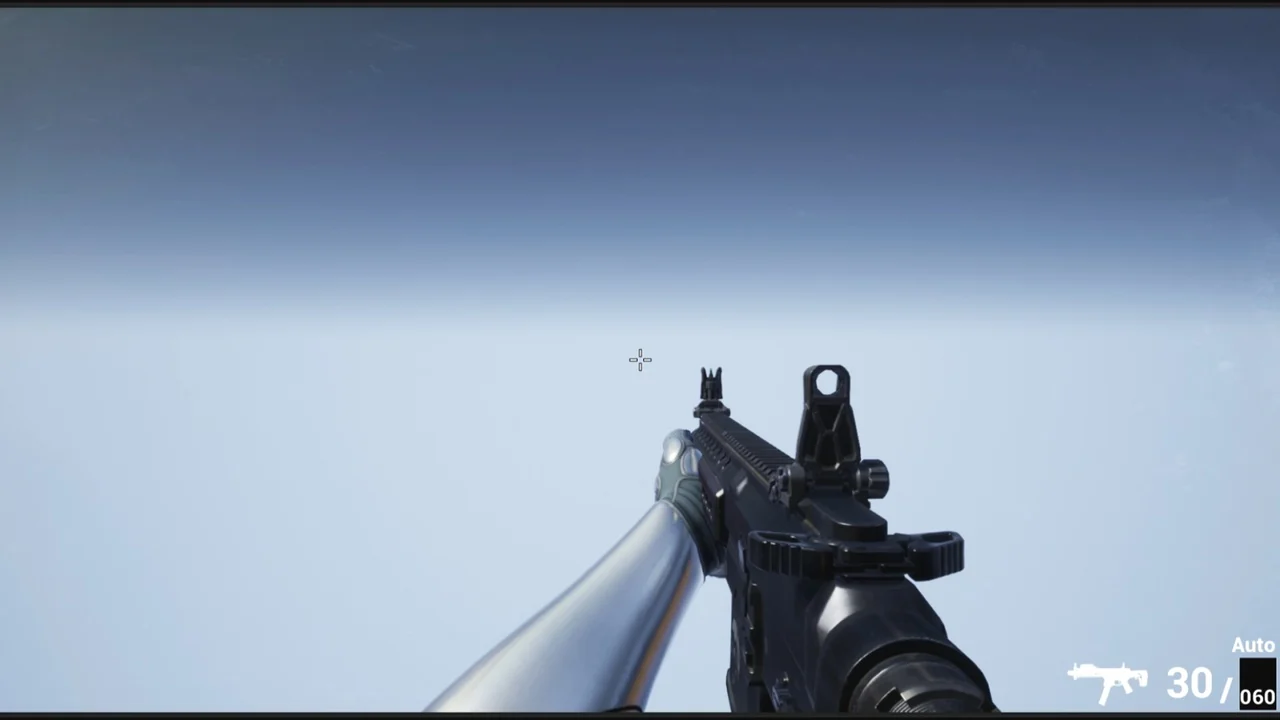
Unreal Engine 5 asset pack featuring a customizable Pistol Caliber Carbine with procedural aiming/recoil, material layering, grenades, and True FPS Manny integr
 Guns
GunsResource overview
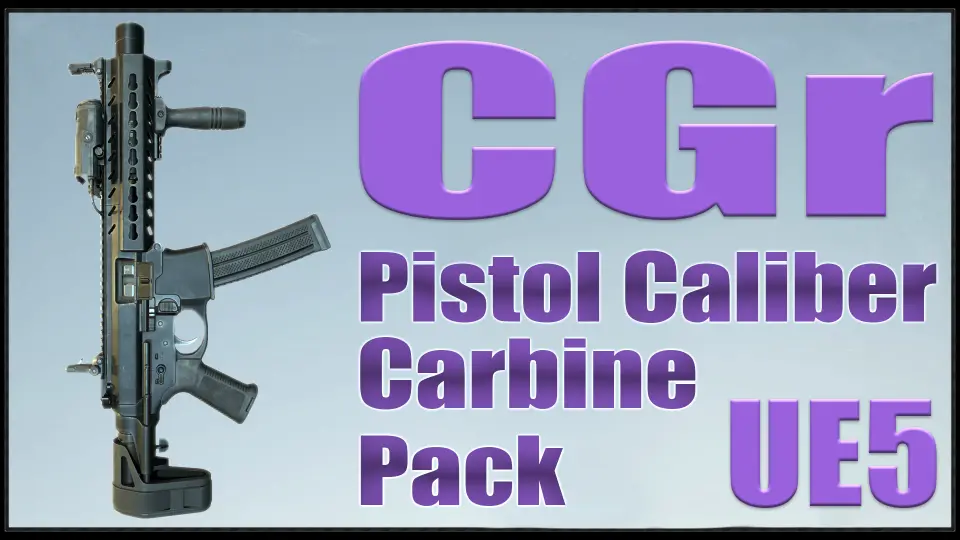
A weapon in a scene should respond to its surroundings. It deflects when the wielder presses against a wall. Raindrops bead on its surface. Its projectiles arc under gravity instead of sailing past the horizon. The CGr PCC Pack approaches a Pistol Caliber Carbine (PCC) from that angle—not as a static prop, but as a configurable system with animations, logic, and physical feedback built for Unreal Engine 5 projects.
Customizable Gun Constructor: The Pistol Caliber Carbine Platform
The project name "CGr" signals its intent: "CG" stands for Customizable Guns, and "r" marks this as a remaster. The core idea is a constructor-style assembly system. A Skeletal Mesh forms the main body of the weapon, and a variety of attachments slot onto it to change both appearance and function.
Developers can swap between a regular magazine and a drum magazine. The stock can be present or removed. Sight options include multiple holo sights. Underbarrel and muzzle accessories cover laser/flashlight combinations, compensators, and suppressors. This variability allows the resulting weapon to read as classic or modern, short or long.
Beyond the cosmetic side, firing modes differ, and accuracy can be customized per configuration. This means the same base carbine can be tuned for distinct combat roles without leaving the data-driven framework the project establishes.
Material Layering and Surface Response
Visual customization extends through a material layering system. Rather than relying on separate textures for every variant, the system layers patterns and tints so that a weapon can shift its look on the fly. A developer can apply a full pattern swap or simply adjust the color tint.
Layered on top of that is dynamic environmental surfacing. Raindrops appear on the weapon model, giving it a reactive quality during weather exposure or specific gameplay states. This is paired with procedural walking, character crouching, and sliding behaviors that tie movement to the weapon's behavior in the world.
Weapon deflection triggers when the character approaches an object—the gun physically reacts to nearby geometry rather than clipping through. This behavior is driven by procedural logic rather than pre-baked animation, which keeps it responsive across different environments.
Procedural Aiming, Recoil, and Projectile Physics
Aiming and Recoil Implementation
Both aiming and recoil are procedural. The procedural aiming setup animates the weapon's positioning without relying entirely on fixed animation frames, which allows the aim behavior to adapt to different sight heights and weapon configurations.
Procedural recoil follows a similar principle. Rather than playing a canned recoil animation, the system generates recoil dynamically, which means it can be tuned through the project's data structures and Blueprint variables.
Projectile Behavior and Damage Modeling
Bullet projectiles are governed by gravity. They follow a ballistic arc and do not travel infinitely. This creates a natural falloff and range consideration in gameplay.
The enemy damage system is based on hit zones on the body. A shot to the head kills with fewer hits compared to a shot to an arm or leg. This locational damage model means the weapon's effectiveness varies based on where the projectile lands, adding a tactical layer to engagement.
Grenades, Explosions, and Status Effects
The pack includes three grenade types: fragmentation, flashbang, and smoke. Each comes with its associated gameplay logic and visual effects. Fragmentation produces explosions. Flashbangs trigger blinding effects. Smoke deploys visual concealment.
Concussion effects are also part of the system, meaning the stun grenade carries a physical impact layer beyond the visual flash. These are integrated alongside the weapon logic rather than isolated as separate systems.
True FPS Integration with UE5 Manny
The project has been updated specifically for Unreal Engine 5. All animations have been retargeted for the UE5 Manny mannequin and adjusted to fit that skeleton. The setup is now True FPS, meaning the character Blueprint includes the full mannequin body—not just a pair of arms.
Manny's Animation Blueprint splits into upper and lower body parts. This architectural change led to a significant animation refactor. The earlier approach animated the ik_hand_gun bone directly in motion files. That bone is no longer used in animations, but it remains necessary for procedural aiming calculations.
Old animations using the ik_hand_gun bone have been preserved and placed in a Legacy folder. The new animations replace those analogues with GunMainBoneMove, where the Main bone of the weapon itself is animated. In this setup, the weapon stays attached to the socket of the right hand during standard operation.
Some projects within the broader CGr ecosystem—specifically SAShotgun and BASnpR—handle two-handed interactions differently. During certain animation playback, the weapon dynamically attaches to a socket on the left hand. That left-hand socket is a requirement in those specific projects.
Data Tables, Blueprint Configuration, and Shotgun Components
The Data Table structure—specifically DT_Weapon_DataTable—was changed as part of the UE5 animation overhaul. All modifications for different weapon types must be routed through this Data Table.
To streamline iteration, certain variables were moved from the Data Table into the weapon Blueprints themselves. These exposed variables sit in the Construction Script of each weapon Blueprint. This allows developers to tweak values and see results in real time rather than jumping between disconnected data structures.
The project does not include reloading logic for the SAShotgun and PAShotgun. For developers combining projects, dedicated shotgun components were created: SAShotgunReloadComponent and PAShotgunReloadComponent. Importing these components and connecting their functions brings the full reloading logic for those weapons into the project.
It should be noted that in all Animation Blueprints—except FaLMG—Cast To nodes have been replaced with Interfaces. This is a structural change aimed at improving modularity and reducing hard dependencies between Blueprints.
UE5.5 Texture Resolution and Known Issues
In Unreal Engine 5.5 and potentially higher versions, textures may cause freezes, and materials may disappear. The fix involves reducing texture resolutions. A practical example: downscale 4096×4096 textures to 2048×2048, and certain 2048×2048 textures down to 1024×1024.
Updated project versions have already uploaded lower-resolution textures to address this. High-resolution textures remain available in a designated folder for developers who need them and are not affected by the version-specific issue.
Two other known situations have documented fixes: an image shifting to the right, and a Ragdoll sliding on the floor. Both have dedicated walkthroughs, and developers encountering either should reference those directly.
What the Blueprints Are Actually Configured For
This project was conceived as an asset pack, not a finished game. The Blueprints are configured for presentation purposes. Advanced developers can extend and improve the logic. Beginners will likely find the project complicated.
For developers diving into the system, the critical areas to understand are the custom collision presets in the Project Settings and the notifications embedded in Animation Montages. These notifications drive much of the gameplay-relevant timing, and the collision presets govern how projectiles and weapons interact with the world geometry.
The project's orientation convention places the weapon on the X-axis. Developers needing a Y-axis orientation can export the weapon model and re-import it with a -90° rotation on the Z-axis. The same rotation must be applied to weapon animations—either by re-importing with the rotation applied or by manually rotating the weapon by -90° in each animation and setting the keyframe.
Bonus Animations and Additional Content
A dedicated BONUS directory contains animations not implemented in the main project logic. These include weapon block idle animations and additional movements.
The pack also includes a frag grenade throw animation and a stun grenade throw animation. A weapon jamming animation is provided as well. These are supplementary to the core weapon behavior, giving developers additional states and actions to wire into gameplay without creating them from scratch.
Practical Takeaway for Implementation
The CGr PCC Pack is a modular constructor system, not a drop-in finished weapon. To use it effectively, developers need to engage with DT_Weapon_DataTable for weapon configuration, understand the custom collision presets and montage notifications that drive behavior, and be comfortable with the GunMainBoneMove animation convention. The Shotgun Reload Components are required to integrate this project with the SAShotgun and PAShotgun projects. The Blueprints demonstrate functionality but are structured as a presentation layer. Teams that treat this as a foundation to extend—rather than a complete, closed system—will find the most value here.
Compatibility extends to the CGr Weapon Pack Vol 1.
Related Resources Worth Checking
Resource screenshots
10 curated preview images
Download this resource
Free download. No 3DCGHUB account needed — get it with the EduQuill plugin or from EduQuill Studio.