"a19e0535960bd083"{"id":"1002083","slug":"black-hole-creator","title":"Black Hole Creator","category":"Procedural Systems","engine":"4.27+,5.0+","assetVersion":"","engineVersion":"Engine Version: 4.27+,5.0+","tag":"Procedural Systems","accent":"blue","visual":"mech","summary":"Implement realistic gravitational lensing in Unreal with Black Hole Creator, using quaternion texture warping on skyboxes and cube render targets.","platform":"Unreal Engine","publishedAt":"2026-10-26T15:53:01.518Z","updatedAt":"2026-10-26T15:53:01.518Z","sourceNotes":[],"fileContents":[],"compatibility":["Unreal Engine","Engine Version: 4.27+,5.0+"],"featuredImage":{"alt":"Black Hole Creator","src":"/wp-content/uploads/published/2026/10/717b045c8602-534a731a-67c5-432d-aff8-8ddf63960422-0b2e6be61c.webp"},"hasDownloadLink":true,"downloads":0,"terms":[{"taxonomy":"category","slug":"procedural-systems","name":"Procedural Systems"}],"galleryImages":[{"src":"/wp-content/uploads/published/2026/10/5ad2a91f6ca8-8f761519-e087-41fe-ac5a-024089b7c8ef-c63d2dd986.webp","alt":"Black Hole Creator"},{"src":"/wp-content/uploads/published/2026/10/c3c416feaa88-5a91967c-8e74-4910-ab74-0527ed2943a8-e909ccea49.webp","alt":"Black Hole Creator"},{"src":"/wp-content/uploads/published/2026/10/718a0af3979b-53df6f3d-434d-4a11-8467-13514a7c61bc-10fcc78f0d.webp","alt":"Black Hole Creator"},{"src":"/wp-content/uploads/published/2026/10/bf6f432266cc-330e8288-0fe0-4f62-bf56-806906739fb2-a0892494f8.webp","alt":"Black Hole Creator"},{"src":"/wp-content/uploads/published/2026/10/d026d7069838-de0f34b3-60dc-41ac-b21c-c496a923c294-afd4ca9d2c.webp","alt":"Black Hole Creator"},{"src":"/wp-content/uploads/published/2026/10/aa3df5bb2c6e-26a0f2eb-2bd8-4231-91d9-70fe5efd3011-2662402c71.webp","alt":"Black Hole Creator"},{"src":"/wp-content/uploads/published/2026/10/6ba609024105-9965db3f-0835-45eb-bd76-c3ef2ec467b1-68db3c4fca.webp","alt":"Black Hole Creator"},{"src":"/wp-content/uploads/published/2026/10/e2a7acb61170-12960f3a-a8b1-411a-b750-712e64cc1276-f7660c3aca.webp","alt":"Black Hole Creator"},{"src":"/wp-content/uploads/published/2026/10/fca67d61c649-ad95cc51-38ec-4d54-b34d-d4244f89b916-1a2a368ed4.webp","alt":"Black Hole Creator"},{"src":"/wp-content/uploads/published/2026/10/6e045330eefa-d225f18c-1fe5-442b-a558-8fe733622af2-b3fec0d49e.webp","alt":"Black Hole Creator"}],"accessPanel":{"kind":"resource","title":"Download this resource","eyebrow":"Free Download","message":"Log in or create a free account to start your download.","fileName":"Content.7z","safetyNote":"Resources are manually reviewed before listing to improve quality and reduce obvious risks.","actionLabel":"Download Free","resourceType":"Resource archive"},"contentHtml":"\u003ch2\u003eDeploying the Black Hole Creator Blueprint in Unreal Engine\u003c/h2\u003e\n\u003cp\u003eIntegrating a convincing gravitational anomaly into an Unreal Engine space environment requires simulating intense optical distortion without dragging down scene performance. Black Hole Creator addresses this challenge through a blueprint-driven workflow that orchestrates both the central singularity and the surrounding accretion disk. Placing the blueprint into a level establishes the localized coordinates for the distortion effect, giving creators immediate visual feedback inside the viewport.\u003c/p\u003e\n\u003cp\u003eBecause the implementation relies on a blueprint framework rather than an isolated post-process volume or a static mesh trick, it unifies the behavior of the gravitational center with the material parameters driving the effect. The system lets developers configure realistic or stylized cosmic scenes, fitting projects focused on deep space exploration, interstellar voyages, planetary systems, and sci-fi anomalies. By handling the placement and underlying math through an accessible actor, the blueprint eliminates the need to manually build custom distortion logic from scratch.\u003c/p\u003e \u003ch2\u003eQuaternion Texture Warping Across Skyboxes and Render Targets\u003c/h2\u003e\n\u003cp\u003eThe core visual mechanic driving the distortion relies on quaternion mathematics. Instead of using standard screen-space UV offsets that can break down at steep angles or produce pinching at geometric poles, Black Hole Creator performs texture warping using quaternions. This approach calculates rotational deflections across the spherical coordinates of the surrounding environment, ensuring smooth, continuous light bending around the perimeter of the singularity.\u003c/p\u003e\n\u003cp\u003eThis quaternion warping operates directly on background textures. The blueprint is structured to process two primary background inputs:\u003c/p\u003e\n\u003cul\u003e \u003cli\u003e\u003cstrong\u003eDefault Skybox Textures:\u003c/strong\u003e Standard static panoramic or cubemap skybox assets can be warped directly, allowing starfields, nebulae, and distant galaxies to curve organically around the black hole.\u003c/li\u003e \u003cli\u003e\u003cstrong\u003eCube Render Targets:\u003c/strong\u003e For dynamic scenes containing moving celestial bodies, planets, or passing spacecraft, a cube render target can be fed into the material. The shader warps the actively updated scene capture, reflecting real-time movement around the event horizon.\u003c/li\u003e\n\u003c/ul\u003e\n\u003cp\u003eUsing quaternions ensures the curvature retains mathematical coherence as the camera pans, tilts, or navigates around the anomaly. This optical bending mimics the behavior of physical gravitational lensing, redirecting the visual information of the background environment smoothly toward the observer.\u003c/p\u003e \u003ch2\u003eConfiguring the Accretion Disk and Singularity Parameters\u003c/h2\u003e\n\u003cp\u003eThe visual signature of a celestial black hole depends heavily on the interplay between the central black void and the glowing ring of matter falling into it. The material supplied with Black Hole Creator features extensive parameter controls specifically exposed to alter the distinct components of the phenomenon.\u003c/p\u003e\n\u003cp\u003eSingularity settings govern the core boundary where light cannot escape. Developers can dial in the precise footprint and visual sharpness of this central shadow, dictating how aggressively it occludes background space. Surrounding this dark core, the accretion disk controls provide fine-grained influence over the luminous disc of captured matter. Material adjustments allow creators to manipulate the appearance, visual density, and aesthetic structure of the disk, shifting the outcome from a clean, cinematic interstellar visual to a turbulent, high-energy cosmic vortex.\u003c/p\u003e\n\u003cp\u003eBecause the accretion disk and the singularity are governed by these dedicated parameter sets, artists can tailor the system to match the exact mood of their project. Whether an art director aims for astronomical realism with subtle light deflection or an exaggerated sci-fi visual bursting with vibrant nebula colors, the parameters can be tuned without rewriting the underlying shader network.\u003c/p\u003e \u003ch2\u003eSpace Skybox Libraries and Space Creator Pro Integration\u003c/h2\u003e\n\u003cp\u003eSpace scenes rarely rely on a black hole in total isolation; the distortion requires rich cosmic environments to showcase the lensing effect properly. Black Hole Creator is fully compatible with the latest Space Skybox Libraries, functioning alongside companion collections such as Space Creator Pro. This compatibility ensures that high-resolution star textures, galaxy backdrops, and volumetric nebula designs can serve as the direct input for the quaternion distortion calculations.\u003c/p\u003e\n\u003cp\u003eIntegrating these external space libraries involves directing the asset's cubemaps into the skybox input of the Black Hole Creator material. Once connected, the star clusters, colored dust clouds, and planetary backdrops from the library are warped by the shader with zero alignment friction. This interoperability allows developers already working with standardized space backgrounds to introduce dynamic lensing into existing levels without re-authoring their atmospheric setup.\u003c/p\u003e \u003ch2\u003eVisual Artifact Remediation and Unreal Engine Maintenance\u003c/h2\u003e\n\u003cp\u003eMaintaining clean shader execution across different engine versions is critical for complex math-heavy materials. An earlier version of the asset exhibited visual artifacts under certain rendering conditions. Through Update 1, those specific technical issues were eliminated, cleaning up the distortion calculation and delivering clean pixel results across the warped boundaries.\u003c/p\u003e\n\u003cp\u003eRegarding engine compatibility, developers targeting Unreal Engine 5.1 should note that the shader encountered specific functional issues within that release branch. An update addressing Unreal Engine 5.1 compatibility is currently in development to restore standard behavior across that release. Keeping track of version-specific shader updates ensures the quaternion distortion and accretion disk materials render reliably within your chosen production pipeline.\u003c/p\u003e\n\n\u003ch2\u003eExplore Similar Assets\u003c/h2\u003e\n\u003cul\u003e\n\u003cli\u003e\u003ca href=\"https://3dcghub.com/black-hole/\" title=\"Black Hole\"\u003eBlack Hole\u003c/a\u003e\u003c/li\u003e\n\u003cli\u003e\u003ca href=\"https://3dcghub.com/beefy-water-hole-water-system/\" title=\"Beefy Water Hole (Water System)\"\u003eBeefy Water Hole (Water System)\u003c/a\u003e\u003c/li\u003e\n\u003cli\u003e\u003ca href=\"https://3dcghub.com/edge-bevel-decals/\" title=\"Edge Bevel Decals\"\u003eEdge Bevel Decals\u003c/a\u003e\u003c/li\u003e\n\u003cli\u003e\u003ca href=\"https://3dcghub.com/shadersource-procedural-water-foliage-tool/\" title=\"SHADERSOURCE - Procedural Water Foliage Tool\"\u003eSHADERSOURCE - Procedural Water Foliage Tool\u003c/a\u003e\u003c/li\u003e\n\u003cli\u003e\u003ca href=\"https://3dcghub.com/b2bp-slide-show/\" title=\"B2BP Slide Show\"\u003eB2BP Slide Show\u003c/a\u003e\u003c/li\u003e\n\u003c/ul\u003e","contentTextLength":5991,"navigation":{"current":8,"total":4026,"previous":{"id":"1002084","slug":"crystals","title":"Crystals","category":"Tools, Objects \u0026 Decor","platform":"Unreal Engine","updatedAt":"2026-10-26T15:53:48.524Z"},"next":{"id":"1002082","slug":"urban-props-vol-2","title":"Urban Props Vol. 2","category":"Industrial","platform":"Unreal Engine","updatedAt":"2026-10-26T15:51:41.228Z"}},"relatedResources":[{"id":"1001964","slug":"black-hole","title":"Black Hole","category":"Sky","engine":"5.4+","assetVersion":"","engineVersion":"Engine Version: 5.4+","tag":"Sky","accent":"blue","visual":"mech","summary":"A technical breakdown of Black Hole materials, covering Surface and Post Process domains, gravitational lensing distortions, and UE5 rendering settings.","platform":"Unreal Engine","publishedAt":"2026-10-24T11:40:28.947Z","updatedAt":"2026-10-24T11:40:28.947Z","sourceNotes":[],"fileContents":[],"compatibility":["Unreal Engine","Engine Version: 5.4+"],"featuredImage":{"alt":"Black Hole","src":"/wp-content/uploads/published/2026/10/7c02b51a93e7-803a5573-dfb0-42c9-b030-993117cfdafc-3edbc9f7f7.webp"},"hasDownloadLink":true,"downloads":0},{"id":"11277","slug":"beefy-water-hole-water-system","title":"Beefy Water Hole (Water System)","category":"Procedural Systems","engine":"4.27,5.0+","assetVersion":"Engine version: 4.27,5.0+","engineVersion":"4.21","tag":"Procedural Systems","accent":"blue","visual":"mech","summary":"Beefy Water Hole (Water System) is a versatile tool for creating stylized aquatic environments with over 50 parameters and a dedicated interaction component system.","platform":"Unreal Engine","publishedAt":"2026-03-04T17:24:21.000Z","updatedAt":"2026-04-19T15:48:13.000Z","sourceNotes":[],"fileContents":[],"compatibility":["Unreal Engine","Engine version: 4.27,5.0+"],"featuredImage":{"alt":"Beefy Water Hole (Water System)","src":"https://3dcghub.com/wp-content/uploads/2026/03/451a53c0fa0c_0c037605-7fa1-4fab-8eb2-4c8f3c75d599-1.webp"},"hasDownloadLink":true,"downloads":0},{"id":"11384","slug":"edge-bevel-decals","title":"Edge Bevel Decals","category":"Procedural Systems","engine":"4.27,5.0+","assetVersion":"Engine version: 4.27,5.0+","engineVersion":"4.20","tag":"Procedural Systems","accent":"blue","visual":"city","summary":"Edge Bevel Decals enable artists to apply beveled details to mesh edges using an editable spline system. This package features customizable materials, vertex painting for damage, and optimization tools.","platform":"Unreal Engine","publishedAt":"2026-03-05T17:11:24.000Z","updatedAt":"2026-04-19T15:48:13.000Z","sourceNotes":[],"fileContents":[],"compatibility":["Unreal Engine","Engine version: 4.27,5.0+"],"featuredImage":{"alt":"Edge Bevel Decals","src":"https://3dcghub.com/wp-content/uploads/2026/03/a1ca28b4-7853-47ca-b55b-b8dbf9d0391f.webp"},"hasDownloadLink":true,"downloads":3}]}
Procedural Systems
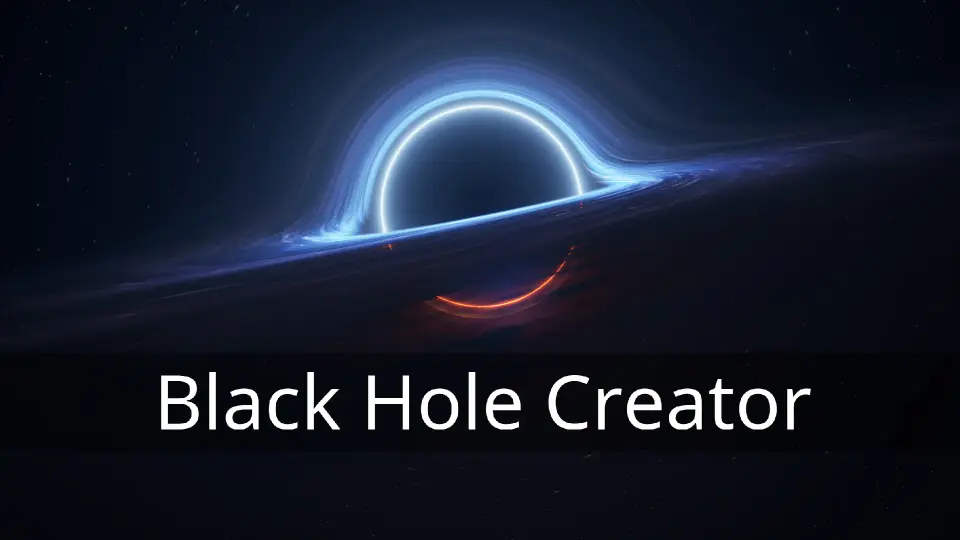
Black Hole Creator
Implement realistic gravitational lensing in Unreal with Black Hole Creator, using quaternion texture warping on skyboxes and cube render targets.
Deploying the Black Hole Creator Blueprint in Unreal Engine
Integrating a convincing gravitational anomaly into an Unreal Engine space environment requires simulating intense optical distortion without dragging down scene performance. Black Hole Creator addresses this challenge through a blueprint-driven workflow that orchestrates both the central singularity and the surrounding accretion disk. Placing the blueprint into a level establishes the localized coordinates for the distortion effect, giving creators immediate visual feedback inside the viewport.
Because the implementation relies on a blueprint framework rather than an isolated post-process volume or a static mesh trick, it unifies the behavior of the gravitational center with the material parameters driving the effect. The system lets developers configure realistic or stylized cosmic scenes, fitting projects focused on deep space exploration, interstellar voyages, planetary systems, and sci-fi anomalies. By handling the placement and underlying math through an accessible actor, the blueprint eliminates the need to manually build custom distortion logic from scratch.
Quaternion Texture Warping Across Skyboxes and Render Targets
The core visual mechanic driving the distortion relies on quaternion mathematics. Instead of using standard screen-space UV offsets that can break down at steep angles or produce pinching at geometric poles, Black Hole Creator performs texture warping using quaternions. This approach calculates rotational deflections across the spherical coordinates of the surrounding environment, ensuring smooth, continuous light bending around the perimeter of the singularity.
This quaternion warping operates directly on background textures. The blueprint is structured to process two primary background inputs:
Default Skybox Textures: Standard static panoramic or cubemap skybox assets can be warped directly, allowing starfields, nebulae, and distant galaxies to curve organically around the black hole.
Cube Render Targets: For dynamic scenes containing moving celestial bodies, planets, or passing spacecraft, a cube render target can be fed into the material. The shader warps the actively updated scene capture, reflecting real-time movement around the event horizon.
Using quaternions ensures the curvature retains mathematical coherence as the camera pans, tilts, or navigates around the anomaly. This optical bending mimics the behavior of physical gravitational lensing, redirecting the visual information of the background environment smoothly toward the observer.
Configuring the Accretion Disk and Singularity Parameters
The visual signature of a celestial black hole depends heavily on the interplay between the central black void and the glowing ring of matter falling into it. The material supplied with Black Hole Creator features extensive parameter controls specifically exposed to alter the distinct components of the phenomenon.
Singularity settings govern the core boundary where light cannot escape. Developers can dial in the precise footprint and visual sharpness of this central shadow, dictating how aggressively it occludes background space. Surrounding this dark core, the accretion disk controls provide fine-grained influence over the luminous disc of captured matter. Material adjustments allow creators to manipulate the appearance, visual density, and aesthetic structure of the disk, shifting the outcome from a clean, cinematic interstellar visual to a turbulent, high-energy cosmic vortex.
Because the accretion disk and the singularity are governed by these dedicated parameter sets, artists can tailor the system to match the exact mood of their project. Whether an art director aims for astronomical realism with subtle light deflection or an exaggerated sci-fi visual bursting with vibrant nebula colors, the parameters can be tuned without rewriting the underlying shader network.
Space Skybox Libraries and Space Creator Pro Integration
Space scenes rarely rely on a black hole in total isolation; the distortion requires rich cosmic environments to showcase the lensing effect properly. Black Hole Creator is fully compatible with the latest Space Skybox Libraries, functioning alongside companion collections such as Space Creator Pro. This compatibility ensures that high-resolution star textures, galaxy backdrops, and volumetric nebula designs can serve as the direct input for the quaternion distortion calculations.
Integrating these external space libraries involves directing the asset's cubemaps into the skybox input of the Black Hole Creator material. Once connected, the star clusters, colored dust clouds, and planetary backdrops from the library are warped by the shader with zero alignment friction. This interoperability allows developers already working with standardized space backgrounds to introduce dynamic lensing into existing levels without re-authoring their atmospheric setup.
Visual Artifact Remediation and Unreal Engine Maintenance
Maintaining clean shader execution across different engine versions is critical for complex math-heavy materials. An earlier version of the asset exhibited visual artifacts under certain rendering conditions. Through Update 1, those specific technical issues were eliminated, cleaning up the distortion calculation and delivering clean pixel results across the warped boundaries.
Regarding engine compatibility, developers targeting Unreal Engine 5.1 should note that the shader encountered specific functional issues within that release branch. An update addressing Unreal Engine 5.1 compatibility is currently in development to restore standard behavior across that release. Keeping track of version-specific shader updates ensures the quaternion distortion and accretion disk materials render reliably within your chosen production pipeline.
 Procedural Systems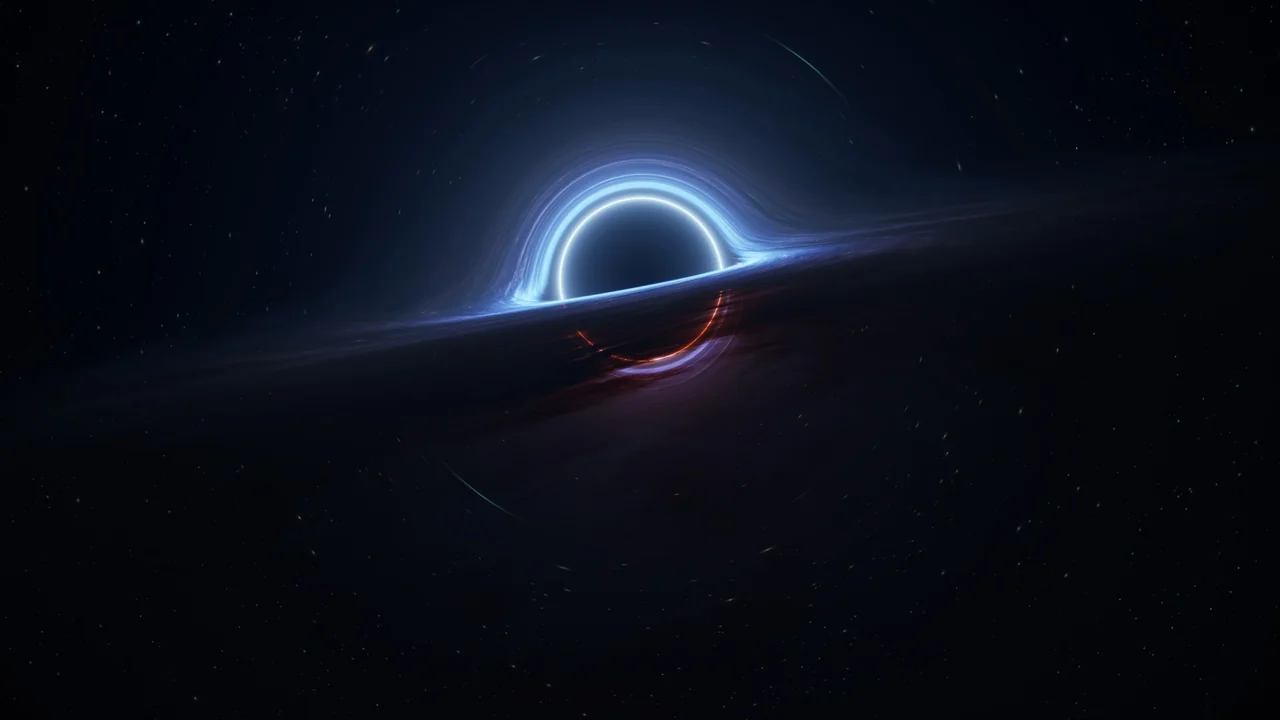
 Sky
Sky Procedural Systems
 Procedural Systems