"6f9bd6df1f44a86f"{"id":"1002295","slug":"auto-node-arranger","title":"Auto Node Arranger","category":"Automations","engine":"5.3","assetVersion":"Asset Version: 4.1.5","engineVersion":"Engine Version: 5.3","tag":"Automations","accent":"blue","visual":"mech","summary":"Auto Node Arranger is an editor automation tool that arranges graph nodes across all graph types, with a Straight beta, reroute options, and crash fixes.","platform":"Unreal Engine","indexPolicy":"index","publishedAt":"2026-11-04T05:22:47.310Z","updatedAt":"2026-11-04T05:22:47.310Z","sourceNotes":[],"fileContents":[],"compatibility":["Unreal Engine","Asset Version: 4.1.5","Engine Version: 5.3"],"featuredImage":{"alt":"Auto Node Arranger","src":"/wp-content/uploads/published/2026/11/9489aac76982-f2553146-4228-46a4-ac07-d98b884f5e73-68e3d39c71.webp"},"hasDownloadLink":true,"downloads":0,"terms":[{"taxonomy":"category","slug":"automations-tools-and-plugins","name":"Automations"}],"galleryImages":[{"src":"/wp-content/uploads/published/2026/11/d5a404668e50-cfe797cc-e258-4a41-92dc-9e6fc892b7cb-683c2d8902.webp","alt":"Auto Node Arranger"},{"src":"/wp-content/uploads/published/2026/11/6ea9e81a2392-4ec1dc67-572c-4ad5-8ddb-73efa9971329-ea80e33f8d.webp","alt":"Auto Node Arranger"},{"src":"/wp-content/uploads/published/2026/11/b469d1a122e8-2be17266-8f03-4840-9162-995a4e5cfc93-ac80a29b23.webp","alt":"Auto Node Arranger"},{"src":"/wp-content/uploads/published/2026/11/bef332d5da4c-71aec782-38be-4877-a386-48e02a514717-c274c8f783.webp","alt":"Auto Node Arranger"},{"src":"/wp-content/uploads/published/2026/11/9a47d1694f74-40f6d1da-4c9c-4584-b3e6-82da595de5cb-00a8eba355.webp","alt":"Auto Node Arranger"},{"src":"/wp-content/uploads/published/2026/11/2c51a9252365-9df7e2c9-1922-48b7-be7d-e0ea7ec6bf6c-a942ec0319.webp","alt":"Auto Node Arranger"}],"accessPanel":{"kind":"resource","title":"Download this resource","eyebrow":"Free Download","message":"Log in or create a free account to start your download.","fileName":"Auto Node Arranger.7z","safetyNote":"Resources are manually reviewed before listing to improve quality and reduce obvious risks.","actionLabel":"Download Free","resourceType":"Resource archive"},"contentHtml":"\u003cp\u003eGraphs rarely stay tidy. A material network or another node-based setup can start clean and then accumulate moved nodes, reroutes, and scattered connections as the work evolves. Auto Node Arranger is an editor automation tool built to take that cleanup out of manual dragging: it arranges graph nodes automatically, and its layout can be customized to produce the graph you want. The plugin works across all graph types, so the same arrangement approach can be applied wherever node graphs appear in the editor.\u003c/p\u003e \u003ch2\u003eWhen manual node placement becomes the bottleneck\u003c/h2\u003e\n\u003cp\u003eAny graph type can become hard to read when nodes are placed by hand. Auto Node Arranger targets that step directly. The tool is tagged as editor automation, and its purpose is straightforward: arrange nodes automatically rather than dragging each one into position. Because it works for all graph types, it is not tied to one node-based editor context. The customization angle matters just as much. You can adjust the arrangement to match the graph you want instead of accepting a single fixed layout.\u003c/p\u003e\n\u003cp\u003eThis fits production moments where graph readability matters: after repeated edits, when a graph needs a cleaner pass, or when a layout has to be placed the way you want. Instead of treating node placement as a separate cleanup task, the plugin handles arrangement as an editor operation. That leaves less time spent moving nodes and more time spent working on the graph itself.\u003c/p\u003e \u003ch2\u003eThe Straight beta arrangement and its current limits\u003c/h2\u003e\n\u003cp\u003eThe beta arrangement release includes one arrangement style: Straight. Only the Straight arrangement is available in the beta. The beta does not yet group all connected graph nodes; that capability is listed as not yet available. Those limits are important for anyone expecting a fully automatic grouping pass. If Straight is not what you need, there is an option to disable the beta arrangement. There is also an option to enable the beta reroute arrangement. Reroutes can be part of graph layout, and this toggle brings the beta reroute arrangement into play.\u003c/p\u003e\n\u003cp\u003eBecause this is beta, feature coverage is partial. Missing features are planned for future versions, along with improvements to the current ones. The next version is expected in early August. Until then, the Straight arrangement is the available beta layout, with the disable and reroute toggles giving control over how much beta behavior is active. The plugin is still usable as an arrangement tool, but the beta label is a fair signal that some layout options are not finished yet.\u003c/p\u003e \u003ch2\u003eArrange Selection returns, and Material Arrangement gets a fix\u003c/h2\u003e\n\u003cp\u003eThe July 10 update fixed the current issue on Material Arrangement. It also put Arrange Selection only back. That gives a way to arrange only the selected portion rather than invoking arrangement for the whole graph. For material graphs, the fix removes a known issue. For selection-based work, the restored command makes it possible to tidy a specific area while leaving the rest of the graph alone.\u003c/p\u003e\n\u003cp\u003eThe next version has an early-August ETA. Some future versions will add missing features and improve current ones. The update history shows a tool that is still filling out, with the core arrangement function already present and specific gaps being addressed release by release. Material Arrangement and selection-only arrangement are two practical areas that received attention in the July 10 update.\u003c/p\u003e \u003ch2\u003eCrash handling, registration, and file-based saves\u003c/h2\u003e\n\u003cp\u003eAfter several reports of crashes with the plugin, a new version was released to fix or at least handle all of them. Crash handling was improved. The Register All Nodes command was removed because registration is now automatic. Saves are now written in files instead of project settings. GitHub issues are now available.\u003c/p\u003e\n\u003cp\u003eThese changes are less visible than arrangement styles, but they affect day-to-day use. Automatic registration removes a manual command from the workflow. File-based saves move persistence away from project settings. Improved crash handling addresses the stability reports directly. The presence of GitHub issues gives a place to track problems as the plugin develops. None of these changes alter what the plugin is for, but they shape how reliably it fits into an editor session.\u003c/p\u003e \u003ch2\u003eFitting Auto Node Arranger into an editor workflow\u003c/h2\u003e\n\u003cp\u003eUse it when a graph has crossed from workable to visually noisy. Because arrangement works across all graph types, the same step can be applied in different graph contexts. The arrangement is customizable, so the goal is not a single house style; it is a layout that matches the graph you want. The beta controls let you turn off the beta arrangement or enable the beta reroute arrangement when reroutes are part of the picture.\u003c/p\u003e\n\u003cp\u003eMaterial-focused work has a direct entry point through the Material Arrangement fix. Selection-focused work has the restored Arrange Selection only option. For broader graph cleanup, the Straight beta is the available arrangement style. Compatibility notes list Circular Dependencies Detector.\u003c/p\u003e\n\u003cp\u003eAuto Node Arranger is most relevant to people who spend time inside node graphs and would rather automate layout than place every node by hand. The plugin is still in beta, with missing features and improvements planned for future versions. Its practical value is in reducing the manual arranging step while keeping control through customization and beta toggles.\u003c/p\u003e\n\n\u003ch2\u003eExplore Similar Assets\u003c/h2\u003e\n\u003cul\u003e\n\u003cli\u003e\u003ca href=\"https://3dcghub.com/c-generator/\" rel=\"noopener noreferrer\"\u003eC++ Generator\u003c/a\u003e\u003c/li\u003e\n\u003cli\u003e\u003ca href=\"https://3dcghub.com/ultimate-engine-copilot-formerly-ultimate-blueprint-generator/\" rel=\"noopener noreferrer\"\u003eUltimate Engine CoPilot (formerly Ultimate Blueprint Generator)\u003c/a\u003e\u003c/li\u003e\n\u003cli\u003e\u003ca href=\"https://3dcghub.com/framecapture-screen-capture-and-video-recorder/\" rel=\"noopener noreferrer\"\u003eFrameCapture - Screen Capture and Video Recorder\u003c/a\u003e\u003c/li\u003e\n\u003cli\u003e\u003ca href=\"https://3dcghub.com/ai-grid-path-finder/\" rel=\"noopener noreferrer\"\u003eAI Grid Path Finder\u003c/a\u003e\u003c/li\u003e\n\u003cli\u003e\u003ca href=\"https://3dcghub.com/compiler-booster/\" rel=\"noopener noreferrer\"\u003eCompiler Booster\u003c/a\u003e\u003c/li\u003e\n\u003c/ul\u003e","contentTextLength":5585,"navigation":{"current":1,"total":4218,"next":{"id":"1002294","slug":"auto-instance","title":"Auto Instance","category":"Gameplay Features","platform":"Unreal Engine","updatedAt":"2026-11-04T05:22:04.042Z"}},"relatedResources":[{"id":"1000569","slug":"c-generator","title":"C++ Generator","category":"Automations","engine":"5.3 - 5.7","assetVersion":"Asset Version: 1.2","engineVersion":"Engine Version: 5.3 - 5.7","tag":"Automations","accent":"blue","visual":"mech","summary":"Unreal Engine plugin generating C++ code snippets dynamically without AI. Includes UMacros, AActor, BP Node translator, and a C++ toolbox for 5.3–5.8.","platform":"Unreal Engine","indexPolicy":"index","publishedAt":"2026-07-16T21:35:58.214Z","updatedAt":"2026-07-16T21:35:58.214Z","sourceNotes":[],"fileContents":[],"compatibility":["Unreal Engine","Asset Version: 1.2","Engine Version: 5.3 - 5.7"],"featuredImage":{"alt":"C++ Generator","src":"/wp-content/uploads/published/2026/07/6871f3419d44-c2bbc23a-6642-424c-a432-59797b06b343-b01832c8fb.webp"},"hasDownloadLink":true,"downloads":2},{"id":"27256","slug":"ultimate-engine-copilot-formerly-ultimate-blueprint-generator","title":"Ultimate Engine CoPilot (formerly Ultimate Blueprint Generator)","category":"Automations","engine":"0.3.5 - 1.3.5","assetVersion":"Engine version: 5.4 - 5.7","engineVersion":"Asset Version:0.3.5 - 1.3.5","tag":"Automations","accent":"blue","visual":"city","summary":"Ultimate Engine CoPilot keeps Blueprint setup, VFX work, UI creation, and other editor tasks inside Unreal Engine. It responds to natural language, supports voice input, and can run multiple AI agents while you work.","platform":"Unreal Engine","indexPolicy":"index","publishedAt":"2026-04-23T06:55:26.000Z","updatedAt":"2026-07-05T09:41:32.225Z","sourceNotes":[],"fileContents":[],"compatibility":["Unreal Engine","Engine version: 5.4 - 5.7","Asset Version:0.3.5 - 1.3.5"],"featuredImage":{"alt":"Ultimate Engine CoPilot (formerly Ultimate Blueprint Generator)","src":"https://3dcghub.com/wp-content/uploads/2026/04/fd75d459aa77_025b3508-1406-4cd3-96bf-9537f34d3d5f.webp"},"hasDownloadLink":true,"downloads":23},{"id":"1000162","slug":"framecapture-screen-capture-and-video-recorder","title":"FrameCapture - Screen Capture and Video Recorder","category":"Automations","engine":"5.3","assetVersion":"Asset Version: 3.0","engineVersion":"Engine Version: 5.3","tag":"Automations","accent":"blue","visual":"mech","summary":"A C++ screen capture and recording library for grabbing viewport snapshots, recording gameplay, capturing UI, and turning screens into textures.","platform":"Unreal Engine","indexPolicy":"index","publishedAt":"2026-06-18T22:53:44.835Z","updatedAt":"2026-06-18T22:53:44.835Z","sourceNotes":[],"fileContents":[],"compatibility":["Unreal Engine","Asset Version: 3.0","Engine Version: 5.3"],"featuredImage":{"alt":"FrameCapture - Screen Capture and Video Recorder","src":"/wp-content/uploads/published/2026/06/2fa777136d75-e1e38ea1-f891-4786-8913-954857c7d5c2-26b0213550.webp"},"hasDownloadLink":true,"downloads":0}]}
Automations
Auto Node Arranger
Auto Node Arranger is an editor automation tool that arranges graph nodes across all graph types, with a Straight beta, reroute options, and crash fixes.
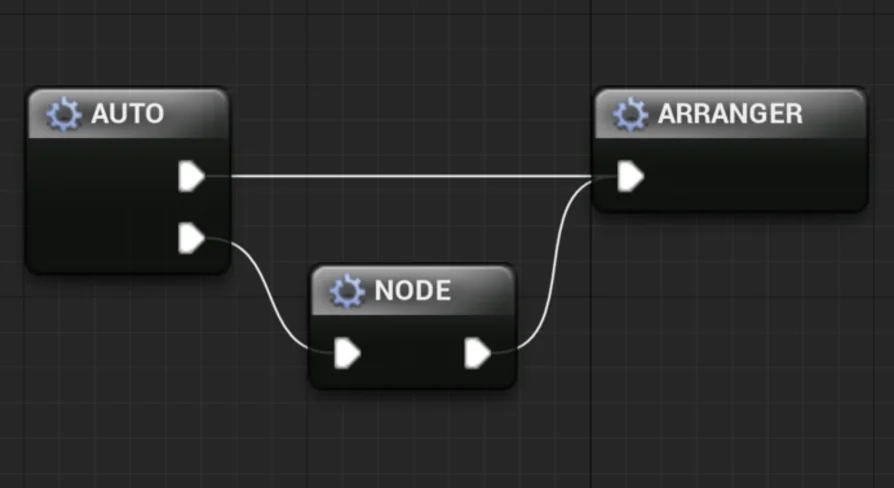
Graphs rarely stay tidy. A material network or another node-based setup can start clean and then accumulate moved nodes, reroutes, and scattered connections as the work evolves. Auto Node Arranger is an editor automation tool built to take that cleanup out of manual dragging: it arranges graph nodes automatically, and its layout can be customized to produce the graph you want. The plugin works across all graph types, so the same arrangement approach can be applied wherever node graphs appear in the editor.
When manual node placement becomes the bottleneck
Any graph type can become hard to read when nodes are placed by hand. Auto Node Arranger targets that step directly. The tool is tagged as editor automation, and its purpose is straightforward: arrange nodes automatically rather than dragging each one into position. Because it works for all graph types, it is not tied to one node-based editor context. The customization angle matters just as much. You can adjust the arrangement to match the graph you want instead of accepting a single fixed layout.
This fits production moments where graph readability matters: after repeated edits, when a graph needs a cleaner pass, or when a layout has to be placed the way you want. Instead of treating node placement as a separate cleanup task, the plugin handles arrangement as an editor operation. That leaves less time spent moving nodes and more time spent working on the graph itself.
The Straight beta arrangement and its current limits
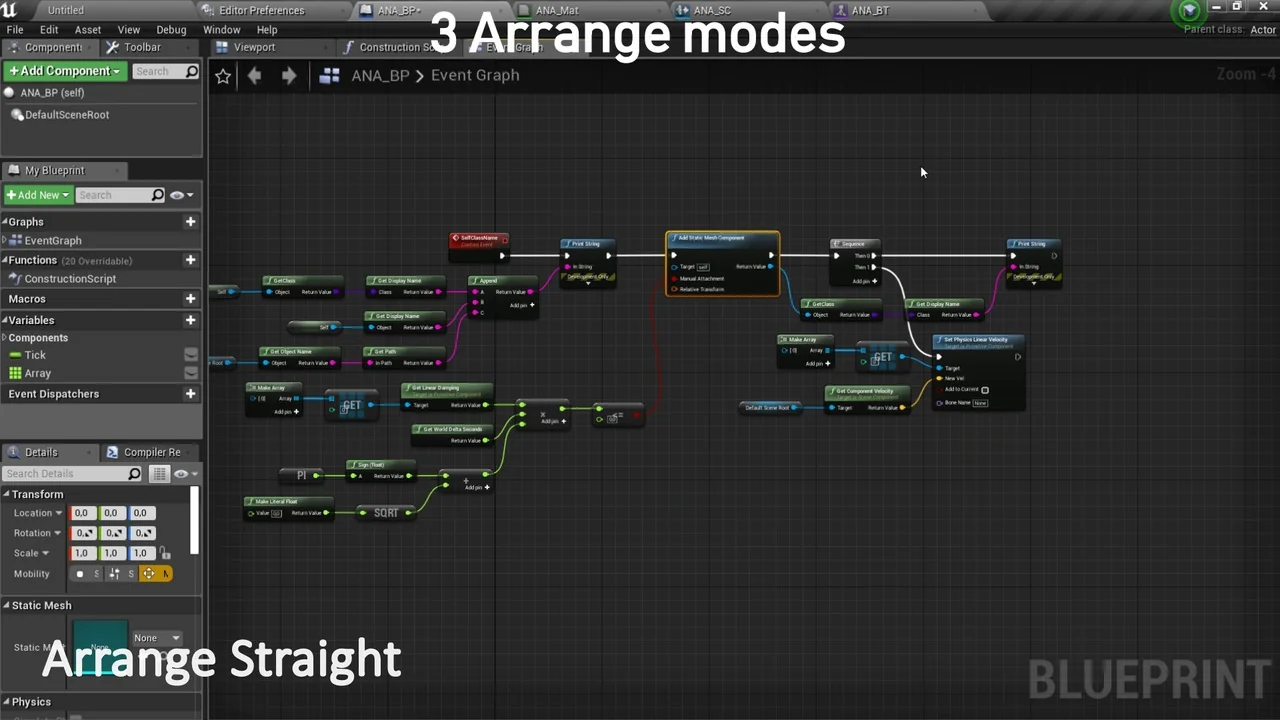
The beta arrangement release includes one arrangement style: Straight. Only the Straight arrangement is available in the beta. The beta does not yet group all connected graph nodes; that capability is listed as not yet available. Those limits are important for anyone expecting a fully automatic grouping pass. If Straight is not what you need, there is an option to disable the beta arrangement. There is also an option to enable the beta reroute arrangement. Reroutes can be part of graph layout, and this toggle brings the beta reroute arrangement into play.
Because this is beta, feature coverage is partial. Missing features are planned for future versions, along with improvements to the current ones. The next version is expected in early August. Until then, the Straight arrangement is the available beta layout, with the disable and reroute toggles giving control over how much beta behavior is active. The plugin is still usable as an arrangement tool, but the beta label is a fair signal that some layout options are not finished yet.
Arrange Selection returns, and Material Arrangement gets a fix
The July 10 update fixed the current issue on Material Arrangement. It also put Arrange Selection only back. That gives a way to arrange only the selected portion rather than invoking arrangement for the whole graph. For material graphs, the fix removes a known issue. For selection-based work, the restored command makes it possible to tidy a specific area while leaving the rest of the graph alone.
The next version has an early-August ETA. Some future versions will add missing features and improve current ones. The update history shows a tool that is still filling out, with the core arrangement function already present and specific gaps being addressed release by release. Material Arrangement and selection-only arrangement are two practical areas that received attention in the July 10 update.
Crash handling, registration, and file-based saves
After several reports of crashes with the plugin, a new version was released to fix or at least handle all of them. Crash handling was improved. The Register All Nodes command was removed because registration is now automatic. Saves are now written in files instead of project settings. GitHub issues are now available.
These changes are less visible than arrangement styles, but they affect day-to-day use. Automatic registration removes a manual command from the workflow. File-based saves move persistence away from project settings. Improved crash handling addresses the stability reports directly. The presence of GitHub issues gives a place to track problems as the plugin develops. None of these changes alter what the plugin is for, but they shape how reliably it fits into an editor session.
Fitting Auto Node Arranger into an editor workflow
Use it when a graph has crossed from workable to visually noisy. Because arrangement works across all graph types, the same step can be applied in different graph contexts. The arrangement is customizable, so the goal is not a single house style; it is a layout that matches the graph you want. The beta controls let you turn off the beta arrangement or enable the beta reroute arrangement when reroutes are part of the picture.
Material-focused work has a direct entry point through the Material Arrangement fix. Selection-focused work has the restored Arrange Selection only option. For broader graph cleanup, the Straight beta is the available arrangement style. Compatibility notes list Circular Dependencies Detector.
Auto Node Arranger is most relevant to people who spend time inside node graphs and would rather automate layout than place every node by hand. The plugin is still in beta, with missing features and improvements planned for future versions. Its practical value is in reducing the manual arranging step while keeping control through customization and beta toggles.
 Automations
 Automations
 Automations
 Automations