"fa182e0cd0a6ea73"{"id":"27256","slug":"ultimate-engine-copilot-formerly-ultimate-blueprint-generator","title":"Ultimate Engine CoPilot (formerly Ultimate Blueprint Generator)","category":"Automations","engine":"0.3.5 - 1.3.5","assetVersion":"Engine version: 5.4 - 5.7","engineVersion":"Asset Version:0.3.5 - 1.3.5","tag":"Automations","accent":"blue","visual":"city","summary":"Ultimate Engine CoPilot keeps Blueprint setup, VFX work, UI creation, and other editor tasks inside Unreal Engine. It responds to natural language, supports voice input, and can run multiple AI agents while you work.","platform":"Unreal Engine","publishedAt":"2026-04-23T06:55:26.000Z","updatedAt":"2026-07-05T09:41:32.225Z","sourceNotes":[],"fileContents":[],"compatibility":["Unreal Engine","Engine version: 5.4 - 5.7","Asset Version:0.3.5 - 1.3.5"],"featuredImage":{"alt":"Ultimate Engine CoPilot (formerly Ultimate Blueprint Generator)","src":"https://3dcghub.com/wp-content/uploads/2026/04/fd75d459aa77_025b3508-1406-4cd3-96bf-9537f34d3d5f.webp"},"hasDownloadLink":true,"downloads":20,"terms":[{"taxonomy":"category","slug":"automations-tools-and-plugins","name":"Automations"},{"taxonomy":"post_tag","slug":"plugins","name":"Plugins"},{"taxonomy":"post_tag","slug":"unreal-engine-5","name":"Unreal Engine 5"},{"taxonomy":"post_tag","slug":"vfx","name":"VFX"}],"galleryImages":[{"src":"https://3dcghub.com/wp-content/uploads/2026/04/14366bccdc28_7aac83e3-9c3f-433b-b222-e9a9e0f7b6d1.webp","alt":"Ultimate Engine CoPilot (formerly Ultimate Blueprint Generator)"},{"src":"https://3dcghub.com/wp-content/uploads/2026/04/2c41d1801483_a0a60f25-a648-4e34-93c1-3af7738de99b.webp","alt":"Ultimate Engine CoPilot (formerly Ultimate Blueprint Generator)"},{"src":"https://3dcghub.com/wp-content/uploads/2026/04/a77208aa9521_4d44f4f1-6efe-47f9-ad4b-da0feb71fa51.webp","alt":"Ultimate Engine CoPilot (formerly Ultimate Blueprint Generator)"},{"src":"https://3dcghub.com/wp-content/uploads/2026/04/98e0e98c0cc5_fead31f5-b7be-4393-8c55-741becd36c77.webp","alt":"Ultimate Engine CoPilot (formerly Ultimate Blueprint Generator)"},{"src":"https://3dcghub.com/wp-content/uploads/2026/04/526ee3ae2343_53e7aec5-d56e-467b-833f-9040f99d2def.webp","alt":"Ultimate Engine CoPilot (formerly Ultimate Blueprint Generator)"},{"src":"https://3dcghub.com/wp-content/uploads/2026/04/807b8fd44561_a455a332-8b79-4b2d-bebf-adc985a5f10b.webp","alt":"Ultimate Engine CoPilot (formerly Ultimate Blueprint Generator)"},{"src":"https://3dcghub.com/wp-content/uploads/2026/04/3021e6d50657_1716af69-511b-4aab-9c7f-7b59d0aac5f9.webp","alt":"Ultimate Engine CoPilot (formerly Ultimate Blueprint Generator)"},{"src":"https://3dcghub.com/wp-content/uploads/2026/04/009b4b5407f5_d911ca10-a4d7-4bff-969d-10439e306ca7.webp","alt":"Ultimate Engine CoPilot (formerly Ultimate Blueprint Generator)"},{"src":"https://3dcghub.com/wp-content/uploads/2026/04/d4fcd12c6af7_e4bc5be1-234e-4823-9fe4-a2dbdf973c4d.webp","alt":"Ultimate Engine CoPilot (formerly Ultimate Blueprint Generator)"},{"src":"https://3dcghub.com/wp-content/uploads/2026/04/68a509ae9668_2ac913ab-4fda-4e2c-8e6c-175f140a940a.webp","alt":"Ultimate Engine CoPilot (formerly Ultimate Blueprint Generator)"}],"accessPanel":{"kind":"resource","title":"Download this resource","eyebrow":"Free Download","message":"Log in or create a free account to start your download.","fileName":"Ultimate Engine CoPilot (formerly Ultimate Blueprint Generator).7z","safetyNote":"Resources are manually reviewed before listing to improve quality and reduce obvious risks.","actionLabel":"Download Free","resourceType":"Resource archive"},"contentHtml":"\u003cp\u003eWhen a project needs Blueprints, UI, materials, or VFX without leaving Unreal Editor, Ultimate Engine CoPilot keeps the work in one place. It uses natural language to create and edit systems directly in the editor, and version 1.0 is live after a beta period.\u003c/p\u003e\n\u003cp\u003eThe plugin is positioned as an AI copilot for Unreal Engine 5, with support for prompt-driven setup, voice interaction, project analysis, and concurrent AI agents. Its toolset spans more than 1,050 actions, so the workflow is not limited to chat-style guidance; it is built to carry out editor tasks directly.\u003c/p\u003e \u003ch2\u003eFrom a prompt to a working Blueprint\u003c/h2\u003e\n\u003cp\u003eBlueprint generation is the most direct part of the workflow.\u003c/p\u003e\n\u003cp\u003eYou can create Blueprints, add variables, functions, components, macros, and interfaces, and build full event graphs from a single prompt. The AI places nodes, wires connections, sets defaults, and compiles the code. That same hands-on approach extends into animation systems, including BlendSpaces, Montages, Composites, Aim Offsets, AnimBP state machines, AnimGraph chains, IK nodes, virtual bones, motion warping, and sync groups.\u003c/p\u003e\n\u003cp\u003eThis makes the plugin useful when setup work is slowing down prototyping. Rather than treating the editor as a place to stop and assemble boilerplate by hand, it turns common Blueprint and animation tasks into prompt-driven actions that stay inside the same workflow.\u003c/p\u003e \u003ch2\u003eMaterials, Niagara, widgets, and cinematic setup\u003c/h2\u003e\n\u003cp\u003eVisual production work follows the same pattern.\u003c/p\u003e\n\u003cp\u003eMaterials can be created as materials, instances, and parameter collections, with full material graph editing that includes adding, connecting, deleting, and auto-layout. Material layers, blends, and static switches are included as part of that workflow. Niagara support covers systems and emitters, along with modules, renderers, parameters, distribution curves, and data interfaces.\u003c/p\u003e\n\u003cp\u003eIt also reaches into Sequencer and cinematics with level sequences, actor bindings, camera rigs such as rail and crane setups, visibility tracks, MRQ rendering, sub-sequences, and keyframe control. UMG widget work is handled through full widget hierarchies, with layout editing, property changes, slots, anchors, image brushes, and widget animation keyframes. For procedural world building, PCG support includes graphs, node connections, mesh spawners, transform randomizers, slope and noise filters, subgraphs, and self-pruning.\u003c/p\u003e \u003ch2\u003eProject scanning, voice, and concurrent AI agents\u003c/h2\u003e\n\u003cp\u003eSetup does not stop at generation tools.\u003c/p\u003e\n\u003cp\u003eThe plugin includes a project scanner that indexes the whole project so deeper architectural questions can be asked of the AI. It can generate visual diagrams in the chat, including dependency graphs, inheritance trees, flowcharts, and pie charts. Unreal Insights profiling is also built in, with one-click performance profiling and AI-driven trace analysis to help identify bottlenecks.\u003c/p\u003e\n\u003cp\u003eVoice control is part of the workflow as well. You can talk to the engine hands-free, record through a microphone with Speech-to-Text using Whisper, and hear responses through six adjustable TTS voices. For AI setup, it starts with two free-tier slots using real models and no API key is required to begin. Up to nine API keys can be configured with hotkey switching, and the supported options include Claude, OpenAI, Gemini, DeepSeek, OpenRouter, and local LLMs such as Ollama and LM Studio. The plugin can also run Claude Code, Codex, GitHub Copilot, and Gemini CLI agents at the same time inside the editor through MCP access to the available tools.\u003c/p\u003e \u003ch2\u003eA learning layer that stays inside the editor\u003c/h2\u003e\n\u003cp\u003eThere is a structured learning system built into the plugin itself.\u003c/p\u003e\n\u003cp\u003eIt includes documentation, structured courses, a visual Skill Tree, XP leveling, daily streaks, achievements, and a global leaderboard. The native UI is supported in 20 languages: English, Spanish, French, German, Chinese, Japanese, Russian, Portuguese, Korean, Italian, Arabic, Dutch, Turkish, Polish, Vietnamese, Indonesian, Hindi, Romanian, Thai, and Ukrainian.\u003c/p\u003e\n\u003cp\u003eIn practice, that makes the tool fit teams and solo developers who want AI-assisted setup without leaving the editor to study the workflow elsewhere. It runs on Windows, macOS, and Linux in editor-only form, and it supports Unreal Engine 5.5, 5.6, and 5.7, with 5.4 planned to go live later.\u003c/p\u003e \u003ch2\u003eWhere it fits in production\u003c/h2\u003e\n\u003cp\u003eUltimate Engine CoPilot is most at home in projects where editor time matters across systems, not just in one corner of production. Blueprint assembly, animation setup, Niagara work, materials, widgets, PCG graphs, behavior trees, State Trees, and Gameplay Ability System tasks all sit in the same environment, alongside project analysis and voice-driven control.\u003c/p\u003e\n\u003cp\u003eThat combination makes it a practical fit for teams that want prompt-based creation, direct editor editing, and AI agents working side by side while the project stays open in Unreal Engine.\u003c/p\u003e\n\n\u003ch2\u003eRelated Resources Worth Checking\u003c/h2\u003e\n\u003cul\u003e\n\u003cli\u003e\u003ca href=\"https://3dcghub.com/shootlikeme-unreal-engine-third-person-shooter-template/\" title=\"ShootLikeMe – Unreal Engine Third Person Shooter Template\"\u003eShootLikeMe – Unreal Engine Third Person Shooter Template\u003c/a\u003e\u003c/li\u003e\n\u003cli\u003e\u003ca href=\"https://3dcghub.com/advanced-unreal-engine-5-multiplayer-gameplay-programming/\" title=\"Advanced Unreal Engine 5 Multiplayer Gameplay Programming\"\u003eAdvanced Unreal Engine 5 Multiplayer Gameplay Programming\u003c/a\u003e\u003c/li\u003e\n\u003cli\u003e\u003ca href=\"https://3dcghub.com/niagara-beginners-to-advanced-in-unreal-engine-5/\" title=\"Niagara Beginners to advanced in Unreal Engine 5\"\u003eNiagara Beginners to advanced in Unreal Engine 5\u003c/a\u003e\u003c/li\u003e\n\u003cli\u003e\u003ca href=\"https://3dcghub.com/create-zelda-like-skills-with-c-in-unreal-engine-5-2/\" title=\"Create Zelda-like skills with C++ in unreal engine 5\"\u003eCreate Zelda-like skills with C++ in unreal engine 5\u003c/a\u003e\u003c/li\u003e\n\u003cli\u003e\u003ca href=\"https://3dcghub.com/main-menus-beginner-class-unreal-engine-5/\" title=\"Main Menus Beginner Class – Unreal Engine 5\"\u003eMain Menus Beginner Class – Unreal Engine 5\u003c/a\u003e\u003c/li\u003e\n\u003c/ul\u003e","contentTextLength":5197,"navigation":{"current":1588,"total":3789,"previous":{"id":"1000351","slug":"wildlands-stylized-nature-pine-forest-trees-foliage-nature-forest-biome","title":"Wildlands: Stylized Nature (Pine Forest, Trees, Foliage, Nature, Forest, Biome)","category":"Forest \u0026 Jungle","platform":"Unreal Engine","updatedAt":"2026-07-05T09:58:16.836Z"},"next":{"id":"1000350","slug":"triangle-count-view-mode","title":"Triangle Count View Mode","category":"Engine Tools","platform":"Unreal Engine","updatedAt":"2026-07-05T09:38:55.724Z"}},"relatedResources":[{"id":"13760","slug":"blueprint-generator-ai-kibibyte-labs-engine-assistant","title":"AI Engine Assistant - Kibibyte Labs (Blueprint Generator \u0026 More!)","category":"Engine Tools","engine":"0.1.4","assetVersion":"Engine version: 5.2 - 5.7","engineVersion":"Asset Version: 0.1.4","tag":"Engine Tools","accent":"blue","visual":"character","summary":"Blueprint Generator Ai - Kibibyte Labs (Engine Assistant) is a powerful tool designed to transform natural language into functional Unreal Engine Blueprints. It offers a suite of modules for generating logic, explaining complex nodes, and optimizing the dev...","platform":"Unreal Engine","publishedAt":"2026-03-11T09:58:02.000Z","updatedAt":"2026-07-09T21:24:04.089Z","sourceNotes":[],"fileContents":[],"compatibility":["Unreal Engine","Engine version: 5.2 - 5.7","Asset Version: 0.1.4"],"featuredImage":{"alt":"Blueprint Generator Ai - Kibibyte Labs (Engine Assistant)","src":"https://3dcghub.com/wp-content/uploads/2026/03/ff365004-07a8-4633-90ac-7c9a038cc81d.webp"},"hasDownloadLink":true,"downloads":2},{"id":"16965","slug":"ultimate-scan-effects-and-screen-effects","title":"Ultimate Scan Effects and Screen Effects","category":"Transition","engine":"5.1+","assetVersion":"Engine version: 5.1+","engineVersion":"5.1","tag":"Transition","accent":"blue","visual":"character","summary":"Enhance your gaming visuals with over 20 distinctive scan effects and advanced post-processing materials. This package includes blueprint integration and object highlighting systems for professional environment design.","platform":"Unreal Engine","publishedAt":"2026-03-12T18:18:56.000Z","updatedAt":"2026-04-19T15:43:40.000Z","sourceNotes":[],"fileContents":[],"compatibility":["Unreal Engine","Engine version: 5.1+"],"featuredImage":{"alt":"Ultimate Scan Effects and Screen Effects","src":"https://3dcghub.com/wp-content/uploads/2026/03/07aa1530-ea1a-422b-a1b1-39644cfa57ee.webp"},"hasDownloadLink":true,"downloads":1},{"id":"28545","slug":"acf-u-ascent-combat-framework-ultimate-v4-c-complete-action-rpg-creator","title":"(ACF U) Ascent Combat Framework Ultimate V4- C++ Complete Action RPG Creator","category":"Game Mechanics","engine":"5.7","assetVersion":"Engine version: 5.7","engineVersion":"Asset Version:4.2.4","tag":"Game Mechanics","accent":"blue","visual":"luts","summary":"Ascent Combat Framework Ultimate brings combat, progression, UI, questing, dialogue, riding, and world systems into one extendable C++ framework for Unreal. It pairs production-oriented architecture with a ready-to-go sample project and broad Blueprint supp...","platform":"Unreal Engine","publishedAt":"2026-05-17T12:50:27.000Z","updatedAt":"2026-05-17T12:50:28.000Z","sourceNotes":[],"fileContents":[],"compatibility":["Unreal Engine","Engine version: 5.7","Asset Version: 4.2.4"],"featuredImage":{"alt":"(ACF U) Ascent Combat Framework Ultimate V4- C++ Complete Action RPG Creator","src":"https://3dcghub.com/wp-content/uploads/2026/05/db863b590c9f_97457578-1381-47fc-a623-73e693c9ec32.webp"},"hasDownloadLink":true,"downloads":8}]}
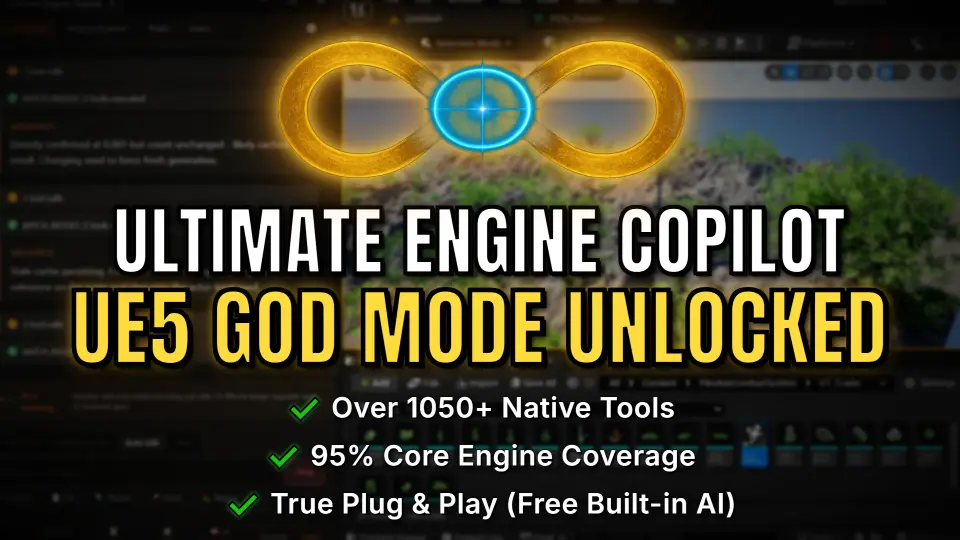
Ultimate Engine CoPilot keeps Blueprint setup, VFX work, UI creation, and other editor tasks inside Unreal Engine. It responds to natural language, supports voice input, and can run multiple AI agents while you work.
When a project needs Blueprints, UI, materials, or VFX without leaving Unreal Editor, Ultimate Engine CoPilot keeps the work in one place. It uses natural language to create and edit systems directly in the editor, and version 1.0 is live after a beta period.
The plugin is positioned as an AI copilot for Unreal Engine 5, with support for prompt-driven setup, voice interaction, project analysis, and concurrent AI agents. Its toolset spans more than 1,050 actions, so the workflow is not limited to chat-style guidance; it is built to carry out editor tasks directly.
From a prompt to a working Blueprint
Blueprint generation is the most direct part of the workflow.
You can create Blueprints, add variables, functions, components, macros, and interfaces, and build full event graphs from a single prompt. The AI places nodes, wires connections, sets defaults, and compiles the code. That same hands-on approach extends into animation systems, including BlendSpaces, Montages, Composites, Aim Offsets, AnimBP state machines, AnimGraph chains, IK nodes, virtual bones, motion warping, and sync groups.
This makes the plugin useful when setup work is slowing down prototyping. Rather than treating the editor as a place to stop and assemble boilerplate by hand, it turns common Blueprint and animation tasks into prompt-driven actions that stay inside the same workflow.
Materials, Niagara, widgets, and cinematic setup
Visual production work follows the same pattern.
Materials can be created as materials, instances, and parameter collections, with full material graph editing that includes adding, connecting, deleting, and auto-layout. Material layers, blends, and static switches are included as part of that workflow. Niagara support covers systems and emitters, along with modules, renderers, parameters, distribution curves, and data interfaces.
It also reaches into Sequencer and cinematics with level sequences, actor bindings, camera rigs such as rail and crane setups, visibility tracks, MRQ rendering, sub-sequences, and keyframe control. UMG widget work is handled through full widget hierarchies, with layout editing, property changes, slots, anchors, image brushes, and widget animation keyframes. For procedural world building, PCG support includes graphs, node connections, mesh spawners, transform randomizers, slope and noise filters, subgraphs, and self-pruning.
Project scanning, voice, and concurrent AI agents
Setup does not stop at generation tools.
The plugin includes a project scanner that indexes the whole project so deeper architectural questions can be asked of the AI. It can generate visual diagrams in the chat, including dependency graphs, inheritance trees, flowcharts, and pie charts. Unreal Insights profiling is also built in, with one-click performance profiling and AI-driven trace analysis to help identify bottlenecks.
Voice control is part of the workflow as well. You can talk to the engine hands-free, record through a microphone with Speech-to-Text using Whisper, and hear responses through six adjustable TTS voices. For AI setup, it starts with two free-tier slots using real models and no API key is required to begin. Up to nine API keys can be configured with hotkey switching, and the supported options include Claude, OpenAI, Gemini, DeepSeek, OpenRouter, and local LLMs such as Ollama and LM Studio. The plugin can also run Claude Code, Codex, GitHub Copilot, and Gemini CLI agents at the same time inside the editor through MCP access to the available tools.
A learning layer that stays inside the editor
There is a structured learning system built into the plugin itself.
It includes documentation, structured courses, a visual Skill Tree, XP leveling, daily streaks, achievements, and a global leaderboard. The native UI is supported in 20 languages: English, Spanish, French, German, Chinese, Japanese, Russian, Portuguese, Korean, Italian, Arabic, Dutch, Turkish, Polish, Vietnamese, Indonesian, Hindi, Romanian, Thai, and Ukrainian.
In practice, that makes the tool fit teams and solo developers who want AI-assisted setup without leaving the editor to study the workflow elsewhere. It runs on Windows, macOS, and Linux in editor-only form, and it supports Unreal Engine 5.5, 5.6, and 5.7, with 5.4 planned to go live later.
Where it fits in production
Ultimate Engine CoPilot is most at home in projects where editor time matters across systems, not just in one corner of production. Blueprint assembly, animation setup, Niagara work, materials, widgets, PCG graphs, behavior trees, State Trees, and Gameplay Ability System tasks all sit in the same environment, alongside project analysis and voice-driven control.
That combination makes it a practical fit for teams that want prompt-based creation, direct editor editing, and AI agents working side by side while the project stays open in Unreal Engine.
 Automations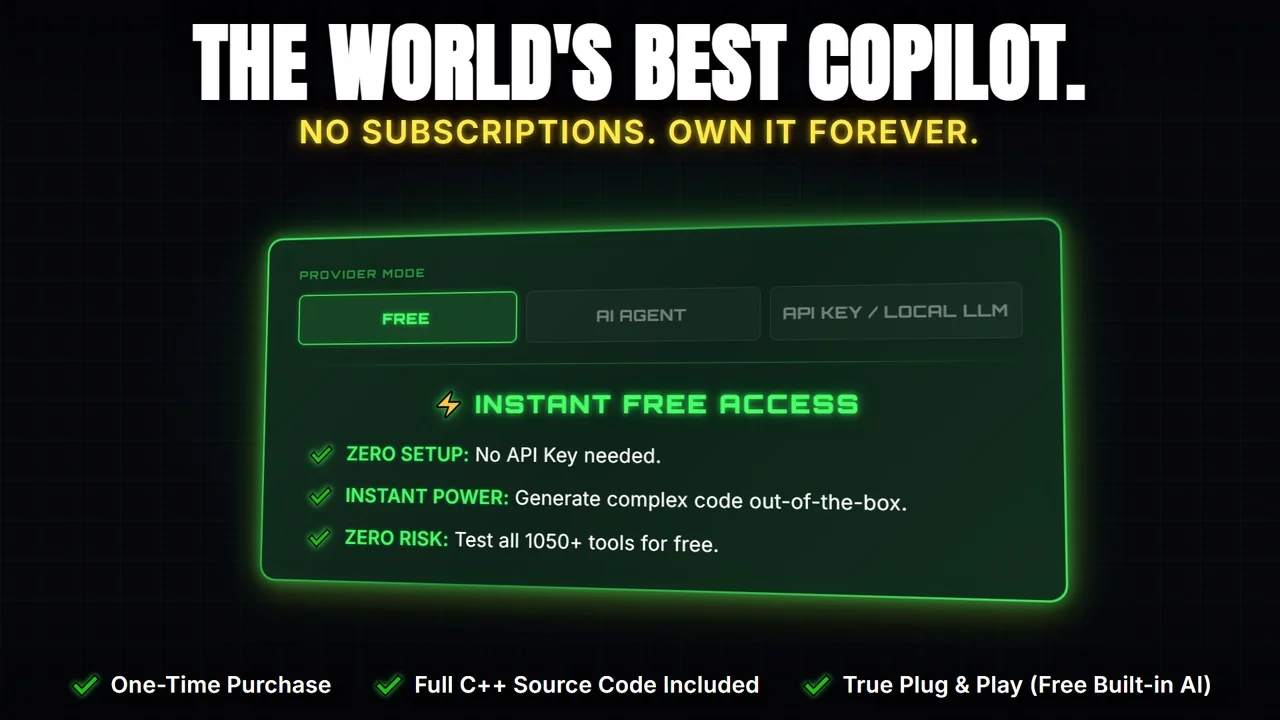
 Engine Tools
 Transition
 Game Mechanics