"6f9bd6df1f44a86f"{"id":"1002294","slug":"auto-instance","title":"Auto Instance","category":"Gameplay Features","engine":"4.26+,5.0+","assetVersion":"","engineVersion":"Engine Version: 4.26+,5.0+","tag":"Gameplay Features","accent":"blue","visual":"mech","summary":"Auto Instance converts Static Mesh Actors in existing levels into Hierarchical or Instanced Static Mesh actors, with a threshold and one-click targeting.","platform":"Unreal Engine","indexPolicy":"index","publishedAt":"2026-11-04T05:22:04.042Z","updatedAt":"2026-11-04T05:22:04.042Z","sourceNotes":[],"fileContents":[],"compatibility":["Unreal Engine","Engine Version: 4.26+,5.0+"],"featuredImage":{"alt":"Auto Instance","src":"/wp-content/uploads/published/2026/11/b31daade89b7-1334a2ea-c735-4714-adcd-9c437d80b7aa-7a48a60d94.webp"},"hasDownloadLink":true,"downloads":1,"terms":[{"taxonomy":"category","slug":"gameplay-features","name":"Gameplay Features"}],"galleryImages":[{"src":"/wp-content/uploads/published/2026/11/c948fbcdac58-9a3d4692-60f7-4b15-b702-908d149f28e8-5db37a65aa.webp","alt":"Auto Instance"}],"accessPanel":{"kind":"resource","title":"Download this resource","eyebrow":"Free Download","message":"Log in or create a free account to start your download.","fileName":"Auto Instance.7z","safetyNote":"Resources are manually reviewed before listing to improve quality and reduce obvious risks.","actionLabel":"Download Free","resourceType":"Resource archive"},"contentHtml":"\u003ch2\u003eAuto Instance at the level scale\u003c/h2\u003e\n\u003cp\u003eAuto Instance is a Blueprint-tagged tool that operates on Static Mesh Actors already placed in a level. Its central action is a batch conversion: rather than changing actors one by one, it looks at the Static Mesh Actors in the level, applies a threshold, and converts the ones that qualify into either a Hierarchical Static Mesh actor or an Instanced Static Mesh actor. The operation is described as a one-click conversion. The tool is imported, then clicked to run.\u003c/p\u003e\n\u003cp\u003eThe working boundary is the level itself. Auto Instance is not presented as a modeling tool or a material tool, and it does not require a new scene to be built before conversion. It will work with existing levels, which means the Static Mesh Actors already present in a project can serve as the input. All changes can be saved to the level afterward.\u003c/p\u003e \u003ch2\u003eStatic Mesh Actors over the threshold\u003c/h2\u003e\n\u003cp\u003eThe threshold is the condition that separates the actors included in the batch from those outside it. Auto Instance converts all Static Mesh Actors over the threshold. That wording makes the tool selective at the actor level while remaining automatic across the level; there is no actor-by-actor selection step described for each qualifying Static Mesh Actor. The threshold is part of the conversion setup, not an optional afterthought.\u003c/p\u003e\n\u003cp\u003eBecause the conversion is automatic and threshold-driven, the tool reads as a way to process repeated placement in a level without rebuilding that placement by hand. A level can hold many Static Mesh Actors, and the conversion step is aimed at the ones that meet the threshold. That leaves either a Hierarchical Static Mesh actor or an Instanced Static Mesh actor, depending on the conversion path selected.\u003c/p\u003e \u003ch2\u003eAll different meshes or one particular mesh\u003c/h2\u003e\n\u003cp\u003eScope is a separate decision from the threshold. Auto Instance can target either all different meshes or one particular mesh. The first scope covers variety: a level with multiple distinct Static Mesh Actors can be processed with the tool aimed at all of the different meshes that qualify. The second scope narrows the operation to a single mesh, which keeps the conversion focused when only that mesh is intended to change.\u003c/p\u003e\n\u003cp\u003eThat distinction matters in a level where the Static Mesh Actor population is mixed. Targeting all different meshes keeps the batch broad, while targeting one particular mesh keeps the same click-driven action from moving across the rest of the scene. Neither route implies extra modeling work; the tool is still operating on the Static Mesh Actors present in the level.\u003c/p\u003e \u003ch2\u003eHierarchical or Instanced Static Mesh output\u003c/h2\u003e\n\u003cp\u003eAuto Instance does not produce a generic replacement actor. The qualifying Static Mesh Actors become either a Hierarchical Static Mesh actor or an Instanced Static Mesh actor. Those are the two output types named in the tool’s conversion step. The choice between them sits alongside the threshold and the target scope, forming three concrete parts of the conversion: what qualifies, what is targeted, and which instanced actor type receives the result.\u003c/p\u003e\n\u003cp\u003eBoth output types are instanced forms, so the conversion is not simply a rename or a tag change. The level’s Static Mesh Actors are converted into one of the two instanced actor forms. That is the practical center of the asset: it changes actor type in the level, then lets the altered level keep the changes.\u003c/p\u003e \u003ch2\u003eExisting levels, saved changes, and the pre-4.22 note\u003c/h2\u003e\n\u003cp\u003eAuto Instance is built to operate inside a level that already has content. The tool will work with existing levels, and all changes can be saved to that level. This makes the conversion part of level maintenance rather than a separate authoring pass. A scene can be opened, the tool imported, the threshold and target scope set, and the conversion run with one click.\u003c/p\u003e\n\u003cp\u003eSaving is a deliberate part of the workflow. The conversion is not presented as a temporary preview that disappears when the level is closed; the changes can be saved to the level. That supports a workflow where a level is adjusted in place and the converted actors remain part of the saved scene. The same one-click action is intended to be enough to carry out the conversion, with no multi-step actor-by-actor process described.\u003c/p\u003e\n\u003cp\u003eOne notation needs to stay attached to Auto Instance: performance indications are based on pre-4.22 engine functionality. That applies to any performance expectation around the tool. The conversion behavior itself is described in terms of Static Mesh Actors, thresholds, target scopes, and Hierarchical or Instanced Static Mesh output; the performance note is a separate qualification tied to an earlier engine state. For a team reading the tool as a level conversion utility, that note keeps the evaluation anchored. Auto Instance is presented as a one-click batch converter for Static Mesh Actors in existing levels, with performance indications carrying the pre-4.22 context.\u003c/p\u003e \u003ch2\u003eWhere the one-click Blueprint fits\u003c/h2\u003e\n\u003cp\u003eAuto Instance fits teams and individuals who already have a level populated with Static Mesh Actors and want those actors converted without manually selecting and changing each one. The threshold handles qualification, the scope handles all different meshes versus one particular mesh, and the output type handles Hierarchical versus Instanced Static Mesh. A single click runs the conversion, and the result can be saved into the level.\u003c/p\u003e\n\u003cp\u003eThe strongest fit is an existing level with repeated Static Mesh Actor placement or a mix of meshes where only the qualifying actors should change. Because the tool works with existing levels and saves changes to them, it can be brought into a level that is already in use. The Blueprint tag places the package in the Blueprint category. The practical takeaway is simple: Auto Instance is a level-wide conversion step for Static Mesh Actors, with threshold, scope, output type, and saved level changes as its concrete working parts.\u003c/p\u003e\n\n\u003ch2\u003eContinue Browsing Similar Packs\u003c/h2\u003e\n\u003cul\u003e\n\u003cli\u003e\u003ca href=\"https://3dcghub.com/blutility-plus-material-and-instance-options/\" rel=\"noopener noreferrer\"\u003eBlutility Plus - Material and Instance Options\u003c/a\u003e\u003c/li\u003e\n\u003cli\u003e\u003ca href=\"https://3dcghub.com/replicated-building-system/\" rel=\"noopener noreferrer\"\u003eReplicated Building System\u003c/a\u003e\u003c/li\u003e\n\u003cli\u003e\u003ca href=\"https://3dcghub.com/timers-clocks-and-counters-pack/\" rel=\"noopener noreferrer\"\u003eTimers, Clocks and Counters Pack\u003c/a\u003e\u003c/li\u003e\n\u003cli\u003e\u003ca href=\"https://3dcghub.com/advanced-lock-on-system/\" rel=\"noopener noreferrer\"\u003eAdvanced Lock-on System\u003c/a\u003e\u003c/li\u003e\n\u003cli\u003e\u003ca href=\"https://3dcghub.com/world-event-scripted-events-simplified/\" rel=\"noopener noreferrer\"\u003eWorld Event - Scripted events simplified\u003c/a\u003e\u003c/li\u003e\n\u003c/ul\u003e","contentTextLength":6123,"navigation":{"current":2,"total":4218,"previous":{"id":"1002295","slug":"auto-node-arranger","title":"Auto Node Arranger","category":"Automations","platform":"Unreal Engine","updatedAt":"2026-11-04T05:22:47.310Z"},"next":{"id":"1002293","slug":"align-tool","title":"Align Tool","category":"Engine Tools","platform":"Unreal Engine","updatedAt":"2026-11-04T05:21:40.897Z"}},"relatedResources":[{"id":"10615","slug":"blutility-plus-material-and-instance-options","title":"Blutility Plus - Material and Instance Options","category":"Gameplay Features","engine":"4.26+,5.0+","assetVersion":"Engine version: 4.26+,5.0+","engineVersion":"5.1","tag":"Gameplay Features","accent":"blue","visual":"luts","summary":"Blutility Plus - Material and Instance Options is a lightweight toolset designed to automate material management in Unreal Engine. It offers five key quality-of-life improvements to handle batch assignments and parameter overrides efficiently.","platform":"Unreal Engine","indexPolicy":"index","publishedAt":"2026-03-03T15:48:27.000Z","updatedAt":"2026-04-19T15:49:58.000Z","sourceNotes":[],"fileContents":[],"compatibility":["Unreal Engine","Engine version: 4.26+,5.0+"],"featuredImage":{"alt":"Blutility Plus - Material and Instance Options","src":"https://3dcghub.com/wp-content/uploads/2026/03/f710c205-d4fe-4128-af2a-71a87387a310.webp"},"hasDownloadLink":true,"downloads":0},{"id":"11071","slug":"replicated-building-system","title":"Replicated Building System","category":"Gameplay Features","engine":"4.27,5.0+","assetVersion":"Engine version: 4.27,5.0+","engineVersion":"4.27","tag":"Gameplay Features","accent":"blue","visual":"audio","summary":"The Replicated Building System offers a comprehensive suite of features for item placement in both singleplayer and multiplayer environments. It includes advanced rotation, zooming, and auto-snapping capabilities.","platform":"Unreal Engine","indexPolicy":"index","publishedAt":"2026-03-03T16:52:44.000Z","updatedAt":"2026-04-19T15:49:50.000Z","sourceNotes":[],"fileContents":[],"compatibility":["Unreal Engine","Engine version: 4.27,5.0+"],"featuredImage":{"alt":"Replicated Building System","src":"https://3dcghub.com/wp-content/uploads/2026/03/b76dfc40-036d-4165-885a-4a6810ad6234.webp"},"hasDownloadLink":true,"downloads":0},{"id":"1002234","slug":"timers-clocks-and-counters-pack","title":"Timers, Clocks and Counters Pack","category":"Gameplay Features","engine":"5.0+","assetVersion":"","engineVersion":"Engine Version: 5.0+","tag":"Gameplay Features","accent":"blue","visual":"mech","summary":"Configure 15 functional Blueprints, modular pieces, and dynamic material instances with the Timers, Clocks and Counters Pack.","platform":"Unreal Engine","indexPolicy":"index","publishedAt":"2026-10-29T15:38:30.257Z","updatedAt":"2026-10-29T15:38:30.257Z","sourceNotes":[],"fileContents":[],"compatibility":["Unreal Engine","Engine Version: 5.0+"],"featuredImage":{"alt":"Timers, Clocks and Counters Pack","src":"/wp-content/uploads/published/2026/10/3bb81f2f1e7f-835ec9fc-dc7a-4658-84e3-967947783142-03e04d76a0.webp"},"hasDownloadLink":true,"downloads":0}]}
Gameplay Features
Auto Instance
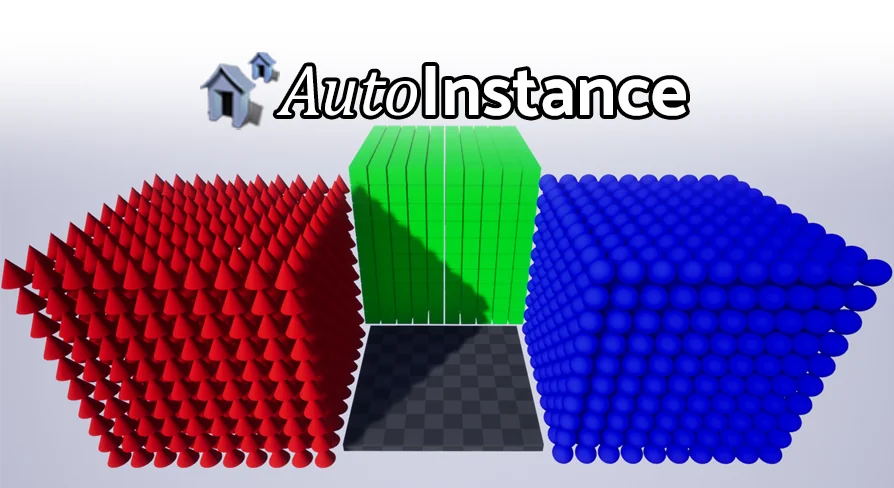
Auto Instance converts Static Mesh Actors in existing levels into Hierarchical or Instanced Static Mesh actors, with a threshold and one-click targeting.
Auto Instance is a Blueprint-tagged tool that operates on Static Mesh Actors already placed in a level. Its central action is a batch conversion: rather than changing actors one by one, it looks at the Static Mesh Actors in the level, applies a threshold, and converts the ones that qualify into either a Hierarchical Static Mesh actor or an Instanced Static Mesh actor. The operation is described as a one-click conversion. The tool is imported, then clicked to run.
The working boundary is the level itself. Auto Instance is not presented as a modeling tool or a material tool, and it does not require a new scene to be built before conversion. It will work with existing levels, which means the Static Mesh Actors already present in a project can serve as the input. All changes can be saved to the level afterward.
Static Mesh Actors over the threshold
The threshold is the condition that separates the actors included in the batch from those outside it. Auto Instance converts all Static Mesh Actors over the threshold. That wording makes the tool selective at the actor level while remaining automatic across the level; there is no actor-by-actor selection step described for each qualifying Static Mesh Actor. The threshold is part of the conversion setup, not an optional afterthought.
Because the conversion is automatic and threshold-driven, the tool reads as a way to process repeated placement in a level without rebuilding that placement by hand. A level can hold many Static Mesh Actors, and the conversion step is aimed at the ones that meet the threshold. That leaves either a Hierarchical Static Mesh actor or an Instanced Static Mesh actor, depending on the conversion path selected.
All different meshes or one particular mesh
Scope is a separate decision from the threshold. Auto Instance can target either all different meshes or one particular mesh. The first scope covers variety: a level with multiple distinct Static Mesh Actors can be processed with the tool aimed at all of the different meshes that qualify. The second scope narrows the operation to a single mesh, which keeps the conversion focused when only that mesh is intended to change.
That distinction matters in a level where the Static Mesh Actor population is mixed. Targeting all different meshes keeps the batch broad, while targeting one particular mesh keeps the same click-driven action from moving across the rest of the scene. Neither route implies extra modeling work; the tool is still operating on the Static Mesh Actors present in the level.
Hierarchical or Instanced Static Mesh output
Auto Instance does not produce a generic replacement actor. The qualifying Static Mesh Actors become either a Hierarchical Static Mesh actor or an Instanced Static Mesh actor. Those are the two output types named in the tool’s conversion step. The choice between them sits alongside the threshold and the target scope, forming three concrete parts of the conversion: what qualifies, what is targeted, and which instanced actor type receives the result.
Both output types are instanced forms, so the conversion is not simply a rename or a tag change. The level’s Static Mesh Actors are converted into one of the two instanced actor forms. That is the practical center of the asset: it changes actor type in the level, then lets the altered level keep the changes.
Existing levels, saved changes, and the pre-4.22 note
Auto Instance is built to operate inside a level that already has content. The tool will work with existing levels, and all changes can be saved to that level. This makes the conversion part of level maintenance rather than a separate authoring pass. A scene can be opened, the tool imported, the threshold and target scope set, and the conversion run with one click.
Saving is a deliberate part of the workflow. The conversion is not presented as a temporary preview that disappears when the level is closed; the changes can be saved to the level. That supports a workflow where a level is adjusted in place and the converted actors remain part of the saved scene. The same one-click action is intended to be enough to carry out the conversion, with no multi-step actor-by-actor process described.
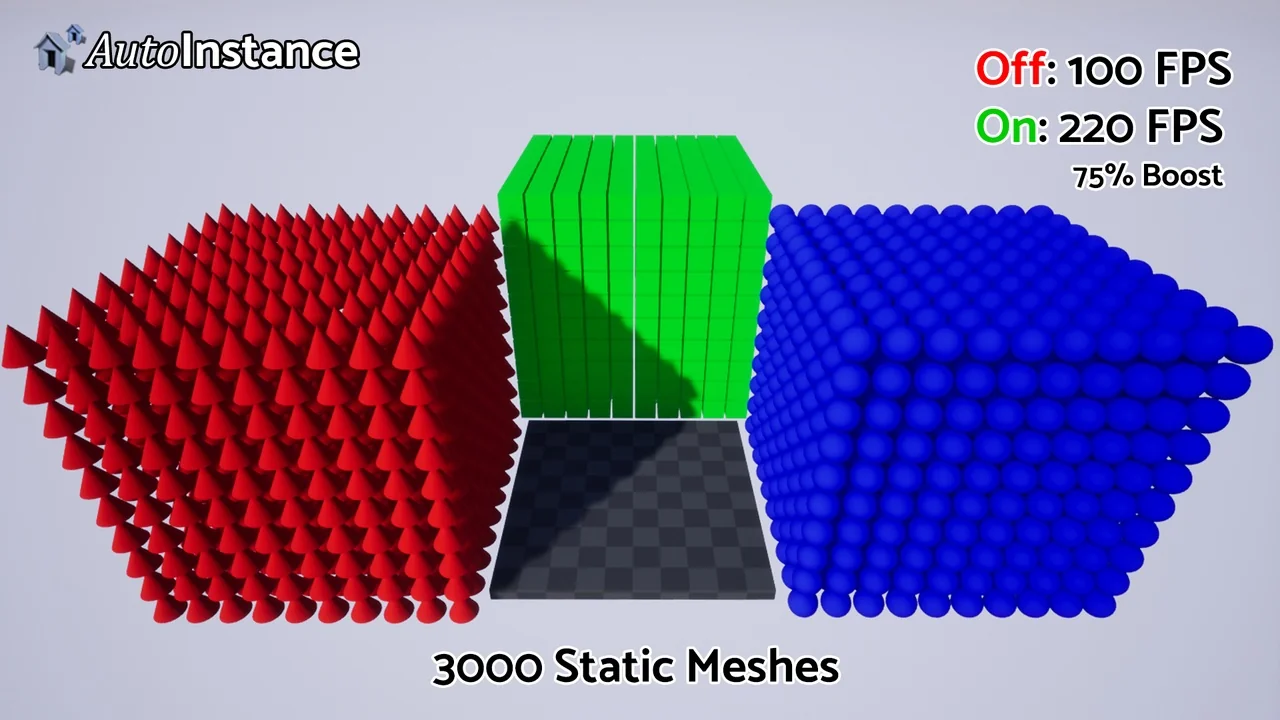
One notation needs to stay attached to Auto Instance: performance indications are based on pre-4.22 engine functionality. That applies to any performance expectation around the tool. The conversion behavior itself is described in terms of Static Mesh Actors, thresholds, target scopes, and Hierarchical or Instanced Static Mesh output; the performance note is a separate qualification tied to an earlier engine state. For a team reading the tool as a level conversion utility, that note keeps the evaluation anchored. Auto Instance is presented as a one-click batch converter for Static Mesh Actors in existing levels, with performance indications carrying the pre-4.22 context.
Where the one-click Blueprint fits
Auto Instance fits teams and individuals who already have a level populated with Static Mesh Actors and want those actors converted without manually selecting and changing each one. The threshold handles qualification, the scope handles all different meshes versus one particular mesh, and the output type handles Hierarchical versus Instanced Static Mesh. A single click runs the conversion, and the result can be saved into the level.
The strongest fit is an existing level with repeated Static Mesh Actor placement or a mix of meshes where only the qualifying actors should change. Because the tool works with existing levels and saves changes to them, it can be brought into a level that is already in use. The Blueprint tag places the package in the Blueprint category. The practical takeaway is simple: Auto Instance is a level-wide conversion step for Static Mesh Actors, with threshold, scope, output type, and saved level changes as its concrete working parts.
 Gameplay Features
 Gameplay Features
 Gameplay Features
 Gameplay Features