"7aa4acc705f0d80b"{"id":"1001952","slug":"archvis-vr","title":"ArchVis VR","category":"Procedural Systems","engine":"4.27+,5.0+","assetVersion":"","engineVersion":"Engine Version: 4.27+,5.0+","tag":"Procedural Systems","accent":"blue","visual":"mech","summary":"Explore ArchVis VR, a Blueprint framework offering interactive scene design, Live Map teleportation, light control, and customizable UI in virtual spaces.","platform":"Unreal Engine","publishedAt":"2026-10-24T11:31:25.633Z","updatedAt":"2026-10-24T11:31:25.633Z","sourceNotes":[],"fileContents":[],"compatibility":["Unreal Engine","Engine Version: 4.27+,5.0+"],"featuredImage":{"alt":"ArchVis VR","src":"/wp-content/uploads/published/2026/10/669a4f2efe95-9b17cbc1-4fa5-4b88-a6fc-5497ccce3e61-4a1fd53f37.webp"},"hasDownloadLink":true,"downloads":0,"terms":[{"taxonomy":"category","slug":"procedural-systems","name":"Procedural Systems"}],"galleryImages":[{"src":"/wp-content/uploads/published/2026/10/adbbc99ef27d-f27ca0fa-9eb2-4f34-8d82-a13f05c4694d-689553bb9a.webp","alt":"ArchVis VR"},{"src":"/wp-content/uploads/published/2026/10/4fb1ed4e6a39-264c8fa6-a308-4862-9ed6-767c717b09ba-2840fe9fa1.webp","alt":"ArchVis VR"},{"src":"/wp-content/uploads/published/2026/10/c59284d0c505-6ccc5d58-3bea-4915-9265-d2d19e8e68e8-cfec8bb78d.webp","alt":"ArchVis VR"},{"src":"/wp-content/uploads/published/2026/10/6f666775cbe3-0f2dc404-477d-45b7-835a-993d4a3c6e30-fb7366c76a.webp","alt":"ArchVis VR"},{"src":"/wp-content/uploads/published/2026/10/7207e23a7204-9047f356-4da4-497d-b1d8-13991ef291f5-be6e591220.webp","alt":"ArchVis VR"}],"accessPanel":{"kind":"resource","title":"Download this resource","eyebrow":"Free Download","message":"Log in or create a free account to start your download.","fileName":"ArchVis VR.7z","safetyNote":"Resources are manually reviewed before listing to improve quality and reduce obvious risks.","actionLabel":"Download Free","resourceType":"Resource archive"},"contentHtml":"\u003cp\u003eStepping into a virtual interior often requires more than static observation. ArchVis VR introduces an interactive framework where scenes are navigated, reconfigured, and illuminated entirely through in-headset interactions. Users can pick up environmental props to arrange spaces directly in VR, examine interactive elements through dedicated 3D menus, and capture in-engine screenshots of their layouts. The entire system is built natively in Blueprint, avoiding any requirement for C++ compiling or supplementary third-party plugins while remaining capable of being integrated directly into existing projects.\u003c/p\u003e\u003ch2\u003eLive Map Navigation and Spatial Teleportation\u003c/h2\u003e\u003cp\u003eMoving through expansive architectural environments requires precise locomotion options that accommodate different spatial layouts and user comfort preferences. ArchVis VR supports both direct walk-in movement and instant teleportation. Teleport mechanics are paired with an interactive Live Map system that lets users survey the entire layout from a centralized interface.\u003c/p\u003e\u003cp\u003eSpecific points of interest can be embedded across the level and registered to appear on the Live Map. This setup makes it possible to organize waypoints for distinct spaces such as kitchens, bathrooms, master bedrooms, and separate building floors. Selecting any marked destination initiates a teleport sequence, allowing visitors to instantly cross large properties or switch vertical levels without needing to navigate physical stairs or lengthy corridors manually.\u003c/p\u003e\u003ch2\u003eScene Layout, Hand Presence, and Linked Object Options\u003c/h2\u003e\u003cp\u003eBeyond passive navigation, the framework supports real-time spatial manipulation. Users can pick up individual objects and place them throughout the environment, effectively allowing interior styling and object staging directly within virtual reality. To maintain visual presence during these interactions, high poly human hands are included as the primary visual representation for the user\u0026#39;s controllers.\u003c/p\u003e\u003cp\u003eObjects in the scene can be enhanced with four distinct types of options, and users are free to assign one, several, or an unlimited number of options to any single asset. When multiple objects share functional attributes, they can be linked together. Linking preserves unified option sets across related items while still allowing independent menus to open on each object individually. This creates a flexible hierarchy where an ensemble of furniture or architectural fixtures can share cohesive behavior without losing asset-specific control.\u003c/p\u003e\u003ch2\u003eControlling Meshes, Bulb Materials, and Light Switches\u003c/h2\u003e\u003cp\u003eLighting is central to evaluating any architectural design, and ArchVis VR provides direct interactive control over illumination sources throughout a level. The integrated Light Switch functionality allows users to toggle active light components on and off during runtime.\u003c/p\u003e\u003cp\u003eIn addition to simple state toggles, the system controls the physical light fixture meshes and their corresponding bulb materials. Adjusting a light switch directly affects the material parameters responsible for bulb brightness, providing visual parity between the illuminated light emitter and the actual mesh source. This ensures that when a lamp or recessed fixture is activated, the mesh itself reflects the correct illumination intensity alongside the scene\u0026#39;s volumetric and direct lighting.\u003c/p\u003e\u003ch2\u003eCustom UI, Embedded Commentary, and In-Engine Screenshots\u003c/h2\u003e\u003cp\u003eUser feedback and navigation interfaces are completely modular. The user interface can be changed freely for every individual object as well as for each specific option type, preventing the repetitive look of fixed UI templates across varying props. Interactive 3D menus deploy directly into the world space around target objects, keeping interactive choices grounded within the context of the physical room.\u003c/p\u003e\u003cp\u003eFor structured walk-throughs and instructional applications, the Commentary Option offers a streamlined way to insert notes, contextual descriptions, or tutorials into the level. These notes can be opened and closed easily by the user during exploration, serving as self-guided documentation for architectural quirks, structural materials, or appliance guides. When a specific perspective or layout configuration needs to be documented, the built-in VR screenshot feature lets users take direct snapshots from their active viewpoint without relying on external capture software.\u003c/p\u003e\u003ch2\u003eBlueprint Architecture and Project Integration\u003c/h2\u003e\u003cp\u003eBecause the entirety of ArchVis VR is developed through standard Blueprint scripting, projects incorporating the toolkit avoid the compilation steps and maintenance overhead associated with native C++ codebases. Teams working with existing levels can introduce the VR toolset directly into their current project hierarchies without breaking custom game modes or level blueprints.\u003c/p\u003e\u003cp\u003eThe underlying mechanics also support integration with Ultimate Character, ensuring compatibility when combining standard character mechanics with interactive virtual reality environments. The framework remains focused on industrial and architectural scenarios where dynamic lighting toggles, interactive object manipulation, floor-to-floor navigation, and flexible UI presentation must function together out of the box.\u003c/p\u003e\n\n\u003ch2\u003eMore From The Same Workflow\u003c/h2\u003e\n\u003cul\u003e\n\u003cli\u003e\u003ca href=\"https://3dcghub.com/ultimate-archvis-kit/\" title=\"Ultimate Archvis Kit\"\u003eUltimate Archvis Kit\u003c/a\u003e\u003c/li\u003e\n\u003cli\u003e\u003ca href=\"https://3dcghub.com/edge-bevel-decals/\" title=\"Edge Bevel Decals\"\u003eEdge Bevel Decals\u003c/a\u003e\u003c/li\u003e\n\u003cli\u003e\u003ca href=\"https://3dcghub.com/smart-spline-generator/\" title=\"Smart Spline Generator\"\u003eSmart Spline Generator\u003c/a\u003e\u003c/li\u003e\n\u003cli\u003e\u003ca href=\"https://3dcghub.com/shadersource-procedural-water-foliage-tool/\" title=\"SHADERSOURCE - Procedural Water Foliage Tool\"\u003eSHADERSOURCE - Procedural Water Foliage Tool\u003c/a\u003e\u003c/li\u003e\n\u003cli\u003e\u003ca href=\"https://3dcghub.com/the-backrooms-camcorder/\" title=\"The Backrooms + Camcorder\"\u003eThe Backrooms + Camcorder\u003c/a\u003e\u003c/li\u003e\n\u003c/ul\u003e","contentTextLength":5397,"navigation":{"current":38,"total":3925,"previous":{"id":"1001953","slug":"asian-music-pack-ghost-of-asia-no-ai-just-talent","title":"Asian Music Pack - Ghost of Asia - No AI, Just Talent","category":"Music","platform":"Unreal Engine","updatedAt":"2026-10-24T11:31:57.915Z"},"next":{"id":"1001951","slug":"anime-character-creator-plugin","title":"Anime Character Creator - Plugin","category":"Engine Tools","platform":"Unreal Engine","updatedAt":"2026-10-24T11:24:37.566Z"}},"relatedResources":[{"id":"1000407","slug":"ultimate-archvis-kit","title":"Ultimate Archvis Kit","category":"Procedural Systems","engine":"5.1+","assetVersion":"","engineVersion":"Engine Version: 5.1+","tag":"Procedural Systems","accent":"blue","visual":"mech","summary":"A comprehensive Blueprint toolkit for architectural visualization, featuring dynamic UI controls, material swapping, interactive lighting, and profile managemen","platform":"Unreal Engine","publishedAt":"2026-07-08T11:46:44.936Z","updatedAt":"2026-07-08T11:46:44.936Z","sourceNotes":[],"fileContents":[],"compatibility":["Unreal Engine","Engine Version: 5.1+"],"featuredImage":{"alt":"Ultimate Archvis Kit","src":"/wp-content/uploads/published/2026/07/060c703e9991-c4935242-c4ab-41df-bdd0-12d5f98e689c-b6473af33f.webp"},"hasDownloadLink":true,"downloads":0},{"id":"11384","slug":"edge-bevel-decals","title":"Edge Bevel Decals","category":"Procedural Systems","engine":"4.27,5.0+","assetVersion":"Engine version: 4.27,5.0+","engineVersion":"4.20","tag":"Procedural Systems","accent":"blue","visual":"city","summary":"Edge Bevel Decals enable artists to apply beveled details to mesh edges using an editable spline system. This package features customizable materials, vertex painting for damage, and optimization tools.","platform":"Unreal Engine","publishedAt":"2026-03-05T17:11:24.000Z","updatedAt":"2026-04-19T15:48:13.000Z","sourceNotes":[],"fileContents":[],"compatibility":["Unreal Engine","Engine version: 4.27,5.0+"],"featuredImage":{"alt":"Edge Bevel Decals","src":"https://3dcghub.com/wp-content/uploads/2026/03/a1ca28b4-7853-47ca-b55b-b8dbf9d0391f.webp"},"hasDownloadLink":true,"downloads":3},{"id":"1001958","slug":"b2bp-slide-show","title":"B2BP Slide Show","category":"Procedural Systems","engine":"4.25+,5.0+","assetVersion":"","engineVersion":"Engine Version: 4.25+,5.0+","tag":"Procedural Systems","accent":"blue","visual":"mech","summary":"Configure in-engine presentations with B2BP Slide Show, featuring a single modular Blueprint, 20 screen meshes, Texture Arrays, and custom camera views.","platform":"Unreal Engine","publishedAt":"2026-10-24T11:35:46.167Z","updatedAt":"2026-10-24T11:35:46.167Z","sourceNotes":[],"fileContents":[],"compatibility":["Unreal Engine","Engine Version: 4.25+,5.0+"],"featuredImage":{"alt":"B2BP Slide Show","src":"/wp-content/uploads/published/2026/10/62b78778ea8d-ba8238b4-c29c-43f9-b7a8-cd2b74ca6dfa-e3855dd0e8.webp"},"hasDownloadLink":true,"downloads":0}]}
Procedural Systems
ArchVis VR
Explore ArchVis VR, a Blueprint framework offering interactive scene design, Live Map teleportation, light control, and customizable UI in virtual spaces.
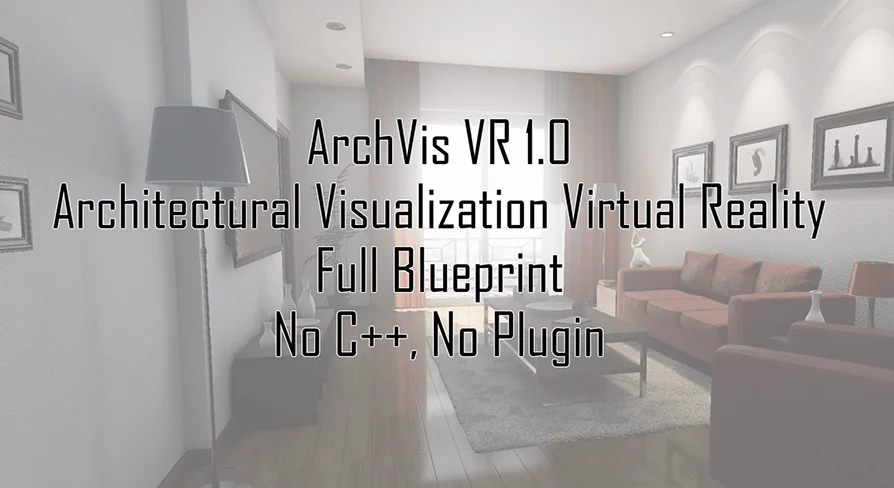
Stepping into a virtual interior often requires more than static observation. ArchVis VR introduces an interactive framework where scenes are navigated, reconfigured, and illuminated entirely through in-headset interactions. Users can pick up environmental props to arrange spaces directly in VR, examine interactive elements through dedicated 3D menus, and capture in-engine screenshots of their layouts. The entire system is built natively in Blueprint, avoiding any requirement for C++ compiling or supplementary third-party plugins while remaining capable of being integrated directly into existing projects.
Live Map Navigation and Spatial Teleportation
Moving through expansive architectural environments requires precise locomotion options that accommodate different spatial layouts and user comfort preferences. ArchVis VR supports both direct walk-in movement and instant teleportation. Teleport mechanics are paired with an interactive Live Map system that lets users survey the entire layout from a centralized interface.
Specific points of interest can be embedded across the level and registered to appear on the Live Map. This setup makes it possible to organize waypoints for distinct spaces such as kitchens, bathrooms, master bedrooms, and separate building floors. Selecting any marked destination initiates a teleport sequence, allowing visitors to instantly cross large properties or switch vertical levels without needing to navigate physical stairs or lengthy corridors manually.
Scene Layout, Hand Presence, and Linked Object Options
Beyond passive navigation, the framework supports real-time spatial manipulation. Users can pick up individual objects and place them throughout the environment, effectively allowing interior styling and object staging directly within virtual reality. To maintain visual presence during these interactions, high poly human hands are included as the primary visual representation for the user's controllers.
Objects in the scene can be enhanced with four distinct types of options, and users are free to assign one, several, or an unlimited number of options to any single asset. When multiple objects share functional attributes, they can be linked together. Linking preserves unified option sets across related items while still allowing independent menus to open on each object individually. This creates a flexible hierarchy where an ensemble of furniture or architectural fixtures can share cohesive behavior without losing asset-specific control.
Controlling Meshes, Bulb Materials, and Light Switches
Lighting is central to evaluating any architectural design, and ArchVis VR provides direct interactive control over illumination sources throughout a level. The integrated Light Switch functionality allows users to toggle active light components on and off during runtime.
In addition to simple state toggles, the system controls the physical light fixture meshes and their corresponding bulb materials. Adjusting a light switch directly affects the material parameters responsible for bulb brightness, providing visual parity between the illuminated light emitter and the actual mesh source. This ensures that when a lamp or recessed fixture is activated, the mesh itself reflects the correct illumination intensity alongside the scene's volumetric and direct lighting.
Custom UI, Embedded Commentary, and In-Engine Screenshots
User feedback and navigation interfaces are completely modular. The user interface can be changed freely for every individual object as well as for each specific option type, preventing the repetitive look of fixed UI templates across varying props. Interactive 3D menus deploy directly into the world space around target objects, keeping interactive choices grounded within the context of the physical room.
For structured walk-throughs and instructional applications, the Commentary Option offers a streamlined way to insert notes, contextual descriptions, or tutorials into the level. These notes can be opened and closed easily by the user during exploration, serving as self-guided documentation for architectural quirks, structural materials, or appliance guides. When a specific perspective or layout configuration needs to be documented, the built-in VR screenshot feature lets users take direct snapshots from their active viewpoint without relying on external capture software.
Blueprint Architecture and Project Integration
Because the entirety of ArchVis VR is developed through standard Blueprint scripting, projects incorporating the toolkit avoid the compilation steps and maintenance overhead associated with native C++ codebases. Teams working with existing levels can introduce the VR toolset directly into their current project hierarchies without breaking custom game modes or level blueprints.
The underlying mechanics also support integration with Ultimate Character, ensuring compatibility when combining standard character mechanics with interactive virtual reality environments. The framework remains focused on industrial and architectural scenarios where dynamic lighting toggles, interactive object manipulation, floor-to-floor navigation, and flexible UI presentation must function together out of the box.
 Procedural Systems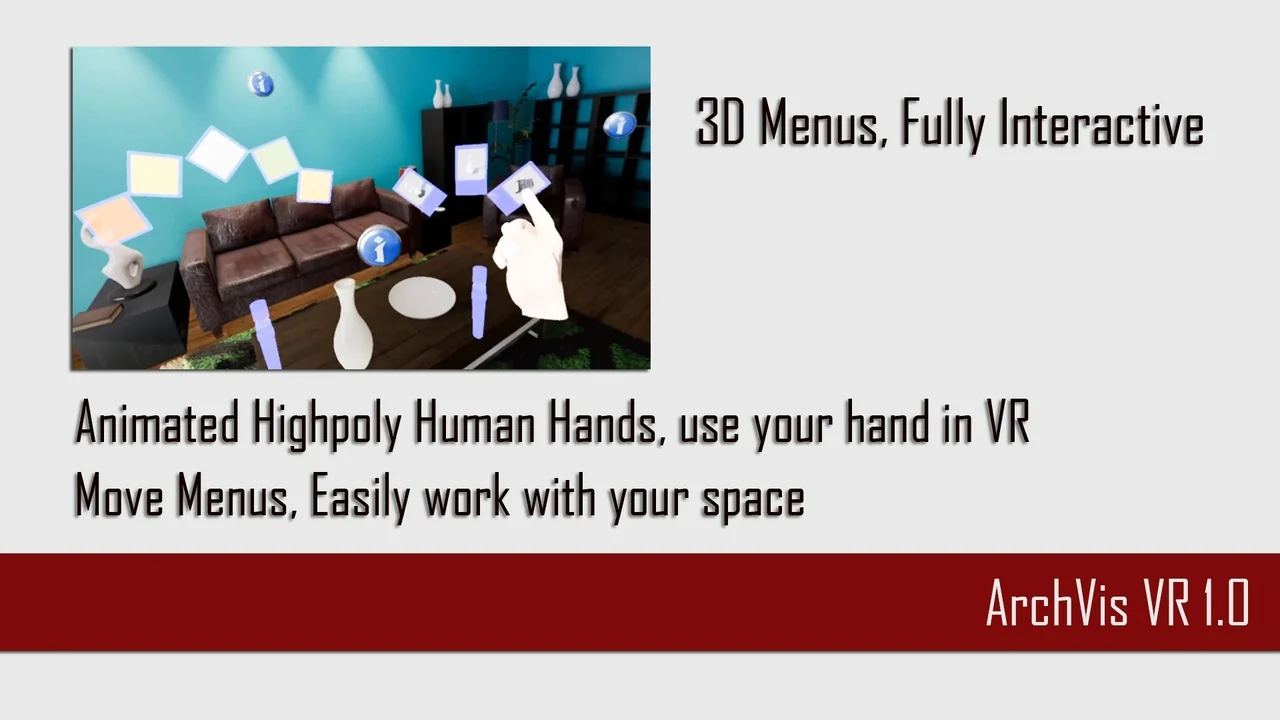
 Procedural Systems
 Procedural Systems
 Procedural Systems