The Workflow of RPG Ability Creation
The Abilities module for Game Creator 2 is designed to shift the focus from manual programming to direct design. By leveraging a modular architecture, the system allows for the creation of complex RPG abilities within a short timeframe. The primary goal is to provide a framework where custom logic is handled directly within the inspector using simple instructions, making it possible to prototype ideas rapidly without writing code. While it is built for ease of use, the underlying code is self-documented and structured for extensibility, allowing engineers to modify or expand the system as needed for more specialized project requirements.
The Five-System Framework
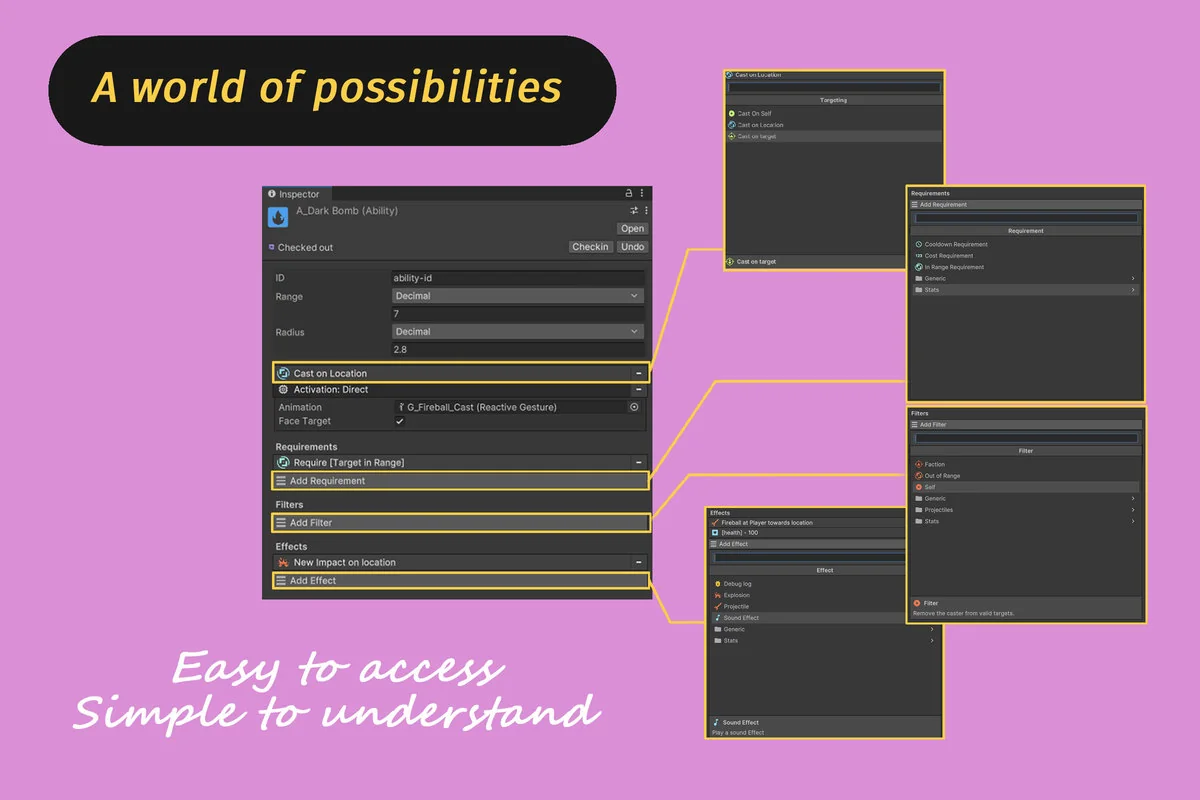
Abilities within this module are defined through the interaction of five distinct systems. This modular approach ensures that each aspect of a skill—from how it is triggered to what it does on impact—can be adjusted independently.
Targeting and Selection
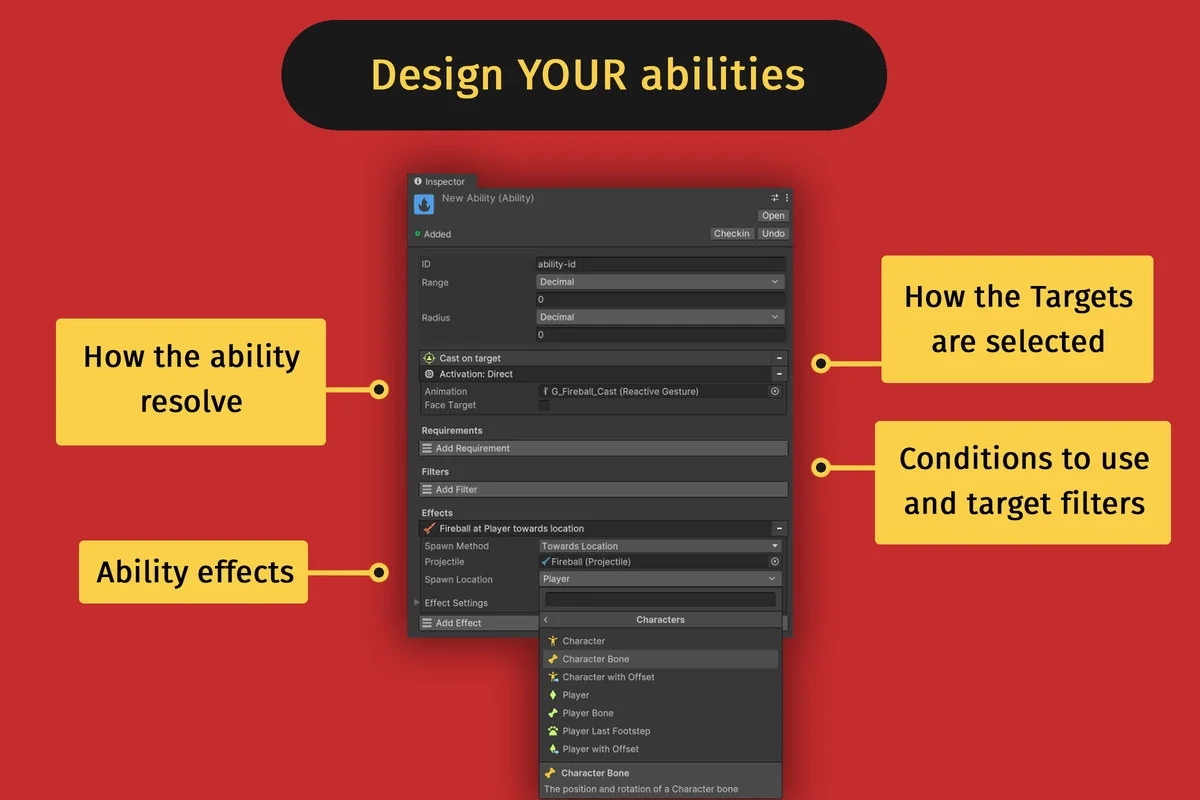
The Targeting system determines how the game identifies which entities or locations will be affected by an ability. This logic is separated from the execution itself, allowing designers to swap between different selection methods without rebuilding the entire ability logic. To refine this further, the Filter system allows for the implementation of specific conditions that a target must meet. This is particularly useful for managing friendly fire, ensuring that heals only affect allies or that certain debuffs only apply to specific enemy types. It also facilitates the creation of conditional effects where the ability’s outcome changes based on the target’s properties.
Execution and Logic Constraints
The Activation system handles the execution phase, defining exactly how the ability is triggered or cast. Working in tandem with this is the Requirement system, which serves as the gatekeeper for ability use. Designers can define specific conditions that must be met before an ability can be resolved, such as cooldown timers, resource costs, or other arbitrary conditions relevant to the game’s mechanics. Finally, the Effect system specifies the physical or logical outcome of the ability once it is resolved. This includes actions such as dealing damage, triggering explosions, or spawning projectiles.
Moving Elements: Projectiles and Impacts
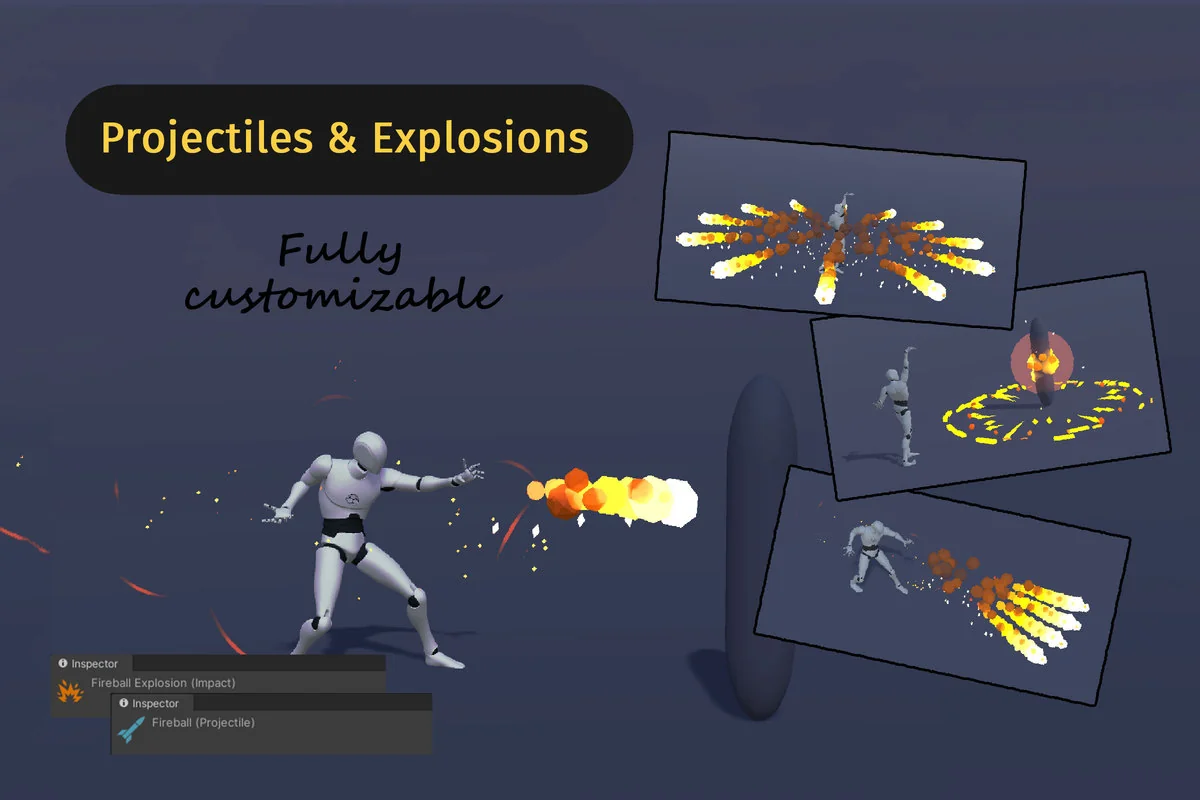
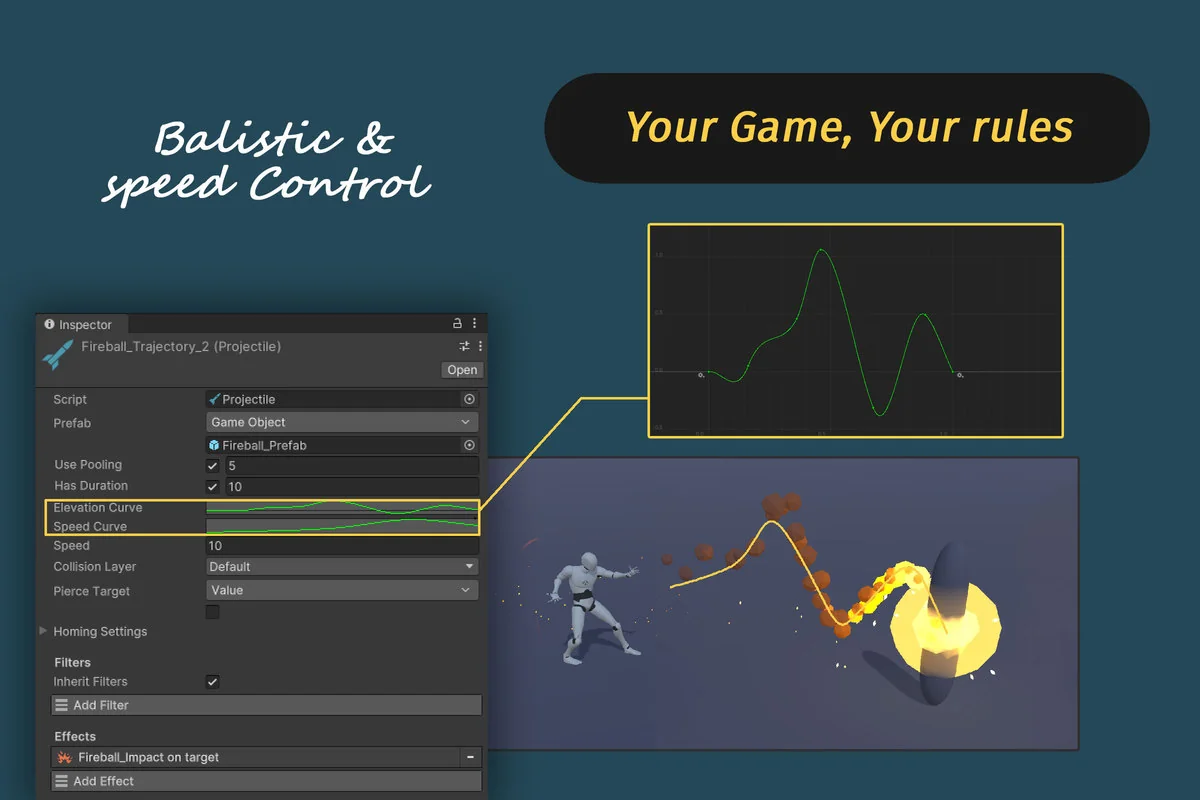
The module extends its logic to physical objects through the inclusion of Projectiles and Impacts. These systems reuse the core architectural elements to define complex behaviors in 3D space. Projectiles are defined as moving objects that travel through the world and trigger an Impact upon collision. The movement behavior of these projectiles, as well as their valid targets, can be customized directly through the inspector.
The Impact system handles explosions or area-of-effect occurrences that are spawned either by an ability or by a projectile. One notable feature of this system is that an Impact can calculate its own targets independently from the ability that originally spawned it. This allows for multi-stage skills where a projectile might travel toward one target but create an explosion that affects an entirely different set of entities based on its own independent logic.
Visual Fidelity with Reactive Gestures
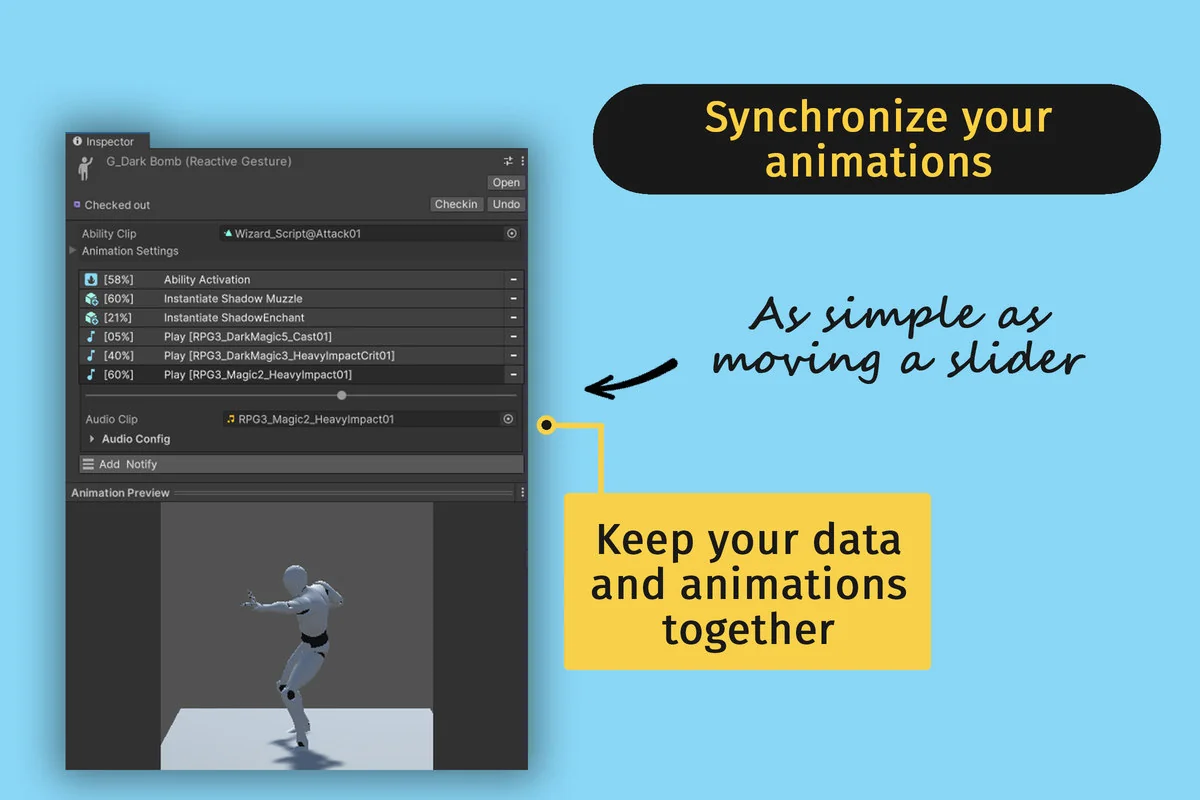
To bridge the gap between gameplay logic and visual presentation, the module features a specialized animation system called Reactive Gesture. This system includes a custom inspector designed to synchronize logic triggers with visual effects and character animations. This ensures that the technical resolution of an ability—such as the moment damage is applied or a projectile is released—aligns perfectly with the character’s physical movements. This intuitive synchronization process is intended to reduce the friction often found when trying to time visual cues with back-end data changes.
Technical Implementation and Module Support
As a module designed specifically for Game Creator 2, it maintains 100% compatibility with the core features of that ecosystem. It also includes optional support for the Stats module, allowing ability costs and effects to tie directly into character attributes and resource pools. The developer has indicated that official Game Creator 2 modules will receive ongoing support, ensuring that as the ecosystem expands, the ability systems remain integrated with new tools and features. For developers who prefer to work directly in the code, the assets are built to be easily understood, making it a viable foundation for both designers seeking a no-code workflow and engineers who require a robust codebase to extend.
Asset Gallery
Protected download
Access this resource
All resources are 100% manually reviewed to eliminate all risks.