"26aaab8a5d5ed4fc"{"id":"22822","slug":"uma-for-rpg-builder","title":"UMA for RPG Builder","category":"Game Toolkits","engine":"Original Unity version: 2019.4.0","assetVersion":"Original Unity version: 2019.4.0","engineVersion":"Asset Version:2.0.4","tag":"Game Toolkits","accent":"cyan","visual":"audio","summary":"UMA for RPG Builder provides a bridge between Unity Multipurpose Avatar and RPG Builder, allowing developers to implement dynamic character customization without manual scripting. It replaces standard object-swapping with a dedicated system for linking UMA...","platform":"Unity","publishedAt":"2026-04-06T14:09:02.000Z","updatedAt":"2026-04-19T15:37:01.000Z","sourceNotes":[],"fileContents":[],"compatibility":["Unity","Original Unity version: 2019.4.0","Asset Version: 2.0.4"],"featuredImage":{"alt":"UMA for RPG Builder","src":"https://3dcghub.com/wp-content/uploads/2026/04/0faf73cc7a47_e4651d48-ef1f-4a9d-a713-361f6a77dc29_1280x720_stretch.webp"},"hasDownloadLink":true,"downloads":0,"terms":[{"taxonomy":"category","slug":"game-toolkits","name":"Game Toolkits"},{"taxonomy":"post_tag","slug":"characters","name":"Characters"},{"taxonomy":"post_tag","slug":"tools","name":"Tools"},{"taxonomy":"post_tag","slug":"unity","name":"Unity"}],"galleryImages":[{"src":"https://3dcghub.com/wp-content/uploads/2026/04/0ccdee3bbf1d_77a400a3-8201-4411-96c3-79fdf2fb2048_scaled.webp","alt":"UMA for RPG Builder"},{"src":"https://3dcghub.com/wp-content/uploads/2026/04/54a8dcd4fe41_7916110e-5f23-4a89-aab7-4af1ca94a40f_scaled.webp","alt":"UMA for RPG Builder"},{"src":"https://3dcghub.com/wp-content/uploads/2026/04/b8247394ab14_ee43af11-7768-4432-a6d9-a147dcf7d186_scaled.webp","alt":"UMA for RPG Builder"},{"src":"https://3dcghub.com/wp-content/uploads/2026/04/efab1d750f32_646651fb-1537-4bde-8546-b1c795be943c_scaled.webp","alt":"UMA for RPG Builder"},{"src":"https://3dcghub.com/wp-content/uploads/2026/04/4063290180a9_321bd6cd-8791-450c-bec5-772cf1b6bbe0_scaled.webp","alt":"UMA for RPG Builder"},{"src":"https://3dcghub.com/wp-content/uploads/2026/04/d4647c728787_39207f7c-0d8a-4708-9912-ff615526195b_scaled.webp","alt":"UMA for RPG Builder"},{"src":"https://3dcghub.com/wp-content/uploads/2026/04/5815b962b6cd_63241af7-583b-46d8-b8cc-262c26d8c9d8_scaled.webp","alt":"UMA for RPG Builder"},{"src":"https://3dcghub.com/wp-content/uploads/2026/04/da1211c6d9ca_297fe821-ea3f-465b-8a54-5eea11cbc7cd_scaled.webp","alt":"UMA for RPG Builder"}],"accessPanel":{"kind":"resource","title":"Access this resource","eyebrow":"Free Download","message":"Log in or create a free account to start your download.","fileName":"UMA for RPG Builder v2.0.4.7z","safetyNote":"All resources are 100% manually reviewed to eliminate all risks.","actionLabel":"Download Free","resourceType":"Resource archive"},"contentHtml":"\u003ch2\u003eBridging Character Customization and RPG Frameworks\u003c/h2\u003e\n\nRPG Builder provides a comprehensive framework for creating role-playing games, but by default, it handles equipment and character appearance through a standard method of enabling and disabling static game objects. For developers requiring more fluid or performant character generation, UMA for RPG Builder offers a specialized integration for the Unity Multipurpose Avatar (UMA) system. This asset acts as a bridge, allowing the power of UMA's dynamic character generation to be utilized directly within the RPG Builder ecosystem.\n\nBy integrating UMA, developers can move beyond static models and implement thousands of unique character variations. The package is designed to replace the default armor-swapping logic with a system that natively understands UMA clothing slots and overlays, ensuring that character customization feels like a core part of the game loop rather than an external addition.\n\n\u003ch2\u003eEditor-Based Workflow and Configuration\u003c/h2\u003e\n\nThe integration focuses on an artist-friendly approach that eliminates the need for programming or custom scripting. The primary workflow involves a dedicated editor where developers can link UMA clothing assets directly to RPG Builder armor entries. This setup allows for a more intuitive mapping process than manual code implementation.\n\nSetting up a character involves dragging and dropping character prefabs into the editor and configuring the corresponding armor sets. The system also supports the conversion of existing RPG Builder-configured controllers to use UMA 2, streamlining the transition for projects that have already begun development using standard assets.\n\n\u003ch2\u003eIncluded Demo and Customization Features\u003c/h2\u003e\n\nTo facilitate a quick start, the package includes a character customization demo. This demo is built on top of the standard MainMenu scene provided by RPG Builder, demonstrating how to implement a customization interface where players can modify their avatars before entering the game world. This includes support for specific cosmetic categories such as hair and beard selection.\n\nKey features of the integration include:\n\u003cul\u003e\n \u003cli\u003eA user-friendly editor that mirrors the familiar Unity interface.\u003c/li\u003e\n \u003cli\u003eTools to link UMA clothing items to specific RPG Builder armor slots.\u003c/li\u003e\n \u003cli\u003eA pre-built character customization menu for immediate testing.\u003c/li\u003e\n \u003cli\u003eSupport for DNA saving, ensuring that player modifications are correctly preserved.\u003c/li\u003e\n\u003c/ul\u003e\n\n\u003ch2\u003eTechnical Requirements and Compatibility\u003c/h2\u003e\n\nThis integration is a utility for two specific frameworks and requires both RPG Builder and the free UMA 2 (Unity Multipurpose Avatar) package to function. It is compatible with major Unity render pipelines, including the Built-in Render Pipeline, HDRP, and URP, providing flexibility across different visual styles and project requirements.\n\nRecent updates to the package, specifically version 2.0.4, addressed critical functionality regarding character data. This included a fix for the character creation scene where DNA was not properly saving during the customization process. The update also refined selection options for hair and beards, ensuring that cosmetic changes are accurately applied to the UMA avatar within the RPG Builder environment. Documentation for the setup and configuration process is provided via an included README file, and support is managed through a dedicated community channel.\n\n\u003ch2\u003eExplore Similar Assets\u003c/h2\u003e\n\u003cul\u003e\n\u003cli\u003e\u003ca href=\"https://3dcghub.com/dialogue-system-for-unity/\" title=\"Dialogue System for Unity\"\u003eDialogue System for Unity\u003c/a\u003e\u003c/li\u003e\n\u003cli\u003e\u003ca href=\"https://3dcghub.com/ambient-sounds-interactive-soundscapes-for-unity-6/\" title=\"Ambient Sounds – Interactive Soundscapes for Unity 6\"\u003eAmbient Sounds – Interactive Soundscapes for Unity 6\u003c/a\u003e\u003c/li\u003e\n\u003cli\u003e\u003ca href=\"https://3dcghub.com/pegasus-flythroughs-for-unity-6/\" title=\"Pegasus – Flythroughs for Unity 6\"\u003ePegasus – Flythroughs for Unity 6\u003c/a\u003e\u003c/li\u003e\n\u003cli\u003e\u003ca href=\"https://3dcghub.com/motion-matching-for-unity/\" title=\"Motion Matching for Unity\"\u003eMotion Matching for Unity\u003c/a\u003e\u003c/li\u003e\n\u003cli\u003e\u003ca href=\"https://3dcghub.com/ultimate-crafting-system/\" title=\"Ultimate Crafting System\"\u003eUltimate Crafting System\u003c/a\u003e\u003c/li\u003e\n\u003c/ul\u003e\n\n\u003ch2\u003eAsset Gallery\u003c/h2\u003e","contentTextLength":3584,"navigation":{"current":3254,"total":3400,"previous":{"id":"22832","slug":"deepvoice-ai-text-to-voice","title":"DeepVoice AI - Text To Voice","category":"Generative AI","platform":"Unity","updatedAt":"2026-04-19T15:37:01.000Z"},"next":{"id":"22811","slug":"ultimate-crafting-system","title":"Ultimate Crafting System","category":"Game Toolkits","platform":"Unity","updatedAt":"2026-04-19T15:37:01.000Z"}},"relatedResources":[{"id":"22788","slug":"rpg-cameras-controllers","title":"RPG Cameras \u0026 Controllers","category":"Game Toolkits","engine":"Original Unity version: 6000.0.58","assetVersion":"Original Unity version: 6000.0.58","engineVersion":"Asset Version:6.1.2","tag":"Game Toolkits","accent":"cyan","visual":"city","summary":"A feature-rich framework for Unity projects inspired by classic MMO and Action RPG movement, offering extensive parameter control over character locomotion and camera behavior.","platform":"Unity","publishedAt":"2026-04-06T14:03:24.000Z","updatedAt":"2026-04-19T15:37:02.000Z","sourceNotes":[],"fileContents":[],"compatibility":["Unity","Original Unity version: 6000.0.58","Asset Version: 6.1.2"],"featuredImage":{"alt":"RPG Cameras \u0026 Controllers","src":"https://3dcghub.com/wp-content/uploads/2026/04/d0f12e9a1591_65125db3-921b-49b9-8026-8a8c0e28fdef_1280x720_stretch.webp"},"hasDownloadLink":true,"downloads":1},{"id":"22743","slug":"intrigues","title":"Intrigues","category":"Game Toolkits","engine":"Original Unity version: 2021.3.35","assetVersion":"Original Unity version: 2021.3.35","engineVersion":"Asset Version:1.0.62","tag":"Game Toolkits","accent":"cyan","visual":"audio","summary":"Intrigues provides a robust solution for managing complex branching narratives and social hierarchies in Unity, featuring a visual node-based editor and comprehensive clan and family systems.","platform":"Unity","publishedAt":"2026-04-06T13:56:11.000Z","updatedAt":"2026-04-19T15:37:03.000Z","sourceNotes":[],"fileContents":[],"compatibility":["Unity","Original Unity version: 2021.3.35","Asset Version: 1.0.62"],"featuredImage":{"alt":"Intrigues","src":"https://3dcghub.com/wp-content/uploads/2026/04/0c323bd08c9e_067e90a9-f639-4424-b9a2-42c5c188cf1f_1280x720_stretch.webp"},"hasDownloadLink":true,"downloads":0},{"id":"22705","slug":"abilities-game-creator-2","title":"Abilities | Game Creator 2","category":"Game Toolkits","engine":"Original Unity version: 6000.2.2","assetVersion":"Original Unity version: 6000.2.2","engineVersion":"Asset Version:1.9.0","tag":"Game Toolkits","accent":"cyan","visual":"luts","summary":"The Abilities module provides a flexible, five-system framework for designing RPG skills without coding. From targeting and cooldown requirements to projectile-based impact logic, it streamlines the translation of design concepts into gameplay mechanics.","platform":"Unity","publishedAt":"2026-04-06T13:49:43.000Z","updatedAt":"2026-04-19T15:37:04.000Z","sourceNotes":[],"fileContents":[],"compatibility":["Unity","Original Unity version: 6000.2.2","Asset Version: 1.9.0"],"featuredImage":{"alt":"Abilities | Game Creator 2","src":"https://3dcghub.com/wp-content/uploads/2026/04/40349f0a430b_752239b3-993a-4c99-836d-ca515bfc3ba5_1280x720_stretch.webp"},"hasDownloadLink":true,"downloads":0}]}
Game Toolkits
UMA for RPG Builder
UMA for RPG Builder provides a bridge between Unity Multipurpose Avatar and RPG Builder, allowing developers to implement dynamic character customization without manual scripting. It replaces standard object-swapping with a dedicated system for linking UMA...
Bridging Character Customization and RPG Frameworks
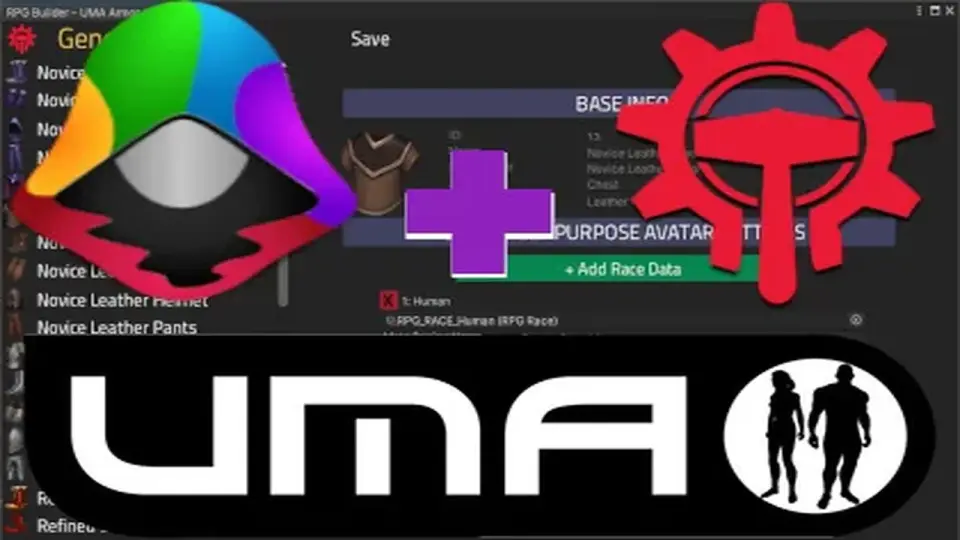
RPG Builder provides a comprehensive framework for creating role-playing games, but by default, it handles equipment and character appearance through a standard method of enabling and disabling static game objects. For developers requiring more fluid or performant character generation, UMA for RPG Builder offers a specialized integration for the Unity Multipurpose Avatar (UMA) system. This asset acts as a bridge, allowing the power of UMA's dynamic character generation to be utilized directly within the RPG Builder ecosystem.
By integrating UMA, developers can move beyond static models and implement thousands of unique character variations. The package is designed to replace the default armor-swapping logic with a system that natively understands UMA clothing slots and overlays, ensuring that character customization feels like a core part of the game loop rather than an external addition.
Editor-Based Workflow and Configuration
The integration focuses on an artist-friendly approach that eliminates the need for programming or custom scripting. The primary workflow involves a dedicated editor where developers can link UMA clothing assets directly to RPG Builder armor entries. This setup allows for a more intuitive mapping process than manual code implementation.
Setting up a character involves dragging and dropping character prefabs into the editor and configuring the corresponding armor sets. The system also supports the conversion of existing RPG Builder-configured controllers to use UMA 2, streamlining the transition for projects that have already begun development using standard assets.
Included Demo and Customization Features
To facilitate a quick start, the package includes a character customization demo. This demo is built on top of the standard MainMenu scene provided by RPG Builder, demonstrating how to implement a customization interface where players can modify their avatars before entering the game world. This includes support for specific cosmetic categories such as hair and beard selection.
Key features of the integration include:
A user-friendly editor that mirrors the familiar Unity interface.
Tools to link UMA clothing items to specific RPG Builder armor slots.
A pre-built character customization menu for immediate testing.
Support for DNA saving, ensuring that player modifications are correctly preserved.
Technical Requirements and Compatibility
This integration is a utility for two specific frameworks and requires both RPG Builder and the free UMA 2 (Unity Multipurpose Avatar) package to function. It is compatible with major Unity render pipelines, including the Built-in Render Pipeline, HDRP, and URP, providing flexibility across different visual styles and project requirements.
Recent updates to the package, specifically version 2.0.4, addressed critical functionality regarding character data. This included a fix for the character creation scene where DNA was not properly saving during the customization process. The update also refined selection options for hair and beards, ensuring that cosmetic changes are accurately applied to the UMA avatar within the RPG Builder environment. Documentation for the setup and configuration process is provided via an included README file, and support is managed through a dedicated community channel.
 Game Toolkits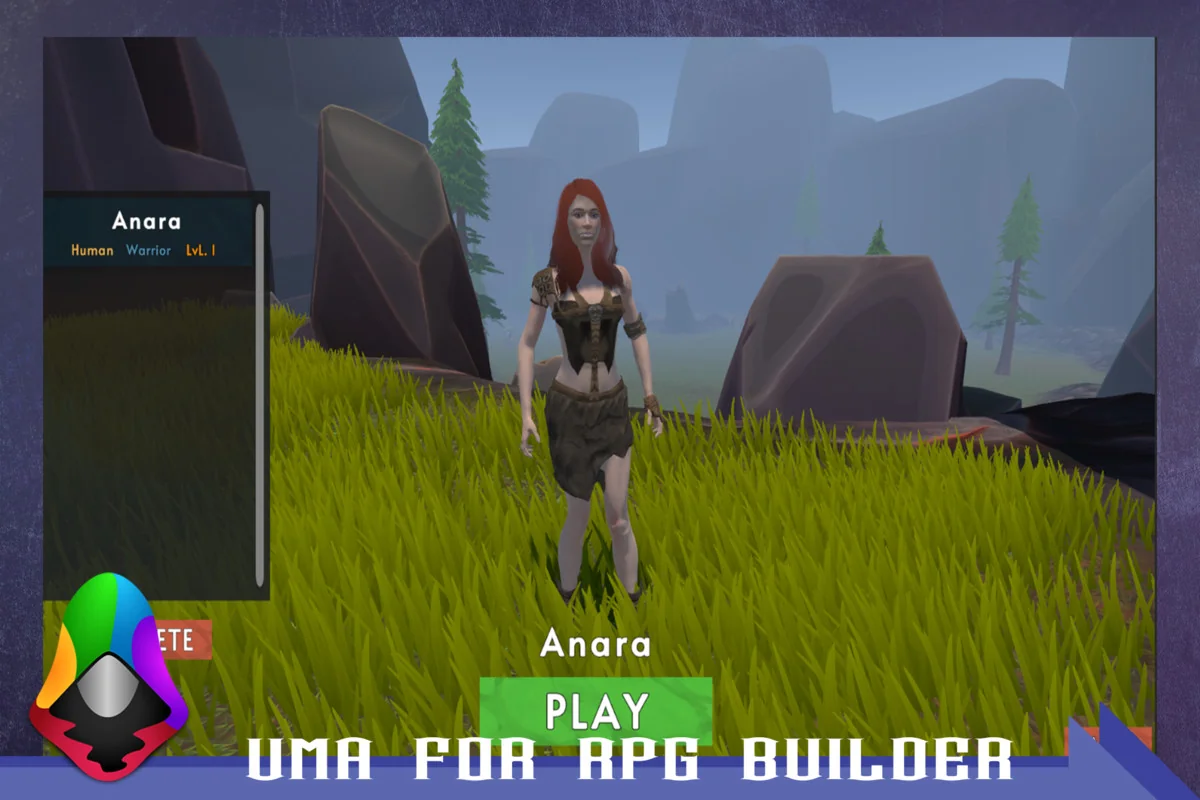
 Game Toolkits
 Game Toolkits
 Game Toolkits