"7e6fc58c410f2894"{"id":"24432","slug":"volumetric-fog-mist-2","title":"Volumetric Fog \u0026 Mist 2","category":"Shaders","engine":"Original Unity version: 2022.3.24","assetVersion":"Original Unity version: 2022.3.24","engineVersion":"Asset Version:9.0","tag":"Shaders","accent":"cyan","visual":"animation","summary":"Volumetric Fog \u0026 Mist 2 centers on fog areas you can place, move, and scale like gameobjects, with controls that work in the Editor or at runtime. The pack also includes URP, Builtin Pipeline, and Dynamic Fog \u0026 Mist 2, along with presets, fog voids, lightin...","platform":"Unity","publishedAt":"2026-04-14T11:53:44.000Z","updatedAt":"2026-04-20T06:12:48.000Z","sourceNotes":[],"fileContents":[],"compatibility":["Unity","Original Unity version: 2022.3.24","Asset Version: 9.0"],"featuredImage":{"alt":"Volumetric Fog \u0026 Mist 2","src":"https://3dcghub.com/wp-content/uploads/2026/04/426f1c51fc3d_4b414c37-d954-4815-8ac7-17200149829a_1280x720_stretch.webp"},"hasDownloadLink":true,"downloads":2,"terms":[{"taxonomy":"category","slug":"shaders-vfx-unity-2","name":"Shaders"},{"taxonomy":"post_tag","slug":"environment","name":"Environment"},{"taxonomy":"post_tag","slug":"unity","name":"Unity"},{"taxonomy":"post_tag","slug":"vfx","name":"VFX"}],"galleryImages":[{"src":"https://3dcghub.com/wp-content/uploads/2026/04/1f9661c3536d_316777c8-56a4-4c08-ba69-341c11c34a73_scaled.webp","alt":"Volumetric Fog \u0026 Mist 2"},{"src":"https://3dcghub.com/wp-content/uploads/2026/04/b1dbf387333a_e4a965bf-8b2b-4a05-997a-a29899dd78c2_scaled.webp","alt":"Volumetric Fog \u0026 Mist 2"},{"src":"https://3dcghub.com/wp-content/uploads/2026/04/8d5903c265e2_1722969b-fb78-40c9-83b9-f0baa0ba7ff6_scaled.webp","alt":"Volumetric Fog \u0026 Mist 2"},{"src":"https://3dcghub.com/wp-content/uploads/2026/04/b2f7876179d5_827ddc83-332e-4cb3-a04d-3f0857ce27a0_scaled.webp","alt":"Volumetric Fog \u0026 Mist 2"},{"src":"https://3dcghub.com/wp-content/uploads/2026/04/8d0676675f76_c213cb88-3639-4635-b916-8fc1b7cf4b93_scaled.webp","alt":"Volumetric Fog \u0026 Mist 2"},{"src":"https://3dcghub.com/wp-content/uploads/2026/04/2cc5c6e98435_18716fe7-334a-4ebb-aaf4-393cd21bfac1_scaled.webp","alt":"Volumetric Fog \u0026 Mist 2"},{"src":"https://3dcghub.com/wp-content/uploads/2026/04/88328168adf0_d7e26bba-a924-4654-9aec-eead2876d2cc_scaled.webp","alt":"Volumetric Fog \u0026 Mist 2"},{"src":"https://3dcghub.com/wp-content/uploads/2026/04/23e0b36e20dd_3c856b54-ddf2-4a99-9b4b-1d11f302f1e3_scaled.webp","alt":"Volumetric Fog \u0026 Mist 2"},{"src":"https://3dcghub.com/wp-content/uploads/2026/04/9753d76d7ba2_8cddf4c4-1d8d-43f8-972b-04a851c2936a_scaled.webp","alt":"Volumetric Fog \u0026 Mist 2"},{"src":"https://3dcghub.com/wp-content/uploads/2026/04/7f9e28570fa5_5a0b3e28-8fc1-4d80-acac-7f172ad29800_scaled.webp","alt":"Volumetric Fog \u0026 Mist 2"}],"accessPanel":{"kind":"resource","title":"Access this resource","eyebrow":"Free Download","message":"Log in or create a free account to start your download.","fileName":"Volumetric Fog Mist 9.0.7z","safetyNote":"All resources are 100% manually reviewed to eliminate all risks.","actionLabel":"Download Free","resourceType":"Resource archive"},"contentHtml":"\u003cp\u003eVolumetric Fog \u0026amp; Mist 2 starts with a practical workflow: fog areas can be created and positioned in the scene, then moved and scaled much like gameobjects. Those areas can be handled in the Editor or at runtime, and the same fog setup is visible in Scene View as well as Game View, which makes it easier to shape the atmosphere while the scene is being built.\u003c/p\u003e \u003cp\u003eThe pack includes Volumetric Fog \u0026amp; Mist for Universal Rendering Pipeline, Volumetric Fog \u0026amp; Mist for Builtin Pipeline, and Dynamic Fog \u0026amp; Mist 2. It is also presented as a complete and performant immersive AAA fog solution used in games like Gigaya, Praey for the Gods, MarZ: Tactical Base Defense, Falling Frontiers, Sky Fleet, and Frontline ZED.\u003c/p\u003e \u003ch2\u003eFog areas you can place like scene objects\u003c/h2\u003e\n\u003cp\u003eThe core workflow is straightforward. Fog volumes are treated as scene elements that can be added, moved, and scaled just like other objects in a project. That makes the fog feel part of level construction rather than a separate post-process step. Any number of fog areas can be created, and they can be sized and shaped for the needs of a particular location.\u003c/p\u003e \u003cp\u003eThe same setup is not limited to one stage of production. Fog areas can be positioned in the Editor, but they can also be created and adjusted at runtime. That gives the system room to support scenes that need manual placement during development and scenes that need changes while the game is running.\u003c/p\u003e \u003cp\u003eA profile-based workflow is also part of the package. Settings can be created and shared among multiple fog areas or even across scenes, so a single atmosphere setup does not need to be rebuilt every time a new area is introduced.\u003c/p\u003e \u003ch2\u003eOpening space inside the fog\u003c/h2\u003e\n\u003cp\u003eFog voids make it possible to carve clear space into the volume. Several voids can be created in a scene to form 3D holes in the fog, which gives the environment a way to break up uniform coverage. In the Builtin version, one fog void is supported.\u003c/p\u003e \u003cp\u003eTerrain fit is another useful piece of the setup. It lets the fog adapt to different kinds of surfaces below it, which is helpful when the ground is uneven or when the scene needs the fog to sit naturally over a landscape. In the URP version, height and depth gradient controls add another layer of shaping, along with density controls.\u003c/p\u003e \u003cp\u003eThe package also includes fly-through-clouds behavior, where floating clouds can be crossed. That makes the fog layer feel less like a flat veil and more like a navigable part of the scene. Ready-to-use presets cover mist, windy mist, fog, heavy fog, low clouds, sea of clouds, toxic swamp, and sand storm, giving different atmospheres a direct starting point.\u003c/p\u003e \u003ch2\u003eLighting, scattering, and motion in the volume\u003c/h2\u003e\n\u003cp\u003eLighting support is a major part of the feature set. Native directional light support includes shadows and a cascade option. The fog can also respond to sun light diffusion and specular effects, and depth blur or light scattering is available for a more realistic look.\u003c/p\u003e \u003cp\u003eFor localized lights, the fast point lights option can cast light on the fog from up to 16 point lights, or even more, with additional global controls for intensity and range and much better performance. Native URP spot and point lights are supported with shadows as well. In Forward rendering the limit is 8 lights, while Forward+/Deferred+ supports 64+ lights for local volumetric effects.\u003c/p\u003e \u003cp\u003eAtmospheric motion is also covered. Wind speed and direction can be controlled, and turbulences are available for less static results. Distant fog can be used to cover the horizon, sky, and far distances with performant fog, which helps the atmosphere carry across large scenes instead of ending abruptly.\u003c/p\u003e \u003ch2\u003eTransitions, fog of war, and pipeline coverage\u003c/h2\u003e\n\u003cp\u003eFog of war is handled with an interactive editor that allows painting, clearing, or coloring fog areas with a brush. The same idea can also be driven through scripting in the Editor and at runtime, which gives the fog a more active role in gameplay or scene interaction.\u003c/p\u003e \u003cp\u003eAutomatic fade in and fade out behavior is available, along with profile-based transitions between zones. That makes it easier to move between separate atmospheric regions without a hard visual break. Advanced transparency options are included for non-opaque objects such as lakes, ocean, rivers, and sprites, and URP support extends this with a custom Shader Graph node and depth peeling.\u003c/p\u003e \u003cp\u003eUnity 6 support is included through Adaptive Probe Volumes in URP, which injects global illumination into the volumetric fog. The package is also compatible with Unity 2022.3. Between URP support, Builtin Pipeline support, runtime controls, and the preset and profile system, Volumetric Fog \u0026amp; Mist 2 fits scenes that need a controllable fog layer without losing the ability to tweak it as the project evolves.\u003c/p\u003e \u003cp\u003eFor environments that need fog areas, voids, lighting response, and reusable presets in the same system, this package gives a focused set of tools for building atmosphere in both Editor and runtime workflows.\u003c/p\u003e\n\n\u003ch2\u003eRelated Resources Worth Checking\u003c/h2\u003e\n\u003cul\u003e\n\u003cli\u003e\u003ca href=\"https://3dcghub.com/stylized-grass-shader-for-unity-2021-2023/\" title=\"Stylized Grass Shader (for Unity 2021-2023)\"\u003eStylized Grass Shader (for Unity 2021-2023)\u003c/a\u003e\u003c/li\u003e\n\u003cli\u003e\u003ca href=\"https://3dcghub.com/make-a-horror-survival-game-in-unity/\" title=\"Make a horror survival game in Unity\"\u003eMake a horror survival game in Unity\u003c/a\u003e\u003c/li\u003e\n\u003cli\u003e\u003ca href=\"https://3dcghub.com/unity-shader-programming-beginners-to-advanced-techniques/\" title=\"Unity Shader Programming: Beginners to Advanced Techniques\"\u003eUnity Shader Programming: Beginners to Advanced Techniques\u003c/a\u003e\u003c/li\u003e\n\u003cli\u003e\u003ca href=\"https://3dcghub.com/mastering-editor-scripting-in-unity/\" title=\"Mastering Editor Scripting in Unity\"\u003eMastering Editor Scripting in Unity\u003c/a\u003e\u003c/li\u003e\n\u003cli\u003e\u003ca href=\"https://3dcghub.com/altos-volumetric-clouds-skybox-and-weather-for-unity-urp/\" title=\"Altos – Volumetric Clouds, Skybox, and Weather for Unity URP\"\u003eAltos – Volumetric Clouds, Skybox, and Weather for Unity URP\u003c/a\u003e\u003c/li\u003e\n\u003c/ul\u003e","contentTextLength":5285,"navigation":{"current":1898,"total":3618,"previous":{"id":"24445","slug":"stylized-vfx","title":"Stylized VFX","category":"VFX","platform":"Unity","updatedAt":"2026-04-20T06:12:48.000Z"},"next":{"id":"24419","slug":"urp-glass-shaders","title":"URP - Glass Shaders","category":"Shaders","platform":"Unity","updatedAt":"2026-04-20T06:12:48.000Z"}},"relatedResources":[{"id":"23250","slug":"ethereal-urp-2021-volumetric-lighting-fog","title":"Ethereal URP 2021 - Volumetric Lighting \u0026 Fog","category":"Particles \u0026 Effects","engine":"Original Unity version: 2019.4.22","assetVersion":"Original Unity version: 2019.4.22","engineVersion":"Asset Version:1.7.0b","tag":"Particles","accent":"cyan","visual":"luts","summary":"Ethereal URP 2021 focuses on atmosphere: fog, volumetric lighting, and the look of illuminated particles suspended in the air. It also includes extra demos, Atrium and Forest scenes, and a bonus URP foliage shader with wind and subsurface scattering.","platform":"Unity","publishedAt":"2026-04-09T16:06:05.000Z","updatedAt":"2026-04-19T15:36:48.000Z","sourceNotes":[],"fileContents":[],"compatibility":["Unity","Original Unity version: 2019.4.22","Asset Version: 1.7.0b"],"featuredImage":{"alt":"Ethereal URP 2021 - Volumetric Lighting \u0026 Fog","src":"https://3dcghub.com/wp-content/uploads/2026/04/ce7bbed84197_c2124dbb-d237-443a-bb2d-1bcb7d8a3368_1280x720_stretch.webp"},"hasDownloadLink":true,"downloads":1},{"id":"24168","slug":"altos-volumetric-clouds-skybox-and-weather-for-unity-urp","title":"Altos - Volumetric Clouds, Skybox, and Weather for Unity URP","category":"Fullscreen \u0026 Camera Effects","engine":"Original Unity version: 2021.3.0","assetVersion":"Original Unity version: 2021.3.0","engineVersion":"Asset Version:7.14.0","tag":"Fullscreen","accent":"cyan","visual":"luts","summary":"Altos adds moving volumetric clouds, a dynamic skybox, atmospheric fog, and a day-night cycle to Unity URP projects. It also includes real-time lighting behavior, weather simulation, and Unity 6 updates for teams shaping skies inside production scenes.","platform":"Unity","publishedAt":"2026-04-12T10:04:10.000Z","updatedAt":"2026-04-19T15:34:58.000Z","sourceNotes":[],"fileContents":[],"compatibility":["Unity","Original Unity version: 2021.3.0","Asset Version: 7.14.0"],"featuredImage":{"alt":"Altos - Volumetric Clouds, Skybox, and Weather for Unity URP","src":"https://3dcghub.com/wp-content/uploads/2026/04/d1e9a70fa0df_5bfd468c-a006-4a95-9e7c-0034fd6766e8_1280x720_stretch.webp"},"hasDownloadLink":true,"downloads":1},{"id":"24104","slug":"cozy-stylized-weather-3","title":"COZY: Stylized Weather 3","category":"Shaders","engine":"Original Unity version: 2022.3.62","assetVersion":"Original Unity version: 2022.3.62","engineVersion":"Asset Version:3.5.4 - 3.6.8","tag":"Shaders","accent":"cyan","visual":"audio","summary":"COZY: Stylized Weather 3 handles the weather layer with a hand-crafted look instead of realism. It covers time-of-day, seasons, clouds, storms, fog, and scene-color tweaks, while supporting Built-In, HDRP, and URP.","platform":"Unity","publishedAt":"2026-04-12T09:44:13.000Z","updatedAt":"2026-04-19T15:34:59.000Z","sourceNotes":[],"fileContents":[],"compatibility":["Unity","Original Unity version: 2022.3.62","Asset Version: 3.5.4 - 3.6.8"],"featuredImage":{"alt":"COZY: Stylized Weather 3","src":"https://3dcghub.com/wp-content/uploads/2026/04/4bb6b2024623_96bcefb7-182c-45a9-b50f-59d65b527604_1280x720_stretch.webp"},"hasDownloadLink":true,"downloads":10}]}
Shaders
Volumetric Fog & Mist 2
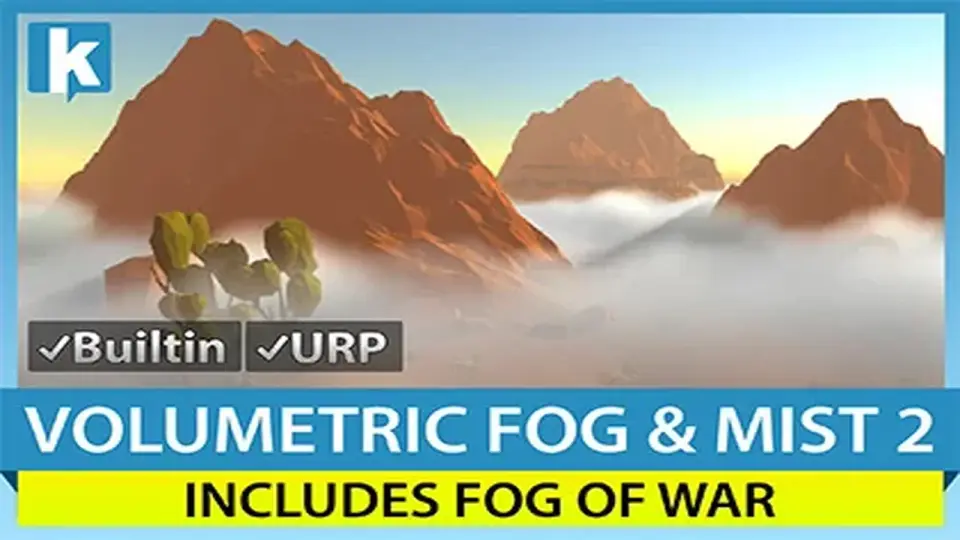
Volumetric Fog & Mist 2 centers on fog areas you can place, move, and scale like gameobjects, with controls that work in the Editor or at runtime. The pack also includes URP, Builtin Pipeline, and Dynamic Fog & Mist 2, along with presets, fog voids, lightin...
Volumetric Fog & Mist 2 starts with a practical workflow: fog areas can be created and positioned in the scene, then moved and scaled much like gameobjects. Those areas can be handled in the Editor or at runtime, and the same fog setup is visible in Scene View as well as Game View, which makes it easier to shape the atmosphere while the scene is being built.
The pack includes Volumetric Fog & Mist for Universal Rendering Pipeline, Volumetric Fog & Mist for Builtin Pipeline, and Dynamic Fog & Mist 2. It is also presented as a complete and performant immersive AAA fog solution used in games like Gigaya, Praey for the Gods, MarZ: Tactical Base Defense, Falling Frontiers, Sky Fleet, and Frontline ZED.
Fog areas you can place like scene objects
The core workflow is straightforward. Fog volumes are treated as scene elements that can be added, moved, and scaled just like other objects in a project. That makes the fog feel part of level construction rather than a separate post-process step. Any number of fog areas can be created, and they can be sized and shaped for the needs of a particular location.
The same setup is not limited to one stage of production. Fog areas can be positioned in the Editor, but they can also be created and adjusted at runtime. That gives the system room to support scenes that need manual placement during development and scenes that need changes while the game is running.
A profile-based workflow is also part of the package. Settings can be created and shared among multiple fog areas or even across scenes, so a single atmosphere setup does not need to be rebuilt every time a new area is introduced.
Opening space inside the fog
Fog voids make it possible to carve clear space into the volume. Several voids can be created in a scene to form 3D holes in the fog, which gives the environment a way to break up uniform coverage. In the Builtin version, one fog void is supported.
Terrain fit is another useful piece of the setup. It lets the fog adapt to different kinds of surfaces below it, which is helpful when the ground is uneven or when the scene needs the fog to sit naturally over a landscape. In the URP version, height and depth gradient controls add another layer of shaping, along with density controls.
The package also includes fly-through-clouds behavior, where floating clouds can be crossed. That makes the fog layer feel less like a flat veil and more like a navigable part of the scene. Ready-to-use presets cover mist, windy mist, fog, heavy fog, low clouds, sea of clouds, toxic swamp, and sand storm, giving different atmospheres a direct starting point.
Lighting, scattering, and motion in the volume
Lighting support is a major part of the feature set. Native directional light support includes shadows and a cascade option. The fog can also respond to sun light diffusion and specular effects, and depth blur or light scattering is available for a more realistic look.
For localized lights, the fast point lights option can cast light on the fog from up to 16 point lights, or even more, with additional global controls for intensity and range and much better performance. Native URP spot and point lights are supported with shadows as well. In Forward rendering the limit is 8 lights, while Forward+/Deferred+ supports 64+ lights for local volumetric effects.
Atmospheric motion is also covered. Wind speed and direction can be controlled, and turbulences are available for less static results. Distant fog can be used to cover the horizon, sky, and far distances with performant fog, which helps the atmosphere carry across large scenes instead of ending abruptly.
Transitions, fog of war, and pipeline coverage
Fog of war is handled with an interactive editor that allows painting, clearing, or coloring fog areas with a brush. The same idea can also be driven through scripting in the Editor and at runtime, which gives the fog a more active role in gameplay or scene interaction.
Automatic fade in and fade out behavior is available, along with profile-based transitions between zones. That makes it easier to move between separate atmospheric regions without a hard visual break. Advanced transparency options are included for non-opaque objects such as lakes, ocean, rivers, and sprites, and URP support extends this with a custom Shader Graph node and depth peeling.
Unity 6 support is included through Adaptive Probe Volumes in URP, which injects global illumination into the volumetric fog. The package is also compatible with Unity 2022.3. Between URP support, Builtin Pipeline support, runtime controls, and the preset and profile system, Volumetric Fog & Mist 2 fits scenes that need a controllable fog layer without losing the ability to tweak it as the project evolves.
For environments that need fog areas, voids, lighting response, and reusable presets in the same system, this package gives a focused set of tools for building atmosphere in both Editor and runtime workflows.
 Shaders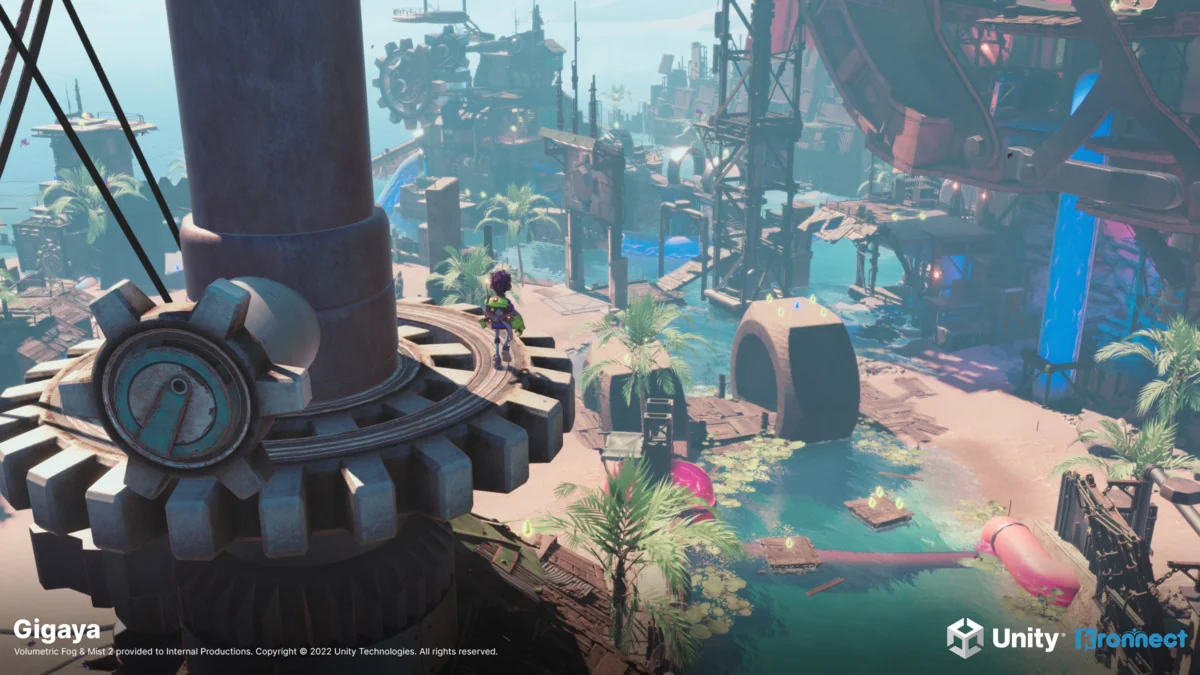
 Particles
 Fullscreen
 Shaders