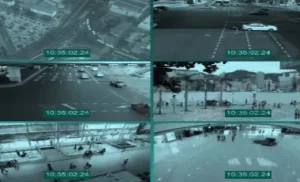

Multi Channel Media Player By OpenCV High Performance WebCamera
Support play network video streams, like rtsp, rtmp, m3u8… Support play local video. like mkv, mp4, avi… Support customize the video fps Support play web camera It does’t support play audio. Click here to view the full details of the resource.:URL Click the button below to download. Download:
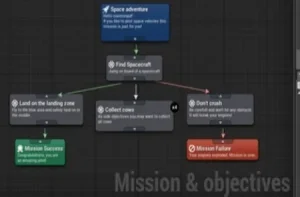
Mission & Objectives
Mission & Objectives plugin is a great Editor extension which provides easy way to design Missions, quests, objectives and events. It comes with many examples and demo maps. It support side quests, multiplayer (replication server-client) and savegames for all players! Every mission gives flexibility to trigger additional conditions at any
Material Assignment Tool
The Material Assignment tool makes tracking static mesh assets with standard slots easy and allows you to bulk assign materials to them all at once. Features Click here to view the full details of the resource.:URL Click the button below to download. Download:

[Blueprint] Web Communication Helper (Http / Websocket)
This plugin exposes easy to use blueprint functions to make advanced http request and open websocket communication, you can use them everywhere You can use it for server-sent events (one way communication) and websocket communication (two way communication) Click here to view the full details of the resource.:URL Click the
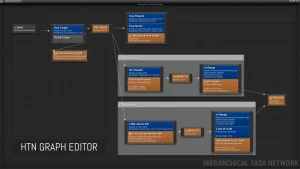
Hierarchical Task Network Planning AI
Just like with Behavior Trees, you can easily create Tasks, Decorators, and Services from either C++ or Blueprints, and arrange them in a visual graph editor. The HTN planner uses Blackboard data to store knowledge about possible future worldstates. Nodes check and modify values in the worldstate during planning, which
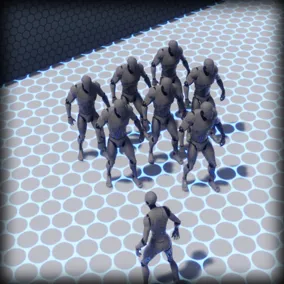
Formation System v2
A system for implementing formations and easily allowing characters to move in formation. The Formation System allows you to easily add formations to your game. Make AI characters follow you in formation, make groups move in formation, or use for any situation where you need characters to move relative to
Flying Navigation System
A feature-complete and easy to use Navigation System for flying AI agents. With full 3D pathfinding capability, this plugin is perfect for building advanced flying AI that can intelligently navigate under bridges, around cities and through epic space battles. This plugin is capable of pathfinding in large worlds, as processing time
Firebase Goodies
The plugin brings the power of Google’s Firebase to you! Supported features: Click here to view the full details of the resource.:URL Click the button below to download. Download:
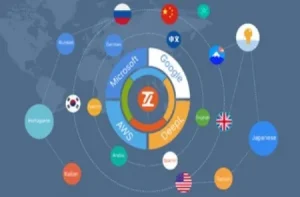
Easy Localization Translation
Easy Localization Translation is a plugin that allows you to translate all collected strings in a project with just one click of a button. It only works in the editor and will not be packaged into the game. With this plugin, you don’t need Google API or Azure API, just
Blend File Importer
A simple plugin that adds support for importing Blender source files directly into the content browser Allows the editor to import Blender source files as assets. Simply import your .blend files into the content browser, just like you would a normal FBX. Through the right-click context menu you can directly
Auto Mesh Outline
This plug-in automatically sets the outline mesh via the component tag. You can automatically add different types of outline via the component tag. Useful for multi-part character mesh outline. When mesh parts change at runtime, you can automatically apply the outline to the mesh by calling “update outline” function. You
Athena AI: A Utility AI Framework – V2
Athena AI is an easy to use framework that enhances AI behavior design by giving you the tools to create your own dynamic NPCs, capable of emergent behavior and smart decision making. With Athena AI you will: Athena AI is an easy to use framework that enhances AI behavior design